2021 ALFA ROMEO GIULIA lane assist
[x] Cancel search: lane assistPage 134 of 284
STARTING AND OPERATING
132
NOTE:
The system operates in the same way, but
mirrored, in the event of exiting the right lane
when only the right lane marking has been
detected.
Left Lane Departure — Both Lanes Detected
When the system is active, both lane lines on
the display illuminate in white to indicate the
successful detection of both limits.
When lane markings are detected, the system
is ready to provide indications in case the
driver unintentionally leaves the lane (turn
signal not activated).
As the Lane Keeping Assist system detects the
lane markings while the vehicle is in motion, it
will adjust the display accordingly (from white
to yellow and yellow to white, and increase
their thickness).
If a lane line is crossed, the driver is alerted by
an audible signal as well as the visual indica-
tion in the instrument cluster. The signal is
emitted through the speakers on the side of
the lane marking which is being crossed (e.g.
if the vehicle is exceeding the left line of the
lane, the audible signal will come from the
speakers on the left of the vehicle). Hands Presence On The Steering Wheel
Detection
The system is able to detect the presence of
the driver’s hands on the steering wheel.
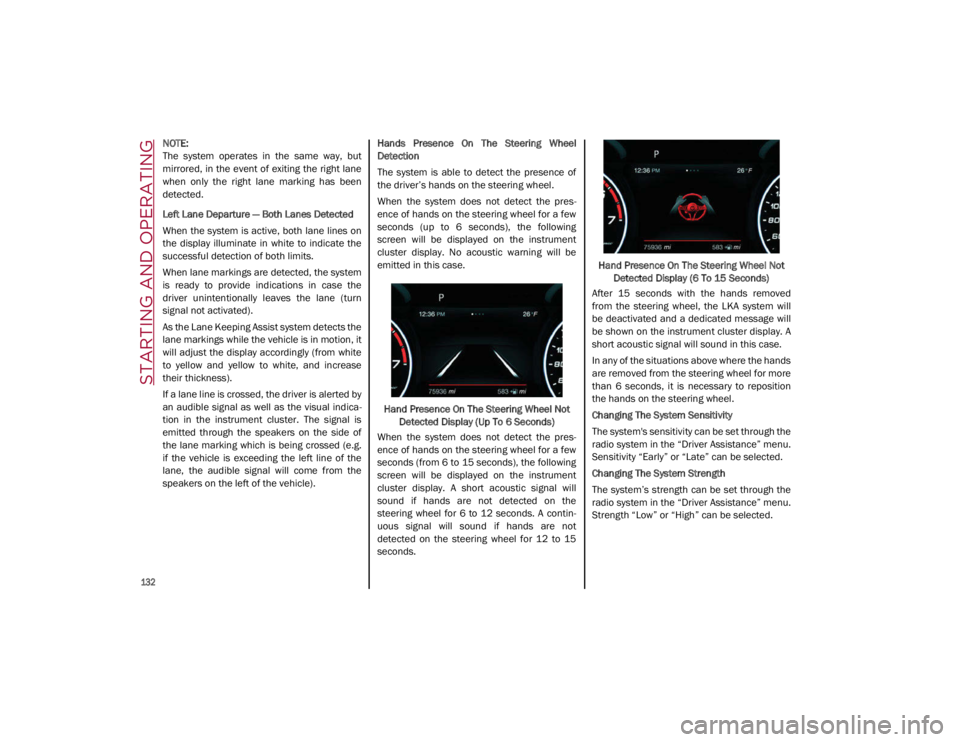
When the system does not detect the pres
-
ence of hands on the steering wheel for a few
seconds (up to 6 seconds), the following
screen will be displayed on the instrument
cluster display. No acoustic warning will be
emitted in this case.
Hand Presence On The Steering Wheel Not Detected Display (Up To 6 Seconds)
When the system does not detect the pres -
ence of hands on the steering wheel for a few
seconds (from 6 to 15 seconds), the following
screen will be displayed on the instrument
cluster display. A short acoustic signal will
sound if hands are not detected on the
steering wheel for 6 to 12 seconds. A contin-
uous signal will sound if hands are not
detected on the steering wheel for 12 to 15
seconds. Hand Presence On The Steering Wheel Not
Detected Display (6 To 15 Seconds)
After 15 seconds with the hands removed
from the steering wheel, the LKA system will
be deactivated and a dedicated message will
be shown on the instrument cluster display. A
short acoustic signal will sound in this case.
In any of the situations above where the hands
are removed from the steering wheel for more
than 6 seconds, it is necessary to reposition
the hands on the steering wheel.
Changing The System Sensitivity
The system's sensitivity can be set through the
radio system in the “Driver Assistance” menu.
Sensitivity “Early” or “Late” can be selected.
Changing The System Strength
The system’s strength can be set through the
radio system in the “Driver Assistance” menu.
Strength “Low” or “High” can be selected.
21_GA_OM_EN_USC_t.book Page 132
Page 146 of 284

SAFETY
144
Maximum assistance from the PBA system is
obtained by pressing the brake pedal very
quickly. In addition, the brake pedal should be
pressed continuously during braking, avoiding
intermittent presses, to get the most out of the
system. Do not reduce pressure on the brake
pedal until braking is no longer necessary.
The PBA system is deactivated when the brake
pedal is released.
Traction Control System (TCS)
The TCS automatically operates in the event of
slipping, loss of grip on wet roads (hydro-
planing), and acceleration on one or both drive
wheels on roads that are slippery, snowy, icy, etc. Depending on the slipping conditions, two
different control systems are activated:
If the slipping involves both drive wheels,
the system intervenes, reducing the power
transmitted by the engine.
If the slipping only involves one of the drive
wheels, the Brake Limited Differential (BLD)
function is activated, automatically braking
the wheel which is slipping (the behavior of
a self-locking differential is simulated). This
will increase the engine torque transferred
to the wheel which isn't slipping.
System Intervention
The intervention of the system is indicated by
the flashing of the ESC warning light on the
instrument panel, to inform the driver that the
vehicle stability and grip are critical.
AUXILIARY DRIVING SYSTEMS
The following auxiliary driving systems are
available in this vehicle:
Forward Collision Warning (FCW)
Tire Pressure Monitoring System (TPMS)
Driver Attention Assist (DAA) The vehicle may also be fitted with the
following driving assistance systems:
Blind Spot Monitoring (BSM) — If Equipped
Lane Departure Warning (LDW)
Lane Keeping Assist (LKA)
Highway Assist System (HAS)
Traffic Jam Assist (TJA)
Adaptive Cruise Control (ACC)
Intelligent Speed Control (ISC)
Traffic Sign Recognition (TSR)
For the operation of the LDW, LKA, HAS, TJA,
ACC, ISC, or TSR systems, see
Ú
page 86.
NOTE:
When driving on two-way roads where there is
no lane dividing center line (e.g. on unpaved
roads), the use of the Active Blind Spot Assist
(ABSA), HAS, TJA, and LKA systems is strongly
discouraged as the system could detect the
entire road as single-lane dividing lines.
NOTE:
The driving assistance systems are designed
to aid in driving the car. The driver must always
maintain a sufficient level of attention to the
traffic and road conditions and control the
trajectory of the car.
WARNING!
The Panic Brake Assist (PBA) cannot
prevent the natural laws of physics from
acting on the vehicle, nor can it increase
the traction afforded by prevailing road
conditions. PBA cannot prevent collisions,
including those resulting from excessive
speed in turns, driving on very slippery
surfaces, or hydroplaning. The capabilities
of a PBA-equipped vehicle must never be
exploited in a reckless or dangerous
manner, which could jeopardize the user's
safety or the safety of others.
21_GA_OM_EN_USC_t.book Page 144
Page 148 of 284

SAFETY
146
Rear View
The system detects vehicles coming from the
rear part of your vehicle on both sides and
entering the rear detection area with a differ-
ence in speed of less than 25 mph (40 km/h)
in relation to your vehicle.
Overtaking Vehicles
If another vehicle is overtaken slowly, with a
difference in speed of less than 15 mph
(25 km/h) and the vehicle stays in the blind
spot for approximately 1.5 seconds, the
warning light on the door mirror of the corre -
sponding side illuminates.
If the difference in speed between the two
vehicles is greater than 15 mph (25 km/h), the warning light does not illuminate
Ú
page 273. Rear Cross Path Detection (RCP) System
The RCP system assists the driver during
reverse maneuvers in the case of reduced visi
-
bility.
The RCP system monitors the rear detection
areas on both sides of the vehicle to detect
objects moving toward the sides of the vehicle,
with a minimum speed between 1 mph (1 km/h)
and 2 mph (3 km/h) and objects moving at a maximum speed of 21 mph (35 km/h), in areas
such as parking lots.
The system activation is signaled to the driver
by an audible warning.
NOTE:
If the sensors are covered by objects or
vehicles, the system may not work as
intended.
For the system to operate correctly, the rear
fascia/bumper area where the radar
sensors are located must stay free from
snow, ice and dirt gathered from the road
surface.
Do not cover the rear fascia/bumper area
where the radar sensors are located with
any object (e.g. adhesives, bike rack, etc.). Operating Mode
The system may be activated/deactivated via
the radio system. To access the function,
select the following items on the main menu in
sequence:
1. “Settings”
2. “Safety”
3. “Blind Spot Alert”
“Blind Spot Alert”, “Visual” Mode
When the system is enabled, the warning light
within the door mirror on the side of the
detected object illuminates.
The visual warning on the mirror will blink if the
driver activates the turn signals, indicating a
lane change.
The warning light will be constant if the driver
stays in the same lane.
WARNING!
The Blind Spot Monitoring system is only an
aid to help detect objects in the blind spot
zones. The BSM system is not designed to
detect pedestrians, bicyclists, or animals.
Even if your vehicle is equipped with the
BSM system, always check your vehicle’s
mirrors, glance over your shoulder, and use
your turn signal before changing lanes.
Failure to do so can result in serious injury
or death.
WARNING!
Rear Cross Path Detection (RCP) is not a
back up aid system. It is intended to be
used to help a driver detect an oncoming
vehicle in a parking lot situation. Drivers
must be careful when backing up, even
when using RCP. Always check carefully
behind your vehicle, look behind you, and
be sure to check for pedestrians, animals,
other vehicles, obstructions, and blind
spots before backing up. Failure to do so
can result in serious injury or death.
21_GA_OM_EN_USC_t.book Page 146
Page 149 of 284

147
(Continued)
“Blind Spot Alert” Function Deactivation
When the system is deactivated (“Blind Spot
Alert” mode off), the BSM or RCP systems will
not emit an audible or a visual warning.
The BSM system will store the operating mode
that was active when the engine was stopped.
Each time the engine is started, the operating
mode stored previously will be recalled and
used.
Active Blind Spot Assist (ABSA) System — If
Equipped
The Active Blind Spot Assist (ABSA) system
function is to help avoid/limit lateral collisions
with cars located in the blind spot zones, even
changing the vehicle’s trajectory in order to
keep it in the detected lane.
The system warns the driver about the pres-
ence of other vehicles in the detection area by
illuminating the warning light located within
the door mirror on the side in which the other
vehicle was detected and by means of an
acoustic signal and/or vibration on the
steering wheel and/or counter-steering torque
on the steering wheel (if the respective item on
the "Driver Assistance" menu is set up and
then selecting "Safety" on the radio system).
When the engine is started, the warning light
illuminates briefly to signal the driver that the
system is active (the warning light comes on
even if the system is activated through the
radio system menu). ABSA Indicator Light
Sensors
The system uses two radar sensors, located in
the rear fascia/bumper (one for each side) to
detect the presence of vehicles (cars, trucks,
motorbikes, etc.) in the rear side blind spots of
the car.
The sensors are activated when any forward
gear is engaged at a speed higher than about
6 mph (10 km/h), or when REVERSE (R) is
engaged.
The sensors are temporarily deactivated when
the car is stationary and in PARK (P).
The detection area of the system covers about
a lane on both sides of the car around 10 ft
(3 meters).
This area begins from the door mirror and
extends for about 20 ft (6 meters) towards the
rear part of the car. WARNING!
The accident risk persists despite the
application of torque to the steering wheel
by the ABSA system.
Applying a torque that corrects the steering
wheel alignment does not always prevent
an accident. It is always the driver's respon
-
sibility to steer, brake or accelerate, espe -
cially after the ABSA system warning or
after the steering wheel torque interven -
tion. The driver is responsible for ensuring
that there are no pedestrians, other vehi -
cles or objects along the direction of the
vehicle. Failure to comply with these
precautions may cause serious accidents
and injuries. The driver is fully responsible
for holding a safe distance from the vehicle
ahead respecting the highway code in force
in the respective country.
In some cases, the system could apply an
improper torque to the steering wheel.
This application can be interrupted at
anytime turning the steering wheel in the
opposite direction.
WARNING! (Continued)
21_GA_OM_EN_USC_t.book Page 147
Page 150 of 284

SAFETY
148
When the sensors are active the system moni-
tors the detection areas on both sides of the
car and warns the driver about the possible
presence of cars in these areas.
Rear Sensor Location
While driving, the system monitors the detec -
tion zone in three different situations:
When you are being overtaken by a vehicle;
When you are overtaking a vehicle;
When a vehicle approaches from the side;
to check if it is necessary to intervene in order
to keep the vehicle inside the lane on both
sides.
NOTE:
The system does not signal the presence of
fixed objects (e.g. safety barriers, poles, walls,
etc.). However, in some circumstances, the
system may activate in the presence of these
objects.This is normal and does not indicate a
system malfunction. The system does not warn the driver about the
presence of cars coming from the opposite
direction, in the adjacent lanes.
Activation/Deactivation
The system can be activated/deactivated
using the “Driver Assistance” menu in the
radio system. Select signal type, strength
levels and sensitivity.
NOTE:
Vehicles with an active system will display the
following screen, on the radio system.
System Intervention
The system intervenes in the following condi
-
tions:
the direction indicators have been turned
on;
there is a vehicle in the adjacent lane on the
same side of the direction indicator (blind
spot area);
lane lines are not correctly detected;
the driver tries to change lane intentionally. If the system detects the presence of a vehicle
in the rear side blind spots of the car, it applies
a torque on the steering wheel (if it has been
set through the “Settings” menu of the radio
system), in order to warn the driver of the need
to keep the car inside the lane and thus avoid
collisions with other vehicles.
The application of torque and vibration is
however only available with car speed
between 37 mph (60 km/h) and 110 mph
(180 km/h).
The application of torque, as well as of the
vibration, is suppressed/inhibited if:
The torque given by the driver of the
steering wheel is high
Lateral acceleration is high
The trailer is not connected to the correct
control module
At least one hand is not detected on the
steering wheel for longer than a specific time
The turn signal is turned off
NOTE:
The steering wheel torque is not applied if the
system is unable to detect a lane and if the
direction indicator for the appropriate side has
not been switched on.
The steering wheel detects the presence of the
driver’s hands by a capacitive sensor installed in
the steering wheel and by the applied torque
measured on the steering column.
21_GA_OM_EN_USC_t.book Page 148
Page 151 of 284
149
System Availability
Aggressive driving of the car, or driving on the
median lines, will prevent the correct opera-
tion of the system.
In case of intervention of the stability and
braking systems (FCW, ESC, ABS) they will
prevent the system from operating.
Lane change will disable the system for a
certain period of time.
The road must also comply with some specific
characteristics, such as:
Maximum/minimum lane width.
Clearly identified and defined double yellow
lines and, for a limited period of time, a lane
with a single demarcation line.
NOTE:
In some cases, for a limited period of time, the
system may be activated by a lane with a
single median line.
In cases of good road surface conditions, the
system could correctly recognize other types
of valid lane markings (e.g. road edges, side -
walks, etc.). Hands Presence On The Steering Wheel
Detection
The system is able to detect the presence of
the driver’s hands on the steering wheel.
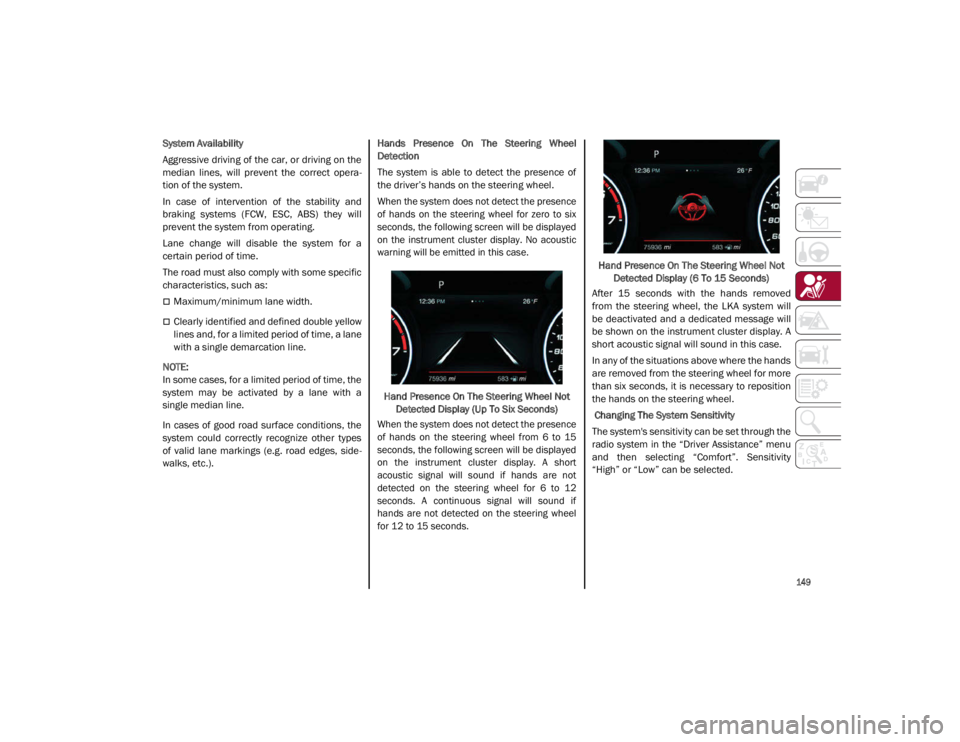
When the system does not detect the presence
of hands on the steering wheel for zero to six
seconds, the following screen will be displayed
on the instrument cluster display. No acoustic
warning will be emitted in this case.
Hand Presence On The Steering Wheel Not Detected Display (Up To Six Seconds)
When the system does not detect the presence
of hands on the steering wheel from 6 to 15
seconds, the following screen will be displayed
on the instrument cluster display. A short
acoustic signal will sound if hands are not
detected on the steering wheel for 6 to 12
seconds. A continuous signal will sound if
hands are not detected on the steering wheel
for 12 to 15 seconds.
Hand Presence On The Steering Wheel Not
Detected Display (6 To 15 Seconds)
After 15 seconds with the hands removed
from the steering wheel, the LKA system will
be deactivated and a dedicated message will
be shown on the instrument cluster display. A
short acoustic signal will sound in this case.
In any of the situations above where the hands
are removed from the steering wheel for more
than six seconds, it is necessary to reposition
the hands on the steering wheel.
Changing The System Sensitivity
The system's sensitivity can be set through the
radio system in the “Driver Assistance” menu
and then selecting “Comfort”. Sensitivity
“High” or “Low” can be selected.
21_GA_OM_EN_USC_t.book Page 149
Page 152 of 284

SAFETY
150
Rear Cross Path Detection (RCP) System
The Rear Cross Path Detection (RCP) system
assists the driver during reverse maneuvers in
the case of reduced visibility.
When the ABSA system is active, the RCP
system monitors the rear detection areas on
both sides of the vehicle to detect objects
moving towards the sides of the vehicle at a
minimum speed between 0.6 mph and 2 mph
(1 km/h and 3km/h) to objects moving at a
maximum speed of 22 mph (35 km/h).
These are generally occurrences that happen
in parking areas.
The system activation is signaled to the driver
by means of a visual and audible warning.
NOTE:
If the sensors are covered by objects or vehi-
cles, the system may not work as intended.
Changing the system sensitivity
To change the sensitivity and the strength of
the torque intervention on the steering wheel,
refer to the Information and Entertainment
System Owner’s Manual Supplement.Driver Attention Assist (DAA) System — If
Equipped
The Driver Attention Assist (DAA) system
detects when the driver is feeling fatigued and
warns the driver to pull over and take a break.
To Activate/Deactivate
The DAA system can be activated and deacti -
vated through the radio system by selecting
the following in order:
1. “Driver Assistance”
2. “Driver Attention Assist”
System Intervention
Using information from the front camera, the
system implements two operating logics:
The first operating logic takes the driving style
into account, observing the road and
detecting to what extent the driver can
continue driving with few lane crossing events.
The second operating logic measures the time
spent behind the wheel with the vehicle speed
above 40 mph (60 km/h) and below 110 mph
(180 km/h). If the “Standard” option is
selected, in these conditions, the “Dozy
Driver” message may appear after three hours
of driving. If the “Early” option is selected and
these conditions occur, the “Dozy Driver”
message will be displayed after two hours of
driving.
NOTE:
If the conditions described above are not
detected continuously during the entire driving
period, the “Dozy Driver” message may be
displayed later than two or three hours. If the
driving style indicates that the driver is unable
to follow the road trajectory and respect the
horizontal lane markings, the red symbol will
appear on the instrument cluster display to
suggest that the driver should stop for a break.
An audible signal will also sound.
If the driver accepts the suggestion provided
by the system by pushing the MENU button on
the multifunction lever, the message will
disappear from the display and the symbol will
be displayed in the dedicated area of the
instrument cluster display until the next
engine shutdown.
If the driver ignores the warning provided by
the system and does not stop, the message
will continue to remain on the display, along
with the symbol.
WARNING!
The DAA System is an aid for driving and does
not relieve the driver of the responsibility of
driving the vehicle. If you experience fatigue
while driving, pull over safely for a break
without waiting for the DAA to intervene. Only
return to the road when you are in the right
physical and mental condition to prevent
endangering yourself and other drivers.
21_GA_OM_EN_USC_t.book Page 150
Page 278 of 284

276
INDEX
Instrument PanelFeatures ................................................... 66
Interior And Instrument Lights ............. 45, 46
Interior Lights ...................................... 44, 232
Interiors (Cleaning)..................................... 253
Internal Equipment ...................................... 55
J
Jump Starting ............................................. 198
K
Keyless Enter-N-Go ...................................... 24 Passive Entry ............................................ 24
Keys .............................................................. 16
L
Lane Change And Turn Signals ................... 44
Lane Change Assist...................................... 44
LaneSense ..................................................128
Lap/Shoulder Belts ....................................160
Latches .......................................................188
Leaks, Fluid ................................................188
Life Of Tires.................................................245
Light Bulbs ..................................................188 Types Of Bulbs ....................................... 229
Lights .......................................................... 188 Air Bag ...........................................165, 187
Ambient .................................................... 45
Brake Warning .................................. 73, 74Courtesy/Reading ............................. 45, 46Daytime Running ..................................... 42
Electronic Stability Program(ESP) Indicator ............................................... 78 Exterior ............................................ 42, 188
Fog ............................................................ 44
Hazard Warning Flasher........................ 190
High Beam/Low Beam Select................. 42
Interior ...................................................... 44
Low Fuel ................................................... 79
Malfunction Indicator (Check Engine).... 77
Park ....................................................43, 77
Seat Belt Reminder ................................. 75
Turn Signals ..............................44, 77, 188
Warning Instrument Cluster Descriptions ...................................77, 78
Loading Vehicle .......................................... 136 Tires ........................................................ 237
Locks Automatic Door ........................................ 26
Child Protection ....................................... 26
M
Maintenance ................................................ 61
Malfunction Indicator Light
(Check Engine) ............................................. 77
Manual Service.................................................... 272
Memory Feature (Memory Seats) ............... 28
Memory Seat ................................................ 28
Methanol .................................................... 263
Mirrors Automatic Dimming ................................. 36
Electric Powered ...................................... 37
Exterior Folding ........................................ 37
Heated...................................................... 38
Rearview................................................... 36
Vanity ...................................................... 232 O
Occupant Restraints.................................. 159
Oil Pressure Light .........................................79
Oil, Engine
Pressure Warning Light............................ 79
Onboard Diagnostic System ........................84
Opener, Garage Door (Homelink) ................38
Operator Manual Owner's Manual..................................... 272
P
Paintwork
(Cleaning And Maintenance) .................... 252
Panic Brake Assist (PBA) System ............. 143
ParkSense System .................................... 125
Passive Entry ................................................24
Performance (Top Speed) ......................... 269
Pets ............................................................ 187
Pinch Protection ...........................................61
Placard, Tire And Loading Information .... 237
Power Deck Lid Release .....................................63
Seats .........................................................32
Sunroof .....................................................60
Power Seats Forward .............................................. 29, 32
Rearward ........................................... 29, 32
Recline ............................................... 29, 32
Power Supply ............................................. 257
Pregnant Women And Seat Belts ............. 163
Pretensioners Seat Belts .............................................. 164
Prolonged Vehicle Inactivity ...................... 250
21_GA_OM_EN_USC_t.book Page 276