Page 561 of 693

WHEELS AND TIRES
* Option/accessory.559
Action when warned of low tire pressure When the inflation pressure monitoring sys- tem11
detects low inflation pressure in a tire,
immediate action is required.
If the system's indicator symbol illu- minates and the message Tire
pressure low is displayed, check
the tire pressure and inflate if neces-
sary.
1. Switch off the ignition.
2. Check the inflation pressure on all four tires using a tire pressure gauge.
3. Inflate the tire to the correct inflation pres- sure; see the tire pressure placard on the driver's side B pillar for recommendedpressures for factory-mounted tires.
4. After the inflation pressure has been adjusted, always save the new inflationpressure in the system via the center dis-play. Please be aware that the indicator symbol will not go out until the low tire pressurehas been corrected and a storing proce-dure has been started for the new inflationpressure.
NOTE
To help prevent incorrect inflation pressure, pressure should be checked when the tiresare cold. The tires are considered to becold when they have reached the sametemperature as the ambient temperature(about 3 hours after the vehicle was lastdriven). After driving for a few kilometers,the tires will warm up and the pressure willincrease.
NOTE
After inflating a tire, always replace the valve cap to help prevent valve damagecaused by gravel, dirt, etc.
Use plastic valve caps only. Metal capscould corrode and become difficult toremove.
WARNING
Incorrect inflation pressure could lead to tire failure, which could cause thedriver to lose control of the vehicle.
The system cannot predict sudden tiredamage.
Related information
Recommended tire pressure (p. 555)
Adjusting tire pressure (p. 554)
Saving a new inflation pressure in the monitoring system
* (p. 557)
Viewing tire pressure status in the centerdisplay
* (p. 558)
Tire pressure monitoring system
* (p. 555)
Inflate tires with the compressor included in the tire sealing system (p. 573)
11
Tire Pressure Monitoring System (TPMS)
Page 644 of 693

||
MAINTENANCE AND SERVICE
* Option/accessory.
642
WARNING
Never use more than one inlay mat at a time on the driver's floor. If any othertype of floor mat is used, remove theoriginal mat from the driver's seat floorbefore driving. All types of mats mustbe securely anchored in the attach-ment points in the floor. Make sure thefloor mat does not impede the move-ment of the brake pedal or acceleratorpedal in any way, as this could be aserious safety hazard.
Volvo's floor mats are specially manu-factured for your vehicle. They must beproperly secured in the attachmentpoints in the floor to help ensure theycannot slide and become trappedunder the pedals.
Related information
Cleaning the interior (p. 639)
Cleaning the center display (p. 639)
Cleaning fabric upholstery and ceiling liner(p. 641)
Cleaning the seat belt (p. 641)
Cleaning leather upholstery
* (p. 642)
Cleaning the leather steering wheel(p. 643)
Cleaning interior plastic, metal and woodsurfaces (p. 643)
Cleaning leather upholstery
*
Only use cleaning agents and car care prod- ucts recommended by Volvo. Clean regularlyand treat stains immediately. It is importantto vacuum before using a cleaning agent.
Volvo's leather upholstery * is treated to pro-
tect its original appearance. Over time, sun- light, grease, dirt, etc. could break down theprotective layer. This could result in scratchesand cracking. Leather upholstery * is a natural product that
changes and acquires a beautiful patina over time. Regular cleaning and treatments arerequired to preserve the qualities and color ofthe leather. Volvo offers a comprehensiveproduct, Volvo Leather Care KitWipes, forcleaning and treating leather upholstery.When used as directed, it helps preserve theleather's protective coating. For optimal results, Volvo recommends clean- ing and applying protective cream one to fourtimes a year (or more often as needed). VolvoLeather Care Kit 951 0251 and Volvo LeatherSoftener 943 7429 are available for purchaseat Volvo retailers.
Cleaning the leather upholstery1. Apply the leather cleaner to a damp sponge and squeeze it until the cleanerfoams. 2. Move the sponge in circular motions to
apply the foam to the stain.
3. Dampen the stain thoroughly with the sponge. Let the sponge absorb the stainand do not rub.
4. Dry the stain using a soft towel and let the leather dry completely.
Protecting the leather upholstery1. Apply a small amount of leather protectorto a cloth and then apply the protector tothe leather using light circular movements.
2. Let it dry for approximately 20 minutes. > Protecting the leather upholsterymakes it better able to withstand sun-light's harmful UV rays.
Related information
Cleaning the interior (p. 639)
Cleaning the center display (p. 639)
Cleaning fabric upholstery and ceiling liner(p. 641)
Cleaning the seat belt (p. 641)
Cleaning floor mats and inlay mats(p. 641)
Cleaning the leather steering wheel(p. 643)
Cleaning interior plastic, metal and wood surfaces (p. 643)
Page 675 of 693
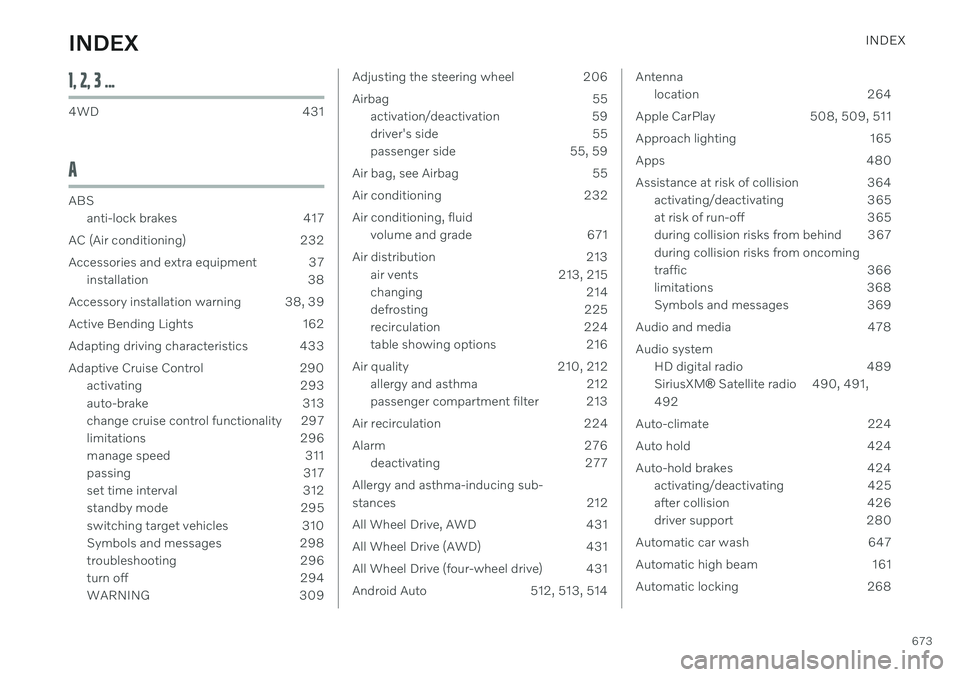
INDEX
673
1, 2, 3 ...
4WD 431
A
ABSanti-lock brakes 417
AC (Air conditioning) 232
Accessories and extra equipment 37 installation 38
Accessory installation warning 38, 39
Active Bending Lights 162
Adapting driving characteristics 433
Adaptive Cruise Control 290 activating 293
auto-brake 313
change cruise control functionality 297
limitations 296
manage speed 311
passing 317
set time interval 312
standby mode 295
switching target vehicles 310
Symbols and messages 298
troubleshooting 296
turn off 294
WARNING 309
Adjusting the steering wheel 206
Airbag 55
activation/deactivation 59
driver's side 55
passenger side 55, 59
Air bag, see Airbag 55
Air conditioning 232Air conditioning, fluid volume and grade 671
Air distribution 213 air vents 213, 215
changing 214
defrosting 225
recirculation 224
table showing options 216
Air quality 210, 212 allergy and asthma 212
passenger compartment filter 213
Air recirculation 224
Alarm 276 deactivating 277
Allergy and asthma-inducing sub-
stances 212
All Wheel Drive, AWD 431
All Wheel Drive (AWD) 431
All Wheel Drive (four-wheel drive) 431
Android Auto 512, 513, 514Antenna location 264
Apple CarPlay 508, 509, 511
Approach lighting 165
Apps 480
Assistance at risk of collision 364 activating/deactivating 365
at risk of run-off 365
during collision risks from behind 367during collision risks from oncoming
traffic 366
limitations 368
Symbols and messages 369
Audio and media 478 Audio system HD digital radio 489 SiriusXM ®
Satellite radio 490, 491,
492
Auto-climate 224
Auto hold 424
Auto-hold brakes 424 activating/deactivating 425
after collision 426
driver support 280
Automatic car wash 647
Automatic high beam 161
Automatic locking 268
INDEX
Page:
< prev 1-8 9-16 17-24