2020 TOYOTA MIRAI steering wheel
[x] Cancel search: steering wheelPage 228 of 528

2285-5. Using the driving support systems
MIRAI_OM_USA_OM62073U
WARNING
■Limitations of the pre-collision system
● The driver is solely responsible for safe driving. Always drive safely, taking
care to observe your surroundings. Do not use the pre-collision system
instead of normal braking operations under any circumstances. T his sys-
tem will not prevent collisions or lessen collision damage or i njury in every
situation. Do not overly rely on this system. Failure to do so may lead to an
accident, resulting in death or serious injury.
● Although this system is designed to help avoid a collision or h elp reduce
the impact of the collision, its effectiveness may change according to vari-
ous conditions, therefore the system may not always be able to achieve
the same level of performance.
Read the following conditions carefully. Do not overly rely on this system
and always drive carefully.
• Conditions under which the system may operate even if there is no pos-
sibility of a collision: P. 233
• Conditions under which the system may not operate properly: P. 235
● Do not attempt to test the operation of the pre-collision syste m yourself.
Depending on the objects used for testing (dummies, cardboard o bjects
imitating detectable objects, etc.), the system may not operate properly,
possibly leading to an accident.
■ Pre-collision braking
● When the pre-collision braking function is operating, a large a mount of
braking force will be applied.
● If the vehicle is stopped by the operation of the pre-collision braking func-
tion, the pre-collision braking function operation will be canceled after
approximately 2 seconds.
Depress the brake pedal as necessary.
● The pre-collision braking function may not operate if certain o perations are
performed by the driver. If the accelerator pedal is being depressed
strongly or the steering wheel is being turned, the system may determine
that the driver is taking evasive action and possibly prevent t he pre-colli-
sion braking function from operating.
● In some situations, while the pre-collision braking function is operating,
operation of the function may be canceled if the accelerator pedal is
depressed strongly or the steering wheel is turned and the syst em deter-
mines that the driver is taking evasive action.
● If the brake pedal is being depressed, the system may determine that the
driver is taking evasive action and possibly delay the operation timing of
the pre-collision braking function.
Page 233 of 528

2335-5. Using the driving support systems
5
Driving
MIRAI_OM_USA_OM62073U■
Object detection function
■ Cancelation of the pre-collision braking
If either of the following occur while the pre-collision brakin g function is oper-
ating, it will be canceled:
● The accelerator pedal is depressed strongly.
● The steering wheel is turned sharply or abruptly.
■ Conditions under which the system may operate even if there is no pos-
sibility of a collision
● In some situations such as the following, the system may determ ine that
there is a possibility of a frontal collision and operate.
• When passing a detectable object, etc.
• When changing lanes while overtaking a detectable object, etc.
• When rapidly closing on a detectable object, etc.
• When approaching objects on the roadside, such as detectable o bjects,
guardrails, utility poles, trees, or walls
The system detects objects based on
their size, profile, motion, etc. However,
an object may not be detected depending
on the surrounding brightness and the
motion, posture, and angle of the
detected object, preventing the system
from operating properly. (
P. 235) The
illustration shows an image of detectable
objects.
• When approaching a detectableobject in an adjacent lane or on the
roadside, such as when changing the
course of travel or driving on a wind-
ing road
• When there is a detectable object or other object by the roadside at the
entrance of a curve
Page 238 of 528

2385-5. Using the driving support systems
MIRAI_OM_USA_OM62073U
LDA (Lane Depar ture Al ert with steering
control)
When driving on highways and freeways with white (yellow) lane
lines, this function alerts the driver when the vehicle might d epart from
its lane or course
* and provides assistance by operating the steering
wheel to keep the vehicle in its lane or course
*.
The LDA system recognizes white
(yellow) lane lines or a course
*
using the front camera. Addition-
ally, it detects preceding vehicles
using the front camera and radar.
*: Boundary between asphalt and the side of the road, such as grass, soil,
or a curb
Summary of functions
WARNING
■ Before using LDA system
● Do not rely solely upon the LDA system. The LDA system does not auto-
matically drive the vehicle or reduce the amount of attention that must be
paid to the area in front of the vehicle. The driver must always assume full
responsibility for driving safely by paying careful attention to the surround-
ing conditions and operating the steering wheel to correct the path of the
vehicle. Also, the driver must take adequate breaks when fatigu ed, such
as from driving for a long period of time.
● Failure to perform appropriate driving operations and pay caref ul attention
may lead to an accident, resulting in death or serious injury.
● When not using the LDA system, use the LDA switch to turn the system
off.
■ Situations unsuitable for LDA system
In the following situations, use the LDA switch to turn the sys tem off. Failure
to do so may lead to an accident, resulting in death or serious injury.
● Vehicle is driven on a road surface which is slippery due to rainy weather,
fallen snow, freezing, etc.
● Vehicle is driven on a snow-covered road.
● White (yellow) lines are difficult to see due to rain, snow, fo g, dust, etc.
● A spare tire, tire chains, etc. are equipped.
Page 239 of 528

2395-5. Using the driving support systems
5
Driving
MIRAI_OM_USA_OM62073U
WARNING
●When the tires have been excessively worn, or when the tire inf lation pres-
sure is low.
● When tires of a size other than specified are installed.
● Vehicle is driven in traffic lanes other than that highways and freeways.
● During emergency towing
■ Preventing LDA system malfunctio ns and operations performed by
mistake
● Do not modify the headlights or place stickers, etc. on the sur face of the
lights.
● Do not modify the suspension etc. If the suspension etc. needs to be
replaced, contact your Toyota dealer.
● Do not install or place anything on the hood or grille. Also, d o not install a
grille guard (bull bars, kangaroo bar, etc.).
● If your windshield needs repairs, contact your Toyota dealer.
■ Conditions in which functions may not operate properly
In the following situations, the functions may not operate prop erly and the
vehicle may depart from its lane. Drive safely by always paying careful
attention to your surroundings and operate the steering wheel t o correct the
path of the vehicle without relying solely on the functions.
● Vehicle is being driven around a sharp curve.
●Objects or patterns that could be mis-
taken for white (yellow) lines are pres-
ent on the side of the road (guardrails,
reflective poles, etc.).
Page 242 of 528

2425-5. Using the driving support systems
MIRAI_OM_USA_OM62073U■
Lane departure alert function
When the system determines
that the vehicle might depart
from its lane or course
*, a
warning is displayed on the
multi-information display, and a
warning buzzer will sound to
alert the driver.
When the warning buzzer
sounds, check the area around
your vehicle and carefully oper-
ate the steering wheel to move
the vehicle back to the center of
the lane.
*: Boundary between asphalt and the side of the road, such as grass, soil,
or a curb
■
Steering assist function
When the system determines
that the vehicle might depart
from its lane or course
*, the
system provides assistance as
necessary by operating the
steering wheel in small
amounts for a short period of
time to keep the vehicle in its
lane.
If the system detects that the
steering wheel has not been
operated for a fixed amount of
time or the steering wheel is not
being firmly gripped, a warning
is displayed on the multi-infor-
mation display and the function
is temporarily canceled.
*: Boundary between asphalt and the side of the road, such as grass, soil,
or a curb
Functions included in LDA system
Page 244 of 528

2445-5. Using the driving support systems
MIRAI_OM_USA_OM62073U
LDA indicator
The illumination condition of the
indicator informs the driver of the
system operation status.
Illuminated in green: LDA system
is operating.
Flashing in yellow: Lane departure
alert function is operating.
Steering control indicator and operation display of steering wh eel
operation support
When that steering wheel assistance of the steering assist function is oper-
ating, the indicator illuminates and the operation display on the multi-infor-
mation display is turned on.
Lane departure alert function display
Displayed when the multi-information display is switched to the driving
assist systems display.
*: Boundary between asphalt and the side of the road, such as gra ss, soil, or
a curb
Indications on multi-information display
Inside of displayed lines is
whiteInside of displayed lines is
black
Indicates that the system is rec-
ognizing white (yellow) lines or
a course
*. When the vehicle
departs from its lane, the white
line displayed on the side the
vehicle departs from flashes
orange. Indicates that the system is not
able to recognize white (yellow)
lines or a course* or is temporar-
ily canceled.
Page 245 of 528
2455-5. Using the driving support systems
5
Driving
MIRAI_OM_USA_OM62073U
■Operation conditions of each function
●Lane departure alert function
This function operates when all of the following conditions are met.
• LDA is turned on.
• Vehicle speed is approximately 32 mph (50 km/h) or more.
• System recognizes white (yellow) lane lines or a course
*. (When a white
[yellow] line or course* is recognized on only one side, the sy stem will
operate only for the recognized side.)
• Width of traffic lane is approximately 9.8 ft. (3 m) or more.
• Turn signal lever is not operated.
• Vehicle is not being driven around a sharp curve.
• No system malfunctions are detected. ( P. 247)
*: Boundary between asphalt and the side of the road, such as gra ss, soil, or
a curb
● Steering assist function
This function operates when all of the following conditions are met in addi-
tion to the operation conditions for the lane departure alert function.
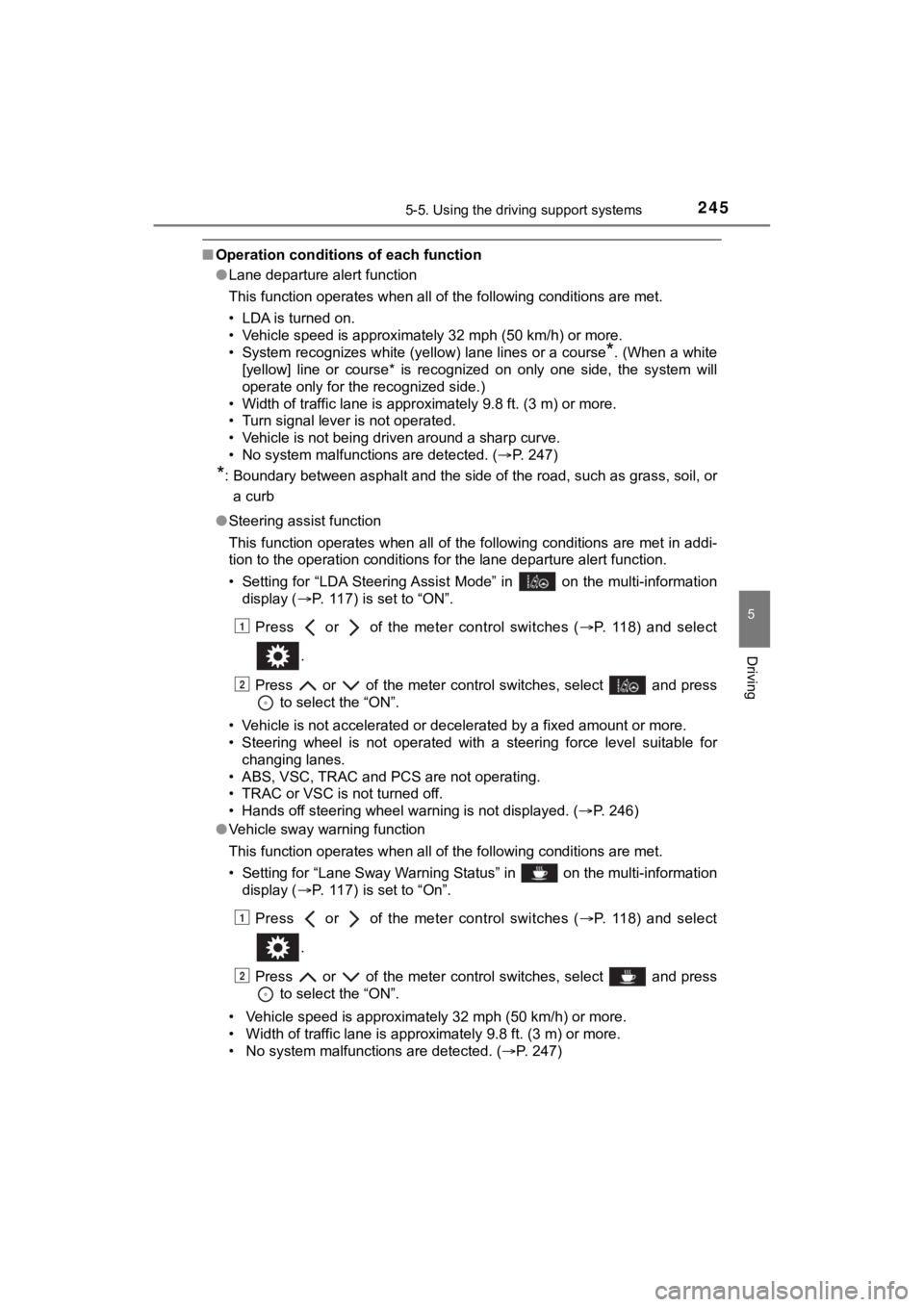
• Setting for “LDA Steering Assist Mode” in on the multi-inform ation
display ( P. 117) is set to “ON”.
Press or of the meter control switches ( P. 118) and select
.
Press or of the meter control switches, select and press to select the “ON”.
• Vehicle is not accelerated or decelerated by a fixed amount or more.
• Steering wheel is not operated with a steering force level suitable for
changing lanes.
• ABS, VSC, TRAC and PCS are not operating.
• TRAC or VSC is not turned off.
• Hands off steering wheel warning is not displayed. ( P. 246)
● Vehicle sway warning function
This function operates when all of the following conditions are met.
• Setting for “Lane Sway Warning Status” in on the multi-information display ( P. 117) is set to “On”.
Press or of the meter control switches ( P. 118) and select
.
Press or of the meter control switches, select and press to select the “ON”.
• Vehicle speed is approximately 32 mph (50 km/h) or more.
• Width of traffic lane is approximately 9.8 ft. (3 m) or more.
• No system malfunctions are detected. ( P. 247)
1
2
1
2
Page 246 of 528

2465-5. Using the driving support systems
MIRAI_OM_USA_OM62073U■
Temporary cancelation of functions
When operation conditions are no longer met, a function may be temporarily
canceled. However, when the operation conditions are met again, operation
of the function is automatically restored. ( P. 245)
■ Steering assist function
●Depending on the vehicle speed, lane departure situation, road conditions,
etc., the driver may not feel the function is operating or the function may not
operate at all.
● The steering control of the function is overridden by the drive r’s steering
wheel operation.
● Do not attempt to test the operation of the steering assist fun ction.
■ Lane departure alert function
●The warning buzzer may be difficult to hear due to external noi se, audio
playback, etc.
● If the edge of the course
* is not clear or straight, the lane departure alert
function may not operate.
● Do not attempt to test the operation of the lane departure aler t function.
*: Boundary between asphalt and the side of the road, such as gra ss, soil, or
a curb
■ Hands off steering wheel warning
●When the system determines that t he driver is driving without holding the
steering wheel while the system is operating
If the driver continues to keep their hands off of the steering wheel, the
buzzer sounds, the driver is warned and the function is temporarily can-
celed.
This warning also operates in the same way when the driver cont inuously
operates the steering wheel only a small amount.
● When the system determines that the vehicle may not turn and instead
depart from its lane while driving around a curve
Depending on the vehicle condition and road conditions, the war ning may
not operate. Also, if the system determines that the vehicle is driving
around a curve, warnings will occur earlier than during straight-lane driving.
In the following situations, a warning mes-
sage urging the driver
to hold the steering
wheel and the symbol shown in the illus-
tration are displayed on the multi-informa-
tion display to warn the driver. The
warning stops when the system deter-
mines that the driver holds the steering
wheel.
Always keep your hands on the steering
wheel when using this system, regardless
of warnings.