3. Rear trunk - Double-click to open the rear trunk. Hold down for one to two seconds to open the
charge port door.
Once inside, power up Model Y by pressing the brake
pedal within two minutes of pressing the unlock button
on the key fob (see
Starting and Powering Off on page
49). If you wait longer than two minutes, you must
press the unlock button again, or place the key fob near
the card reader located behind the cup holders on the center console. When your key fob is detected, the two
minute authentication period restarts.
When approaching or leaving Model Y carrying the key
fob, you do not need to point the key fob at
Model Y as
you press a button, but you must be within operating range.
Radio equipment on a similar frequency can affect the
key. If this happens, move the key at least
one foot
(30 cm) away from other electronic devices (phone,
laptop, etc.).
If the key fob does not work (for example, its battery is dead), you can touch its
flat side against the card
reader on the driver
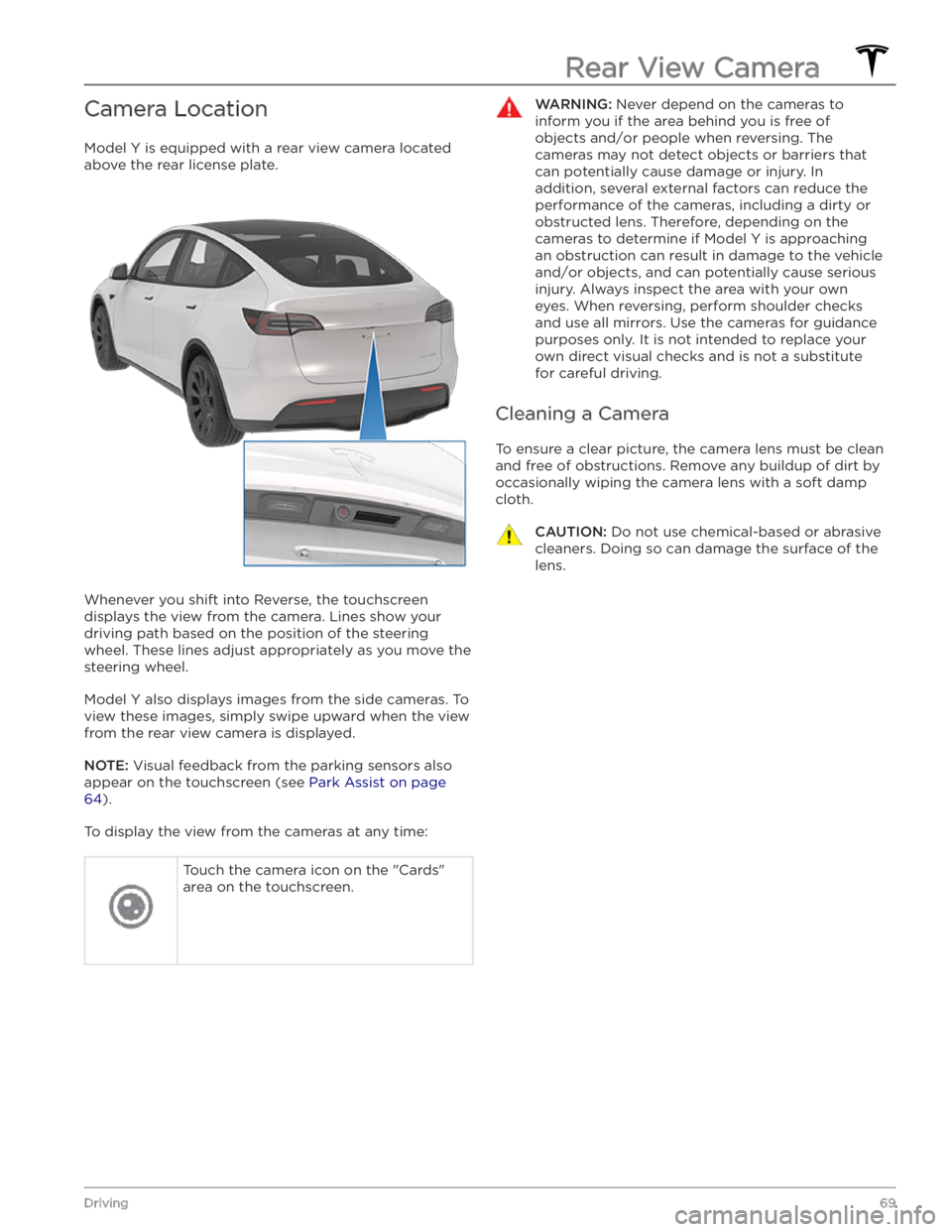
Camera Location
Model Y is equipped with a rear view camera located
above the rear license plate.
Whenever you shift into Reverse, the touchscreen displays the view from the camera. Lines show your
driving path based on the position of the steering wheel. These lines adjust appropriately as you move the
steering wheel.
Model Y also displays images from the side cameras. To
view these images, simply swipe
upward when the view
from the rear view camera is displayed.
NOTE: Visual feedback from the parking sensors also
appear on the
touchscreen (see Park Assist on page
64).
To display the view from the cameras at any time:
Touch the camera icon on the "Cards"
area on the touchscreen.WARNING: Never depend on the cameras to
inform you if the area behind you is free of
objects and/or people when reversing. The
cameras may not detect objects or barriers that
can potentially cause damage or injury. In
addition, several external factors can reduce the
performance of the cameras, including a dirty or
obstructed lens. Therefore, depending on the
cameras to determine if Model Y is approaching
an obstruction can result in damage to the vehicle
and/or objects, and can potentially cause serious
injury. Always inspect the area with your own
eyes. When reversing, perform shoulder checks
and use all mirrors. Use the cameras for guidance
purposes only. It is not intended to replace your
own direct visual checks and is not a substitute
for careful driving.
Cleaning a Camera
To ensure a clear picture, the camera lens must be clean
and free of obstructions. Remove any buildup of dirt by
occasionally wiping the camera lens with a soft damp cloth.
CAUTION: Do not use chemical-based or abrasive
cleaners. Doing so can damage the surface of the
lens.
Rear View Camera
69Driving