2020 MERCEDES-BENZ C-CLASS ESTATE high beam
[x] Cancel search: high beamPage 139 of 565
ULTRA RANGE Highbeam increases
the bright‐
ness of the cone of light tothe legally permitted
maximum.
Pa rtial high beam uses the high beam toshine
past other road users rath er than dazzling them.
The vehicle in front will be illuminated bythe low
beam.
At speeds below 25 km/h or when there is suf fi‐
cient stre et lighting:
R The partial high beam and the high beam will
be switched off automaticall y.
At speeds greater than 30 km/h:
R If no other road users are de tected, the high
beam will switch on automaticall y.
R Ifot her road users are de tected, the partial
high beam will switch on automaticall y.
At speeds abo ve40 km/h:
R If no other road users are de tected on a
st ra ight road, ULTRA RANGE Highbeam will
be swit ched on automaticall y.
R Ifot her road users are de tected, the partial
high beam will switch on automaticall y.R
If highly reflective signs are de tected, ULTRA
RANGE Highbeam will be switched off au to‐
matical ly.
At speeds greater than appr oximately 50 km/h:
R The headlamp range of the low beam is regu‐
lated automatically based on the dis tance to
ot her road users.
% The sy stem's optical sensor is located
behind the windscreen near theove rhead
control panel.
Switching Adaptive Highbeam Assist Plus
on/off
Switching on #
Turn the light switch tothe à position. #
Switch on the high beam using the combina‐
tion switch.
When the high beam is switched on automat‐
ically in the dar k,the_ indicator lamp on
th e multifunction display will light up. Switching off #
Switch off the high beam using the combina‐
tion switch. Setting
the dipped beam Multimedia sy
stem:
4 Vehicle 5
÷ Light settings
5 Dipped-beams #
Select Left-side traffic orRight-side traffic. Setting
theex terior lighting switch-off delay
time Multimedia sy
stem:
4 Vehicle 5
÷ Light settings
5 Exterior light shut-off #
Set the switch-off delay time. 13 6
Light and sight
Page 141 of 565
Ad
justing the brightness #
Select Brightness . #
Set a brightness value.
Ac tivating the brightness for zones #
Select Brightness zones .#
Activate Oor deacti vate ª the function.
The Display ,Front andRear zones can be set
separately. Setting
the interior lighting switch-off delay
time Multimedia sy
stem:
4 Vehicle 5
÷ Light settings
5 Interior light shut-off #
Set the switch-off delay time. Changing bulbs (only
forve hicles with halo‐
ge n headla mps) Note
s onchanging bulbs &
WARNING Risk of burn s from hot com‐
ponent parts whilst replacing a bulb
Bulbs, lamps and plugs can become very hot
during operation.
When replacing a bulb, you could burn your‐
self on these component parts. #
Allow the component parts tocool
down before replacing the bulb. R
Do not use a bulb if it has been dropped or if
itsglass has been sc ratched. The bulb may
ot herwise explode.
R Do not touch theglass bulb with your bare
hands.
R Protect bulbs from moisture and do not allow
bulbs tocome into contact wi thliquids. Overview of
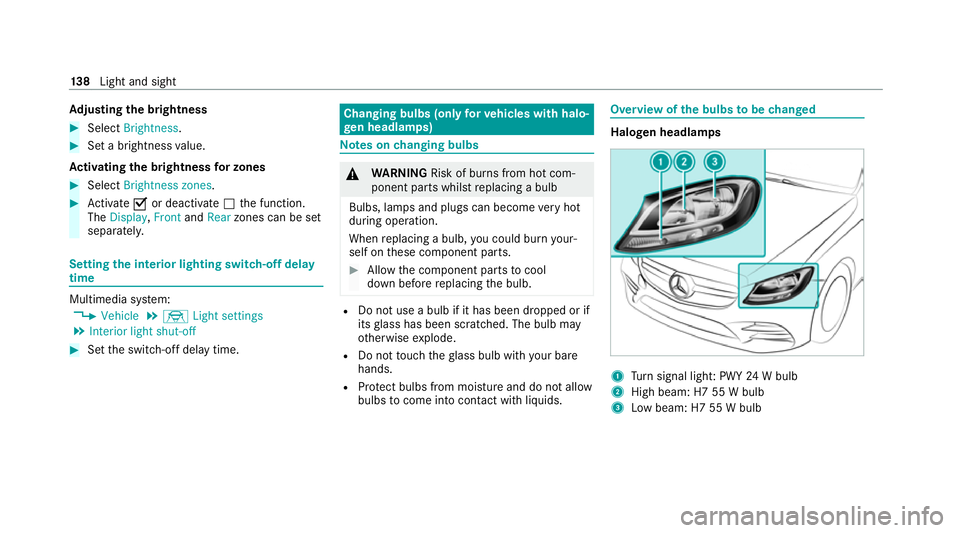
the bulbs tobe changed Halogen headlamps
1
Turn signal light: PWY 24W bulb
2 High beam: H7 55 W bulb
3 Low beam: H7 55 W bulb 13 8
Light and sight
Page 143 of 565
#
Toremo ve:using a suitable object, turn the
two mounts 1ofthe co ver2 in an anti-
clockwise direction as far as they will go. #
Remo vethe unloc ked co ver2 from the
wheel ar chliner bypulling it upwards. #
Tofit: inse rtco ver 2 at bottom of the wheel
ar ch liner. #
Using a suitable object, turn the two mounts
1 ofthe co ver2 in clockwise direction as
fa r as they will go.
Re placing bulbs in the halo gen headla mp
Re quirements:
The lighting sy stem is switched off.
Low beam/high beam
R A H7 55 W light bulb is available.
R The bonnet is open.
Tu rn signal lights:
R A PWY 24W light bulb is available.
R The co ver in the front wheel ar chhas been
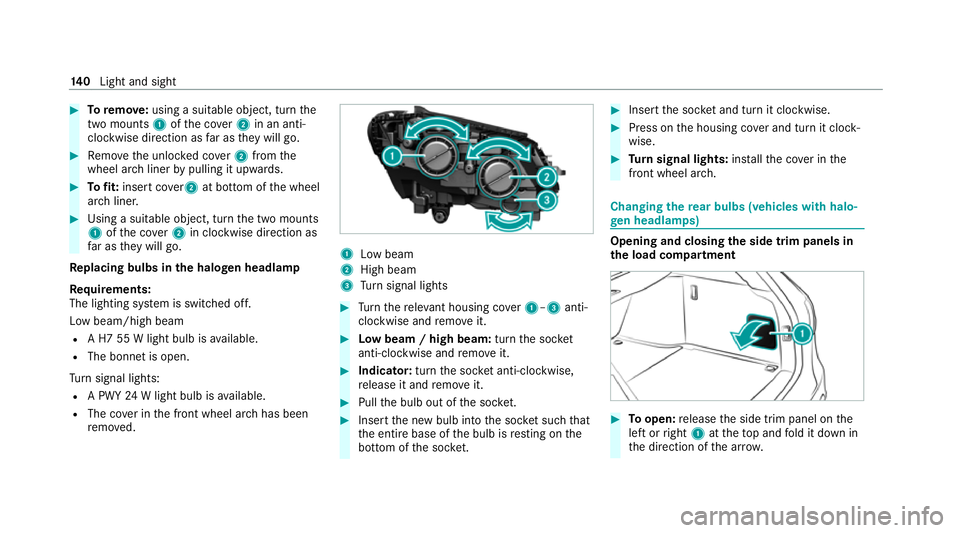
re mo ved. 1
Low beam
2 High beam
3 Turn signal lights #
Turn there leva nt housing co ver1–3 anti-
clockwise and remo veit. #
Low beam / high beam: turnthe soc ket
anti-clockwise and remo veit. #
Indicator: turnthe soc ket anti-clo ckwise,
re lease it and remo veit. #
Pull the bulb out of the soc ket. #
Inse rtthe new bulb into the soc ket su chthat
th e entire base of the bulb is resting on the
bottom of the soc ket. #
Inse rtthe soc ket and turn it clo ckwise. #
Press on the housing co ver and turn it clock‐
wise. #
Turn signal lights: installth e co ver in the
front wheel ar ch. Changing
there ar bulbs (vehicles with halo‐
ge n headla mps) Opening and closing
the side trim panels in
th e load compa rtment #
Toopen: release the side trim panel on the
left or right 1attheto p and fold it down in
th e direction of the ar row. 14 0
Light and sight
Page 257 of 565
è
Active Steering Assist (/ page210)
à Ac
tive Lane Keeping Assist (/ page 222)
è ECO
start/ stop function (/ page168)
ë HOLD fu
nction (/ page 197)
_ Ad
aptive Highbeam Assist (/ page133)
Ad aptive Highbeam Assist Plus
(/ page 135)
ð Maximum pe rmissible speed exceeded
(for cer tain countries only)
Ve hicles with Traf fic Sign Assis t:de tected
instructions and traf fic signs (/ page 217). Head-u
p display Fu
nction of the head-up display *
NO
TEMercedes-AMG vehicles #
Obser vethe no tes in the Supplement.
Yo u could otherwise failto recognise
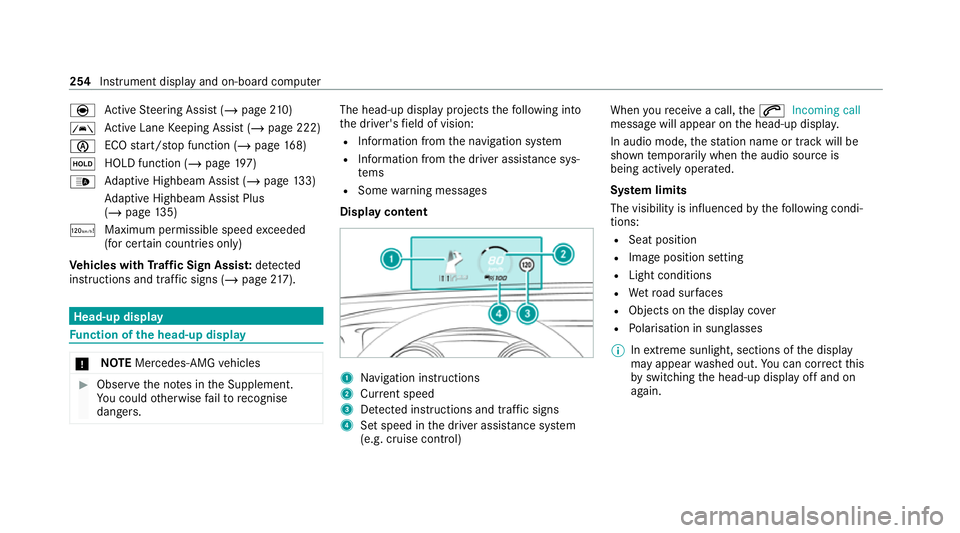
dangers. The head-up displ
ayprojects thefo llowing into
th e driver's field of vision:
R Information from the navigation sy stem
R Information from the driver assis tance sys‐
te ms
R Some warning messages
Display content 1
Navigation instructions
2 Curr ent speed
3 Detected instructions and traf fic signs
4 Set speed in the driver assis tance sy stem
(e.g. cruise control) When
youre cei vea call, the6 Incoming call
message will appear on the head-up displa y.
In audio mode, thest ation name or track will be
shown temp orarily when the audio source is
being actively operated.
Sy stem limits
The visibility is influenced bythefo llowing condi‐
tions:
R Seat position
R Image position setting
R Light conditions
R Wetro ad sur faces
R Objects on the display co ver
R Polarisation in sunglasses
% Inextreme sunlight, sections of the display
may appear washed out. You can co rrect this
by switching the head-up display off and on
again. 254
Instrument display and on-board computer
Page 462 of 565
Display messages
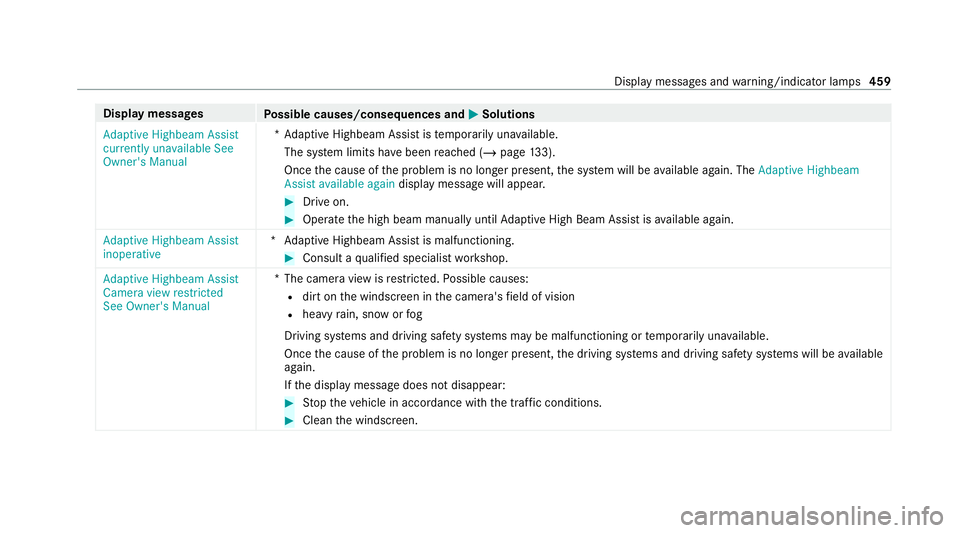
Possible causes/consequences and M MSolutions
Adaptive Highbeam Assist
currently unavailable See
Owner's Manual *A
daptive Highbeam Assist is temp orarily una vailable.
The sy stem limits ha vebeen reached (/ page133).
On ce the cause of the problem is no longer present, the sy stem will be available again. The Adaptive Highbeam
Assist available again display message will appear. #
Drive on. #
Operate the high beam manually until Adaptive High Beam Assist is available again.
Adaptive Highbeam Assist
inoperative *A
daptive Highbeam Assist is malfunctioning. #
Consult a qualified specialist workshop.
Adaptive Highbeam Assist
Camera view restricted
See Owner's Manual *T
he camera view is restricted. Possible causes:
R dirt on the windscreen in the camera's field of vision
R heavy rain, snow or fog
Driving sy stems and driving saf ety sy stems may be malfunctioning or temp orarily una vailable.
Once the cause of the problem is no longer present, the driving sy stems and driving saf ety sy stems will be available
again.
If th e display message does not disappear: #
Stop theve hicle in accordance with the tra ffic conditions. #
Clean the windscreen. Display messages and
warning/indicator lamps 459
Page 463 of 565
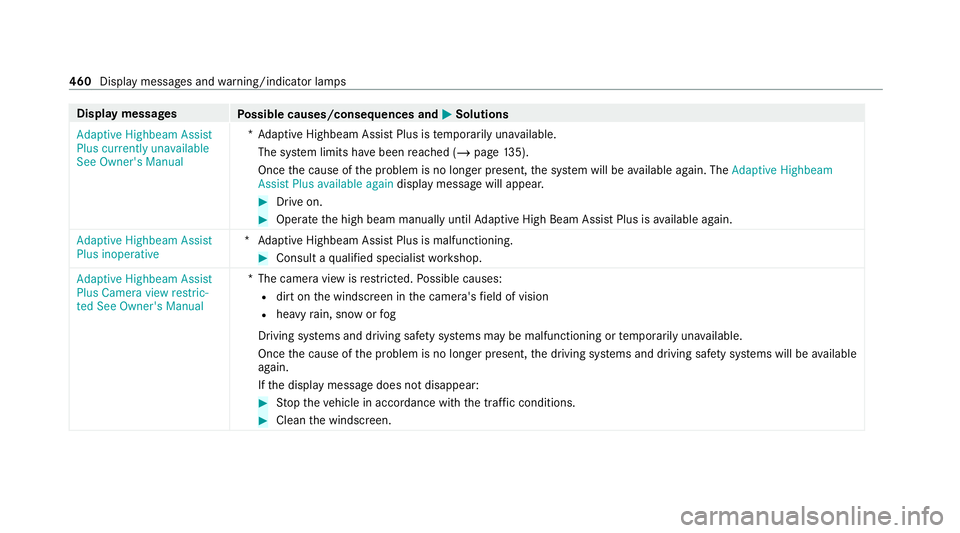
Display messages
Possible causes/consequences and M MSolutions
Adaptive Highbeam Assist
Plus currently unavailable
See Owner's Manual *A
daptive Highbeam Assist Plus is temp orarily una vailable.
The sy stem limits ha vebeen reached (/ page135).
On ce the cause of the problem is no longer present, the sy stem will be available again. The Adaptive Highbeam
Assist Plus available again display message will appear. #
Drive on. #
Operate the high beam manually until Adaptive High Beam Assist Plus is available again.
Adaptive Highbeam Assist
Plus inoperative *A
daptive Highbeam Assist Plus is malfunctioning. #
Consult a qualified specialist workshop.
Adaptive Highbeam Assist
Plus Camera view restric-
ted See Owner's Manual *T
he camera view is restricted. Possible causes:
R dirt on the windscreen in the camera's field of vision
R heavy rain, snow or fog
Driving sy stems and driving saf ety sy stems may be malfunctioning or temp orarily una vailable.
Once the cause of the problem is no longer present, the driving sy stems and driving saf ety sy stems will be available
again.
If th e display message does not disappear: #
Stop theve hicle in accordance with the tra ffic conditions. #
Clean the windscreen. 460
Display messages and warning/indicator lamps
Page 508 of 565
Instrument display (standard)
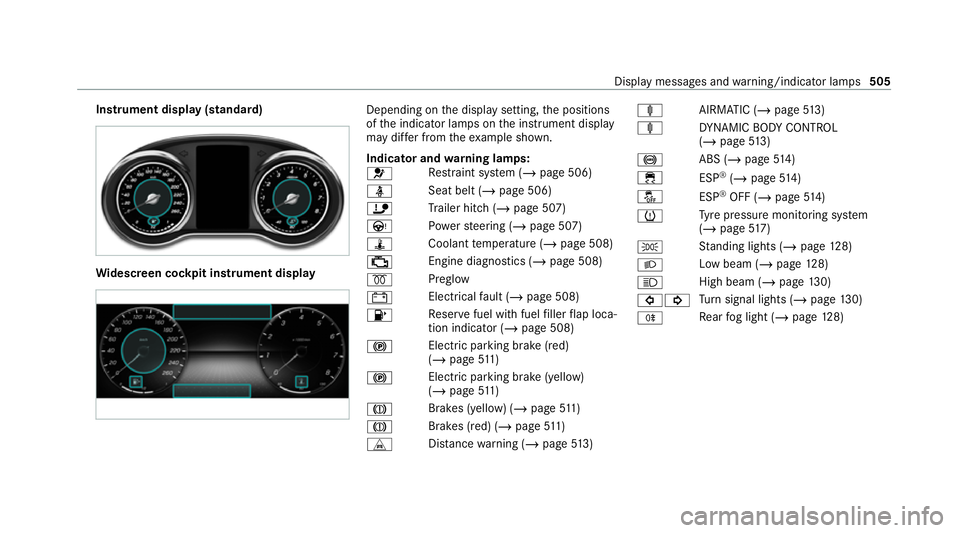
Wi
descreen cock pit instrument displ ay Depending on
the display setting, the positions
of the indicator lamps on the instrument display
may dif fer from theex ample shown.
Indicator and warning lamps:
6 Re
stra int sy stem (/ page 506)
ü Seat belt (/
page 506)
ï Trailer hit ch (/page 507)
Ù Powe rst eering (/ page 507)
ÿ Coolanttemp erature (/ page 508)
; Engine diagnostics (/
page 508)
% Preglow
# Elect
rical fault (/ page 508)
8 Re
ser vefuel with fuel filler flap loca‐
tion indicator (/ page 508)
! Elect
ric pa rking brake (red)
(/ page 511)
! Electric pa
rking brake (yellow)
(/ page 511)
J Brakes (yellow
) (/page 511)
J Brakes (red) (/
page 511)
L Distance warning (/ page513) ä
AIRMATIC (/ page513)
ä DYNA MIC BODY CONTROL
(/ page 513)
! ABS (/
page514)
÷ ESP®
(/ page 514)
å ESP®
OFF (/ page 514)
h Ty
re pressure monitoring sy stem
(/ page 517)
T St
anding lights (/ page128)
L Low beam (/
page128)
K High beam (/
page130)
#! Tu
rn signal lights (/ page130)
R Re
ar fog light (/ page128) Displ
aymessa ges and warning/indicator lamps 505
Page 523 of 565
Ac
tivating/deactivating thewa rning.....2 25
Fu nction................................................ 222
Sy stem limits.........................................2 22
Tr ailer operation.................................... 222
Ac tive Parking Assist
Exiting a parking space......................... .241
Fu nction................................................ 238
Pa rking................................................. .239
Sy stem limitations................................. 238
Ac tive Se rvice Sy stem PLUS
see AS SYST PLUS
Ac tive Speed Limit Assi st
Displ ay.................................................. 208
Fu nction................................................ 208
Ac tive Steering Assist
Ac tivating/deactivating......................... 212
Ac tive Emergency Stop Assis t................ 212
Fu nction................................................. 210
Sy stem limits.........................................2 10
Ad aptive brake lights ................................ 19 8
Ad aptive cruise control
see Active Dis tance Assi stDISTRONIC Ad
aptive Highbeam Assist
Fu nction................................................ 13 3
Switching on/of f................................... 13 4
Ad aptive Highbeam Assist Plus
Fu nction................................................ 13 5
Switching on/of f................................... 13 6
Ad Blue ®
Ad ditives...............................................4 42
Capacity................................................ 443
No tes..................................................... 182
Purity..................................................... 442
To pping up............................................. 183
Ad ditional door lo ck.................................... 76
Ad diti ves
Ad Blue ®
................................................ 442
Engine oil.............................................. 443
Fu el....................................................... 440
Ad diti ves (AdBlue ®
)
see AdBlue ®
Ad diti ves (engine oil)
see Additives
Ad diti ves (fuel)
see Fuel Ad
dress book
see Contacts
Ad justing the balance/ fader
Adva nced sound sy stem........................3 77
Burmes ter®
sur round sound sy stem...... 376
Ad justing the bass, mid- range and
treble
Burmes ter®
sur round sound sy stem...... 376
Ad justing the headlamp range ................. 12 9
Ad justing the mid- range, treble and
bass
Burmes ter®
sur round sound sy stem...... 376
Ad justing the sound focus
Burmes ter®
sur round sound sy stem...... 376
Ad justing treble, mid- range and bass
settings
Adva nced sound sy stem........................3 77
Burmes ter®
sur round sound sy stem...... 376
ADS PLUS da mping sy stem
see AIRMATIC
Ad vanced sound sy stem
Ad justing the balance/fader................. 377520
Index