Page 201 of 611
4113
Features of your vehicle
Immobilizer IndicatorLight (With Smart Key)
This indicator light illuminates for up
to 30 seconds:
When the vehicle detects the smart key in the vehicle properly
while the Engine Start/Stop Button
is ACC or ON.
- At this time, you can start theengine.
- The indicator light goes off after starting the engine.
This indicator light blinks for a few
seconds:
When the smart key is not in the vehicle.
- At this time, you can not start theengine. This indicator light illuminates for 2
seconds and goes off:
When the vehicle can not detect
the smart key which is in the vehi-
cle while the Engine Start/Stop
Button is ON.
In this case, have your vehicle
inspected by an authorized Kia
dealer.
This indicator light blinks:
When the battery of the smart key is weak.
- At this time, you can not start theengine. However, you can start the
engine if you press the Engine
Start/Stop Button with the smart
key. (For more details, refer to
“Starting the Engine” in chapter 5).
When there is a malfunction with the immobilizer system.
In this case, have your vehicle
inspected by an authorized Kia
dealer.
Turn Signal Indicator
Light
This indicator light blinks:
When you turn the turn signal light on.
If any of the following occurs, there
may be a malfunction with the turn
signal system. In this case, have your
vehicle inspected by an authorized
Kia dealer. - The indicator light does not blinkbut illuminates.
- The indicator light blinks more rapidly.
- The indicator light does not illumi- nate at all.
Page 204 of 611
Features of your vehicle
116
4
ECO Indicator Light
(if equipped)
This indicator light illuminates :
When the Active ECO system is activated by pressing the DRIVE
mode button.
The ECO indicator (green) will illu- minate to show that the Active
ECO is operating.
❈ For more details, refer to “Drive
Mode Integrated Control System"
in chapter 5.
SPORT Mode Indicator
Light (if equipped)
This indicator light illuminates:
When you select “SPORT” mode as drive mode.
❈ For more details, refer to “Drive
Mode Integrated Control System”
in chapter 5.
Downhill Brake Control
(DBC) Indicator Light
This warning light illuminates:
Once you set the ignition switch or Engine Start/Stop Button to the ON
position.
- It illuminates for approximately 3seconds and then goes off.
When you activate the DBC sys- tem by pressing the DBC button.
This warning light blinks:
When the DBC is operating.
This warning light illuminates yellow:
When there is a malfunction with the DBC system.
In this case, have your vehicle
inspected by an authorized Kia
dealer.
❈ For more details, refer to “Downhill
Brake Control (DBC) System” in
chapter 5.
Page 206 of 611
Features of your vehicle
118
4
This system will activate when
backing up with the ignition switch
ON.
If the vehicle is moving at a speed
over 5 km/h (3 mph), the system
may not be activated correctly.
The sensing distance while the back-up warning system is in oper-
ation is approximately 120 cm (47
in.) at the rear bumper center area,
60 cm (23.5 in.) at the rear bumper
both side area.
If vehicle speed exceeds 10 km/h (6 mph), the system will not warn
you even though objects are
detected.
When more than two objects are sensed at the same time, the clos-
est one will be recognized first.Types of warning sound
When an object is 120 cm to 61 cm(47 in. to 24 in.) from the rear
bumper: Buzzer beeps intermit-
tently.
When an object is 60 cm to 31 cm (24 in. to 12 in.) from the rear
bumper: Buzzer beeps more fre-
quently.
When an object is within 30 cm (11 in.) of the rear bumper:
Buzzer sounds continuously.
Non-operational conditions of
parking distance warning-
reverse
The parking distance warning-
reverse may not operate properly
when:
1. Moisture is frozen to the sensor. (It will operate normally once the
moisture clears.
2. The sensor is covered with foreign matter, such as snow or water, or
the sensor cover is blocked. (It will
operate normally when the materi-
al is removed or the sensor is no
longer blocked.)
3. Driving on uneven road surfaces (unpaved roads, gravel, bumps,
gradient).
4. Objects generating excessive noise (vehicle horns, loud motor-
cycle engines, or truck air brakes)
are within range of the sensor.
5. The weather conditions produce heavy rain or water spray.
Page 211 of 611
4123
Features of your vehicle
✽ ✽NOTICE
• This system can only sense objects
within the range and location of
the sensors. It cannot detect
objects in other areas where sen-
sors are not installed. Also, small
or slim objects, such as poles or
objects located between sensors
may not be detected by the sen-
sors. Always visually check behind
the vehicle when backing up.
• Be sure to inform any drivers of the vehicle that may be unfamiliar
with the system regarding the sys-
tems capabilities and limitations.
Non-operational conditions of
parking distance warning
Parking distance warning may
not operate normally when:
1. Moisture is frozen to the sensor. (It will operate normally when mois-
ture melts.)
2. Sensor is covered with foreign matter, such as snow or water, or
the sensor cover is blocked. (It will
operate normally when the materi-
al is removed or the sensor is no
longer blocked.)
3. Sensor is stained with foreign mat- ter such as snow or water.
(Sensing range will return to nor-
mal when Cleaned.)
4.The parking distance warning button is off.
There is a possibility of parkingdistance warning malfunctionwhen:
1. Driving on uneven road surfaces such as unpaved roads, gravel,
bumps, or gradient.
2. Objects generating excessive noise such as vehicle horns, loud
motorcycle engines, or truck air
brakes can interfere with the sen-
sor.
3. The weather conditions produce heavy rain or water spray
4. Wireless transmitters or mobile phones are present near the sen-
sor.
5. Sensor is covered with snow.
Page 215 of 611
4127
Features of your vehicle
Battery saver function
The purpose of this feature is toprevent the battery from being dis-
charged if the lights are left in the
ON position. The system automati-
cally shuts off the parking lights 30
seconds after the ignition key is
removed and the driver’s door is
opened and closed.
With this feature, the parking lights will turn off automatically if the driver
parks on the side of the road at night
and opens the driver’s side door.
If necessary, to keep the parking
lights on when the ignition key is
removed, perform the following:
1) Open the driver-side door.
2) Turn the parking lights OFF and ON again using the light switch
on the steering column.
Daytime running light
The Daytime Running Lights (DRL)
can make it easier for others to see the
front of your vehicle during the day.
DRL can be helpful in many different
driving conditions, and it is especially
helpful after dawn and before sunset.
The DRL system turns OFF when:
1. The headlight switch is ON.
2. The engine is OFF.
3. Engaging the Parking Brake
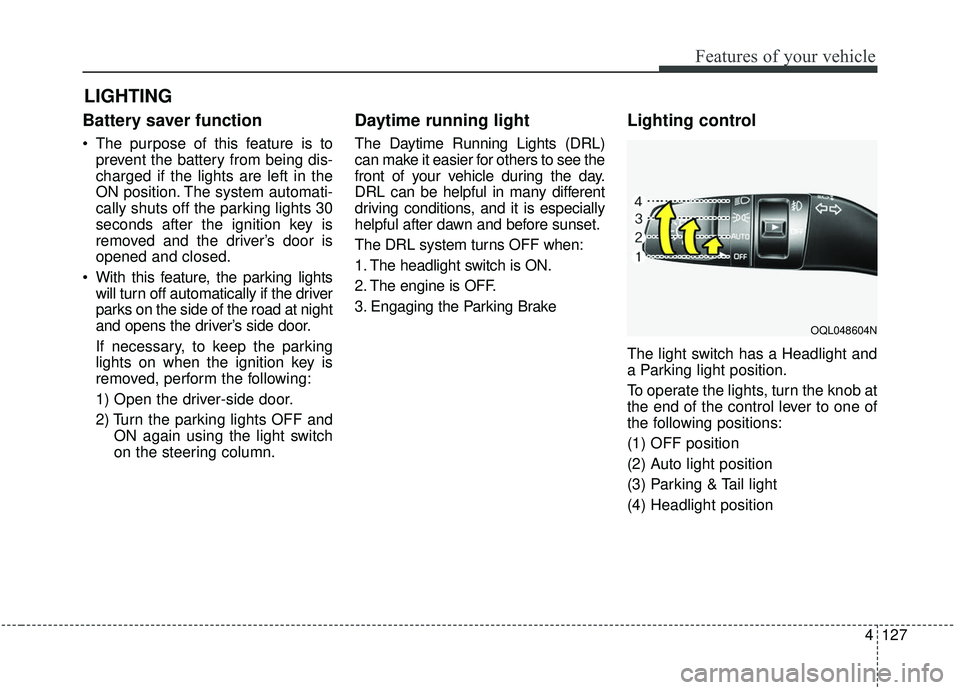
Lighting control
The light switch has a Headlight and
a Parking light position.
To operate the lights, turn the knob at
the end of the control lever to one of
the following positions:
(1) OFF position
(2) Auto light position
(3) Parking & Tail light
(4) Headlight position
LIGHTING
OQL048604N
Page 217 of 611
4129
Features of your vehicle
High beam operation
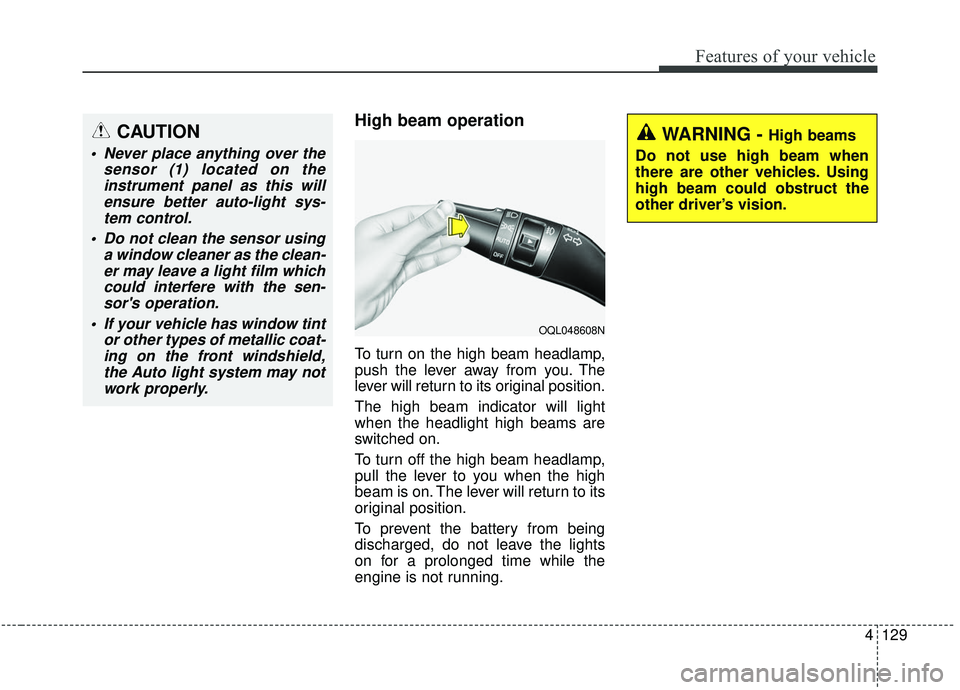
To turn on the high beam headlamp,
push the lever away from you. The
lever will return to its original position.
The high beam indicator will light
when the headlight high beams are
switched on.
To turn off the high beam headlamp,
pull the lever to you when the high
beam is on. The lever will return to its
original position.
To prevent the battery from being
discharged, do not leave the lights
on for a prolonged time while the
engine is not running.
CAUTION
Never place anything over thesensor (1) located on theinstrument panel as this willensure better auto-light sys-tem control.
Do not clean the sensor using a window cleaner as the clean-er may leave a light film whichcould interfere with the sen-sor's operation.
If your vehicle has window tint or other types of metallic coat-ing on the front windshield,the Auto light system may notwork properly.
WARNING - High beams
Do not use high beam when
there are other vehicles. Using
high beam could obstruct the
other driver’s vision.
OQL048608N
Page 222 of 611
Features of your vehicle
134
4
Dynamic Bending Light (DBL)
(if equipped)
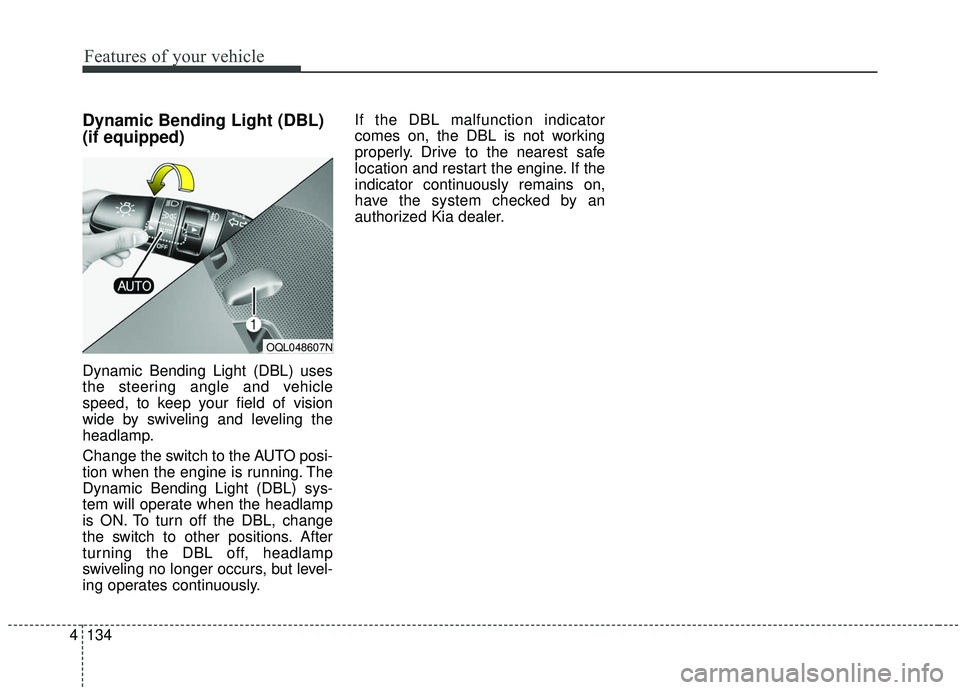
Dynamic Bending Light (DBL) uses
the steering angle and vehicle
speed, to keep your field of vision
wide by swiveling and leveling the
headlamp.
Change the switch to the AUTO posi-
tion when the engine is running. The
Dynamic Bending Light (DBL) sys-
tem will operate when the headlamp
is ON. To turn off the DBL, change
the switch to other positions. After
turning the DBL off, headlamp
swiveling no longer occurs, but level-
ing operates continuously. If the DBL malfunction indicator
comes on, the DBL is not working
properly. Drive to the nearest safe
location and restart the engine. If the
indicator continuously remains on,
have the system checked by an
authorized Kia dealer.
OQL048607N
Page 224 of 611
Features of your vehicle
136
4
✽ ✽
NOTICE
If there is heavy accumulation of
snow or ice on the windshield,
defrost the windshield for about 10
minutes, or until the snow and/or ice
is removed before using the wind-
shield wipers to ensure proper oper-
ation.
If you do not remove the snow
and/or ice before using the wiper
and washer, it may damage the
wiper and washer system.
Front windshield washers
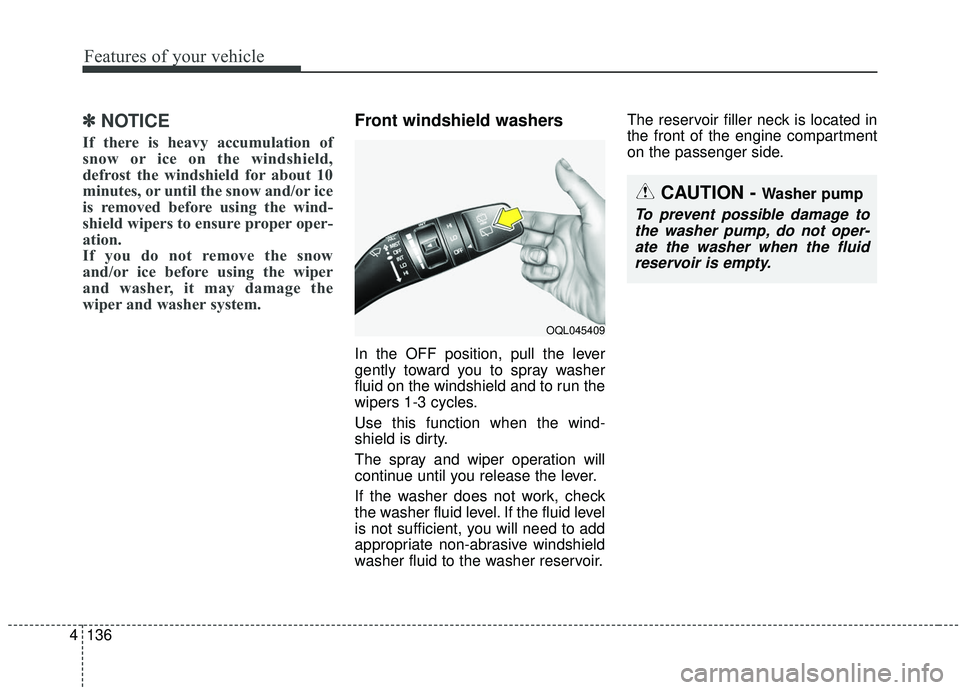
In the OFF position, pull the lever
gently toward you to spray washer
fluid on the windshield and to run the
wipers 1-3 cycles.
Use this function when the wind-
shield is dirty.
The spray and wiper operation will
continue until you release the lever.
If the washer does not work, check
the washer fluid level. If the fluid level
is not sufficient, you will need to add
appropriate non-abrasive windshield
washer fluid to the washer reservoir. The reservoir filler neck is located in
the front of the engine compartment
on the passenger side.
OQL045409
CAUTION - Washer pump
To prevent possible damage to
the washer pump, do not oper-ate the washer when the fluidreservoir is empty.