Page 176 of 611
Features of your vehicle
88
4
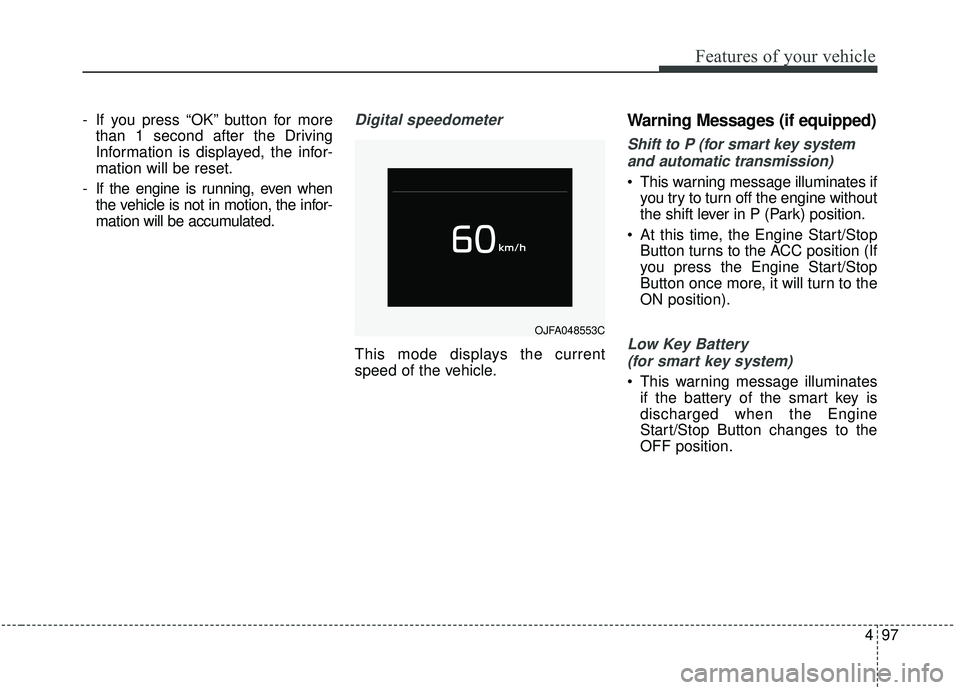
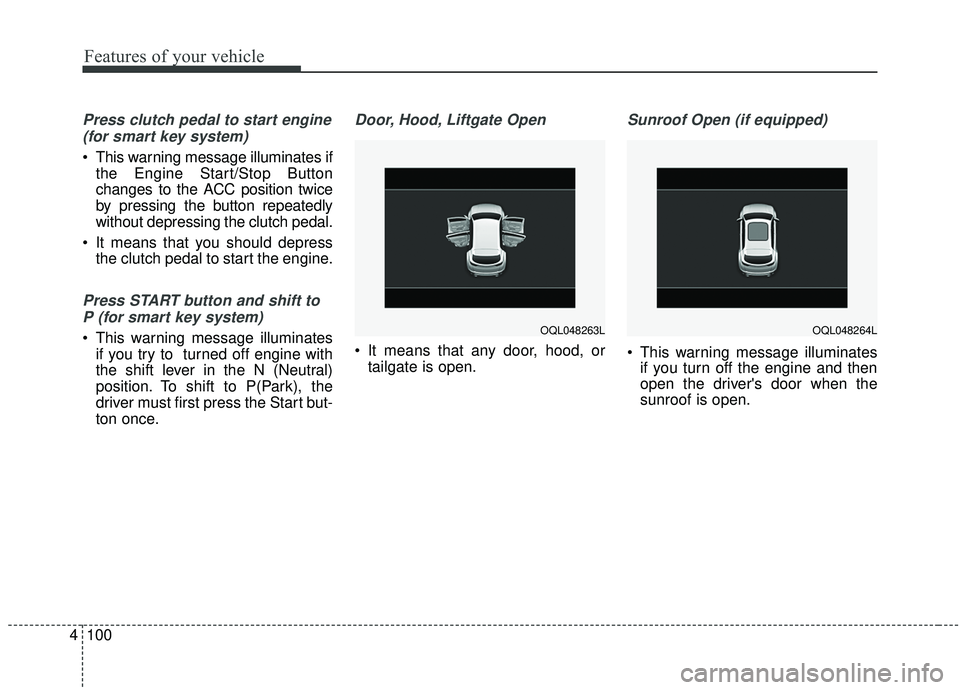
Assist mode displays the state of
below systems.
- SCC with S&G(if equipped)
- Lane Keeping Assist(if equipped)
- Driver Attention Warning (if
equipped)
- Tire Pressure (if equipped)
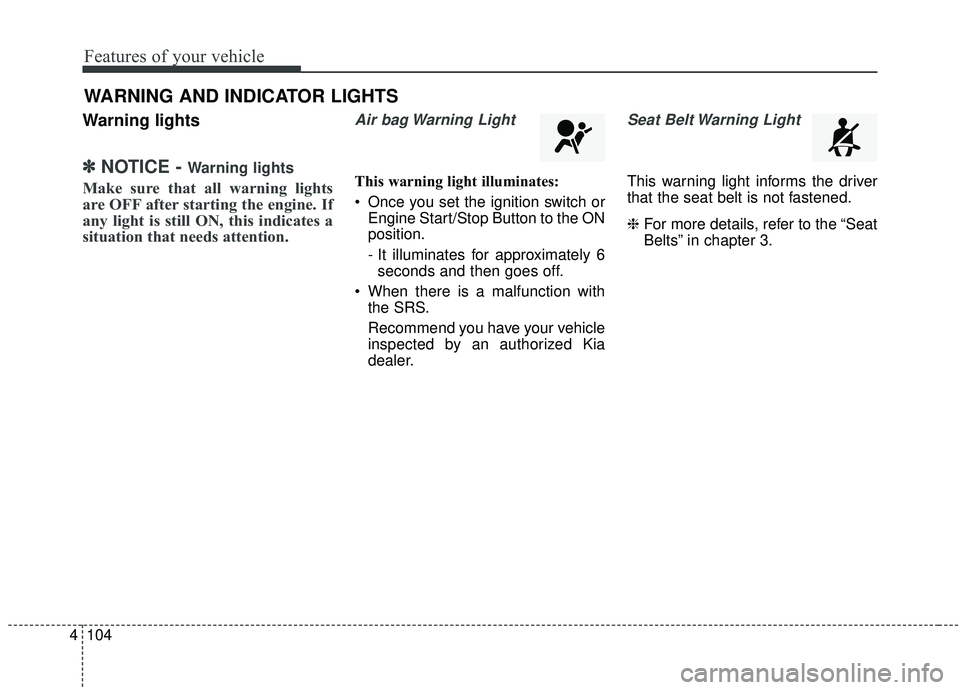
Service mode
When Service Required is set, the
remaining distance/time before serv-
ice is required appears on the LCD
screen.
From the point at which the remain-
ing distance to drive amounts to
1,500 km (900 mi) or the remaining
time amounts to 30 days, The
Service Required message auto-
matically displays and remains on
the LCD screen for a number of sec-
onds every time the ignition switch or
Engine Start/Stop Button is ON. When Service Required is set a
Service Required Alarm message
pops up when an aggregated
amount of miles/time driven reaches
a certain point.
With Service Required mode, press
OK button for more than 1 sec. The
values will return to initial setting val-
ues.
❈
For more details about Service
Required Setting refer to user
Settings Mode in this chapter.
❈ Service Required Setting
In the event of Battery Cable
Disconnection or Fuse Switch
turned OFF, the Service Required
Setting values (an amount of
miles/time driven) may change. In
such cases, re-enter Service
Required Setting values.
OJFA048529C
OJF048552L
OQL048260L
■DAW
■TPMS
Page 179 of 611
491
Features of your vehicle
Door
Auto Lock :- Enable on Speed : All doors willbe automatically locked when the
vehicle speed exceeds 15 km/h
(9.3 mph).
- Enable on Shift : All doors will be automatically locked if the trans-
mission shift lever is shifted from
the P (Park) position to the R
(Reverse), N (Neutral), or D
(Drive) position.
Auto Unlock : - Disable : The auto door unlockoperation will be canceled.
- Vehicle Off/On key out : All doors will be automatically unlocked
when the ignition key is removed
from the ignition switch or the
Engine Start/Stop button is set to
the OFF position.
- On Shift to P : All doors will be automatically unlocked if the
automatic transmission shift lever
is shifted to the P (Park) position. Two Press Unlock (if equipped) :
- If this item is checked, the twopress unlock will be activated.
Power Liftgate (if equipped) : - If this item is checked, the powerliftgate function will be activated.
❈ For more details, refer to “Power
Liftgate” in this chapter.
Smart Liftgate (if equipped) : - If this item is checked, the smartliftgate function will be activated.
❈ For more details, refer to “Smart
Liftgate” in this chapter. Lights
One Touch Turn Signal :
- Off: The one touch turn signalfunction will be deactivated.
- 3, 5, 7 Flashes : The lane change signals will blink 3, 5 or 7 times
when the turn signal lever is
moved slightly.
❈ For more details, refer to “Lighting”
in this chapter.
Headlight Delay : - If this item is checked, the headlamp delay function will be acti-
vated.
❈ For more details, refer to “Lighting”
in this chapter.
Page 184 of 611
Features of your vehicle
96
4
Instant Fuel Economy (2)
This mode displays the instant fuel
economy during the last few sec-
onds when the vehicle speed is
more than 8 km/h (5 MPH).
- Fuel economy range: 0 ~ 30L/100km or 0 ~ 50 MPG
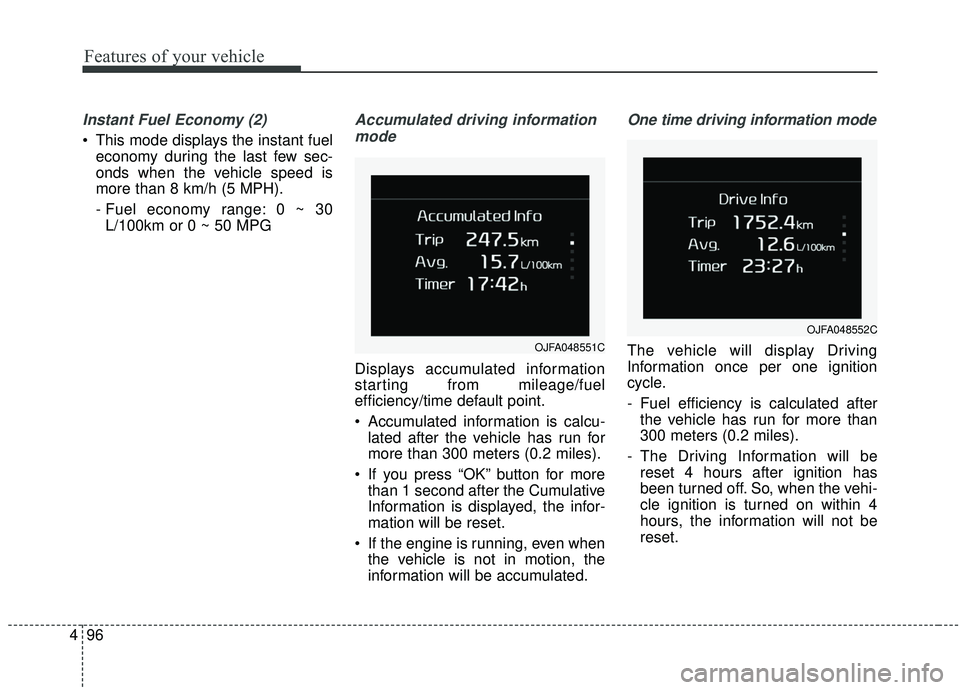
Accumulated driving information
mode
Displays accumulated information
starting from mileage/fuel
efficiency/time default point.
Accumulated information is calcu- lated after the vehicle has run for
more than 300 meters (0.2 miles).
If you press “OK” button for more than 1 second after the Cumulative
Information is displayed, the infor-
mation will be reset.
If the engine is running, even when the vehicle is not in motion, the
information will be accumulated.
One time driving information mode
The vehicle will display Driving
Information once per one ignition
cycle.
- Fuel efficiency is calculated afterthe vehicle has run for more than
300 meters (0.2 miles).
- The Driving Information will be reset 4 hours after ignition has
been turned off. So, when the vehi-
cle ignition is turned on within 4
hours, the information will not be
reset.OJFA048551C
OJFA048552C
Page 185 of 611
497
Features of your vehicle
- If you press “OK” button for morethan 1 second after the Driving
Information is displayed, the infor-
mation will be reset.
- If the engine is running, even when the vehicle is not in motion, the infor-
mation will be accumulated.Digital speedometer
This mode displays the current
speed of the vehicle.
Warning Messages (if equipped)
Shift to P (for smart key system
and automatic transmission)
This warning message illuminates if you try to turn off the engine without
the shift lever in P (Park) position.
At this time, the Engine Start/Stop Button turns to the ACC position (If
you press the Engine Start/Stop
Button once more, it will turn to the
ON position).
Low Key Battery
(for smart key system)
This warning message illuminates if the battery of the smart key is
discharged when the Engine
Start/Stop Button changes to the
OFF position.
OJFA048553C
Page 186 of 611
Features of your vehicle
98
4
Press START button while turning
wheel (for smart key system)
This warning message illuminates if the steering wheel does not
unlock normally when the Engine
Start/Stop Button is pressed.
It means that you should press the Engine Start/Stop Button while
turning the steering wheel right
and left.
Steering wheel not locked
(for smart key system)
This warning message illuminates if the steering wheel does not lock
when the Engine Start/Stop Button
changes to the OFF position.
Check Steering Wheel Lock
System (for smart key system)
This warning message illuminates if the steering wheel does not lock
normally when the Engine
Start/Stop Button changes to the
OFF position.
Press brake pedal to start engine
(for smart key system and auto-
matic transmission)
This warning message illuminates if the Engine Start/Stop Button
changes to the ACC position twice
by pressing the button repeatedly
without depressing the brake pedal.
It means that you should depress the brake pedal to start the engine.
Key not detected
(for smart key system)
This warning message illuminates if the smart key is not detected
when you press the Engine
Start/Stop Button.
Remove key (for smart key sys-
tem)
This warning message illuminates if the smart key is remove the hold-
er.
Key not in vehicle
(for smart key system)
If the smart key is not in the vehicle and if any door is opened or closed
with the engine start/stop button in
ACC, ON, or START, the warning
illuminates on the LCD display.
Page 187 of 611
499
Features of your vehicle
Press start button again (for smart key system)
This warning message illuminates if you can not operate the Engine
Start/Stop Button when there is a
problem with the Engine Start/Stop
Button system.
It means that you could start the engine by pressing the Engine
Start/ Stop Button once more.
If the warning illuminates each time you press the Engine Start/Stop
Button, have the vehicle inspected
by a professional workshop. Kia
recommends to visit an authorized
Kia dealer/service partner.
Press start button with key
(for smart key system)
This warning message illuminates if you press the Engine Start/Stop
Button while the warning message
“Key not detected” is illuminating.
At this time, the immobilizer indica- tor light blinks.
Check BRAKE SWITCH fuse
(for smart key system and auto-matic transmission)
This warning message illuminates if the brake switch fuse is discon-
nected.
It means that you should replace the fuse with a new one. If that is
not possible, you can start the
engine by pressing the Engine
Start/Stop Button for 10 seconds in
the ACC position.
Shift to P or N to start engine
(for smart key system and auto-matic transmission)
This warning message illuminates if you try to start the engine with
the shift lever not in the P (Park) or
N (Neutral) position.
✽ ✽ NOTICE
You can start the engine with the
shift lever in the N (Neutral) position.
However, for your safety, we strongly
recommend that you start the engine
with the shift lever in the P (Park)
position.
Page 188 of 611
Features of your vehicle
100
4
Press clutch pedal to start engine
(for smart key system)
This warning message illuminates if the Engine Start/Stop Button
changes to the ACC position twice
by pressing the button repeatedly
without depressing the clutch pedal.
It means that you should depress the clutch pedal to start the engine.
Press START button and shift to
P (for smart key system)
This warning message illuminates if you try to turned off engine with
the shift lever in the N (Neutral)
position. To shift to P(Park), the
driver must first press the Start but-
ton once.
Door, Hood, Liftgate Open
It means that any door, hood, ortailgate is open.
Sunroof Open (if equipped)
This warning message illuminatesif you turn off the engine and then
open the driver's door when the
sunroof is open.
OQL048263LOQL048264L
Page 192 of 611
Features of your vehicle
104
4
Warning lights
✽ ✽
NOTICE - Warning lights
Make sure that all warning lights
are OFF after starting the engine. If
any light is still ON, this indicates a
situation that needs attention.
Air bag Warning Light
This warning light illuminates:
Once you set the ignition switch or
Engine Start/Stop Button to the ON
position.
- It illuminates for approximately 6seconds and then goes off.
When there is a malfunction with the SRS.
Recommend you have your vehicle
inspected by an authorized Kia
dealer.
Seat Belt Warning Light
This warning light informs the driver
that the seat belt is not fastened.
❈ For more details, refer to the “Seat
Belts” in chapter 3.
WARNING AND INDICATOR LIGHTS