2020 KIA SPORTAGE lane assist
[x] Cancel search: lane assistPage 90 of 611
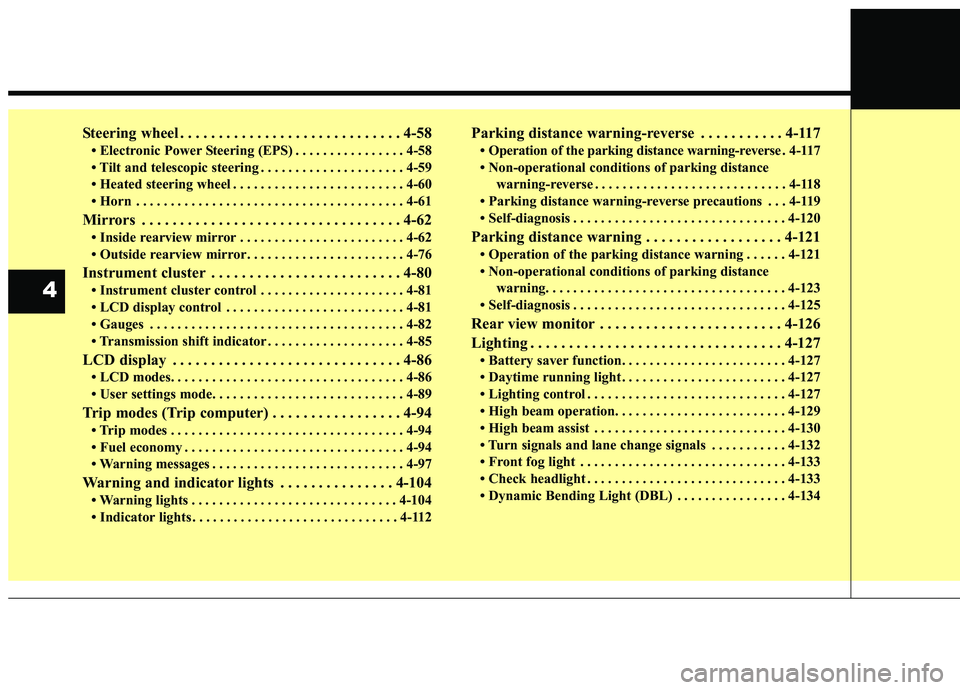
Steering wheel . . . . . . . . . . . . . . . . . . . . . . . . . . . . . 4-58
• Electronic Power Steering (EPS) . . . . . . . . . . . . . . . . 4-58
• Tilt and telescopic steering . . . . . . . . . . . . . . . . . . . . . 4-59
• Heated steering wheel . . . . . . . . . . . . . . . . . . . . . . . . . 4-60
• Horn . . . . . . . . . . . . . . . . . . . . . . . . . . . . . . . . . . . . \
. . . 4-61
Mirrors . . . . . . . . . . . . . . . . . . . . . . . . . . . . . . . . . . 4-62\
• Inside rearview mirror . . . . . . . . . . . . . . . . . . . . . . . . 4-62
• Outside rearview mirror. . . . . . . . . . . . . . . . . . . . . . . 4-76
Instrument cluster . . . . . . . . . . . . . . . . . . . . . . . . . 4-80
• Instrument cluster control . . . . . . . . . . . . . . . . . . . . . 4-81
• LCD display control . . . . . . . . . . . . . . . . . . . . . . . . . . 4-81
• Gauges . . . . . . . . . . . . . . . . . . . . . . . . . . . . . . . . . . . . \
. 4-82
• Transmission shift indicator . . . . . . . . . . . . . . . . . . . . 4-85
LCD display . . . . . . . . . . . . . . . . . . . . . . . . . . . . . . 4-86
• LCD modes. . . . . . . . . . . . . . . . . . . . . . . . . . . . . . . . . . 4-86\
• User settings mode. . . . . . . . . . . . . . . . . . . . . . . . . . . . 4-89
Trip modes (Trip computer) . . . . . . . . . . . . . . . . . 4-94
• Trip modes . . . . . . . . . . . . . . . . . . . . . . . . . . . . . . . . . . 4-94\
• Fuel economy . . . . . . . . . . . . . . . . . . . . . . . . . . . . . . . . 4-94
• Warning messages . . . . . . . . . . . . . . . . . . . . . . . . . . . . 4-97
Warning and indicator lights . . . . . . . . . . . . . . . 4-104
• Warning lights . . . . . . . . . . . . . . . . . . . . . . . . . . . . . . 4-104
• Indicator lights . . . . . . . . . . . . . . . . . . . . . . . . . . . . . . 4-112
Parking distance warning-reverse . . . . . . . . . . . 4-117
• Operation of the parking distance warning-reverse . 4-117
• Non-operational conditions of parking distance warning-reverse . . . . . . . . . . . . . . . . . . . . . . . . . . . . 4-118
• Parking distance warning-reverse precautions . . . 4-119
• Self-diagnosis . . . . . . . . . . . . . . . . . . . . . . . . . . . . . . . 4-120
Parking distance warning . . . . . . . . . . . . . . . . . . 4-121
• Operation of the parking distance warning . . . . . . 4-121
• Non-operational conditions of parking distance warning. . . . . . . . . . . . . . . . . . . . . . . . . . . . . . . . . . . 4-\
123
• Self-diagnosis . . . . . . . . . . . . . . . . . . . . . . . . . . . . . . . 4-125
Rear view monitor . . . . . . . . . . . . . . . . . . . . . . . . 4-126
Lighting . . . . . . . . . . . . . . . . . . . . . . . . . . . . . . . . . 4-127
• Battery saver function. . . . . . . . . . . . . . . . . . . . . . . . 4-127
• Daytime running light . . . . . . . . . . . . . . . . . . . . . . . . 4-127
• Lighting control . . . . . . . . . . . . . . . . . . . . . . . . . . . . . 4-127
• High beam operation. . . . . . . . . . . . . . . . . . . . . . . . . 4-129
• High beam assist . . . . . . . . . . . . . . . . . . . . . . . . . . . . 4-130
• Turn signals and lane change signals . . . . . . . . . . . 4-132
• Front fog light . . . . . . . . . . . . . . . . . . . . . . . . . . . . . . 4-133
• Check headlight . . . . . . . . . . . . . . . . . . . . . . . . . . . . . 4-133
• Dynamic Bending Light (DBL) . . . . . . . . . . . . . . . . 4-134
4
Page 174 of 611
Features of your vehicle
86
4
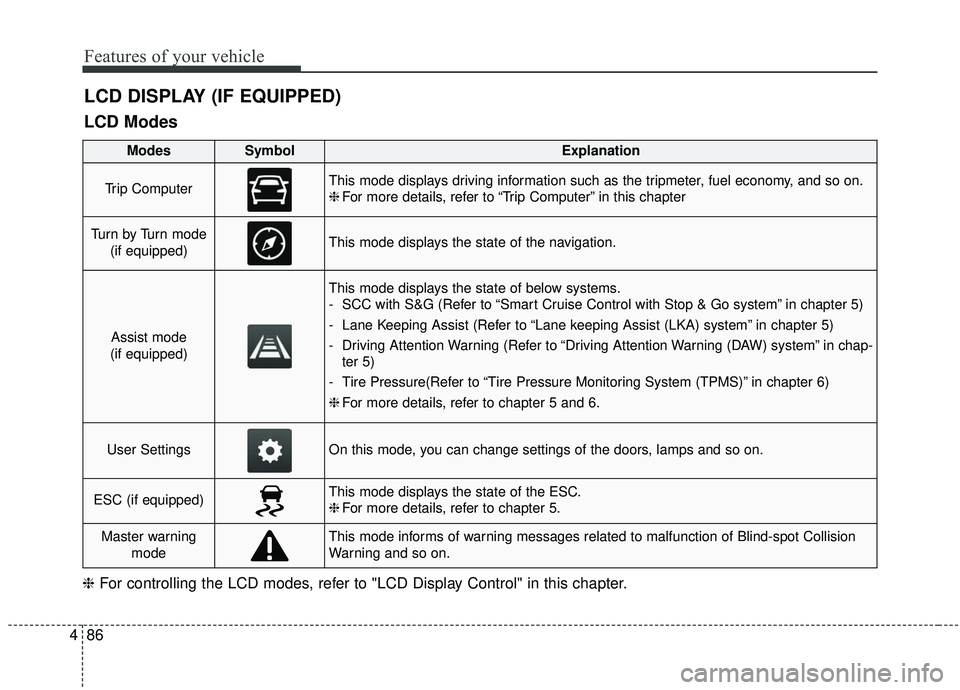
LCD DISPLAY (IF EQUIPPED)
LCD Modes
❈ For controlling the LCD modes, refer to "LCD Display Control" in this chapter.
ModesSymbolExplanation
Trip ComputerThis mode displays driving information such as the tripmeter, fuel economy, and so on.
❈For more details, refer to “Trip Computer” in this chapter
Tu r n b y Tu r n m o d e
(if equipped)This mode displays the state of the navigation.
Assist mode
(if equipped)
This mode displays the state of below systems.
- SCC with S&G (Refer to “Smart Cruise Control with Stop & Go system” in chapter 5)
- Lane Keeping Assist (Refer to “Lane keeping Assist (LKA) system” in chapter 5)
- Driving Attention Warning (Refer to “Driving Attention Warning (DAW) system” in chap- ter 5)
- Tire Pressure(Refer to “Tire Pressure Monitoring System (TPMS)” in chapter 6)
❈ For more details, refer to chapter 5 and 6.
User SettingsOn this mode, you can change settings of the doors, lamps and so on.
ESC (if equipped)This mode displays the state of the ESC.
❈For more details, refer to chapter 5.
Master warning
modeThis mode informs of warning messages related to malfunction of Blind-spot Collision
Warning and so on.
Page 176 of 611
Features of your vehicle
88
4
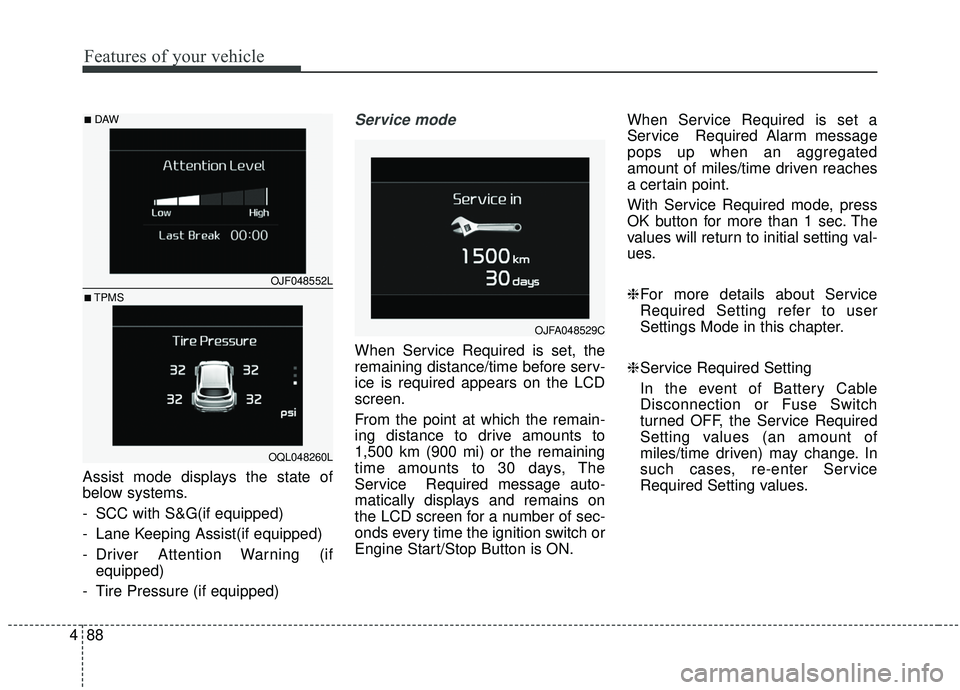
Assist mode displays the state of
below systems.
- SCC with S&G(if equipped)
- Lane Keeping Assist(if equipped)
- Driver Attention Warning (if
equipped)
- Tire Pressure (if equipped)
Service mode
When Service Required is set, the
remaining distance/time before serv-
ice is required appears on the LCD
screen.
From the point at which the remain-
ing distance to drive amounts to
1,500 km (900 mi) or the remaining
time amounts to 30 days, The
Service Required message auto-
matically displays and remains on
the LCD screen for a number of sec-
onds every time the ignition switch or
Engine Start/Stop Button is ON. When Service Required is set a
Service Required Alarm message
pops up when an aggregated
amount of miles/time driven reaches
a certain point.
With Service Required mode, press
OK button for more than 1 sec. The
values will return to initial setting val-
ues.
❈
For more details about Service
Required Setting refer to user
Settings Mode in this chapter.
❈ Service Required Setting
In the event of Battery Cable
Disconnection or Fuse Switch
turned OFF, the Service Required
Setting values (an amount of
miles/time driven) may change. In
such cases, re-enter Service
Required Setting values.
OJFA048529C
OJF048552L
OQL048260L
■DAW
■TPMS
Page 178 of 611
Features of your vehicle
90
4
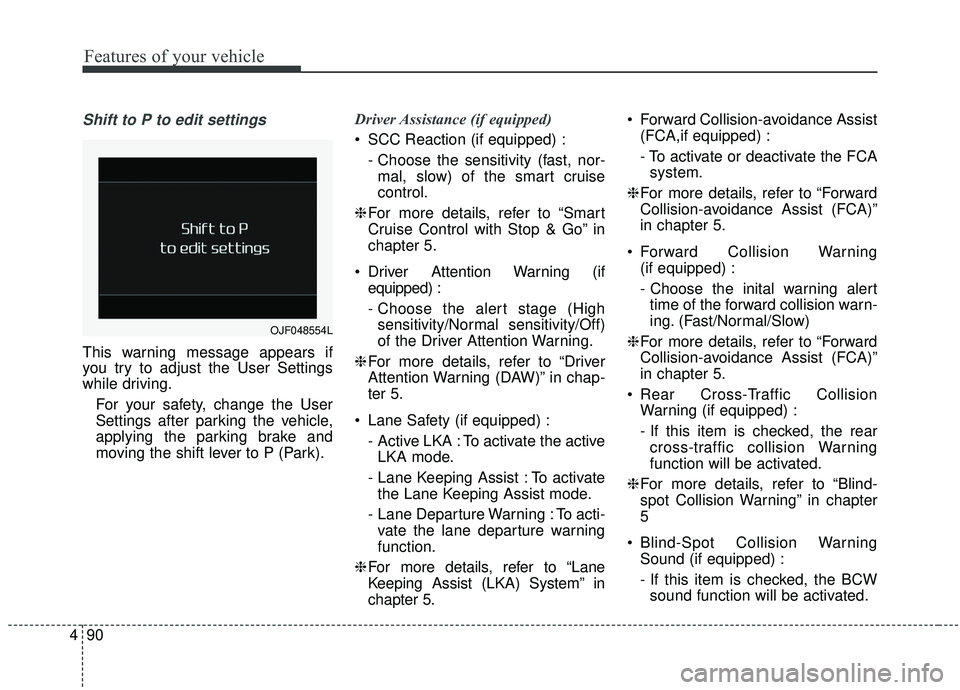
Shift to P to edit settings
This warning message appears if
you try to adjust the User Settings
while driving.
For your safety, change the User
Settings after parking the vehicle,
applying the parking brake and
moving the shift lever to P (Park). Driver Assistance (if equipped)
SCC Reaction (if equipped) :
- Choose the sensitivity (fast, nor-mal, slow) of the smart cruise
control.
❈ For more details, refer to “Smart
Cruise Control with Stop & Go” in
chapter 5.
Driver Attention Warning (if equipped) :
- Choose the alert stage (Highsensitivity/Normal sensitivity/Off)
of the Driver Attention Warning.
❈ For more details, refer to “Driver
Attention Warning (DAW)” in chap-
ter 5.
Lane Safety (if equipped) : - Active LKA : To activate the activeLKA mode.
- Lane Keeping Assist : To activate the Lane Keeping Assist mode.
- Lane Departure Warning : To acti- vate the lane departure warning
function.
❈ For more details, refer to “Lane
Keeping Assist (LKA) System” in
chapter 5. Forward Collision-avoidance Assist
(FCA,if equipped) :
- To activate or deactivate the FCAsystem.
❈ For more details, refer to “Forward
Collision-avoidance Assist (FCA)”
in chapter 5.
Forward Collision Warning (if equipped) :
- Choose the inital warning alerttime of the forward collision warn-
ing. (Fast/Normal/Slow)
❈ For more details, refer to “Forward
Collision-avoidance Assist (FCA)”
in chapter 5.
Rear Cross-Traffic Collision Warning (if equipped) :
- If this item is checked, the rearcross-traffic collision Warning
function will be activated.
❈ For more details, refer to “Blind-
spot Collision Warning” in chapter
5
Blind-Spot Collision Warning Sound (if equipped) :
- If this item is checked, the BCWsound function will be activated.
OJF048554L
Page 203 of 611
![KIA SPORTAGE 2020 Owners Manual 4115
Features of your vehicle
AUTO HOLD IndicatorLight (if equipped)
This indicator light illuminates:
[White] When you activate the auto hold system by pressing the AUTO
HOLD button.
[Green] When y](/manual-img/2/40479/w960_40479-202.png "KIA SPORTAGE 2020 Owners Manual 4115
Features of your vehicle
AUTO HOLD IndicatorLight (if equipped)
This indicator light illuminates:
[White] When you activate the auto hold system by pressing the AUTO
HOLD button.
[Green] When y")
4115
Features of your vehicle
AUTO HOLD IndicatorLight (if equipped)
This indicator light illuminates:
[White] When you activate the auto hold system by pressing the AUTO
HOLD button.
[Green] When you stop the vehicle completely by depressing the
brake pedal with the auto hold sys-
tem activated.
[Yellow] When there is a malfunc- tion with the auto hold system.
In this case, have your vehicle
inspected by an authorized Kia
dealer.
❈ For more details, refer to “Auto
Hold” in chapter 5.
LKA (Lane Keeping
Assist) System Indicator(if equipped)
This indicator light illuminates :
When you turn the lane keeping assistant system on by pressing
the LKA button.
If there is a problem with the sys-
tem, the yellow LKA indicator will
illuminate.
❈ For more details, refer to “Lane
Keeping Assist (LKA) System” in
chapter 5.
AUTO
HOLDWARNING - Distracted
driving
Driving while distracted can
result in a loss of vehicle con-
trol that may lead to an acci-
dent, severe personal injury,
and death. The driver’s primary
responsibility is in the safe and
legal operation of a vehicle, and
use of any handheld devices,
other equipment, or vehicle sys-
tems which take the driver’s
eyes, attention and focus away
from the safe operation of a
vehicle or which are not permis-
sible by law should never be
used during operation of the
vehicle.
Page 220 of 611
Features of your vehicle
132
4
When driving downhill or uphill.
When only part of the vehicle in
front is visible on a crossroad or
curved road.
When there is a traffic light, reflect- ing sign, flashing sign or mirror.
When the road conditions are bad such as being wet or covered with
snow.
When the front vehicle’s head- lamps are off but the fog lamps on.
When a vehicle suddenly appears from a curve.
When the vehicle is tilted from a flat tire or being towed.
When the LKA (Lane Keeping Assist) warning light illuminates. (if
equipped)✽ ✽ NOTICE
• Do not place any accessories,
stickers or tint the windshield.
• Have on the windshield glass replaced from an authorized deal-
er.
• Do not remove or damage related parts of the High Beam Assist sys-
tem.
• Be careful that water doesn’t get into the High Beam Assist unit.
• Do not place objects on the dash- board that reflect light such as
mirrors, white paper, etc. The sys-
tem may not function properly if
sunlight is reflected.
• At times, the Smart High Beam system may not operate due to sys-
tem limitations. Always check the
road conditions for your safety.
When the system does not operate
normally, manually change
between the high beam and low
beam.
• While other beeps such as the seat belt warning sound are in opera-
tion and override the LKA alarm-
ing system, LKA beeps may not
occur.
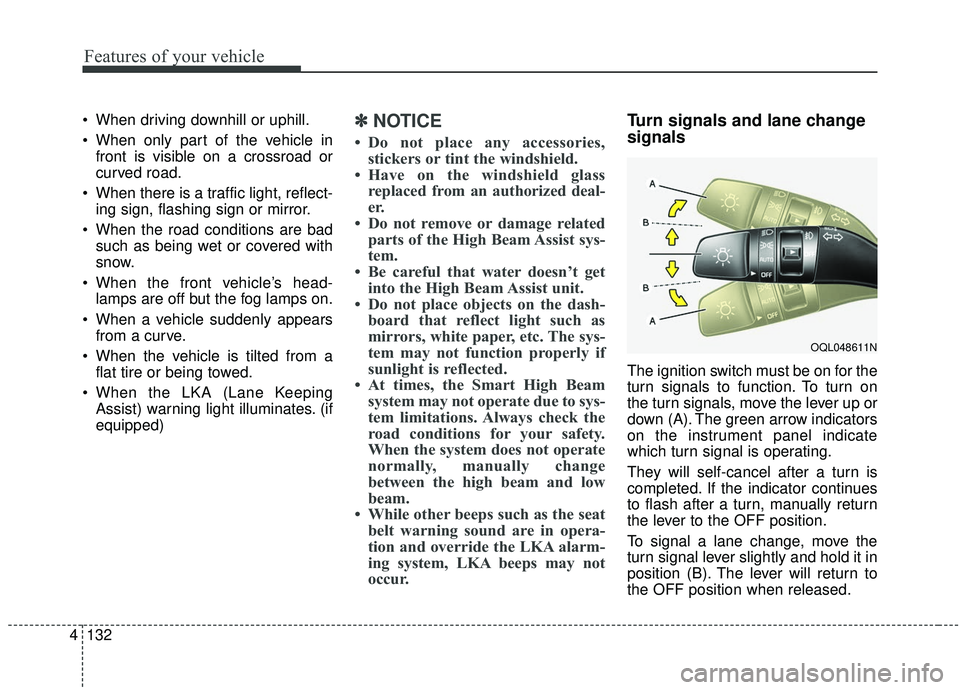
Turn signals and lane change
signals
The ignition switch must be on for the
turn signals to function. To turn on
the turn signals, move the lever up or
down (A). The green arrow indicators
on the instrument panel indicate
which turn signal is operating.
They will self-cancel after a turn is
completed. If the indicator continues
to flash after a turn, manually return
the lever to the OFF position.
To signal a lane change, move the
turn signal lever slightly and hold it in
position (B). The lever will return to
the OFF position when released.
OQL048611N
Page 283 of 611
Cruise Control system . . . . . . . . . . . . . . . . . . . . . . 5-84
. . . . . . . . . . . . . . . . . . . . . 5-85
. . . . . . . . . . . . . . . . . . 5-86
. 5-86
do one of the following . . . 5-86
approximately 30 km/h (20 mph) . . . . . . . . . . . . . . 5-87
do one of the following . . 5-87
Smart cruise control with Stop & Go system . . . 5-88
. . . . . . . . . . . . . . . . . . . . 5-90
. . . . . . . . . . . . . . . . . . . . 5-90
. . . . . . . . . . . . . . . 5-95
. . . . . . . . . . . . . . . . . . . 5-96
. . 5-101
. . . . . . . . . . . . . . 5-102
. . . . . . . . . . . . . . . . . . . . . 5-102
Drive mode integrated control system . . . . . . . . 5-109
. . . . . . . . . . . . . . . . . . . . . . . . . . . . . . . . . 5-109
Lane Keeping Assist (LKA) system . . . . . . . . . . 5-111
. . . . . . . . . . . . . . . . . . . . . . . . . . . . . . 5-113
. . . . . . . . . . . . . . . . . . 5-117
Blind spot Collision Warning (BCW)/ Rear Cross-traffic Collision Warning (RCCW) . 5-120
. . . . . . . . . . . 5-120
. . . . . . . . . . . . . . . . . . 5-121
. . . 5-124
. . . . . . . . . . . . . . . . . . 5-124
. . . . . . . . . . . . . . . . . . . . . 5-129
Driver Attention Warning (DAW). . . . . . . . . . . . 5-136
. . . . . . . . . . . . . . . . . . 5-136
. . . . . . . . . . . . . . . . . . . . . . . . . 5-138
. . . . . . . . . . . . . . . . . . . . . . . . . . . . . 5-138
. . . . . . . . . . . . . . . . . . . . . . . . . . 5-138
Economical operation . . . . . . . . . . . . . . . . . . . . . 5-141
Special driving conditions . . . . . . . . . . . . . . . . . . 5-143
. . . . . . . . . . . . . . . . . 5-143
. . . . . . . . . . . . . . . . . . . . . . . . . . 5-145
. . . . . . . . . . . . . . . . . . . . . . . . . . . 5-145
. . . . . . . . . . . . . . . . . . . . . . . . . . . . . 5-146
. . . . . . . . . . . . . . . . . . . . . . . . . . . 5-146
. . . . . . . . . . . . . . . . . . . . . . 5-147
. . . . . . . . . . . . . . . . . . . . . . . . . . . . . 5-147
. . . . . . . . . . . . . . . . . . . . . . . . . . . . 5-147
5
Page 342 of 611
561
Driving your vehicle
Limitation of the system
The Forward Collision-Avoidance
Assist (FCA) system is designed to
monitor the vehicle or pedestrians
ahead in the roadway through cam-
era recognition to warn the driver
that a collision is imminent, and if
necessary, apply emergency brak-
ing.
In certain situations, the camera may
not be able to detect the vehicle or
pedestrians ahead. In these cases,
the FCA system may not operate
normally. The driver must pay careful
attention in the following situations
where the FCA operation may be
limited.(Continued)
The FCA system may not acti-vate if the driver applies the
brake pedal to avoid the risk
of a collision.
The brake control may be insufficient, possibly causing
a collision, if a vehicle in front
abruptly stops. Always pay
extreme caution.
The FCA system may not acti- vate depending on road condi-
tions, inclement whether, driv-
ing conditions or traffic condi-
tions. Therefore, the driver
should always pay attention to
the road and be prepared the
apply the brakes at all times.
The FCA system operates only to detect vehicles in front
of the vehicle.WARNING
The FCA system does notoperate when the vehicle is in
reverse.
The FCA system is not designed to detect other
objects on the road such as
animals.
The FCA system does not detect vehicles in the opposite
lane.
The FCA system does not detect cross traffic vehicles
that are approaching.
The FCA system cannot detect the driver approaching the side
view of a parked vehicle (for
example on a dead end street.)
In these cases, you must main-
tain a safe braking distance,
and if necessary, depress the
brake pedal to reduce the driv-
ing speed in order to maintain a
safe distance.