Page 359 of 611
Driving your vehicle
78
5
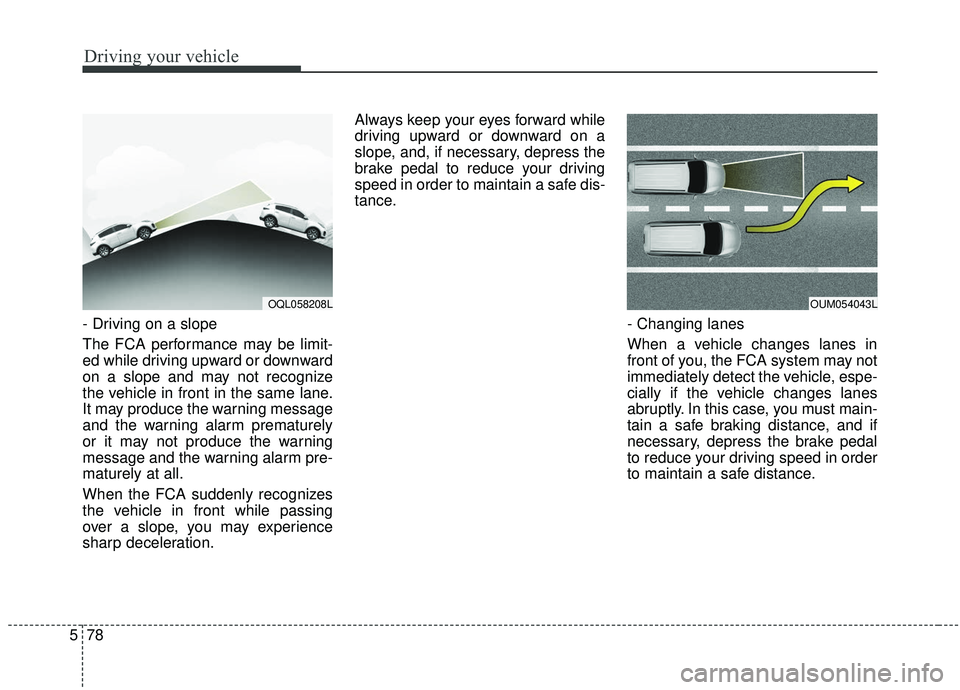
- Driving on a slope
The FCA performance may be limit-
ed while driving upward or downward
on a slope and may not recognize
the vehicle in front in the same lane.
It may produce the warning message
and the warning alarm prematurely
or it may not produce the warning
message and the warning alarm pre-
maturely at all.
When the FCA suddenly recognizes
the vehicle in front while passing
over a slope, you may experience
sharp deceleration. Always keep your eyes forward while
driving upward or downward on a
slope, and, if necessary, depress the
brake pedal to reduce your driving
speed in order to maintain a safe dis-
tance.
- Changing lanes
When a vehicle changes lanes in
front of you, the FCA system may not
immediately detect the vehicle, espe-
cially if the vehicle changes lanes
abruptly. In this case, you must main-
tain a safe braking distance, and if
necessary, depress the brake pedal
to reduce your driving speed in order
to maintain a safe distance.
OQL058208LOUM054043L
Page 368 of 611
587
Driving your vehicle
Each of these actions will cancelcruise control operation (the SETindicator light in the instrument clus-ter will go off), but it will not turn thesystem off. If you wish to resumecruise control operation, move thelever up (to RES+). You will return toyour previously preset speed.To resume cruising speed at
more than approximately 30
km/h (20 mph):
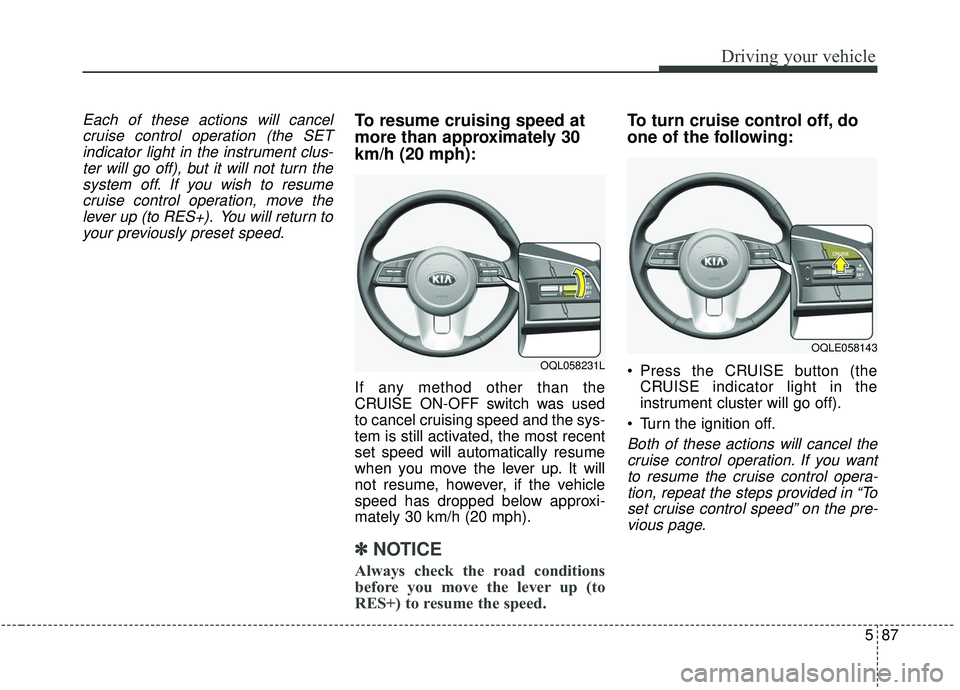
If any method other than the
CRUISE ON-OFF switch was used
to cancel cruising speed and the sys-
tem is still activated, the most recent
set speed will automatically resume
when you move the lever up. It will
not resume, however, if the vehicle
speed has dropped below approxi-
mately 30 km/h (20 mph).
✽ ✽ NOTICE
Always check the road conditions
before you move the lever up (to
RES+) to resume the speed.
To turn cruise control off, do
one of the following:
Press the CRUISE button (the
CRUISE indicator light in the
instrument cluster will go off).
Turn the ignition off.
Both of these actions will cancel the cruise control operation. If you wantto resume the cruise control opera-tion, repeat the steps provided in “Toset cruise control speed” on the pre-vious page.
OQL058231L
OQLE058143
Page 375 of 611
Driving your vehicle
94
5
Smart Cruise Control can-
celled
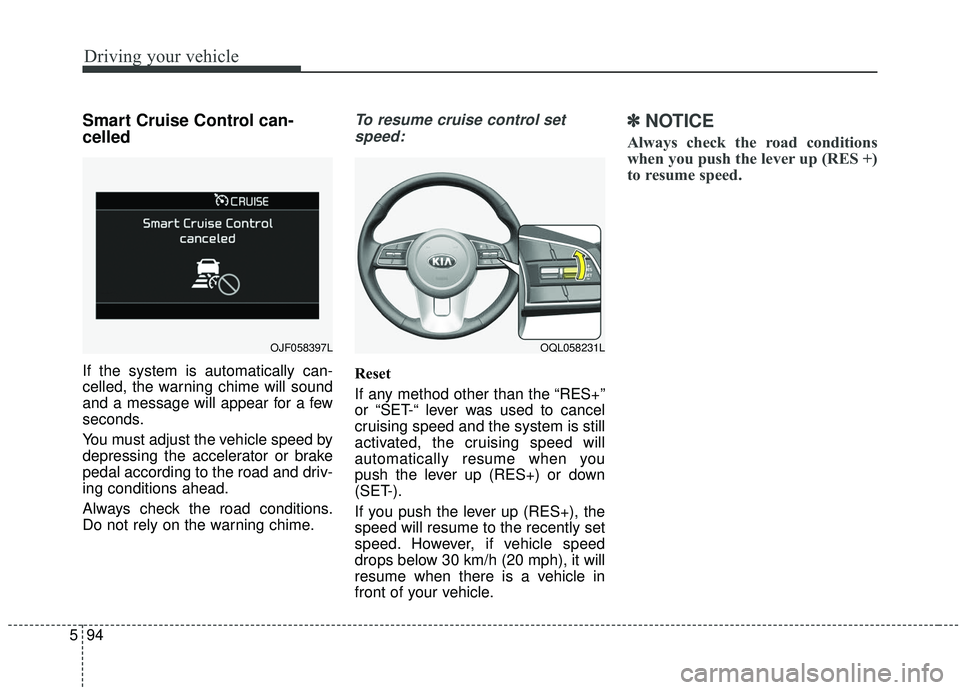
If the system is automatically can-
celled, the warning chime will sound
and a message will appear for a few
seconds.
You must adjust the vehicle speed by
depressing the accelerator or brake
pedal according to the road and driv-
ing conditions ahead.
Always check the road conditions.
Do not rely on the warning chime.
To resume cruise control set
speed:
Reset
If any method other than the “RES+”
or “SET-“ lever was used to cancel
cruising speed and the system is still
activated, the cruising speed will
automatically resume when you
push the lever up (RES+) or down
(SET-).
If you push the lever up (RES+), the
speed will resume to the recently set
speed. However, if vehicle speed
drops below 30 km/h (20 mph), it will
resume when there is a vehicle in
front of your vehicle.
✽ ✽ NOTICE
Always check the road conditions
when you push the lever up (RES +)
to resume speed.
OQL058231LOJF058397L
Page 377 of 611
Driving your vehicle
96
5
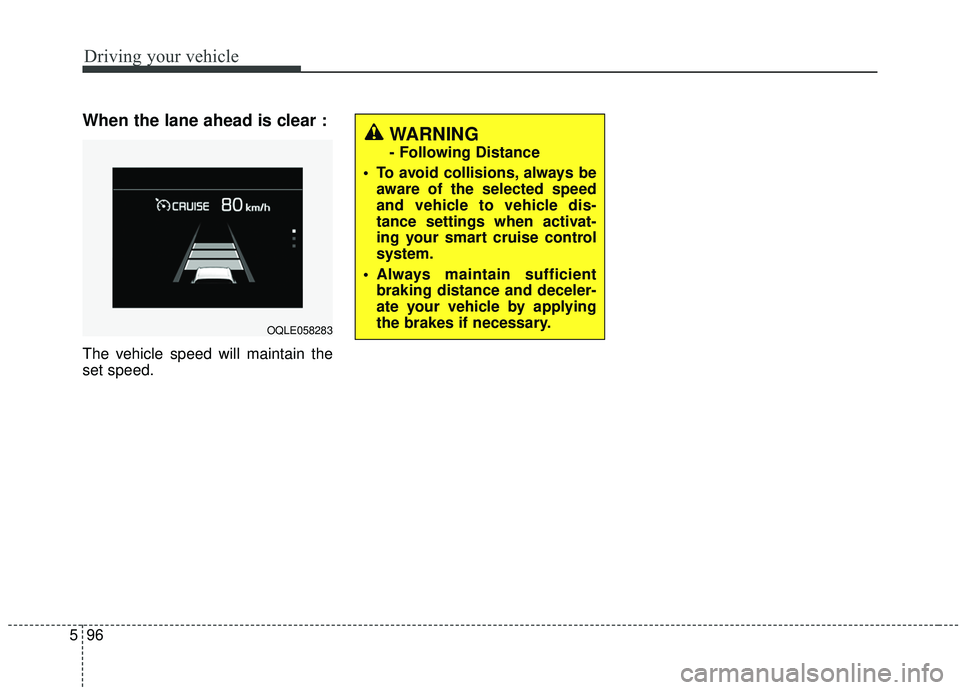
When the lane ahead is clear :
The vehicle speed will maintain the
set speed.
WARNING
- Following Distance
To avoid collisions, always be aware of the selected speed
and vehicle to vehicle dis-
tance settings when activat-
ing your smart cruise control
system.
Always maintain sufficient braking distance and deceler-
ate your vehicle by applying
the brakes if necessary.
OQLE058283
Page 385 of 611
Driving your vehicle
104
5
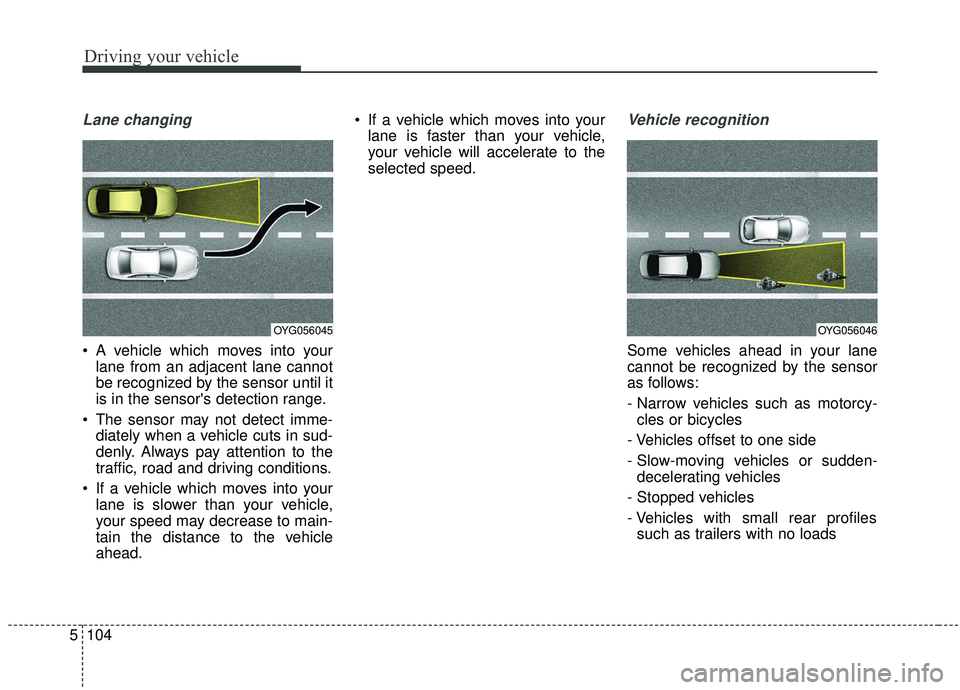
Lane changing
A vehicle which moves into your
lane from an adjacent lane cannot
be recognized by the sensor until it
is in the sensor's detection range.
The sensor may not detect imme- diately when a vehicle cuts in sud-
denly. Always pay attention to the
traffic, road and driving conditions.
If a vehicle which moves into your lane is slower than your vehicle,
your speed may decrease to main-
tain the distance to the vehicle
ahead. If a vehicle which moves into your
lane is faster than your vehicle,
your vehicle will accelerate to the
selected speed.
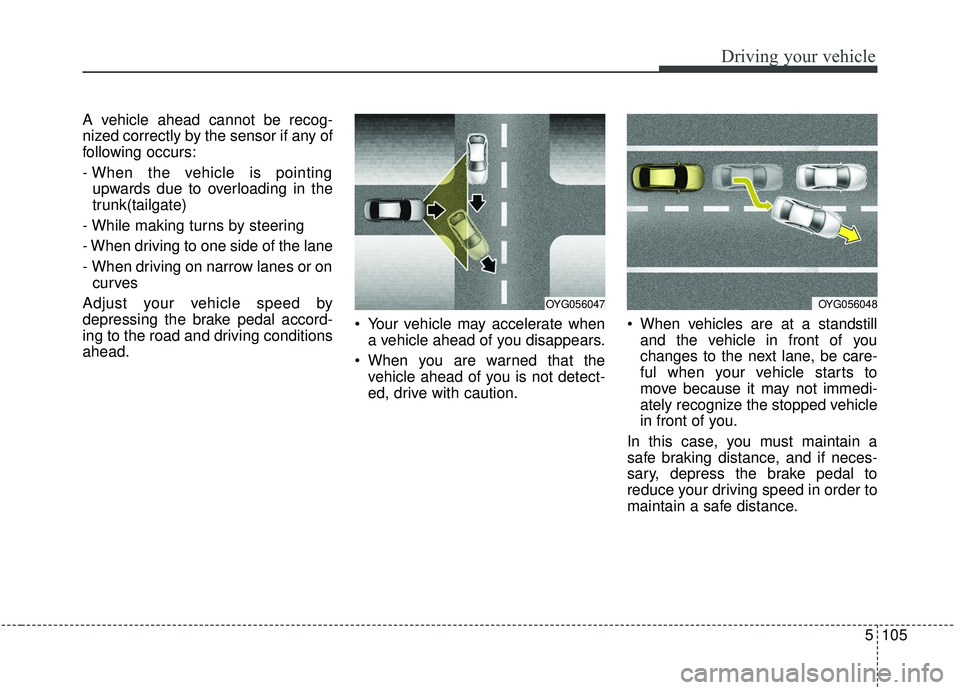
Vehicle recognition
Some vehicles ahead in your lane
cannot be recognized by the sensor
as follows:
- Narrow vehicles such as motorcy-cles or bicycles
- Vehicles offset to one side
- Slow-moving vehicles or sudden- decelerating vehicles
- Stopped vehicles
- Vehicles with small rear profiles such as trailers with no loads
OYG056045OYG056046
Page 386 of 611
5105
Driving your vehicle
A vehicle ahead cannot be recog-
nized correctly by the sensor if any of
following occurs:
- When the vehicle is pointingupwards due to overloading in the
trunk(tailgate)
- While making turns by steering
- When driving to one side of the lane
- When driving on narrow lanes or on curves
Adjust your vehicle speed by
depressing the brake pedal accord-
ing to the road and driving conditions
ahead. Your vehicle may accelerate when
a vehicle ahead of you disappears.
When you are warned that the vehicle ahead of you is not detect-
ed, drive with caution. When vehicles are at a standstill
and the vehicle in front of you
changes to the next lane, be care-
ful when your vehicle starts to
move because it may not immedi-
ately recognize the stopped vehicle
in front of you.
In this case, you must maintain a
safe braking distance, and if neces-
sary, depress the brake pedal to
reduce your driving speed in order to
maintain a safe distance.
OYG056047OYG056048
Page 387 of 611
Driving your vehicle
106
5
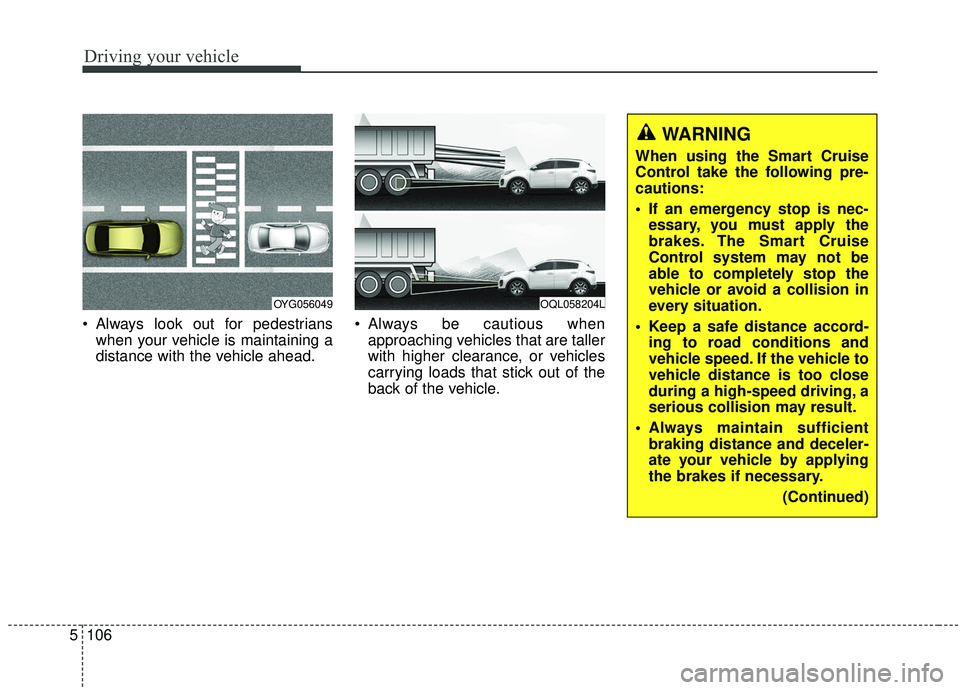
Always look out for pedestrians
when your vehicle is maintaining a
distance with the vehicle ahead. Always be cautious when
approaching vehicles that are taller
with higher clearance, or vehicles
carrying loads that stick out of the
back of the vehicle.
OQL058204LOYG056049
WARNING
When using the Smart Cruise
Control take the following pre-
cautions:
If an emergency stop is nec-essary, you must apply the
brakes. The Smart Cruise
Control system may not be
able to completely stop the
vehicle or avoid a collision in
every situation.
Keep a safe distance accord- ing to road conditions and
vehicle speed. If the vehicle to
vehicle distance is too close
during a high-speed driving, a
serious collision may result.
Always maintain sufficient braking distance and deceler-
ate your vehicle by applying
the brakes if necessary.
(Continued)
Page 396 of 611
5115
Driving your vehicle
If all the conditions to activate LKAare not satisfied, the system will
convert to the Lane Departure
Warning (LDW) system and warn
the driver only when the driver
crosses the lane markers. In this
scenario, the LDW system does
not provide any steering inputs into
the vehicle for you. Accordingly,
you must take the necessary steps
to maintain control of the vehicle
and keep it within the lanes.
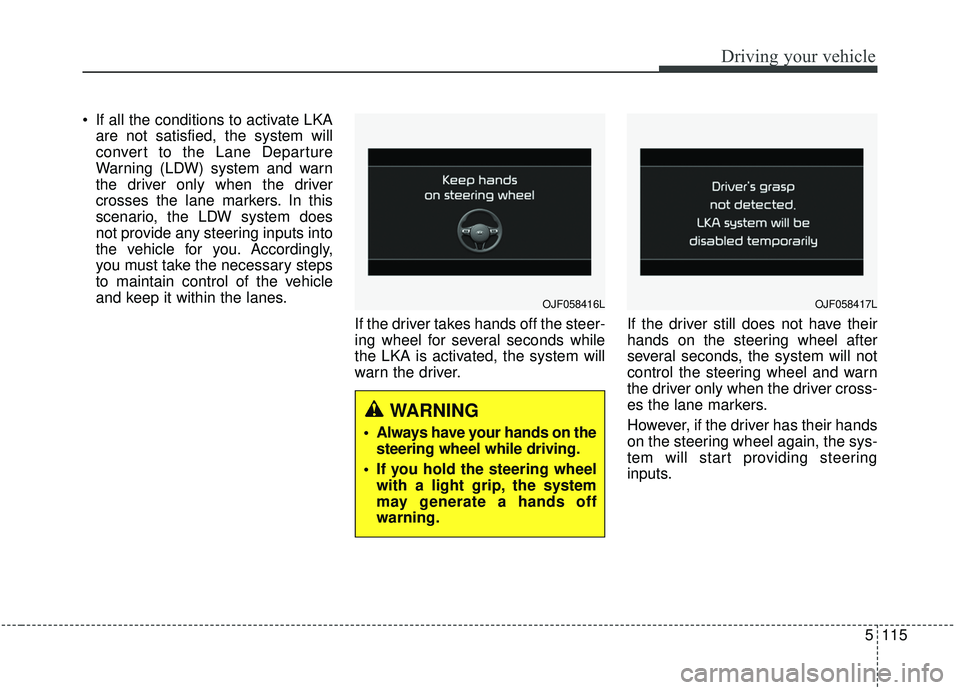
If the driver takes hands off the steer-
ing wheel for several seconds while
the LKA is activated, the system will
warn the driver. If the driver still does not have their
hands on the steering wheel after
several seconds, the system will not
control the steering wheel and warn
the driver only when the driver cross-
es the lane markers.
However, if the driver has their hands
on the steering wheel again, the sys-
tem will start providing steering
inputs.
OJF058416L
WARNING
Always have your hands on the
steering wheel while driving.
If you hold the steering wheel with a light grip, the system
may generate a hands off
warning.
OJF058417L