Page 344 of 604

515
Driving your vehicle
For smooth operation, depress thebrake pedal and the lock release but-ton when shifting from N (Neutral) toa forward or reverse gear.
When stopped on an incline, do not
hold the vehicle with the engine
power. Use the service brake or the
parking brake.
Transmission ranges
The indicator in the instrument clus-
ter displays the shift lever position
when the ignition switch is in the ON
position.
P (Park)
Always come to a complete stop
before shifting into P (Park). This posi-
tion locks the transmission and pre-
vents the drive wheels from rotating.
Shifting into P (Park) while the vehi-
cle is in motion will cause the drive
wheels to lock which will cause you
to lose control of the vehicle.
WARNING
- Automatic transmission
Before leaving the driver’s seat,
always make sure the shift lever
is in the P (Park) position; then
set the parking brake fully and
shut the engine off. Do not use
the P position in place of the
parking brake. Always make
sure the shift lever is latched in
the P position and set the park-
ing brake fully. Unexpected and
sudden vehicle movement can
occur if these precautions are
not followed.
CAUTION- Transmission
To avoid damage to your trans- mission, do not accelerate theengine in R (Reverse) or any for-ward gear position with thebrakes on. The transmission maybe damaged if you shift into P(Park) while the vehicle is inmotion.
Page 367 of 604
Driving your vehicle
38
5
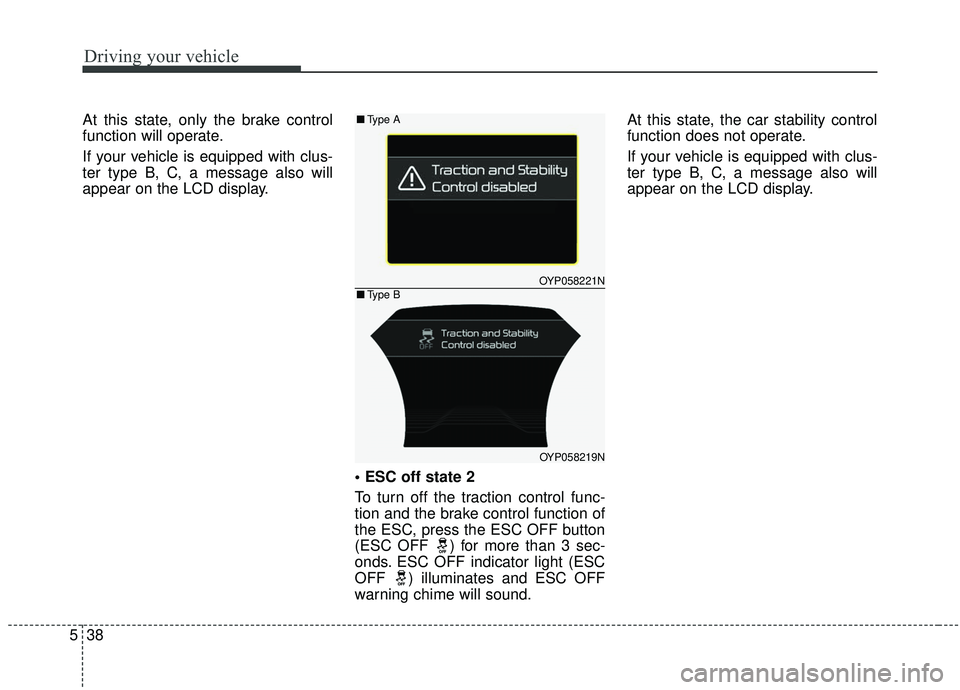
At this state, only the brake control
function will operate.
If your vehicle is equipped with clus-
ter type B, C, a message also will
appear on the LCD display.
To turn off the traction control func-
tion and the brake control function of
the ESC, press the ESC OFF button
(ESC OFF ) for more than 3 sec-
onds. ESC OFF indicator light (ESC
OFF ) illuminates and ESC OFF
warning chime will sound.At this state, the car stability control
function does not operate.
If your vehicle is equipped with clus-
ter type B, C, a message also will
appear on the LCD display.
OYP058221N
OYP058219N
■
Type A
■Type B
Page 374 of 604
545
Driving your vehicle
The warning light illumi-
nates on the LCD display,
when you cancel the FCA
system. The driver can
monitor the FCA ON/OFF status on
the LCD display. Also, the warning
light illuminates when the
ESC(Electronic Stability Control) is
turned off (Traction & Stability control
disabled.). When the warning light
remains ON with the FCA activated,
have the system checked by an
authorized Kia dealer.
The driver can select the initial warn-
ing activation time in the User
Settings in the instrument cluster
LCD display. The options for the ini-
tial Forward Collision Warning
include the following:
selected, the initial
Forward Collision Warning
is activated earlier than
normal. If the ‘EARLY’ con-
dition feels too sensitive,
change it into ‘NORMAL’.
selected, the initial
Forward Collision
Warning is activated nor-
mally.
selected, the initial Forward
Collision Warning is activat-
ed later than normal. This
setting reduces the amount
of distance between the
vehicle or pedestrian ahead
before the initial warning
occurs. Select this condition
only when traffic is light,
and you are driving slowly.Prerequisite for activation
The FCA will activate when the FCA
is selected on the LCD display, and
when the following prerequisites are
satisfied:
- The ESC (Electronic StabilityControl) is activated.
- The driving speed is over 10 km/h (6 mph). (The FCA only works
within a certain range of vehicle
speeds)
- When the FCA recognizes a vehi- cle or the pedestrian in front.
WARNING
The FCA may not recognize
every obstacle or provide warn-
ings and braking in every situa-
tion, so do not rely on the FCA
to stop the vehicle in instances
where the driver sees an obsta-
cle and has the ability to apply
the brakes.
Page 375 of 604
Driving your vehicle
46
5
The FCA automatically activates
upon placing the ignition switch to
the ON position. The driver can
deactivate the FCA by canceling the
system setting on the LCD display.
The FCA automatically deactivates upon canceling the ESC. When the
ESC is cancelind, the FCA cannot
be activated on the LCD display.
The FCA warning light will illumi-
nate, but it does not indicate a mal-
function of the system.
FCA warning message and
system control
The FCA system produces warning
messages, warning alarms, and
emergency braking based on the
level of risk of a frontal collision, such
as when a vehicle ahead suddenly
brakes.
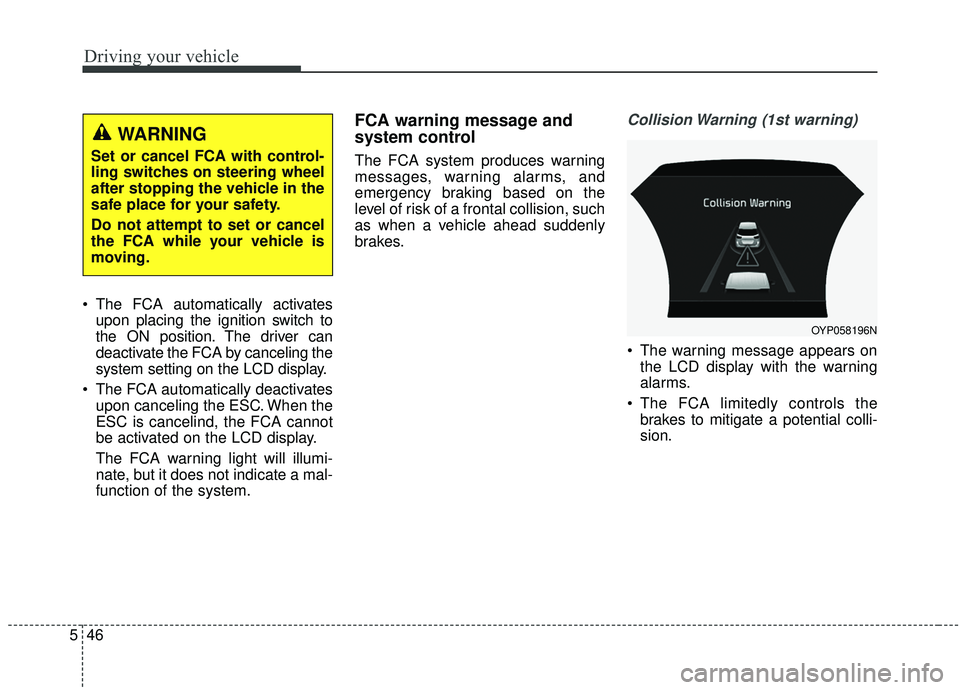
Collision Warning (1st warning)
The warning message appears onthe LCD display with the warning
alarms.
The FCA limitedly controls the brakes to mitigate a potential colli-
sion.
WARNING
Set or cancel FCA with control-
ling switches on steering wheel
after stopping the vehicle in the
safe place for your safety.
Do not attempt to set or cancel
the FCA while your vehicle is
moving.
OYP058196N
Page 376 of 604

547
Driving your vehicle
Emergency braking (2nd warning)
The warning message appears onthe LCD display with the warning
alarms.
The FCA limitedly controls the brakes to mitigate a potential colli-
sion. Brake control is maximized
just before a collision.
Brake operation
In an urgent situation, the brakingsystem enters into the ready status
for prompt reaction against the dri-
ver’s depressing the brake pedal.
The FCA provides additional brak- ing power for optimum braking per-
formance when the driver depress-
es the brake pedal.
The braking control is automatical- ly deactivated, when the driver
sharply depresses the accelerator
pedal, or when the driver abruptly
turns the steering wheel.
The braking control is automatical- ly canceled when risk factors dis-
appear.
OYP058222N
CAUTION
When other warning soundssuch as the seat belt warningsound are in operation andoverride the FCA alarming sys-tem, FCA warning sounds maynot occur.
WARNING
The driver should always exer-
cise caution when operating the
vehicle, even though there is no
warning message or warning
alarm.
Page 396 of 604

567
Driving your vehicle
Each of these actions will cancel the
smart cruise control system operation.
(The set speed and vehicle-to-vehicle
distance on the LCD display will go
off.)
If the smart cruise control system is
cancelled automatically, the smart
cruise control system will not resume
even though the RES+ or SET- lever
is moved.
If the smart cruise control system is
cancelled by a reason not described
above, have the system checked by
an authorized Kia dealer.If the system is automatically can-
celled, the warning chime will sound
and a message will appear for a few
seconds.
You must adjust the vehicle speed by
depressing the accelerator or brake
pedal according to the road and driv-
ing conditions ahead.
Always check the road conditions.
Do not rely on the warning chime.To resume cruise control set
speed:
If any method other than the CRUISE
button was used to cancel cruising
speed and the system is still activat-
ed, the cruising speed will automati-
cally resume when you move the
lever up/down (to RES+ or SET-).
If you move the lever up (to RES+),
the speed will resume to the recently
set speed. It will only resume below
approximately 30 km/h (20 mph)
when a vehicle is in the front.
OYP058224N
OYP057132N
Page 399 of 604
Driving your vehicle
70
5
The vehicle will maintain the set
speed when the lane ahead is
clear.
The vehicle will slow down or speed up within selected speed to
maintain the selected distance
when there is a vehicle ahead of
you in the lane. (A vehicle will
appear in front of your vehicle in
the LCD display only when there is
an actual vehicle in front of you)
If the vehicle ahead speeds up, your vehicle will travel at a steady
cruising speed after accelerating to
the selected speed.When there is a vehicle ahead of you in your lane :
OYP058226L
OYP058228L
OYP058227L
OYP058229L
Page 400 of 604
571
Driving your vehicle
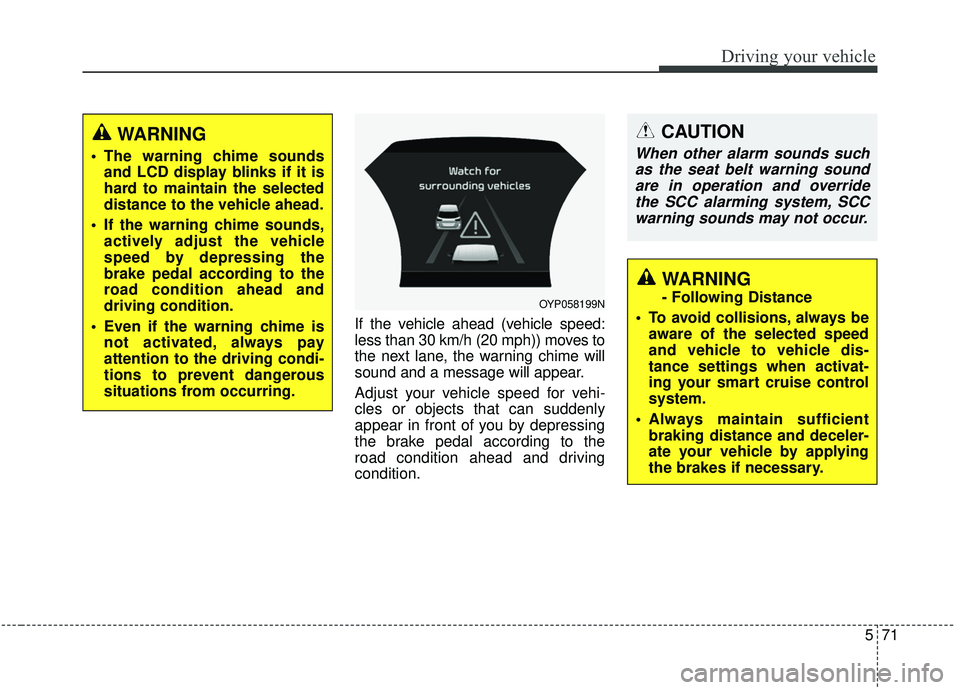
If the vehicle ahead (vehicle speed:
less than 30 km/h (20 mph)) moves to
the next lane, the warning chime will
sound and a message will appear.
Adjust your vehicle speed for vehi-
cles or objects that can suddenly
appear in front of you by depressing
the brake pedal according to the
road condition ahead and driving
condition.
OYP058199N
CAUTION
When other alarm sounds suchas the seat belt warning soundare in operation and overridethe SCC alarming system, SCCwarning sounds may not occur.
WARNING
- Following Distance
To avoid collisions, always be aware of the selected speed
and vehicle to vehicle dis-
tance settings when activat-
ing your smart cruise control
system.
Always maintain sufficient braking distance and deceler-
ate your vehicle by applying
the brakes if necessary.
WARNING
The warning chime soundsand LCD display blinks if it is
hard to maintain the selected
distance to the vehicle ahead.
If the warning chime sounds, actively adjust the vehicle
speed by depressing the
brake pedal according to the
road condition ahead and
driving condition.
Even if the warning chime is not activated, always pay
attention to the driving condi-
tions to prevent dangerous
situations from occurring.