Page 260 of 604
4151
Features of your vehicle
Rear window wiper and wash-
er switch
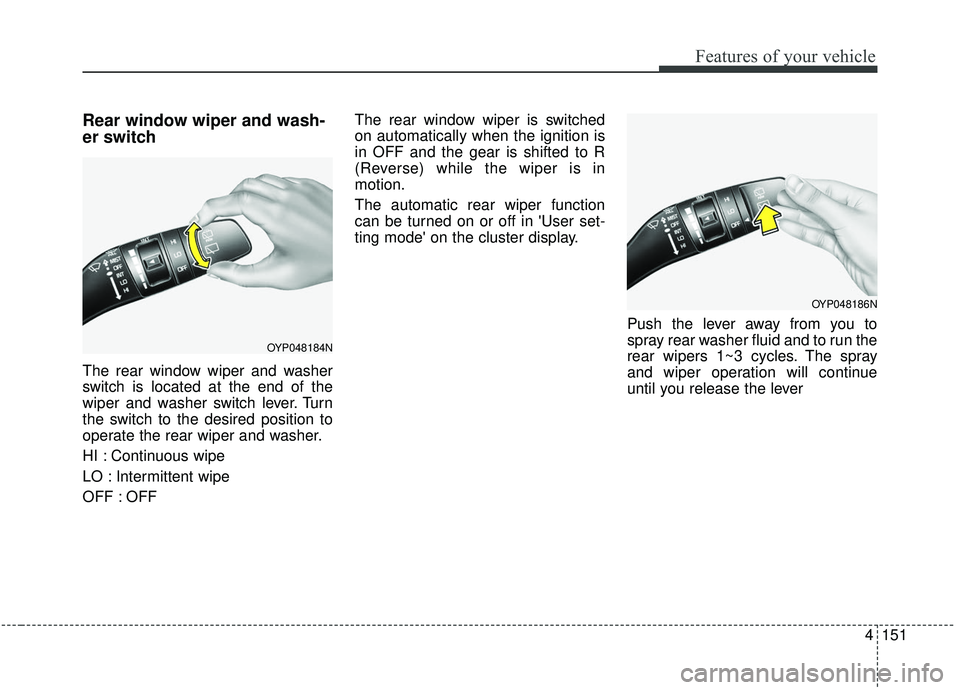
The rear window wiper and washer
switch is located at the end of the
wiper and washer switch lever. Turn
the switch to the desired position to
operate the rear wiper and washer.
HI : Continuous wipe
LO : Intermittent wipe
OFF : OFFThe rear window wiper is switched
on automatically when the ignition is
in OFF and the gear is shifted to R
(Reverse) while the wiper is in
motion.
The automatic rear wiper function
can be turned on or off in 'User set-
ting mode' on the cluster display.
Push the lever away from you to
spray rear washer fluid and to run the
rear wipers 1~3 cycles. The spray
and wiper operation will continue
until you release the lever
OYP048184N
OYP048186N
Page 281 of 604
Features of your vehicle
172
4
AUTOMATIC CLIMATE CONTROL SYSTEM (IF EQUIPPED)
OYP047220L/OYP047366N
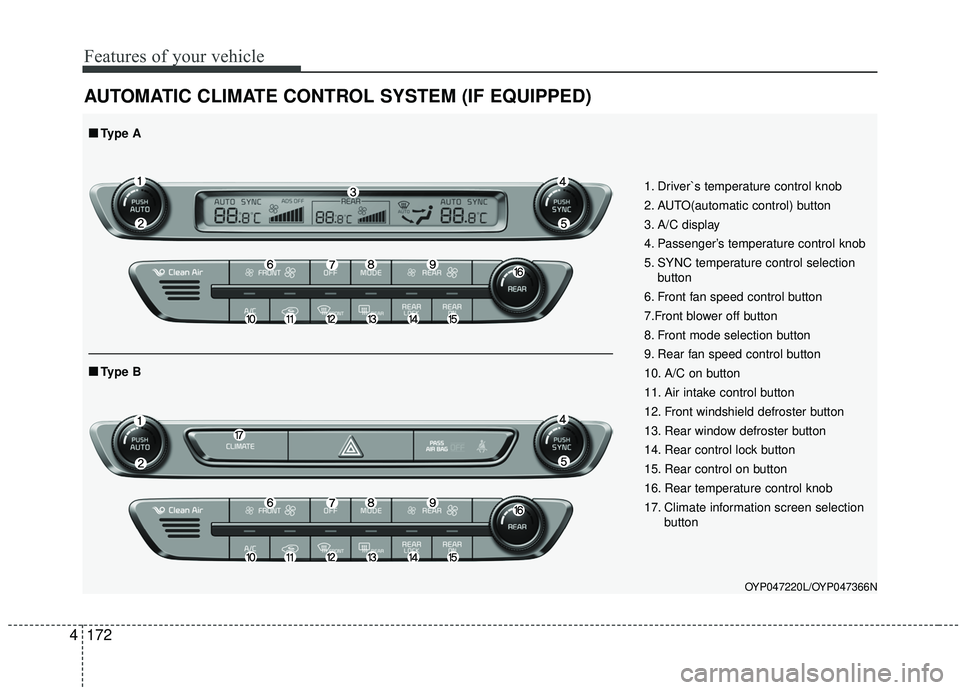
1. Driver`s temperature control knob
2. AUTO(automatic control) button
3. A/C display
4. Passenger’s temperature control knob
5. SYNC temperature control selection
button
6. Front fan speed control button
7.Front blower off button
8. Front mode selection button
9. Rear fan speed control button
10. A/C on button
11. Air intake control button
12. Front windshield defroster button
13. Rear window defroster button
14. Rear control lock button
15. Rear control on button
16. Rear temperature control knob
17. Climate information screen selection button
■ ■Type B
■ ■Type A
Page 282 of 604
4173
Features of your vehicle
Automatic heating and air con-
ditioning
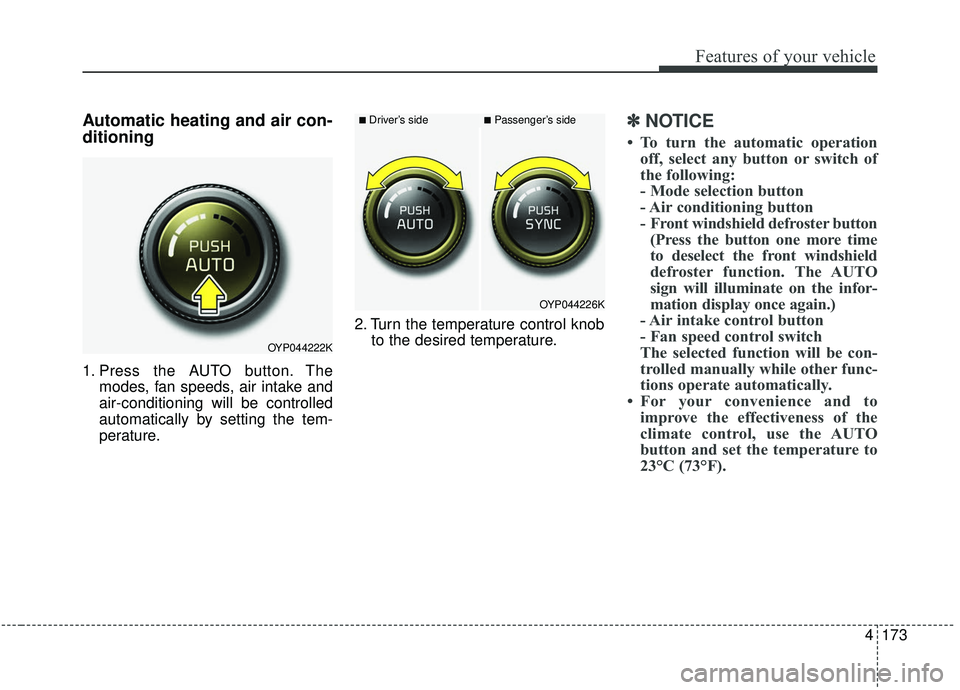
1. Press the AUTO button. Themodes, fan speeds, air intake and
air-conditioning will be controlled
automatically by setting the tem-
perature. 2. Turn the temperature control knob
to the desired temperature.
✽ ✽NOTICE
• To turn the automatic operation
off, select any button or switch of
the following:
- Mode selection button
- Air conditioning button
- Front windshield defroster button(Press the button one more time
to deselect the front windshield
defroster function. The AUTO
sign will illuminate on the infor-
mation display once again.)
- Air intake control button
- Fan speed control switch
The selected function will be con-
trolled manually while other func-
tions operate automatically.
• For your convenience and to improve the effectiveness of the
climate control, use the AUTO
button and set the temperature to
23°C (73°F).
OYP044222K
OYP044226K
■Driver’s side■Passenger’s side
Page 286 of 604
4177
Features of your vehicle
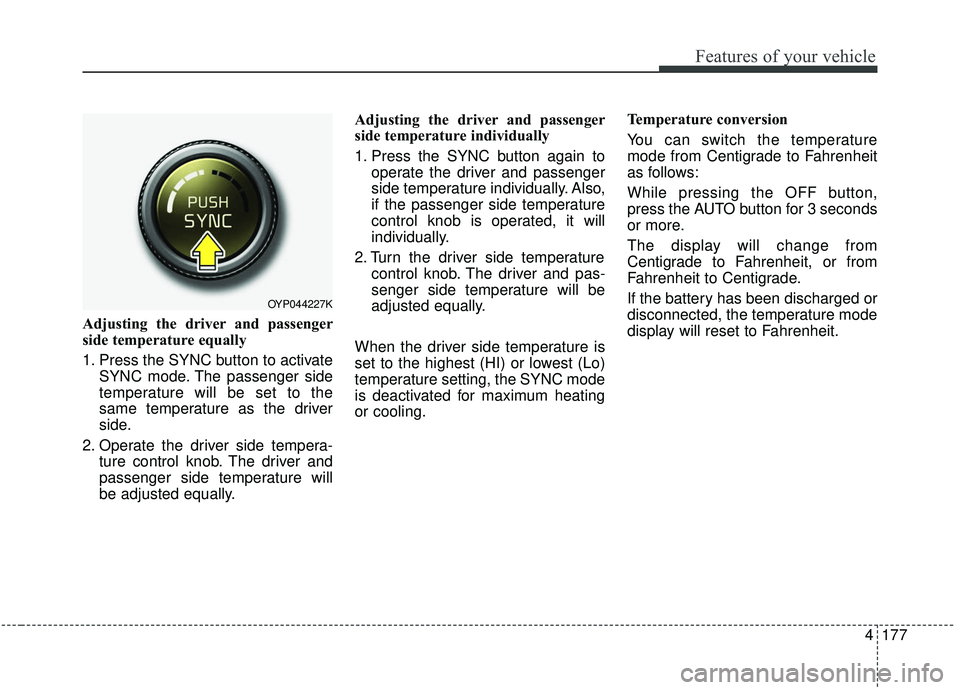
Adjusting the driver and passenger
side temperature equally
1. Press the SYNC button to activateSYNC mode. The passenger side
temperature will be set to the
same temperature as the driver
side.
2. Operate the driver side tempera- ture control knob. The driver and
passenger side temperature will
be adjusted equally. Adjusting the driver and passenger
side temperature individually
1. Press the SYNC button again to
operate the driver and passenger
side temperature individually. Also,
if the passenger side temperature
control knob is operated, it will
individually.
2. Turn the driver side temperature control knob. The driver and pas-
senger side temperature will be
adjusted equally.
When the driver side temperature is
set to the highest (HI) or lowest (Lo)
temperature setting, the SYNC mode
is deactivated for maximum heating
or cooling. Temperature conversion
You can switch the temperature
mode from Centigrade to Fahrenheit
as follows:
While pressing the OFF button,
press the AUTO button for 3 seconds
or more.
The display will change from
Centigrade to Fahrenheit, or from
Fahrenheit to Centigrade.
If the battery has been discharged or
disconnected, the temperature mode
display will reset to Fahrenheit.
OYP044227K
Page 287 of 604
Features of your vehicle
178
4
Outside thermometer
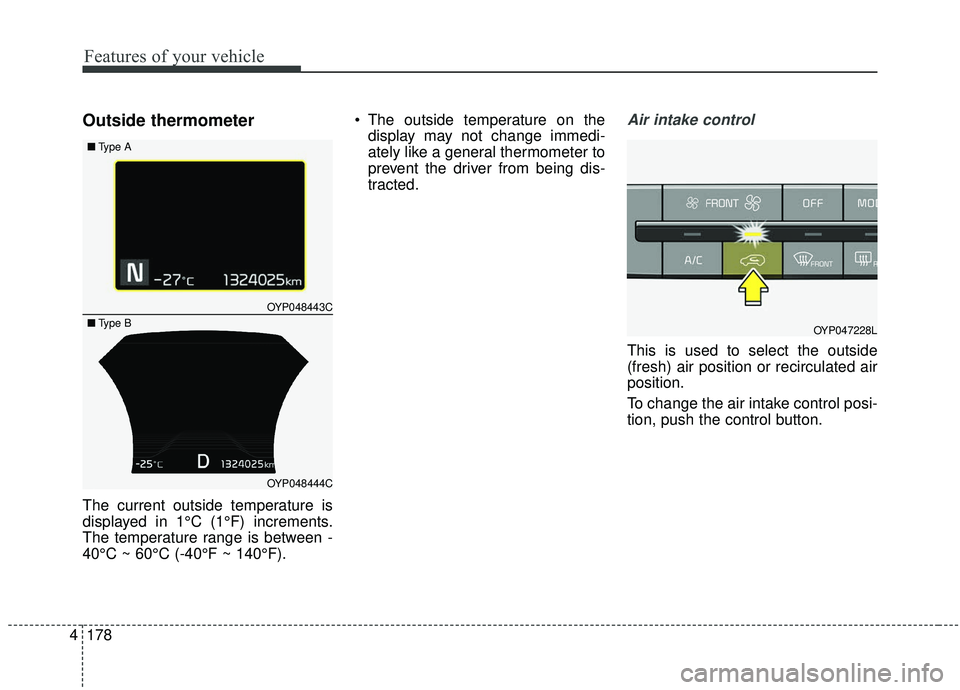
The current outside temperature is
displayed in 1°C (1°F) increments.
The temperature range is between -
40°C ~ 60°C (-40°F ~ 140°F). The outside temperature on the
display may not change immedi-
ately like a general thermometer to
prevent the driver from being dis-
tracted.
Air intake control
This is used to select the outside
(fresh) air position or recirculated air
position.
To change the air intake control posi-
tion, push the control button.
OYP047228L
OYP048443C
OYP048444C
■
Type A
■Type B
Page 290 of 604
4181
Features of your vehicle
Air conditioning
Press the A/C button to turn the air
conditioning system on (indicator
light will illuminate).
Press the button again to turn the air
conditioning system off.
OFF mode
Press the front blower OFF button to
turn off the front air climate control
system. However, you can still oper-
ate the mode and air intake buttons
as long as the ignition switch is in the
ON position.
Climate information screen selec-tion (for Type B)
Press the climate information screen
selection button to display climate
information on the screen.
OYP044231K
OYP044253N
OYP047230L
Page 304 of 604

4195
Features of your vehicle
This indicator illuminates
when the auto defogging
system senses the mois-
ture of inside the wind-
shield and operates.
The Auto defogging system address-
es excess moisture on the inside of
the windshield in stages. For exam-
ple if auto defogging does not defog
inside the windshield at step 1
Outside air position, it tries to defog
again at step 2 Blowing air toward
the windshield.
Step 1 : Outside air position
Step 2 :Blowing air toward the wind-
shield
Step 3 : Increasing air flow toward the windshield
Step 4 : Operating the air conditioning
Step 5 : M aximizing the air condi-
tioning To cancel or reset the Auto Defogging
System
Press the front windshield defroster
button for 3 seconds when the igni-
tion switch is in the ON position.
When the ADS system is canceled,
[ADS OFF] symbol will blink 3 times
per 1 sec and the position [ADS
OFF] will be displayed on the A/C
display. (A TYPE)
When the ADS system is canceled,
Indicator on the button will blink 3
times per 0.5 sec. (B TYPE)
When the ADS system is reset, [ADS
OFF] symbol will blink 6 times per
0.5sec and the position [ADS OFF]
will be disappeared on the A/C dis-
play. (A TYPE)
When the ADS system is reset,
Indicator on the button will blink 6
times per 0.25 sec. (B TYPE)
✽ ✽
NOTICE
If the A/C off or recirculated air
position is manually selected while
the auto defogging system is on, the
auto defogging indicator will blink 3
times to give notice that manual
operation is canceled.
✽ ✽NOTICE
Do not remove the sensor cover
located on the upper end of the pas-
senger side windshield glass.
Damage to the system parts could
occur and may not be covered by
your vehicle warranty.
Page 341 of 604

Driving your vehicle
12
5
✽ ✽
NOTICE
If you leave the engine start/stop
button in the ACC or ON position
for a long time, the battery will dis-
charge.
Starting the engine with a
smart key
1. Carry the smart key or leave it
inside the vehicle.
2. Make sure the parking brake is firmly applied.
3. Place the transmission shift lever in P (Park). Depress the brake
pedal fully.
You can also start the enginewhen the shift lever is in the N(Neutral) position.
4. Press the engine start/stop button while depressing the brake pedal.
It should be started withoutdepressing the accelerator.
5. Do not wait for the engine to warm up while the vehicle remains sta-
tionary.
Start driving at moderate engine
speeds. (Steep accelerating and
decelerating should be avoided.) Even if the smart key is in the vehi-
cle, if it is far away from you, the
engine may not start.
When the engine start/stop button is in the ACC position or above, if
any door is opened, the system
checks for the smart key. If the
smart key is not in the vehicle, a
message "key is not in the vehicle"
will appear on the LCD display. And
if all doors are closed, the chime
will sound for 5 seconds. The indi-
cator or warning will turn off while
the vehicle is moving. Always have
the smart key with you.
WARNING- Starting
vehicle
Never press the engine
start/stop button while the vehi-
cle is in motion except in an
emergency. This would result in
loss of directional control and
braking function, which could
cause an accident.