Page 175 of 480
3-41
Convenient features of your vehicle
3
I IN
NS
ST
TR
RU
UM
ME
EN
NT
T
C
CL
LU
US
ST
TE
ER
R
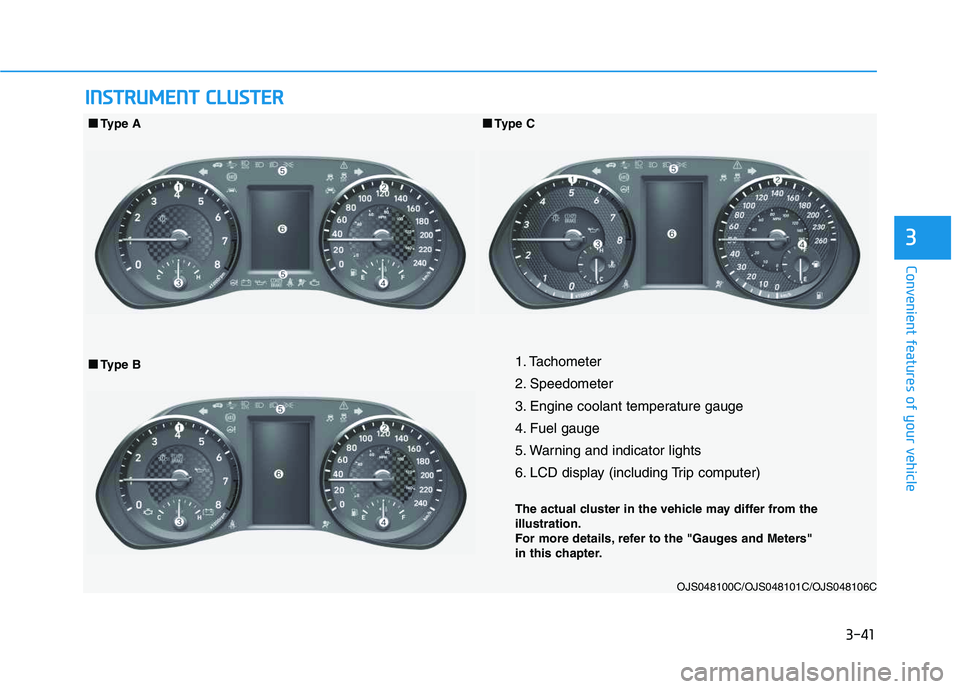
1. Tachometer
2. Speedometer
3. Engine coolant temperature gauge
4. Fuel gauge
5. Warning and indicator lights
6. LCD display (including Trip computer)
The actual cluster in the vehicle may differ from the
illustration.
For more details, refer to the "Gauges and Meters"
in this chapter.
OJS048100C/OJS048101C/OJS048106C
■ ■
Type B ■ ■
Type A
■ ■
Type C
Page 176 of 480
3-42
Convenient features of your vehicle
Instrument Cluster Control
Adjusting instrument cluster
illumination
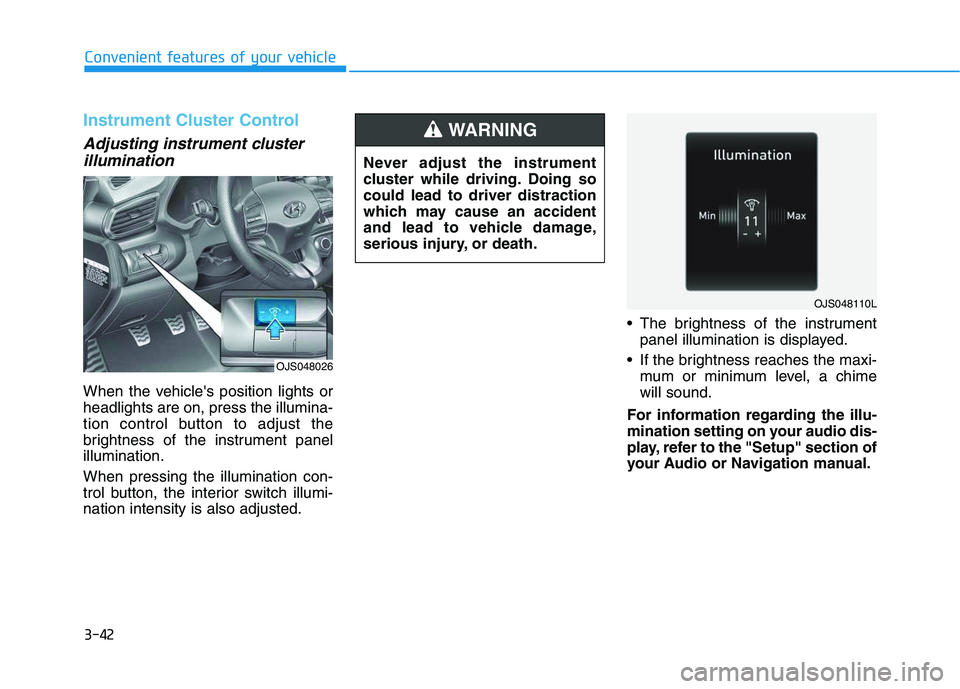
When the vehicle's position lights or
headlights are on, press the illumina-
tion control button to adjust the
brightness of the instrument panel
illumination.
When pressing the illumination con-
trol button, the interior switch illumi-
nation intensity is also adjusted. The brightness of the instrument
panel illumination is displayed.
If the brightness reaches the maxi-
mum or minimum level, a chime
will sound.
For information regarding the illu-
mination setting on your audio dis-
play, refer to the "Setup" section of
your Audio or Navigation manual. Never adjust the instrument
cluster while driving. Doing so
could lead to driver distraction
which may cause an accident
and lead to vehicle damage,
serious injury, or death.
WARNING
OJS048110L
OJS048026
Page 181 of 480
3-47
Convenient features of your vehicle
3
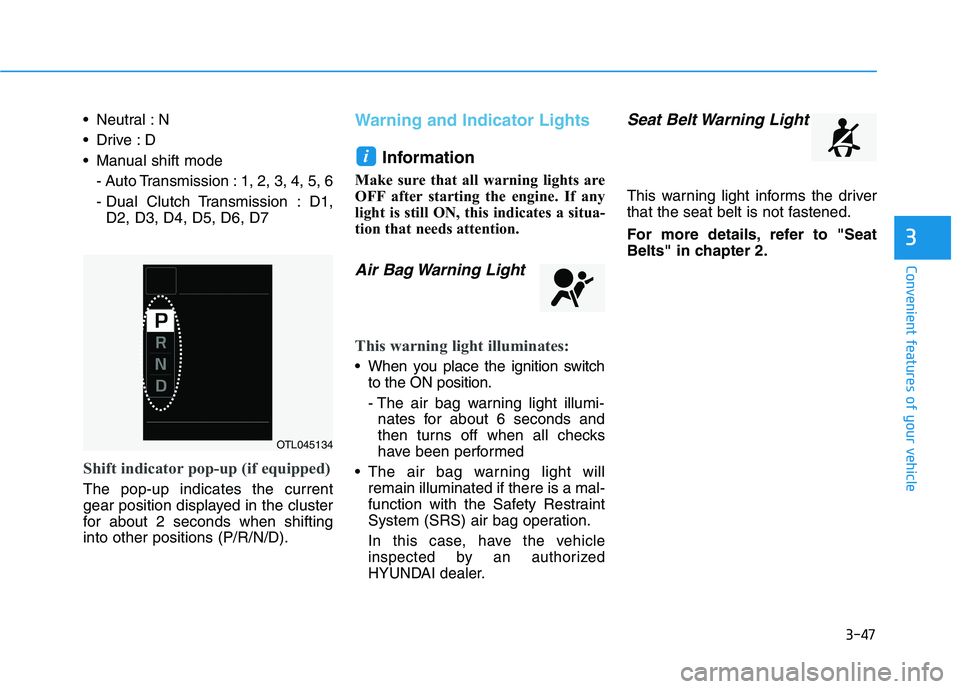
Neutral : N
Manual shift mode
- Auto Transmission : 1, 2, 3, 4, 5, 6
- Dual Clutch Transmission : D1,
D2, D3, D4, D5, D6, D7
Shift indicator pop-up (if equipped)
The pop-up indicates the current
gear position displayed in the cluster
for about 2 seconds when shifting
into other positions (P/R/N/D).
Warning and Indicator Lights
Information
Make sure that all warning lights are
OFF after starting the engine. If any
light is still ON, this indicates a situa-
tion that needs attention.
Air Bag Warning Light
This warning light illuminates:
When you place the ignition switch
to the ON position.
- The air bag warning light illumi-
nates for about 6 seconds and
then turns off when all checks
have been performed
The air bag warning light will
remain illuminated if there is a mal-
function with the Safety Restraint
System (SRS) air bag operation.
In this case, have the vehicle
inspected by an authorized
HYUNDAI dealer.
Seat Belt Warning Light
This warning light informs the driver
that the seat belt is not fastened.
For more details, refer to "Seat
Belts" in chapter 2.
i
OTL045134
Page 183 of 480
3-49
Convenient features of your vehicle
3
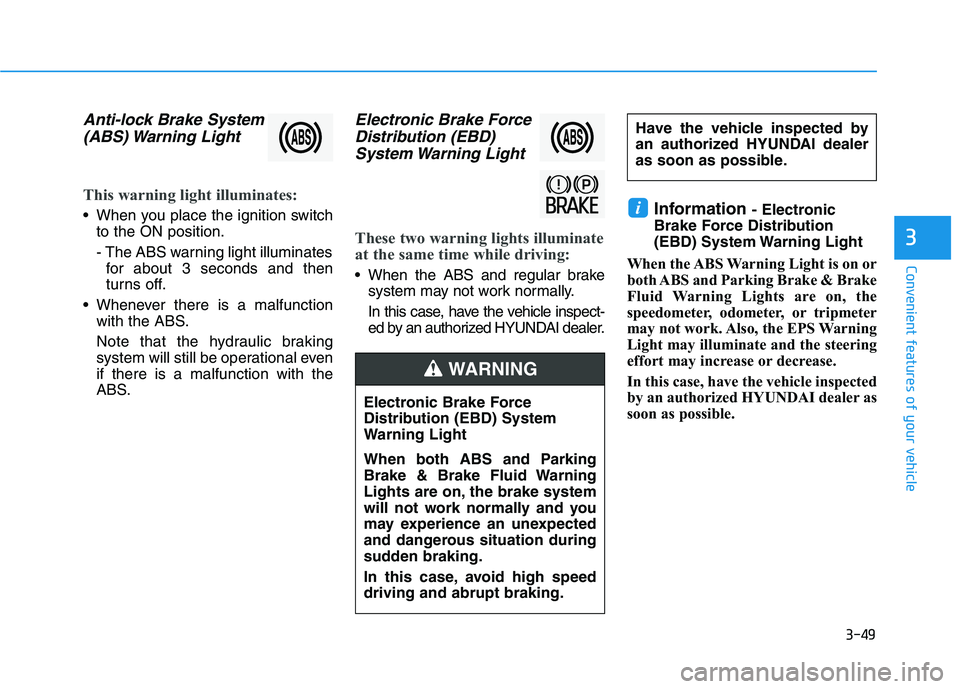
Anti-lock Brake System
(ABS) Warning Light
This warning light illuminates:
When you place the ignition switch
to the ON position.
- The ABS warning light illuminates
for about 3 seconds and then
turns off.
Whenever there is a malfunction
with the ABS.
Note that the hydraulic braking
system will still be operational even
if there is a malfunction with the
ABS.
Electronic Brake Force
Distribution (EBD)
System Warning Light
These two warning lights illuminate
at the same time while driving:
When the ABS and regular brake
system may not work normally.
In this case, have the vehicle inspect-
ed by an authorized HYUNDAI dealer.
Information - Electronic
Brake Force Distribution
(EBD) System Warning Light
When the ABS Warning Light is on or
both ABS and Parking Brake & Brake
Fluid Warning Lights are on, the
speedometer, odometer, or tripmeter
may not work. Also, the EPS Warning
Light may illuminate and the steering
effort may increase or decrease.
In this case, have the vehicle inspected
by an authorized HYUNDAI dealer as
soon as possible.i
Electronic Brake Force
Distribution (EBD) System
Warning Light
When both ABS and Parking
Brake & Brake Fluid Warning
Lights are on, the brake system
will not work normally and you
may experience an unexpected
and dangerous situation during
sudden braking.
In this case, avoid high speed
driving and abrupt braking.
WARNING
Have the vehicle inspected by
an authorized HYUNDAI dealer
as soon as possible.
Page 188 of 480
3-54
Convenient features of your vehicle
This indicator light illuminates for
2 seconds and goes off:
If the smart key is in the vehicle
and the Engine Start/Stop button is
ON, but the vehicle cannot detect
the smart key.
In this case, have the vehicle inspect-
ed by an authorized HYUNDAI deal-
er.
This indicator light blinks:
When the battery voltage of the
smart key is low.
- If this occurs, you will not be able
to start the engine by simply
pressing the Start/Stop button.
However, you can still start the
engine by pressing the Start/Stop
button directly with the smart key.
(Refer to "Starting the Engine"
in chapter 5.)
When there is a malfunction with
the immobilizer system.
In this case, have the vehicle
inspected by an authorized
HYUNDAI dealer.
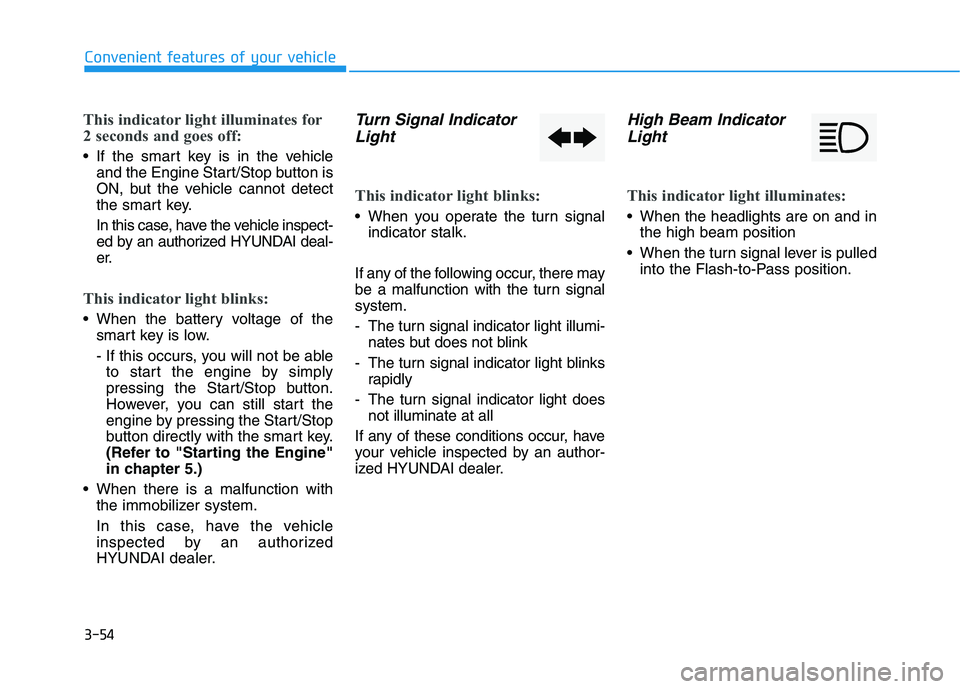
Turn Signal Indicator
Light
This indicator light blinks:
When you operate the turn signal
indicator stalk.
If any of the following occur, there may
be a malfunction with the turn signal
system.
- The turn signal indicator light illumi-
nates but does not blink
- The turn signal indicator light blinks
rapidly
- The turn signal indicator light does
not illuminate at all
If any of these conditions occur, have
your vehicle inspected by an author-
ized HYUNDAI dealer.
High Beam Indicator
Light
This indicator light illuminates:
When the headlights are on and in
the high beam position
When the turn signal lever is pulled
into the Flash-to-Pass position.
Page 189 of 480
3-55
Convenient features of your vehicle
3
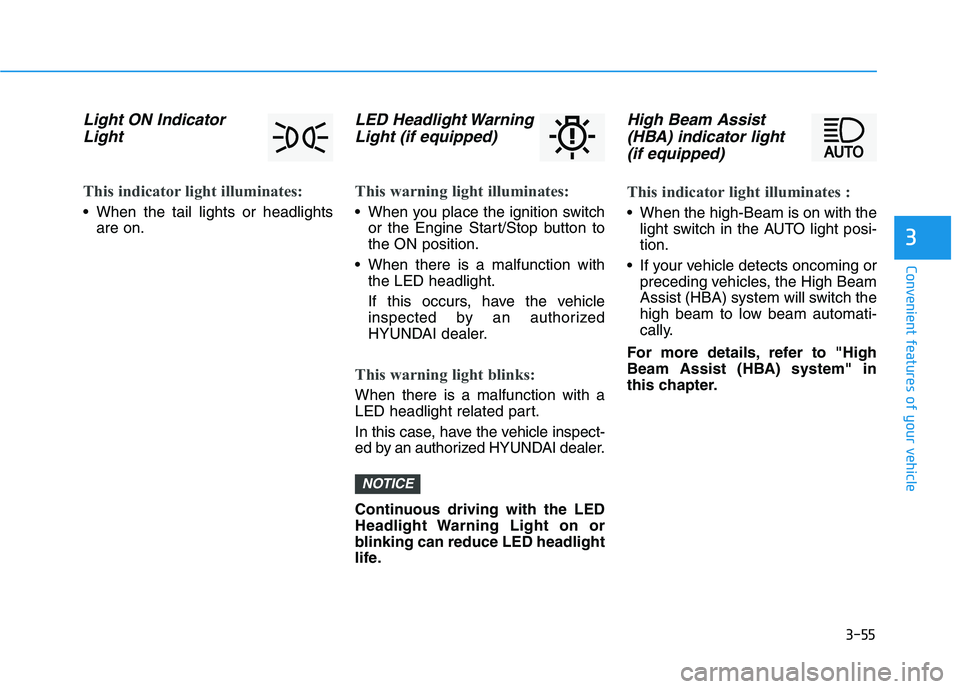
Light ON Indicator
Light
This indicator light illuminates:
When the tail lights or headlights
are on.
LED Headlight Warning
Light (if equipped)
This warning light illuminates:
When you place the ignition switch
or the Engine Start/Stop button to
the ON position.
When there is a malfunction with
the LED headlight.
If this occurs, have the vehicle
inspected by an authorized
HYUNDAI dealer.
This warning light blinks:
When there is a malfunction with a
LED headlight related part.
In this case, have the vehicle inspect-
ed by an authorized HYUNDAI dealer.
Continuous driving with the LED
Headlight Warning Light on or
blinking can reduce LED headlight
life.
High Beam Assist
(HBA) indicator light
(if equipped)
This indicator light illuminates :
When the high-Beam is on with the
light switch in the AUTO light posi-
tion.
If your vehicle detects oncoming or
preceding vehicles, the High Beam
Assist (HBA) system will switch the
high beam to low beam automati-
cally.
For more details, refer to "High
Beam Assist (HBA) system" in
this chapter.
NOTICE
Page 195 of 480
3-61
Convenient features of your vehicle
3
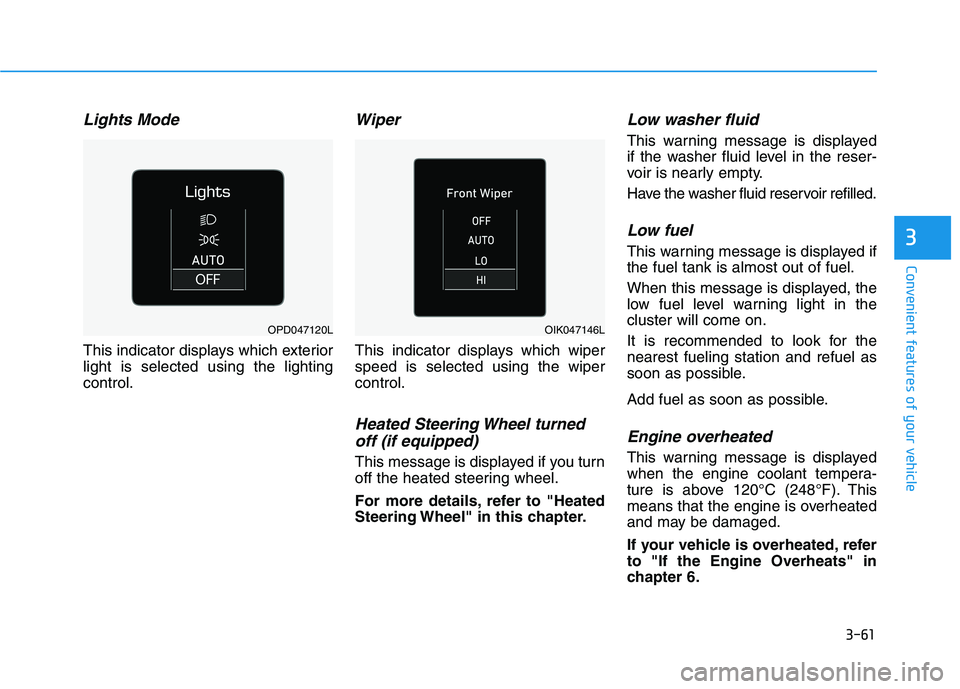
Lights Mode
This indicator displays which exterior
light is selected using the lighting
control.
Wiper
This indicator displays which wiper
speed is selected using the wiper
control.
Heated Steering Wheel turned
off (if equipped)
This message is displayed if you turn
off the heated steering wheel.
For more details, refer to "Heated
Steering Wheel" in this chapter.
Low washer fluid
This warning message is displayed
if the washer fluid level in the reser-
voir is nearly empty.
Have the washer fluid reservoir refilled.
Low fuel
This warning message is displayed if
the fuel tank is almost out of fuel.
When this message is displayed, the
low fuel level warning light in the
cluster will come on.
It is recommended to look for the
nearest fueling station and refuel as
soon as possible.
Add fuel as soon as possible.
Engine overheated
This warning message is displayed
when the engine coolant tempera-
ture is above 120°C (248°F). This
means that the engine is overheated
and may be damaged.
If your vehicle is overheated, refer
to "If the Engine Overheats" in
chapter 6.
OPD047120LOIK047146L
Page 196 of 480
3-62
Convenient features of your vehicle
Check headlight
This warning message is displayed if
the headlights are not operating
properly. A headlight bulb may need
to be replaced.
Information
Make sure to replace the burned out
bulb with a new one of the same wattage
rating.
Check High Beam Assist (HBA)
system (if equipped)
This warning message is displayed if
there is a problem with the High Beam
Assist (HBA) system. Have the vehi-
cle inspected by an authorized
HYUNDAI dealer.
For more details, refer to "High
Beam Assist (HBA) system" in
chapter 3.
Check Forward Collision
Avoidance Assist system
(if equipped)
This warning message is displayed if
there is a malfunction with the
Forward Collision-Avoidance Assist
(FCA) system. Have the vehicle
inspected by an authorized
HYUNDAI dealer.
For more details, refer to "Forward
Collision-Avoidance Assist (FCA)
system" in chapter 5.
Check Driver Attention Warning
(DAW) system (if equipped)
This warning message is displayed if
there is a problem with the Driver
Attention Warning (DAW). Have the
vehicle inspected by an authorized
HYUNDAI dealer.
For more details, refer to "Driver
Attention Warning (DAW)" in chap-
ter 5.
Check Lane Keeping Assist
(LKA) system (if equipped)
This warning message is displayed if
there is a problem with the Check
Lane Keeping Assist (LKA) system.
Have the vehicle inspected by an
authorized HYUNDAI dealer.
For more details, refer to "Check
Lane Keeping Assist (LKA) sys-
tem" in chapter 5.
i