2020 Hyundai Tucson specifications
[x] Cancel search: specificationsPage 1 of 637
O OW
WN
NE
ER
R'
'S
S
M
MA
AN
NU
UA
AL
L
O
Op
pe
er
ra
at
ti
io
on
n
M Ma
ai
in
nt
te
en
na
an
nc
ce
e
S Sp
pe
ec
ci
if
fi
ic
ca
at
ti
io
on
ns
s
All information in this Owner's Manual is current at the time of pub-
lication. However, in line with the Hyundai policy of continual prod-
uct improvement, the right to amend or change specifications with-
out prior notice or obligation to incorporate such amendments or
changes into vehicles already produced, is reserved.
This manual applies to all models of this vehicle and includes
descriptions and explanations of optional as well as standard equip-
ment. As a result, you may find material in this manual that does not
apply to your specific vehicle.
Page 4 of 637
F4
FOREWORD
Congratulations, and thank you for choosing HYUNDAI.We are pleased to welcome you to the growing number of dis-
cerning people who drive HYUNDAIs.We are very proud of the advanced engineering and high-quality construction
of each HYUNDAI we build.
Your Owner’s Manual will introduce you to the features and operation of your new HYUNDAI. To become familiar with
your new HYUNDAI, so that you can fully enjoy it, read this Owner’s Manual carefully before driving your new vehicle.
This manual contains important safety information and instructions intended to familiarize you with your vehicle’s con-
trols and safety features so you can safely operate your vehicle.
This manual also contains information on maintenance designed to enhance safe operation of the vehicle. It is rec-
ommended that all service and maintenance on your car be performed by an authorised HYUNDAI dealer. HYUNDAI
dealers are prepared to provide high-quality service, maintenance and any other assistance that may be required.
This Owner’s Manual should be considered a permanent part of your vehicle, and should be kept in the vehicle so
you can refer to it at any time. The manual should stay with the vehicle if you sell it to provide the next owner with
important operating, safety and maintenance information.
HYUNDAI MOTOR COMPANY
Copyright 2019 HYUNDAI Motor Company. All rights reserved. No part of this publication may be reproduced, stored
in any retrieval system or transmitted in any form or by any means without the prior written permission of HYUNDAI
Motor Company.Severe engine and transmission damage may result from the use of poor quality fuels and lubricants that
do not meet HYUNDAI specifications. You must always use high quality fuels and lubricants that meet the
specifications listed on Page 8-7 in the Vehicle Specifications section of the Owner's Manual.
CAUTION
Page 13 of 637
1
2
3
4
5
6
7
8
I
Your vehicle at a glance
Safety system of your vehicle
Convenient features of your vehicle
Multimedia System
Driving your vehicle
What to do in an emergency
Maintenance
Specifications & Consumer information
Index
TABLE OF CONTENTS
Page 237 of 637
3-151
Convenient features of your vehicle
3
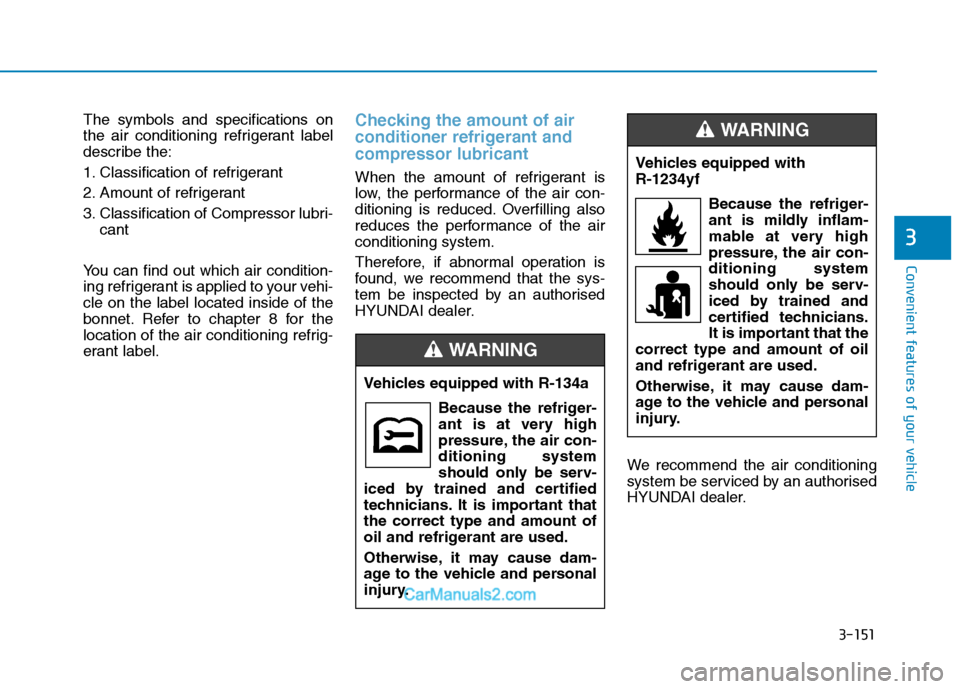
The symbols and specifications on
the air conditioning refrigerant label
describe the:
1. Classification of refrigerant
2. Amount of refrigerant
3. Classification of Compressor lubri-
cant
You can find out which air condition-
ing refrigerant is applied to your vehi-
cle on the label located inside of the
bonnet. Refer to chapter 8 for the
location of the air conditioning refrig-
erant label.Checking the amount of air
conditioner refrigerant and
compressor lubricant
When the amount of refrigerant is
low, the performance of the air con-
ditioning is reduced. Overfilling also
reduces the performance of the air
conditioning system.
Therefore, if abnormal operation is
found, we recommend that the sys-
tem be inspected by an authorised
HYUNDAI dealer.
We recommend the air conditioning
system be serviced by an authorised
HYUNDAI dealer. Vehicles equipped with R-134a
Because the refriger-
ant is at very high
pressure, the air con-
ditioning system
should only be serv-
iced by trained and certified
technicians. It is important that
the correct type and amount of
oil and refrigerant are used.
Otherwise, it may cause dam-
age to the vehicle and personal
injury.
WARNING
Vehicles equipped with
R-1234yf
Because the refriger-
ant is mildly inflam-
mable at very high
pressure, the air con-
ditioning system
should only be serv-
iced by trained and
certified technicians.
It is important that the
correct type and amount of oil
and refrigerant are used.
Otherwise, it may cause dam-
age to the vehicle and personal
injury.
WARNING
Page 250 of 637
3-164
Convenient features of your vehicle
Information
• Replace the filter according to the
Maintenance Schedule.
If the vehicle is being driven in
severe conditions such as dusty or
rough roads, more frequent climate
control air filter inspections and
changes are required.
• When the air flow rate suddenly
decreases, we recommend that the
system be checked by an authorised
HYUNDAI dealer.
Air Conditioning refrigerant
label
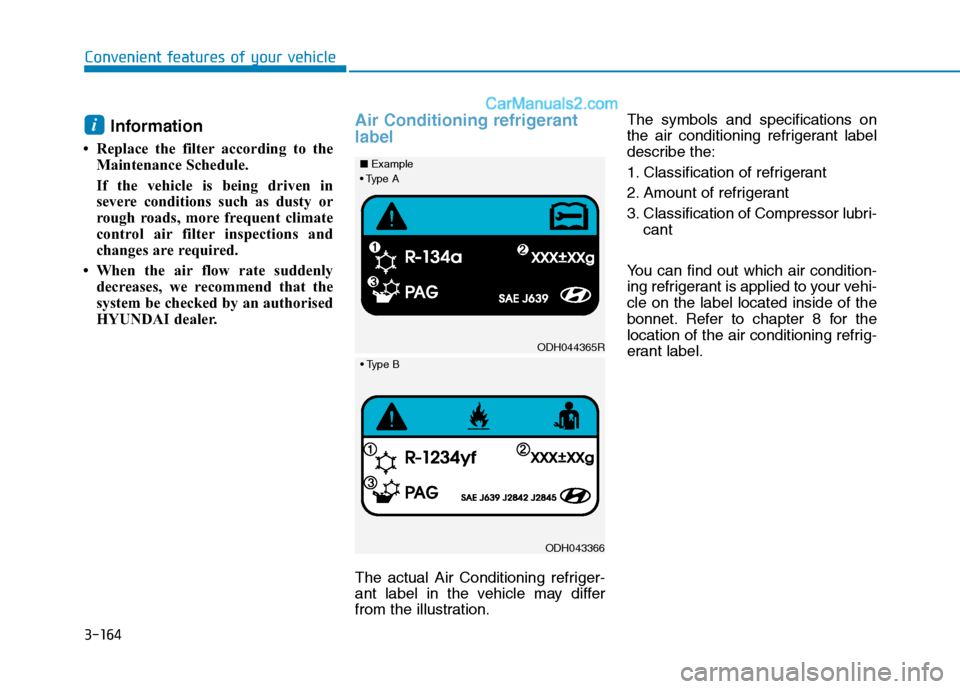
The actual Air Conditioning refriger-
ant label in the vehicle may differ
from the illustration.The symbols and specifications on
the air conditioning refrigerant label
describe the:
1. Classification of refrigerant
2. Amount of refrigerant
3. Classification of Compressor lubri-
cant
You can find out which air condition-
ing refrigerant is applied to your vehi-
cle on the label located inside of the
bonnet. Refer to chapter 8 for the
location of the air conditioning refrig-
erant label.
i
ODH044365R
■Example
ODH043366
Page 276 of 637
Multimedia System
Multimedia system .................................................4-2
AUX, USB and iPod®port ...............................................4-2
Antenna ...............................................................................4-3
Steering wheel audio control .........................................4-4
Audio / Video / Navigation system (AVN) ..................4-5
Bluetooth®Wireless Technology hands-free ............4-5
How Vehicle Audio Works ...............................................4-6
Audio ......................................................................4-10
Radio...................................................................................4-17
Media player ....................................................................4-19
Bluetooth ...........................................................................4-26
Setup ..................................................................................4-37
System status icons........................................................4-39
Audio system specifications .........................................4-40
Trademarks .......................................................................4-42
Declaration of conformity ............................................4-42
4
Page 294 of 637
4-19
Multimedia System
4
Using the media player
You can play music stored in various
media storage devices, such as USB
storage devices, smartphones, and
iPods.
1. Connect a device to the USB port
or the AUX port in your vehicle.
Playback may start immediately
depending on the device that
you connect to the system.
2. On the control panel, press the
[MEDIA] button.
If you have multiple media stor-
age devices, press the [MEDIA]
button again and press the cor-
responding number button to
select the desired mode. When you connect an Apple
device, playback does not start
automatically. To start the media
player in the iPod mode, press
the [MEDIA] button on the con-
trol panel.
You can also change the mode
by pressing the [MODE] button
repeatedly on the steering
wheel.
Make sure to connect or discon-
nect external USB devices with
the system power turned off.
Depending on vehicle model
and specifications, available
buttons or the appearance and
layout of the USB/AUX ports in
your vehicle may vary.
Do not connect a smartphone or
an MP3 device to the system via
multiple methods such as USB,
Bluetooth, and AUX, simultane-
ously. Doing so may cause a dis-
torted noise or a system mal-
function. When the equaliser function of
the connected device and
Equaliser (Tone) settings of the
system are both activated, the
effects may interfere with each
other and may lead to sound
degradation or distortion.
Deactivate the device’s equalis-
er function if possible.
Noise may occur when an Apple
device or AUX device is con-
nected. When such devices are
not being used, disconnect the
device for storage.
When the Apple device or AUX
device power is connected to
the power jack, playing the
external device may result in
noise. In such cases, disconnect
the power connection before
use.
NOTICE
M ME
ED
DI
IA
A
P
PL
LA
AY
YE
ER
R
Page 295 of 637
4-20
Multimedia System
Using the USB mode
You can play media files stored in
portable devices, such as USB stor-
age devices and MP3 players. Check
compatible USB storage devices and
file specifications before using the
USB mode.
Connect your USB device to the
USB port in the vehicle.
Playback starts immediately.
If a USB device is already connect-
ed to the system, press the
[MEDIA] button and press the [1]
button to select USBfrom the
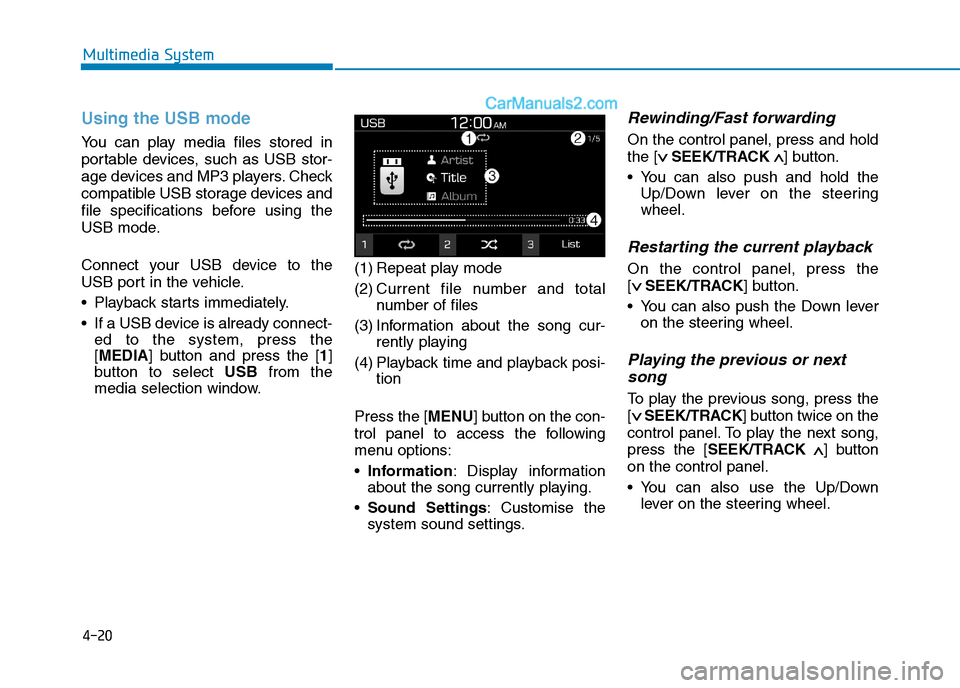
media selection window.(1) Repeat play mode
(2) Current file number and total
number of files
(3) Information about the song cur-
rently playing
(4) Playback time and playback posi-
tion
Press the [MENU] button on the con-
trol panel to access the following
menu options:
Information: Display information
about the song currently playing.
Sound Settings: Customise the
system sound settings.
Rewinding/Fast forwarding
On the control panel, press and hold
the [∨ ∨
SEEK/TRACK∧ ∧
] button.
You can also push and hold the
Up/Down lever on the steering
wheel.
Restarting the current playback
On the control panel, press the
[∨ ∨
SEEK/TRACK] button.
You can also push the Down lever
on the steering wheel.
Playing the previous or next
song
To play the previous song, press the
[∨ ∨
SEEK/TRACK] button twice on the
control panel. To play the next song,
press the [SEEK/TRACK∧ ∧
] button
on the control panel.
You can also use the Up/Down
lever on the steering wheel.