Page 109 of 637
3-23
Convenient features of your vehicle
3
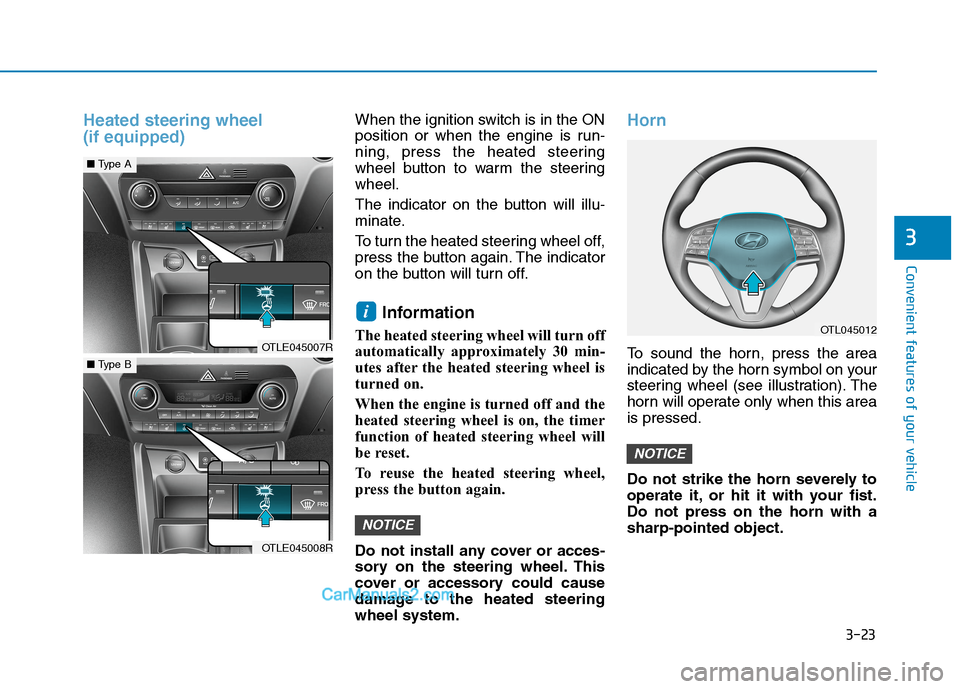
Heated steering wheel
(if equipped)When the ignition switch is in the ON
position or when the engine is run-
ning, press the heated steering
wheel button to warm the steering
wheel.
The indicator on the button will illu-
minate.
To turn the heated steering wheel off,
press the button again. The indicator
on the button will turn off.
Information
The heated steering wheel will turn off
automatically approximately 30 min-
utes after the heated steering wheel is
turned on.
When the engine is turned off and the
heated steering wheel is on, the timer
function of heated steering wheel will
be reset.
To reuse the heated steering wheel,
press the button again.
Do not install any cover or acces-
sory on the steering wheel. This
cover or accessory could cause
damage to the heated steering
wheel system.
Horn
To sound the horn, press the area
indicated by the horn symbol on your
steering wheel (see illustration). The
horn will operate only when this area
is pressed.
Do not strike the horn severely to
operate it, or hit it with your fist.
Do not press on the horn with a
sharp-pointed object.
NOTICE
NOTICE
i
OTLE045007R
■Type A
OTLE045008R
■Type B
OTL045012
Page 156 of 637
3-70
Convenient features of your vehicle
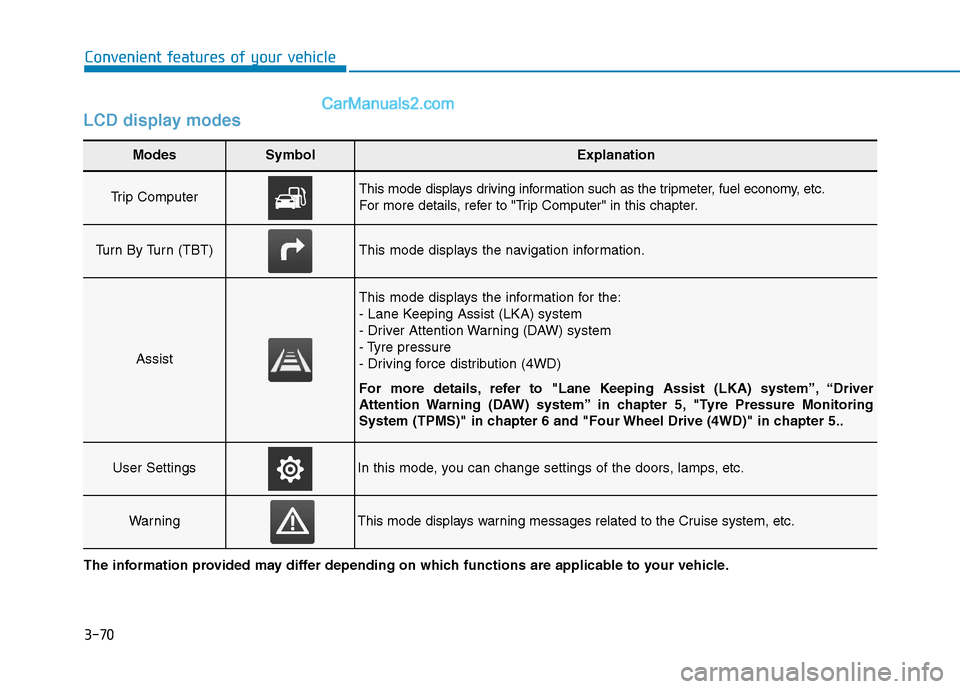
LCD display modes
Modes SymbolExplanation
Trip Computer This mode displays driving information such as the tripmeter, fuel economy, etc.
For more details, refer to "Trip Computer" in this chapter.
Turn By Turn (TBT)This mode displays the navigation information.
Assist
This mode displays the information for the:
- Lane Keeping Assist (LKA) system
- Driver Attention Warning (DAW) system
- Tyre pressure
- Driving force distribution (4WD)
For more details, refer to "Lane Keeping Assist (LKA) system”, “Driver
Attention Warning (DAW) system” in chapter 5, "Tyre Pressure Monitoring
System (TPMS)" in chapter 6 and "Four Wheel Drive (4WD)" in chapter 5..
User SettingsIn this mode, you can change settings of the doors, lamps, etc.
WarningThis mode displays warning messages related to the Cruise system, etc.
The information provided may differ depending on which functions are applicable to your vehicle.
Page 158 of 637
3-72
Convenient features of your vehicle
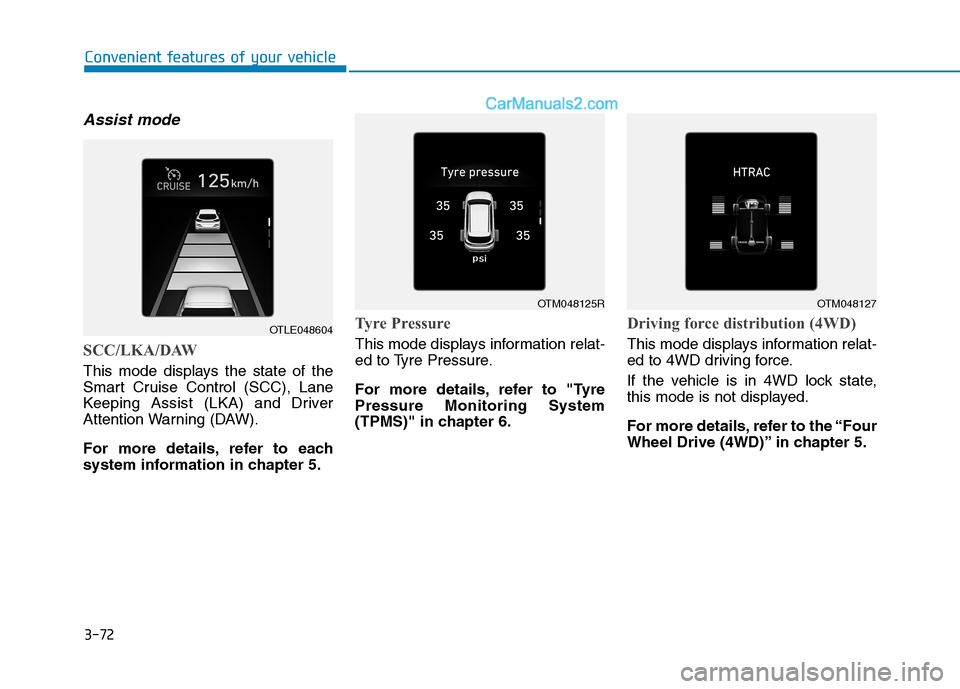
Assist mode
SCC/LKA/DAW
This mode displays the state of the
Smart Cruise Control (SCC), Lane
Keeping Assist (LKA) and Driver
Attention Warning (DAW).
For more details, refer to each
system information in chapter 5.
Tyre Pressure
This mode displays information relat-
ed to Tyre Pressure.
For more details, refer to "Tyre
Pressure Monitoring System
(TPMS)" in chapter 6.
Driving force distribution (4WD)
This mode displays information relat-
ed to 4WD driving force.
If the vehicle is in 4WD lock state,
this mode is not displayed.
For more details, refer to the “Four
Wheel Drive (4WD)” in chapter 5.
OTLE048604
OTM048125ROTM048127
Page 166 of 637
3-80
Convenient features of your vehicle
Warning messages (if equipped)
Shift to P position
(for smart key system and auto-
matic transmission/dual clutch
transmission)
This warning message illuminates if
you try to turn off the engine without
the shift lever in P (Park) position.
At this time, the Engine Start/Stop
button turns to the ACC position (If
you press the Engine Start/Stop but-
ton once more, it will turn to the ON
position).
Low key battery
(for smart key system)
This warning message illuminates if
the battery of the smart key is dis-
charged when the Engine Start/Stop
button changes to the OFF position.
Press START button whilst turn-
ing wheel (for smart key sys-
tem)
This warning message illuminates if
the steering wheel does not unlock
normally when the Engine Start/Stop
button is pressed.
It means that you should press the
Engine Start/Stop button whilst turn-
ing the steering wheel right and left.
Steering wheel unlocked
(for smart key system)
This warning message illuminates if
the steering wheel does not lock
when the Engine Start/Stop button
changes to the OFF position.
Check steering wheel lock
system (for smart key system)
This warning message illuminates if
the steering wheel does not lock nor-
mally when the Engine Start/Stop
button changes to the OFF position.
Press brake pedal to start
engine (for smart key system
and automatic transmission/
dual clutch transmission)
This warning message illuminates if
the Engine Start/Stop button
changes to the ACC position twice
by pressing the button repeatedly
without depressing the brake pedal.
It means that you should depress the
brake pedal to start the engine.
Press clutch pedal to start
engine (for smart key system
and manual transmission)
This warning message illuminates if
the Engine Start/Stop button is in the
ACC position twice by pressing the
button repeatedly without depressing
the clutch pedal.
Depress the clutch pedal to start the
engine.
Page 170 of 637
3-84
Convenient features of your vehicle
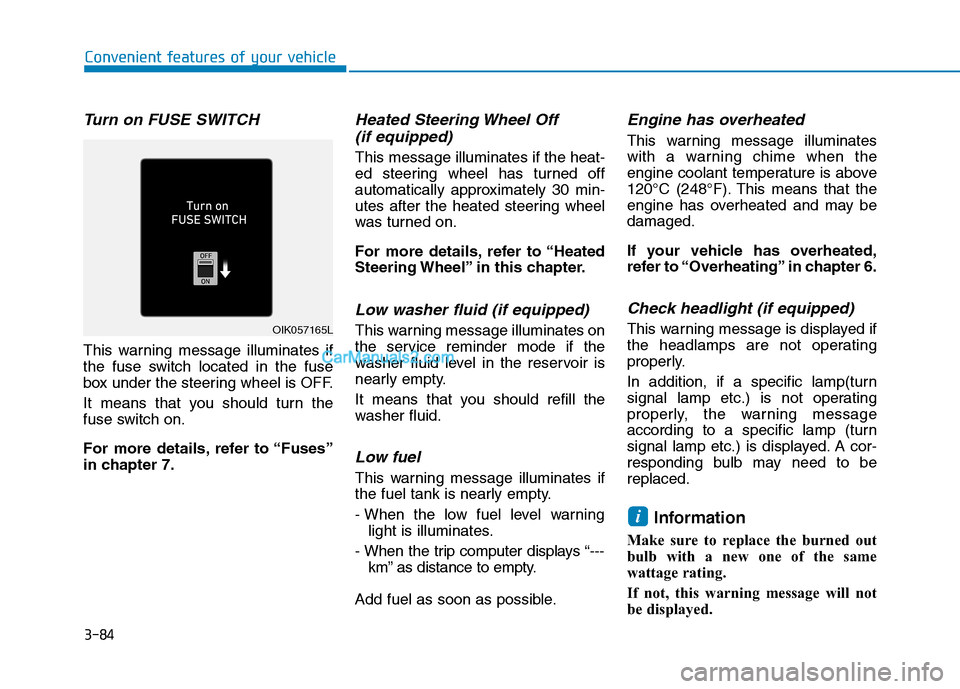
Turn on FUSE SWITCH
This warning message illuminates if
the fuse switch located in the fuse
box under the steering wheel is OFF.
It means that you should turn the
fuse switch on.
For more details, refer to “Fuses”
in chapter 7.
Heated Steering Wheel Off
(if equipped)
This message illuminates if the heat-
ed steering wheel has turned off
automatically approximately 30 min-
utes after the heated steering wheel
was turned on.
For more details, refer to “Heated
Steering Wheel” in this chapter.
Low washer fluid (if equipped)
This warning message illuminates on
the service reminder mode if the
washer fluid level in the reservoir is
nearly empty.
It means that you should refill the
washer fluid.
Low fuel
This warning message illuminates if
the fuel tank is nearly empty.
- When the low fuel level warning
light is illuminates.
- When the trip computer displays “---
km” as distance to empty.
Add fuel as soon as possible.
Engine has overheated
This warning message illuminates
with a warning chime when the
engine coolant temperature is above
120°C (248°F). This means that the
engine has overheated and may be
damaged.
If your vehicle has overheated,
refer to “Overheating” in chapter 6.
Check headlight (if equipped)
This warning message is displayed if
the headlamps are not operating
properly.
In addition, if a specific lamp(turn
signal lamp etc.) is not operating
properly, the warning message
according to a specific lamp (turn
signal lamp etc.) is displayed. A cor-
responding bulb may need to be
replaced.
Information
Make sure to replace the burned out
bulb with a new one of the same
wattage rating.
If not, this warning message will not
be displayed.
i
OIK057165L
Page 173 of 637
3-87
Convenient features of your vehicle
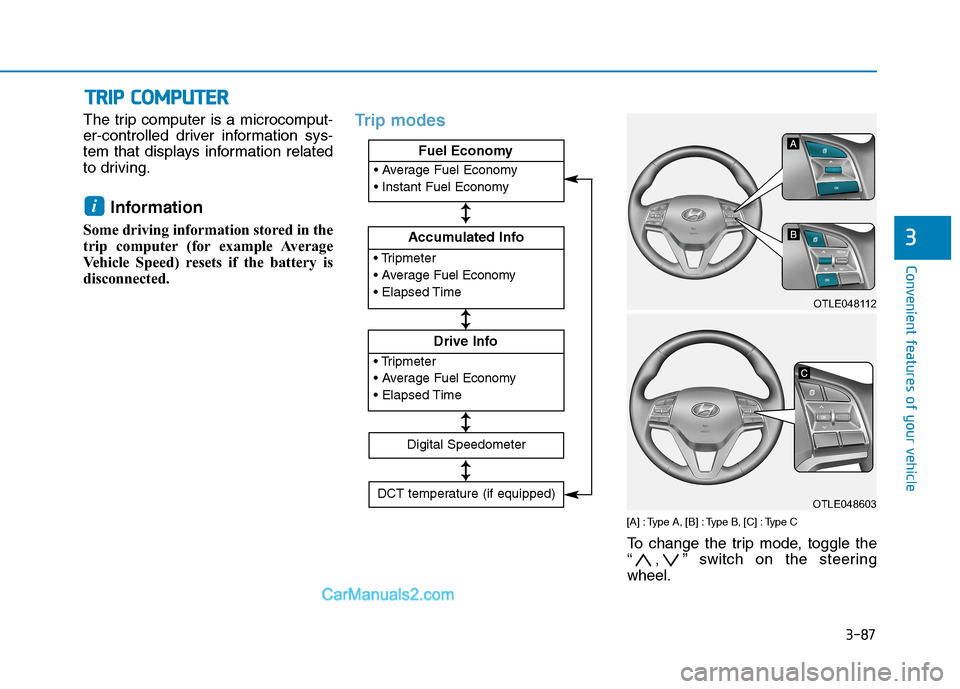
The trip computer is a microcomput-
er-controlled driver information sys-
tem that displays information related
to driving.
Information
Some driving information stored in the
trip computer (for example Average
Vehicle Speed) resets if the battery is
disconnected.
Trip modes
[A] : Type A, [B] : Type B, [C] : Type C
To change the trip mode, toggle the
“ , ” switch on the steering
wheel.
i
T TR
RI
IP
P
C
CO
OM
MP
PU
UT
TE
ER
R
3
Accumulated Info
Fuel Economy
Drive Info
Fuel Economy
Digital Speedometer
DCT temperature (if equipped)
↕ ↕
↕ ↕
↕ ↕
↕ ↕
OTLE048112
OTLE048603
Page 174 of 637
3-88
Convenient features of your vehicle
Fuel economy
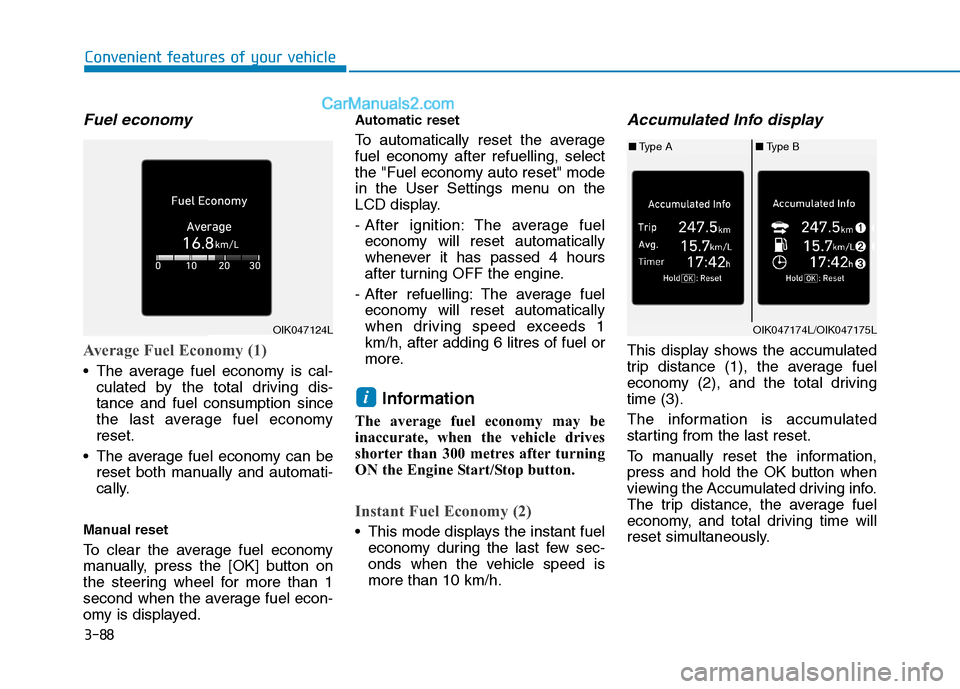
Average Fuel Economy (1)
The average fuel economy is cal-
culated by the total driving dis-
tance and fuel consumption since
the last average fuel economy
reset.
The average fuel economy can be
reset both manually and automati-
cally.
Manual reset
To clear the average fuel economy
manually, press the [OK] button on
the steering wheel for more than 1
second when the average fuel econ-
omy is displayed.
Automatic reset
To automatically reset the average
fuel economy after refuelling, select
the "Fuel economy auto reset" mode
in the User Settings menu on the
LCD display.
- After ignition: The average fuel
economy will reset automatically
whenever it has passed 4 hours
after turning OFF the engine.
- After refuelling: The average fuel
economy will reset automatically
when driving speed exceeds 1
km/h, after adding 6 litres of fuel or
more.
Information
The average fuel economy may be
inaccurate, when the vehicle drives
shorter than 300 metres after turning
ON the Engine Start/Stop button.
Instant Fuel Economy (2)
This mode displays the instant fuel
economy during the last few sec-
onds when the vehicle speed is
more than 10 km/h.
Accumulated Info display
This display shows the accumulated
trip distance (1), the average fuel
economy (2), and the total driving
time (3).
The information is accumulated
starting from the last reset.
To manually reset the information,
press and hold the OK button when
viewing the Accumulated driving info.
The trip distance, the average fuel
economy, and total driving time will
reset simultaneously.
i
OIK047124LOIK047174L/OIK047175L
■Type A■Type B
Page 178 of 637
3-92
Convenient features of your vehicle
Parking Brake & Brake
Fluid Warning Light
This warning light illuminates:
Once you set the ignition switch or
the Engine Start/Stop button to the
ON position.
- It illuminates for approximately 3
seconds
- It remains on if the parking brake
is applied.
When the parking brake is applied.
When the brake fluid level in the
reservoir is low.
- If the warning light illuminates
with the parking brake released, it
indicates the brake fluid level in
reservoir is low.
If the brake fluid level in the reser-
voir is low:
1. Drive carefully to the nearest safe
location and stop your vehicle.
2. With the engine stopped, check
the brake fluid level immediately
and add fluid as required (For
more details, refer to “Brake
Fluid” in chapter 7). Then check
all brake components for fluid
leaks. If any leak in the brake sys-
tem is still found, the warning light
remains on, or the brakes do not
operate properly, do not drive the
vehicle.
In this case, we recommend that
you have the vehicle towed to an
authorised HYUNDAI dealer and
inspected.
Dual-diagonal braking system
Your vehicle is equipped with dual-
diagonal braking systems. This
means you still have braking on two
wheels even if one of the dual sys-
tems should fail.
With only one of the dual systems
working, more than normal pedal
travel and greater pedal pressure are
required to stop the vehicle.
Also, the vehicle will not stop in as
short a distance with only a portion
of the brake system working.
If the brakes fail whilst you are driv-
ing, shift to a lower gear for addition-
al engine braking and stop the vehi-
cle as soon as it is safe to do so.