2020 Hyundai Tucson clutch
[x] Cancel search: clutchPage 157 of 637
3-71
Convenient features of your vehicle
3
Shift to P to edit settings /
Engage parking brake to edit
settings
This warning message illuminates if
you try to select the other User
Settings items when driving.
- Automatic transmission/
dual clutch transmission
For safety, change the User Settings
after parking the vehicle, applying
the parking brake and moving the
shift lever to P (Park) position.
- Manual transmission
For safety, change the User Settings
after engaging parking brake.
Quick guide (Help, if equipped)
If you press and hold the OK button
in the User Settings Mode, an expla-
nation about the selected item is dis-
played in the LCD display.
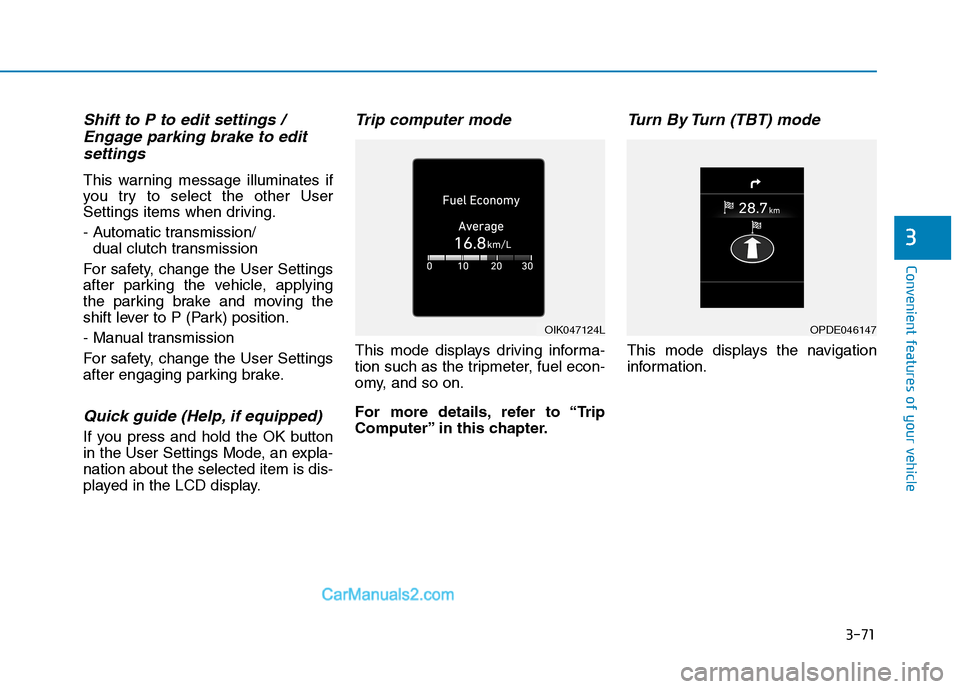
Trip computer mode
This mode displays driving informa-
tion such as the tripmeter, fuel econ-
omy, and so on.
For more details, refer to “Trip
Computer” in this chapter.
Turn By Turn (TBT) mode
This mode displays the navigation
information.
OIK047124LOPDE046147
Page 161 of 637
3-75
Convenient features of your vehicle
3
ItemsExplanation
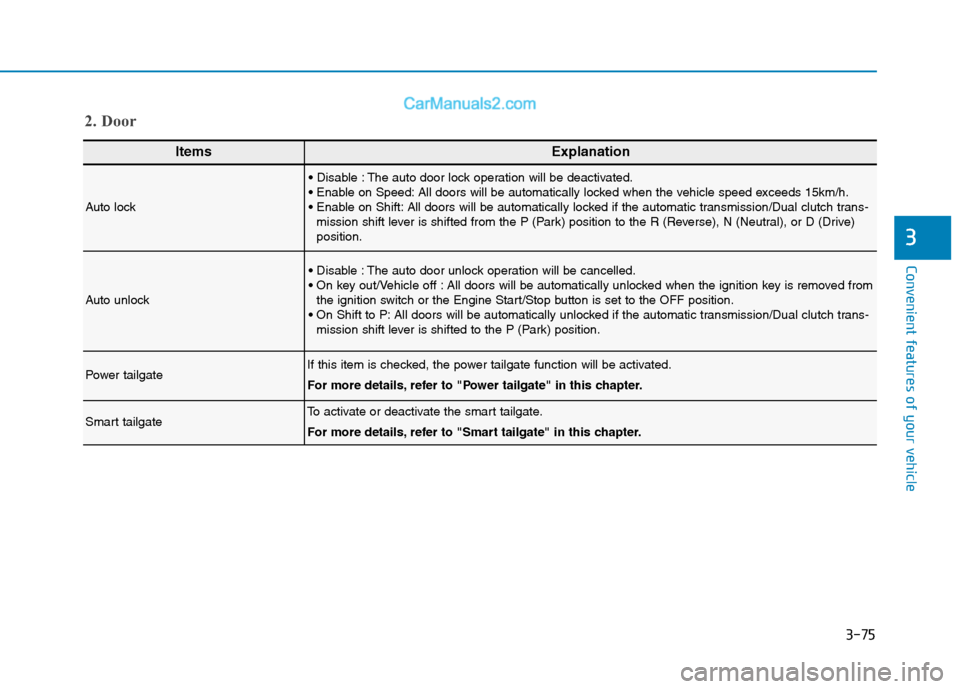
Auto lock
The auto door lock operation will be deactivated.
All doors will be automatically locked when the vehicle speed exceeds 15km/h.
All doors will be automatically locked if the automatic transmission/Dual clutch trans-
mission shift lever is shifted from the P (Park) position to the R (Reverse), N (Neutral), or D (Drive)
position.
Auto unlock
The auto door unlock operation will be cancelled.
All doors will be automatically unlocked when the ignition key is removed from
the ignition switch or the Engine Start/Stop button is set to the OFF position.
All doors will be automatically unlocked if the automatic transmission/Dual clutch trans-
mission shift lever is shifted to the P (Park) position.
Power tailgateIf this item is checked, the power tailgate function will be activated.
For more details, refer to "Power tailgate" in this chapter.
Smart tailgateTo activate or deactivate the smart tailgate.
For more details, refer to "Smart tailgate" in this chapter.
2. Door
Page 166 of 637
3-80
Convenient features of your vehicle
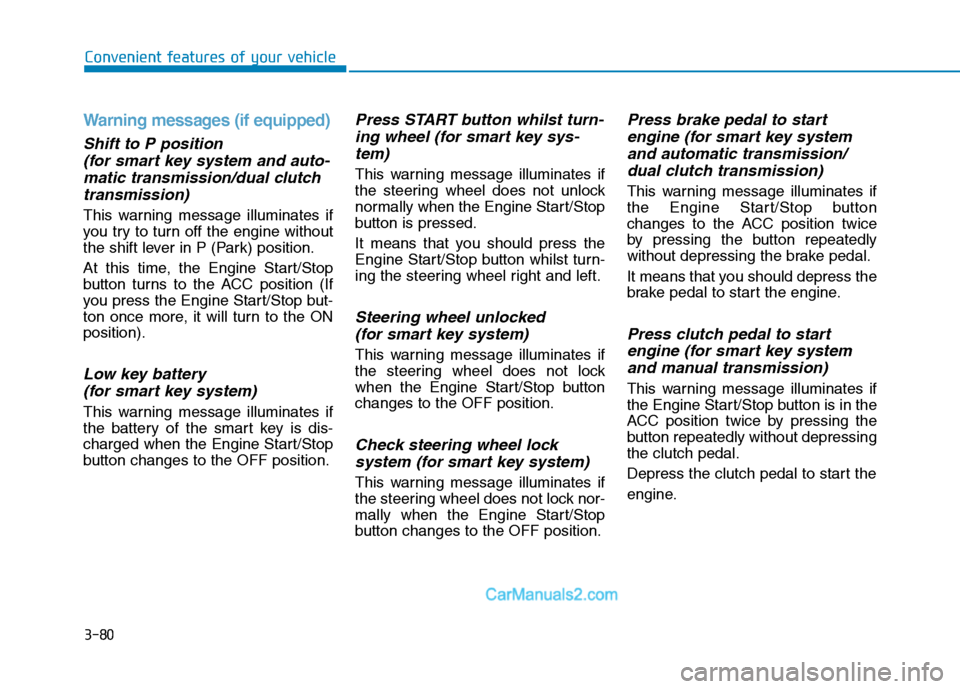
Warning messages (if equipped)
Shift to P position
(for smart key system and auto-
matic transmission/dual clutch
transmission)
This warning message illuminates if
you try to turn off the engine without
the shift lever in P (Park) position.
At this time, the Engine Start/Stop
button turns to the ACC position (If
you press the Engine Start/Stop but-
ton once more, it will turn to the ON
position).
Low key battery
(for smart key system)
This warning message illuminates if
the battery of the smart key is dis-
charged when the Engine Start/Stop
button changes to the OFF position.
Press START button whilst turn-
ing wheel (for smart key sys-
tem)
This warning message illuminates if
the steering wheel does not unlock
normally when the Engine Start/Stop
button is pressed.
It means that you should press the
Engine Start/Stop button whilst turn-
ing the steering wheel right and left.
Steering wheel unlocked
(for smart key system)
This warning message illuminates if
the steering wheel does not lock
when the Engine Start/Stop button
changes to the OFF position.
Check steering wheel lock
system (for smart key system)
This warning message illuminates if
the steering wheel does not lock nor-
mally when the Engine Start/Stop
button changes to the OFF position.
Press brake pedal to start
engine (for smart key system
and automatic transmission/
dual clutch transmission)
This warning message illuminates if
the Engine Start/Stop button
changes to the ACC position twice
by pressing the button repeatedly
without depressing the brake pedal.
It means that you should depress the
brake pedal to start the engine.
Press clutch pedal to start
engine (for smart key system
and manual transmission)
This warning message illuminates if
the Engine Start/Stop button is in the
ACC position twice by pressing the
button repeatedly without depressing
the clutch pedal.
Depress the clutch pedal to start the
engine.
Page 167 of 637
3-81
Convenient features of your vehicle
3
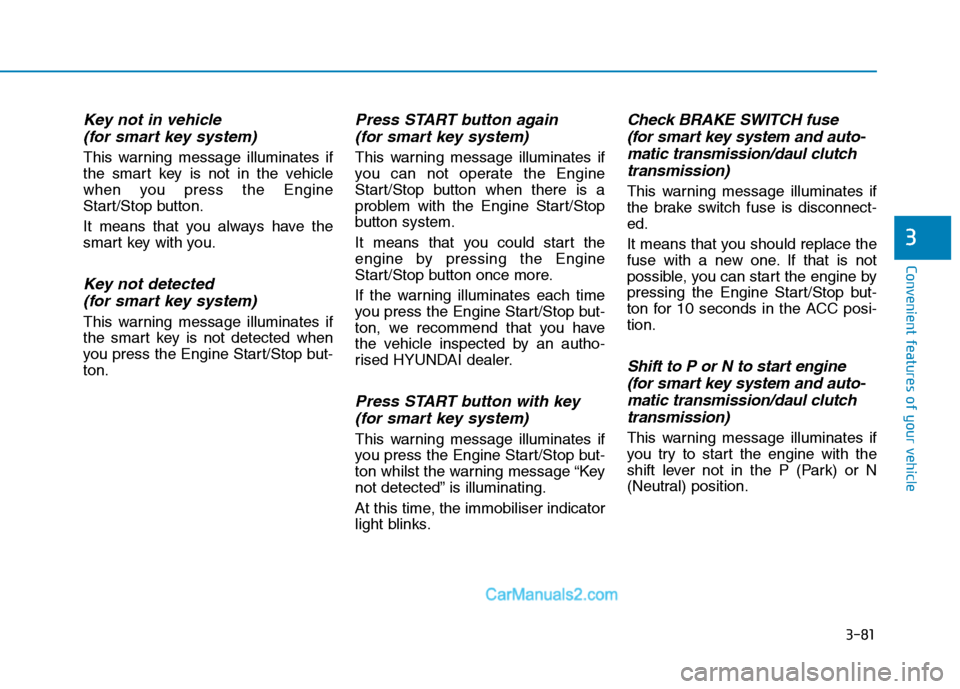
Key not in vehicle
(for smart key system)
This warning message illuminates if
the smart key is not in the vehicle
when you press the Engine
Start/Stop button.
It means that you always have the
smart key with you.
Key not detected
(for smart key system)
This warning message illuminates if
the smart key is not detected when
you press the Engine Start/Stop but-
ton.
Press START button again
(for smart key system)
This warning message illuminates if
you can not operate the Engine
Start/Stop button when there is a
problem with the Engine Start/Stop
button system.
It means that you could start the
engine by pressing the Engine
Start/Stop button once more.
If the warning illuminates each time
you press the Engine Start/Stop but-
ton, we recommend that you have
the vehicle inspected by an autho-
rised HYUNDAI dealer.
Press START button with key
(for smart key system)
This warning message illuminates if
you press the Engine Start/Stop but-
ton whilst the warning message “Key
not detected” is illuminating.
At this time, the immobiliser indicator
light blinks.
Check BRAKE SWITCH fuse
(for smart key system and auto-
matic transmission/daul clutch
transmission)
This warning message illuminates if
the brake switch fuse is disconnect-
ed.
It means that you should replace the
fuse with a new one. If that is not
possible, you can start the engine by
pressing the Engine Start/Stop but-
ton for 10 seconds in the ACC posi-
tion.
Shift to P or N to start engine
(for smart key system and auto-
matic transmission/daul clutch
transmission)
This warning message illuminates if
you try to start the engine with the
shift lever not in the P (Park) or N
(Neutral) position.
Page 176 of 637
3-90
Convenient features of your vehicle
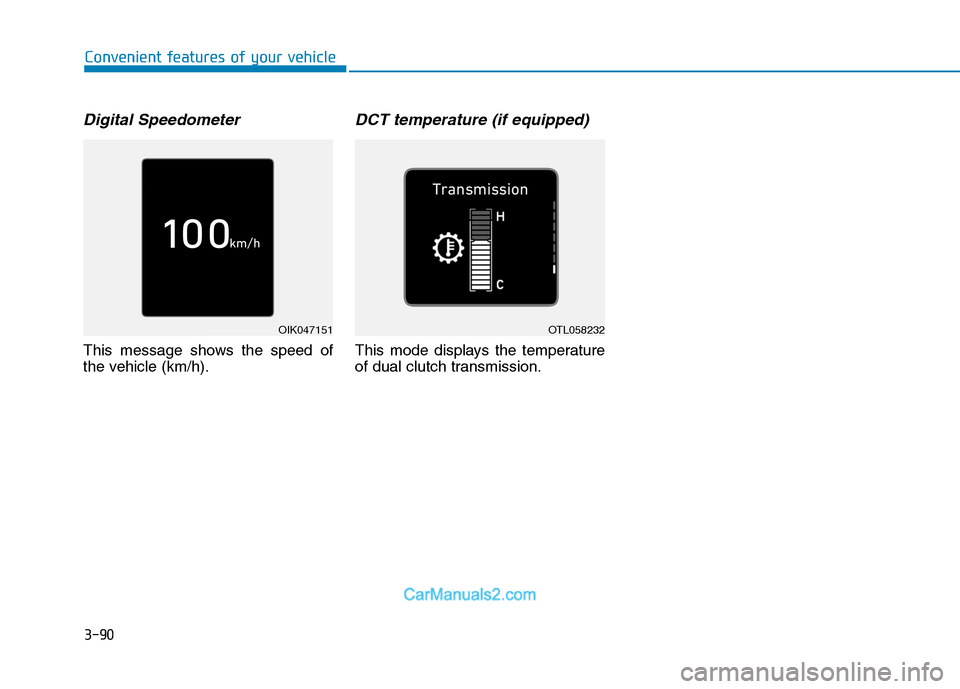
Digital Speedometer
This message shows the speed of
the vehicle (km/h).
DCT temperature (if equipped)
This mode displays the temperature
of dual clutch transmission.
OIK047151OTL058232
Page 318 of 637
Driving your vehicle
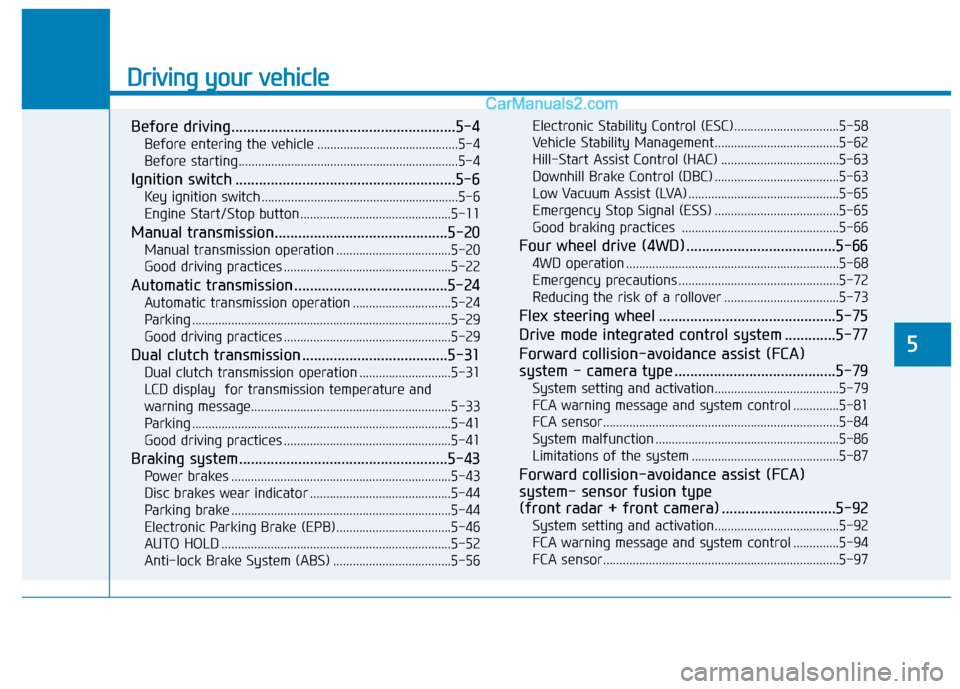
Before driving.........................................................5-4
Before entering the vehicle ...........................................5-4
Before starting...................................................................5-4
Ignition switch ........................................................5-6
Key ignition switch ............................................................5-6
Engine Start/Stop button ..............................................5-11
Manual transmission............................................5-20
Manual transmission operation ...................................5-20
Good driving practices ...................................................5-22
Automatic transmission .......................................5-24
Automatic transmission operation ..............................5-24
Parking ...............................................................................5-29
Good driving practices ...................................................5-29
Dual clutch transmission .....................................5-31
Dual clutch transmission operation ............................5-31
LCD display for transmission temperature and
warning message.............................................................5-33
Parking ...............................................................................5-41
Good driving practices ...................................................5-41
Braking system.....................................................5-43
Power brakes ...................................................................5-43
Disc brakes wear indicator ...........................................5-44
Parking brake ...................................................................5-44
Electronic Parking Brake (EPB)...................................5-46
AUTO HOLD ......................................................................5-52
Anti-lock Brake System (ABS) ....................................5-56Electronic Stability Control (ESC)................................5-58
Vehicle Stability Management......................................5-62
Hill-Start Assist Control (HAC) ....................................5-63
Downhill Brake Control (DBC) ......................................5-63
Low Vacuum Assist (LVA) ..............................................5-65
Emergency Stop Signal (ESS) ......................................5-65
Good braking practices ................................................5-66
Four wheel drive (4WD) ......................................5-66
4WD operation .................................................................5-68
Emergency precautions .................................................5-72
Reducing the risk of a rollover ...................................5-73
Flex steering wheel .............................................5-75
Drive mode integrated control system .............5-77
Forward collision-avoidance assist (FCA)
system - camera type .........................................5-79
System setting and activation......................................5-79
FCA warning message and system control ..............5-81
FCA sensor........................................................................5-84
System malfunction ........................................................5-86
Limitations of the system .............................................5-87
Forward collision-avoidance assist (FCA)
system- sensor fusion type
(front radar + front camera) .............................5-92
System setting and activation......................................5-92
FCA warning message and system control ..............5-94
FCA sensor........................................................................5-97
5
Page 323 of 637
5-6
Driving your vehicle
I IG
GN
NI
IT
TI
IO
ON
N
S
SW
WI
IT
TC
CH
H
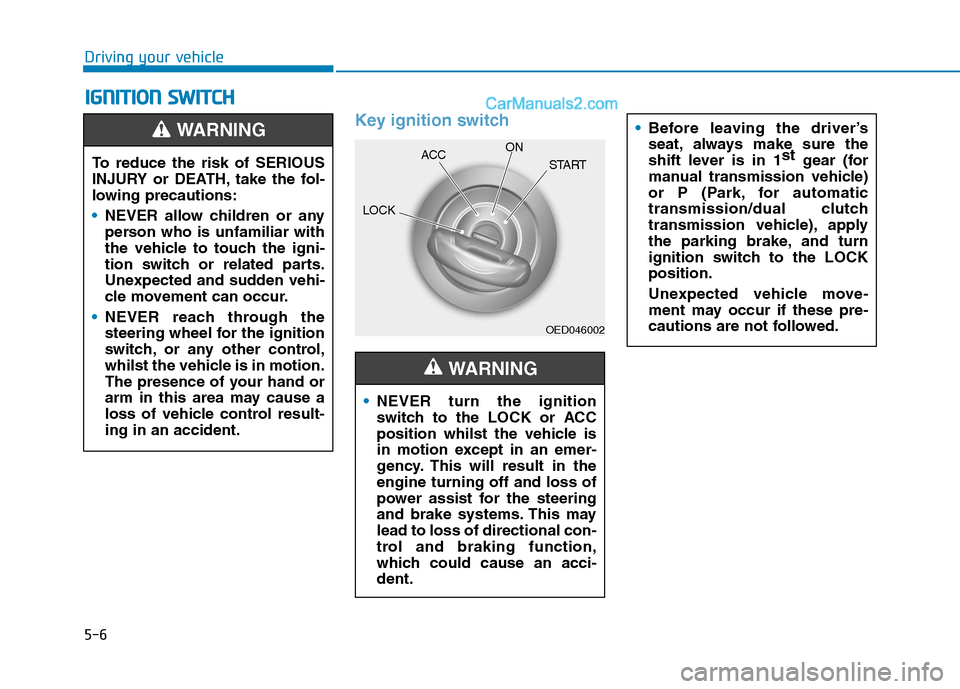
Key ignition switch
OED046002
NEVER turn the ignition
switch to the LOCK or ACC
position whilst the vehicle is
in motion except in an emer-
gency. This will result in the
engine turning off and loss of
power assist for the steering
and brake systems. This may
lead to loss of directional con-
trol and braking function,
which could cause an acci-
dent.
WARNING
Before leaving the driver’s
seat, always make sure the
shift lever is in 1st
gear (for
manual transmission vehicle)
or P (Park, for automatic
transmission/dual clutch
transmission vehicle), apply
the parking brake, and turn
ignition switch to the LOCK
position.
Unexpected vehicle move-
ment may occur if these pre-
cautions are not followed.
To reduce the risk of SERIOUS
INJURY or DEATH, take the fol-
lowing precautions:
NEVER allow children or any
person who is unfamiliar with
the vehicle to touch the igni-
tion switch or related parts.
Unexpected and sudden vehi-
cle movement can occur.
NEVER reach through the
steering wheel for the ignition
switch, or any other control,
whilst the vehicle is in motion.
The presence of your hand or
arm in this area may cause a
loss of vehicle control result-
ing in an accident.
WARNING
LOCKACCON
START
Page 325 of 637
5-8
Driving your vehicle
Starting the engine Starting the petrol engine
Vehicle with manual transmission:
1. Make sure the parking brake is
applied.
2. Make sure the shift lever is in neu-
tral.
3. Depress the clutch and brake ped-
als.
4. Turn the ignition switch to the
START position. Hold the key
(maximum of 10 seconds) until the
engine starts and release it.Vehicle with automatic transmis-
sion/dual clthch transmission:
1. Make sure the parking brake is
applied.
2. Make sure the shift lever is in P
(Park).
3. Depress the brake pedal.
4. Turn the ignition switch to the
START position. Hold the key
(maximum of 10 seconds) until the
engine starts and release it. Always wear appropriate
shoes when operating your
vehicle. Unsuitable shoes,
such as high heels, ski boots,
sandals, flip-flops, etc., may
interfere with your ability to
use the brake, accelerator and
clutch pedals.
Do not start the vehicle with
the accelerator pedal
depressed. The vehicle can
move and lead to an accident.
Wait until the engine rpm is
normal. The vehicle may sud-
denly move if the brake pedal
is released when the rpm is
high.
WARNING