2020 Hyundai Santa Fe User settings mode
[x] Cancel search: User settings modePage 331 of 557

5-57
Driving your vehicle
5
FCA Warning Message and
System Control
The FCA produces warning mes-
sages and warning alarms in accor-
dance with the collision risk levels,
such as abrupt stopping of the vehi-
cle in front, insufficient braking dis-
tance, or pedestrian detection. Also,
it controls the brakes in accordance
with the collision risk levels.
The driver can select the initial warn-
ing activation time in the User
Settings in the LCD display. The
options for the initial Forward Collision
Warning include Early or Later initial
warning time.
Collision Warning (First warning)
This warning message appears on
the LCD display with a warning
chime. Additionally, some vehicle
system intervention occurs by the
engine management system to help
decelerate the vehicle.
- Your vehicle speed may deceleratemoderately.
- The FCA system limitedly controls the brakes to preemptively mitigate
impact in a collision.
- If you select "Warning Only", the FCA system activates and pro-
duces only warning alarms in
accordance with the collision risk
levels. You should control the brake
directly because the FCA system
do not control the brake.
Emergency Braking(Second warning)
This warning message appears on
the LCD display with a warning
chime.
Additionally, some vehicle system
intervention occurs by the engine
management system to help decel-
erate the vehicle.
- The FCA system limitedly controls
the brakes to preemptively mitigate
impact in a collision. The brake
control is maximized just before a
collision.
OTM058047L
OTM058048L
Page 368 of 557
5-94
Driving your vehicle
LKA System Operation
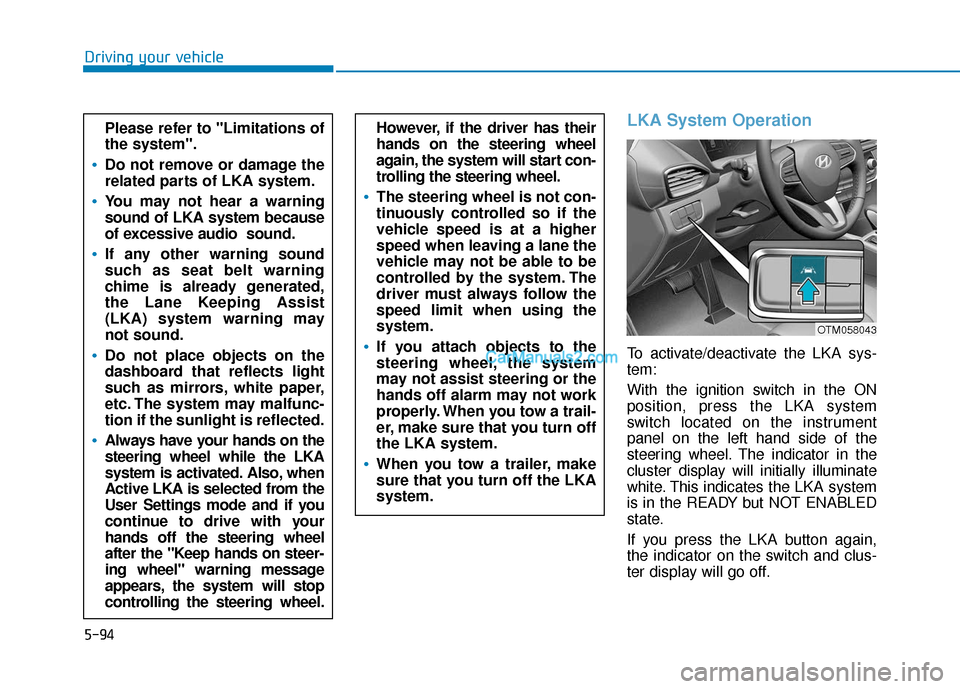
To activate/deactivate the LKA sys-
tem:
With the ignition switch in the ON
position, press the LKA system
switch located on the instrument
panel on the left hand side of the
steering wheel. The indicator in the
cluster display will initially illuminate
white. This indicates the LKA system
is in the READY but NOT ENABLED
state.
If you press the LKA button again,
the indicator on the switch and clus-
ter display will go off.
However, if the driver has their
hands on the steering wheel
again, the system will start con-
trolling the steering wheel.
The steering wheel is not con-
tinuously controlled so if the
vehicle speed is at a higher
speed when leaving a lane the
vehicle may not be able to be
controlled by the system. The
driver must always follow the
speed limit when using the
system.
If you attach objects to the
steering wheel, the system
may not assist steering or the
hands off alarm may not work
properly. When you tow a trail-
er, make sure that you turn off
the LKA system.
When you tow a trailer, make
sure that you turn off the LKA
system.
Please refer to "Limitations of
the system".
Do not remove or damage the
related parts of LKA system.
You may not hear a warning
sound of LKA system because
of excessive audio sound.
If any other warning sound
such as seat belt warning
chime is already generated,
the Lane Keeping Assist
(LKA) system warning may
not sound.
Do not place objects on the
dashboard that reflects light
such as mirrors, white paper,
etc. The system may malfunc-
tion if the sunlight is reflected.
Always have your hands on the
steering wheel while the LKA
system is activated. Also, when
Active LKA is selected from the
User Settings mode and if you
continue to drive with your
hands off the steering wheel
after the "Keep hands on steer-
ing wheel" warning message
appears, the system will stop
controlling the steering wheel.
OTM058043
Page 371 of 557
5-97
Driving your vehicle
5
Warning Light and Message
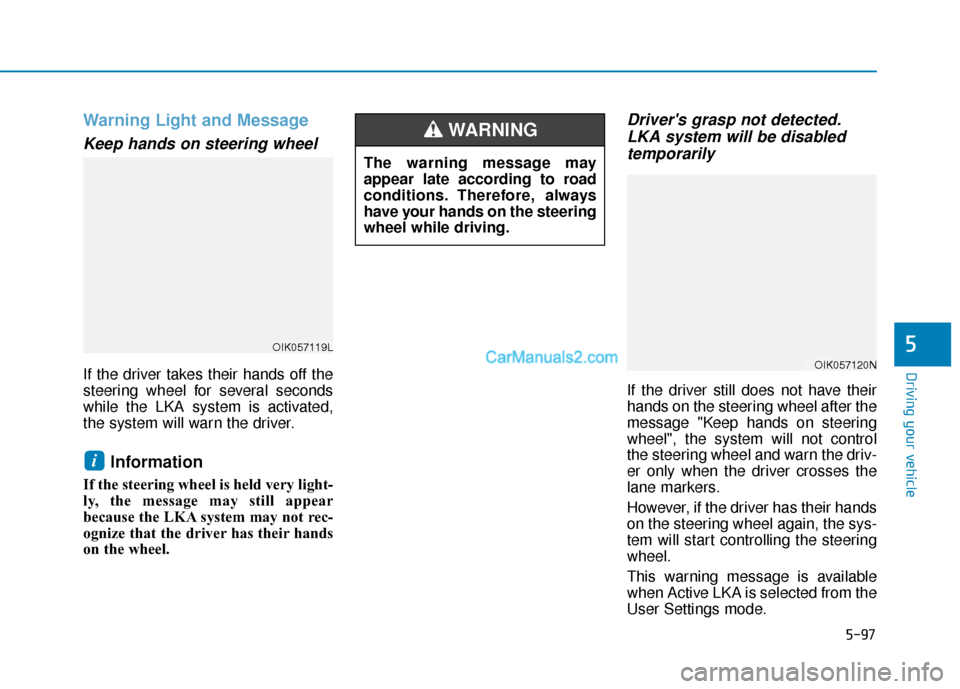
Keep hands on steering wheel
If the driver takes their hands off the
steering wheel for several seconds
while the LKA system is activated,
the system will warn the driver.
Information
If the steering wheel is held very light-
ly, the message may still appear
because the LKA system may not rec-
ognize that the driver has their hands
on the wheel.
Driver's grasp not detected.LKA system will be disabledtemporarily
If the driver still does not have their
hands on the steering wheel after the
message "Keep hands on steering
wheel", the system will not control
the steering wheel and warn the driv-
er only when the driver crosses the
lane markers.
However, if the driver has their hands
on the steering wheel again, the sys-
tem will start controlling the steering
wheel.
This warning message is available
when Active LKA is selected from the
User Settings mode.
i
The warning message may
appear late according to road
conditions. Therefore, always
have your hands on the steering
wheel while driving.
WARNING
OIK057120N
OIK057119L
Page 375 of 557
5-101
Driving your vehicle
5
LKA System Function Change
The driver can change LKA to Lane
Departure Warning from the LCD dis-
play. Go to the 'User Settings →
Driver Assistance → Lane Safety →
Active LKA/Standard LKA/Lane
Departure Warning.
Active LKA
The Active LKA mode provides more
frequent steering wheel control in
comparison with the Standard LKA
mode.
Standard LKA
This mode guides the driver to help
keep the vehicle within the lanes. It
rarely controls the steering wheel,
when the vehicle drives well inside
the lanes. However, it starts to con-
trol the steering wheel, when the
vehicle is about to deviate out of the
lane.
Lane Departure Warning
LDW system alerts the driver with a
visual warning and a warning alarm
when the system detects the vehicle
departing the lane. The steering
wheel will not be controlled.
Off
If you select "Off", the LKA system is
deactivated.
Page 376 of 557
5-102
Driving your vehicle
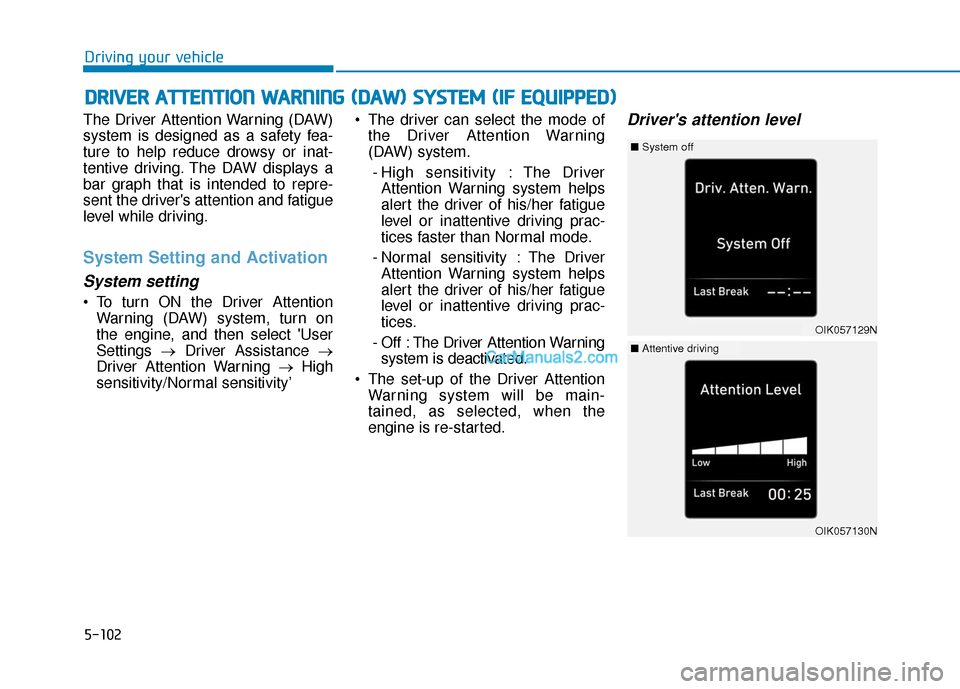
The Driver Attention Warning (DAW)
system is designed as a safety fea-
ture to help reduce drowsy or inat-
tentive driving. The DAW displays a
bar graph that is intended to repre-
sent the driver's attention and fatigue
level while driving.
System Setting and Activation
System setting
To turn ON the Driver Attention Warning (DAW) system, turn on
the engine, and then select 'User
Settings →Driver Assistance →
Driver Attention Warning →High
sensitivity/Normal sensitivity’ The driver can select the mode of
the Driver Attention Warning
(DAW) system.
- High sensitivity : The Driver Attention Warning system helps
alert the driver of his/her fatigue
level or inattentive driving prac-
tices faster than Normal mode.
- Normal sensitivity : The Driver Attention Warning system helps
alert the driver of his/her fatigue
level or inattentive driving prac-
tices.
- Off : The Driver Attention Warning system is deactivated.
The set-up of the Driver Attention Warning system will be main-
tained, as selected, when the
engine is re-started.
Driver's attention level
D DR
RI
IV
V E
ER
R
A
A T
TT
TE
EN
N T
TI
IO
O N
N
W
W A
AR
RN
N I
IN
N G
G
(
( D
D A
A W
W )
)
S
S Y
Y S
ST
T E
EM
M
(
( I
IF
F
E
E Q
Q U
UI
IP
P P
PE
ED
D )
)
OIK057129N
■ System off
OIK057130N
■Attentive driving
Page 428 of 557

6-8
What to do in an emergency
T
TI
IR
R E
E
P
P R
R E
ES
SS
SU
U R
RE
E
M
M O
ON
NI
IT
T O
O R
RI
IN
N G
G
S
S Y
Y S
ST
T E
EM
M
(
( T
T P
P M
M S
S)
)
(1) Low Tire Pressure / TPMS
Malfunction Indicator Lamp
(2) Low Tire Pressure / Tire Pressure Monitor /
TPMS Malfunction Display
(shown on the cluster LCD display)
Check Tire Pressure
You can check the tire pressure inthe Assist mode on the cluster.
Refer to the "LCD Display Mode" section in chapter 3.
A "Drive to display" message will appear for the first few minutes of
driving after initial engine start up.
If the tire pressure is not displayed
after a few minutes of driving,
check the tire pressures. The displayed tire pressure values
may differ from those measured
with a tire pressure gage.
You can change the tire pressure unit in the User Settings mode on
the cluster.
- psi, kpa, bar (Refer to the "UserSettings Mode" section in
chapter 3).
OTMA048184
OTM068003
OTM048125L
Page 550 of 557

I-7
If you have a flat tire while driving ..................................6-3
Ignition switchEngine Start/Stop button ..............................................5-9
Key ignition switch ......................................................5-6
Immobilizer system.........................................................3-12
Improtant safety precautions.............................................2-2 Air bag hazards ............................................................2-2
Always wear your seat belt ..........................................2-2
Control your speed .......................................................2-3
Driver distraction..........................................................2-2
Keep your vehicle in safe condition.............................2-3
Restrain all children .....................................................2-2
In case of emergency while driving..................................6-2
Indicator light..................................................................3-74
Inside rearview mirror ....................................................3-30
Instrument cluster ...........................................................3-66 Assist mode ................................................................3-93
Gauges and meters .....................................................3-68
Instrument panel illumination ....................................3-67
LCD display control ...................................................3-91
LCD display messages ...............................................3-85
LCD display modes ....................................................3-92
Shift indicator pop-up ................................................3-72
Transmission shift indicator .......................................3-71
Trip computer mode ...................................................3-93
User settings mode .....................................................3-95
Warning and indicator lights ......................................3-72
Instrument panel fuse replacement .................................7-53
Instrument panel overview ...............................................1-5 Interior care .....................................................................7-8\
1
Interior features
AC inverter ...............................................................3-171
Ashtray .....................................................................3-1\
68
Bottle holder .............................................................3-168
Cargo security screen ...............................................3-178
Clock ........................................................................\
3-175
Coat hook .................................................................3-176
Cup holder ................................................................3-168
Floor mat anchor(s) ..................................................3-176
Luggage net holder ...................................................3-177
Power outlet..............................................................3-170
Side curtain...............................................................3-180
Sunvisor ....................................................................3-16\
9
USB charger .............................................................3-173
Wireless cellular phone charging system .................3-173
Interior lamp AUTO cut................................................3-120
Interior lights.................................................................3-120 Front lamps...............................................................3-120
Interior lamp AUTO cut ...........................................3-120
Luggage compartment lamp .....................................3-121
Puddle lamp ..............................................................3-122
Rear lamps ................................................................3-121
Vanity mirror lamp ...................................................3-122
Interior overview...............................................................1-4
I
Index
Page 551 of 557

I-8
Jump starting .....................................................................6-4\
Key ignition switch ...........................................................5-6
LabelRefrigerant label .........................................................8-11
Tire sidewall labeling .................................................7-43
Tire specification and pressure label ..........................8-11
Vehicle certification label ...........................................8-10
Lane change signals ......................................................3-117
Lane Keeping Assist (LKA) system ...............................5-93
Lap/shoulder belt ............................................................2-28
LCD display LCD display modes ....................................................3-92
Assist mode ................................................................3-93
Master warning mode .................................................3-94
Quick guide ................................................................3-96
Trip computer mode ...................................................3-93
Turn By Turn (TBT) mode.........................................3-93
User settings mode .....................................................3-95
LCD display messages Check Blind-Spot Collision Warning system ............3-89
Check BRAKE SWITCH fuse ...................................3-86 Check Driver Attention Warning system ...................3-90
Check Forward Collision Avoidance Assist system...3-89
Check headlight ..........................................................3-89
Check headlight LED .................................................3-89
Check High Beam Assist (HBA) system ...................3-89
Check Lane Keeping Assist (LKA) system ...............3-90
Check Smart Cruise Control System .........................3-90
Check turn signal........................................................3-89
Door, Hood, Liftgate open indicator ..........................3-86
Engine overheated ......................................................3-88
Key not detected .........................................................3-85
Key not in vehicle ......................................................3-85
Lights mode ................................................................3-88
Low fuel .....................................................................3-8\
8
Low key battery..........................................................3-85
Low pressure ..............................................................3-87
Low washer fluid........................................................3-88
Press brake pedal to start engine ................................3-85
Press START button again .........................................3-85
Press START button with key ....................................3-86
Shift to P.....................................................................3-8\
5
Shift to P or N to start engine ....................................3-85
Sunroof open indicator ...............................................3-87
Window open indicator ..............................................3-87
Wiper mode ................................................................3-88
LCD display modes ........................................................3-92
Leading vehicle departure alert ....................................5-123
Index
J
K
L