Page 68 of 561

2-53
Safety system of your vehicle
2
How Does the Air Bag System
Operate?
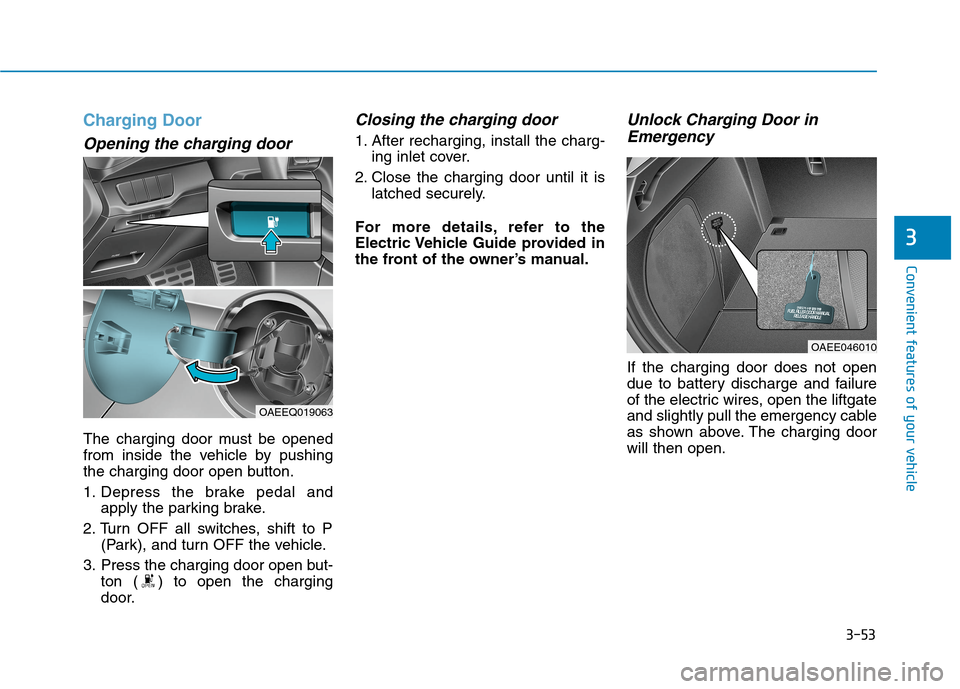
The SRS consists of the following
components:
1. Driver's front air bag module/
Driver’s knee airbag module
2. Passenger's front air bag module
3. Side air bag modules/
Side impact sensors
4. Curtain air bag modules
5. Retractor pre-tensioner assemblies
6. Air bag warning light
7. SRS control module (SRSCM)/
Rollover sensor
8. Front impact sensors9. Side pressure sensors
10. Emergency Fastening Device
System
11. Occupant classification system
The SRSCM (Supplemental Restraint
System Control Module) continually
monitors all SRS components while
the POWER button is in the ON posi-
tion to determine if a crash impact is
severe enough to require air bag
deployment or pre-tensioner seat belt
deployment.
SRS warning light
The SRS (Supplement Restraint
System) air bag warning light on the
instrument panel displays the air bag
symbol depicted in the illustration.
The system checks the air bag elec-
trical system for malfunctions. The
light indicates that there is a potential
malfunction with your air bag system,
which could include your side and
curtain air bags used for rollover pro-
tection.
OAEE036075N
Page 84 of 561
2-69
Safety system of your vehicle
2
Additional Safety Precautions
Passengers should not move out of
or change seats while the vehicle is
moving.A passenger who is not
wearing a seat belt during a crash or
emergency stop can be thrown
against the inside of the vehicle,
against other occupants, or be ejected
from the vehicle.
Do not use any accessories on seat
belts.Devices claiming to improve
occupant comfort or reposition the
seat belt can reduce the protection
provided by the seat belt and increase
the chance of serious injury in a crash
Do not modify the front seats.
Modification of the front seats could
interfere with the operation of the sup-
plemental restraint system sensing
components or side air bags.
Do not place items under the front
seats.Placing items under the front
seats could interfere with the opera-
tion of the supplemental restraint sys-
tem sensing components and wiring
harnesses.
Do not cause impact to the doors.
Impact to the doors when the POWER
button is in the ON position may cause
the air bags to inflate.Modifications to accommodate
disabilities.If you require modifica-
tion to your vehicle to accommodate
a disability, contact the HYUNDAI
Customer Connect Center at 800-
633-5151.
Adding equipment to or modify-
ing your air bag equipped vehicle
If you modify your vehicle by changing
your vehicle’s frame, bumper system,
front end or side sheet metal or ride
height, this may affect the operation of
your vehicle’s air bag system. (Continued)
If components of the air bag
system must be discarded, or if
the vehicle must be scrapped,
certain safety precautions
must be observed. Consult an
authorized HYUNDAI dealer for
the necessary information.
Failure to follow these precau-
tions could increase the risk of
personal injury.
Page 137 of 561
3-52
Convenient features of your vehicle
Emergency liftgate safety
release
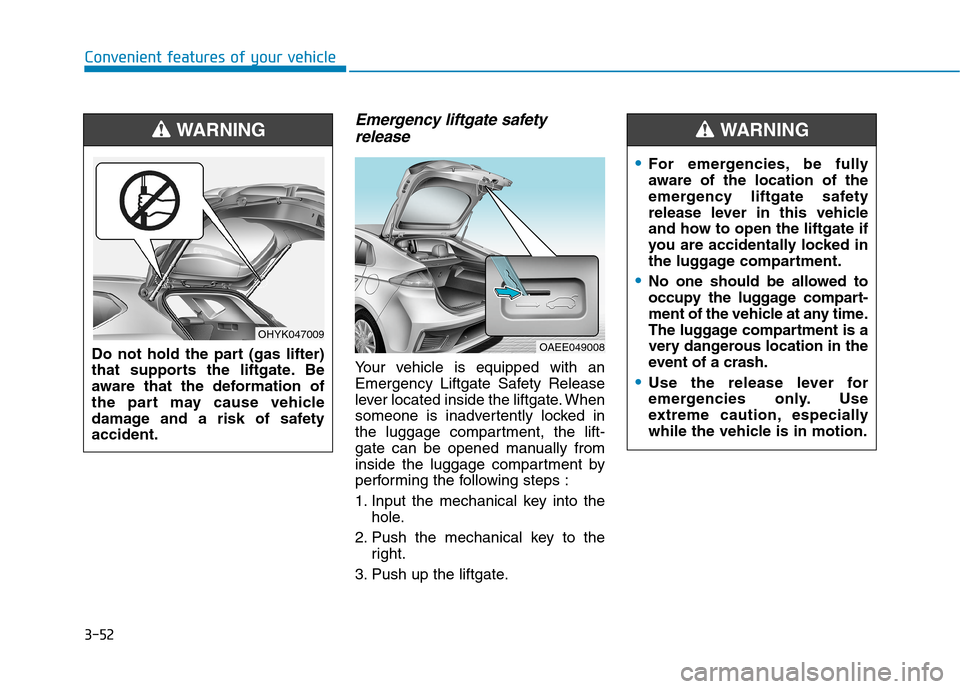
Your vehicle is equipped with an
Emergency Liftgate Safety Release
lever located inside the liftgate. When
someone is inadvertently locked in
the luggage compartment, the lift-
gate can be opened manually from
inside the luggage compartment by
performing the following steps :
1. Input the mechanical key into the
hole.
2. Push the mechanical key to the
right.
3. Push up the liftgate.
OAEE049008
For emergencies, be fully
aware of the location of the
emergency liftgate safety
release lever in this vehicle
and how to open the liftgate if
you are accidentally locked in
the luggage compartment.
No one should be allowed to
occupy the luggage compart-
ment of the vehicle at any time.
The luggage compartment is a
very dangerous location in the
event of a crash.
Use the release lever for
emergencies only. Use
extreme caution, especially
while the vehicle is in motion.
WARNING
Do not hold the part (gas lifter)
that supports the liftgate. Be
aware that the deformation of
the part may cause vehicle
damage and a risk of safety
accident.
WARNING
OHYK047009
Page 138 of 561
3-53
Convenient features of your vehicle
3
Charging Door
Opening the charging door
The charging door must be opened
from inside the vehicle by pushing
the charging door open button.
1. Depress the brake pedal and
apply the parking brake.
2. Turn OFF all switches, shift to P
(Park), and turn OFF the vehicle.
3. Press the charging door open but-
ton ( ) to open the charging
door.
Closing the charging door
1. After recharging, install the charg-
ing inlet cover.
2. Close the charging door until it is
latched securely.
For more details, refer to the
Electric Vehicle Guide provided in
the front of the owner’s manual.
Unlock Charging Door in
Emergency
If the charging door does not open
due to battery discharge and failure
of the electric wires, open the liftgate
and slightly pull the emergency cable
as shown above. The charging door
will then open.
OAEE046010
OAEEQ019063
Page 145 of 561
3-60
Convenient features of your vehicle
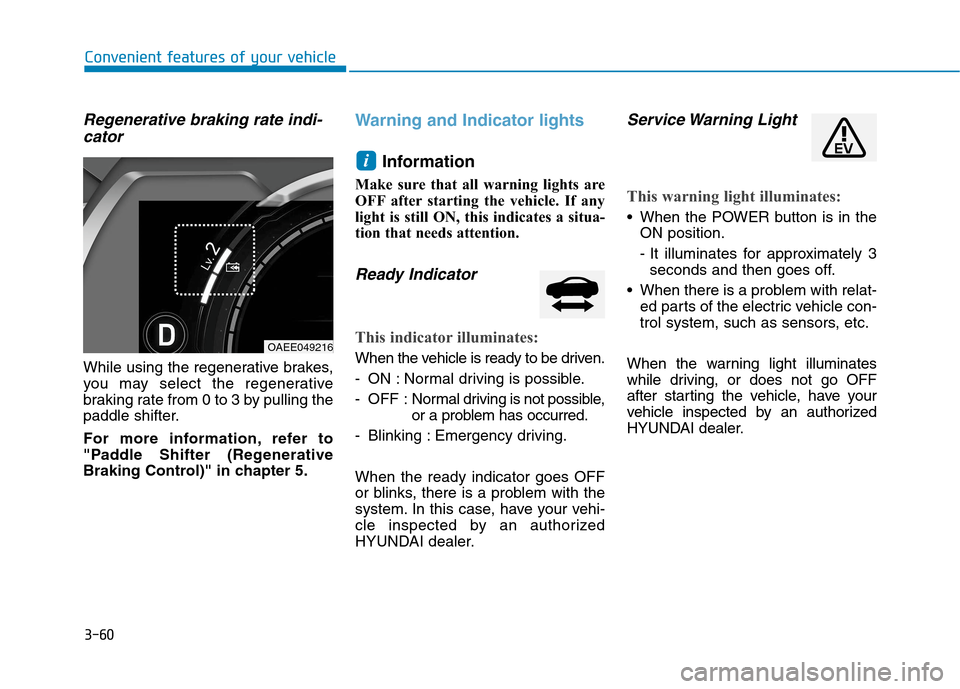
Regenerative braking rate indi-
cator
While using the regenerative brakes,
you may select the regenerative
braking rate from 0 to 3 by pulling the
paddle shifter.
For more information, refer to
"Paddle Shifter (Regenerative
Braking Control)" in chapter 5.
Warning and Indicator lights
Information
Make sure that all warning lights are
OFF after starting the vehicle. If any
light is still ON, this indicates a situa-
tion that needs attention.
Ready Indicator
This indicator illuminates:
When the vehicle is ready to be driven.
- ON : Normal driving is possible.
- OFF : Normal driving is not possible,
or a problem has occurred.
- Blinking : Emergency driving.
When the ready indicator goes OFF
or blinks, there is a problem with the
system. In this case, have your vehi-
cle inspected by an authorized
HYUNDAI dealer.
Service Warning Light
This warning light illuminates:
When the POWER button is in the
ON position.
- It illuminates for approximately 3
seconds and then goes off.
When there is a problem with relat-
ed parts of the electric vehicle con-
trol system, such as sensors, etc.
When the warning light illuminates
while driving, or does not go OFF
after starting the vehicle, have your
vehicle inspected by an authorized
HYUNDAI dealer.
i
OAEE049216
Page 241 of 561
5-5
Driving your vehicle
5
P PO
OW
WE
ER
R
B
BU
UT
TT
TO
ON
N
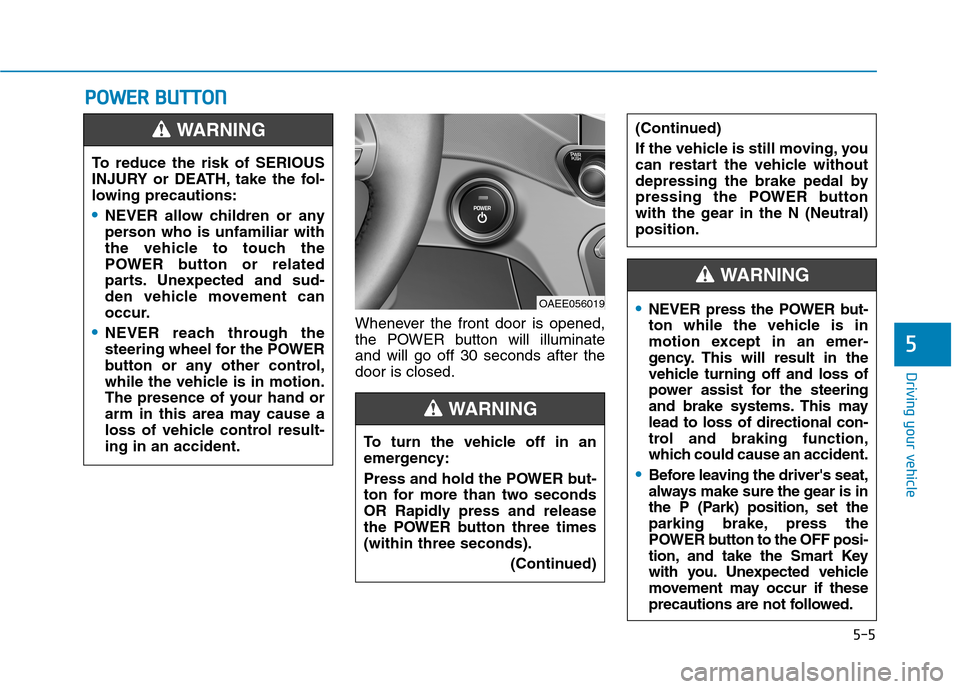
Whenever the front door is opened,
the POWER button will illuminate
and will go off 30 seconds after the
door is closed. To reduce the risk of SERIOUS
INJURY or DEATH, take the fol-
lowing precautions:
NEVER allow children or any
person who is unfamiliar with
the vehicle to touch the
POWER button or related
parts. Unexpected and sud-
den vehicle movement can
occur.
NEVER reach through the
steering wheel for the POWER
button or any other control,
while the vehicle is in motion.
The presence of your hand or
arm in this area may cause a
loss of vehicle control result-
ing in an accident.
WARNING
OAEE056019
To turn the vehicle off in an
emergency:
Press and hold the POWER but-
ton for more than two seconds
OR Rapidly press and release
the POWER button three times
(within three seconds).
(Continued)
(Continued)
If the vehicle is still moving, you
can restart the vehicle without
depressing the brake pedal by
pressing the POWER button
with the gear in the N (Neutral)
position.
WARNING
NEVER press the POWER but-
ton while the vehicle is in
motion except in an emer-
gency. This will result in the
vehicle turning off and loss of
power assist for the steering
and brake systems. This may
lead to loss of directional con-
trol and braking function,
which could cause an accident.
Before leaving the driver's seat,
always make sure the gear is in
the P (Park) position, set the
parking brake, press the
POWER button to the OFF posi-
tion, and take the Smart Key
with you. Unexpected vehicle
movement may occur if these
precautions are not followed.
WARNING
Page 260 of 561
5-24
The Smart Regeneration System
may not operate temporarily due
to:
Electrical interference
Modifying the suspension
Differences of tire abrasion or
tire pressure
Installing different type of tires
NOTICE
Driving your vehicle
(Continued)
Vehicles moving in front of
you with frequent lane
changes may cause a delay in
the system's reaction or may
cause the system to react to a
vehicle actually in an adjacent
lane. Always drive cautiously
to prevent unexpected and
sudden situations from occur-
ring.
The Smart Regeneration
System may not recognize
complex driving situations so
always pay attention to driv-
ing conditions and control
your vehicle speed.
When using the Smart
Regeneration System take the
following precautions:
If an emergency stop is nec-
essary, you must apply the
brakes.
Keep a safe distance accord-
ing to road conditions and
vehicle speed. If the vehicle-
to-vehicle distance is too
close and the brakes are sud-
denly applied, a serious colli-
sion may result.
Always maintain sufficient
braking distance and deceler-
ate your vehicle by applying
the brakes if necessary.
The Smart Regeneration
System cannot recognize a
stopped vehicle, pedestrians
or an oncoming vehicle.
Always look ahead cautiously
to prevent unexpected and
sudden situations from occur-
ring.
(Continued)
WARNING
Page 264 of 561
5-28
Driving your vehicle
However, if the EPB switch is
pressed within 1 second after the
vehicle is turned off, the EPB will not
be applied.
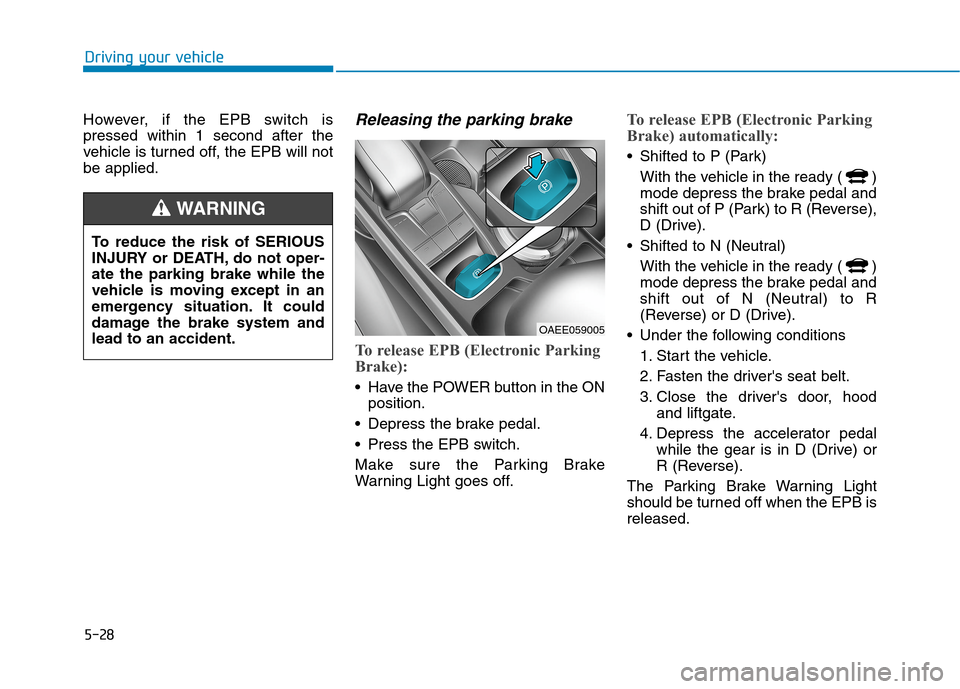
Releasing the parking brake
To release EPB (Electronic Parking
Brake):
Have the POWER button in the ON
position.
Depress the brake pedal.
Press the EPB switch.
Make sure the Parking Brake
Warning Light goes off.
To release EPB (Electronic Parking
Brake) automatically:
Shifted to P (Park)
With the vehicle in the ready ( )
mode depress the brake pedal and
shift out of P (Park) to R (Reverse),
D (Drive).
Shifted to N (Neutral)
With the vehicle in the ready ( )
mode depress the brake pedal and
shift out of N (Neutral) to R
(Reverse) or D (Drive).
Under the following conditions
1. Start the vehicle.
2. Fasten the driver's seat belt.
3. Close the driver's door, hood
and liftgate.
4. Depress the accelerator pedal
while the gear is in D (Drive) or
R (Reverse).
The Parking Brake Warning Light
should be turned off when the EPB is
released.
To reduce the risk of SERIOUS
INJURY or DEATH, do not oper-
ate the parking brake while the
vehicle is moving except in an
emergency situation. It could
damage the brake system and
lead to an accident.
WARNING
OAEE059005