2020 FORD TRANSIT reset
[x] Cancel search: resetPage 303 of 529

Do not use the following as a coolant
substitute:
•
Alcohol.
• Methanol.
• Brine.
• Any coolant mixed with alcohol or
methanol antifreeze.
Alcohol and other liquids can cause engine
damage from overheating or freezing.
Do not add extra inhibitors or additives to
the coolant. These can be harmful and
compromise the corrosion protection of
the coolant.
Recycled Coolant
We do not recommend the use of recycled
coolant as an approved recycling process
is not yet available.
Note: Dispose of used coolant in the
appropriate manner.
Follow your community's regulations and
standards for recycling and disposing of
automotive fluids.
Severe Climates
If you drive in extremely cold climates:
• It may be necessary to increase the
coolant concentration above 50%.
• A coolant concentration of 60%
provides improved freeze point
protection. Coolant concentrations
above 60% decrease the overheat
protection characteristics of the
coolant and may cause engine
damage. If you drive in extremely hot climates:
•
You can decrease the coolant
concentration to 40%.
• Coolant concentrations below 40%
decrease the freeze and corrosion
protection characteristics of the
coolant and may cause engine
damage.
Vehicles driven year-round in non-extreme
climates should use prediluted coolant for
optimum cooling system and engine
protection.
Coolant Change
At specific mileage intervals, as listed in
the scheduled maintenance information,
the coolant should be changed. Add
prediluted coolant approved to the correct
specification.
Fail-Safe Cooling
Fail-safe cooling allows you to temporarily
drive your vehicle before any incremental
component damage occurs. The fail-safe
distance depends on ambient
temperature, vehicle load and terrain.
How Fail-Safe Cooling Works If the engine begins to overheat,
the coolant temperature gauge
moves toward the red zone:
A warning lamp illuminates and
a message may appear in the
information display.
If the engine reaches a preset
over-temperature condition, the engine
automatically switches to alternating
cylinder operation. Each disabled cylinder
acts as an air pump and cools the engine.
When this occurs, your vehicle still
operates, however:
• Engine power is limited.
• The air conditioning system turns off.
300
2020 Transit (TTH) Canada/United States of America, LK3J 19A321 HA enUSA, Edition date: 201911, First-Printing Maintenance
Page 325 of 529

We engineer and test all motor vehicles
and their components for reliable, regular
driving. Under various conditions,
long-term storage may lead to degraded
engine performance or failure unless you
use specific precautions to preserve engine
components.
General
•
Store all vehicles in a dry, ventilated
place.
• Protect from sunlight, if possible.
• If vehicles are stored outside, they
require regular maintenance to protect
against rust and damage.
Body
• Wash your vehicle thoroughly to
remove dirt, grease, oil, tar or mud from
exterior surfaces, rear-wheel housing
and the underside of front fenders.
• Periodically wash your vehicle if it is
stored in exposed locations.
• Touch-up exposed or primed metal to
prevent rust.
• Cover chrome and stainless steel parts
with a thick coat of auto wax to prevent
discoloration. Re-wax as necessary
when you wash your vehicle.
• Lubricate all hood, door and luggage
compartment hinges and latches with
a light grade oil.
• Cover interior trim to prevent fading.
• Keep all rubber parts free from oil and
solvents. Engine
•
Change the engine oil and filter prior to
storage because used engine oil
contains contaminates which may
cause engine damage.
• Start the engine every 15 days for a
minimum of 15 minutes. Run at fast idle
with the climate controls set to defrost
until the engine reaches normal
operating temperature.
• With your foot on the brake, shift
through all the gears while the engine
is running.
• We recommend that you change the
engine oil before you use your vehicle
again.
Fuel system
• Fill the fuel tank with high-quality fuel
until the first automatic shutoff of the
fuel pump nozzle.
Cooling system
• Protect against freezing temperatures.
• When removing your vehicle from
storage, check coolant fluid level.
Confirm that there are no cooling
system leaks and that fluid is at the
recommended level.
Battery
• Check and recharge as necessary. Keep
connections clean.
• If storing your vehicle for more than 30
days without recharging the battery,
we recommend that you disconnect
the battery cables to maintain battery
charge for quick starting.
Note: It is necessary to reset memory
features if battery cables are disconnected.
322
2020 Transit (TTH) Canada/United States of America, LK3J 19A321 HA enUSA, Edition date: 201911, First-Printing Vehicle Care
Page 344 of 529

Tire Rotation
WARNING: If the tire label
shows different tire pressures for
the front and rear tires and the
vehicle has a tire pressure
monitoring system, then you
need to update the settings for
the system sensors. Always
perform the system reset
procedure after tire rotation. If
you do not reset the system, it
may not provide a low tire
pressure warning when
necessary.
Rotating the tires at the
recommended interval detailed in
the Scheduled Maintenance
chapter will help the tires wear
more evenly, providing better tire
performance and longer tire life.
Sometimes irregular tire wear can
be corrected by rotating the tires.
Note: After rotating the tires the
inflation pressure must be checked
and adjusted to the vehicle
requirements.
Note: If the tires show uneven
wear ask an authorized dealer to
check for and correct any wheel
misalignment, tire imbalance or
mechanical problem involved
before tire rotation. Note:
Your vehicle may have a
dissimilar spare wheel and tire
assembly. A dissimilar spare wheel
and tire assembly is defined as a
spare wheel and tire assembly that
is different in brand, size or
appearance from the road tires and
wheels. If you have a dissimilar
spare wheel and tire assembly it is
intended for temporary use only
and should not be used in a tire
rotation.
Rear-wheel drive and
four-wheel drive vehicles with
single rear wheels (front tires
at left of diagram). 341
2020 Transit (TTH) Canada/United States of America, LK3J 19A321 HA enUSA, Edition date: 201911, First-Printing Wheels and TiresE142548
Page 349 of 529

If the vehicle is stationary overnight and
the temperature significantly lower than
the daytime temperature, tire pressures
may decrease by up to 3 psi (0.2 bar) when
there is a drop in the ambient temperature
of 63°F (17°C) or more. The system
detects this pressure decrease as being
significantly below the correct inflation
pressure and the warning lamp illuminates.
When Inflating Tires WARNING:
Do not use the tire
pressure displayed in the information
display as a tire pressure gauge. Failure
to follow this instruction could result in
personal injury or death.
When inflating the tires the system may
not respond immediately to the air added
to the tires.
Only inflate tires when they are cold.
If the warning lamp is on:
• Check each tire to verify that none are
flat.
• If one or more tires are flat, repair as
necessary.
• Check the tire pressures and inflate all
tires to the correct pressure.
• Carry out the tire pressure monitoring
system reset procedure. When Changing Tires You should always have tires serviced by
an authorized dealer.
Note:
Each road wheel and tire is fitted with
a tire pressure sensor located inside the
wheel and tire assembly cavity. The pressure
sensor attaches to the valve stem. The tire
covers the pressure sensor and it is not
visible unless the tire is removed. Take care
when changing the tire to avoid damaging
the sensor.
When Changing Wheels
When changing the wheels of your vehicle,
the tire pressure monitoring system needs
to re-learn the tire pressure sensors. To
achieve this perform the following:
1. Make sure all tires are inflated to the proper pressure. If not, inflate the tires
to the correct pressure.
2. Park your vehicle for at least 20 minutes.
3. Carry out the tire pressure monitoring system reset procedure.
4. The tire pressure monitoring system will automatically re-learn the tire
pressure sensors the next time you
drive your vehicle for approximately 15
minutes above 40km/h (25 mph).
346
2020 Transit (TTH) Canada/United States of America, LK3J 19A321 HA enUSA, Edition date: 201911, First-Printing Wheels and TiresE142549
Page 351 of 529

Action
Description
Warning lamp
1. Make sure tires are at the correctpressure. See Wheels and Tires
(page 324). The tire pressures are also
on the tire inflation pressure label
(located on the edge of driver door
or the B-Pillar).
2. After inflating the tires to the correct
pressure you must carry out the tire
pressure monitoring system reset
procedure.
Tire(s) under-inflated.
Solid warning lamp.
Repair the damaged road wheel and tire
and refit the repaired road wheel and tire
assembly to your vehicle to restore the
correct operation of the system.
Spare tire in use.
If the tires are correctly inflated and the
spare tire is not in use but the light
remains on, the system has detected a
fault that requires service.
Tire pressure monitoring
system malfunction.
Repair the damaged road wheel and tire
and refit the repaired road wheel and tire
assembly to your vehicle to restore the
correct operation of the system.
Spare tire in use.
Solid warning lamp
initially followed by
a flashing warning
lamp.
If the tires are correctly inflated and the
spare tire is not in use but the light
remains on, the system has detected a
fault that requires service.
Tire pressure monitoring
system malfunction.
348
2020 Transit (TTH) Canada/United States of America, LK3J 19A321 HA enUSA, Edition date: 201911, First-Printing Wheels and Tires
Page 352 of 529

Tire Pressure Monitoring System
Reset Procedure
Overview
WARNING: To determine the
required pressure(s) for your vehicle, see
the Safety Compliance Certification
Label (on the door hinge pillar,
door-latch post or the door edge that
meets the door-latch post, next to the
driver seat) or the Tire Label on the
B-Pillar or the edge of the driver door.
You must carry out the system reset
procedure after each tire replacement or
adjustment of the tire pressures. To maintain your vehicle load carrying
capability, your vehicle requires different
tire pressures in the front tires compared
to the rear tires.
The system illuminates the warning lamp
at different pressures for the front and rear
tires.
If the tires are rotated, the Tire Pressure
Monitoring System needs to be reset to
relearn the new tire pressures. It does not
know which sensor is where and assumes
you have set the pressures correctly.
Carrying Out the System Reset
Procedure
Switch the ignition on. Using the
information display control select: Action
Message
Press the
OK button.
Settings
Press the
OK button.
Driver assist
Press and hold the
OK button until a confirmation message
appears in the information display. Alternatively, if your
vehicle has a tire pressure monitoring system reset button,
press and hold the button until a confirmation message
appears in the information display.
Tire Monitor
CHANGING A ROAD WHEEL WARNING: Do not use tire sealants
as they may damage the tire pressure
monitoring system. WARNING:
If the tire pressure
monitor sensor becomes damaged it
may not function. Note:
The tire pressure monitoring system
indicator light will illuminate when the spare
tire is in use. To restore the full function of
the monitoring system, all road wheels
equipped with tire pressure monitoring
sensors must be mounted on this vehicle.
If you get a flat tire while driving, do not
apply the brake heavily. Instead, gradually
decrease your speed. Hold the steering
wheel firmly and slowly move to a safe
place on the side of the road.
349
2020 Transit (TTH) Canada/United States of America, LK3J 19A321 HA enUSA, Edition date: 201911, First-Printing Wheels and Tires
Page 395 of 529

CREATING A WI-FI HOTSPOT
You can create a Wi-Fi hotspot in your
vehicle and allow devices to connect to it
for access to the Internet.
1. Select Settings.
2. Select
FordPass Connect.
3. Select
Vehicle Hotspot.
Note: The vehicle hotspot default setting
is on.
4. Select
Settings.
5. Select
Edit.
6. Select
Wi-Fi Visibility.
Note: The Wi-Fi Visibility default setting is
on.
Finding the Wi-Fi Hotspot Name
and Password
1. Select
Settings.
2. Select
FordPass Connect.
3. Select
Vehicle Hotspot.
4. Select
Settings.
Note: The SSID is the hotspot name.
5. Select
View Password.
Connecting a Device to the Wi-Fi
Hotspot
1. On your device, turn on Wi-Fi and select
the hotspot from the list of available
Wi-Fi networks.
2. When prompted, enter the password.
Purchasing a Data Plan
1. Connect a device to the hotspot.
Note: The vehicle network carrier ’s portal
opens on your device.
2. If the portal does not open on your device, open a website and it redirects
to the vehicle network carrier ’s portal.
Note: Secure websites do not redirect. Note:
If you have an active plan, the system
does not redirect to the vehicle network
carrier ’s portal when you connect a device.
Visit the vehicle network carrier ’s website
to purchase more data.
Note: If data usage information is available
in the vehicle hotspot menu, it is
approximate.
Note: If you carry out a master reset, the
system does not remove your vehicle from
your vehicle network carrier ’s account. To
remove your vehicle from the account,
contact your vehicle network carrier.
Note: The vehicle network carrier provides
Vehicle Hotspot services, subject to your
vehicle network carrier agreement, coverage
and availability.
CHANGING THE WI-FI
HOTSPOT NAME OR
PASSWORD
1. Select
Settings.
2. Select
FordPass Connect.
3. Select
Vehicle Hotspot.
4. Select
Settings.
5. Select
Edit.
6. Select
Change SSID Name.
7. Enter your required SSID.
8. Select
Done.
9. Select
Change Password .
10. Enter your required password.
11. Select
Done.
392
2020 Transit (TTH) Canada/United States of America, LK3J 19A321 HA enUSA, Edition date: 201911, First-Printing Wi-Fi Hotspot
Page 397 of 529
Press the button again to display the
available radio sources. Repeatedly press
the button to scroll through the available
radio sources.
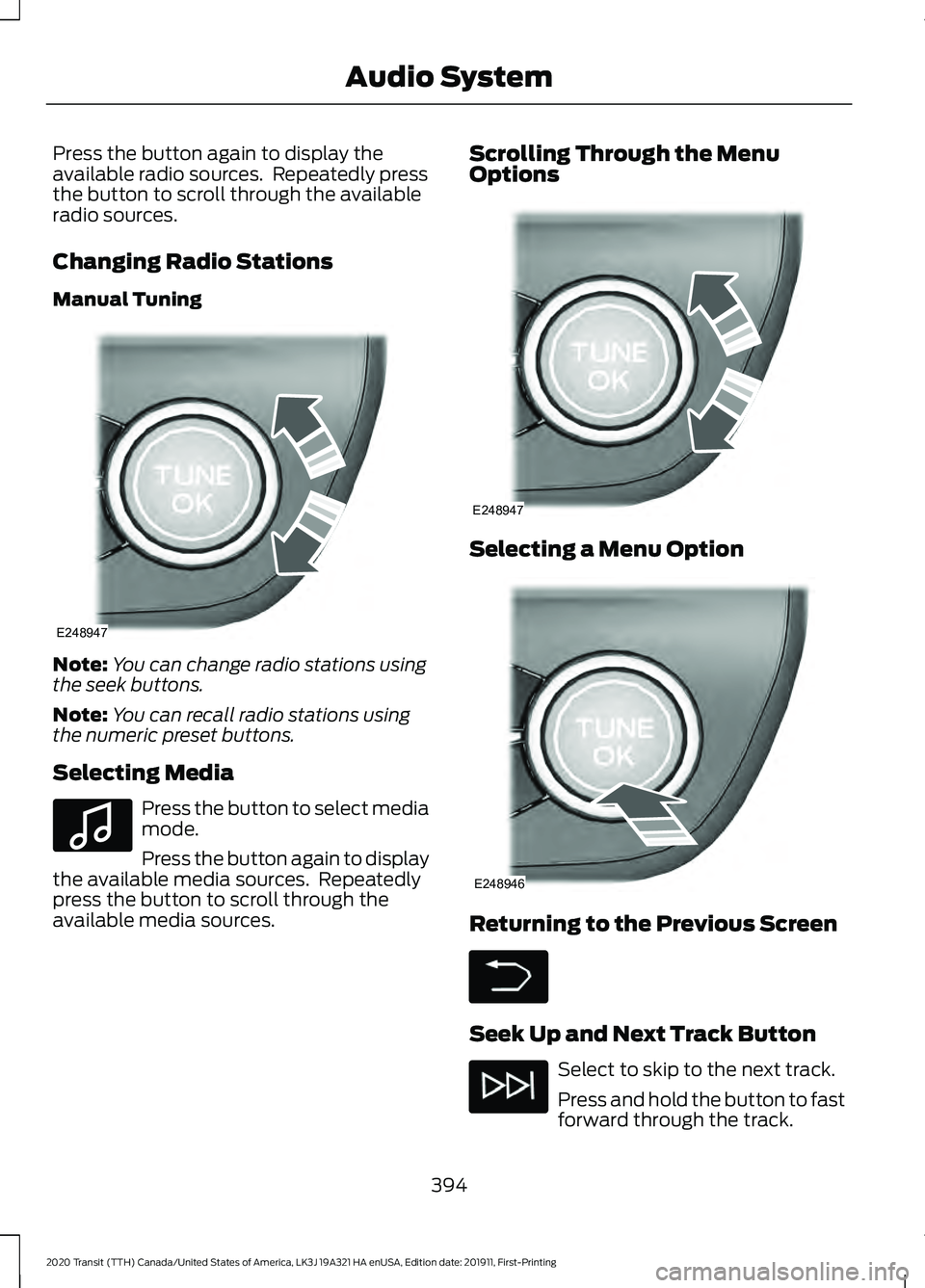
Changing Radio Stations
Manual Tuning
Note:
You can change radio stations using
the seek buttons.
Note: You can recall radio stations using
the numeric preset buttons.
Selecting Media Press the button to select media
mode.
Press the button again to display
the available media sources. Repeatedly
press the button to scroll through the
available media sources. Scrolling Through the Menu
Options
Selecting a Menu Option
Returning to the Previous Screen
Seek Up and Next Track Button
Select to skip to the next track.
Press and hold the button to fast
forward through the track.
394
2020 Transit (TTH) Canada/United States of America, LK3J 19A321 HA enUSA, Edition date: 201911, First-Printing Audio SystemE248947 E100027 E248947 E248946