2020 FORD TRANSIT reset
[x] Cancel search: resetPage 122 of 529
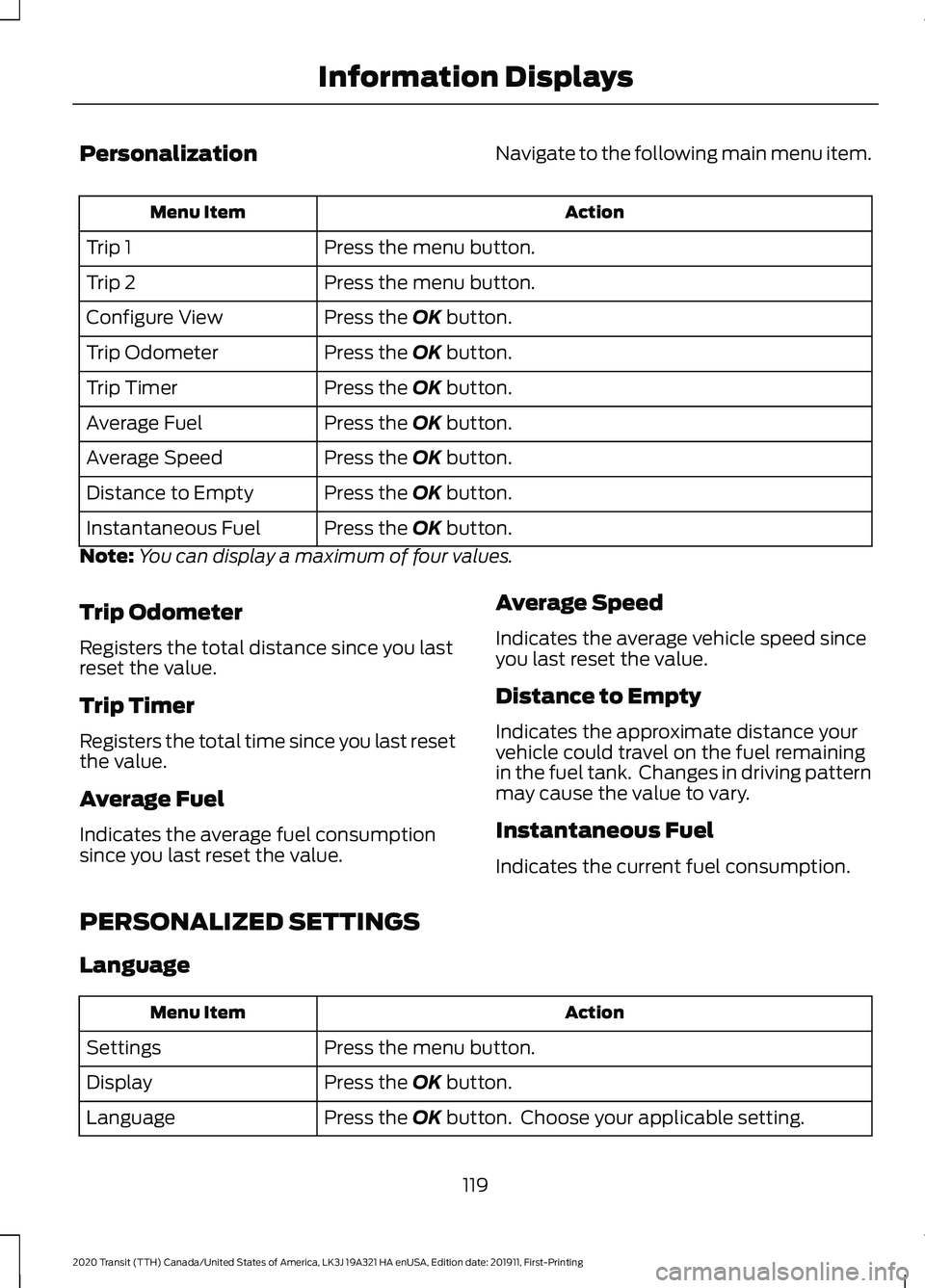
Personalization
Navigate to the following main menu item. Action
Menu Item
Press the menu button.
Trip 1
Press the menu button.
Trip 2
Press the OK button.
Configure View
Press the
OK button.
Trip Odometer
Press the
OK button.
Trip Timer
Press the
OK button.
Average Fuel
Press the
OK button.
Average Speed
Press the
OK button.
Distance to Empty
Press the
OK button.
Instantaneous Fuel
Note: You can display a maximum of four values.
Trip Odometer
Registers the total distance since you last
reset the value.
Trip Timer
Registers the total time since you last reset
the value.
Average Fuel
Indicates the average fuel consumption
since you last reset the value. Average Speed
Indicates the average vehicle speed since
you last reset the value.
Distance to Empty
Indicates the approximate distance your
vehicle could travel on the fuel remaining
in the fuel tank. Changes in driving pattern
may cause the value to vary.
Instantaneous Fuel
Indicates the current fuel consumption.
PERSONALIZED SETTINGS
Language Action
Menu Item
Press the menu button.
Settings
Press the
OK button.
Display
Press the
OK button. Choose your applicable setting.
Language
119
2020 Transit (TTH) Canada/United States of America, LK3J 19A321 HA enUSA, Edition date: 201911, First-Printing Information Displays
Page 142 of 529

The power outlet temporarily turns off
power when in fault mode if the device
exceeds the 150 watt limit. Unplug your
device and switch the ignition off. Switch
the ignition back on, but do not plug your
device back in. Let the system cool off and
switch the ignition off to reset the fault
mode. Switch the ignition back on and
make sure the indicator light remains on.
Do not use the power point for certain
electric devices, including:
•
Cathode-ray, tube-type televisions.
• Motor loads, such as vacuum cleaners,
electric saws and other electric power
tools or compressor-driven
refrigerators.
• Measuring devices, which process
precise data, such as medical
equipment or measuring equipment.
• Other appliances requiring an
extremely stable power supply such as
microcomputer-controlled electric
blankets or touch-sensor lamps.
110 Volt - 400 Watt Capacity AC
Power Outlet WARNING: Do not keep electrical
devices plugged in the power point
whenever the device is not in use. Do not
use any extension cord with the 110 volt
AC power point, since it will defeat the
safety protection design. Doing so may
cause the power point to overload due
to powering multiple devices that can
reach beyond the 400 watt load limit
and could result in fire or serious injury.
Note: This feature has a maximum output
of 400 watts when the vehicle is in park (P).
Note: While in drive (D), the maximum
outlet output is 300 watts. The power point is on the parking brake
console.
When the indicator light on the power point
is:
•
On: The power point is working and the
ignition is on.
• Off: The power point is off and the
ignition is off.
• Flashing: The power point is in fault
mode.
The power outlet temporarily turns off
power when in fault mode if the device
exceeds the 400 watt limit. Unplug your
device and switch the ignition off. Switch
the ignition back on, but do not plug your
device back in. Let the system cool off and
switch the ignition off to reset the fault
mode. Switch the ignition back on and
make sure the indicator light remains on.
Do not use the power point for certain
electric devices, including:
• Cathode-ray, tube-type televisions.
• Motor loads, such as vacuum cleaners,
electric saws and other electric power
tools or compressor-driven
refrigerators.
139
2020 Transit (TTH) Canada/United States of America, LK3J 19A321 HA enUSA, Edition date: 201911, First-Printing Auxiliary Power PointsE305822
Page 163 of 529
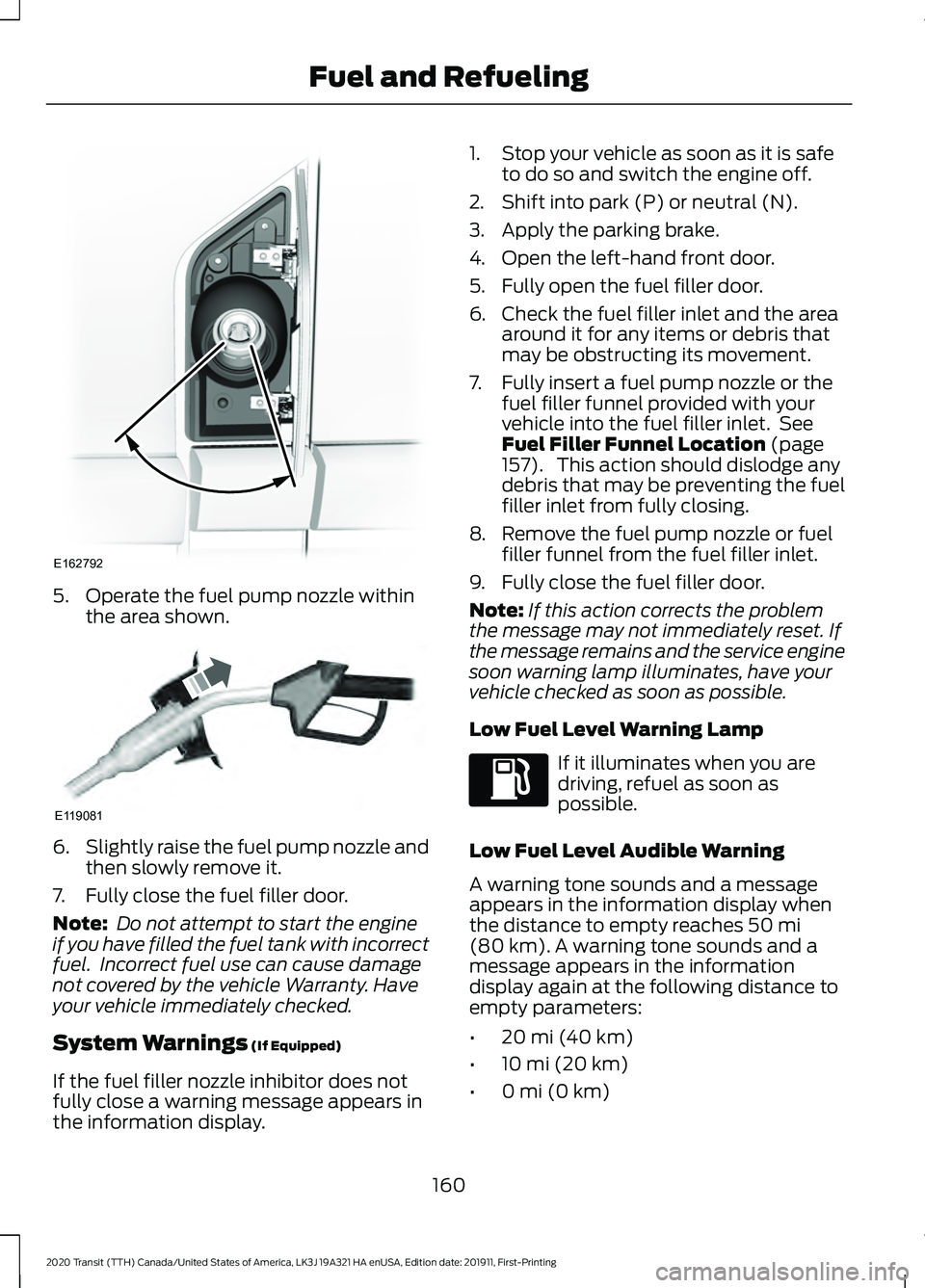
5. Operate the fuel pump nozzle within
the area shown. 6.
Slightly raise the fuel pump nozzle and
then slowly remove it.
7. Fully close the fuel filler door.
Note: Do not attempt to start the engine
if you have filled the fuel tank with incorrect
fuel. Incorrect fuel use can cause damage
not covered by the vehicle Warranty. Have
your vehicle immediately checked.
System Warnings (If Equipped)
If the fuel filler nozzle inhibitor does not
fully close a warning message appears in
the information display. 1. Stop your vehicle as soon as it is safe
to do so and switch the engine off.
2. Shift into park (P) or neutral (N).
3. Apply the parking brake.
4. Open the left-hand front door.
5. Fully open the fuel filler door.
6. Check the fuel filler inlet and the area around it for any items or debris that
may be obstructing its movement.
7. Fully insert a fuel pump nozzle or the fuel filler funnel provided with your
vehicle into the fuel filler inlet. See
Fuel Filler Funnel Location
(page
157). This action should dislodge any
debris that may be preventing the fuel
filler inlet from fully closing.
8. Remove the fuel pump nozzle or fuel filler funnel from the fuel filler inlet.
9. Fully close the fuel filler door.
Note: If this action corrects the problem
the message may not immediately reset. If
the message remains and the service engine
soon warning lamp illuminates, have your
vehicle checked as soon as possible.
Low Fuel Level Warning Lamp If it illuminates when you are
driving, refuel as soon as
possible.
Low Fuel Level Audible Warning
A warning tone sounds and a message
appears in the information display when
the distance to empty reaches
50 mi
(80 km). A warning tone sounds and a
message appears in the information
display again at the following distance to
empty parameters:
• 20 mi (40 km)
• 10 mi (20 km)
• 0 mi (0 km)
160
2020 Transit (TTH) Canada/United States of America, LK3J 19A321 HA enUSA, Edition date: 201911, First-Printing Fuel and RefuelingE162792 E119081
Page 211 of 529
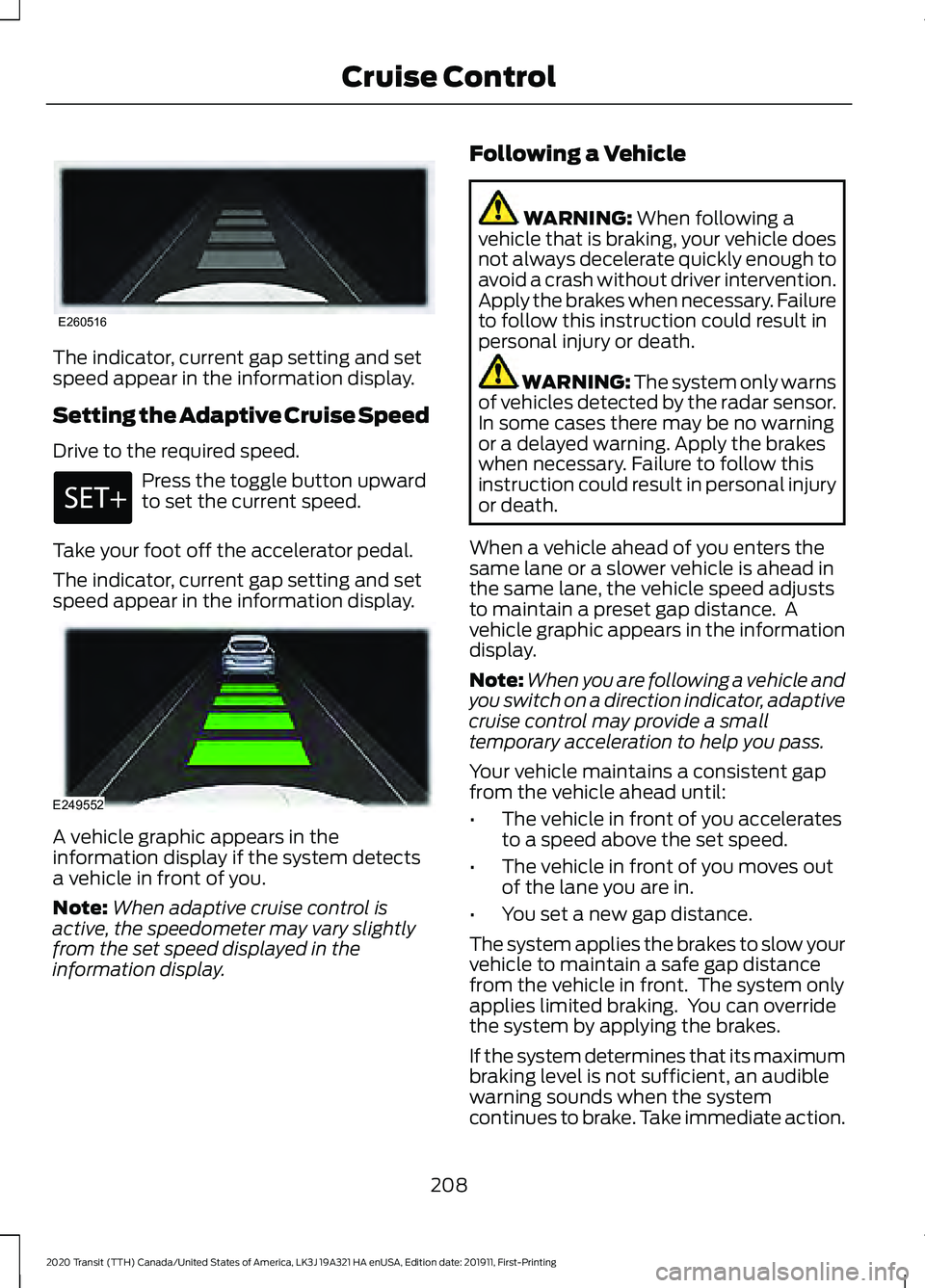
The indicator, current gap setting and set
speed appear in the information display.
Setting the Adaptive Cruise Speed
Drive to the required speed.
Press the toggle button upward
to set the current speed.
Take your foot off the accelerator pedal.
The indicator, current gap setting and set
speed appear in the information display. A vehicle graphic appears in the
information display if the system detects
a vehicle in front of you.
Note:
When adaptive cruise control is
active, the speedometer may vary slightly
from the set speed displayed in the
information display. Following a Vehicle WARNING: When following a
vehicle that is braking, your vehicle does
not always decelerate quickly enough to
avoid a crash without driver intervention.
Apply the brakes when necessary. Failure
to follow this instruction could result in
personal injury or death. WARNING:
The system only warns
of vehicles detected by the radar sensor.
In some cases there may be no warning
or a delayed warning. Apply the brakes
when necessary. Failure to follow this
instruction could result in personal injury
or death.
When a vehicle ahead of you enters the
same lane or a slower vehicle is ahead in
the same lane, the vehicle speed adjusts
to maintain a preset gap distance. A
vehicle graphic appears in the information
display.
Note: When you are following a vehicle and
you switch on a direction indicator, adaptive
cruise control may provide a small
temporary acceleration to help you pass.
Your vehicle maintains a consistent gap
from the vehicle ahead until:
• The vehicle in front of you accelerates
to a speed above the set speed.
• The vehicle in front of you moves out
of the lane you are in.
• You set a new gap distance.
The system applies the brakes to slow your
vehicle to maintain a safe gap distance
from the vehicle in front. The system only
applies limited braking. You can override
the system by applying the brakes.
If the system determines that its maximum
braking level is not sufficient, an audible
warning sounds when the system
continues to brake. Take immediate action.
208
2020 Transit (TTH) Canada/United States of America, LK3J 19A321 HA enUSA, Edition date: 201911, First-Printing Cruise ControlE260516 E249552
Page 219 of 529

Your calculated alertness level is shown
by six steps as a colored bar. The bar
travels from right to left as your calculated
alertness level decreases.
Your calculated alertness level is good. Your calculated alertness level is low. You
should stop your vehicle and take a rest as
soon as it is safe to do so.
Your calculated alertness level shows in
gray if:
•
The sensor cannot track the road lane
markings.
• The vehicle speed is less than
approximately 40 mph (65 km/h).
Switching Driver Alert On or Off
To switch driver alert on or off, use the information display controls on the steering
wheel to select the following: Action
Menu Item
Press the menu button.
Driver Assist.
Press the
OK button.
Driver Alert
Note: The system remains on or off
depending on how it was last set. Resetting Driver Alert
You can reset the system by:
•
Switching the ignition off and on when
your vehicle is stationary.
• Opening and closing the driver door
when your vehicle is stationary.
216
2020 Transit (TTH) Canada/United States of America, LK3J 19A321 HA enUSA, Edition date: 201911, First-Printing Driving AidsE249476 E249477
Page 230 of 529

If the system malfunctions, a warning lamp
illuminates in the instrument cluster and
a message appears in the information
display. Have your vehicle checked as soon
as possible.
Note:
In exceptional conditions, the system
could alert you, even when there is nothing
in the detection zone, for example a vehicle
passing further away from your vehicle.
Cross Traffic Alert Information Messages Action
Message
Displays instead of indication arrows when the system
detects a vehicle. Check for approaching traffic.
Cross Traffic Alert
Displays if the cross traffic alert system sensors are blocked.
Clean the sensors. If the message continues to appear, have
your vehicle checked as soon as possible.
Cross Traffic Not Avail-
able Sensor Blocked See
Manual
The system has malfunctioned. Have your vehicle checked
as soon as possible.
Cross Traffic System
Fault
Displays if you attach a trailer to your vehicle.
Cross Traffic Alert Deac-
tivated Trailer Attached
ECO
Eco Mode
How Does Eco Mode Work
The system is designed to monitor certain
driving characteristics to help you drive
more efficiently. See Economical Driving
(page 254).
Note: The efficiency levels do not result in
a defined fuel consumption figure.
Note: The system only indicates the
efficiency level for the current trip. The
system resets each time you switch the
ignition on. Instantaneous Efficiency Level
The display ring increases as the
instantaneous efficiency level increases
and illuminates when it reaches maximum
efficiency. The level continuously updates
to indicate the efficiency level for the
current trip.
Viewing the Instantaneous Efficiency
Level
1. Using the information display controls
on the steering wheel, select
MyView.
2. Select
Eco Coach.
Trip Summary
The calculated trip summary is shown as
four colored bars. The bars travel from left
to right as the calculated efficiency levels
increase. The bars indicate the average
efficiency level for acceleration,
deceleration, speed and gear shifting
during the total distance traveled by your
vehicle for the current trip.
227
2020 Transit (TTH) Canada/United States of America, LK3J 19A321 HA enUSA, Edition date: 201911, First-Printing Driving Aids
Page 298 of 529

Note:
Do not add oil further than the
maximum mark. Oil levels above the
maximum mark may cause engine damage.
Note: Soak up any spillage with an
absorbent cloth immediately.
5. Reset the Intelligent Oil Life Monitor. See Oil Change Indicator Reset
(page 296).
Engine Lubrication for Severe
Service Operation
The following conditions define severe
service operation. The Intelligent Oil Life
Monitor will determine engine oil and oil
filter change intervals.
• Frequent or extended idling.
• Frequent low-speed operation at
25 mph (40 km/h)
or less.
• Frequent severe dust condition
operation. •
Frequent off-road operation.
• Sustained ambient temperatures of
-9°F (-23°C)
or below.
• Sustained ambient temperatures of
100°F (38°C)
or above.
• Sustained towing operation above
1,000 mi (1,600 km)
.
• Sustained high-speed driving at Gross
Vehicle Weight Rating (maximum
loaded weight for vehicle operation).
• Sustained use of diesel fuel other than
ultra-low sulfur diesel (ULSD).
OIL CHANGE INDICATOR
RESET - DIESEL
Only reset the system after changing the
engine oil and oil filter.
To reset the oil change indicator, use the information display controls on the
steering wheel to select the following: Action
Menu item
Press the menu button.
Settings
Press the
OK button.
Vehicle Maintenance
Press the
OK button.
Oil Life
Press and hold the
OK button until the system reset
confirmation appears.
Reset Oil Life
295
2020 Transit (TTH) Canada/United States of America, LK3J 19A321 HA enUSA, Edition date: 201911, First-Printing Maintenance
Page 299 of 529

OIL CHANGE INDICATOR
RESET - GASOLINE
Only reset the system after changing the
engine oil and oil filter.
Resetting the Oil Life Monitoring
System
1.
Switch the ignition on. Do not start the
engine.
2. Fully press the accelerator and brake pedals at the same time.
3. Keep the accelerator and brake pedals
fully pressed.
4. After 25 seconds, the oil change reminder resets.
5. Release the accelerator and brake pedals.
6. Switch the ignition off.
7. Switch the ignition on to confirm that the oil change reminder does not
display.
CHANGING THE ENGINE AIR
FILTER WARNING: To reduce the risk of
vehicle damage and personal burn
injuries, do not start your engine with the
air cleaner removed and do not remove
it while the engine is running.
Note: Failure to use the correct air filter
element may result in severe engine
damage. The vehicle Warranty may be void
for any damage to the engine if the correct
air filter element is not used.
Only use the specified air filter.
See
Capacities and Specifications (page
362). Change the air filter element at the proper
interval.
See Scheduled Maintenance
(page 462). 1. Disconnect the intake air temperature
sensor electrical connector and cable
from the air filter cover.
2. Clean the area around the air tube to air filter cover connection to prevent
debris from entering the system and
then loosen the bolt on the air tube
clamp so the clamp is no longer snug
to the air tube. It is not necessary to
completely remove the clamp. Pull the
air tube off from the air filter cover.
3. Release the clamps that secure the air
filter cover to the air filter housing. 296
2020 Transit (TTH) Canada/United States of America, LK3J 19A321 HA enUSA, Edition date: 201911, First-Printing MaintenanceE174607
12
3 E174669