2020 FORD EXPLORER remote start
[x] Cancel search: remote startPage 161 of 555
Press the heated seat symbol to cycle
through the various heat settings and off.
More indicator lights indicate warmer
settings.
Note:
Based on your remote start settings,
the heated seats may remain on after you
remote start your vehicle. The heated seats
may also turn on when you start your vehicle
if they were on when you switched your
vehicle off.
CLIMATE CONTROLLED SEATS
(IF EQUIPPED)
Heated Seats WARNING: Use caution when using
the heated seat if you are unable to feel
pain to your skin because of advanced
age, chronic illness, diabetes, spinal cord
injury, medication, alcohol use,
exhaustion or other physical conditions.
The heated seat could cause burns even
at low temperatures, especially if used
for long periods of time. Failure to follow
this instruction could result in personal
injury. WARNING: Do not poke sharp
objects into the seat cushion or seat
backrest. This could damage the heated
seat element and cause it to overheat.
Failure to follow this instruction could
result in personal injury. WARNING:
Do not place anything
on the seat that blocks the heat, for
example a seat cover or a cushion. This
could cause the seat to overheat. Failure
to follow this instruction could result in
personal injury.
Note: The heated seats switch on during a
remote start if they are enabled. See
Remote Start
(page 142). Note:
The heated seats may also switch
on when you start your vehicle if they were
on when you previously switched your
vehicle off.
Note: Do not do the following:
• Place heavy objects on the seat.
• Operate the seat heater if water or any
other liquid spills on the seat. Allow the
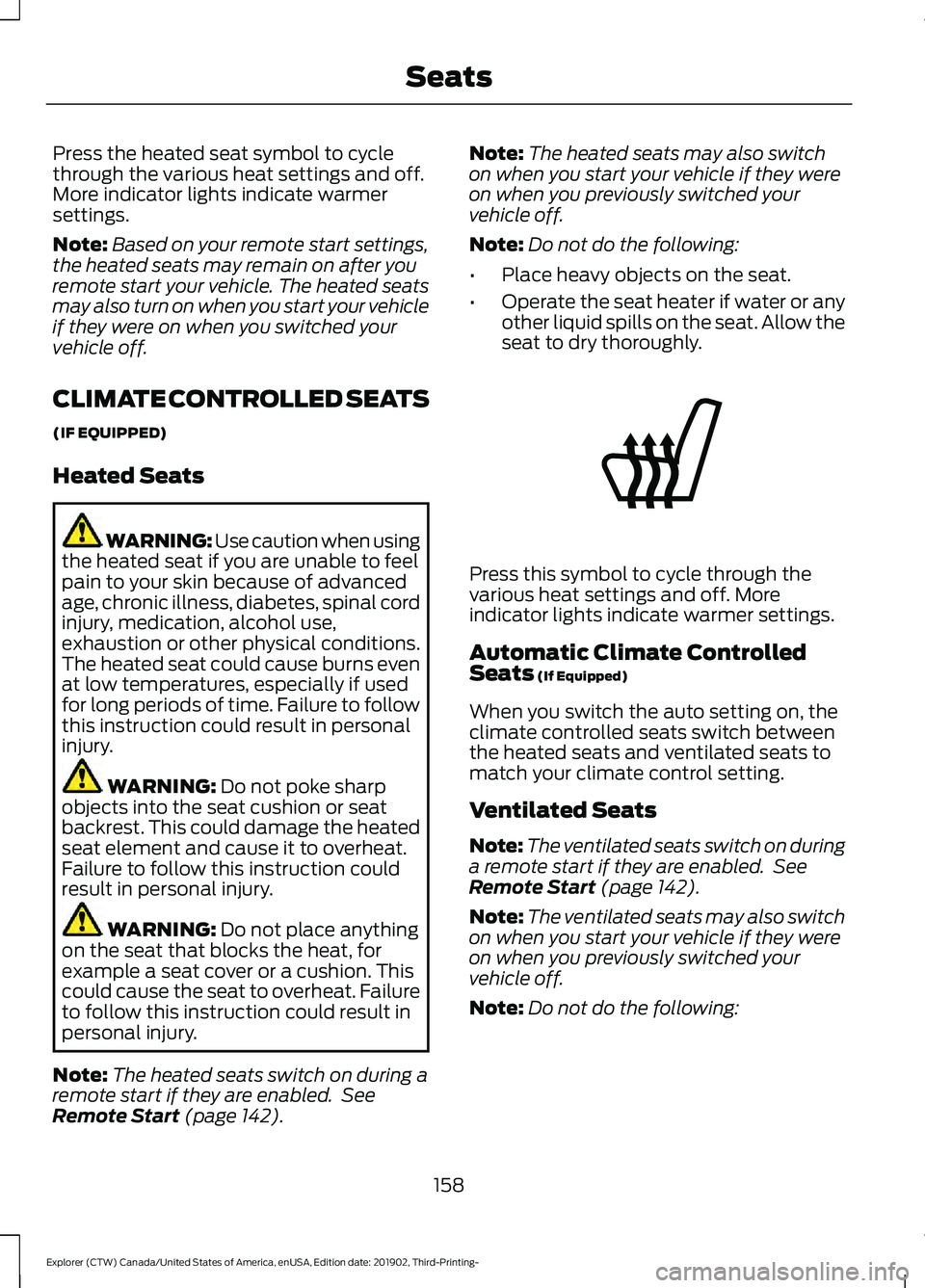
seat to dry thoroughly. Press this symbol to cycle through the
various heat settings and off. More
indicator lights indicate warmer settings.
Automatic Climate Controlled
Seats
(If Equipped)
When you switch the auto setting on, the
climate controlled seats switch between
the heated seats and ventilated seats to
match your climate control setting.
Ventilated Seats
Note: The ventilated seats switch on during
a remote start if they are enabled. See
Remote Start
(page 142).
Note: The ventilated seats may also switch
on when you start your vehicle if they were
on when you previously switched your
vehicle off.
Note: Do not do the following:
158
Explorer (CTW) Canada/United States of America, enUSA, Edition date: 201902, Third-Printing- SeatsE146322
Page 209 of 555
WARNING: If the parking brake is
fully released, but the brake warning
lamp remains illuminated, the brakes
may not be working properly. Have your
vehicle checked as soon as possible. WARNING:
Do not drive your
vehicle until you verify that the
stoplamps are working.
Use the manual park release to move your
transmission from the park (P) position in
the event of an electrical malfunction or
emergency.
Activating the Manual Park Release
Cable 1.
Apply the parking brake. See Electric
Parking Brake
(page 215).
Note: If the vehicle battery is dead, for
example, no electrical power is available,
you require an external power to apply the
parking brake.
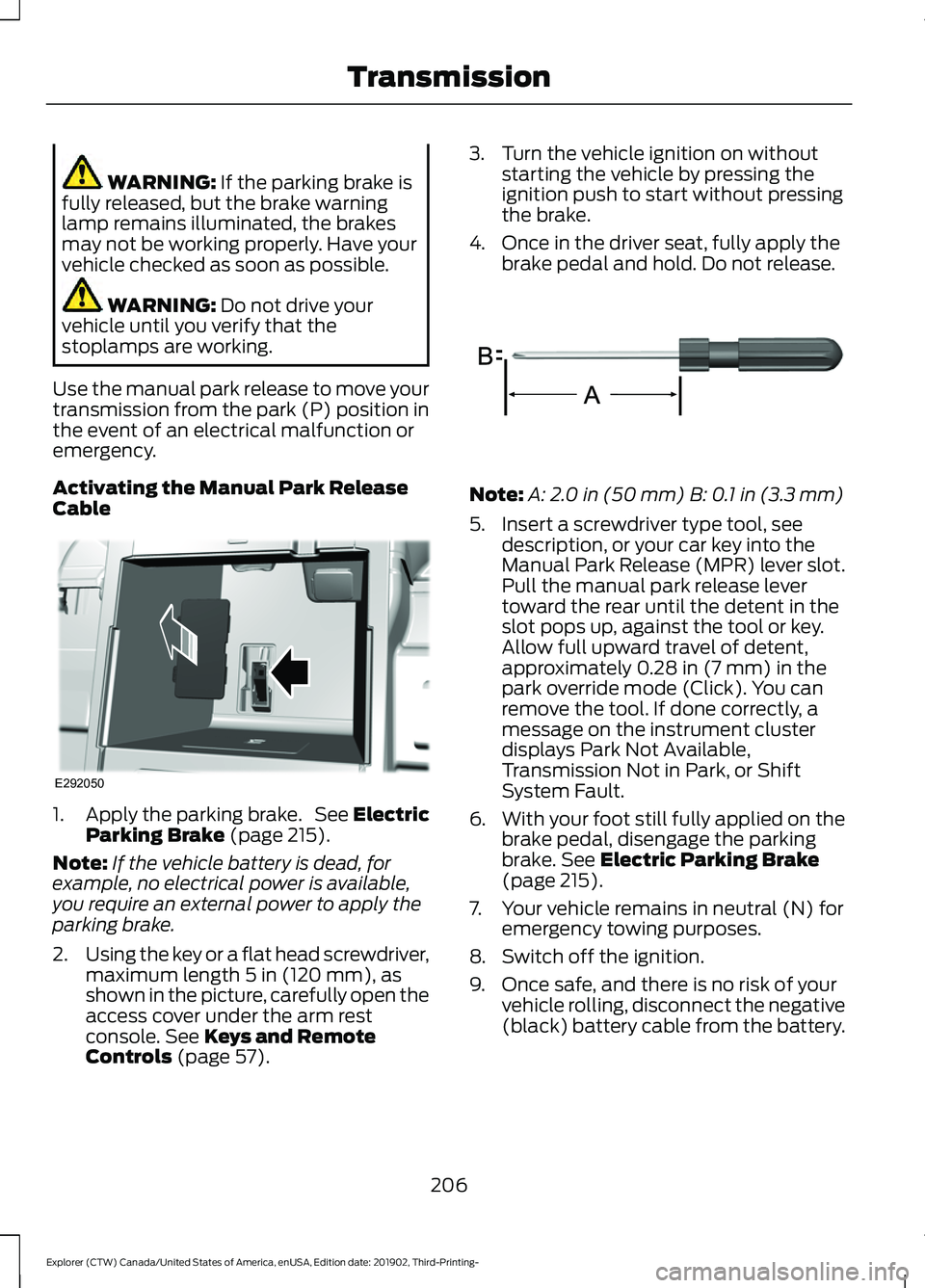
2. Using the key or a flat head screwdriver,
maximum length
5 in (120 mm), as
shown in the picture, carefully open the
access cover under the arm rest
console.
See Keys and Remote
Controls (page 57). 3. Turn the vehicle ignition on without
starting the vehicle by pressing the
ignition push to start without pressing
the brake.
4. Once in the driver seat, fully apply the brake pedal and hold. Do not release. Note:
A:
2.0 in (50 mm) B: 0.1 in (3.3 mm)
5. Insert a screwdriver type tool, see description, or your car key into the
Manual Park Release (MPR) lever slot.
Pull the manual park release lever
toward the rear until the detent in the
slot pops up, against the tool or key.
Allow full upward travel of detent,
approximately
0.28 in (7 mm) in the
park override mode (Click). You can
remove the tool. If done correctly, a
message on the instrument cluster
displays Park Not Available,
Transmission Not in Park, or Shift
System Fault.
6. With your foot still fully applied on the
brake pedal, disengage the parking
brake.
See Electric Parking Brake
(page 215).
7. Your vehicle remains in neutral (N) for emergency towing purposes.
8. Switch off the ignition.
9. Once safe, and there is no risk of your vehicle rolling, disconnect the negative
(black) battery cable from the battery.
206
Explorer (CTW) Canada/United States of America, enUSA, Edition date: 201902, Third-Printing- TransmissionE292050 E317360
Page 429 of 555
CONNECTING THE VEHICLE TO
A MOBILE NETWORK
What Is the Modem
The modem allows you to connect your
vehicle to the Internet to use when you are
on the road.
If you enable the modem using the
FordPass app, you can access the
following services:
•
Locating and remotely starting, locking
and unlocking your vehicle. See the
information in FordPass app.
• Automatic system updates.
Enabling the Modem Using
FordPass
1. Open the FordPass app on your device
and log in.
2. Select your vehicle. 3. Select the option for vehicle details.
4. Select the option to activate or
deactivate your vehicle.
5. Switch the ignition on.
6. Make sure that the name on the screen
matches the name shown in your
FordPass account.
7. Confirm the association of your vehicle
with your FordPass account.
Enabling the Modem Using the
Touchscreen Select the settings option on the
feature bar.
1. Select FordPass Connect.
2. Select
Connectivity Settings.
3. Switch
Connectivity Features on.
4. Switch
Send vehicle data on.
Note: To disable the modem, perform the
steps in reverse order.
426
Explorer (CTW) Canada/United States of America, enUSA, Edition date: 201902, Third-Printing- Network ConnectivityE280315
Page 485 of 555
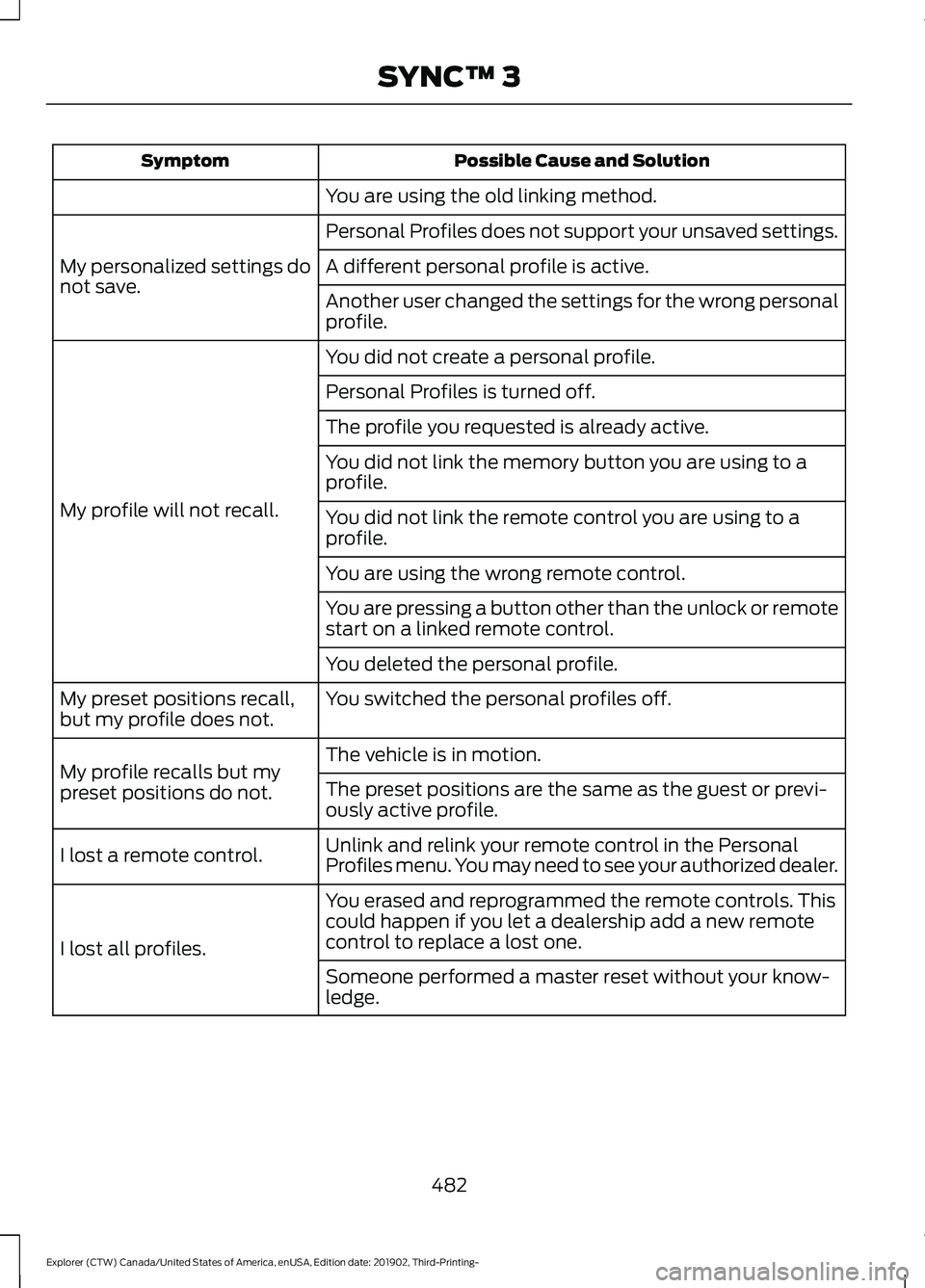
Possible Cause and Solution
Symptom
You are using the old linking method.
Personal Profiles does not support your unsaved settings.
My personalized settings do
not save. A different personal profile is active.
Another user changed the settings for the wrong personal
profile.
You did not create a personal profile.
My profile will not recall. Personal Profiles is turned off.
The profile you requested is already active.
You did not link the memory button you are using to a
profile.
You did not link the remote control you are using to a
profile.
You are using the wrong remote control.
You are pressing a button other than the unlock or remote
start on a linked remote control.
You deleted the personal profile.
You switched the personal profiles off.
My preset positions recall,
but my profile does not.
The vehicle is in motion.
My profile recalls but my
preset positions do not. The preset positions are the same as the guest or previ-
ously active profile.
Unlink and relink your remote control in the Personal
Profiles menu. You may need to see your authorized dealer.
I lost a remote control.
You erased and reprogrammed the remote controls. This
could happen if you let a dealership add a new remote
control to replace a lost one.
I lost all profiles.
Someone performed a master reset without your know-
ledge.
482
Explorer (CTW) Canada/United States of America, enUSA, Edition date: 201902, Third-Printing- SYNC™ 3
Page 547 of 555

Protecting Your Investment...........................
487
Why Maintain Your Vehicle?......................... 487
Why Maintain Your Vehicle at Your Dealership?..................................................... 487
Getting Assistance Outside the U.S. and Canada.........................................................309
Getting the Services You Need..............306 Away From Home............................................. 306
Global Opening..............................................98 Remote Control Front Windows.................... 98
H
Hazard Flashers...........................................300
Headlamp Adjusting See: Adjusting the Headlamps.................... 340
Headlamp Exit Delay
....................................89
Headrest See: Head Restraints......................................... 144
Head Restraints
............................................144
Adjusting the Head Restraints....................... 145
Tilting Head Restraints .................................... 146
Heated Exterior Mirrors...............................142
Heated Rear Window..................................142
Heated Seats
.................................................156
Front Seats........................................................... 156
Second Row Heated Seats.............................. 157
Heated Steering Wheel...............................83
Heated Windshield
.......................................141
Windshield Wiper De-Icer................................ 141
Heating See: Climate Control.......................................... 137
High Voltage Battery...................................201 General Information.......................................... 201
Hill Descent Control....................................228
Hill Descent Control Indicator
.................229
Hill Start Assist...............................................217 Switching the System On and Off................217
Using Hill Start Assist........................................ 217
Hints on Controlling the Interior Climate
..........................................................139
Defogging the Side Windows in Cold
Weather............................................................ 140
General Hints....................................................... 139
Quickly Cooling the Interior............................ 140
Quickly Heating the Interior............................ 140
Recommended Settings for Cooling..........140
Recommended Settings for Heating..........140 Hints on Driving With Anti-Lock
Brakes.............................................................215
Hood Lock See: Opening and Closing the Hood..........323
Horn....................................................................84
How Does Adaptive Cruise Control With Stop and Go Work....................................246
How Does the Rear Occupant Alert System Work
...............................................160
Hybrid Vehicle Frequently Asked Questions - 3.3L, Hybrid Electric
Vehicle (HEV).............................................184
Hybrid Vehicle Operation - 3.3L, Hybrid Electric Vehicle (HEV)
.............................182
Battery.................................................................... 182
Braking.................................................................... 183
Driving..................................................................... 182
Driving to Optimize Fuel Economy..............183
Starting................................................................... 182
Stopping................................................................. 182
Transmission Operation................................... 182
I
Ignition Switch................................................172
In California (U.S. Only).............................307
Information Display Control
.......................83
Information Displays.....................................112
General Information............................................ 112
Information Messages................................120 4WD........................................................................\
. 136
Active Park.............................................................. 121
Adaptive Cruise Control.................................... 121
Adaptive Headlamps.......................................... 121
AdvanceTrac ™ and Traction Control..........122
Alarm....................................................................... 122
Battery and Charging System (12 Volt).................................................................... 122
Battery and Charging System (High Voltage)............................................................. 123
Blind Spot Information and Cross Traffic Alert System.................................................... 124
Doors and Locks.................................................. 125
Driver Alert............................................................. 126
Fuel........................................................................\
.. 126
Hill Descent Control........................................... 126
Hill Start Assist..................................................... 127
Keys and Intelligent Access............................. 127
544
Explorer (CTW) Canada/United States of America, enUSA, Edition date: 201902, Third-Printing- Index
Page 548 of 555
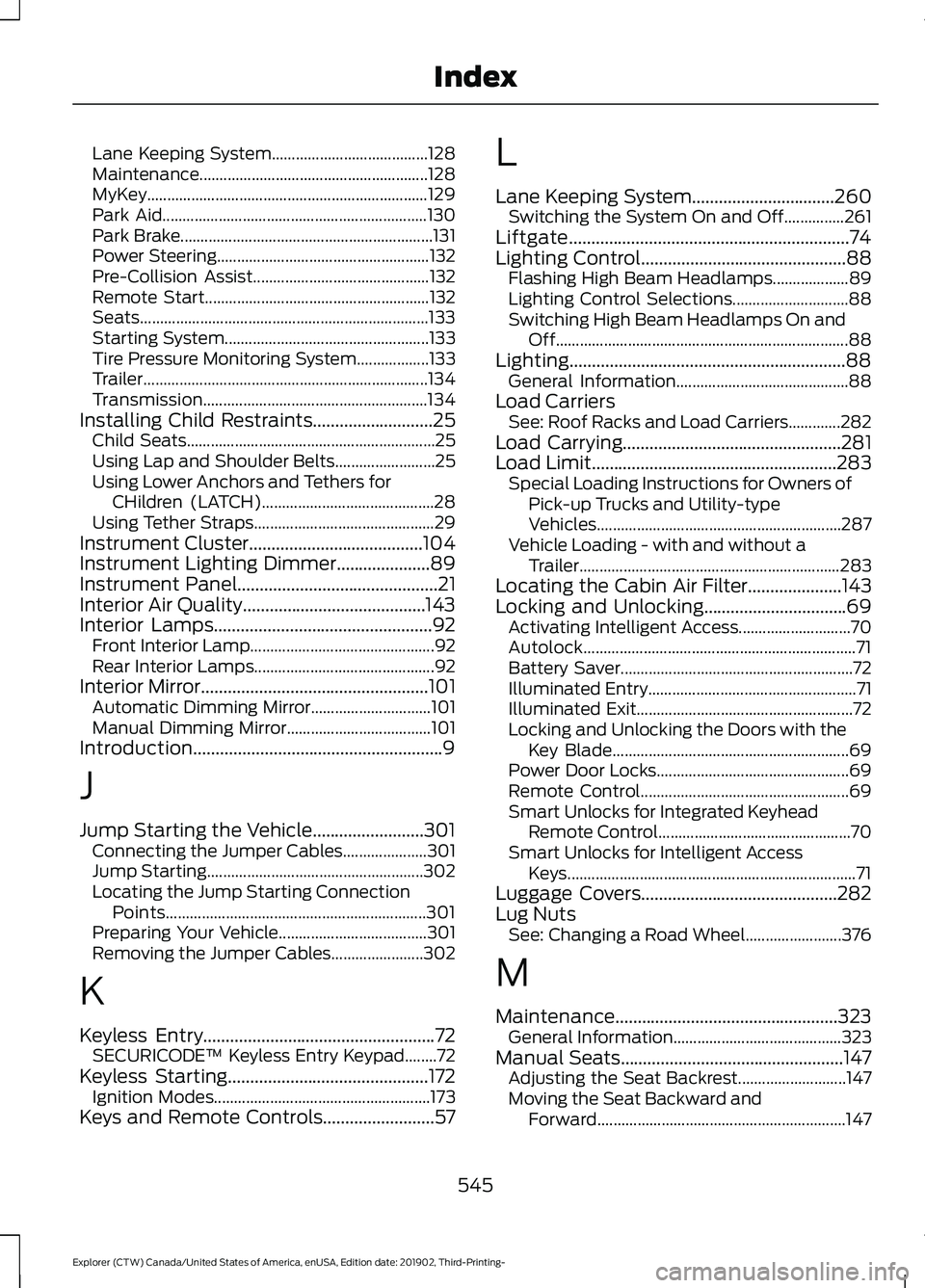
Lane Keeping System.......................................
128
Maintenance......................................................... 128
MyKey...................................................................... 129
Park Aid.................................................................. 130
Park Brake............................................................... 131
Power Steering..................................................... 132
Pre-Collision Assist............................................ 132
Remote Start........................................................ 132
Seats........................................................................\
133
Starting System................................................... 133
Tire Pressure Monitoring System.................. 133
Trailer....................................................................... 134
Transmission........................................................ 134
Installing Child Restraints...........................25
Child Seats.............................................................. 25
Using Lap and Shoulder Belts......................... 25
Using Lower Anchors and Tethers for CHildren (LATCH)........................................... 28
Using Tether Straps............................................. 29
Instrument Cluster.......................................104
Instrument Lighting Dimmer
.....................89
Instrument Panel.............................................21
Interior Air Quality.........................................143
Interior Lamps
.................................................92
Front Interior Lamp.............................................. 92
Rear Interior Lamps............................................. 92
Interior Mirror
...................................................101
Automatic Dimming Mirror.............................. 101
Manual Dimming Mirror.................................... 101
Introduction........................................................9
J
Jump Starting the Vehicle.........................301 Connecting the Jumper Cables..................... 301
Jump Starting...................................................... 302
Locating the Jump Starting Connection Points................................................................. 301
Preparing Your Vehicle..................................... 301
Removing the Jumper Cables....................... 302
K
Keyless Entry
....................................................72
SECURICODE™ Keyless Entry Keypad........72
Keyless Starting
.............................................172
Ignition Modes...................................................... 173
Keys and Remote Controls.........................57 L
Lane Keeping System
................................260
Switching the System On and Off...............261
Liftgate...............................................................74
Lighting Control
..............................................88
Flashing High Beam Headlamps................... 89
Lighting Control Selections............................. 88
Switching High Beam Headlamps On and Off........................................................................\
. 88
Lighting..............................................................88 General Information........................................... 88
Load Carriers See: Roof Racks and Load Carriers.............282
Load Carrying.................................................281
Load Limit.......................................................283 Special Loading Instructions for Owners of
Pick-up Trucks and Utility-type
Vehicles............................................................. 287
Vehicle Loading - with and without a Trailer................................................................. 283
Locating the Cabin Air Filter.....................143
Locking and Unlocking................................69 Activating Intelligent Access............................ 70
Autolock.................................................................... 71
Battery Saver.......................................................... 72
Illuminated Entry.................................................... 71
Illuminated Exit...................................................... 72
Locking and Unlocking the Doors with the Key Blade........................................................... 69
Power Door Locks................................................ 69
Remote Control.................................................... 69
Smart Unlocks for Integrated Keyhead Remote Control................................................ 70
Smart Unlocks for Intelligent Access Keys........................................................................\
71
Luggage Covers
............................................282
Lug Nuts See: Changing a Road Wheel........................ 376
M
Maintenance..................................................323 General Information.......................................... 323
Manual Seats
..................................................147
Adjusting the Seat Backrest........................... 147
Moving the Seat Backward and Forward.............................................................. 147
545
Explorer (CTW) Canada/United States of America, enUSA, Edition date: 201902, Third-Printing- Index
Page 550 of 555

Switching the Power Liftgate On or
Off........................................................................\
. 76
Power Seats...................................................148
Adjusting the Lumbar Support..................... 149
Adjusting the Multi-Contour Front Seats With Active Motion ...................................... 149
Power Steering Fluid Check....................338
Power Windows
..............................................97
Accessory Delay................................................... 98
Bounce-Back.......................................................... 97
One-Touch Down................................................. 97
One-Touch Up....................................................... 97
Window Lock......................................................... 97
Pre-Collision Assist
.....................................274
Adjusting the Pre-Collision Assist
Settings............................................................. 276
Blocked Sensors................................................. 277
Distance Indication and Alert........................ 275
Evasive Steering Assist.................................... 276
Using the Pre-Collision Assist System............................................................... 274
Protecting the Environment
........................19
Puncture See: Changing a Road Wheel........................ 376
R
Rear Occupant Alert System Audible Warnings........................................................161
Rear Occupant Alert System Indicators.......................................................161
Rear Occupant Alert System Limitations...................................................160
Rear Occupant Alert System Precautions.................................................160
Rear Occupant Alert System...................160
Rear Parking Aid...........................................230 Object Distance Indicator............................... 232
Rear Passenger Climate Controls..........140 Directing Air to the Overhead Air
Vents.................................................................... 141
Directing Air to the Rear Footwell Air Vents.................................................................... 141
Rear Climate Control Lock Indicator............141
Setting the Rear Blower Motor Speed.........141
Setting the Rear Temperature........................ 141
Switching the Rear Climate Control On and Off........................................................................\
. 141Switching the Rear Heated Seats On and
Off........................................................................\
. 141
Rear Seats
.......................................................152
Adjusting the Second Row Rear
Seats................................................................... 152
Adjusting the Third Row Power Seats.................................................................. 156
Rear Under Floor Storage..........................281 Adjustable Load Floor....................................... 281
Spare Tire Cover.................................................. 281
Rear View Camera.......................................238 Camera Guidelines........................................... 240
Manual Zoom....................................................... 241
Obstacle Distance Indicator.......................... 240
Rear Camera Delay............................................ 241
Using the Rear View Camera System........239
Rear View Camera See: Rear View Camera................................... 238
Rear Window Wiper and Washers...........87 Rear Camera Washer.......................................... 87
Rear Window Washer......................................... 87
Rear Window Wiper............................................. 87
Rear Wiper Blades See: Changing the Rear Wiper Blades.......342
Recommended Towing Weights
...........290
Reduced Engine Performance...............296
Refueling - Excluding: Hybrid Electric Vehicle (HEV)
.............................................190
Refueling System Overview........................... 190
Refueling System Warning.............................. 192
Refueling Your Vehicle....................................... 191
Refueling - Hybrid Electric Vehicle (HEV).............................................................193
Fuel Filler Door Manual Override Lever................................................................... 195
System Warnings............................................... 194
Remote Control
...............................................57
Car Finder................................................................ 62
Integrated Keyhead Transmitter..................... 57
Intelligent Access Key........................................ 58
Memory Feature.................................................... 61
Remote Start......................................................... 62
Replacing the Battery......................................... 59
Sounding the Panic Alarm................................ 62
Remote Start
..................................................142
Automatic Settings............................................ 142
Heated and Cooled Features......................... 142
Last Settings......................................................... 142
547
Explorer (CTW) Canada/United States of America, enUSA, Edition date: 201902, Third-Printing- Index
Page 553 of 555
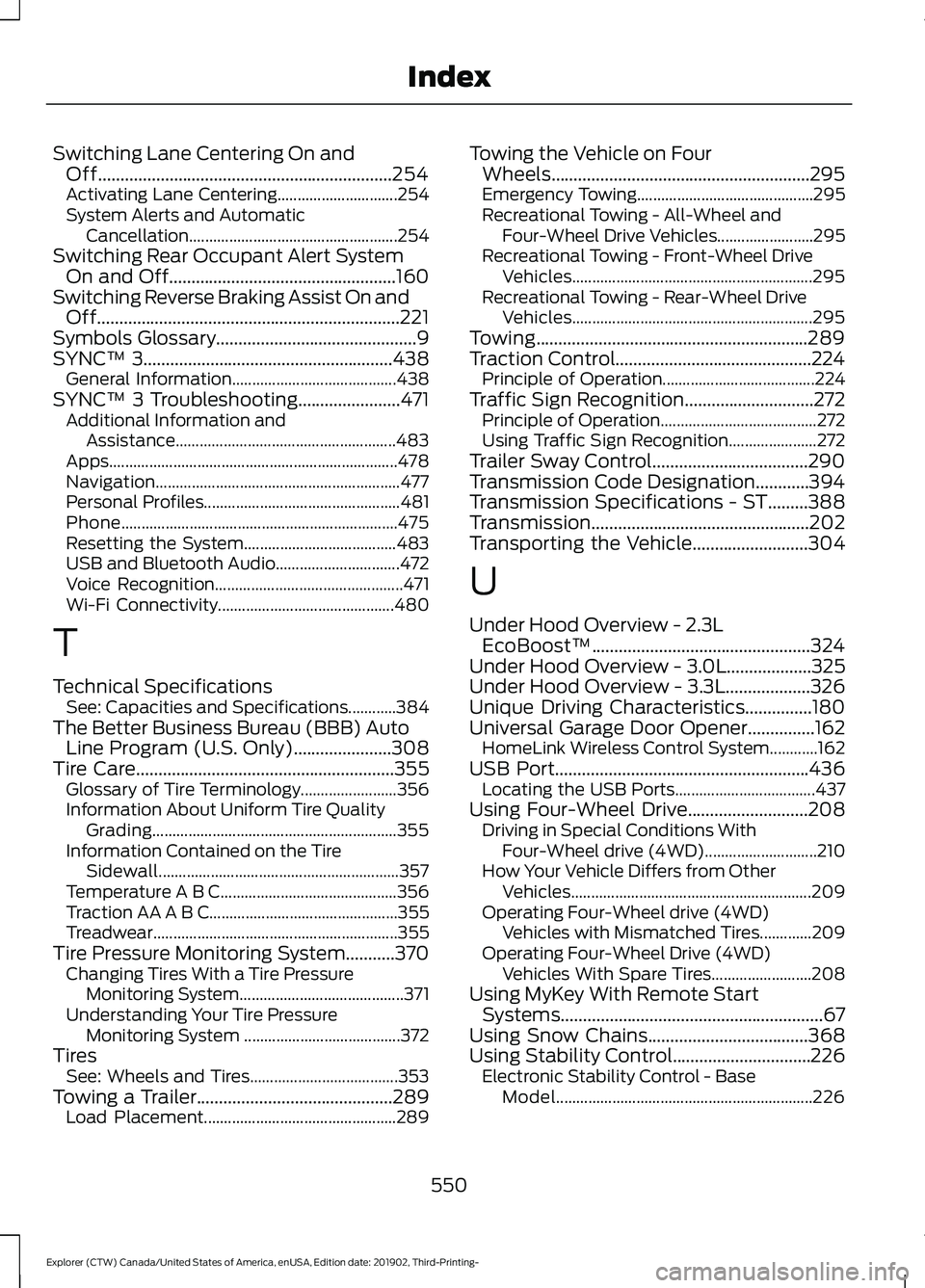
Switching Lane Centering On and
Off..................................................................254
Activating Lane Centering.............................. 254
System Alerts and Automatic Cancellation.................................................... 254
Switching Rear Occupant Alert System On and Off
...................................................160
Switching Reverse Braking Assist On and Off
....................................................................221
Symbols Glossary.............................................9
SYNC™ 3........................................................438
General Information......................................... 438
SYNC™ 3 Troubleshooting.......................471 Additional Information and
Assistance....................................................... 483
Apps........................................................................\
478
Navigation............................................................. 477
Personal Profiles................................................. 481
Phone..................................................................... 475
Resetting the System...................................... 483
USB and Bluetooth Audio............................... 472
Voice Recognition............................................... 471
Wi-Fi Connectivity............................................ 480
T
Technical Specifications See: Capacities and Specifications............384
The Better Business Bureau (BBB) Auto Line Program (U.S. Only)
......................308
Tire Care..........................................................355
Glossary of Tire Terminology........................ 356
Information About Uniform Tire Quality Grading............................................................. 355
Information Contained on the Tire Sidewall............................................................ 357
Temperature A B C............................................ 356
Traction AA A B C............................................... 355
Treadwear............................................................. 355
Tire Pressure Monitoring System
...........370
Changing Tires With a Tire Pressure
Monitoring System......................................... 371
Understanding Your Tire Pressure Monitoring System ....................................... 372
Tires See: Wheels and Tires..................................... 353
Towing a Trailer............................................289 Load Placement................................................ 289Towing the Vehicle on Four
Wheels..........................................................295
Emergency Towing............................................ 295
Recreational Towing - All-Wheel and Four-Wheel Drive Vehicles........................ 295
Recreational Towing - Front-Wheel Drive Vehicles............................................................ 295
Recreational Towing - Rear-Wheel Drive Vehicles............................................................ 295
Towing.............................................................289
Traction Control............................................224 Principle of Operation...................................... 224
Traffic Sign Recognition.............................272 Principle of Operation....................................... 272
Using Traffic Sign Recognition...................... 272
Trailer Sway Control...................................290
Transmission Code Designation............394
Transmission Specifications - ST.........388
Transmission.................................................202
Transporting the Vehicle
..........................304
U
Under Hood Overview - 2.3L EcoBoost™.................................................324
Under Hood Overview - 3.0L...................325
Under Hood Overview - 3.3L...................326
Unique Driving Characteristics...............180
Universal Garage Door Opener...............162 HomeLink Wireless Control System............162
USB Port.........................................................436 Locating the USB Ports................................... 437
Using Four-Wheel Drive...........................208 Driving in Special Conditions With
Four-Wheel drive (4WD)............................ 210
How Your Vehicle Differs from Other Vehicles............................................................ 209
Operating Four-Wheel drive (4WD) Vehicles with Mismatched Tires.............209
Operating Four-Wheel Drive (4WD) Vehicles With Spare Tires......................... 208
Using MyKey With Remote Start Systems...........................................................67
Using Snow Chains
....................................368
Using Stability Control...............................226 Electronic Stability Control - Base
Model................................................................ 226
550
Explorer (CTW) Canada/United States of America, enUSA, Edition date: 201902, Third-Printing- Index