2020 CHEVROLET BOLT EV speed
[x] Cancel search: speedPage 175 of 347
Chevrolet BOLT EV Owner Manual (GMNA-Localizing-U.S./Canada/Mexico-
13556250) - 2020 - CRC - 2/11/20
174 Driving and Operating
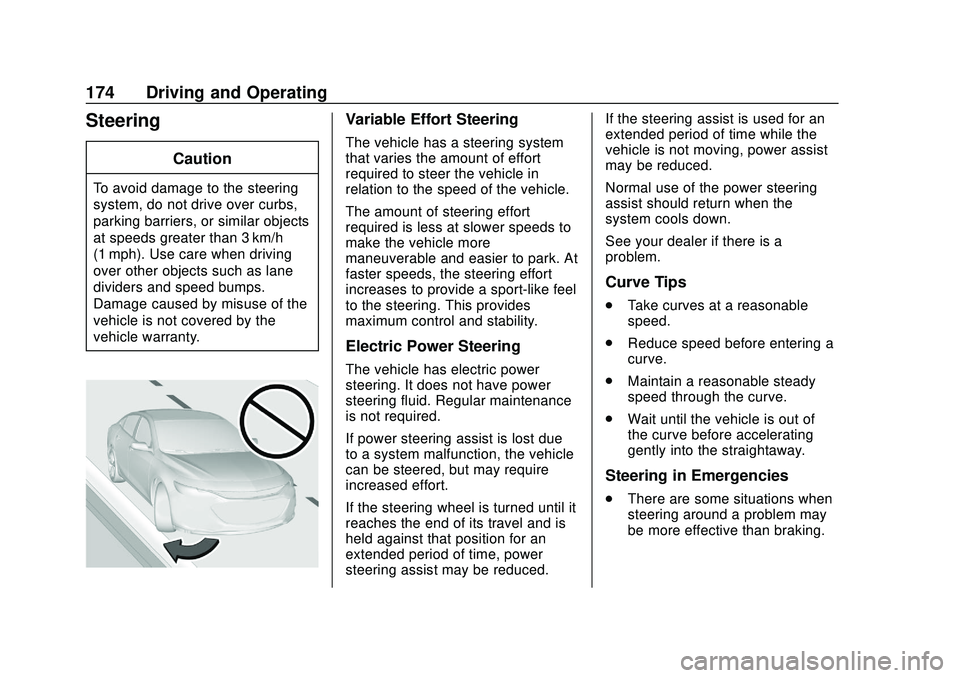
Steering
Caution
To avoid damage to the steering
system, do not drive over curbs,
parking barriers, or similar objects
at speeds greater than 3 km/h
(1 mph). Use care when driving
over other objects such as lane
dividers and speed bumps.
Damage caused by misuse of the
vehicle is not covered by the
vehicle warranty.
Variable Effort Steering
The vehicle has a steering system
that varies the amount of effort
required to steer the vehicle in
relation to the speed of the vehicle.
The amount of steering effort
required is less at slower speeds to
make the vehicle more
maneuverable and easier to park. At
faster speeds, the steering effort
increases to provide a sport-like feel
to the steering. This provides
maximum control and stability.
Electric Power Steering
The vehicle has electric power
steering. It does not have power
steering fluid. Regular maintenance
is not required.
If power steering assist is lost due
to a system malfunction, the vehicle
can be steered, but may require
increased effort.
If the steering wheel is turned until it
reaches the end of its travel and is
held against that position for an
extended period of time, power
steering assist may be reduced.If the steering assist is used for an
extended period of time while the
vehicle is not moving, power assist
may be reduced.
Normal use of the power steering
assist should return when the
system cools down.
See your dealer if there is a
problem.
Curve Tips
.
Take curves at a reasonable
speed.
. Reduce speed before entering a
curve.
. Maintain a reasonable steady
speed through the curve.
. Wait until the vehicle is out of
the curve before accelerating
gently into the straightaway.
Steering in Emergencies
.
There are some situations when
steering around a problem may
be more effective than braking.
Page 176 of 347

Chevrolet BOLT EV Owner Manual (GMNA-Localizing-U.S./Canada/Mexico-
13556250) - 2020 - CRC - 2/11/20
Driving and Operating 175
.Holding both sides of the
steering wheel allows you to turn
180 degrees without removing
a hand.
. Antilock Brake System (ABS)
allows steering while braking.
Off-Road Recovery
The vehicle's right wheels can drop
off the edge of a road onto the
shoulder while driving. Follow
these tips: 1. Ease off the accelerator and
then, if there is nothing in the
way, steer the vehicle so that it
straddles the edge of the
pavement.
2. Turn the steering wheel about one-eighth of a turn, until the
right front tire contacts the
pavement edge.
3. Turn the steering wheel to go straight down the roadway.
Loss of Control
Skidding
There are three types of skids that
correspond to the vehicle's three
control systems:
.Braking Skid —wheels are not
rolling.
. Steering or Cornering Skid —
too much speed or steering in a
curve causes tires to slip and
lose cornering force.
. Acceleration Skid —too much
throttle causes the driving
wheels to spin. Defensive drivers avoid most skids
by taking reasonable care suited to
existing conditions, and by not
overdriving those conditions. But
skids are always possible.
If the vehicle starts to slide, follow
these suggestions:
.
Ease your foot off the
accelerator pedal and steer the
way you want the vehicle to go.
The vehicle may straighten out.
Be ready for a second skid if it
occurs.
. Slow down and adjust your
driving according to weather
conditions. Stopping distance
can be longer and vehicle
control can be affected when
traction is reduced by water,
snow, ice, gravel, or other
material on the road. Learn to
recognize warning clues —such
as enough water, ice, or packed
snow on the road to make a
mirrored surface —and slow
down when you have any doubt.
. Try to avoid sudden steering,
acceleration, or braking,
including reducing vehicle speed
Page 178 of 347

Chevrolet BOLT EV Owner Manual (GMNA-Localizing-U.S./Canada/Mexico-
13556250) - 2020 - CRC - 2/11/20
Driving and Operating 177
.Keep the vehicle in gear when
going down steep or long hills.
{Warning
Coasting downhill in N (Neutral)
or with the vehicle turned off is
dangerous. The brakes will have
to do all the work of slowing down
the vehicle and could become too
hot. Hot brakes may not be able
to slow the vehicle enough to
maintain speed and control. You
could crash. Always have the
vehicle running and in gear when
going downhill. This will allow the
electric drive unit to assist in
slowing and maintaining speed.
. Drive at speeds to keep the
vehicle in its own lane. Do not
swing wide or cross the
center line.
. Be alert on top of hills.
Something could be in your lane
(e.g., stalled car, crash). .
Pay attention to special road
signs (e.g., falling rocks area,
winding roads, long grades,
passing or no-passing zones)
and take appropriate action.
Winter Driving
Driving on Snow or Ice
Snow or ice between the tires and
the road creates less traction or
grip, so drive carefully. Wet ice can
occur at about 0 °C (32 °F) when
freezing rain begins to fall. Avoid
driving on wet ice or in freezing rain
until roads can be treated.
For Slippery Road Driving:
.Recommend using D (Drive) in
slippery conditions.
. Accelerate gently. Accelerating
too quickly causes the wheels to
spin and makes the surface
under the tires slick.
. Turn on the Traction Control
System (TCS). .
The Antilock Brake System
(ABS) improves vehicle stability
during hard stops, but the
brakes should be applied sooner
than when on dry pavement.
. Allow greater following distance
and watch for slippery spots. Icy
patches can occur on otherwise
clear roads in shaded areas.
The surface of a curve or an
overpass can remain icy when
the surrounding roads are clear.
Avoid sudden steering
maneuvers and braking while
on ice.
. Turn off cruise control.
. Avoid using Regen on Demand
paddle.
Blizzard Conditions
Being stuck in snow can be a
serious situation. Stay with the
vehicle unless there is help nearby.
If possible, use Roadside
Assistance. See Roadside
Assistance Program 0316. To get
help and keep everyone in the
vehicle safe:
Page 179 of 347
Chevrolet BOLT EV Owner Manual (GMNA-Localizing-U.S./Canada/Mexico-
13556250) - 2020 - CRC - 2/11/20
178 Driving and Operating
.Turn on the hazard warning
flashers.
. Tie a red cloth to an outside
mirror.
To save energy, run the vehicle for
only short periods as needed to
warm the vehicle and then shut the
vehicle off and partially close the
window. Moving about to keep warm
also helps.
If the Vehicle Is Stuck
Slowly and cautiously spin the
wheels to free the vehicle when
stuck in sand, mud, ice, or snow.
The Traction Control System (TCS)
must be turned off by pressing the
TCS/ESC button. Traction control is
not completely off, but will only
engage if the maneuver can cause
damage to the electric drive unit.
{Warning
If the vehicle's tires spin at high
speed, they can explode, and you
or others could be injured. The
vehicle can overheat, causing an
underhood compartment fire or
other damage. Spin the wheels as
little as possible and avoid going
above 56 km/h (35 mph).
Rocking the Vehicle to Get
it Out
Turn the steering wheel left and
right to clear the area around the
front wheels. Turn off TCS. Shift
back and forth between R (Reverse)
and a low forward gear, spinning the
wheels as little as possible. To
prevent electric drive unit wear, wait
until the wheels stop spinning
before shifting gears. Release the
accelerator pedal while shifting, and
press lightly on the accelerator
pedal when the electric drive unit is
in gear. Slowly spinning the wheels
in the forward and reverse
directions causes a rocking motion that could free the vehicle. If that
does not get the vehicle out after a
few tries, it might need to be towed
out. See
Towing the Vehicle 0287.
Vehicle Load Limits
It is very important to know how
much weight the vehicle can
carry. This weight is called the
vehicle capacity weight and
includes the weight of all
occupants, cargo, and all
nonfactory-installed options.
Two labels on the vehicle may
show how much weight it may
properly carry: the Tire and
Loading Information label and
the Certification label.
{Warning
Do not load the vehicle any
heavier than the Gross
Vehicle Weight Rating
(GVWR), or either the
maximum front or rear Gross
(Continued)
Page 183 of 347
Chevrolet BOLT EV Owner Manual (GMNA-Localizing-U.S./Canada/Mexico-
13556250) - 2020 - CRC - 2/11/20
182 Driving and Operating
Warning (Continued)
. Do not leave an
unsecured child restraint
in the vehicle.
.Secure loose items in the
vehicle.
.Do not leave a seat
folded down unless
needed.
Starting and
Operating
New Vehicle Break-In
Caution
Avoid making hard stops for the
first 322 km (200 mi). During this
time the new brake linings are not
yet broken in. Hard stops with
new linings can mean premature
wear and earlier replacement.
Follow this breaking-in guideline
every time you get new brake
linings. Following break-in,
vehicle speed and load can be
gradually increased.
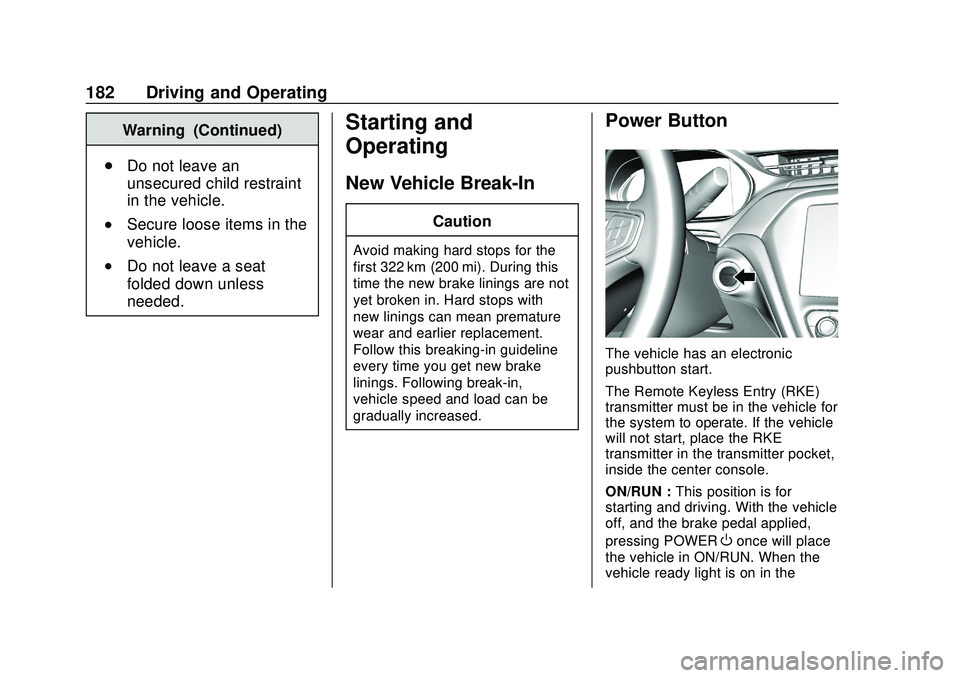
Power Button
The vehicle has an electronic
pushbutton start.
The Remote Keyless Entry (RKE)
transmitter must be in the vehicle for
the system to operate. If the vehicle
will not start, place the RKE
transmitter in the transmitter pocket,
inside the center console.
ON/RUN : This position is for
starting and driving. With the vehicle
off, and the brake pedal applied,
pressing POWER
Oonce will place
the vehicle in ON/RUN. When the
vehicle ready light is on in the
Page 189 of 347
Chevrolet BOLT EV Owner Manual (GMNA-Localizing-U.S./Canada/Mexico-
13556250) - 2020 - CRC - 2/11/20
188 Driving and Operating
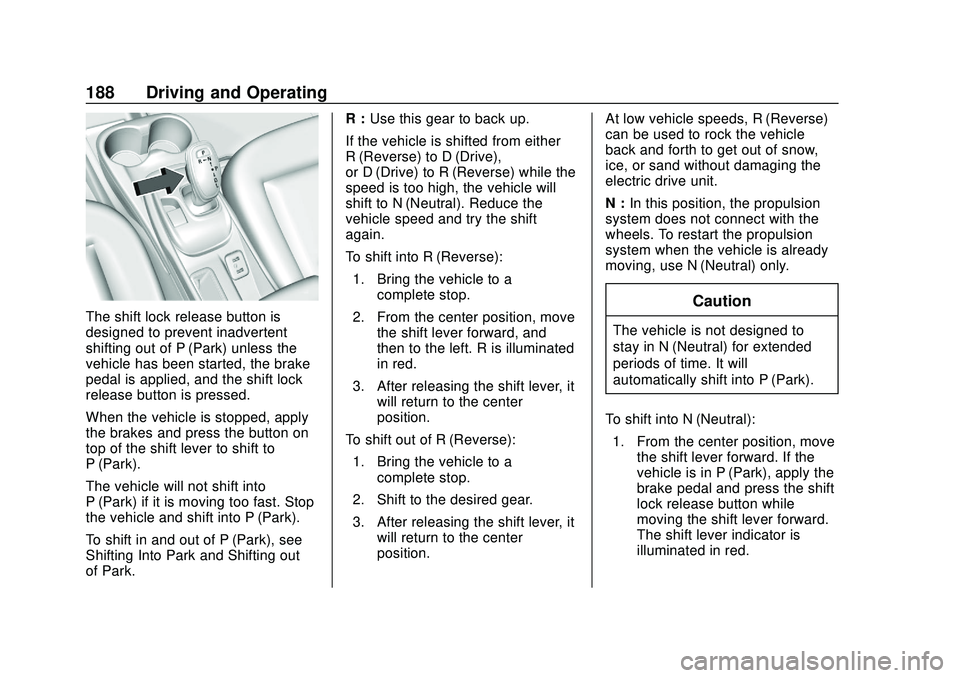
The shift lock release button is
designed to prevent inadvertent
shifting out of P (Park) unless the
vehicle has been started, the brake
pedal is applied, and the shift lock
release button is pressed.
When the vehicle is stopped, apply
the brakes and press the button on
top of the shift lever to shift to
P (Park).
The vehicle will not shift into
P (Park) if it is moving too fast. Stop
the vehicle and shift into P (Park).
To shift in and out of P (Park), see
Shifting Into Park and Shifting out
of Park.R :
Use this gear to back up.
If the vehicle is shifted from either
R (Reverse) to D (Drive),
or D (Drive) to R (Reverse) while the
speed is too high, the vehicle will
shift to N (Neutral). Reduce the
vehicle speed and try the shift
again.
To shift into R (Reverse): 1. Bring the vehicle to a complete stop.
2. From the center position, move the shift lever forward, and
then to the left. R is illuminated
in red.
3. After releasing the shift lever, it will return to the center
position.
To shift out of R (Reverse): 1. Bring the vehicle to a complete stop.
2. Shift to the desired gear.
3. After releasing the shift lever, it will return to the center
position. At low vehicle speeds, R (Reverse)
can be used to rock the vehicle
back and forth to get out of snow,
ice, or sand without damaging the
electric drive unit.
N :
In this position, the propulsion
system does not connect with the
wheels. To restart the propulsion
system when the vehicle is already
moving, use N (Neutral) only.Caution
The vehicle is not designed to
stay in N (Neutral) for extended
periods of time. It will
automatically shift into P (Park).
To shift into N (Neutral): 1. From the center position, move the shift lever forward. If the
vehicle is in P (Park), apply the
brake pedal and press the shift
lock release button while
moving the shift lever forward.
The shift lever indicator is
illuminated in red.
Page 191 of 347
Chevrolet BOLT EV Owner Manual (GMNA-Localizing-U.S./Canada/Mexico-
13556250) - 2020 - CRC - 2/11/20
190 Driving and Operating
6. Exit the vehicle and close thedoor. The vehicle is now ready
for the car wash.
7. The vehicle may automatically shift into P (Park) upon reentry.
D : This position is for normal
driving. If more power is needed for
passing, press the accelerator
pedal down.
To shift into D (Drive):
1. Bring the vehicle to a complete stop.
2. From the center position, move the shift lever back. If the
vehicle is in P (Park) press the
shift lock release button on the
side of the shift lever, while
moving the shift lever back. D
is illuminated in red.
3. After releasing the shift lever, it will return to the center
position.
To shift out of D (Drive): 1. Bring the vehicle to a complete stop.
2. Shift to the desired gear. 3. After releasing the shift lever, it
will return to the center
position.
Caution
Spinning the tires excessively
may damage the electric drive
unit. The repair will not be
covered by the vehicle warranty.
If you are stuck, do not spin the
tires.
When stopping on a steep hill, use
the brakes to hold the vehicle in
place.
When shifting to P (Park) on a hill,
use the brakes to hold the vehicle
then shift to P (Park).
L : This position reduces vehicle
speed without using the brakes. Use
L (Low) on very steep hills and in
stop-and-go traffic.
One-Pedal Driving
With One-Pedal Driving, the
accelerator pedal can be used to
control the deceleration of the
vehicle down to a complete stop.
Completely lifting off the accelerator
pedal will result in aggressive
deceleration. Partially lifting off the
accelerator pedal will allow the
deceleration of the vehicle to be
adjusted as desired.
The amount of deceleration may
vary under Regenerative Power
Limited condition. See Power
Indicator Gauge 099.
Use the brake pedal if emergency
braking is required.
To use One-Pedal Driving, place the
vehicle in L (Low). Press the
accelerator pedal to the desired
speed. The deceleration provided by
One-Pedal Driving provides full
regenerative braking and helps
increase energy efficiency. The
brake lamps may come on when the
accelerator pedal is released or
during substantial deceleration from
regenerative braking.
Page 197 of 347
Chevrolet BOLT EV Owner Manual (GMNA-Localizing-U.S./Canada/Mexico-
13556250) - 2020 - CRC - 2/11/20
196 Driving and Operating
Caution
Do not repeatedly brake or
accelerate heavily when TCS is
off. The vehicle driveline could be
damaged.
To turn off only TCS, press and
release
g. The traction off lighti
displays in the instrument cluster.
To turn TCS on again, press and
release
g. The traction off lighti
displayed in the instrument cluster
will turn off.
If TCS is limiting wheel spin when
g
is pressed, the system will not turn
off until the wheels stop spinning. To turn off both TCS and StabiliTrak/
ESC, press and hold
guntil the
traction off light
iand StabiliTrak/
ESC OFF light
gcome on and stay
on in the instrument cluster.
StabiliTrak can only be disabled
below 56 km/h (35 mph).
To turn TCS and StabiliTrak/ESC on
again, press and release
g. The
traction off light
iand StabiliTrak/
ESC OFF light
gin the instrument
cluster turn off.
Adding accessories can affect the
vehicle performance. See
Accessories and Modifications
0 234.
Cruise Control
The cruise control lets the vehicle
maintain a speed of about 40 km/h
(25 mph) or more without keeping
your foot on the accelerator. Cruise
control does not work at speeds
below 40 km/h (25 mph).
{Warning
Cruise control can be dangerous
where you cannot drive safely at
a steady speed. Do not use
cruise control on winding roads or
in heavy traffic.
Cruise control can be dangerous
on slippery roads. On such roads,
fast changes in tire traction can
cause excessive wheel slip, and
you could lose control. Do not use
cruise control on slippery roads.
With the Traction Control System
(TCS) or StabiliTrak/Electronic
Stability Control (ESC), the system
may begin to limit wheel spin while
you are using cruise control. If this
happens, the cruise control will