2020 BUICK ENVISION brakes
[x] Cancel search: brakesPage 185 of 363

Buick Envision Owner Manual (GMNA-Localizing-U.S./Canada/Mexico-
13555857) - 2020 - CRC - 2/25/19
184 Driving and Operating CautionSpinning the tires or holding the
vehicle in one place on a hill
using only the accelerator pedal
may damage the transmission.
The repair will not be covered by
the vehicle warranty. If the vehicle
is stuck, do not spin the tires.
When stopping on a hill, use the
brakes to hold the vehicle in
place.
L : This position provides access to
gear ranges, which offer more
engine braking but lower fuel
economy than D (Drive). This can
be used on very steep hills, or in
deep snow or mud. See Manual
Mode 0 184 .
Operating Modes
The transmission may operate in a
lower gear than normal to improve
vehicle performance. The engine
speed may be higher and there may
be an increase in noise during the
following conditions: .
When climbing a grade
.
When driving downhill
.
When driving in hot
temperatures or at high altitude
Manual Mode Electronic Range Select
(ERS) Mode
ERS or manual mode allows for the
selection of the range of gear
positions. Use this mode when
driving downhill or to limit the top
gear and vehicle speed. The shift
position indicator within the Driver
Information Center (DIC) will display a number next to the L indicating
the highest available gear under
manual mode and the driving
conditions when manual mode was
selected.
To use this feature:
1. Move the shift lever to L (Low).
2. Press the plus/minus button on
the shift lever to increase or
decrease the gear range
available.
When shifting to L (Low), the
transmission will shift to a preset
lower gear range. For this preset
range, the highest gear available is
displayed next to the L in the DIC.
See Driver Information Center (DIC)
(Base Level) 0 123 or
Driver Information Center (DIC)
(Uplevel) 0 126 . All gears below that
number are available to use. For
example, when 4 (Fourth) is shown
next to the L, 1 (First) through
4 (Fourth) gears are shifted
automatically. To shift to 5 (Fifth)
gear or higher, press the + (Plus)
button or shift into D (Drive).
Page 186 of 363

Buick Envision Owner Manual (GMNA-Localizing-U.S./Canada/Mexico-
13555857) - 2020 - CRC - 2/25/19
Driving and Operating 185L (Low) will prevent shifting to a
lower gear range if the engine
speed is too high. If vehicle speed is
not reduced within the time allowed,
the lower gear range shift will not be
completed. Slow the vehicle, then
press the − (Minus) button to the
desired lower gear range.
While using the ERS, cruise control
can be used.
Drive Systems All-Wheel Drive Vehicles with this feature transfer
engine power, as required, to all
four wheels. It is fully automatic, and
adjusts itself as needed for road
conditions.
When using a compact spare tire on
an AWD vehicle, the system
automatically detects the compact
spare and reduces AWD
performance to protect the system.
An AWD message may be
displayed. To restore full AWD
operation and prevent excessive
wear on the system, replace the
compact spare with a full-size tire as
soon as possible. See Compact
Spare Tire 0 292 .Brakes Antilock Brake
System (ABS) The Antilock Brake System (ABS)
helps prevent a braking skid and
maintain steering while
braking hard.
ABS performs a system check when
the vehicle is first driven.
A momentary motor or clicking noise
may be heard while this test is going
on, and the brake pedal may move
slightly. This is normal.
If there is a problem with ABS, this
warning light stays on. See Antilock
Brake System (ABS) Warning Light
0 118 .
Page 187 of 363

Buick Envision Owner Manual (GMNA-Localizing-U.S./Canada/Mexico-
13555857) - 2020 - CRC - 2/25/19
186 Driving and Operating ABS does not change the time
needed to get a foot on the brake
pedal and does not always
decrease stopping distance. If you
get too close to the vehicle ahead,
there will not be enough time to
apply the brakes if that vehicle
suddenly slows or stops. Always
leave enough room ahead to stop,
even with ABS.
Using ABS Do not pump the brakes. Just hold
the brake pedal down firmly.
Hearing or feeling ABS operate is
normal.
Braking in Emergencies ABS allows steering and braking at
the same time. In many
emergencies, steering can help
even more than braking. Electric Parking Brake
The Electric Parking Brake (EPB)
switch is on the center console. The
EPB can always be activated, even
if the ignition is off. To prevent
draining the battery, avoid repeated
cycles of the EPB when the engine
is not running.
The system has a red parking brake
status light and an amber parking
brake warning light. See Electric
Parking Brake Light 0 117 and
Service Electric Parking Brake Light
0 118 . There are also parking
brake-related Driver Information Center (DIC) messages. In case of
insufficient electrical power, the EPB
cannot be applied or released.
Before leaving the vehicle, check
the red parking brake status light to
ensure that the parking brake is
applied.
EPB Apply To apply the EPB:
1. Be sure the vehicle is at a
complete stop.
2. Lift up the EPB switch
momentarily.
The red parking brake status light
will flash and then stay on once the
EPB is fully applied. If the red
parking brake status light flashes
continuously, then the EPB is only
partially applied or there is a
problem with the EPB. A DIC
message will display. Release the
EPB and try to apply it again. If the
light does not come on, or keeps
flashing, have the vehicle serviced.
Do not drive the vehicle if the red
Page 189 of 363

Buick Envision Owner Manual (GMNA-Localizing-U.S./Canada/Mexico-
13555857) - 2020 - CRC - 2/25/19
188 Driving and Operating
Hill Start Assist (HSA)
{ WarningDo not rely on the HSA feature.
HSA does not replace the need to
pay attention and drive safely.
You may not hear or feel alerts or
warnings provided by this system.
Failure to use proper care when
driving may result in injury, death,
or vehicle damage. See
Defensive Driving 0 163 .
When the vehicle is stopped on a
grade, Hill Start Assist (HSA)
prevents the vehicle from rolling in
an unintended direction during the
transition from brake pedal release
to accelerator pedal apply. The
brakes release when the accelerator
pedal is applied. HSA brake hold
duration may be selectable.
Standard Hold automatically
releases the brakes after a few
seconds. Extended Hold applies the
Electric Parking Brake if the
accelerator pedal is not applied
within a few minutes. If hold duration is selectable, see
"Extended Hill Start Assist" in
Vehicle Personalization 0 133 . The
brakes may also release under
other conditions. Do not rely on
HSA to hold the vehicle.
HSA is available when the vehicle is
facing uphill in a forward gear,
or when facing downhill in
R (Reverse). The vehicle must
come to a complete stop on a grade
for HSA to activate.
Ride Control Systems Traction Control/
Electronic Stability
Control System Operation The vehicle has a Traction Control
System (TCS) and StabiliTrak/
Electronic Stability Control (ESC),
an electronic stability control
system. These systems help limit
wheel slip and assist the driver in
maintaining control, especially on
slippery road conditions.
TCS activates if it senses that any
of the drive wheels are spinning or
beginning to lose traction. When this
happens, TCS applies the brakes to
the spinning wheels and reduces
engine power to limit wheel spin.
StabiliTrak/ESC activates when the
vehicle senses a difference between
the intended path and the direction
the vehicle is actually traveling.
StabiliTrak/ESC selectively applies
braking pressure to any one of the
Page 190 of 363
Buick Envision Owner Manual (GMNA-Localizing-U.S./Canada/Mexico-
13555857) - 2020 - CRC - 2/25/19
Driving and Operating 189vehicle wheel brakes to assist the
driver in keeping the vehicle on the
intended path.
If cruise control is being used and
TCS or StabiliTrak/ESC begins to
limit wheel spin, cruise control will
disengage. Cruise control may be
turned back on when road
conditions allow.
Both systems come on
automatically when the vehicle is
started and begins to move. The
systems may be heard or felt while
they are operating or while
performing diagnostic checks. This
is normal and does not mean there
is a problem with the vehicle.
It is recommended to leave both
systems on for normal driving
conditions, but it may be necessary
to turn TCS off if the vehicle gets
stuck in sand, mud, ice, or snow.
See If the Vehicle Is Stuck 0 168
and “ Turning the Systems Off and
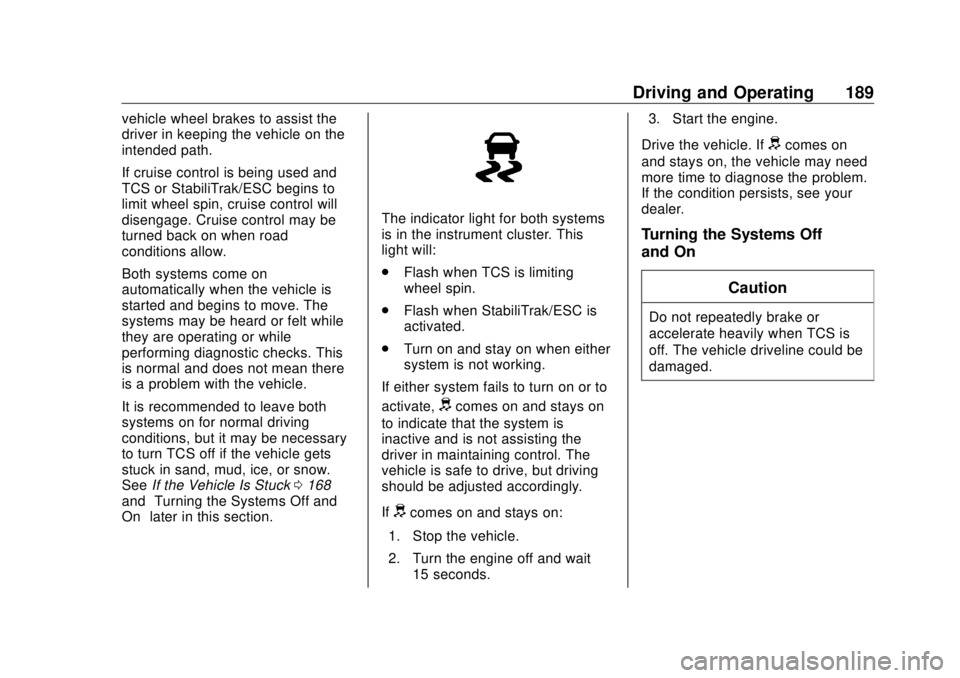
On ” later in this section. The indicator light for both systems
is in the instrument cluster. This
light will:
.
Flash when TCS is limiting
wheel spin.
.
Flash when StabiliTrak/ESC is
activated.
.
Turn on and stay on when either
system is not working.
If either system fails to turn on or to
activate,
d comes on and stays on
to indicate that the system is
inactive and is not assisting the
driver in maintaining control. The
vehicle is safe to drive, but driving
should be adjusted accordingly.
If
d comes on and stays on:
1. Stop the vehicle.
2. Turn the engine off and wait
15 seconds. 3. Start the engine.
Drive the vehicle. If
d comes on
and stays on, the vehicle may need
more time to diagnose the problem.
If the condition persists, see your
dealer.
Turning the Systems Off
and On
CautionDo not repeatedly brake or
accelerate heavily when TCS is
off. The vehicle driveline could be
damaged.
Page 192 of 363

Buick Envision Owner Manual (GMNA-Localizing-U.S./Canada/Mexico-
13555857) - 2020 - CRC - 2/25/19
Driving and Operating 191automatically disengage. See
Traction Control/Electronic Stability
Control 0 188 . If a collision alert
occurs when cruise control is
activated, cruise control is
disengaged. See Forward Collision
Alert (FCA) System 0 207 . When
road conditions allow you to safely
use it again, cruise control can be
turned back on.
If the brakes are applied, cruise
control disengages. 5 : Press to turn cruise control on
or off. A white indicator comes on in
the instrument cluster when cruise
control is turned on.
RES+ : If there is a set speed in
memory, press briefly to resume to
that speed or press and hold to
accelerate. If cruise control is
already active, use to increase
vehicle speed.
SET − : Press the control down
briefly to set the speed and activate
cruise control. If cruise control is
already active, use to decrease
vehicle speed.
* : Press to disengage cruise
control without erasing the set
speed from memory.
Setting Cruise Control
If the
5 button is on when not in
use, SET – or RES+ could get
pressed and go into cruise when not
desired. Keep the
5 button off
when cruise is not being used.
1. Press
5 to turn the cruise
system on. 2. Get to the desired speed.
3. Press and release SET – . The
desired set speed briefly
appears in the instrument
cluster.
4. Remove your foot from the
accelerator pedal.
The cruise control indicator on the
instrument cluster turns green after
cruise control has been set to the
desired speed. See Instrument
Cluster 0 105 .
Resuming a Set Speed
If the cruise control is set at a
desired speed and then the brakes
are applied or
* is pressed, the
cruise control is disengaged without
erasing the set speed from memory.
Once the vehicle reaches about
40 km/h (25 mph) or more, press
RES+ up briefly. The vehicle returns
to the previous set speed.
Increasing Speed While Using
Cruise Control
If the cruise control system is
already activated:
Page 194 of 363

Buick Envision Owner Manual (GMNA-Localizing-U.S./Canada/Mexico-
13555857) - 2020 - CRC - 2/25/19
Driving and Operating 193Electronic Stability Control (ESC)
system activates, the ACC may
automatically disengage. See
Traction Control/Electronic Stability
Control 0 188 . When road
conditions allow ACC to be safely
used, the ACC can be turned
back on.
ACC will not engage if the TCS or
StabiliTrak/ESC system is disabled.
{ WarningACC has limited braking ability
and may not have time to slow
the vehicle down enough to avoid
a collision with another vehicle
you are following. This can occur
when vehicles suddenly slow or
stop ahead, or enter your lane.
Also see “ Alerting the Driver ” in
this section. Complete attention is
always required while driving and
you should be ready to take
action and apply the brakes. See
Defensive Driving 0 163 .{ WarningACC will not detect or brake for
children, pedestrians, animals,
or other objects.
Do not use ACC when:
.
On winding and hilly roads
or when the sensors are
blocked by snow, ice, or dirt.
The system may not detect
a vehicle ahead. Keep the
entire front of the vehicle
clean.
.
Visibility is low, such as in
fog, rain, or snow
conditions. ACC
performance is limited under
these conditions.
.
On slippery roads where
fast changes in tire traction
can cause excessive
wheel slip. ] : Press to turn the system on or
off. A white cruise control indicator
comes on in the instrument cluster.
RES+ : Press the control up briefly
to resume the previous set speed.
If ACC is already active, use to
increase vehicle speed.
SET – : Press the control down
briefly to set the speed and activate
ACC. If ACC is already active, use
to decrease vehicle speed.
* : Press to disengage ACC
without erasing the set speed from
memory.
Page 195 of 363

Buick Envision Owner Manual (GMNA-Localizing-U.S./Canada/Mexico-
13555857) - 2020 - CRC - 2/25/19
194 Driving and Operating
3 : Press to select a following gap
time (or distance) setting for ACC of
Far, Medium, or Near.
Switching Between ACC and
Regular Cruise Control
To switch between ACC and regular
cruise control, press and hold
* .
A Driver Information Display (DIC)
message displays.
ACC Indicator Regular Cruise
Control Indicator
When ACC is engaged, a green
oindicator will be lit on the instrument
cluster and the following gap will be
displayed. When the regular cruise
control is engaged, a green
Jindicator will be lit on the instrument
cluster; the following gap will not
display. When the vehicle is turned on, the
cruise control mode will be set to
the last mode used before the
vehicle was turned off.
{ WarningAlways check the cruise control
indicator on the instrument cluster
to determine which mode cruise
control is in before using the
feature. If ACC is not active, the
vehicle will not automatically
brake for other vehicles, which
could cause a crash if the brakes
are not applied manually. You and
others could be seriously injured
or killed.
Setting Adaptive Cruise Control
If cruise control is on when not in
use, the cruise on/off control could
get pressed and cruise control could
become active when not desired.
Keep the cruise control off when
cruise is not being used. Select the set speed desired for
cruise. This is the vehicle speed
when no vehicle is detected in
its path.
ACC will not set at a speed less
than 24 km/h (15 mph), although it
can be resumed when driving at
lower speeds.
To set ACC:
1. Press
] .
2. Get up to the desired speed.
3. Press and release SET – .
4. Remove your foot from the
accelerator.
After ACC is set, it may immediately
apply the brakes if a vehicle ahead
is detected closer than the selected
following gap.