2020 AUDI A6 instrument cluster
[x] Cancel search: instrument clusterPage 266 of 316

Wheels
If the tire pressure monitoring indicator
appears
Applies to: vehicles with Tire Pressure Monitoring System in-
dicator
The tire pressure indicator in the instrument
cluster informs you if the tire pressure is too low
or if there is a system malfunction.
Using the ABS sensors, the tire pressure monitor-
ing system compares the tire tread circumference
and vibration characteristics of the individual
tires. If the pressure changes in one or more
tires, this is indicated in the instrument cluster
display with an indicator light (J and a message.
If only one tire is affected, the location of that
tire will be indicated.
The tire pressures must be stored again each
time you change the pressures (switching be-
tween partial and full load pressure) or after
changing or replacing a tire on your vehicle
= page 264. The tire pressure monitoring system
only monitors the tire pressure you have stored.
Refer to the tire pressure label for the recom-
mended tire pressure for your vehicle
=> page 255, fig. 165.
Tire tread circumference and vibration character-
istics can change and cause a tire pressure warn-
ing if:
— The tire pressure in one or more tires is too low
— The tires have structural damage
— The tire was replaced or the tire pressure was
changed and it was not stored > page 264
— Tires that are only partially used are replaced
with new tires
Indicator lights
If the @ indicator light turns on, there is a loss
of pressure in at least one tire .> A\ Check the
tires and replace or repair if necessary. Check and
correct
the pressures of all four tires and store
the pressure again > page 264.
ia Tire pressure: malfunction! See owner's
manual
if io appears after switching the ignition on or
while driving and the @ indicator light in the in-
strument cluster blinks for approximately one
264
minute and then stays on, there is system mal-
function. Try to store the correct tire pressures
= page 264. In some cases, you must drive for
several minutes after storing the pressures until
the indicator light turns off. If the indicator light
does turn off or turns on again after a short peri-
od of time, drive to an authorized Audi dealer or
authorized Audi Service Facility immediately to
have the malfunction corrected.
ZA\ WARNING
— If the tire pressure indicator appears in the
display, reduce your speed immediately and
avoid any hard steering or braking maneu-
vers. Stop as soon as possible and check the
tires and their pressure.
— The driver is responsible for maintaining the
correct tire pressure. You must check the
tire pressure regularly.
— Under certain conditions (such as a sporty
driving style, winter conditions, or unpaved
roads), the tire pressure monitoring system
indicator may be delayed.
G) Tips
—The tire pressure monitoring system can al-
so stop working when there is an ESC mal-
function.
— Using snow chains may result in a system
malfunction.
—The tire pressure monitoring system in your
Audi was calibrated with “Audi Original
Tires” > page 252. Using these tires is rec-
ommended.
Storing tire pressures
Applies to: vehicles with Tire Pressure Monitoring System in-
dicator
If the tire pressure changes or a tire is replaced,
it must be confirmed in the MMI.
> Before storing the tire pressures, make sure the
tire pressures in all four tires meet the speci-
fied values and are adapted to the load
=>page 255.
> Switch the ignition on.
> Applies to: MMI: Select on the home screen:
VEHICLE > Settings & Service > Tire pressure >
Page 270 of 316

Care and cleaning
trim
Component Situation Solution
Laser scanner Deposits Soft sponge with a mild soap solution®
Wheels Road salt Water
Brake dust Acid-free special cleaning solution
Exhaust tail Road salt Water, cleaning solution suitable for stainless steel, if nec-
pipes essary
Decorative parts/ | Deposits Mild soap solution ®, a cleaning solution suitable for stain-
less steel, if necessary
Paint Paint damage Repair with touch-up paint
Spilled fuel Rinse with water immediately
Surface rust Rust remover, then treat with hard wax; for questions, con-
sult an authorized Audi dealer or authorized Audi Service
Facility.
Corrosion Have it removed by an authorized Audi dealer or authorized
Audi Service Facility.
Water no longer
beads on the surface
of clean paint
Treat with hard wax (at least twice per year)
No shine even though
paint has been pro-
tected/paint looks
poor
Treat with suitable polish; then apply paint protectant if
the polish that was used does not contain any protectant
Deposits such as in-
sects, bird droppings,
tree sap, and road
salt
Dampen with water immediately and remove with a micro-
fiber cloth
Grease-based con-
taminants such as
cosmetics or sunblock
Remove immediately with a mild soap solution ® and a soft
cloth
Carbon compo-___| Deposits Clean the same way as painted components > page 266
nents
Decorative decals | Deposits Soft sponge with a mild soap solution®
Interior cleaning
a) Mild soap solution: maximum two tablespoons of neutral soap in 1 quart (1 liter) of water
Component Situation Solution
Window glass Deposits Glass cleaner, then wipe dry
Decorative parts/ | Deposits Mild soap solution®
trim
Plastic parts Deposits Damp cloth
Heavier deposits Mild soap solution ®), detergent-free plastic cleaning solu-
tion, if necessary
Displays/instru-
ment cluster
Deposits Soft cloth with LCD cleaner; dust in the lower area of the
instrument cluster can be removed using a soft brush.
268
Page 272 of 316

Care and cleaning
— Never use any paint polish or other abra-
sive materials.
— Damage to the protective layer on the
rims, such as stone chips or scratches,
must be repaired immediately.
— Camera lenses
— Never use warm or hot water to remove
snow or ice from the camera lens. This
could cause the lens to crack.
— Never use abrasive cleaning materials or
alcohol to clean the camera lens. This
could cause scratches and cracks.
— Laser scanner
— Never use abrasive cleaning materials to
clean the laser scanner. This could cause
scratches and cracks.
— Door windows
— Remove snow and ice on windows and ex-
terior mirrors with a plastic scraper. To re-
duce the risk of scratches, move the scra-
per only in one direction and not back and
forth.
— Never remove snow or ice from door win-
dows and mirrors using warm or hot water
because this could cause cracks to form.
—To reduce the risk of damage to the rear
window defogger, do not apply any stick-
ers on the heating wires on the inside of
the window.
— Decorative parts and trim
— Never use chrome care or cleaning prod-
ucts.
— Paint
—To reduce the risk of scratches, the vehicle
must be free of dirt and dust before pol-
ishing or waxing.
—To prevent paint damage, do not polish or
wax the vehicle in direct sunlight.
—To reduce the risk of paint damage, do not
polish away rust spots.
— Remove cosmetics and sunscreen immedi-
ately because they could damage the
paint.
— Decorative decals
—To reduce the risk of damage, do not use
any rough powder or abrasive cleaning
products.
270
— To reduce the risk of damage, do not pol-
ish decorative decals that have a matte or
printed finish.
— Due to the risk of damage, do not use an
ice scraper to remove snow and ice on win-
dows with decorative decals on them.
— Displays and instrument cluster
— Make sure that the display and instrument
cluster are switched off and have cooled
down before cleaning. To switch off the
upper and lower display, select on the
MMI home screen: SETTINGS > Display &
brightness > MMI > Screen cleaning.
— Displays, the instrument cluster, and the
trim surrounding it must not be cleaned
with dry cleaning methods because they
could become scratched.
— Make sure no fluids enter the spaces be-
tween the instrument cluster and the
trim, because that could cause damage.
— Controls
— Make sure that no fluids enter the con-
trols, because this could cause damage.
— Safety belts
— Do not remove the safety belts to clean
them.
— Never clean safety belts or their compo-
nents with chemicals or with corrosive flu-
ids or solvents and never allow sharp ob-
jects to come into contact with the safety
belts. This could cause damage to the belt
webbing.
—If there is damage to the webbing, the
connections, the retractors, or the buck-
les, have them replaced by an authorized
Audi dealer or authorized Audi Service Fa-
cility.
— Textiles, artificial leather, and Alcantara
— Never treat artificial leather or Alcantara
with leather care products, solvents, floor
polish, shoe polish, spot remover, or simi-
lar products.
— Have a cleaning specialist remove stub-
born stains to reduce the risk of damage.
— Never use steam cleaners, brushes, hard
sponges, etc. when cleaning.
Page 288 of 316

Fuses and bulbs
Fuse assignm ide of cockpit
Fig. 185 Left side of the cockpit: fuse panel with plastic
Fuse panel @) (red)
7 |Instrument panel
8 | Climate control system fresh air blower
9 | Windshield wiper control module
10 | Dynamic steering
11 | Engine start
12 | Automatic transmission
Fuse panel @) (black)
No. | Equipment
1 |Front seat heating
2 |Windshield wipers
3 | Left headlight electronics
4 | Panoramic glass roof
5 |Left front door control module
6 |Sockets
7 |Right rear door control module
8 |AWD control module
9 | Right headlight electronics
10 Windshield washer system/headlight
washer system
11 | Left rear door control module
12 | Parking heater
Fuse panel G) (brown)
No. | Equipment
Seat ventilation, seat electronics, rearview
1 | mirror, rear climate control panel, diag-
nostic connector
2 Vehicle electrical system control module,
gateway control module
3 | Sound actuator/exhaust sound tuning
4 |Transmission heating valve
5 |Engine start
8 | Night vision assist, active roll stabilization
9 |Adaptive cruise assist, front radar
11 Intersection assistant, driver assist sys-
tems
12 | Exterior sound
286
clip
Fuse panel (@) (black)
No. | Equipment
2 | Steering column adjustment
3 | CD/DVD player
4 | Steering column electronics
5S | Light switch, switch panels
6 |Volume control
7 |Instrument cluster
8 |Upper/lower display
9 |Steering wheel heating
Fuse panel (2) (brown)
No. | Equipment
2 |MMI Infotainment system control module
Audi music interface
4 |Head-up display
5 Climate control system, fragrance system,
lonizer
9 |Steering column lock
Page 302 of 316
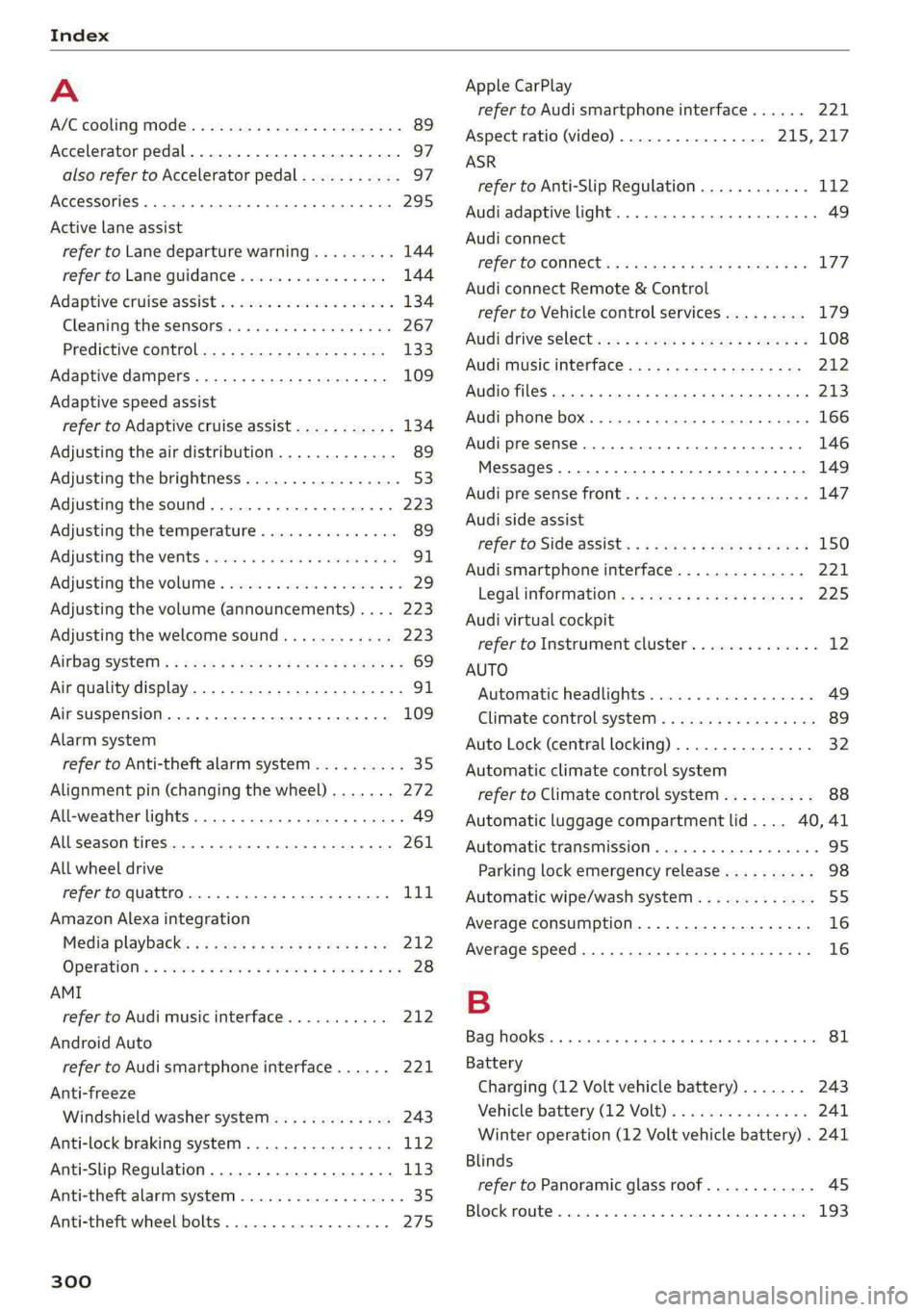
Index
A
A/C cooling mode..........-. 0. eee eee ee
Accelerator pedal.............-.00000005
also refer to Accelerator pedal...........
AccessorieS .. 0.2... . cece ee eee
Active lane assist
refer to Lane departure warning.........
refer to Lane guidance................
Adaptive cruise assist..............-.00.
Cleaning the sensors............ee eee
Predictive control....................
Adaptive dampers..............000-00-
Adaptive speed assist
refer to Adaptive cruise assist...........
Adjusting the air distribution.............
Adjusting the brightness.................
Adjusting the sound.................00-
Adjusting the temperature...............
Adjusting the vents ..........00 eee eee eee
Adjusting the volume..............000005
Adjusting the volume (announcements) .. . .
Adjusting the welcome sound............
AirbagisySteni’s « wom ss womy ¢ 7 wee x eee Fe
Air quality display................0.-000.
Air suspension...............0.0020005
Alarm system
refer to Anti-theft alarm system..........
Alignment pin (changing the wheel).......
All-weather lights...............-.00000.
Allseason tires... 0.0.0.0... eee eee
All wheel drive
refer to quattro.... 2... eee eee ee eee
Amazon Alexa integration
Media playback............0 eee e eee
Operations « ssa a 2 saws oo ean « x oem © 8 one
AMI
refer to Audi music interface...........
Android Auto
refer to Audi smartphone interface......
Anti-freeze
Windshield washer system.............
Anti-lock braking system. ........-..00-.
Anti-Slip Regulation.................0..
Anti-theft alarm system ..........--.000--
Anti-theft wheel bolts..................
300
Apple CarPlay
refer to Audi smartphone interface...... 221
Aspect ratio (video) .............00. 215, 217
ASR
refer to Anti-Slip Regulation............ 112
Audi adaptive light..................005. 49
Audi connect
FEfEFTO CONNEC. < s cccs cs Seek ae Hewes Fe 177
Audi connect Remote & Control
refer to Vehicle control services......... 179
Audidrive Seletews zs wewe < 2 sme ¢ ¢ eee 2 108
Audi music interface...............25-- 212
Audio files............200 00 cece eee eee 273
Audi phone box...........0 0: eee ee eae 166
Audi presense.......... 00 eee eee eee ee 146
Messages ......... 0.0.0 cece eee eee 149
Audi pre sense front.............--.00-- 147
Audi side assist
refer to Side assist. ..........-.0 eee eee 150
Audi smartphone interface.............. 221
Legal information..........0eeseeeees 225
Audi virtual cockpit
refer to Instrument cluster.............. 12
AUTO
Automatic headlights.................. 49
Climate control system.............0005 89
Auto Lock (central locking) ............... 32
Automatic climate control system
refer to Climate control system.......... 88
Automatic luggage compartment lid.... 40,41
Automatic transmission ............-.0005 95
Parking lock emergency release.......... 98
Automatic wipe/wash system............. 55
Average consumption................... 16
Average speed .... 2.0... 0. ee eee eee ee 16
B
Bag hooks... ..... ccc eee eee eee eee 81
Battery
Charging (12 Volt vehicle battery)....... 243
Vehicle battery (12 Volt)............... 241
Winter operation (12 Volt vehicle battery) . 241
Blinds
refer to Panoramic glass roof............
Block route... 2.0.6... 2. cece eee eee
Page 304 of 316

Index
Luggage compartment lid............... 39
Luggage compartment lid with foot motion . 41
Panoramic glass roof.............000005 45
Sunshade (roof): « = sss + «swiss + 2 enews ao wre 45
Windows........ 0. cece eee cece eee 43
Closing aid (power closing doors).......... 32
Cockpit MMM? «5 awsess so somes a 6 sumane a vee 53)
Cockpit (overview). « iss a ewes oe eee os eee 6
Collapsible spare'tir@se:. sisson occu ev were 278
Collapsible tire
refer to Collapsible spare tire........... 278
Colored ise: 5 + ssi so ese 6 vee 6H ee ee 298
Combustion engine « oss ss sees se caws see 100
Coming home/Leaving home
refer to Entry/exit lighting.............. 51
COMpact’Sparetires, & wc ao www xv owen & oe 278
Compartment as « o sss x & sass @ & saws 2 2 Bas 81
Compass:in' the Mirror: « cww sx ces se nore o 58
GOrmiplianice’s x s ems: 5 2 wemau sx seen 2 e PERG 296
Configuration wizard.................04. 20
connect ........ 0... cee eee eee eee 177
Data plaris’s s neon ss weoen = o aceem = x eanee & 3 182
Data Privatyices ws excise ss eines 3 v cmseae so csmue 291
Emergency call............0--.00 ee ee 183
Infotainment x: « : eens se ees ae ewe gees 177
Infotainment services...........000005 178
Online roadside assistance............. 184
Vehicle control services................ 179
Connected devices
Device overvieW... 5. . ccc ce eee e eens 224
Connections
refer'to Mediaie:. «2 eciace ss ences vs one 209, 213
Consumer information................0- 293
Consumption
Reducing.......... 0. eee eee eee eee 100
Consumption (Fuel) |. cscs wx sears wo ower ov oe 16
Contacts
Add destination...............000000. 194
Importing and exporting.............. 175
Memory capacity... 6 ccs. s sees se rows 175
Opening (business card)............... 169
Updating inthe MMI.................. 175
Convenience key..........0 2.0.00 eee eee 32
Convenience closing.........:seeeeeees 44
also refer to Vehicle key..............-. 36
302
Convenience opening and closing
Windows or panoramic glass roof........ 44
Coolant temperature display.............. 14
Cooling mode..... 2.6... cee ee eee eee 89
Cooling system
Adding coolant.............00- eee ee 239
Checking the coolant level............. 239
GOOLANE « scscoss = & saacs «wwe + 0 eaters ¥ wan 238
GOPM|NPING igh sce: os meses ow sxcmne v cna a 2 wees 49
Cross
traffic assist (intersection assistant) .. 153
Cruise control system..........-..20005 130
Cup holders......... 0... 2c cece eee eee 80
Current consumption...............0.005 16
D
Data plans
Data Privacy
Dake os ccerevs © scenes © eyaetses © sieitean wo sinters © = eee
Setting
Daytime running lights.............0000. 49
Declaration of compliance............... 296
DEF (instrument cluster) « « sec s «scene so see 12
Demo mode
refer to Presentation mode............. 198
Destination onthe map.............-.+- 190
Details, x x sssasws > x cass » x axcowms + 0 eesenms 4 1 oxen 189
Determining correct load limit........... 259
Digital COMPASS « vex » 2 ween 2 wewws ¥ weeH & sg 58
Dimensions: « 2 ces + = eee & x satis & o ews 298
Dimming the exterior mirrors............. 54
Dimming the rearview mirror............. 54
Directory
S@UttiNgS sane: ¢ x nome + 7 ees & 2 Rem 5 8 Ee 175
also refer to ContactS..............00. 169
Display
Cleaning......... 0... e ee eee eee 268
Disposal..... 0.0... . cee ee eee ee eee ee 293
DIStaNGe esisccs cs cswvie we aoecwne vw serene ww cee os 16
Distance warning « vse se wen s wae a 3 earn 143
Doors
Child safety lock « sencue «ss snimse = serene © sunaeie 0 43
Door contact switch. ...............005. 52
Mechanically unlocking and locking....... 35
Power closing/closing aid............... 32
Driver information system................ 13
Page 307 of 316

4K0012721BD
Index
Highway lights © esc x 2 semis < = wwwee ¥ aeenee © 49
Hill descent:assist 2.006... ec eewe ss oe 107
Hill descent control. ...........ee eee eee 105
Hill Hold ASSISt caxis s < exw x eras se wee ee 95
Home
refer to Home address................ 194
Homevaddress: « saws ss geen sy caw yee 194
HomeLink
refer to Garage door opener............. 46
HOME'SCrEEN & & sevevss vs seas o 6 omen + 8 wea Dos 19
HOM 2 wwe 5 ¢ suse + & sees & & ews Ey eee Es es 6
Hotspot
MOFER CONNIE Lc & cecaonorx v sxewce a a wrens i x swaese 181
I
Ignition
Switching on and off................00. 93
Imbalance (wheels)............. 0000005 254
Immobilizer
refer to Electronic immobilizer........... 36
Inclinometer......... 0.00. cece 106
Undicatorlights « wicsse « vanavese © enauese wv sneaen 6 5 8 7
Inspectionsinterval:. « sows s cccawecs xs wessne a 4 oo 244
Instrument cluster: . weve 2s cee 2 a wee see 12
Adjusting the layout................0-. 14
Cleaning........ 0. e eee eee eee eee 268
ENGINGCOdes: « new 2 wee » 5 weed & 5 saree 226
Failure... eee 12
On-board computer.................020. 16
Operating « = eee ss mews se ees s Bee sg He 13
Persomal.progile wwvone« « csarsns ic axnsine «0 oxstins 13
Service interval display...............- 244
Software information................. 226
Switchingtabsss « sic i + sarin es sac oo acesese 13
Switching the view...............-0000 05 14
Vehicle TURCLIONS vais sx woos s x oss a eee 16
Version information................-. 226
Instrument illumination................. 53
Integrated assistance...............0005 20
Intelligent search
Navigationis « 2 savers x « snes oo aasan © 3 seaweus © 186
Interior lighting < svi. «sos = & ema oo ve 52,53
INterior MONitoring « « wece ss wows te wees s Be 35
Intermittent mode (windshield wipers) ..... 55
International travel...............0000- 182
Internet
refertoconnect.......... eee eee eee 177
Internet radio
referto Online radio............--- eee 205
Intersection assistant...............05- 153
Tonizer. 2... eee eee 90
iPhone
refer to Audi music interface........... 212
J
Jump starting. ............ 0. eee 279
K
Key. eee eee eee eee 32, 36
Convenience opening and closing......... 44
Key replacement...............-0e eee 36
Mechanical key......... 0.00.0 cee eevee 36
Not recognized = sews « ¢ sews: ¢ pews s bees 94
PANIC: Ke ytins « ciccsass 2 x sven © w emouews <6 scours ¥ ¥ 8 36
Replacing the battery...............0-. 38
Unlocking and locking............-...0- 37
Vehicle code sri «5 escves « 3 wane 2 0 weve oes 36
Key USEP': «2 sau ¥ «saws oo sees 3 o Hew oo Ses 31
Kick-COWIN's = werey = » sews = ¢ eum * 9 tes te oe 97
L
Lane assist
refer to Lane departure warning......... 144
refer to Lane guidance................ 144
Lane departure warning................. 144
Cleaning the camera area.............. 267
Lane guidance............0.000000005- 138
Laptimer................0..0 0000008. 126
Evaluating ; « saas ss seee sv wees so ees ss 127
SPAREN sic: 5s cosas oo enaoes 6 > eeu 5 w aewOEEE eo 126
LaSer Scanner’: s + ww » ¢ sees & ¢ sews 2 8 ee 119
Cleanings. 5 + sussasi «a seins + 6 scenes «8 maui © i 268
LATCH (securing child safety seats)......... 76
Launch: GontrObens «ose oo eee vs exons oo cen 98
Leather care and cleaning............... 269
Legal information
License:subscriptionss « « <0 @ esse + wes 225
Software information................. 225
SOfEWANE LICENSES). 5 s wenn ay tem s eee es 225
Version information...............05- 225
305
Page 309 of 316

4K0012721BD
N
Narrow areaS.............0..0 0.00000. 142
Natural leather care and cleaning......... 269
NaWViQation sss «2 meni s 2 aetna © & sammie # sane 185
Better route... 2.0.2... cee eee eee 197
Callinig:s: ss saws + + gece ss gee tops soe 189
Changing the scale.............0.0005 189
also refertoMap..........0.-cee eevee 191
Navigation database
Version information................-- 225
Navigation (instrument cluster) .......... 192
NHTSA... 02... eee eee eee 295
Night vision assist... 0.0.2. ...00.000 eee 127
Cleaning the camera..............00.. 267
Notification center...............2.-000- 22
O
Octane rating (gasoline)................ 227
Odometer... .. 06... cece cee eee ee 15
RES@ttiNGicx « s wawe © 2 wee cy eee & 2 ees 15
Office address
refer to Business address.............. 194
Offroad
refer to Offroad driving................ 106
Offroad
drivingss = esc 2 2 weve so ems oo were 106
OFF
(climate control system) .............. 89
Oil
refer to Engine oil. . cic. se eee ee wees es 234
On-board computer............0. eee eee 16
On Board Diagnostic System (OBD)... 231, 289
Online destination
refer to Online Points of Interest........ 188
Online map
refer to Satellite map...............-. 195
Online media......... cece 211
Online Points of Interest................ 188
Online radio = ssw = sms a 2 meee eo eee 3 a eve 205
also refer to Online radio.............. 205
Online roadside assistance.............. 184
Online services
refer toconnect.......... eee eee eee 177
Online system update.................. 224
Online traffic information............... 198
OPEN jies = 0 ences eecaes ws exes oo tesa ov eo 32
Automatic luggage compartment lid...... 40
Convenience Opening . . vias. ewes ss eens 44
Fuel fillersdoor icc os ssn v wecusns ss ayassos a wo 228
HOOd ... 1... eee eee 232
Luggage compartment lid............... 39
Luggage compartment lid with foot motion . 41
Panoramic glass roof.................0. 4S
Sunstiade ((OOf)'s s = cows = ¢ eeres ee ewe x eee 45
WINGOWSE. » sore x 2 serous 2 soni wx eames on ote 43
Opening and closing
refer to Unlocking and locking........ 32,37
Operating
Head-up display...............000e eee 26
THStFUMENE CLUSTER saves ¢ 2 coe 2s meme 2 oe 13
Multifunction steering wheel............ 13
Multi Media Interface............... 18,21
TEXt inputs: ss sees s ¢ ees se eee se eee eee 24
Touch display iii «2 wins s owen e 5 cen es eee 18
Voice recognition system............... 27
Optional equipment number............. 298
Options
Media... .. ccc cece eee eee eee ee 217
NaVigattofie: s = sms : » seen se meee Feee E 198
RadiOiscsns so ounces ov sun «2 ose a 2 see oo 206
Overview (Cockpit) « «secs 6 sais ve cases os we 6
P
PaintGod@':.: : sce: 2 : sceee & 2 seems = ¢ mere & es 298
Paint damage we: : seve: ss ewes is pera te oes 268
Panic BUTEOR sass x 3 savas ¢ 3 Seam 7 SEE 2 6 Be 36
PANIC button. ............. 000 eee eee eee 36
Panic function... 2.6... ce eee eee eee 36
Panoramic glass roof..........-......05- 45
Convenience opening and closing......... 44
Eniiergenicy Closing’. « « sere « x saree x 2 aaa a i 4S
Quick opening and closing.............. 45
Parental control
DVD... 0. eee ee 218
Parking aid... 0.2... eee eee eee eee 156
Cleaning the sensors and camera........ 267
Peripheral cameras............--200-5 158
Rearview camera..............00-0005 158
Parking and maneuvering.............-- 156
Parking brake
refer to Electromechanical parking brake. 104
307