2019 VOLVO S60 TWIN ENGINE seats
[x] Cancel search: seatsPage 211 of 645

CLIMATE CONTROL
}}
* Option/accessory.209
Activating and deactivating the
heated front seat*
The seats can be heated for added comfort forthe driver and passengers in cold weather.
Seat heating can be set to automatically activatewhen the engine is started. When set to automat-ically activate, heating will be turned on at lowambient temperatures.
1.Tap Settings in the Top view in the centerdisplay.
2.Tap Climate.
3.Select Auto Driver Seat Heating Leveland Auto Passenger Seat Heating Levelto activate/deactivate automatic start ofheated driver's and passenger seat.
>An "A" will be displayed next to the rele-vant seat heating button in the climate barwhen auto start has been activated.
4.Select Low, Medium or High to select levelafter the function has been activated.
Related information
Climate system controls (p. 207)
Activating and deactivating power frontseats* (p. 208)
Activating and deactivating the
heated rear seats*
The seats can be heated for added comfort forthe driver and passengers in cold weather.
Activating and deactivating the heated
rear seats from the rear seat
Buttons for seat heating on the rear side of the tunnelconsole.
–Press repeatedly on the left or right seatheating buttons on the rear side of the tun-nel console to select one of four levels: Off,High, Medium or Low.
>The level is changed and the indicatorlights in the button display the level.
Related information
Climate system controls (p. 207)
Activating and deactivating front
seat ventilation*
The seats can be ventilated to provide increasedcomfort in warm weather.
The ventilation system consists of fans in theseats and backrest that draw air through the seatupholstery. The cooler the passenger compart-ment is, the greater the cooling effect of the ven-tilation. The system can be activated when theengine is running.
1. Tap the left- or right-side steering wheel andseat button in the center display's climatebar to open the controls for steering wheeland seat heating.
If the vehicle is not equipped with heatedseats or heated steering wheel (for the driv-er's side), the button for seat ventilation isdirectly accessible in the climate bar.
2. Tap the seat ventilation button repeatedly toselect one of the four levels: Off, High,Medium or Low.
>The level is changed and the set level isdisplayed in the button.
Page 212 of 645

||
CLIMATE CONTROL
* Option/accessory.210
Related information
Climate system controls (p. 207)Activating and deactivating the
heated steering wheel*
The steering wheel can be heated for addedcomfort in cold weather.
1. Tap the driver's side steering wheel and seatbutton in the climate bar in the center displayto open the controls for steering wheel andseat heating.
If the vehicle is not equipped with heated orventilated seats, the button for steeringwheel heating is directly accessible in the cli-mate bar.
2. Tap the steering wheel heating buttonrepeatedly to select one of the four levels:Off, High, Medium or Low.
>The level is changed and the set level isdisplayed in the button.
Related information
Climate system controls (p. 207)
Activating and deactivating automatic steer-ing wheel heating* (p. 210)
Activating and deactivating
automatic steering wheel heating*
The steering wheel can be heated for addedcomfort in cold weather.
Steering wheel heating can be set to automati-cally activate when the engine is started. Whenset to automatically activate, heating will beturned on at low ambient temperatures.
1.Tap Settings in the Top view in the centerdisplay.
2.Tap Climate.
3.Select Auto Steering Wheel HeatingLevel to activate/deactivate automatic startof heated steering wheel.
>An "A" will be displayed next to theheated steering wheel button in the cli-mate bar when auto start has been acti-vated.
4.Select Low, Medium or High to select levelafter the function has been activated.
Related information
Activating and deactivating the heated steer-ing wheel* (p. 210)
Page 216 of 645

||
CLIMATE CONTROL
214
Activating and deactivating the heated
rear window and door mirrors from the
center display
1. Tap the symbol in the center of the climatebar to open Climate view in the center dis-play.
2.Tap Rear.
>Heated windows and door mirrors areactivated and the button lights up/goesout.
Related information
Climate system controls (p. 207)
Automatically activating and deactivating theheated rear window and door mirrors(p. 214)
Automatically activating anddeactivating the heated rear windowand door mirrors
The heated rear window and door mirrors areused to quickly remove condensation and icefrom the glass.
It is possible to select whether rear window anddoor mirror heating should be automatically acti-vated or deactivated when the engine is started.With automatic start activated, heating will beactivated when there is a risk of ice or condensa-tion on the windows or mirrors. Heating is auto-matically switched off when the window or doormirror is sufficiently warm and the condensationor ice is gone.
1.Tap Settings in the Top view in the centerdisplay.
2.Tap Climate.
3.Select Auto Rear Defroster to activate/deactivate automatic rear window and doorheating.
Related information
Activating and deactivating the heated rearwindow and door mirrors (p. 213)
Setting the blower speed for the
front seats2
The blower can be set to several different auto-matically controlled speeds for the front seat.
1. Tap the symbol in the center of the climatebar to open Climate view in the center dis-play.
Blower control buttons in Climate view.
2.Tap the desired blower speed: Off, 1-5 orMax.
>The blower speed will be changed and thebuttons for the set speed will light up.
2The same setting applies to the rear seats with the 2-zone climate system.
Page 217 of 645

CLIMATE CONTROL
215
CAUTION
The air conditioning will not engage if theblower is turned off completely, which maycause fogging on the inside of the windows.
NOTE
The climate system automatically adapts air-flow as needed within the set blower speed,which means that airflow speed may varyslightly within the same blower speed.
Related information
Climate system controls (p. 207)
Setting the temperature for the
front seats3
The temperature can be set to the desired num-ber of degrees for the front seat climate zones.
Temperature buttons in the climate bar.
1. Tap the left- or right-side temperature but-tons in the center display's climate bar toopen the control.
Temperature control.
2. Set the temperature by doing one of the fol-lowing:
dragging the control to the desired tem-perature, or
tapping +− to raise/lower the tempera-ture.
> The temperature will be set and the but-ton will display the new temperature.
NOTE
Heating/cooling cannot be accelerated bychoosing a higher/lower temperature thanthe desired temperature.
Related information
Climate system controls (p. 207)
3The same setting applies to the rear seats with the 2-zone climate system.
Page 219 of 645

CLIMATE CONTROL
}}
* Option/accessory.217
NOTE
The air conditioning cannot be activated whenthe fan speed is set to Off.
Related information
Climate system controls (p. 207)
Parking climate
Parking climate is an umbrella term for variousfunctions that improve the passenger compart-ment climate when the vehicle is parked, e.g.preconditioning.
Parking climate functions are con-trolled from the Parking climate tabin the center display's Climate view.Tap the symbol in the center of the cli-mate bar to open Climate view.
Related information
Climate (p. 196)
Preconditioning (p. 217)
Climate comfort retaining function (p. 222)
Parking climate symbols and messages(p. 223)
Preconditioning
Preconditioning is a climate function that, if pos-sible, attempts to achieve a comfortable tem-perature in the passenger compartment beforedriving.
Preconditioning can be started immediately orstarted at a preset time using a timer.
The function utilizes several of the vehicle's sys-tems:
In cold weather, the parking heater heats thepassenger compartment to a comfortabletemperature.
In warm weather, air conditioning cools thepassenger compartment to a comfortabletemperature.
The electrically heated steering wheel* andseats* can be activated.
Heating for the windshield, rear window anddoor mirrors are automatically activated asneeded.
During preconditioning in a hot climate, conden-sation from the air conditions may drip under thevehicle. This is normal.
Page 256 of 645

||
KEY, LOCKS AND ALARM
254
To create a security code:
1. Tap the button for private locking in Functionview.
> A pop-up window will appear.
2.Enter the desired security code and pressConfirm.
>The security code is saved. The privatelocking function is now ready for activa-tion.
Activating private locking
NOTE
The rear seat must be in the upright positionwhen private locking is activated in order forthe seats to lock.
1. Tap the button for private locking in Functionview.
> A pop-up window will appear.
2.Enter the code you would like to use tounlock the trunk lid and rear seats and tapConfirm.
>The trunk lid and rear seats will lock. Agreen indicator light will illuminate next tothe button in Function view to confirmlocked status.
Deactivating private locking
1. Tap the button for private locking in Functionview.
> A pop-up window will appear.
2.Enter the code used for locking and tapConfirm.
>The trunk lid and rear seats will unlock.The green indicator light next to the but-ton in Function view will go out to confirmunlocked status.
Forgotten PIN code
If you have forgotten your PIN code or entered itincorrectly more than three times, the securitycode can be used to deactivate private locking.
If the vehicle is unlocked using Volvo On Call orthe Volvo On Call app, private locking will beautomatically deactivated.
Forgotten security code
If you have forgotten your security code, contactan authorized Volvo retailer for assistance deacti-vating private locking.
Related information
Private Locking (p. 253)
Page 397 of 645
STARTING AND DRIVING
* Option/accessory.395
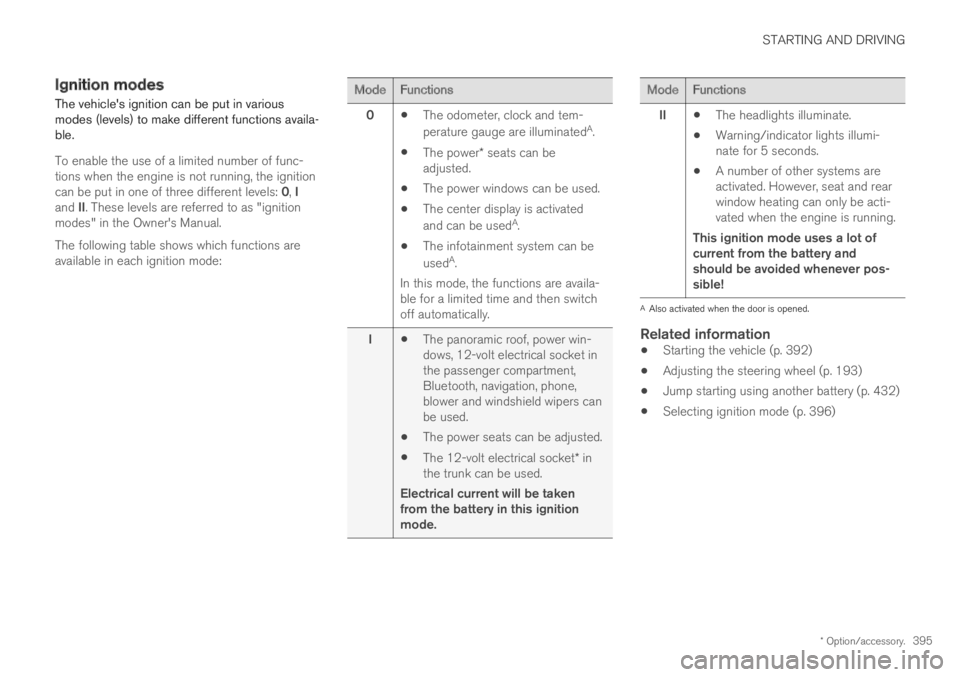
Ignition modes
The vehicle's ignition can be put in variousmodes (levels) to make different functions availa-ble.
To enable the use of a limited number of func-tions when the engine is not running, the ignitioncan be put in one of three different levels: 0, Iand II. These levels are referred to as "ignitionmodes" in the Owner's Manual.
The following table shows which functions areavailable in each ignition mode:
ModeFunctions
0The odometer, clock and tem-
perature gauge are illuminatedA.
The power* seats can beadjusted.
The power windows can be used.
The center display is activated
and can be usedA.
The infotainment system can be
usedA.
In this mode, the functions are availa-ble for a limited time and then switchoff automatically.
IThe panoramic roof, power win-dows, 12-volt electrical socket inthe passenger compartment,Bluetooth, navigation, phone,blower and windshield wipers canbe used.
The power seats can be adjusted.
The 12-volt electrical socket* inthe trunk can be used.
Electrical current will be takenfrom the battery in this ignitionmode.
ModeFunctions
IIThe headlights illuminate.
Warning/indicator lights illumi-nate for 5 seconds.
A number of other systems areactivated. However, seat and rearwindow heating can only be acti-vated when the engine is running.
This ignition mode uses a lot ofcurrent from the battery andshould be avoided whenever pos-sible!
AAlso activated when the door is opened.
Related information
Starting the vehicle (p. 392)
Adjusting the steering wheel (p. 193)
Jump starting using another battery (p. 432)
Selecting ignition mode (p. 396)
Page 402 of 645
STARTING AND DRIVING
400
Parking brake
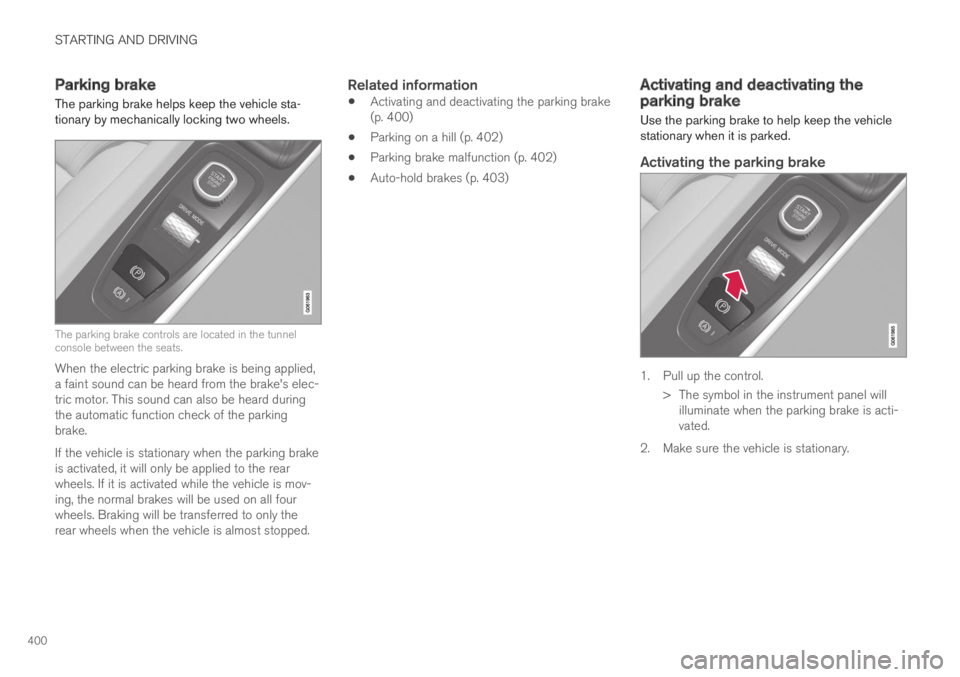
The parking brake helps keep the vehicle sta-tionary by mechanically locking two wheels.
The parking brake controls are located in the tunnelconsole between the seats.
When the electric parking brake is being applied,a faint sound can be heard from the brake's elec-tric motor. This sound can also be heard duringthe automatic function check of the parkingbrake.
If the vehicle is stationary when the parking brakeis activated, it will only be applied to the rearwheels. If it is activated while the vehicle is mov-ing, the normal brakes will be used on all fourwheels. Braking will be transferred to only therear wheels when the vehicle is almost stopped.
Related information
Activating and deactivating the parking brake(p. 400)
Parking on a hill (p. 402)
Parking brake malfunction (p. 402)
Auto-hold brakes (p. 403)
Activating and deactivating theparking brake
Use the parking brake to help keep the vehiclestationary when it is parked.
Activating the parking brake
1. Pull up the control.
>The symbol in the instrument panel willilluminate when the parking brake is acti-vated.
2. Make sure the vehicle is stationary.