2019 VOLKSWAGEN TRANSPORTER stop
[x] Cancel search: stopPage 268 of 486
In all cases the automatic gearbox should be checked by a qualified workshop Immediately.
Overheating of the DSG® dual clutch gearbox
The dual clutch gearbox can overheat when the vehicle pulls off regularly, travels at a crawl for long periods, or in stop and go traffic. Gearbox over-heating is indicated by the warning lamp (j) and in some cases by a text message in the instrument cluster display. A signal tone may also be given. Stop the vehicle and allow the gearbox to cool down
The vehicle will not move forwards or backwards even though a gear has been selected
If the vehicle will not move in the required direc-tion, the system may have selected the position in-correctly. Depress the brake pedal and reselect the position.
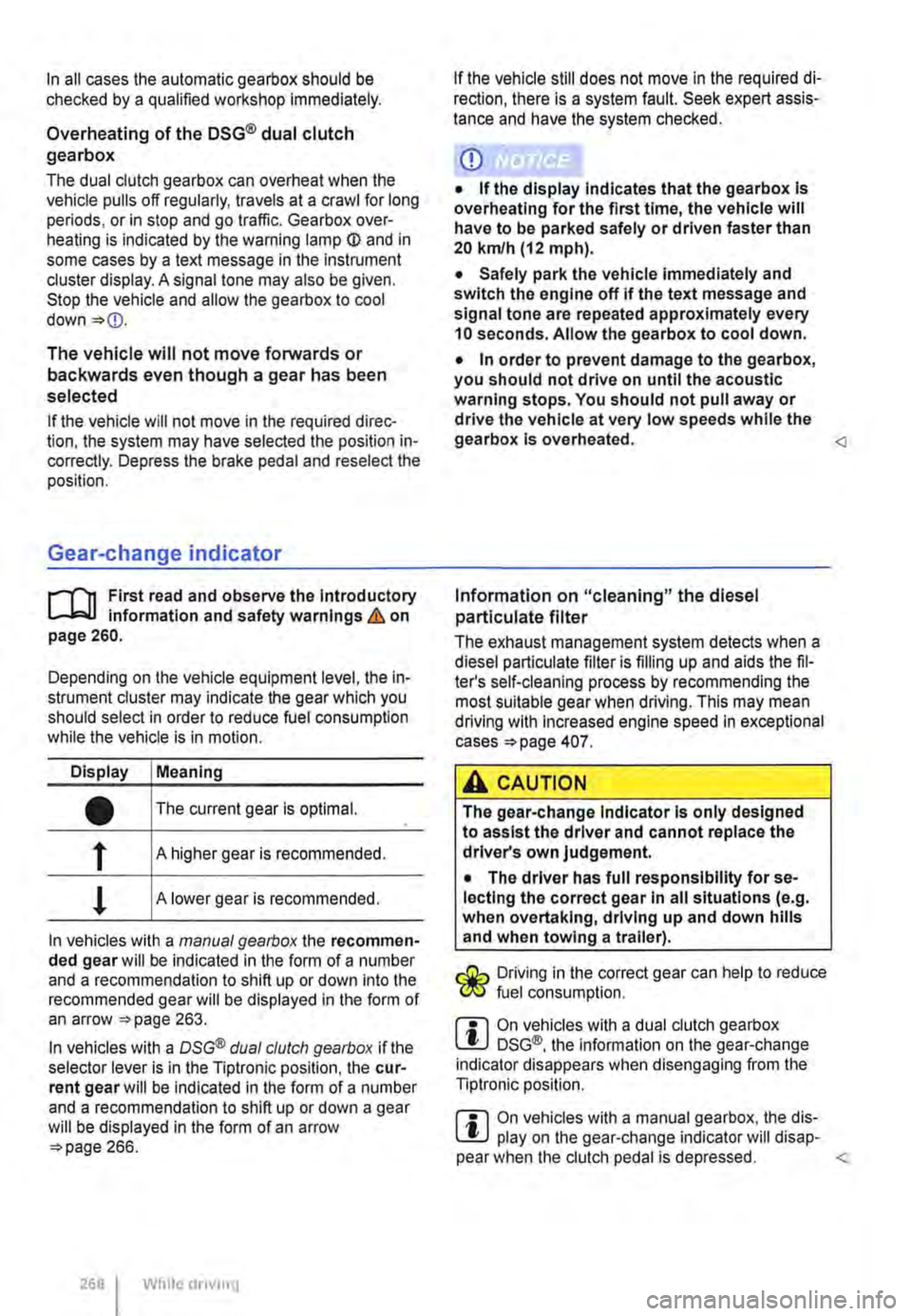
Gear-change indicator
r--f"'n First read and observe the Introductory L-lo:.l.l information and safety warnings & on page 260.
Depending on the vehicle equipment level, the in-strument cluster may indicate the gear which you should select in order to reduce fuel consumption while the vehicle is in motion.
Display Meaning
• The current gear is optimal.
f A higher gear is recommended.
! A lower gear is recommended.
In vehicles with a manual gearbox the recommen-ded gear will be indicated in the form of a number and a recommendation to shift up or down into the recommended gear will be displayed in the form of an arrow 263.
In vehicles with a OSG® dual clutch gearbox if the selector lever is in the Tiptronic position, the cur-rent gear will be indicated in the form of a number and a recommendation to shift up or down a gear will be displayed in the form of an arrow 266.
268 While driving
If the vehicle still does not move in the required di-rection, there is a system fault. Seek expert assis-tance and have the system checked.
CD
• If the display Indicates that the gearbox Is overheating for the first time, the vehicle will have to be parked safely or driven faster than 20 kmlh (12 mph).
• Safely park the vehicle immediately and switch the engine off if the text message and signal tone are repeated approximately every 10 seconds. Allow the gearbox to cool down.
• In order to prevent damage to the gearbox, you should not drive on until the acoustic warning stops. You should not pull away or drive the vehicle at very low speeds while the gearbox is overheated.
The exhaust management system detects when a diesel particulate filter is filling up and aids the fil-ter's self-cleaning process by recommending the most suitable gear when driving. This may mean driving with Increased engine speed in exceptional cases 407.
A CAUTION
The gear-change Indicator Is only designed to assist the driver and cannot replace the driver's own judgement.
• The driver has full responsibility for se-lecting the correct gear In all situations (e.g. when overtaking, driving up and down hills and when towing a trailer).
Driving in the correct gear can help to reduce fuel consumption.
m On vehicles with a dual clutch gearbox W DSG®, the information on the gear-change indicator disappears when disengaging from the Tiptronic position.
m On vehicles with a manual gearbox, the dis-W play on the gear-change indicator will disap-pear when the clutch pedal is depressed.
Page 269 of 486
Braking, stopping and parking
COl Introduction
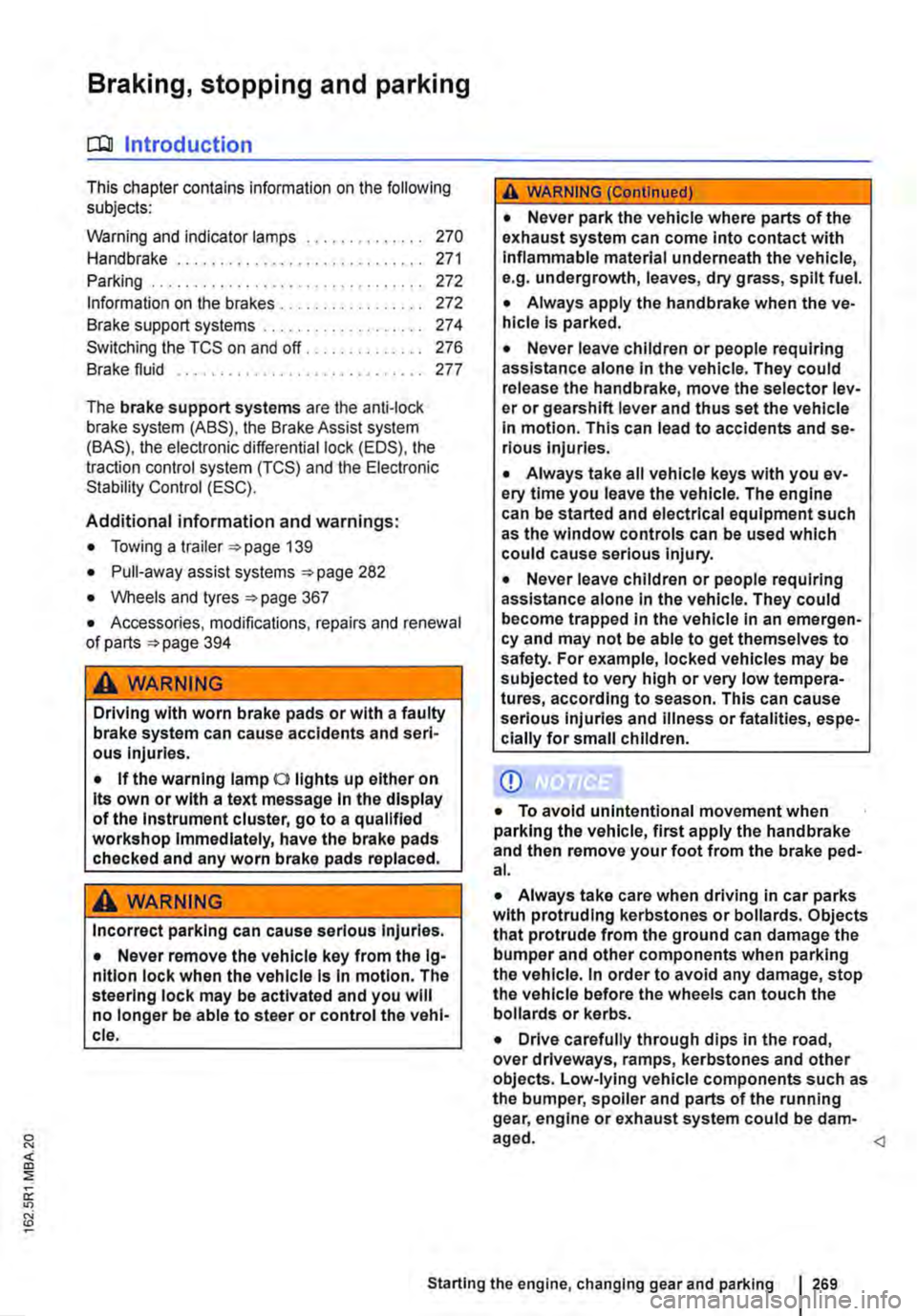
This chapter contains information on the following subjects:
Warning and indicator lamps Handbrake ............................ .
Parking . . . . . . . ............. .
Information on the brakes ................ . Brake support systems .................. .
Switching the TCS on and off ............. .
Brake fluid ............................ .
270 271
272 272
274
276
277
The brake support systems are the anti-lock brake system (ASS), the Brake Assist system (SAS), the electronic differential lock (EDS), the traction control system (TCS) and the Electronic Stability Control (ESC).
Additional information and warnings:
• Towing a trailer 139
• Pull-away assist systems 282
• Wheels and tyres 367
• Accessories, modifications, repairs and renewal of parts 394
A WARNING
Driving with worn brake pads or with a faulty brake system can cause accidents and seri-ous Injuries.
• If the warning lamp 0 lights up either on its own or with a text message In the display of the Instrument cluster, go to a qualified workshop Immediately, have the brake pads checked and any worn brake pads replaced.
A WARNING
Incorrect parking can cause serious Injuries.
• Never remove the vehicle key from the lg-nltlon lock when the vehicle Is In motion. The steering lock may be activated and you will no longer be able to steer or control the vehl-cl e.
A WARNING (Continued)
• Never park the vehicle where parts of the exhaust system can come into contact with inflammable material underneath the vehicle, e.g. undergrowth, leaves, dry grass, spilt fuel.
• Always apply the handbrake when the ve-hicle Is parked.
• Never leave children or people requiring assistance alone In the vehicle. They could release the handbrake, move the selector lev-er or gearshift lever and thus set the vehicle In motion. This can lead to accidents and se-rious injuries.
• Always take all vehicle keys with you ev-ery time you leave the vehicle. The engine can be started and electrical equipment such as the window controls can be used which could cause serious injury.
• Never leave children or people requiring assistance alone in the vehicle. They could become trapped in the vehicle in an emergen-cy and may not be able to get themselves to safety. For example, locked vehicles may be subjected to very high or very low tempera-tures, according to season. This can cause serious Injuries and illness or fatalities, espe-cially for small children.
CD
• To avoid unintentional movement when parking the vehicle, first apply the handbrake and then remove your foot from the brake ped-al.
• Always take care when driving in car parks with protruding kerbstones or bollards. Objects that protrude from the ground can damage the bumper and other components when parking the vehicle. In order to avoid any damage, stop the vehicle before the wheels can touch the bollards or kerbs.
• Drive carefully through dips in the road, over driveways, ramps, kerbstones and other objects. Low-lying vehicle components such as the bumper, spoiler and parts of the running gear, engine or exhaust system could be dam-aged.
Starting the engine, changing gear and parking I 269
Page 270 of 486
Warning and indicator lamps
[Q First read and observe the Introductory information and safety warnings & on page 269.
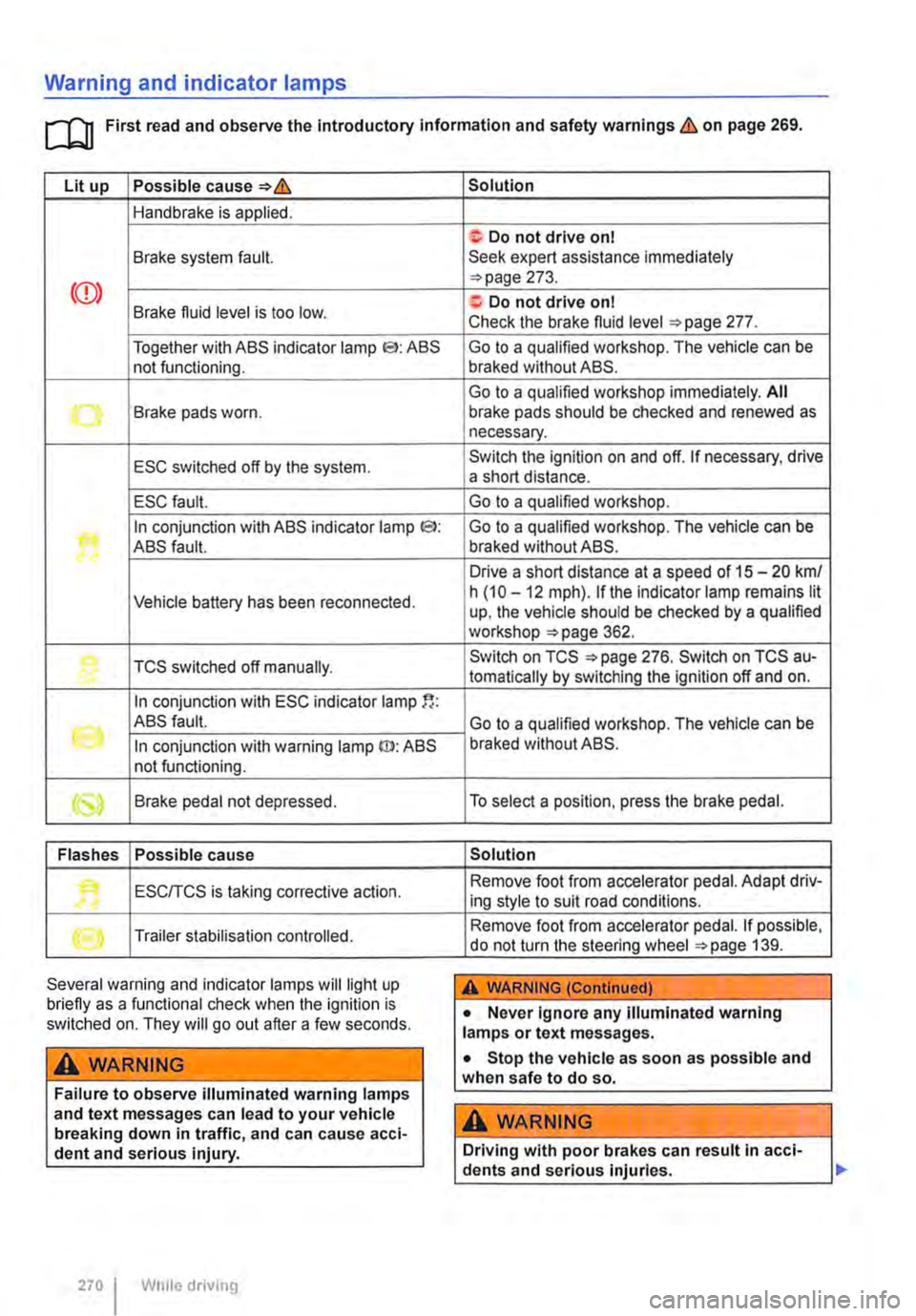
Lit up Possible cause=>&
Handbrake is applied.
Brake system fault.
Together with ABS indicator lamp El: ABS not functioning.
-...-Brake pads worn .
ESC switched off by the system.
ESC fault.
In conjunction with ABS indicator lamp CS>: ABS fault.
Vehicle battery has been reconnected.
TCS switched off manually.
In conjunction with ESC indicator lamp
((oil ABS fault.
In conjunction with warning lamp ID: ABS not functioning.
Brake pedal not depressed.
Flashes Possible cause
'• ESCITCS is taking corrective action.
Trailer stabilisation controlled.
Several warning and indicator lamps will light up briefly as a functional check when the ignition is switched on. They will go out after a few seconds.
A WARNING
Failure to observe illuminated warning lamps and text messages can lead to your vehicle breaking down in traffic, and can cause acci-dent and serious injury.
270 I While driving
Solution
f; Do not drive on I Seek expert assistance immediately =>page 273.
a:. Do not drive on I Check the brake fluid level =>page 277.
Go to a qualified workshop. The vehicle can be braked without ABS.
Go to a qualified workshop immediately. All brake pads should be checked and renewed as necessary.
Switch the ignition on and off. If necessary, drive a short distance.
Go to a qualified workshop.
Go to a qualified workshop. The vehicle can be braked without ABS.
Drive a short distance at a speed of 15 -20 km/ h (10 -12 mph). if the indicator lamp remains lit up, the vehicle should be checked by a qualified workshop =>page 362.
Switch on TCS =>page 276. Switch on TCS au-tomatically by switching the ignition off and on.
Go to a qualified workshop. The vehicle can be braked without ABS.
To select a position, press the brake pedal.
Solution
Remove foot from accelerator pedal. Adapt driv-ing style to suit road conditions.
Remove foot from accelerator pedal. If possible, do not turn the steering wheel =>page 139.
A WARNING (Continued)
• Never ignore any illuminated warning lamps or text messages.
• Stop the vehicle as soon as possible and when safe to do so.
A WARNING
Driving with poor brakes can result in acci-dents and serious injuries.
Page 271 of 486
A WARNING (Continued)
• If the brake warning lamp ID does not go out, or if it lights up when driving, the brake fluid level in the reservoir is too low or there is a fault in the brake system. Stop the vehi-cle Immediately and seek expert assistance 277, Brake fluid.
• If the brake warning lamp@ lights up to-gether with the ABS indicator lamp S, the control function of the ABS may have failed. This can cause the rear wheels to lock quick-ly when you brake. Locked rear wheels can lead to a loss of control of the vehicle. If pos-sible, reduce your speed and drive carefully at low speed to the nearest qualified work-shop in order to have the brake system tes-ted. Avoid sudden braking and driving ma-noeuvres on the way.
• The ABS Is not functioning correctly if the ABS indicator lampS does not go out or comes on while the vehicle is in motion. The
Handbrake
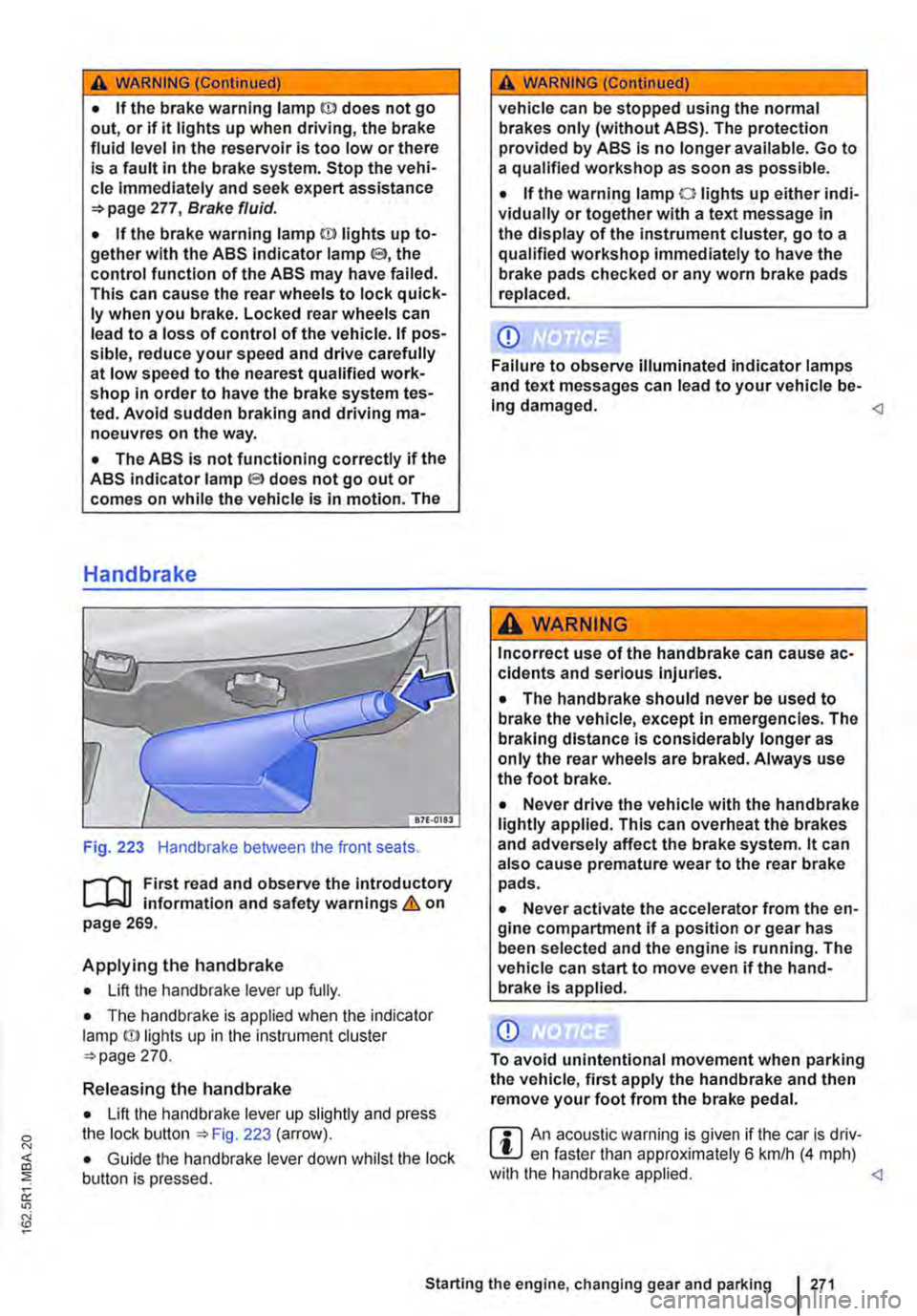
Fig. 223 Handbrake between the front seats.
r--fl1 First read and observe the introductory L-J,::.IJ information and safety warnings & on page 269.
Applying the handbrake
• Lift the handbrake lever up fully.
• The handbrake is applied when the indicator lamp ID lights up in the instrument cluster =-page 270.
Releasing the handbrake
• Lift the handbrake lever up slightly and press the lock button ::.Fig. 223 (arrow).
• Guide the handbrake lever down whilst the lock button is pressed.
A WARNING (Continued)
vehicle can be stopped using the normal brakes only (without ABS). The protection provided by ABS is no longer available. Go to a qualified workshop as soon as possible.
• If the warning lamp 0 lights up either indi-vidually or together with a text message in the display of the instrument cluster, go to a qualified workshop immediately to have the brake pads checked or any worn brake pads replaced.
CD
Failure to observe illuminated indicator lamps and text messages can lead to your vehicle be-Ing damaged.
Incorrect use of the handbrake can cause ac-cidents and serious Injuries.
• The handbrake should never be used to brake the vehicle, except in emergencies. The braking distance is considerably longer as only the rear wheels are braked. Always use the foot brake.
• Never drive the vehicle with the handbrake lightly applied. This can overheat the brakes and adversely affect the brake system. lt can also cause premature wear to the rear brake pads.
• Never activate the accelerator from the en-gine compartment if a position or gear has been selected and the engine is running. The vehicle can start to move even if the hand-brake Is applied.
CD
To avoid unintentional movement when parking the vehicle, first apply the handbrake and then remove your foot from the brake pedal.
r::l An acoustic warning is given if the car is driv-L.!:.J en faster than approximately 6 km/h (4 mph) with the handbrake applied.
Page 272 of 486
Parking
r--f"n First read and observe the Introductory L-J.:.lJ information and safety warnings & on page 269.
Please adhere to relevant legislation when stop-ping and parking your vehicle.
Stopping the vehicle
The steps should only be carried out in the speci-fied order.
• Stop the vehicle on a suitable surface &.
• Depress and hold the brake pedal until the en-gine has stopped.
• Apply the handbrake.
• With a DSG® dual clutch gearbox, move the se-lector lever to position P.
• Switch off the engine and take your foot off the brake pedal.
• Remove the vehicle key from the ignition lock.
• Turn the steering wheel slightly if necessary to engage the steering lock mechanism.
• With a manual gearbox, select the first gear for flat ground and uphill inclines, or the reverse gear for downhill inclines, and then release the clutch pedal 263.
• Please ensure that all occupants, in particular children, leave the vehicle.
• Take all vehicle keys with you when you leave the vehicle.
• Lock the vehicle.
Additional points for ascending and descending inclines
Before switching off the engine, turn the steering wheel so that the front wheels will roll against the kerb if the parked vehicle starts to move.
• When facing downhill, turn the wheels so that they face the kerb.
• When facing uphill, turn the wheels so that they face the centre of the road.
Information on the brakes
r--f"n First read and observe the Introductory L-J.:.lJ information and safety warnings & on page 269.
New brake pads cannot generate the full braking effect during the first 200 to 300 km and must first be "run in" &. However, you can compensate for
2721 While driv1ng
A WARNING
The components of the exhaust system be-come very hot. This can cause fires and seri-ous Injuries.
• Never park the vehicle where parts of the exhaust system can come Into contact with any Inflammable material underneath the ve-hicle, e.g. undergrowth, leaves, dry grass, split fuel.
CD
• To avoid unintentional movement when parking the vehicle, first apply the handbrake firmly and then remove your foot from the brake pedal.
• Always take care when driving in car parks with protruding kerbstones or bollards. Objects that protrude from the ground can damage the bumper and other components when parking the vehicle. In order to avoid any damage, stop the vehicle before the wheels can touch the bollards or kerbs.
• Drive carefully through dips in the road, over driveways, ramps, kerbstones and other objects. Low-lying vehicle components such as the bumper, spoiler and parts of the running gear, engine or exhaust system could be dam-aged.
• If the handbrake Is not applied fully when the vehicle Is stationary and the brake pedal Is released when then selector lever Is in posi-tion P, the vehicle may move a few centimetres forwards or backwards.
Page 274 of 486
A WARNING (Continued)
• If the brake servo does not function or the vehicle is being towed, the brake pedal will have to be depressed more forcefully as the braking distance will be Increased due to the lack of assistance for the brake system.
CD
• Never let the brakes "rub" by applying light pressure to the brake when it is not necessary to brake. Continual pressure on the brake pedal will overheat the brakes. This can considerably reduce the brake effect, increase the braking distance and, In certain circumstances, cause the brake system to fail completely.
Brake support systems
r-f'n First read and observe the Introductory l..-Wl information and safety warnings&. on page 269.
The brake support systems ESC, ABS, BAS, TCS and EDL only function when the engine is running. They make a considerable contribution to active driving safety.
Electronic stability control (ESC)
The ESC helps to reduce the risk of skidding and to improve driving stability by braking individual wheels in certain driving situations. The ESC de-tects critical driving situations such as oversteer, understeer and wheelspin. The system helps to stabilise the vehicle through targeted application of the brakes or by reducing engine torque.
ESC has its limitations. lt is important to realise that ESC cannot overcome the laws of physics. ESC will not be able to assist in every situation faced by a driver. For example, ESC will not be able to assist every time that there is a sudden change in the road surface quality. If a section of dry road is suddenly covered with water, mud or snow, ESC will not be able to assist in the same manner as on a dry road. If the vehicle aquaplanes (drives on a layer of water rather than on the road surface), ESC will not be able to assist in steering the vehicle as the contact to the road surface has been interrupted and it is therefore no longer pos-sible to steer or brake the vehicle. When driving at speed through bends, particularly on stretches of road with many bends, the ESC will not always be able to process complicated driving situations as
2741 While dnvang
m If the front brake pads are tested, the rear L!..J brake pads should be tested at the same time. Regularly check the thickness of the brake pads through the openings in the rims or from the underside of the vehicle. If necessary, remove the wheels to carry out a comprehensive check. Volks-wagen Commercial Vehicles recommends using a Volkswagen Commercial Vehicles dealership for this purpose.
Always adapt your speed and driving style to suit visibility, weather, road and traffic conditions. ESC cannot defy the laws of motion, improve the availa-ble power output, or keep the vehicle on the road if insufficient care and attention on the part of the driver causes the vehicle to leave the road. In-stead, the ESC improves the chances of keeping the vehicle under control and, in extreme on-road driving situations, exploits the driver's steering in-put to keep the vehicle travelling in the desired di-rection. If the vehicle is driving at a speed that leads it to leave the road before the ESC can pro-vide any kind of support, the ESC will be unable to provide any assistance.
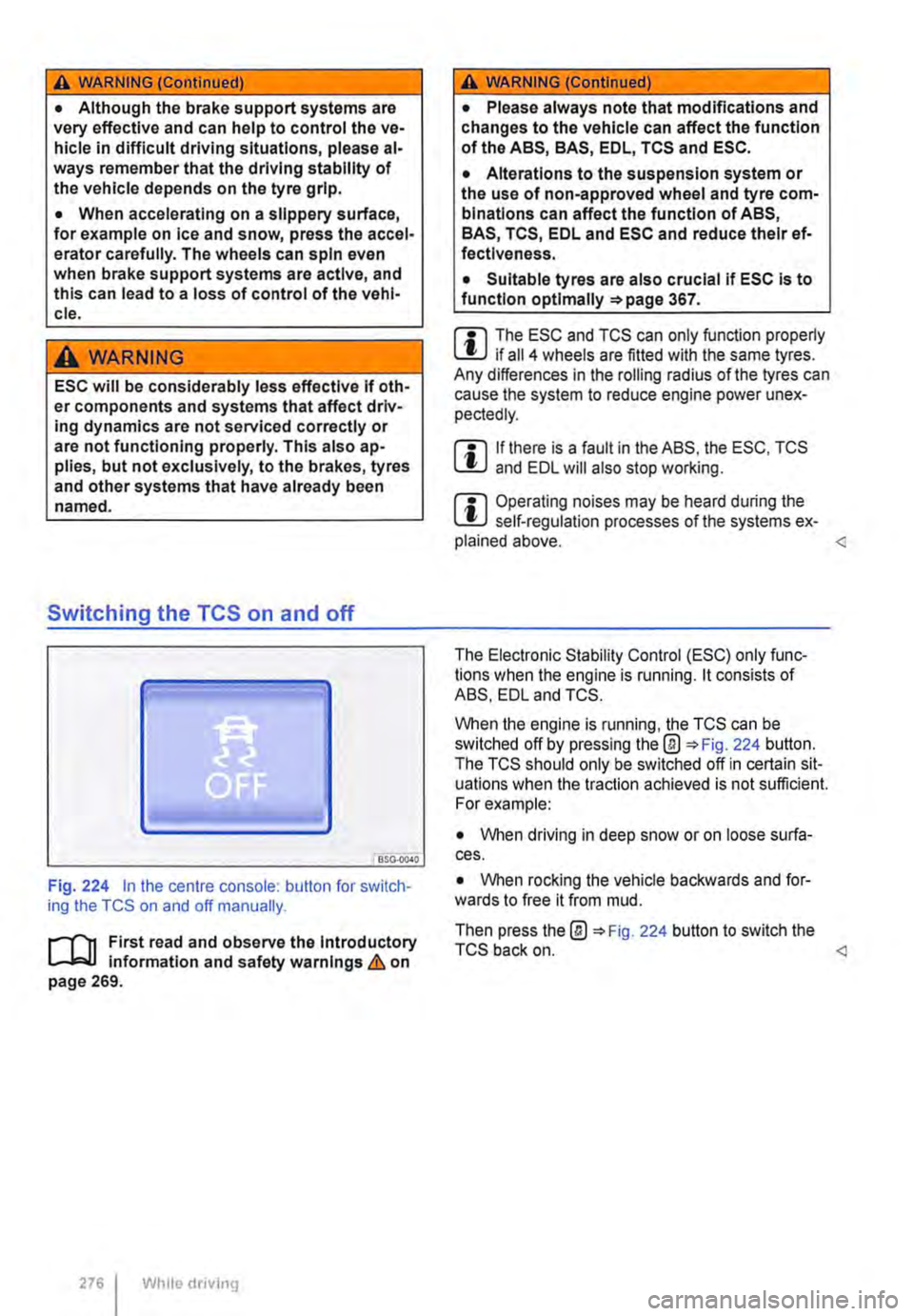
The ASS, BAS, TCS and EDL systems are integra-ted into the ESC. The ESC is always on. If the trac-tion achieved in certain situations is not sufficient, TCS can be switched off by pressing the ASR (TCS) button =>Fig. 224. Always ensure that ASR (TCS) is switched back on again once traction is sufficient.
Automatic Post-Collision Braking System
In the event of an accident, the Automatic Post-Collision Braking System can help the driver to re-duce the risk of skidding, and the danger of secon-dary collisions, through automatic braking.
Page 276 of 486
A WARNING (Continued)
• Although the brake support systems are very effective and can help to control the ve-hicle in difficult driving situations, please al-ways remember that the driving stability of the vehicle depends on the tyre grip.
• When accelerating on a slippery surface, for example on ice and snow, press the accel-erator carefully. The wheels can spin even when brake support systems are active, and this can lead to a loss of control of the vehl-cl e.
A WARNING
ESC will be considerably less effective if oth· er components and systems that affect driv-ing dynamics are not serviced correctly or are not functioning properly. This also ap-plies, but not exclusively, to the brakes, tyres and other systems that have already been named.
Switching the TCS on and off
BSO·OC40
Fig. 224 in the centre console: button for switch-ing the TCS on and off manually.
.-m First read and observe the introductory l-J=J.I information and safety warnings & on page 269.
276 Wh1lo driving
A WARNING (Continued)
• Please always note that modifications and changes to the vehicle can affect the function of the ABS, BAS, EDL, TCS and ESC.
• Alterations to the suspension system or the use of non-approved wheel and tyre com-binations can affect the function of ABS, BAS, TCS, EDL and ESC and reduce their ef· fectiveness.
• Suitable tyres are also crucial if ESC is to function optlmaliy =>page 367.
m The ESC and TCS can only function properly L.:U if ail 4 wheels are fitted with the same tyres. Any differences in the roiling radius of the tyres can cause the system to reduce engine power unex-pectedly.
m If there is a fault in the ABS, the ESC, TCS lU and EDL will also stop working.
m Operating noises may be heard during the L.:U self-regulation processes of the systems ex-plained above.
When the engine is running, the TCS can be switched off by pressing the@ 224 button. The TCS should only be switched off in certain sit-uations when the traction achieved is not sufficient. For example:
• When driving in deep snow or on loose surfa-ces.
• When rocking the vehicle backwards and for-wards to free it from mud.
Then press the@ 224 button to switch the TCS back on.
Page 279 of 486
Changing gear earlier
In principle, the highest gear is always the most economical gear. A rule of thumb for most vehicles: at a speed of 30 kmlh (19 m ph} drive in third gear, at 40 km/h (25 mph) in 4th gear and at 50 km/h (31 mph) In 5th gear.
If the traffic and driving situation allows it, skipping gears when changing up a gear will also save fuel.
Do not drive gears to their upper limit. Use first gear only for pulling away then quickly change up to second gear. Avoid using the kickdown func-tion in vehicles with a DSG® dual clutch gearbox.
Vehicles with a gear display help to improve fuel economy by indicating the optimum time to change gear.
Rolling to a stop
Taking your foot off the accelerator will interrupt the supply of fuel to the engine and decrease fuel con-sumption.
Therefore, in situations such as approaching a red traffic light, let the vehicle roll without applying the accelerator.
Only press on the dutch pedal to disengage if the vehicle becomes too slow or if the stopping dis-tance is longer. The engine will then run at idling speed 263.
Switch off the engine in situations when the vehicle might be stationary for a long time, e.g. at a level crossing. In vehicles with an active start/stop sys-tem, the engine will switch off automatically when the vehicle Is stationary.
Thinking ahead when driving, and driving with the flow of traffic
Applying the brake and accelerator too often will significantly increase fuel consumption. If you think ahead when driving and maintain a sufficient dis-tance from the vehicle in front, simply keeping your foot off the accelerator should stop the speed from fluctuating. This means that active braking and ac-celerating is not always necessary.
Driving smoothly and evenly
Smoothness is even more important than speed. The more evenly you drive, the lower your fuel consumption will be.
When driving on a motorway, it is much more ef-fective to drive at a constant moderate speed than to drive with constant acceleration and braking. As a rule, driving with a constant style will get you to your destination just as quickly.
The cruise control system will help you to maintain a constant driving style.
Using additional equipment in moderation
lt is always important to be comfortable in your ve-hicle, but it is also important to consider the envi-ronment.
Some equipment will increase fuel consumption when switched on:
• The cooling function of the air conditioning sys-tem: if the air conditioning system is set to a very high or low temperature it will require a lot of ener-gy, which is generated by the engine. Therefore the temperature setting in the vehicle should not vary too much from the outside temperature. lt may be a good idea to air the vehicle before setting off and then to travel a short distance with the win-dows open. The air conditioning system should then be switched on once the windows have been closed. Keep the windows closed when driving at high speeds. Having the windows open increases fuel consumption.
• Switch the seat heating off as soon as it has served its purpose.
• Switch the windscreen and rear window heating off as soon as the windows have defogged and are clear of ice.
• Do not leave the supplementary heating system on when the vehicle is moving 332.
Other factors that Increase fuel consumption (examples):
• Fault in engine management.
• Driving in hilly regions.
• Driving with a trailer.