2019 TOYOTA SUPRA warning
[x] Cancel search: warningPage 239 of 456
239
3
Supra Owner's Manual3-1. CONTROLS
CONTROLS
in, an alternating continuous tone
sounds.
Automatic transmission: the inter-
mittent tone and the continuous
tone are switched off when selector
lever position P is engaged.
With the vehicle at a standstill, the
intermittent sound is switched off
after a short period of time.
■Volume control
The Parking Sensor acoustic signal
volume can be adjusted.
Via Toyota Supra Command:
1"My vehicle"
2"System settings"
3"Sounds"
4"Volume settings"
5"Parking Sensor"
6Set the desired value.
The setting is saved for the cur-
rently used driver profile.
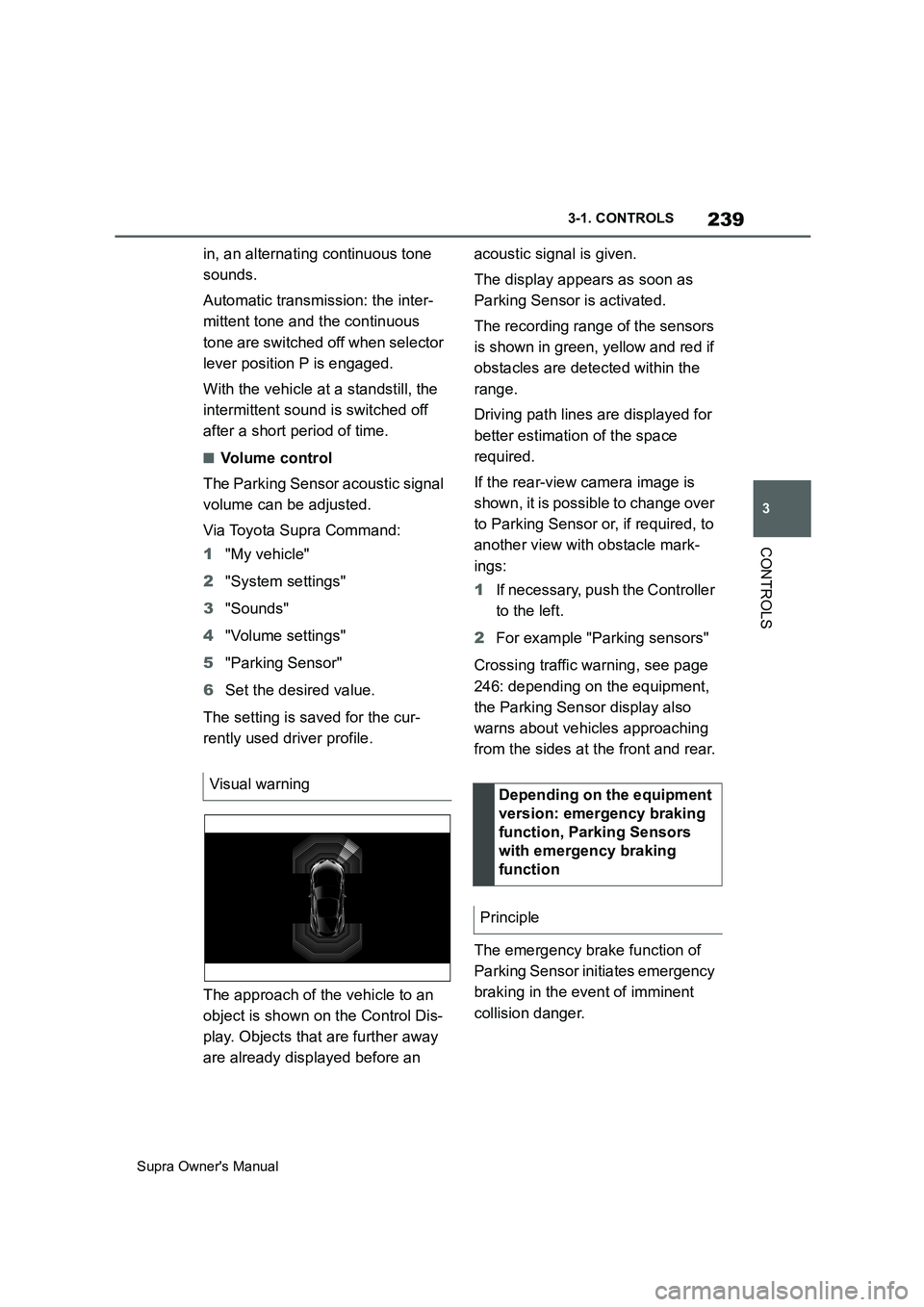
The approach of the vehicle to an
object is shown on the Control Dis-
play. Objects that are further away
are already displayed before an acoustic signal is given.
The display appears as soon as
Parking Sensor is activated.
The recording range of the sensors
is shown in green, yellow and red if
obstacles are detected within the
range.
Driving path lines are displayed for
better estimation of the space
required.
If the rear-view camera image is
shown, it is possible to change over
to Parking Sensor or, if required, to
another view with obstacle mark-
ings:
1If necessary, push the Controller
to the left.
2For example "Parking sensors"
Crossing traffic warning, see page
246: depending on the equipment,
the Parking Sensor display also
warns about vehicles approaching
from the sides at the front and rear.
The emergency brake function of
Parking Sensor initiates emergency
braking in the event of imminent
collision danger. Visual warning
Depending on the equipment
version: emergency braking
function, Parking Sensors
with emergency braking
function
Principle
Page 240 of 456
240
Supra Owner's Manual3-1. CONTROLS
Due to the system limits, a collision
cannot be prevented under all cir-
cumstances.
The function is available at speeds
below walking speed when driving
or rolling in reverse.
Pressing the accelerator pedal
interrupts the braking intervention.
After emergency braking to a stop,
it is possible to continue a slow
approach to the obstacle. To
approach, lightly depress the accel-
erator.
If the accelerator is depressed
more firmly, the vehicle pulls away
as normal. Manual braking is possi-
ble at any time.
The system uses the ultrasonic
sensors of Parking Sensor and
Park Assistant.
Via Toyota Supra Command:
1"My vehicle"2"Vehicle settings"
3"Parking"
4"Active PDC emergency inter-
vention"
5"Active PDC emergency interv."
The setting is saved for the cur-
rently used driver profile.
The system warns about obstacles
at the side of the vehicle.
The system uses the ultrasonic
sensors of Parking Sensor and
Park Assistant.
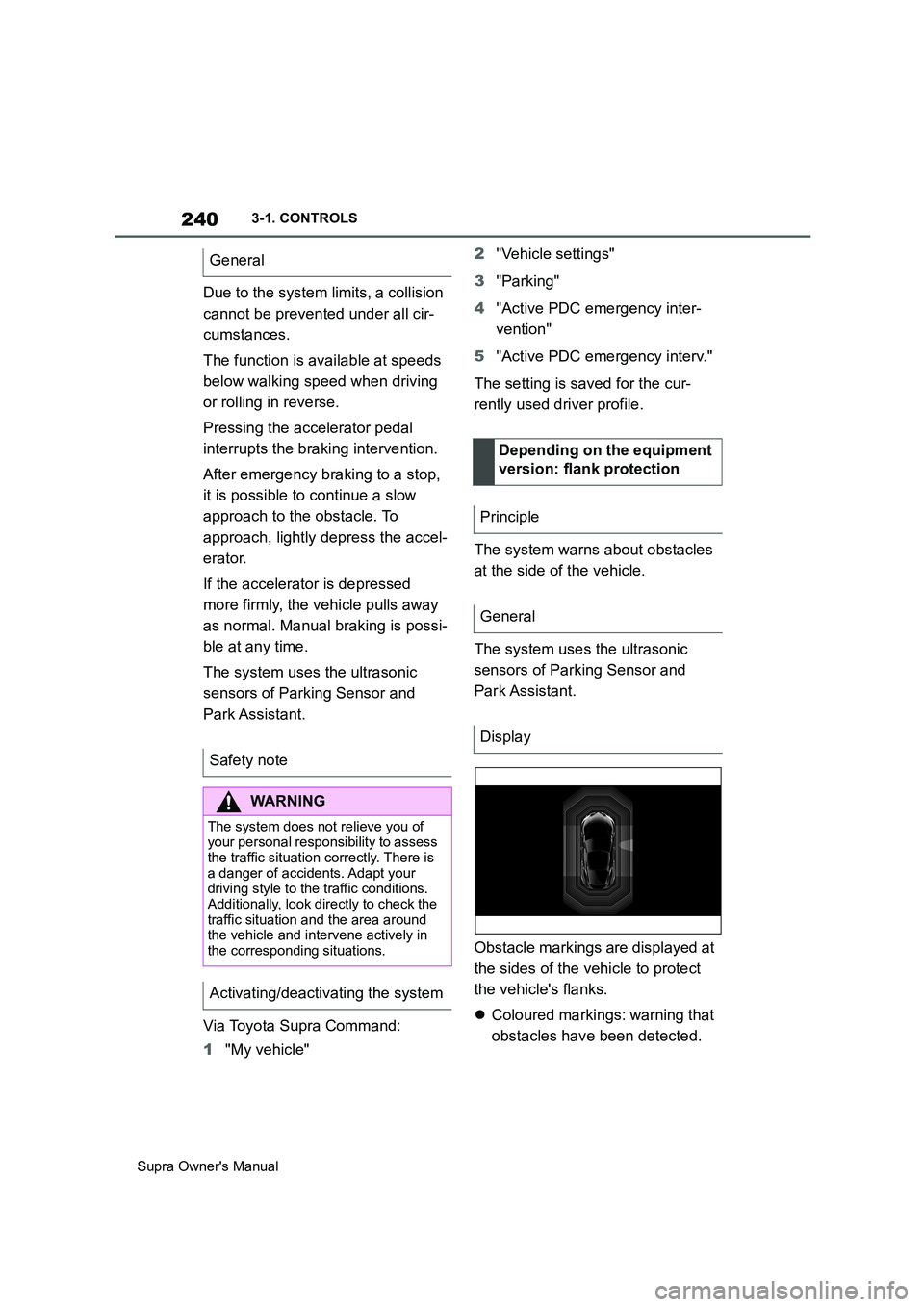
Obstacle markings are displayed at
the sides of the vehicle to protect
the vehicle's flanks.
Coloured markings: warning that
obstacles have been detected. General
Safety note
WARNING
The system does not relieve you of
your personal responsibility to assess
the traffic situation correctly. There is
a danger of accidents. Adapt your
driving style to the traffic conditions.
Additionally, look directly to check the
traffic situation and the area around
the vehicle and intervene actively in
the corresponding situations.
Activating/deactivating the system
Depending on the equipment
version: flank protection
Principle
General
Display
Page 241 of 456
241
3
Supra Owner's Manual3-1. CONTROLS
CONTROLS
Grey markings, hatched sur-
face: no obstacles have been
detected.
No markings, black surface: the
area adjacent to the vehicle has
not yet been detected.
The system only shows stationary
obstacles that were previously
detected by the sensors when driv-
ing past.
The system does not detect
whether an obstacle subsequently
moves. The markings are shown in
black after a certain time when the
vehicle is stationary. The area next
to the vehicle must be detected
again.
Certain conditions and objects may
push ultrasound measurement to
its limits, including the following:
Small children and animals.Persons wearing certain types of
clothing, for example a coat.
External interference with the
ultrasound, for example by pass-
ing vehicles or loud machines.
Sensors which are dirty, iced up,
damaged or incorrectly adjusted.
Certain weather conditions, for
example high humidity, wet con-
ditions, snowfall, extreme heat or
strong wind.
Trailer drawbars and tow hitches
of other vehicles.
Thin or wedge-shaped objects.
Moving objects.
Higher protruding objects, for
example projecting walls.
Objects with corners, edges and
smooth surfaces.
Objects with fine surfaces or
structures, for example fences.
Objects with porous surfaces.
Small and low objects such as
boxes.
Obstacles and people at the
edge of the lane.
Soft obstacles or obstacles cov-
ered in foam.
Plants or shrubs.
Low objects already indicated,
for example kerbs, may enter the
sensors' blind areas before or
after a continuous tone is given.
The system does not take into
account loads projecting beyond Limits of flank protection
System limits
Safety note
WARNING
The system may not respond at all, or
may respond too late, incorrectly or
without justification due to limits of the
system. There is a danger of acci-
dents or damage to property. Observe
the information on the system limits
and intervene actively if necessary.
Limits of ultrasound measurement
Page 242 of 456
242
Supra Owner's Manual3-1. CONTROLS
the outline of the vehicle.
Under the following conditions, the
system may issue a warning even
though there is no obstacle in the
detection range:
In heavy rain.
If the sensors are very soiled or
covered with ice.
If the sensors are covered with
snow.
On rough road surfaces.
On uneven surfaces, for exam-
ple speed bumps.
In large, rectangular buildings
with smooth walls, for example
underground car parks.
In washing bays and car washes.
Due to dense exhaust gases.
Due to other ultrasonic sources,
for example sweeping machines,
steam-jet cleaners or neon lights.
To reduce false alarms, for example
in automatic car washes, switch off,
see page 238, automatic activation
of Parking Sensor when obstacles
are detected if necessary.
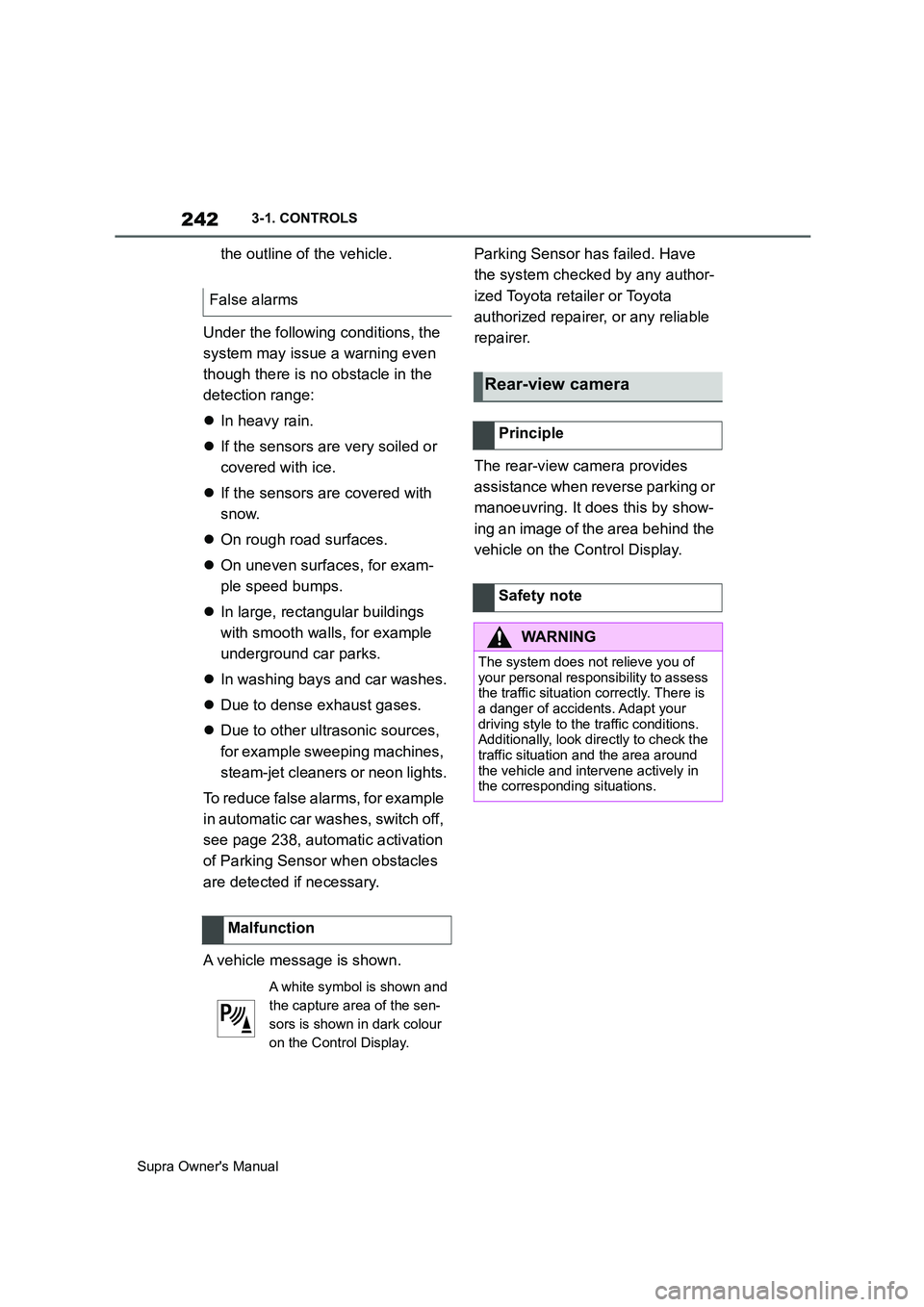
A vehicle message is shown.Parking Sensor has failed. Have
the system checked by any author-
ized Toyota retailer or Toyota
authorized repairer, or any reliable
repairer.
The rear-view camera provides
assistance when reverse parking or
manoeuvring. It does this by show-
ing an image of the area behind the
vehicle on the Control Display. False alarms
Malfunction
A white symbol is shown and
the capture area of the sen-
sors is shown in dark colour
on the Control Display.
Rear-view camera
Principle
Safety note
WARNING
The system does not relieve you of
your personal responsibility to assess
the traffic situation correctly. There is
a danger of accidents. Adapt your
driving style to the traffic conditions.
Additionally, look directly to check the
traffic situation and the area around
the vehicle and intervene actively in
the corresponding situations.
Page 246 of 456
246
Supra Owner's Manual3-1. CONTROLS
At blind exits or when reversing out
of perpendicular parking spaces,
the system detects other road
users approaching from the side
earlier than is possible from the
driver's seat.
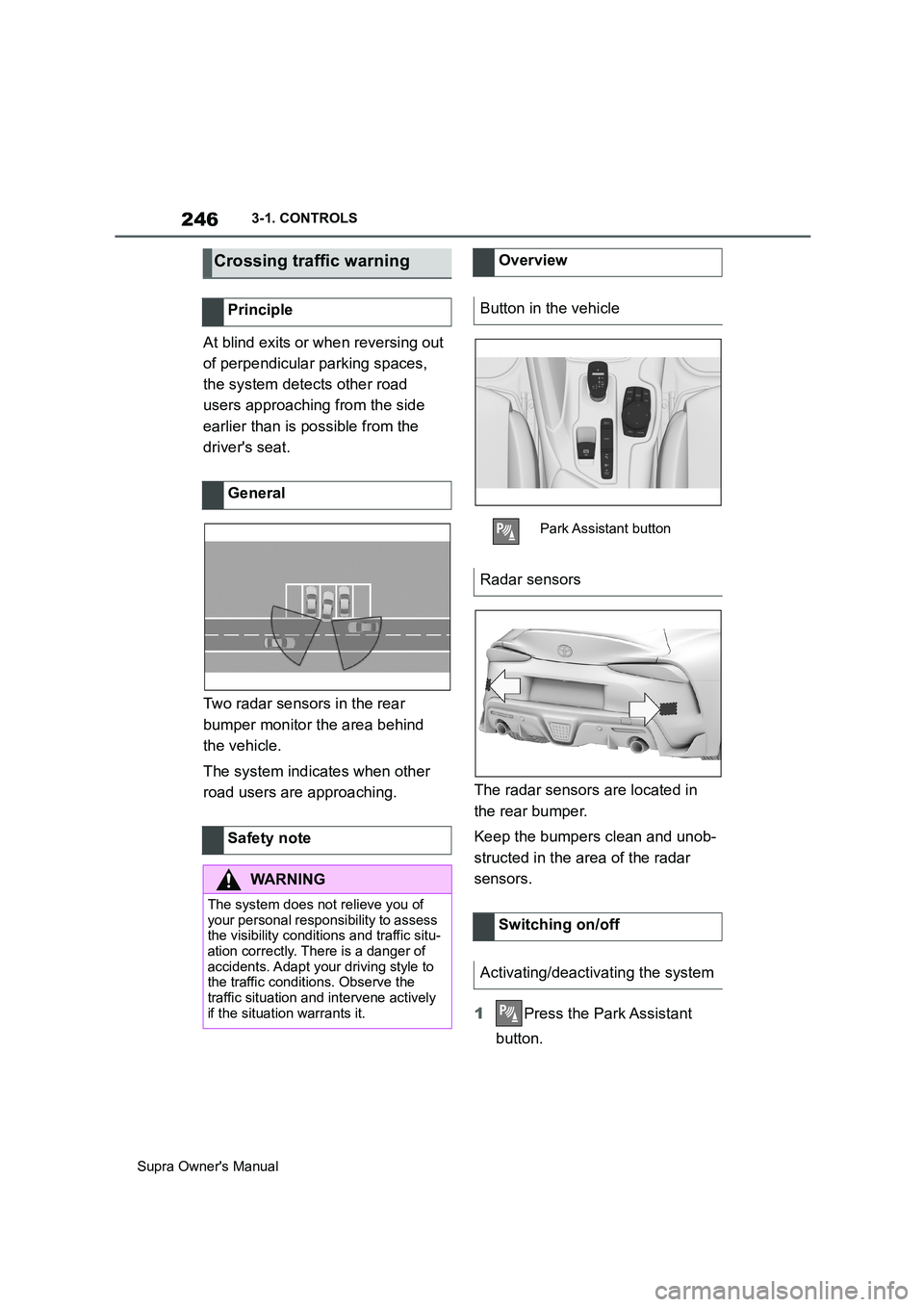
Two radar sensors in the rear
bumper monitor the area behind
the vehicle.
The system indicates when other
road users are approaching.The radar sensors are located in
the rear bumper.
Keep the bumpers clean and unob-
structed in the area of the radar
sensors.
1Press the Park Assistant
button.
Crossing traffic warning
Principle
General
Safety note
WARNING
The system does not relieve you of
your personal responsibility to assess
the visibility conditions and traffic situ-
ation correctly. There is a danger of
accidents. Adapt your driving style to
the traffic conditions. Observe the
traffic situation and intervene actively
if the situation warrants it.
Overview
Button in the vehicle
Park Assistant button
Radar sensors
Switching on/off
Activating/deactivating the system
Page 247 of 456
247
3
Supra Owner's Manual3-1. CONTROLS
CONTROLS
2Tilt the Controller to the right.
3"Settings"
4"Cross-traffic alert"
5"Cross-traffic alert"
Or via Toyota Supra Command:
1"My vehicle"
2"Vehicle settings"
3"Parking"
4"Cross-traffic alert"
5"Cross-traffic alert"
If the system was activated on the
Control Display, it is switched on
automatically as soon as Parking
Sensors or Panorama View is
active and a gear is engaged.
The system is switched on at the
rear when reverse gear is engaged.
The system switches off automati-
cally in the following situations:
If walking speed is exceeded.
When a certain distance is
exceeded.
During active parking with the
Park Assistant.
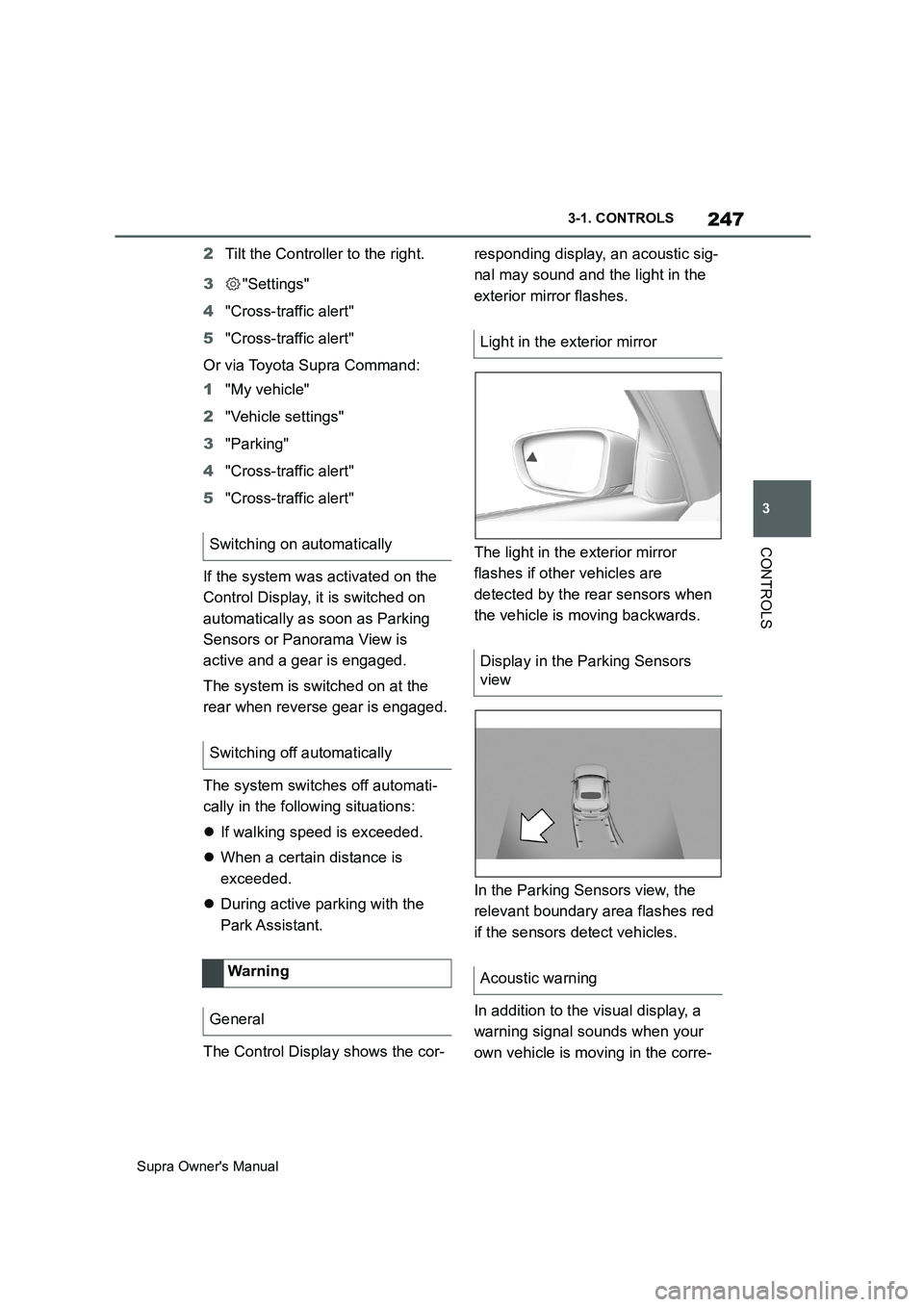
The Control Display shows the cor-responding display, an acoustic sig-
nal may sound and the light in the
exterior mirror flashes.
The light in the exterior mirror
flashes if other vehicles are
detected by the rear sensors when
the vehicle is moving backwards.
In the Parking Sensors view, the
relevant boundary area flashes red
if the sensors detect vehicles.
In addition to the visual display, a
warning signal sounds when your
own vehicle is moving in the corre- Switching on automatically
Switching off automatically
Wa rning
General
Light in the exterior mirror
Display in the Parking Sensors
view
Acoustic warning
Page 250 of 456
250
Supra Owner's Manual3-1. CONTROLS
Safety notes
WARNING
When using the air conditioning sys-
tem, seat heaters, etc. for a long
period of time, make sure that no
body parts are kept near the air out-
lets or in direct contact with the seat,
as doing so may lead to minor burns
or chill burns. If you feel unusual while
using the air conditioning system or
seat heaters, stop use or change the
setting immediately.
Automatic air conditioning
Overview
Buttons in the vehicle
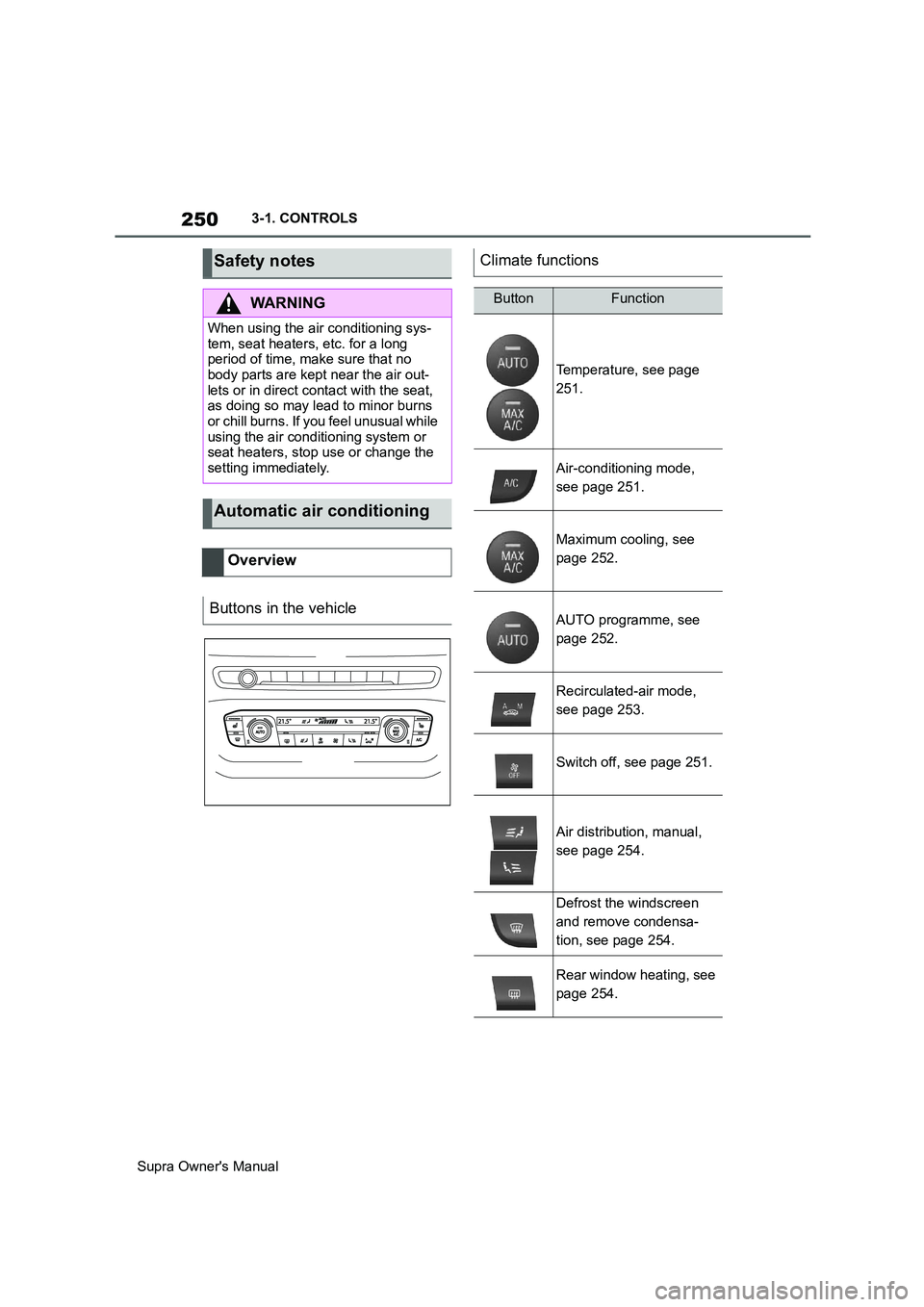
Climate functions
ButtonFunction
Temperature, see page
251.
Air-conditioning mode,
see page 251.
Maximum cooling, see
page 252.
AUTO programme, see
page 252.
Recirculated-air mode,
see page 253.
Switch off, see page 251.
Air distribution, manual,
see page 254.
Defrost the windscreen
and remove condensa-
tion, see page 254.
Rear window heating, see
page 254.
Page 258 of 456
258
Supra Owner's Manual3-1. CONTROLS
cal devices when standby state or
drive-ready state is switched on.
The total load of all sockets must
not exceed 140 watt at 12 volts.
To avoid damage to the socket, do
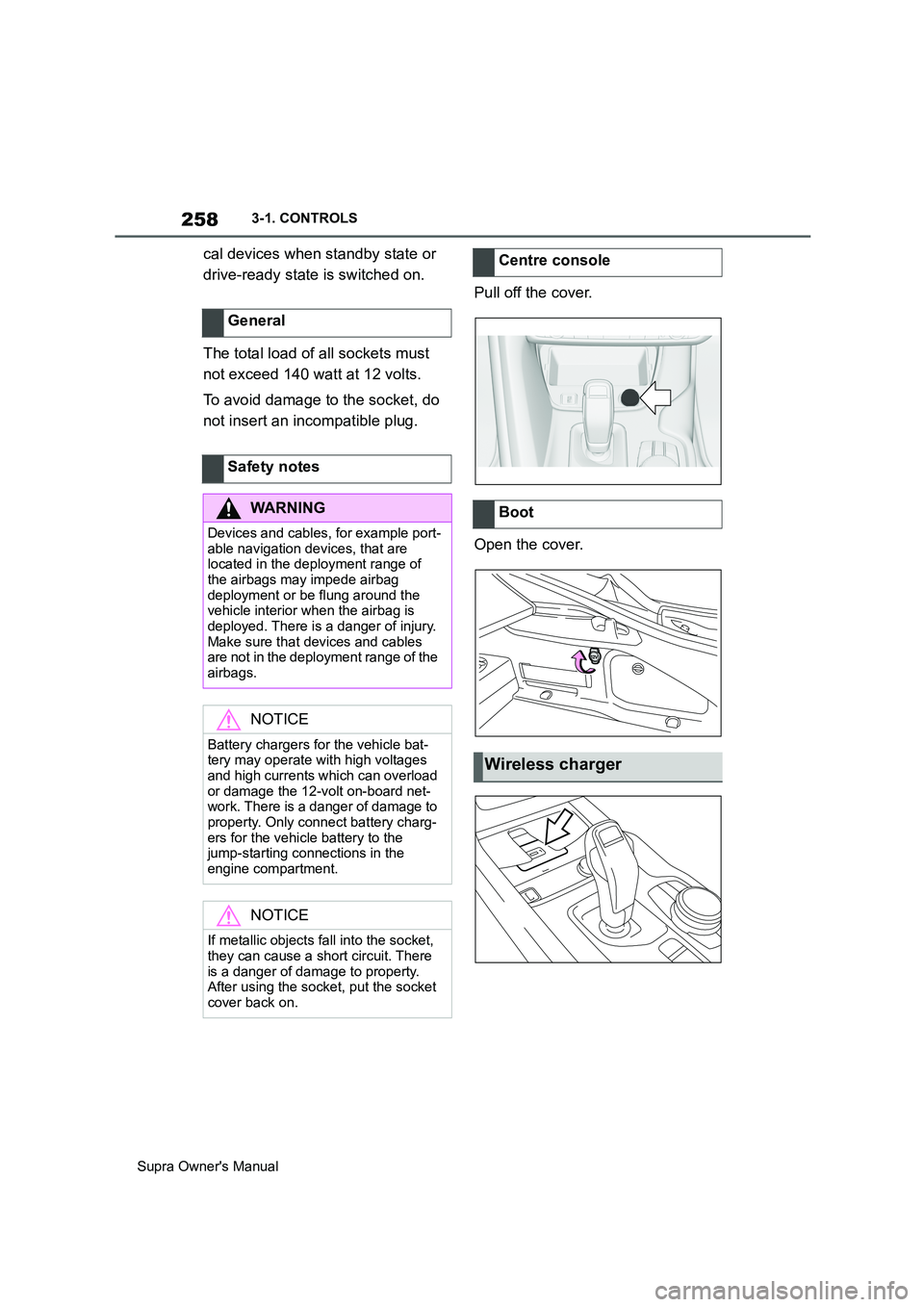
not insert an incompatible plug.Pull off the cover.
Open the cover. General
Safety notes
WARNING
Devices and cables, for example port-
able navigation devices, that are
located in the deployment range of
the airbags may impede airbag
deployment or be flung around the
vehicle interior when the airbag is
deployed. There is a danger of injury.
Make sure that devices and cables
are not in the deployment range of the
airbags.
NOTICE
Battery chargers for the vehicle bat-
tery may operate with high voltages
and high currents which can overload
or damage the 12-volt on-board net-
work. There is a danger of damage to
property. Only connect battery charg-
ers for the vehicle battery to the
jump-starting connections in the
engine compartment.
NOTICE
If metallic objects fall into the socket,
they can cause a short circuit. There
is a danger of damage to property.
After using the socket, put the socket
cover back on.
Centre console
Boot
Wireless charger