2019 Peugeot Expert Screen
[x] Cancel search: ScreenPage 108 of 324
106
Changing a wiper blade
Removing/refitting at the front
Take care not to hold the arms at the jet
locations.
Do not touch the wiper blade as you may
cause irreparable damage.
Do not release them while moving them -
risk of damaging the windscreen!F
Cl
ean the windscreen using screenwash
fluid.
Do not apply "Rain X" type water-repellent
products.
F
U
nclip the worn wiper blade closest to you
and remove it.
F
I
nstall the new wiper blade and clip it to the
arm.
F
R
epeat the procedure for the other wiper
blade.
F
S
tarting with the wiper blade closest to
you, once again hold each arm by the rigid
section, then fold it carefully, guiding it to
the windscreen.
Removing/refitting at the rear
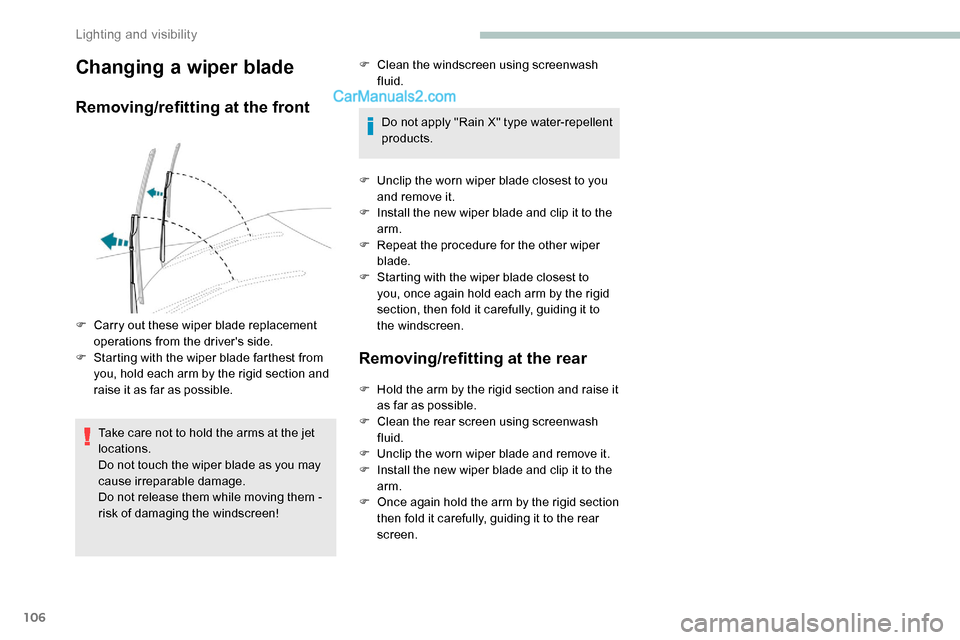
F Carry out these wiper blade replacement operations from the driver's side.
F
S
tarting with the wiper blade farthest from
you, hold each arm by the rigid section and
raise it as far as possible. F
H
old the arm by the rigid section and raise it
as far as possible.
F
Cl
ean the rear screen using screenwash
fluid.
F
U
nclip the worn wiper blade and remove it.
F
I
nstall the new wiper blade and clip it to the
arm.
F
O
nce again hold the arm by the rigid section
then fold it carefully, guiding it to the rear
screen.
Lighting and visibility
Page 113 of 324
111
Dynamic stability control
(DSC) and anti-slip
regulation (ASR)
Activation
These systems are activated automatically
every time the vehicle is started.
As soon as they detect a problem of grip or
trajectory, these systems act on the operation
of the engine and brakes.This is indicated by flashing of this
warning lamp in the instrument
panel.
Deactivation/Reactivation
In exceptional conditions (moving a vehicle that
is bogged down in mud, stuck in snow, on loose
soil, etc.), it may prove useful to deactivate the
DSC/ASR systems, so that the wheels can
move freely and regain grip.
It is however recommended that the systems
be reactivated as soon as possible. These systems are reactivated automatically
every time the ignition is switched off, or from
31 mph (50
km/h).
However, below 31 mph (50 km/h), the systems
can be reactivated manually.
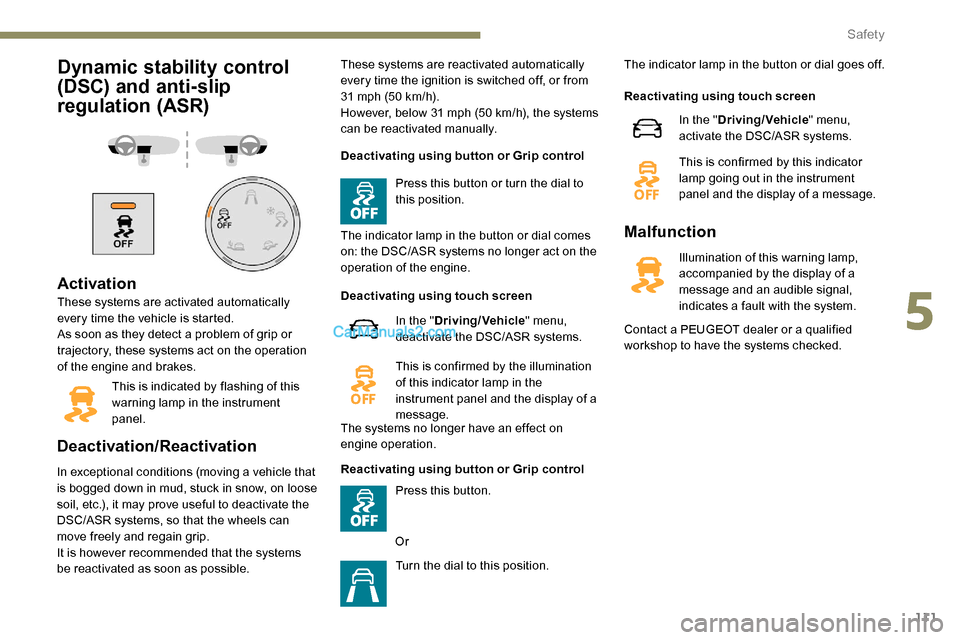
Deactivating using button or Grip control
Press this button or turn the dial to
this position.
The indicator lamp in the button or dial comes
on: the DSC/ASR systems no longer act on the
operation of the engine.
Deactivating using touch screen
Reactivating using button or Grip control Press this button.
Or Turn the dial to this position. The indicator lamp in the button or dial goes off.
In the " Driving/Vehicle " menu,
deactivate the DSC/ASR systems.
This is confirmed by the illumination
of this indicator lamp in the
instrument panel and the display of a
message.
The systems no longer have an effect on
engine operation. Reactivating using touch screen
Malfunction
Illumination of this warning lamp,
accompanied by the display of a
message and an audible signal,
indicates a fault with the system. In the "
Driving/Vehicle " menu,
activate the DSC/ASR systems.
This is confirmed by this indicator
lamp going out in the instrument
panel and the display of a message.
Contact a PEUGEOT dealer or a qualified
workshop to have the systems checked.
5
Safety
Page 142 of 324
140
If this warning lamp and the STOP
warning lamp come on, stop the
vehicle and switch off the engine as
soon as possible.
Brakes
Braking distances are increased when towing a
trailer. To avoid overheating of the brakes, the
use of engine braking is recommended.
Side wind
Bear in mind the increased sensitivity to wind
that your vehicle will have.
Anti-theft protection
Electronic immobiliser
The remote control contains an electronic chip
which has a special code. When the ignition is
switched on, this code must be recognised in
order for starting to be possible.
A few seconds after switching off the ignition,
this system locks the engine control system,
therefore preventing the engine from being
started in the event of a break-in.
In the event of a fault, you are
informed by illumination of this
warning lamp, an audible signal and
a message on the screen. The vehicle will not start; contact a PEUGEOT
dealer as soon as possible.
Starting/switching off the
engine
Starting
The parking brake must be applied.
F
W
ith a manual gearbox , place the gear
lever in the neutral position, fully depress
the clutch pedal and keep the pedal down
until the engine starts.
F
W
ith an automatic gearbox , place the
selector in position P then fully depress the
brake pedal.
F
W
ith an electronic gearbox , place the
selector in position N then fully depress the
brake pedal.
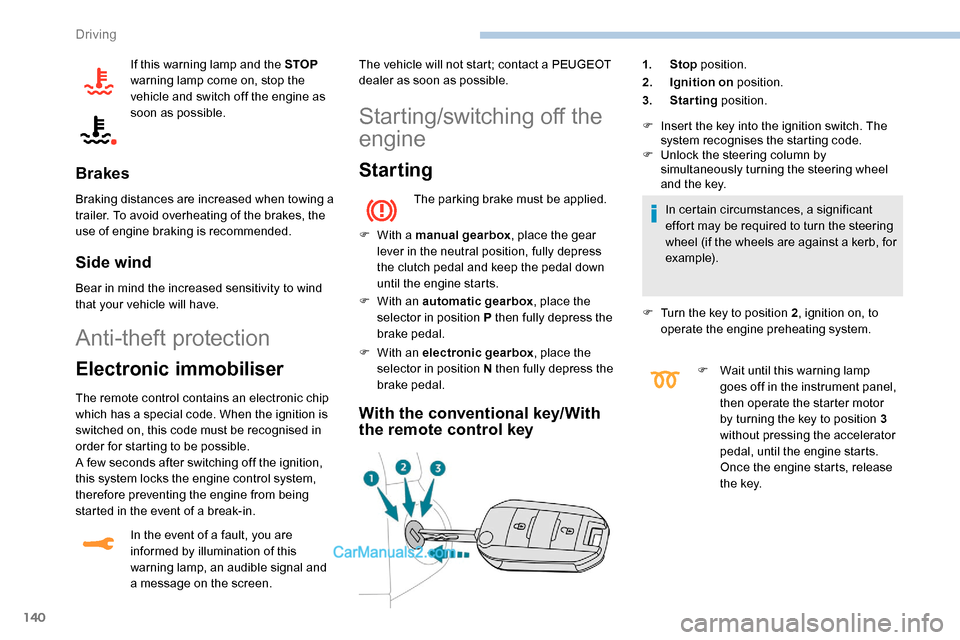
With the conventional key/With
the remote control key
1. Stop position.
2. Ignition on position.
3. Starting position.
F
I
nsert the key into the ignition switch. The
system recognises the starting code.
F
U
nlock the steering column by
simultaneously turning the steering wheel
and the key.
In certain circumstances, a significant
effort may be required to turn the steering
wheel (if the wheels are against a kerb, for
example).
F
T
urn the key to position 2, ignition on, to
operate the engine preheating system.
F
W
ait until this warning lamp
goes off in the instrument panel,
then operate the starter motor
by turning the key to position
3
without pressing the accelerator
pedal, until the engine starts.
Once the engine starts, release
t h e key.
Driving
Page 149 of 324
147
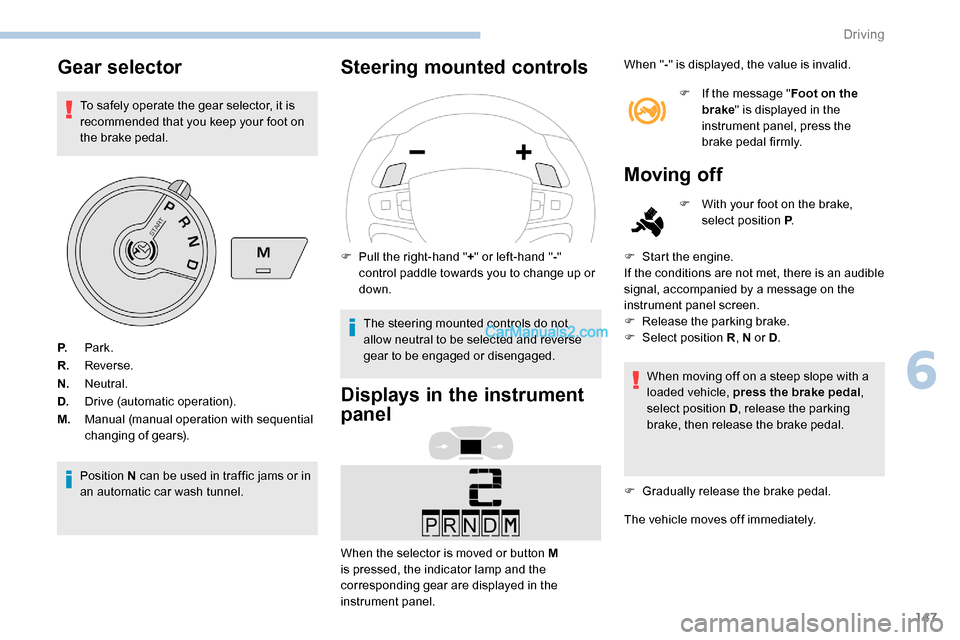
Gear selector
To safely operate the gear selector, it is
recommended that you keep your foot on
the brake pedal.
Position N can be used in traffic jams or in
an automatic car wash tunnel.
Steering mounted controls
F Pull the right-hand "+" or left-hand " -"
control paddle towards you to change up or
down.
The steering mounted controls do not
allow neutral to be selected and reverse
gear to be engaged or disengaged.
Displays in the instrument
panel
When the selector is moved or button M
is pressed, the indicator lamp and the
corresponding gear are displayed in the
instrument panel. When "
-" is displayed, the value is invalid.
F
I
f the message "
Foot on the
brake " is displayed in the
instrument panel, press the
brake pedal firmly.
Moving off
F With your foot on the brake, select position P .
F
S
tart the engine.
If the conditions are not met, there is an audible
signal, accompanied by a message on the
instrument panel screen.
F
R
elease the parking brake.
F
Sel
ect position R , N or D.
When moving off on a steep slope with a
loaded vehicle, press the brake pedal ,
select position D , release the parking
brake, then release the brake pedal.
F
G
radually release the brake pedal.
The vehicle moves off immediately.
P.
Park.
R. Reverse.
N. Neutral.
D. Drive (automatic operation).
M. Manual (manual operation with sequential
changing of gears).
6
Driving
Page 152 of 324
150
Operating fault
When the ignition is on, a message appears
in the instrument panel screen to indicate a
gearbox fault.
In this case, the gearbox switches to back-up
mode and is locked in 3
rd gear. You may feel
a substantial knock when changing from P
to R and from N to R. This will not cause any
damage to the gearbox.
Do not exceed 60 mph (100 km/h), local speed
restrictions permitting.
Have it checked by a PEUGEOT dealer or a
qualified workshop.
There is a risk of damage to the gearbox:
-
i
f you press the accelerator and brake
pedals at the same time (braking or
acceleration must be done only with
the right foot),
-
i
f you force the selector from position P
to another position when the battery is
flat.
To reduce fuel consumption when
stationary for long periods with the
engine running (traffic jam, etc.), position
the selector on N and apply the parking
brake. If your vehicle has an automatic gearbox,
do not try to start the engine by pushing
the vehicle.Electronic gearbox
Electronic gearbox with 6 speeds, with
electronic management of gear changes. It
also offers a manual mode with sequential gear
changes via control paddles situated behind
the steering wheel.
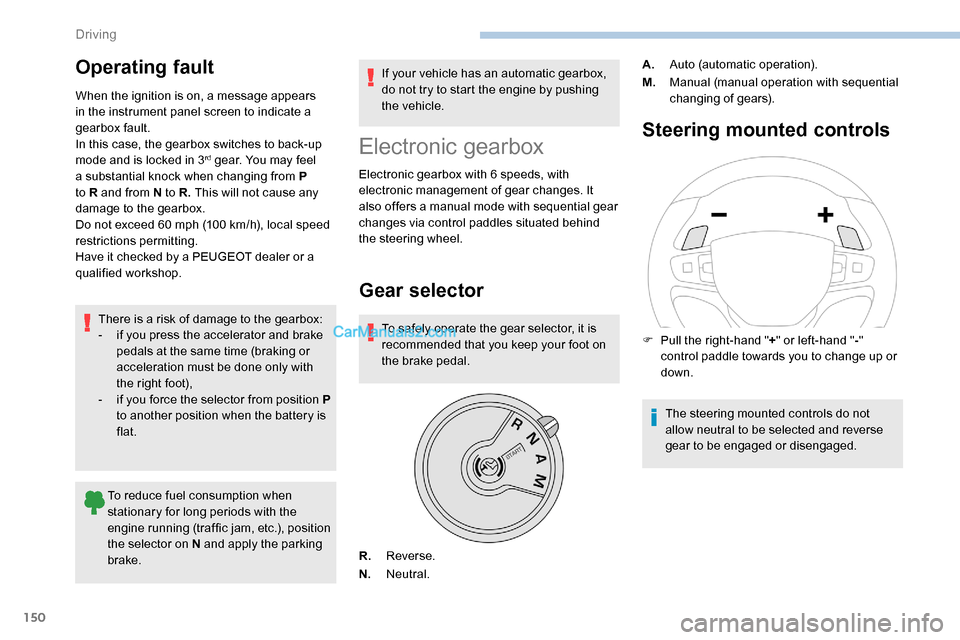
Gear selector
To safely operate the gear selector, it is
recommended that you keep your foot on
the brake pedal.
Steering mounted controls
R.
Reverse.
N. Neutral. A.
Auto (automatic operation).
M. Manual (manual operation with sequential
changing of gears).
F
P
ull the right-hand "
+" or left-hand " -"
control paddle towards you to change up or
down.
The steering mounted controls do not
allow neutral to be selected and reverse
gear to be engaged or disengaged.
Driving
Page 153 of 324
151
Displays in the instrument
panel
Starting the vehicle
F Select position N.
F F ull depress the brake pedal.
F
S
tart the engine. N appears in the instrument panel
screen.
If the engine does not star t:
If N flashes in the instrument panel,
accompanied by an audible signal and
a message, move the gear selector to
position A then to position N .F
Sel
ect automatic operation (position A
),
manual operation (position M ), or reverse
(position R ).
F
R
elease the parking brake.
F
P
rogressively take your foot off the brake
pedal; the vehicle then moves off.
Automatic operation
F After starting the engine, select position A for automatic gear changes.
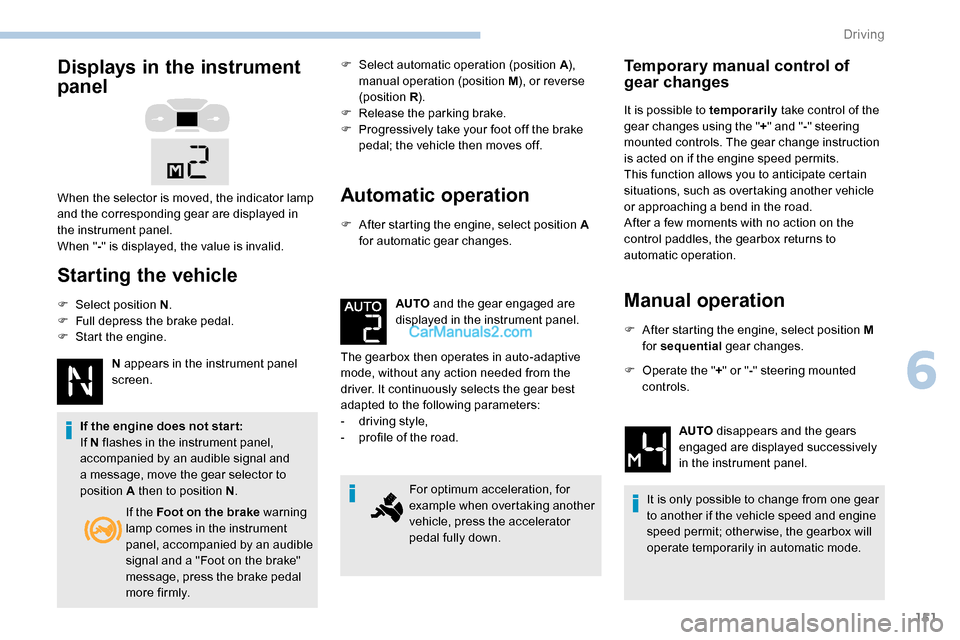
AUTO and the gear engaged are
displayed in the instrument panel.
The gearbox then operates in auto-adaptive
mode, without any action needed from the
driver. It continuously selects the gear best
adapted to the following parameters:
-
d
riving style,
-
p
rofile of the road. For optimum acceleration, for
example when overtaking another
vehicle, press the accelerator
pedal fully down.
Temporary manual control of
gear changes
It is possible to temporarily take control of the
gear changes using the " +" and " -" steering
mounted controls. The gear change instruction
is acted on if the engine speed permits.
This function allows you to anticipate certain
situations, such as overtaking another vehicle
or approaching a bend in the road.
After a few moments with no action on the
control paddles, the gearbox returns to
automatic operation.
Manual operation
F After starting the engine, select position M for sequential gear changes.
When the selector is moved, the indicator lamp
and the corresponding gear are displayed in
the instrument panel.
When "
-" is displayed, the value is invalid.
If the Foot on the brake warning
lamp comes in the instrument
panel, accompanied by an audible
signal and a "Foot on the brake"
message, press the brake pedal
more firmly. F
O
perate the " +" or " -" steering mounted
controls.
It is only possible to change from one gear
to another if the vehicle speed and engine
speed permit; other wise, the gearbox will
operate temporarily in automatic mode. AUTO
disappears and the gears
engaged are displayed successively
in the instrument panel.
6
Driving
Page 155 of 324

153
Deactivation/Activation
With / Without audio system
If the system has been deactivated
in STOP mode, the engine restarts
immediately.
Operation
Main conditions for operation
- T he driver’s door must be closed.
-
T
he sliding side door must be closed.
-
T
he driver's seat belt must be fastened.
-
T
he state of charge of the battery must be
sufficient.
-
T
he temperature of the engine must be
within its nominal operating range.
-
T
he outside temperature must be between
0°C and 35
°C.
Putting the engine into standby
(STOP mode)
The engine automatically goes into standby
as soon as the driver indicates the intention of
stopping.
With a manual gearbox : at a speed below
12 mph (20
km/h) or the vehicle stopped
(depending on engine), with the gear lever in
neutral and clutch pedal released.
With an automatic gearbox : with the brake
pedal depressed or the gear selector in
position
N, with the vehicle stopped.
With an electronic gearbox : at a speed
below 12 mph (20 km/h), with the brake pedal
depressed or the gear selector in position N ,
with the vehicle stopped.
Time counter
A time counter adds up the time spent in
standby during a journey. It resets to zero every
time the ignition is switched on.
Special cases:
The engine does not go into standby if one of
the operating conditions is not met and in the
following cases.
-
S
teep slope (rising or falling).
-
V
ehicle speed has not exceeded 6 mph
(10
km/h) since the last engine start (with
the key or the " START/STOP" b u t to n).
-
N
eeded to maintain a comfortable
temperature in the passenger compartment.
-
D
emisting active. In these cases, this indicator lamp
flashes for a few seconds, then goes
of f.
After the engine has restarted, STOP
mode is not available as long as the
vehicle has not reached a speed of 5 mph
(8
km/h).
During parking manoeuvres, STOP mode
is not available for a few seconds after
coming out of reverse gear or turning the
steering wheel.
F
T
o deactivate or reactivate the system,
press this button.
The indicator lamp is lit when the system is
deactivated .
With touch screen
Activation or deactivation is done via
the vehicle configuration menu.
The system reactivates automatically
every time the engine is started by the
driver.
6
Driving
Page 158 of 324

156
Without audio system
F Press this button for about 3 seconds then release it, an audible signal confirms the
reinitialisation.
With audio system or touch
screen
The reinitialisation is carried out via
the vehicle configuration menu.
Malfunction
In this case, under-inflation monitoring of the
tyres is no longer assured.
Have the system checked by a PEUGEOT
dealer or a qualified workshop. The illumination of these warning lamps
indicates a fault with the system.
Driving and manoeuvring
aids - General
recommendations
Driving and manoeuvring aids cannot, in
any circumstances, replace the need for
vigilance on the part of the driver.
The driver must comply with the Highway
Code, must remain in control of the
vehicle in all circumstances and must be
able to retake control of it at all times. The
driver must adapt the speed to climactic
conditions, traffic and the state of the
road.
It is the driver's responsibility to constantly
check the traffic, to assess the relative
distances and speeds of other vehicles
and to anticipate their movements before
indicating and changing lane.
The systems cannot exceed the limits of
the laws of physics.
Driving aids
You should hold the steering wheel with
both hands, always use the interior and
exterior rear view mirrors, always keep the
feet close to the pedals and take a break
every two hours. Manoeuvring aids
The driver must always check the
surroundings of the vehicle before and
during the whole manoeuvre, in particular
using the mirrors.
Radar
The operation of the radar as well as the
associated functions may be impaired
through the accumulation of dirt (mud,
frost, etc.), in certain difficult weather
conditions (very heavy rain, snow) or if the
bumper is damaged.
If the front bumper is to be repainted,
contact a PEUGEOT dealer or a qualified
workshop; certain types of paint could
inter fere with the operation of the radar.
Driving