2019 Peugeot Expert Esc
[x] Cancel search: EscPage 166 of 324
164
Temporarily exceeding the
programmed speed
F To temporarily exceed the programmed speed threshold, fully depress the
accelerator pedal.
The speed limiter is deactivated temporarily
and the displayed programmed speed flashes.
If it is exceeded for a prolonged period of time,
an audible warning is triggered.
Simply release the accelerator pedal to return
to below the programmed speed. When the limit speed is exceeded but this is not
due to action by the driver (in case of a steep
slope, for example), an audible signal triggers
immediately.
Once the speed of the vehicle returns to
the programmed setting, the speed limiter
functions again: the display of the programmed
speed setting becomes fixed again.
Switching off
F Turn the thumbwheel 1 to the " 0" position:
the display of information on the speed
limiter disappears.
Malfunction
To modify the limit speed setting from the
speed suggested by the vehicle Speed Limit
recognition and recommendation:
F
t
he speed suggested is displayed in the
instrument panel,
F
m
ake a first press on button 5 ; a message
is displayed to confirm the memorisation
request,
F
p
ress button 5 again to save the suggested
speed.
The speed displays immediately in the
instrument panel as the new speed setting.
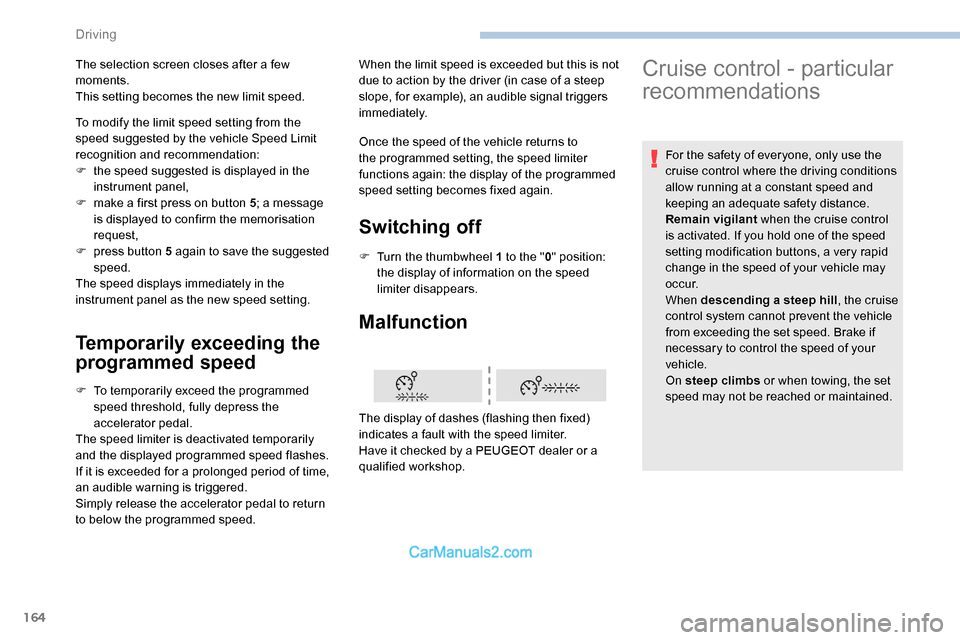
The display of dashes (flashing then fixed)
indicates a fault with the speed limiter.
Have it checked by a PEUGEOT dealer or a
qualified workshop.
The selection screen closes after a few
moments.
This setting becomes the new limit speed.
Cruise control - particular
recommendations
For the safety of everyone, only use the
cruise control where the driving conditions
allow running at a constant speed and
keeping an adequate safety distance.
Remain vigilant
when the cruise control
is activated. If you hold one of the speed
setting modification buttons, a very rapid
change in the speed of your vehicle may
o c c u r.
When descending a steep hill , the cruise
control system cannot prevent the vehicle
from exceeding the set speed. Brake if
necessary to control the speed of your
vehicle.
On steep climbs or when towing, the set
speed may not be reached or maintained.
Driving
Page 168 of 324
166
For more information on Memorising speeds
or on the Speed Limit recognition and
recommendation , refer to the corresponding
sections.
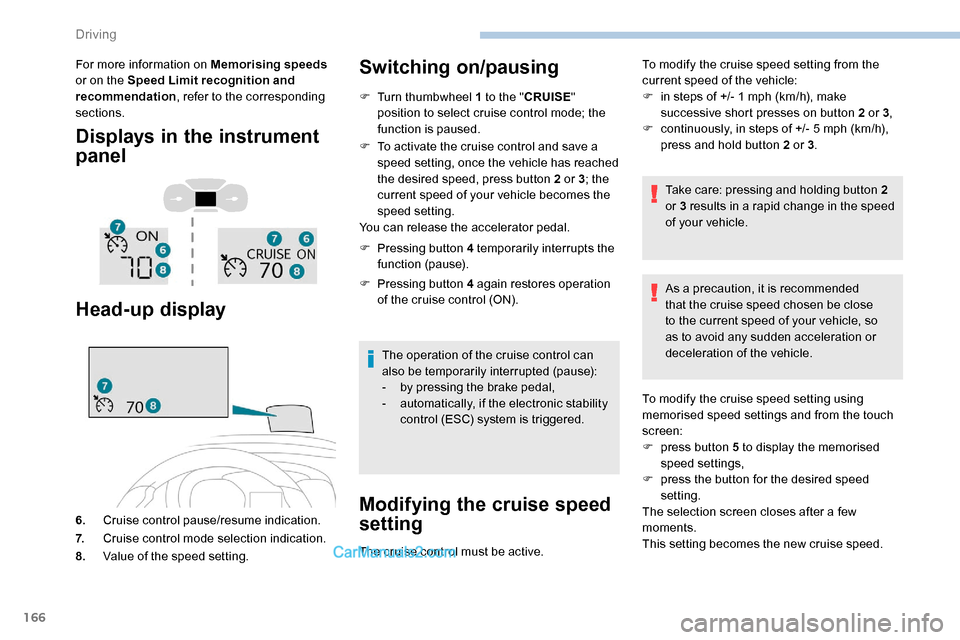
Displays in the instrument
panel
Head-up display
6. Cruise control pause/resume indication.
7. Cruise control mode selection indication.
8. Value of the speed setting.
Switching on/pausing
F Turn thumbwheel 1 to the " CRUISE"
position to select cruise control mode; the
function is paused.
F
T
o activate the cruise control and save a
speed setting, once the vehicle has reached
the desired speed, press button 2 or 3 ; the
current speed of your vehicle becomes the
speed setting.
You can release the accelerator pedal.
F
P
ressing button 4 temporarily interrupts the
function (pause).
F
P
ressing button 4 again restores operation
of the cruise control (ON).
The operation of the cruise control can
also be temporarily interrupted (pause):
-
b
y pressing the brake pedal,
-
a
utomatically, if the electronic stability
control (ESC) system is triggered.
Modifying the cruise speed
setting
The cruise control must be active. To modify the cruise speed setting from the
current speed of the vehicle:
F
i
n steps of +/- 1 mph (km/h), make
successive short presses on button 2 or 3 ,
F
c
ontinuously, in steps of +/- 5 mph (km/h),
press and hold button 2 or 3 .
Take care: pressing and holding button 2
or 3 results in a rapid change in the speed
of your vehicle.
As a precaution, it is recommended
that the cruise speed chosen be close
to the current speed of your vehicle, so
as to avoid any sudden acceleration or
deceleration of the vehicle.
To modify the cruise speed setting using
memorised speed settings and from the touch
screen:
F
p
ress button 5 to display the memorised
speed settings,
F
p
ress the button for the desired speed
setting.
The selection screen closes after a few
moments.
This setting becomes the new cruise speed.
Driving
Page 169 of 324
167
To modify the cruise speed setting from the
speed suggested by the vehicle Speed Limit
recognition and recommendation:
F
t
he speed suggested is displayed in the
instrument panel,
F
m
ake an initial press on button 5 ; a
message is displayed to confirm the
memorisation request.
F
p
ress button 5 again to save the suggested
speed.
The speed displays immediately in the
instrument panel as the new speed setting.
Temporarily exceeding the
programmed speed
If needed (e.g. for overtaking), it is
possible to exceed the programmed
speed by pressing the accelerator
pedal.
The cruise control is temporarily overridden
and the programmed speed setting flashes.
To return to the programmed speed, simply
release the accelerator pedal.
Once the vehicle has returned to the
programmed speed, the cruise control takes
over again: the display of the programmed
speed setting becomes fixed again. When descending a steep hill, the cruise
control system cannot prevent the vehicle
from exceeding the programmed speed.
You may have to brake to control the
speed of your vehicle. In this case, the
cruise control is automatically paused.
To activate the system again, with the
speed of the vehicle above 25 mph
(40
km/h), press button 4
.
Switching off
F Turn the thumbwheel 1 to the " 0” position:
the cruise control information disappears
from the screen.
Malfunction
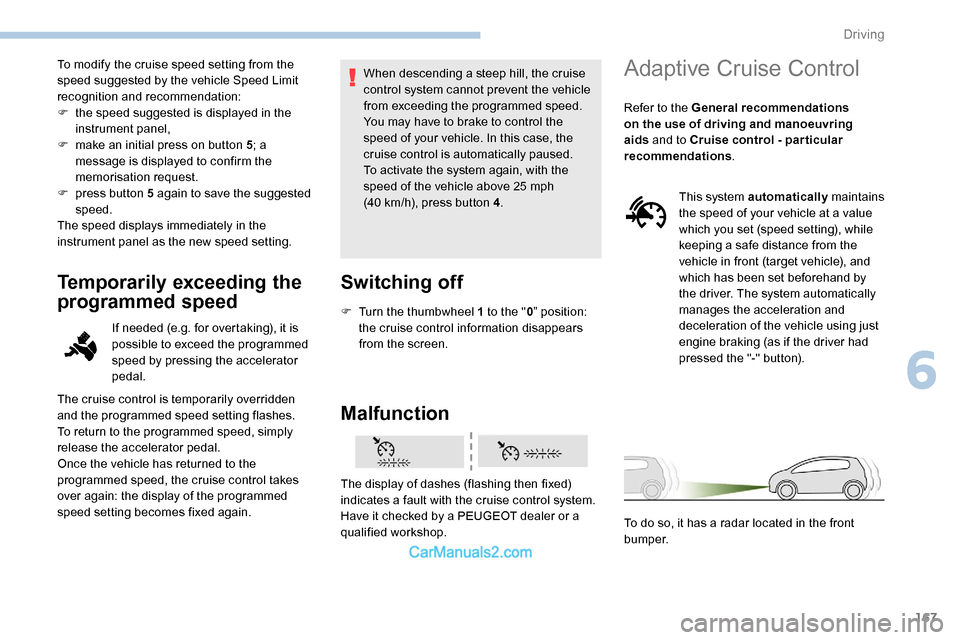
The display of dashes (flashing then fixed)
indicates a fault with the cruise control system.
Have it checked by a PEUGEOT dealer or a
qualified workshop.
Adaptive Cruise Control
Refer to the General recommendations
on the use of driving and manoeuvring
aids and to Cruise control - par ticular
recommendations .
This system automatically maintains
the speed of your vehicle at a value
which you set (speed setting), while
keeping a safe distance from the
vehicle in front (target vehicle), and
which has been set beforehand by
the driver. The system automatically
manages the acceleration and
deceleration of the vehicle using just
engine braking (as if the driver had
pressed the "-" button).
To do so, it has a radar located in the front
b u m p e r.
6
Driving
Page 171 of 324
169
F Press 3 to increase or 2 to decrease the
speed setting (steps of 5 mph (km/h) if held
pressed).
Pressing and holding button 2 or 3
results
in a rapid change in the speed of the
vehicle.
Pausing/resuming cruise control
F Press 4 or press the brake pedal . It is also
possible to press the clutch pedal to pause
cruise control.
F
Press 4 to restart cruise control.
Cruise control may have been paused
automatically:
-
w
hen an inter-vehicle distance threshold
is reached,
-
w
hen the distance between your vehicle
and the one in front becomes too short,
-
w
hen the speed of your vehicle becomes
too low or the speed of the vehicle in front
becomes too low,
-
b
y triggering of the ESC system. When the driver attempts to reactivate
cruise control which was paused, the
message "Activation not possible,
conditions unsuitable" is briefly displayed
if reactivation is not possible (safety
conditions not met).
Use the Speed Limit recognition
and recommendation function
or the road sign memorisation to
modify the speed setting
F Press
5 on the instrument panel or touch
screen to accept the speed suggested by
the function, then press again to confirm.
To prevent any sudden acceleration or
deceleration of the vehicle, select a speed
setting fairly close to the current speed of
your vehicle.
Changing the inter-vehicle
distance
F Press 6 to display the distance setting
thresholds ("Distant", "Normal", "Close"),
then press again to select a threshold.
After a few seconds, the option is accepted and
will be memorised when the ignition is switched
of f.
Temporarily exceeding the speed
setting
F Press the accelerator pedal. Distance monitoring and cruise control are
deactivated as long as you continue to
accelerate. The speed flashes in the
instrument panel.
Deactivating the system
F Turn the thumbwheel 1 upwards to position 0 (OFF ).
6
Driving
Page 172 of 324
170
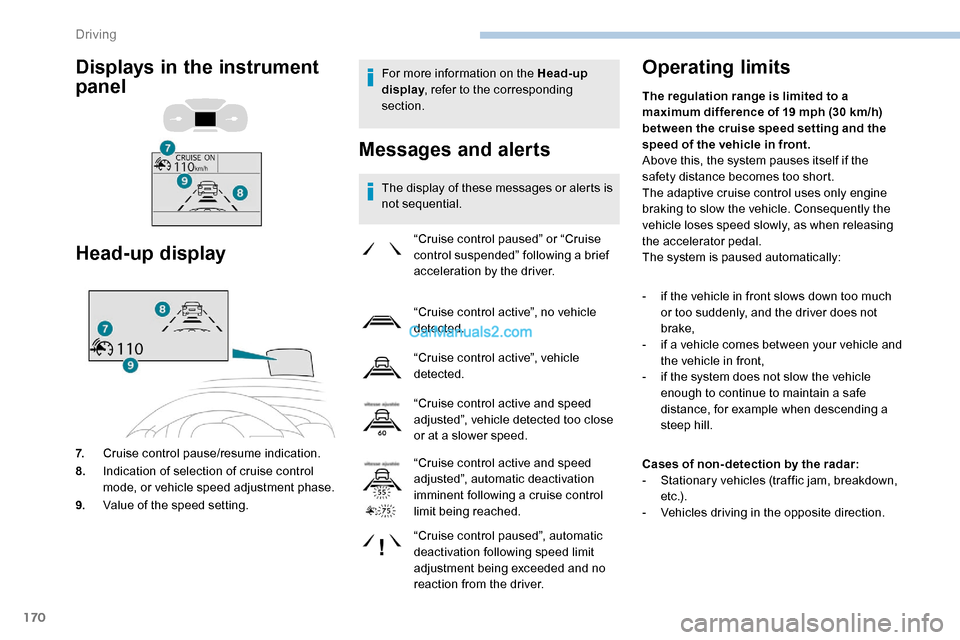
For more information on the Head-up
display, refer to the corresponding
section.
Messages and alerts
The display of these messages or alerts is
not sequential.
Operating limits
“Cruise control paused” or “Cruise
control suspended” following a brief
acceleration by the driver.
“Cruise control active”, no vehicle
detected.
“Cruise control active”, vehicle
detected.
“Cruise control active and speed
adjusted”, vehicle detected too close
or at a slower speed.
“Cruise control active and speed
adjusted”, automatic deactivation
imminent following a cruise control
limit being reached.
“Cruise control paused”, automatic
deactivation following speed limit
adjustment being exceeded and no
reaction from the driver. The regulation range is limited to a
maximum difference of 19 mph (30
km/h)
between the cruise speed setting and the
speed of the vehicle in front.
Above this, the system pauses itself if the
safety distance becomes too short.
The adaptive cruise control uses only engine
braking to slow the vehicle. Consequently the
vehicle loses speed slowly, as when releasing
the accelerator pedal.
The system is paused automatically:
-
i
f the vehicle in front slows down too much
or too suddenly, and the driver does not
brake,
-
i
f a vehicle comes between your vehicle and
the vehicle in front,
-
i
f the system does not slow the vehicle
enough to continue to maintain a safe
distance, for example when descending a
steep hill.
Cases of non- detection by the radar:
-
S
tationary vehicles (traffic jam, breakdown,
e t c .) .
-
V
ehicles driving in the opposite direction.
Head-up display
7.Cruise control pause/resume indication.
8. Indication of selection of cruise control
mode, or vehicle speed adjustment phase.
9. Value of the speed setting.
Displays in the instrument
panel
Driving
Page 174 of 324

172
- Active Safety Brake (automatic emergency b r ak ing).
The vehicle has a camera located at the top of
the windscreen and a radar located in the front
b u m p e r. This system does not avoid the need for
vigilance on the part of the driver.
This system is designed to assist the
driver and improve road safety.
It is the driver's responsibility to
continuously monitor the state of the
traffic, observing the driving regulations.
As soon as the system detects a potential
obstacle, it prepares the braking circuit in
case automatic braking is needed. This
may cause a slight noise and a slight
sensation of deceleration.Operating conditions and
limits
The ESC system must not be faulty.
All passenger seat belts must be fastened.
Driving at a steady speed on roads with few
bends is required.
In the following cases, deactivating the system
via the vehicle's configuration menu is advised:
-
t
owing a trailer,
-
c
arrying long objects on roof bars or roof
rack,
-
w
ith snow chains fitted,
-
b
efore using an automatic car wash, with
the engine running,
-
b
efore placing the vehicle on a rolling road
in a workshop,
-
t
owed vehicle, engine running,
-
d
amaged front bumper,
-
F
ollowing an impact to the windscreen close
to the detection camera.
It is possible that warnings are not given,
are given too late or seem unjustified.
Consequently, always stay in control of
your vehicle and be prepared to react at
any time to avoid an accident. After an impact, the function automatically
stops operating. Contact a PEUGEOT
dealer or a qualified workshop to have the
system checked.
Distance Alert
It warns the driver if their vehicle is at risk of
collision with the vehicle in front or a pedestrian
present in their traffic lane.
Operation
Depending on the degree of risk of collision
detected by the system and the alert threshold
chosen by the driver, several different levels
of alert may be triggered and displayed in the
instrument panel.
They take account of the vehicle dynamics, the
speeds of your vehicle and the one in front, the
environmental conditions and the operation of
the vehicle (cornering, actions on the pedals,
etc.) to trigger the alert at the best moment.
Level
1 (orange colour) : visual
alert only, signalling that the vehicle
in front is very close.
The message " Vehicle close" is
displayed.
Driving
Page 198 of 324
196
Wheels and tyres
The pressure must be checked on
all tyres, including the spare wheel,
when the tyres are "cold".
The pressures indicated on the tyre pressure
label are valid for "cold" tyres. If you have
driven for more than 10 minutes or more
than 6
miles (10 kilometres) at over 31 mph
(50
km/h), add 0.3 bar (30 kPa) to the values
indicated on the label.
Driving with under-inflated tyres increases
fuel consumption. Non-compliant tyre
pressure causes premature wear on tyres
and has an adverse effect on the vehicle's
road holding - risk of an accident!
Driving with worn or damaged tyres reduces
the braking and road holding per formance of
the vehicle. It is recommended to regularly
check the condition of the tyres (tread and
sidewalls) and wheel rims as well as the
presence of the valves.
Using different size wheels and tyres from
those specified can affect the lifetime of
tyres, wheel rotation, ground clearance, the
speedometer reading and have an adverse
effect on road holding.
AdBlue® (BlueHDi)
To respect the environment and ensure
compliance with the Euro 6 standard, without
adversely affecting the per formance or fuel
consumption of its Diesel engines, PEUGEOT
has taken the decision to equip its vehicles
with a system that associates SCR (Selective
Catalytic Reduction) with a Diesel particle filter
(DPF) for the treatment of exhaust gases.
SCR system
Using a liquid called AdBlue® that contains
urea, a catalytic converter turns up to 85%
of nitrogen oxides (NOx) into nitrogen and
water, which are harmless to health and the
environment.
The AdBlue
® is contained in a
special tank holding about 20
litres. Its capacity allows a driving range of
approximately 4,300
miles (7,000 km)
( highly dependent on your driving style
and the vehicle). An alert system is triggered
automatically when the remaining range
reaches 1,500 miles (2,400 km), i.e. once the
reserve level has been reached.
Several alerts are triggered successively during
the remaining 1,500 miles (2,400 km) before
the tank is empty and the vehicle is disabled.
If the estimated distance travelled by the
vehicle between two ser vices is greater than
3,700 miles (6,000 km), it will be necessary to
top up the AdBlue.
For more information on the Warning
and indicator lamps and the associated
alerts, or the Indicators , refer to the
corresponding sections.
Fitting different tyres on the front and rear axles
can cause the ESC to mistime.
Practical information
Page 203 of 324

201
F Operate the starter motor to start the engine (if the engine does not start at the first
attempt, wait around 15 seconds before
trying again).
F
I
f the engine does not start after a few
attempts, operate the priming pump again,
then the starter motor.
F
P
ut the cover back in place and clip it in,
then close the bonnet.
2.0 HDi engines
F Open the bonnet and then, if necessary, unclip the cover to access the priming
pump.
F
L
oosen the degassing bolt. F
O
perate the priming pump until
fuel appears in the transparent
tube.
F
R
etighten the degassing bolt.
F
O
perate the starter motor until the engine
starts (if the engine does not start at the
first attempt, wait around 15
seconds before
trying again).
F
I
f the engine does not start after a few
attempts, operate the priming pump again,
then the starter motor.
F
P
ut the cover back in place and clip it in,
then close the bonnet.
Tool box
Access
The tool box is located under the left-hand front
seat.
As a safety measure, bars 1 and 2 prevent
the box escaping from its housing, if it is
not correctly secured.
Removing
F Press latches A and slide them inwards to release the box.
F
L
ift the box slightly then pull it as far as it will
go to take it past bar 1 .
F
T
hen, lift the box upwards to take it past
bar
2.
8
In the event of a breakdown