Page 400 of 610
BSW DRIVING SITUATIONS
Indicator on
Indicator off
Indicator flashing
Another vehicle approaching
from behind
Illustration 1:The side indicator light illumi-
nates if a vehicle enters the detection zone
from behind in an adjacent lane.
Illustration 2: If the driver activates the
turn signal when another vehicle is in the
detection zone, then the system chimes
(twice) and the side indicator light flashes.
NOTE:
• The radar sensors may not detect ve-
hicles which are approaching rapidly
from behind.
• If the driver activates the turn signal be-
fore a vehicle enters the detection zone,
the side indicator light will flash but no
chime will sound when the other vehicle
is detected.
Illustratio n 1 – Approaching from behind Illustration 2 – Approaching from
behind
Starting and driving5-41
Page 401 of 610
Overtaking another vehicle
Illustration 3:The side indicator light illu-
minates if you overtake a vehicle and that
vehicle stays in the detection zone for ap-
proximately 2 seconds. Illustration 4:
If the driver activates the
turn signal while another vehicle is in the
detection zone, then the system chimes
(twice) and the side indicator light flashes.
NOTE:
• When overtaking several vehicles in a
row, the vehicles af ter the first vehicle
may not be detected if they are travel-
ing close together.
•
The radar sensors may not detect slower
moving vehicles if they are passed
quickly.
• If the driver activates the turn signal be-
fore a vehicle enters the detection zone,
the side indicator light will flash but no
chime will sound when the other vehicle
is detected.
Illustratio n3–Over taking another
vehicle Illustratio
n4–Over taking another
vehicle
5-42Starting and driving
Page 402 of 610
Entering from the side
Illustration 5:The side indicator light illu-
minates if a vehicle enters the detection
zone from either side. Illustration 6:
If the driver activates the
turn signal while another vehicle is in the
detection zone, then the system chimes
(twice) and the side indicator light flashes.
NOTE:
• If the driver activates the turn signal be-
fore a vehicle enters the detection zone,
the side indicator light will flash but no
chime will sound when the other vehicle
is detected.
• The radar sensors may not detect a
vehicle which is traveling at about the
same speed as your vehicle when it
enters the detection zone.
Illustratio n 5 – Entering from the side Illustration 6 – Entering from the side
Starting and driving5-43
Page 406 of 610
RCTA SYSTEM OPERATION
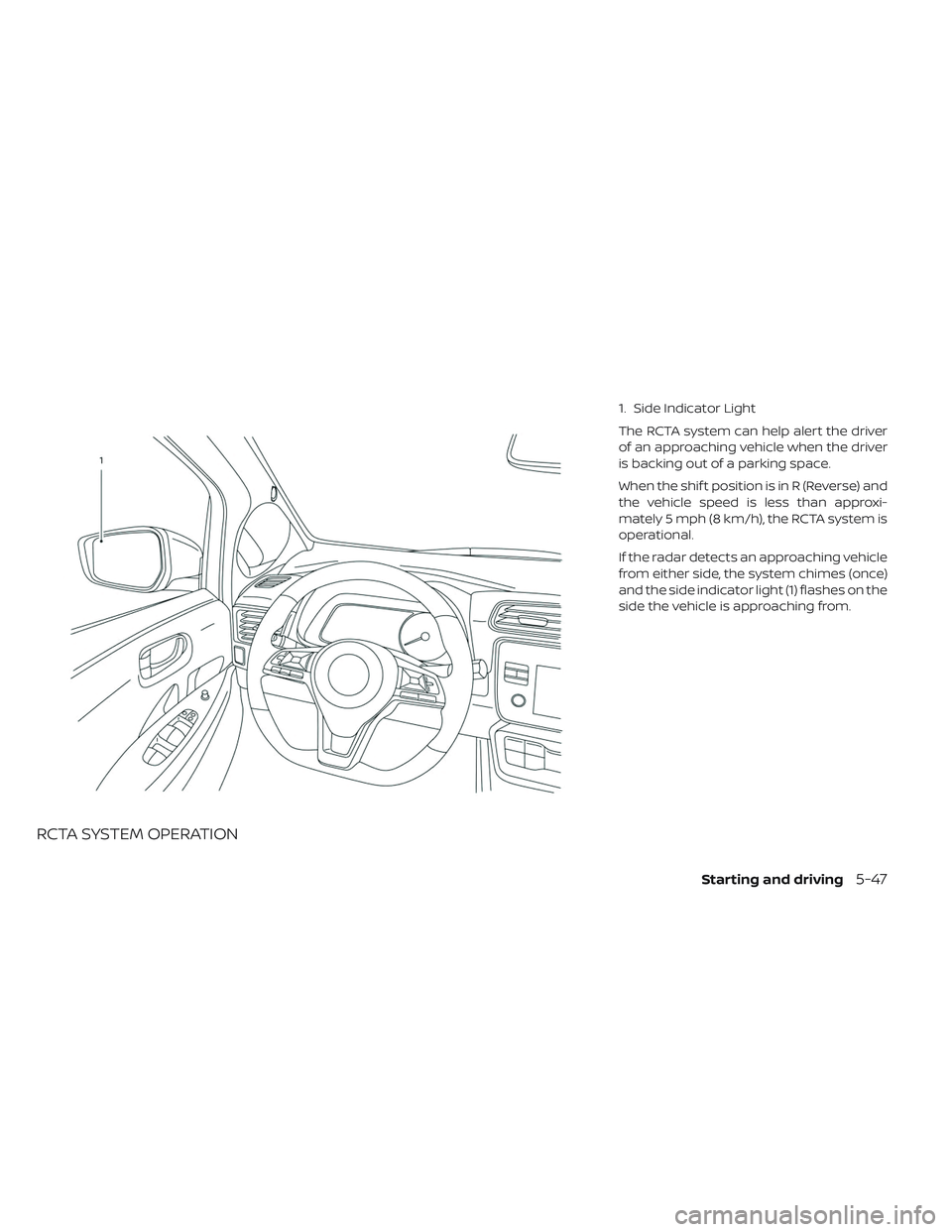
1. Side Indicator Light
The RCTA system can help alert the driver
of an approaching vehicle when the driver
is backing out of a parking space.
When the shif t position is in R (Reverse) and
the vehicle speed is less than approxi-
mately 5 mph (8 km/h), the RCTA system is
operational.
If the radar detects an approaching vehicle
from either side, the system chimes (once)
and the side indicator light (1) flashes on the
side the vehicle is approaching from.
Starting and driving5-47
Page 414 of 610
To cancel the preset speed,use one of the
following methods:
1. Push the CANCEL switch.
2. Tap the brake pedal.
3. Turn the cruise control switch off. The cruise
indicator in the vehicle infor-
mation display will turn off.
• If you depress the brake pedal while push- ing the RES+ or SET- switch and reset at
the cruising speed, the cruise control will
disengage. Turn the cruise control switch
off once and then turn it on again.
• The cruise control will automatically can- cel if the vehicle slows more than 8 mph
(13 km/h) below the set speed.
• If you move the shif t lever to the N (Neu- tral) position, the cruise control will be
canceled. To reset at a faster cruising speed,
use
one of the following methods:
• Depress the accelerator pedal. When the vehicle attains the preferred speed, push
and release the SET- switch.
• Push and hold the RES+ switch. When the vehicle attains the preferred speed, re-
lease the switch.
• Push, then quickly release the RES+ switch. Each time you do this, the set speed will
increase by about 1 mph or 1.6 km/h. To reset at a slower cruising speed,
use
one of the following methods:
• Lightly tap the brake pedal. When the ve- hicle attains the preferred speed, push the
SET- switch and release it.
• Push and hold the SET- switch. Release the switch when the vehicle slows down
to the preferred speed.
• Push, then quickly release, the SET- switch. Each time you do this, the set speed will
decrease by about 1 mph or 1km/h.
To resume the preset speed, push and
release the RES+ switch. The vehicle will
resume the last set cruising speed when
the vehicle speed is over 25 mph (40 km/h).
Starting and driving5-55
Page 423 of 610
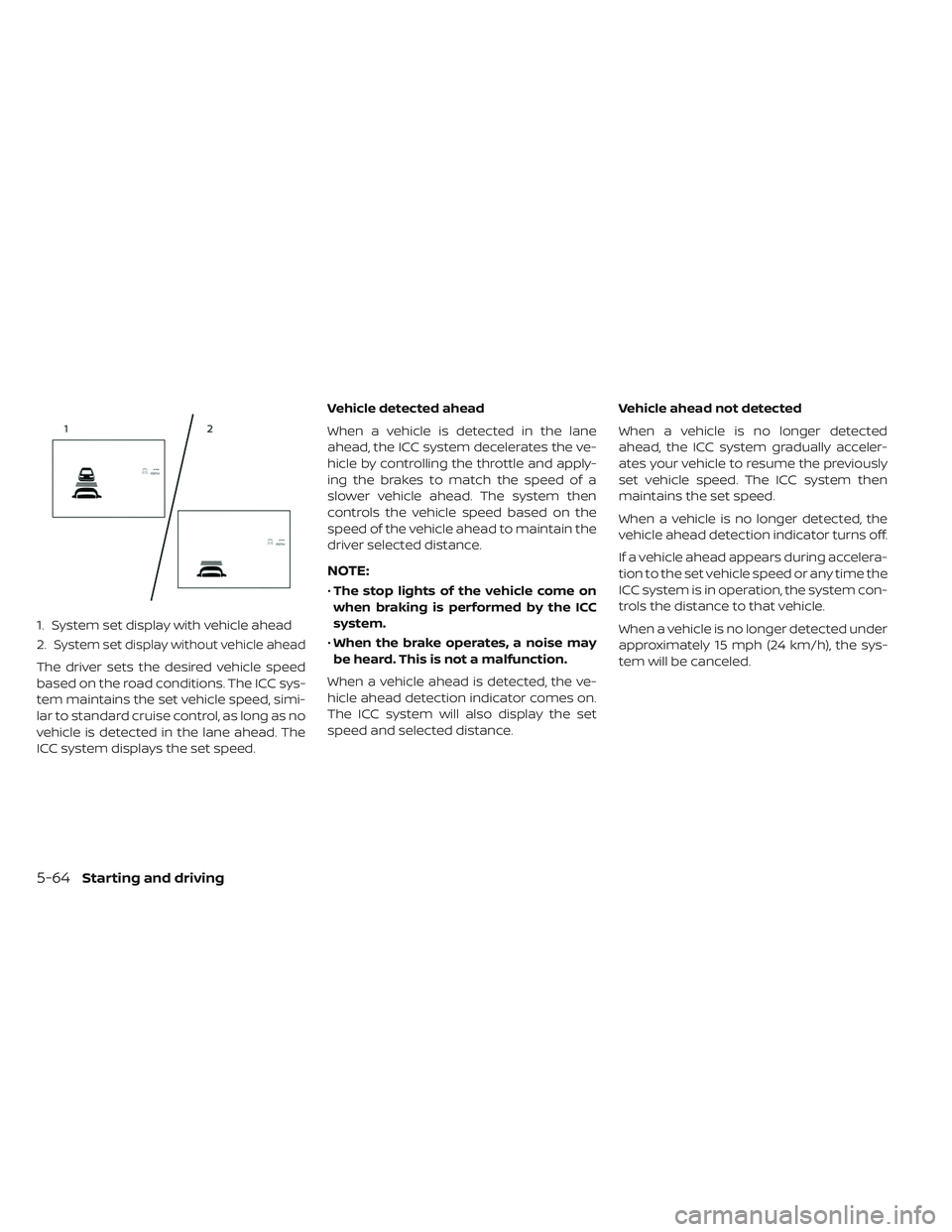
1. System set display with vehicle ahead
2.
System set display without vehicle ahead
The driver sets the desired vehicle speed
based on the road conditions. The ICC sys-
tem maintains the set vehicle speed, simi-
lar to standard cruise control, as long as no
vehicle is detected in the lane ahead. The
ICC system displays the set speed.Vehicle detected ahead
When a vehicle is detected in the lane
ahead, the ICC system decelerates the ve-
hicle by controlling the throttle and apply-
ing the brakes to match the speed of a
slower vehicle ahead. The system then
controls the vehicle speed based on the
speed of the vehicle ahead to maintain the
driver selected distance.
NOTE:
•
The stop lights of the vehicle come on
when braking is performed by the ICC
system.
• When the brake operates, a noise may
be heard. This is not a malfunction.
When a vehicle ahead is detected, the ve-
hicle ahead detection indicator comes on.
The ICC system will also display the set
speed and selected distance. Vehicle ahead not detected
When a vehicle is no longer detected
ahead, the ICC system gradually acceler-
ates your vehicle to resume the previously
set vehicle speed. The ICC system then
maintains the set speed.
When a vehicle is no longer detected, the
vehicle ahead detection indicator turns off.
If a vehicle ahead appears during accelera-
tion to the set vehicle speed or any time the
ICC system is in operation, the system con-
trols the distance to that vehicle.
When a vehicle is no longer detected under
approximately 15 mph (24 km/h), the sys-
tem will be canceled.
5-64Starting and driving
Page 424 of 610

When passing another vehicle,the set
speed indicator
�Bwill flash when the ve-
hicle speed exceeds the set speed. The ve-
hicle detect indicator will turn off when the
area ahead of the vehicle is open. When the
pedal is released, the vehicle will return to
the previously set speed.
Even though your vehicle speed is set in the
ICC system, you can depress the accelera-
tor pedal when it is necessary to accelerate
your vehicle rapidly.
How to change the set vehicle
speed
To cancel the preset speed, use one of the
following methods:
• Push the CANCEL switch. The set vehicle speed indicator will go out.
• Tap the brake pedal. The set vehicle speed indicator will go out.
• Turn the ICC switch off. The ICC indicators will go out.
To reset at a faster cruising speed, use
one of the following methods:
• Depress the accelerator pedal. When the vehicle attains the desired speed, push
and release the SET– switch.
• Push and hold the RES+ switch. The set vehicle speed will increase by approxi-
mately 5 mph (5 km/h).
• Push, then quickly release the RES+ switch. Each time you do this, the set speed will
increase by approximately 1 mph (1 km/h). To reset at a slower cruising speed,
use
one of the following methods:
• Lightly tap the brake pedal. When the ve- hicle attains the desired speed, push the
SET– switch and release it.
• Push and hold the SET– switch. The set vehicle speed will decrease by approxi-
mately 5 mph (5 km/h).
•
Push, then quickly release the SET– switch.
Each time you do this, the set speed will
decrease by approximately 1 mph (1 km/h).
To resume the preset speed, push and
release the RES+ switch. The vehicle will
resume the last set cruising speed when
the vehicle speed is over 20 mph (32 km/h).
Starting and driving5-65
Page 427 of 610

Automatic cancellation
A chime sounds under the following condi-
tions and the control is automatically can-
celed:
• When the vehicle ahead is not detectedand your vehicle is traveling below the
speed of 15 mph (24 km/h)
• When the system judges the vehicle is at a standstill
• When the shif t lever is not in the D (Drive) position or B mode
• When the parking brake system is applied
• When the VDC system is turned off
• When ABS or VDC operates
• When distance measurement becomes impaired due to adhesion of dirt or ob-
struction to the sensor
• When a wheel slips
• When the radar signal is temporarily interrupted
VEHICLE-TO-VEHICLE DISTANCE
CONTROL MODE LIMITATIONS
WARNING
Listed below are the system limita-
tions for the ICC system. Failure to op-
erate the vehicle in accordance with
these system limitations could result
in serious injury or death.
• The ICC system is primarily intended for use on straight, dry, open roads
with light traffic. It is not advisable to
use the ICC system in city traffic or
congested areas.
• The ICC system will not adapt auto- matically to road conditions. This
system should be used in evenly
flowing traffic. Do not use the sys-
tem on roads with sharp curves, or
on icy roads, in heavy rain or in fog. • As there is a performance limit to the
distance control function, never rely
solely on the ICC system. This sys-
tem does not correct careless, inat-
tentive or absentminded driving, or
overcome poor visibility in rain, fog,
or other bad weather. Decelerate the
vehicle speed by depressing the
brake pedal, depending on the dis-
tance to the vehicle ahead and the
surrounding circumstances in order
to maintain a safe distance between
vehicles.
• If the vehicle ahead comes to a stop, the vehicle decelerates to a stand-
still within the limitations of the sys-
tem. The system will cancel once it
judges that the vehicle has come to
a standstill and sound a warning
chime. To prevent the vehicle from
moving, the driver must depress the
brake pedal.
5-68Starting and driving