2019 NISSAN KICKS door lock
[x] Cancel search: door lockPage 11 of 444
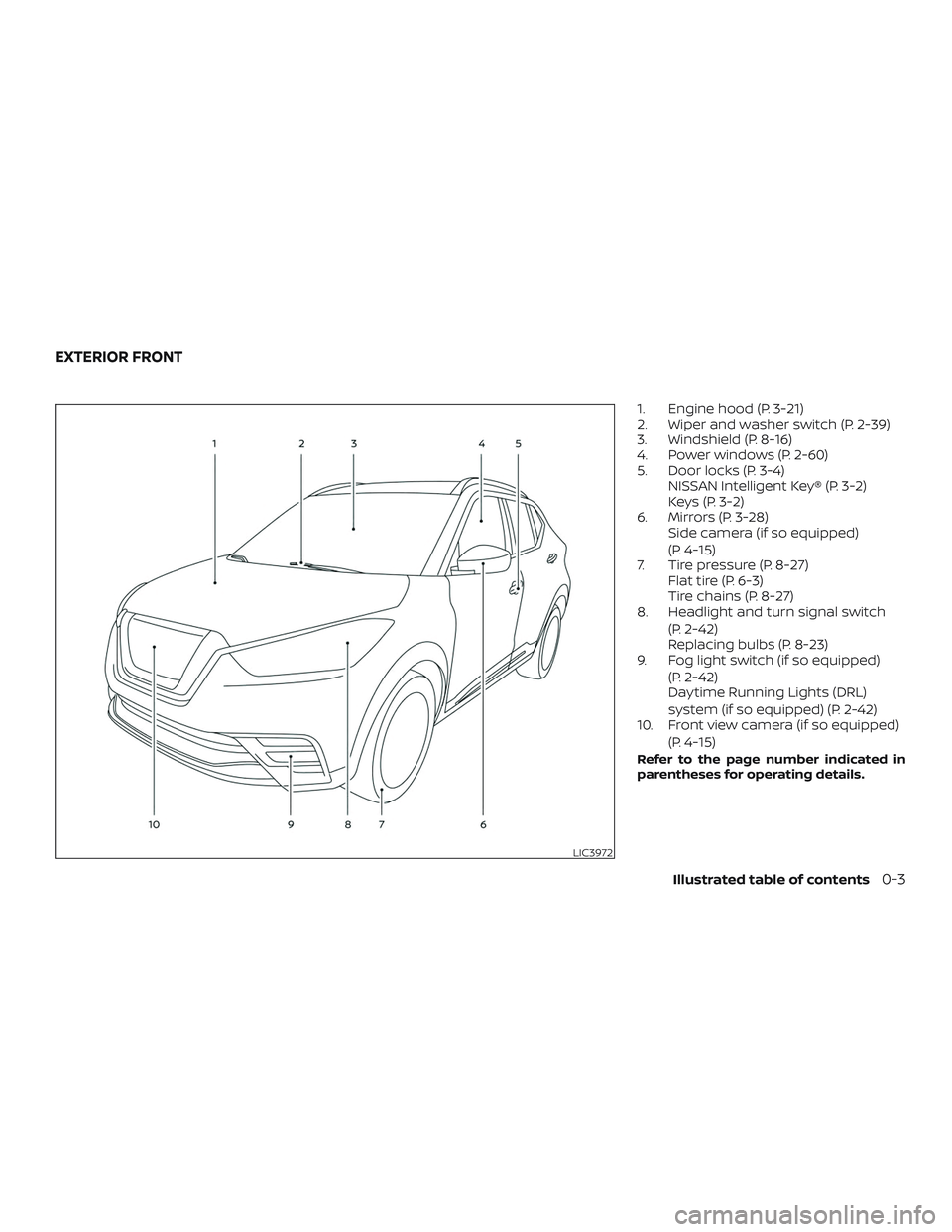
1. Engine hood (P. 3-21)
2. Wiper and washer switch (P. 2-39)
3. Windshield (P. 8-16)
4. Power windows (P. 2-60)
5. Door locks (P. 3-4)NISSAN Intelligent Key® (P. 3-2)
Keys (P. 3-2)
6. Mirrors (P. 3-28) Side camera (if so equipped)
(P. 4-15)
7. Tire pressure (P. 8-27) Flat tire (P. 6-3)
Tire chains (P. 8-27)
8. Headlight and turn signal switch
(P. 2-42)
Replacing bulbs (P. 8-23)
9. Fog light switch (if so equipped)
(P. 2-42)
Daytime Running Lights (DRL)
system (if so equipped) (P. 2-42)
10. Front view camera (if so equipped)
(P. 4-15)
Refer to the page number indicated in
parentheses for operating details.
LIC3972
EXTERIOR FRONT
Illustrated table of contents0-3
Page 12 of 444
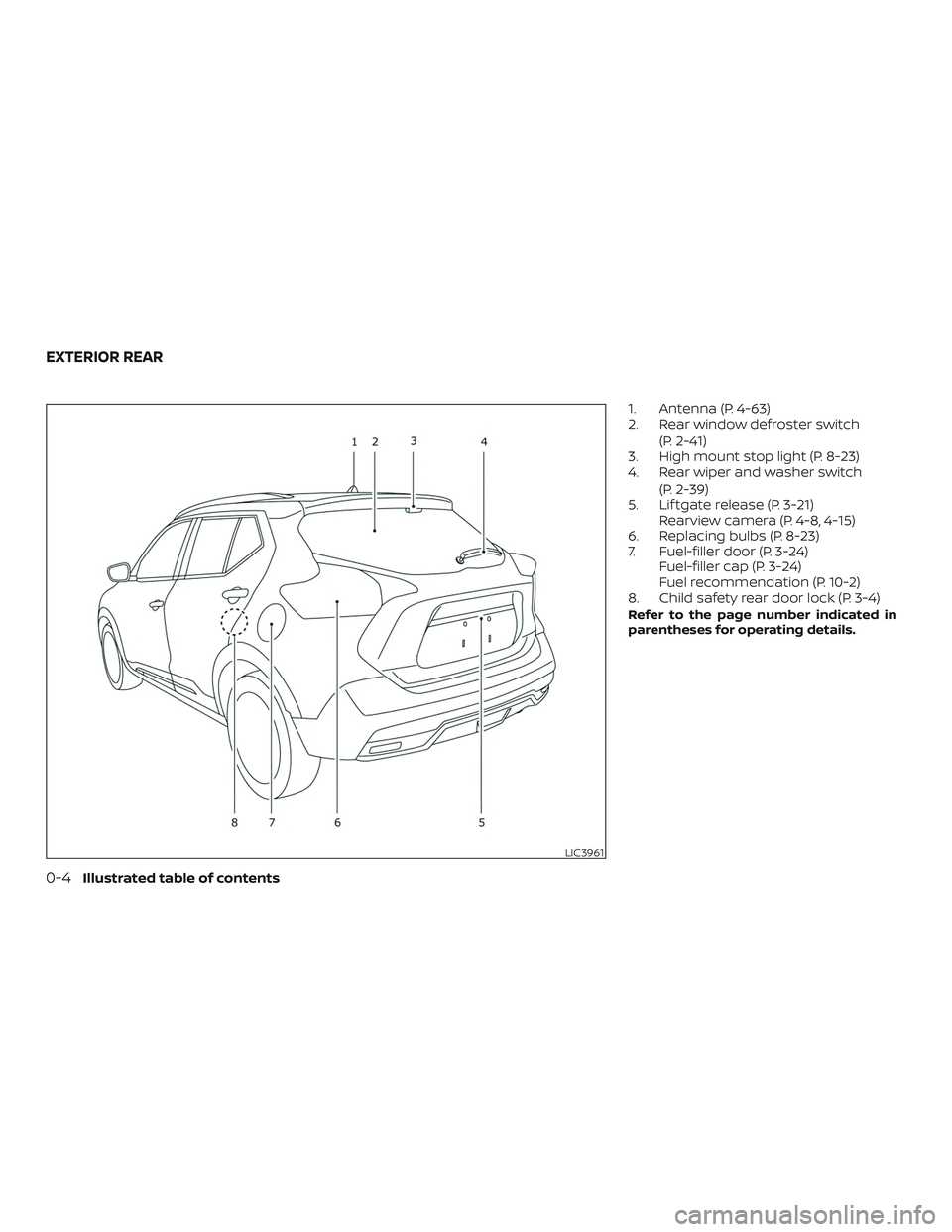
1. Antenna (P. 4-63)
2. Rear window defroster switch(P. 2-41)
3. High mount stop light (P. 8-23)
4. Rear wiper and washer switch
(P. 2-39)
5. Lif tgate release (P. 3-21) Rearview camera (P. 4-8, 4-15)
6. Replacing bulbs (P. 8-23)
7. Fuel-filler door (P. 3-24) Fuel-filler cap (P. 3-24)
Fuel recommendation (P. 10-2)
8. Child safety rear door lock (P. 3-4)
Refer to the page number indicated in
parentheses for operating details.
LIC3961
EXTERIOR REAR
0-4Illustrated table of contents
Page 15 of 444
12. Climate controls (P. 4-31, 4-39)Heated seat switches
(if so equipped) (P. 2-47)
13. Shif t lever (P. 5-15)
14. Push-button ignition switch
(P. 5-9)
15. Power outlet (P. 2-49) USB connection port (P. 4-2, 4-42)
AUX jack (P. 4-2, 4-42)
16. Bluetooth® Hands-Free Phone
System (P. 4-2, 4-67)
Cruise control switches (P. 5-39)
17. Driver supplemental knee air bag
(P. 1-42)
18. Tilt and telescopic steering wheel
lock lever (P. 3-26)
19. Hood release (P. 3-21) Fuel-filler door release (P. 3-24)
Automatic Emergency Braking
(AEB) switch (if so equipped)
(P 2-48)
20. Steering wheel switches for audio
control (P. 4-2, 4-62)
Control panel and vehicle informa-
tion display switches
(if so equipped) (P. 2-22) 21. Vehicle Dynamic Control (VDC) OFF
switch (P. 2-48)
Enter/select switch for trip com-
puter (if so equipped) (P. 2-9)
* Refer to the separate NissanConnect®
Owner’s Manual (if so equipped).
Refer to the page number indicated in
parentheses for operating details.
Illustrated table of contents0-7
Page 17 of 444
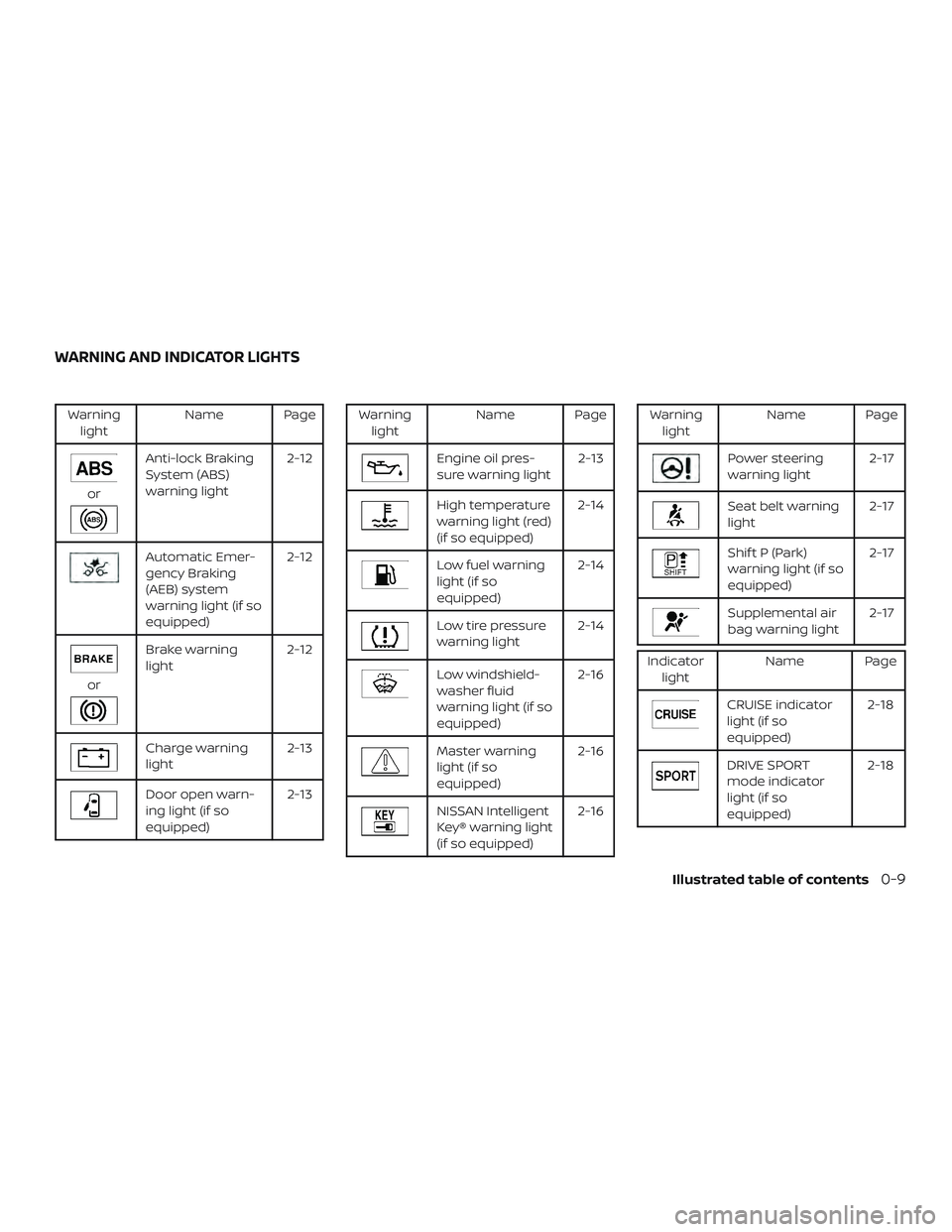
Warninglight Name Page
or
Anti-lock Braking
System (ABS)
warning light 2-12
Automatic Emer-
gency Braking
(AEB) system
warning light (if so
equipped)2-12
or
Brake warning
light
2-12
Charge warning
light 2-13
Door open warn-
ing light (if so
equipped)2-13
Warning
light Name Page
Engine oil pres-
sure warning light 2-13
High temperature
warning light (red)
(if so equipped)2-14
Low fuel warning
light (if so
equipped)2-14
Low tire pressure
warning light
2-14
Low windshield-
washer fluid
warning light (if so
equipped)2-16
Master warning
light (if so
equipped)
2-16
NISSAN Intelligent
Key® warning light
(if so equipped)2-16
Warning
light Name Page
Power steering
warning light 2-17
Seat belt warning
light2-17
Shif t P (Park)
warning light (if so
equipped)2-17
Supplemental air
bag warning light
2-17
Indicator
light Name Page
CRUISE indicator
light (if so
equipped) 2-18
DRIVE SPORT
mode indicator
light (if so
equipped)2-18
WARNING AND INDICATOR LIGHTS
Illustrated table of contents0-9
Page 74 of 444
4. Remain in this position for 30 secondsallowing the system to classif y the
front passenger before the vehicle is
put into motion.
5. Ensure proper classification by check- ing the front passenger air bag status
light.
NOTE:
This vehicle’s occupant classification
sensor system generally keeps the clas-
sification locked during driving, so it is
important that you confirm that the
front passenger is properly classified
prior to driving. However, the occupant
classification sensor may recalculate the
weight of the occupant under some con-
ditions (both while driving and when
stopped), so front passenger seat occu-
pants should continue to remain seated
as outlined above.
Troubleshooting
If you think the front passenger air bag
status light is incorrect: 1. If the light is ON with an adult occupying the front passenger seat: ∙ Occupant is a small adult — the air bag
light is functioning as intended. The
front passenger air bag is suppressed.
However, if the occupant is not a small
adult, then this may be due to the following
conditions that may be interfering with the
weight sensors: ∙ Occupant is not sitting upright, leaning against the seatback, and centered on
the seat cushion with his/her feet com-
fortably extended to the floor.
∙ A child restraint or other object pressing against the rear of the seatback.
∙ A rear passenger pushing or pulling on the back of the front passenger seat.
∙ Forcing the front seat or seatback against an object on the seat or floor
behind it.
∙ An object placed under the front pas- senger seat.
∙ An object placed between the seat cushion and center console or between
the seat cushion and the door.
If the vehicle is moving, please come to a
stop when it is safe to do so. Check and
correct any of the above conditions. Re-
start the vehicle and wait 1 minute. NOTE:
A system check will be performed during
which the front passenger air bag status
light will remain lit for about 7 seconds
initially.
If the light is still ON af ter this, the person
should be advised not to ride in the front
passenger seat and the vehicle should be
checked as soon as possible. It is recom-
mended that you visit a NISSAN dealer for
this service.
2. If the light is OFF with a small adult, child or child restraint occupying the
front passenger seat.
This may be due to the following con-
ditions that may be interfering with the
weight sensors:
∙ Small adult or child is not sitting upright, leaning against the seatback, and cen-
tered on the seat cushion with his/her
feet comfortably extended to the floor.
∙ The child restraint is not properly in- stalled, as outlined in the “Child re-
straints” section of this manual.
∙ An object weighing over 9.1 lbs. (4 kg) hanging on the seat or placed in the
seatback pocket.
1-56Safety—Seats, seat belts and supplemental restraint system
Page 87 of 444
12. Climate controls (P. 4-31, 4-39)Heated seat switches (if so
equipped) (P. 2-47)
13. Shif t lever (P. 5-15)
14. Push-button ignition switch
(P. 5-9)
15. Power outlet (P. 2-49) USB connection port (P. 4-2, 4-42)
AUX jack (P. 4-2, 4-42)
16. Bluetooth® Hands-Free Phone
System (P. 4-2, 4-67)
Cruise control switches (P. 5-39)
17. Driver supplemental knee air bag
(P. 1-42)
18. Tilt and telescopic steering wheel
lock lever (P. 3-26)
19. Hood release (P. 3-21) Fuel-filler door release (P. 3-24)
Automatic Emergency Braking
(AEB) switch (if so equipped)
(P 2-48)
20. Steering wheel switches for audio
control (P. 4-2, 4-62)
Control panel and vehicle informa-
tion display switches (if so
equipped) (P. 2-22) 21. Vehicle Dynamic Control (VDC) OFF
switch (P. 2-48)
Enter/select switch for trip com-
puter (if so equipped) (P. 2-9)
* Refer to the separate NissanConnect®
Owner’s Manual (if so equipped).
Refer to the page number indicated in
parentheses for operating details.
Instruments and controls2-3
Page 95 of 444
orAnti-lock Braking System (ABS)
warning lightMaster warning light (if so equipped)Front passenger air bag status light
Automatic Emergency Braking (AEB) system
warning light (if so equipped)NISSAN Intelligent Key® warning light
(if so equipped)High beam indicator light (blue)
orBrake warning lightPower steering warning lightMalfunction Indicator Light (MIL)
Charge warning lightSeat belt warning lightOverdrive OFF indicator light
(if so equipped)
Door open warning light (if so equipped)Shif t P (Park) warning light (if so
equipped)Security indicator light (if so equipped)
Engine oil pressure warning lightSupplemental air bag warning lightSET indicator light (if so equipped)
High temperature warning light (red)
(if so equipped)CRUISE indicator light (if so equipped)Side light and headlight indicator light
(green)
Low fuel warning light (if so equipped)DRIVE SPORT mode indicator light
(if so equipped)Slip indicator light
Low tire pressure warning lightEngine start operation indicator light
(if so equipped)Turn signal/hazard indicator lights
Low windshield-washer fluid warning light
(if so equipped)Front fog light indicator light (green)
(if so equipped)Vehicle Dynamic Control (VDC) OFF
indicator light
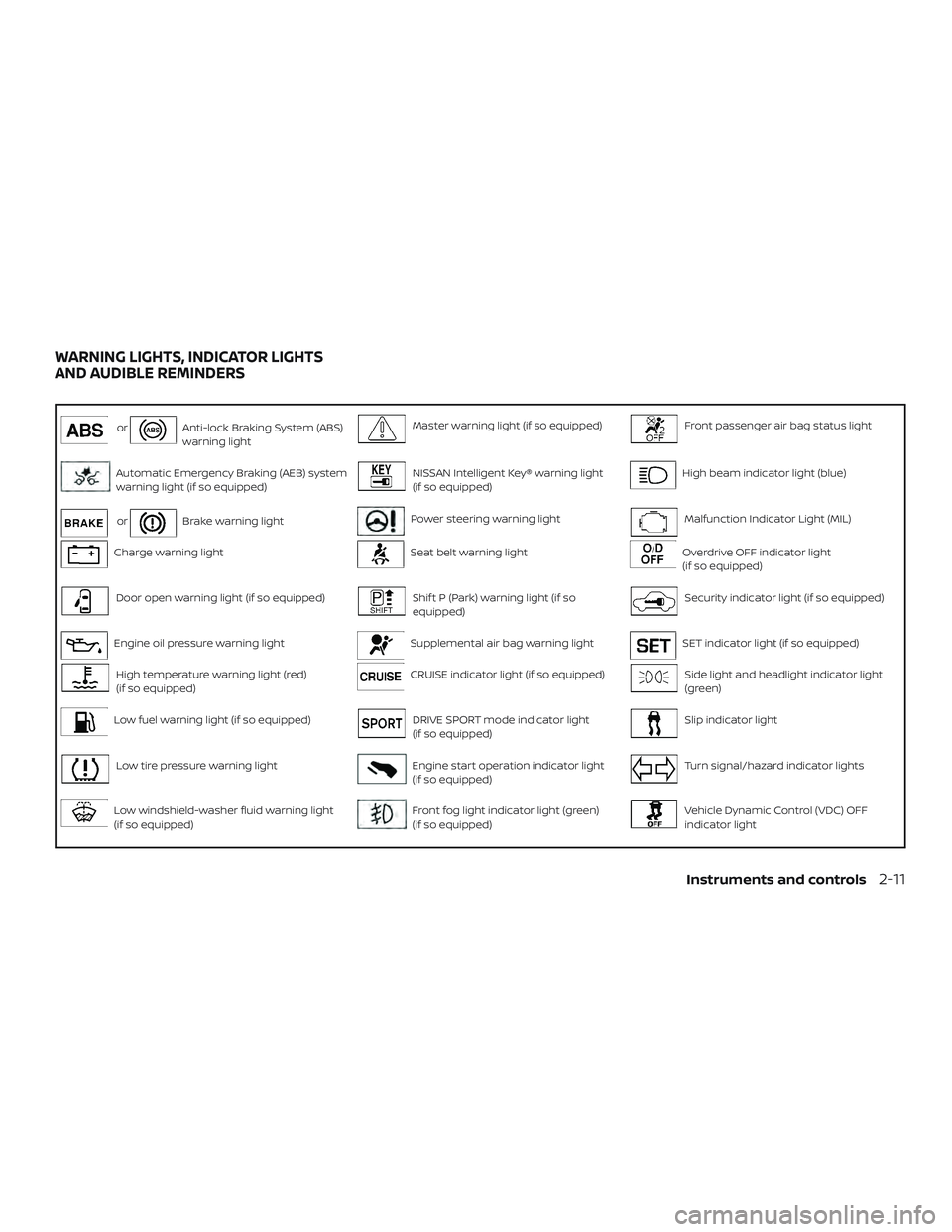
WARNING LIGHTS, INDICATOR LIGHTS
AND AUDIBLE REMINDERS
Instruments and controls2-11
Page 96 of 444
CHECKING LIGHTS
With all doors closed, apply the parking
brake, fasten the seat belts and place the
ignition switch in the ON position without
starting the engine. The following lights (if
so equipped) will come on:
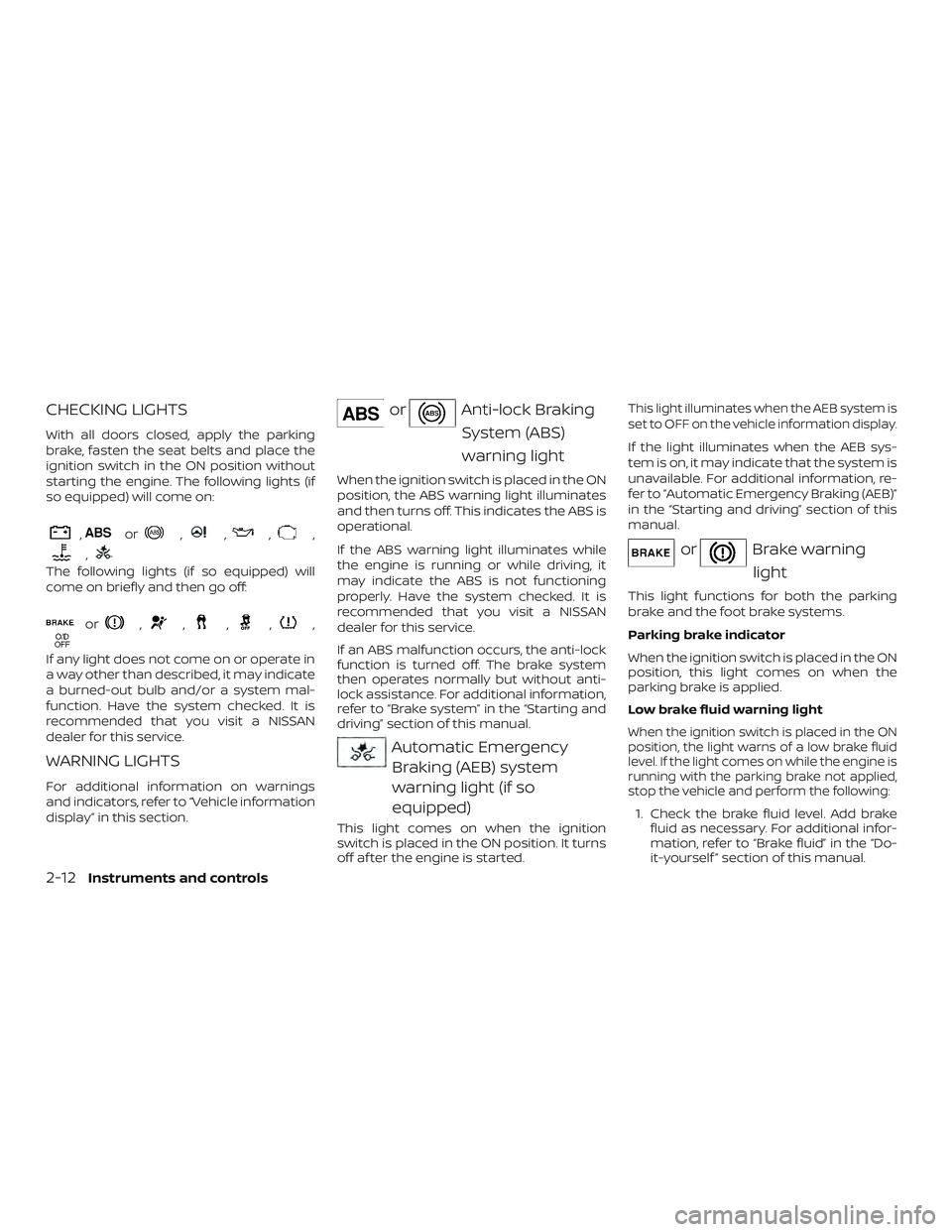
,or,,,,
,
The following lights (if so equipped) will
come on briefly and then go off:
or,,,,,
If any light does not come on or operate in
a way other than described, it may indicate
a burned-out bulb and/or a system mal-
function. Have the system checked. It is
recommended that you visit a NISSAN
dealer for this service.
WARNING LIGHTS
For additional information on warnings
and indicators, refer to “Vehicle information
display” in this section.
orAnti-lock BrakingSystem (ABS)
warning light
When the ignition switch is placed in the ON
position, the ABS warning light illuminates
and then turns off. This indicates the ABS is
operational.
If the ABS warning light illuminates while
the engine is running or while driving, it
may indicate the ABS is not functioning
properly. Have the system checked. It is
recommended that you visit a NISSAN
dealer for this service.
If an ABS malfunction occurs, the anti-lock
function is turned off. The brake system
then operates normally but without anti-
lock assistance. For additional information,
refer to “Brake system” in the “Starting and
driving” section of this manual.
Automatic EmergencyBraking (AEB) system
warning light (if so
equipped)
This light comes on when the ignition
switch is placed in the ON position. It turns
off af ter the engine is started.
This light illuminates when the AEB system is
set to OFF on the vehicle information display.
If the light illuminates when the AEB sys-
tem is on, it may indicate that the system is
unavailable. For additional information, re-
fer to “Automatic Emergency Braking (AEB)”
in the “Starting and driving” section of this
manual.
orBrake warning
light
This light functions for both the parking
brake and the foot brake systems.
Parking brake indicator
When the ignition switch is placed in the ON
position, this light comes on when the
parking brake is applied.
Low brake fluid warning light
When the ignition switch is placed in the ON
position, the light warns of a low brake fluid
level. If the light comes on while the engine is
running with the parking brake not applied,
stop the vehicle and perform the following:
1. Check the brake fluid level. Add brake fluid as necessary. For additional infor-
mation, refer to “Brake fluid” in the “Do-
it-yourself ” section of this manual.
2-12Instruments and controls