Page 173 of 444
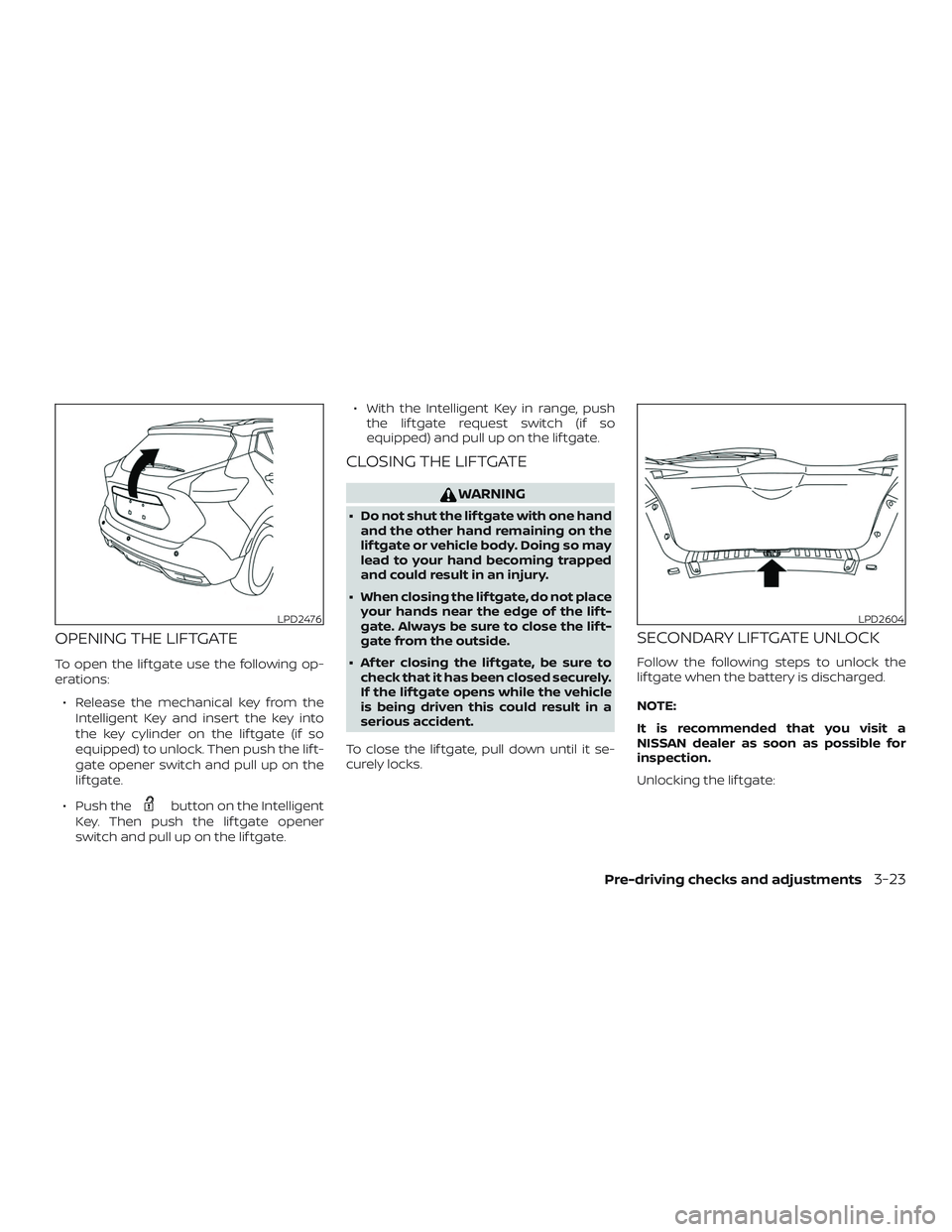
OPENING THE LIFTGATE
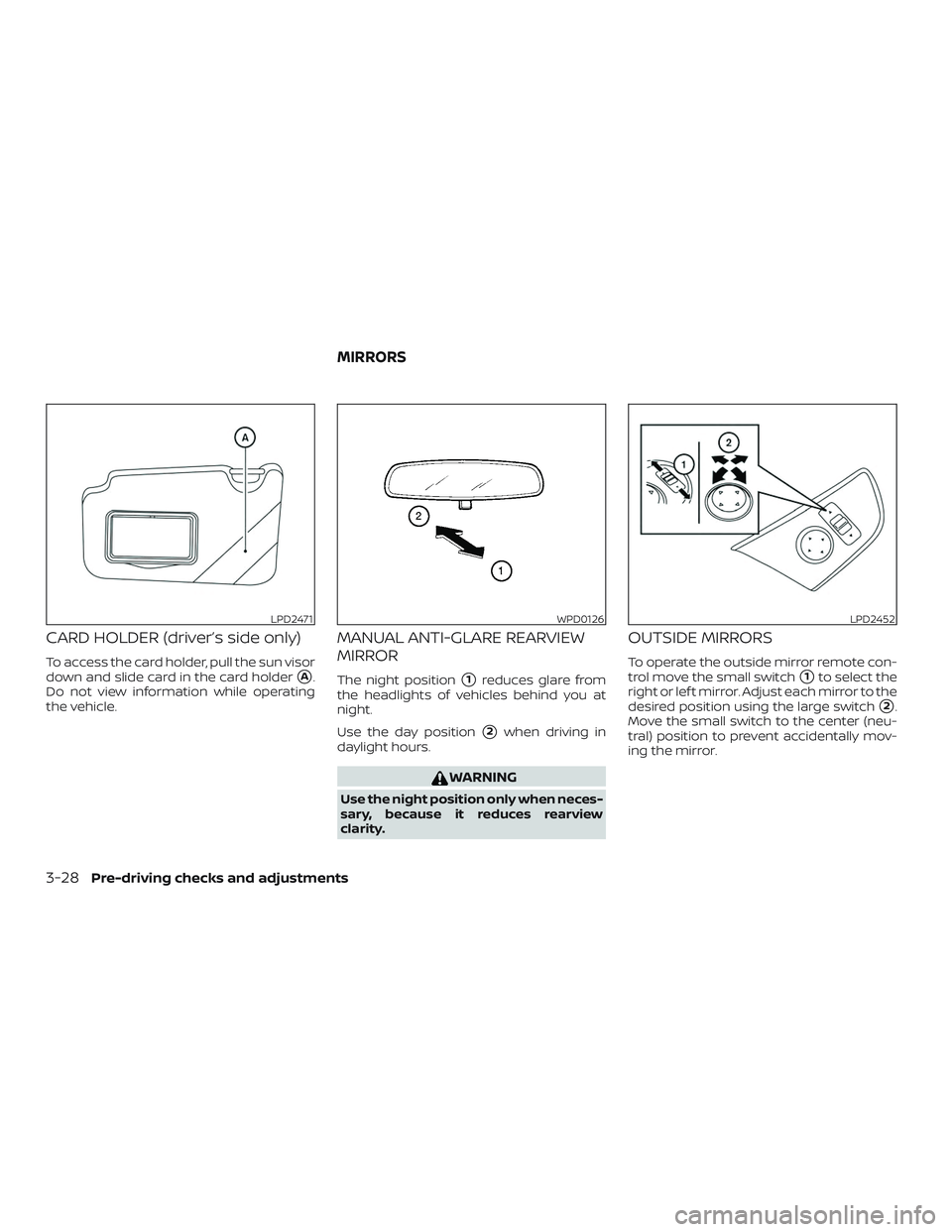
To open the lif tgate use the following op-
erations:∙ Release the mechanical key from the Intelligent Key and insert the key into
the key cylinder on the lif tgate (if so
equipped) to unlock. Then push the lif t-
gate opener switch and pull up on the
lif tgate.
∙ Push the
button on the Intelligent
Key. Then push the lif tgate opener
switch and pull up on the lif tgate. ∙ With the Intelligent Key in range, push
the lif tgate request switch (if so
equipped) and pull up on the lif tgate.
CLOSING THE LIFTGATE
WARNING
∙ Do not shut the lif tgate with one handand the other hand remaining on the
lif tgate or vehicle body. Doing so may
lead to your hand becoming trapped
and could result in an injury.
∙ When closing the lif tgate, do not place your hands near the edge of the lif t-
gate. Always be sure to close the lif t-
gate from the outside.
∙ Af ter closing the lif tgate, be sure to check that it has been closed securely.
If the lif tgate opens while the vehicle
is being driven this could result in a
serious accident.
To close the lif tgate, pull down until it se-
curely locks.
SECONDARY LIFTGATE UNLOCK
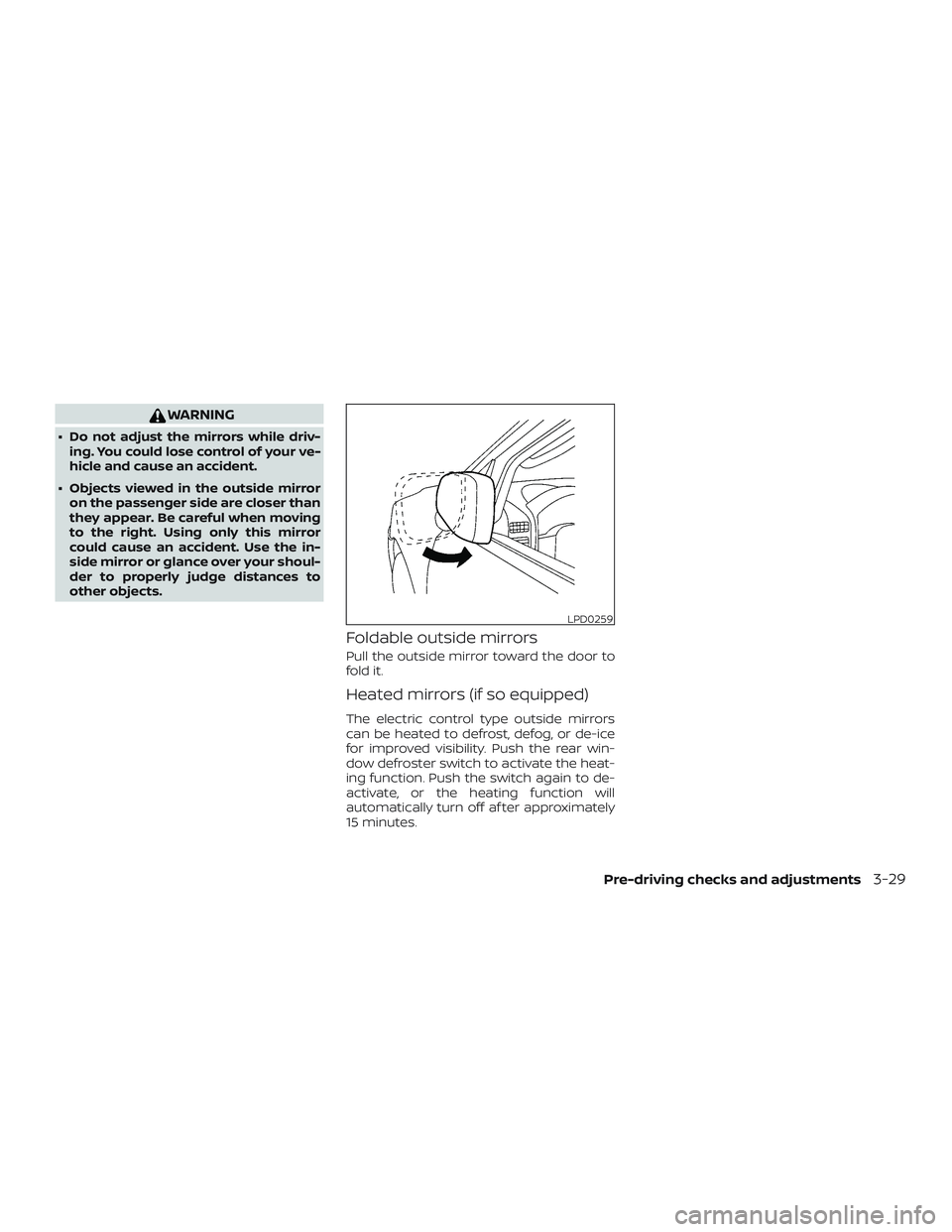
Follow the following steps to unlock the
lif tgate when the battery is discharged.
NOTE:
It is recommended that you visit a
NISSAN dealer as soon as possible for
inspection.
Unlocking the lif tgate:
LPD2476LPD2604
Pre-driving checks and adjustments3-23
Page 175 of 444
FUEL-FILLER CAP
WARNING
∙ Gasoline is extremely flammable andhighly explosive under certain condi-
tions. You could be burned or seri-
ously injured if it is misused or mis-
handled. Always stop the engine and
do not smoke or allow open flames or
sparks near the vehicle when
refueling.
∙ Do not attempt to top off the fuel tank af ter the fuel pump nozzle shuts off
automatically. Continued refueling
may cause fuel overflow, resulting in
fuel spray and possibly a fire.
∙ Use only an original equipment type fuel-filler cap as a replacement. It has
a built-in safety valve needed for
proper operation of the fuel system
and emission control system. An in-
correct cap can result in a serious mal-
function and possible injury. It could
also cause the Malfunction Indicator
Light (MIL) to come on.
∙ Never pour fuel into the throttle body to attempt to start your vehicle. ∙ Do not fill a portable fuel container in
the vehicle or trailer. Static electricity
can cause an explosion of flammable
liquid, vapor or gas in any vehicle or
trailer. To reduce the risk of serious
injury or death when filling portable
fuel containers:
– Always place the container on the ground when filling.
– Do not use electronic devices when filling.
– Keep the pump nozzle in contact with the container while you are
filling it.
– Use only approved portable fuel containers for flammable liquid.
CAUTION
∙ Do not use a fuel containing morethan 15% ethanol in your vehicle. For
additional information, refer to “Fuel
recommendation” in the “Technical
and consumer information” section of
this manual.
∙ If fuel is spilled on the vehicle body, flush it away with water to avoid paint
damage. NOTE:
Changing ignition switch status during
the refueling process may cause a delay
in fuel gauge response.
Pre-driving checks and adjustments3-25
Page 176 of 444
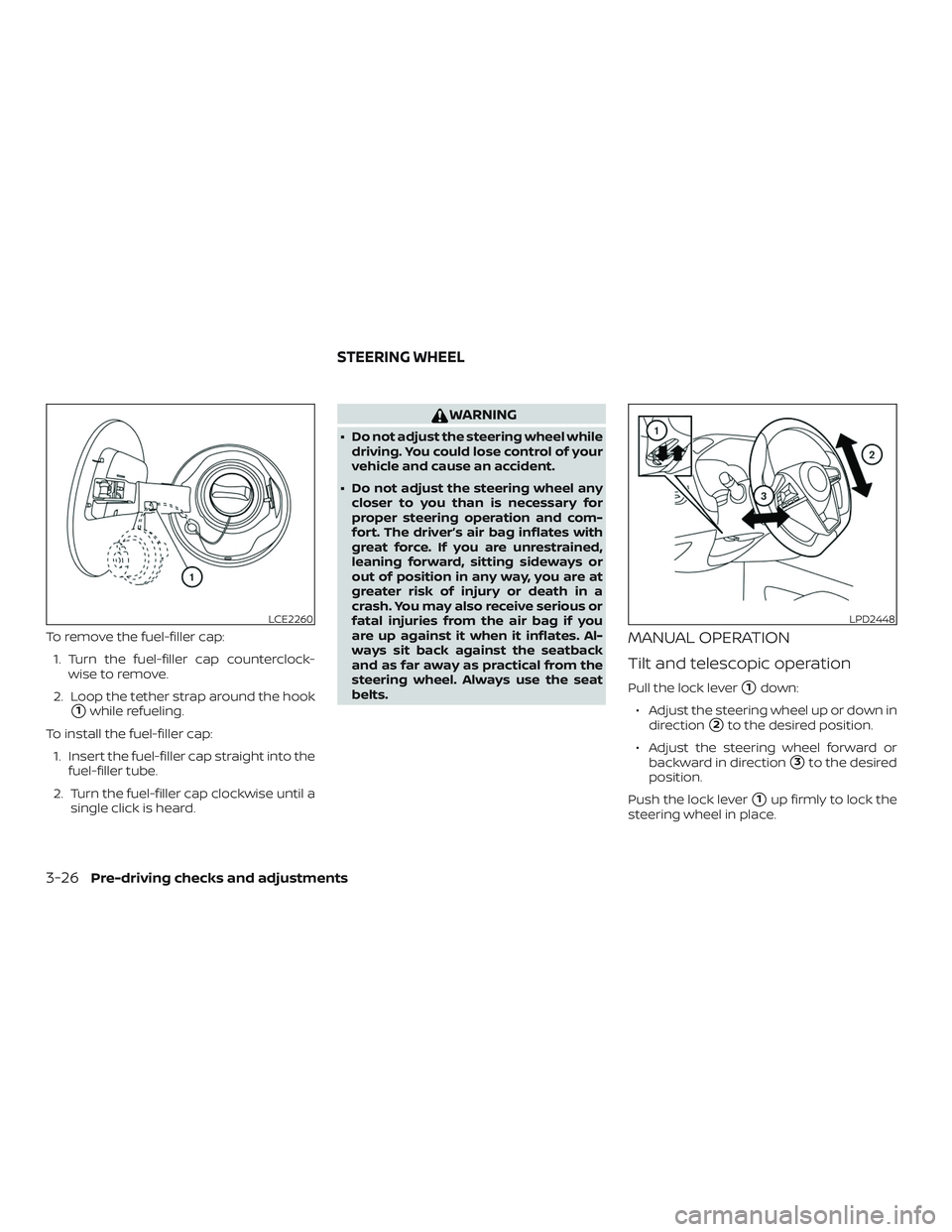
To remove the fuel-filler cap:1. Turn the fuel-filler cap counterclock- wise to remove.
2. Loop the tether strap around the hook
�1while refueling.
To install the fuel-filler cap: 1. Insert the fuel-filler cap straight into the fuel-filler tube.
2. Turn the fuel-filler cap clockwise until a single click is heard.
WARNING
∙ Do not adjust the steering wheel whiledriving. You could lose control of your
vehicle and cause an accident.
∙ Do not adjust the steering wheel any closer to you than is necessary for
proper steering operation and com-
fort. The driver’s air bag inflates with
great force. If you are unrestrained,
leaning forward, sitting sideways or
out of position in any way, you are at
greater risk of injury or death in a
crash. You may also receive serious or
fatal injuries from the air bag if you
are up against it when it inflates. Al-
ways sit back against the seatback
and as far away as practical from the
steering wheel. Always use the seat
belts.
MANUAL OPERATION
Tilt and telescopic operation
Pull the lock lever�1down:
∙ Adjust the steering wheel up or down in direction
�2to the desired position.
∙ Adjust the steering wheel forward or backward in direction
�3to the desired
position.
Push the lock lever
�1up firmly to lock the
steering wheel in place.
LCE2260LPD2448
STEERING WHEEL
3-26Pre-driving checks and adjustments
Page 178 of 444
CARD HOLDER (driver’s side only)
To access the card holder, pull the sun visor
down and slide card in the card holder
�A.
Do not view information while operating
the vehicle.
MANUAL ANTI-GLARE REARVIEW
MIRROR
The night position�1reduces glare from
the headlights of vehicles behind you at
night.
Use the day position
�2when driving in
daylight hours.
WARNING
Use the night position only when neces-
sary, because it reduces rearview
clarity.
OUTSIDE MIRRORS
To operate the outside mirror remote con-
trol move the small switch
�1to select the
right or lef t mirror. Adjust each mirror to the
desired position using the large switch
�2.
Move the small switch to the center (neu-
tral) position to prevent accidentally mov-
ing the mirror.
LPD2471WPD0126LPD2452
MIRRORS
3-28Pre-driving checks and adjustments
Page 179 of 444
WARNING
∙ Do not adjust the mirrors while driv-ing. You could lose control of your ve-
hicle and cause an accident.
∙ Objects viewed in the outside mirror on the passenger side are closer than
they appear. Be careful when moving
to the right. Using only this mirror
could cause an accident. Use the in-
side mirror or glance over your shoul-
der to properly judge distances to
other objects.
Foldable outside mirrors
Pull the outside mirror toward the door to
fold it.
Heated mirrors (if so equipped)
The electric control type outside mirrors
can be heated to defrost, defog, or de-ice
for improved visibility. Push the rear win-
dow defroster switch to activate the heat-
ing function. Push the switch again to de-
activate, or the heating function will
automatically turn off af ter approximately
15 minutes.
LPD0259
Pre-driving checks and adjustments3-29
Page 182 of 444
Refer to the NissanConnect® Owner’s
Manual that includes the following infor-
mation.∙ Audio system
∙ Apple CarPlay
TM
∙ Android AutoTM
∙ Bluetooth® Hands-Free Phone system
∙ Viewing information
∙ Other settings
∙ Voice Recognition (if so equipped)
∙ General system information
WARNING
∙ Positioning of the heating or air con- ditioning controls and display con-
trols should not be done while driving
in order that full attention may be
given to the driving operation.
∙ Do not disassemble or modif y this system. If you do, it may result in acci-
dents, fire, or electrical shock. ∙ Do not use this system if you notice
any abnormality, such as a frozen
screen or lack of sound. Continued
use of the system may result in acci-
dent, fire or electric shock.
∙ In case you notice any foreign object in the system hardware, spill liquid on
it, or notice smoke or smell coming
from it, stop using the system imme-
diately. Ignoring such conditions may
lead to accidents, fire or electrical
shock. It is recommended that you
visit a NISSAN dealer for servicing.
NISSANCONNECT® OWNER’S
MANUAL (if so equipped)
4-2Monitor, climate, audio, phone and voice recognition systems
Page 184 of 444
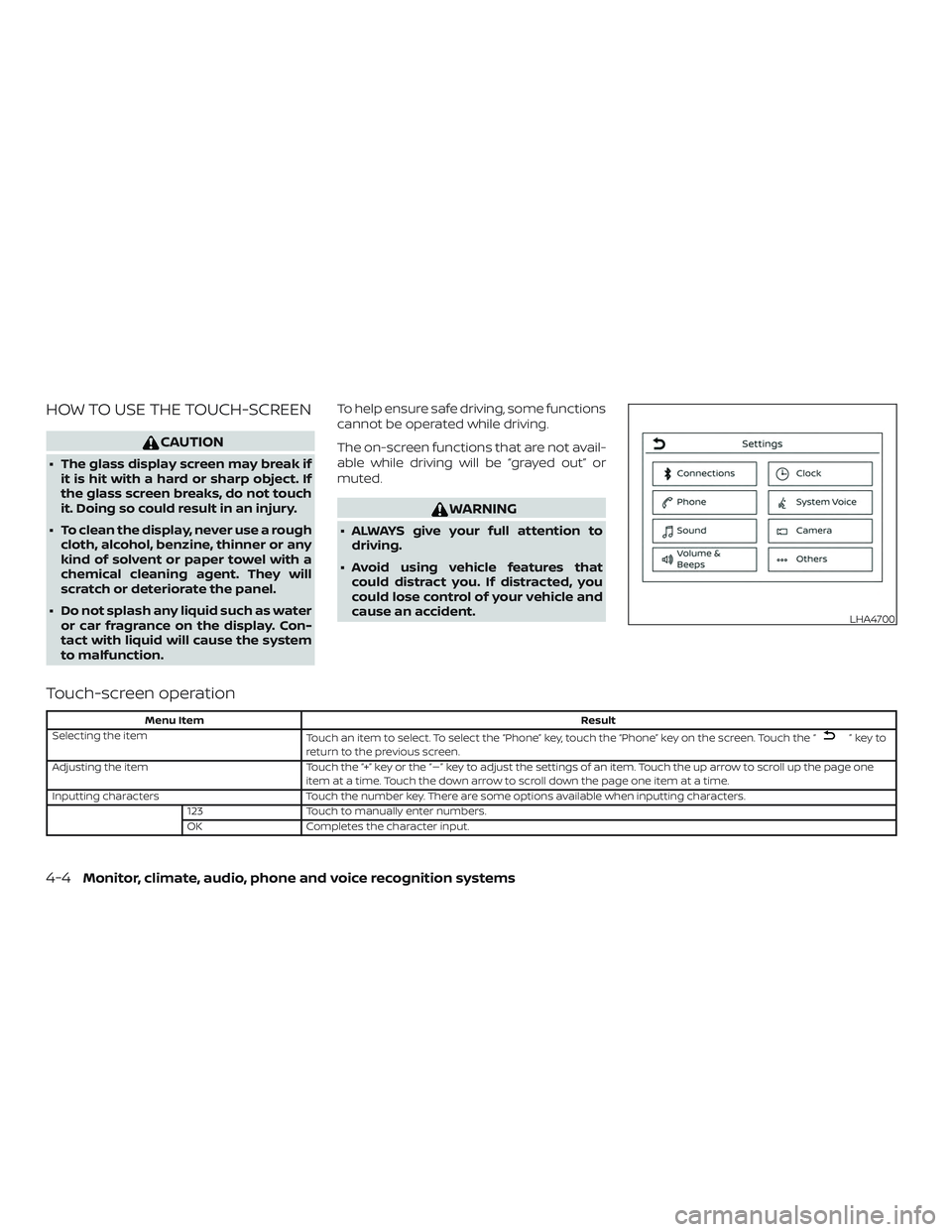
HOW TO USE THE TOUCH-SCREEN
CAUTION
∙ The glass display screen may break ifit is hit with a hard or sharp object. If
the glass screen breaks, do not touch
it. Doing so could result in an injury.
∙ To clean the display, never use a rough cloth, alcohol, benzine, thinner or any
kind of solvent or paper towel with a
chemical cleaning agent. They will
scratch or deteriorate the panel.
∙ Do not splash any liquid such as water or car fragrance on the display. Con-
tact with liquid will cause the system
to malfunction. To help ensure safe driving, some functions
cannot be operated while driving.
The on-screen functions that are not avail-
able while driving will be “grayed out” or
muted.
WARNING
∙ ALWAYS give your full attention to
driving.
∙ Avoid using vehicle features that could distract you. If distracted, you
could lose control of your vehicle and
cause an accident.
Touch-screen operation
Menu Item Result
Selecting the item Touch an item to select. To select the “Phone” key, touch the “Phone” key on the screen. Touch the “
”keyto
return to the previous screen.
Adjusting the item Touch the “+” key or the “�” key to adjust the settings of an item. Touch the up arrow to scroll up the page one
item at a time. Touch the down arrow to scroll down the page one item at a time.
Inputting characters Touch the number key. There are some options available when inputting characters.
123 Touch to manually enter numbers.
OK Completes the character input.
LHA4700
4-4Monitor, climate, audio, phone and voice recognition systems
Page 189 of 444
WARNING
∙ Failure to follow the warnings and in-structions for proper use of the Rear-
View Monitor system could result in
serious injury or death.
∙ RearView Monitor is a convenience feature and is not a substitute for
proper backing. Always turn and look
out the windows and check mirrors to
be sure that it is safe to move before
operating the vehicle. Always back up
slowly.
∙ The system is designed as an aid to the driver in showing large stationary
objects directly behind the vehicle, to
help avoid damaging the vehicle.
∙ The distance guide lines and the ve- hicle width lines should be used as a
reference only when the vehicle is on a
level paved surface. The distance
viewed on the monitor is for reference
only and may be different than the
actual distance between the vehicle
and displayed objects.
CAUTION
Do not scratch the camera lens when
cleaning dirt or snow from the front of
the camera.
The RearView Monitor system automati-
cally shows a rear view of the vehicle when
the shif t lever is shif ted into the R (Reverse)
position. The radio can still be heard while
the RearView Monitor is active.
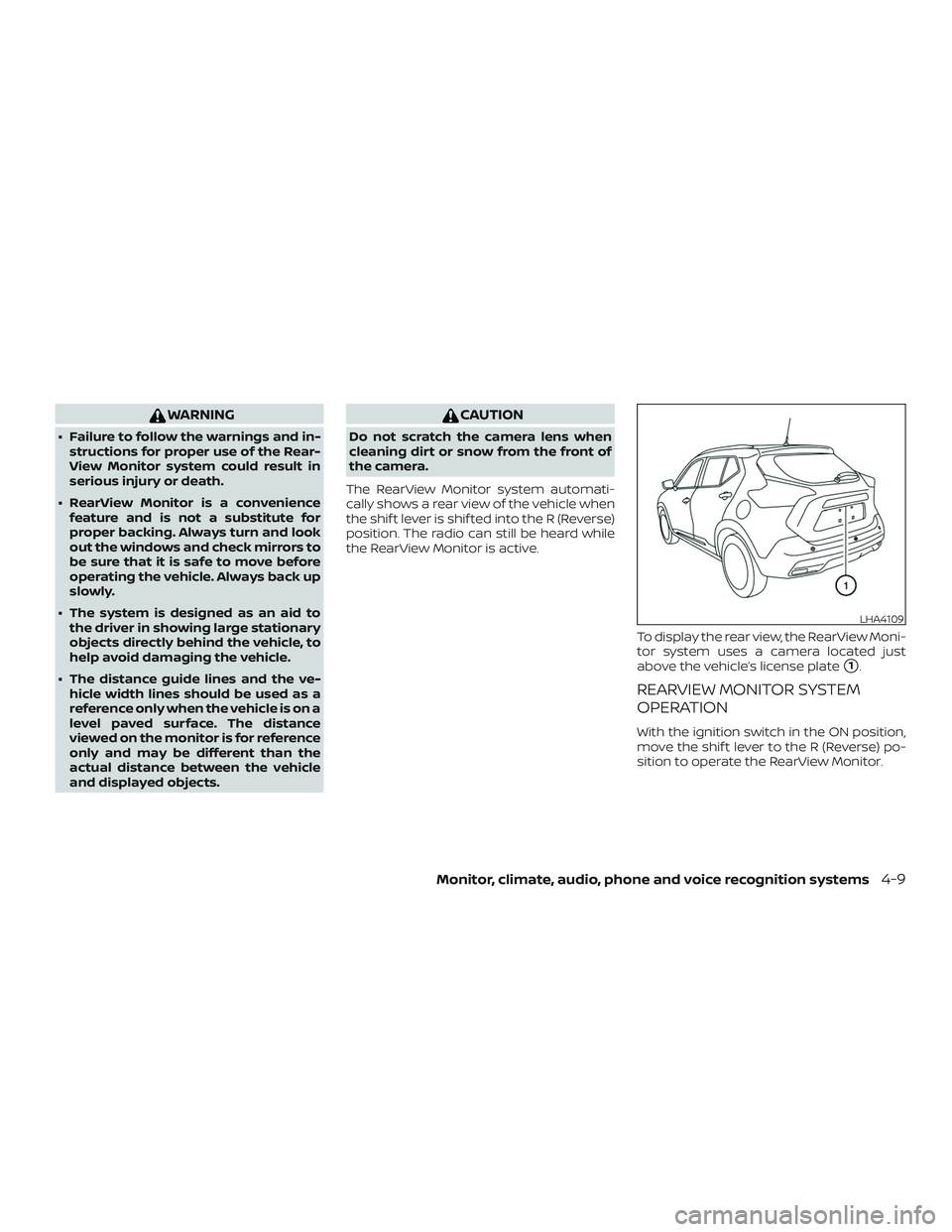
To display the rear view, the RearView Moni-
tor system uses a camera located just
above the vehicle’s license plate
�1.
REARVIEW MONITOR SYSTEM
OPERATION
With the ignition switch in the ON position,
move the shif t lever to the R (Reverse) po-
sition to operate the RearView Monitor.
LHA4109
Monitor, climate, audio, phone and voice recognition systems4-9