Page 193 of 592
CAUTION
Af ter locking the doors using the Intel-
ligent Key, be sure that the doors have
been securely locked by operating the
door handles.
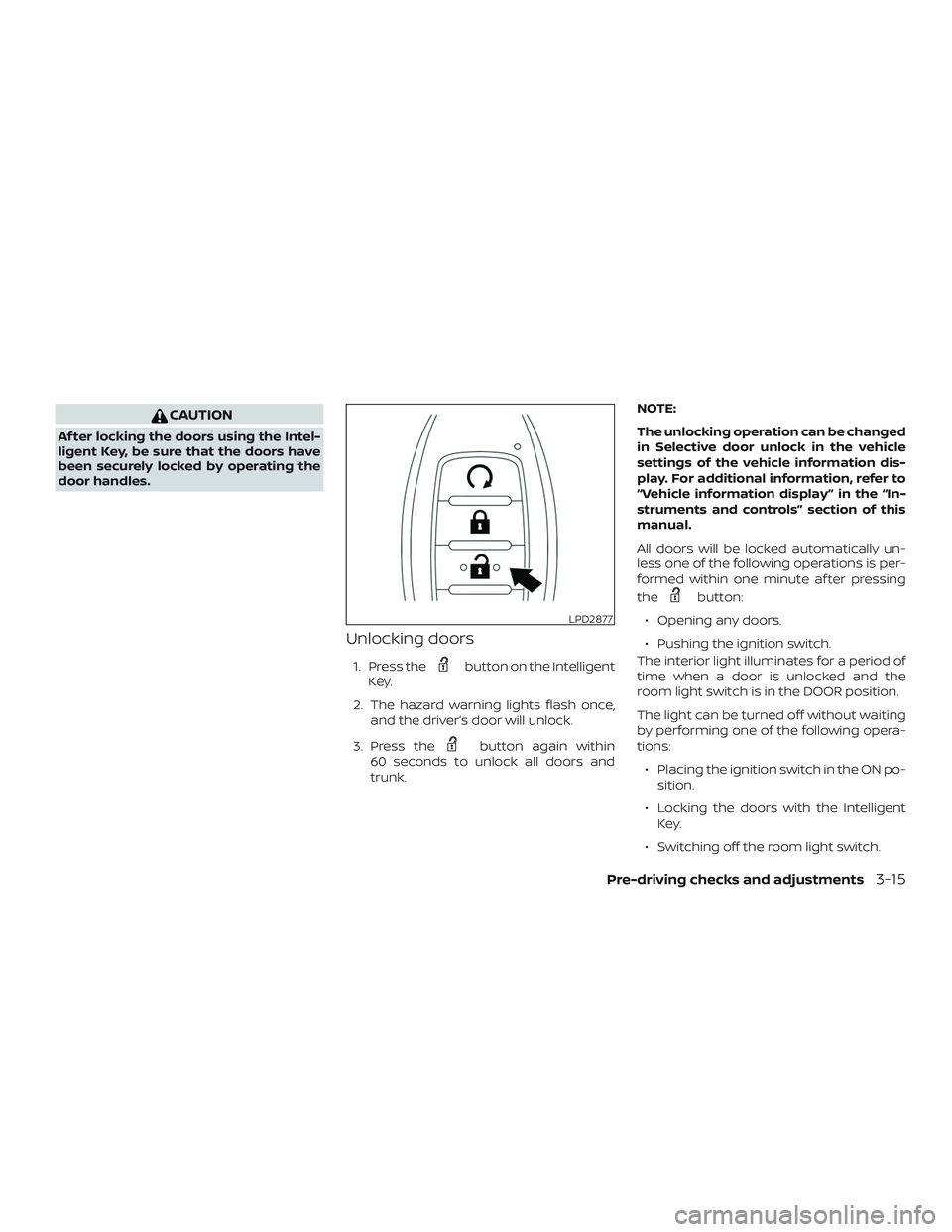
Unlocking doors
1. Press thebutton on the Intelligent
Key.
2. The hazard warning lights flash once, and the driver’s door will unlock.
3. Press the
button again within
60 seconds to unlock all doors and
trunk. NOTE:
The unlocking operation can be changed
in Selective door unlock in the vehicle
settings of the vehicle information dis-
play. For additional information, refer to
“Vehicle information display ” in the “In-
struments and controls” section of this
manual.
All doors will be locked automatically un-
less one of the following operations is per-
formed within one minute af ter pressing
the
button:
∙ Opening any doors.
∙ Pushing the ignition switch.
The interior light illuminates for a period of
time when a door is unlocked and the
room light switch is in the DOOR position.
The light can be turned off without waiting
by performing one of the following opera-
tions:
∙ Placing the ignition switch in the ON po- sition.
∙ Locking the doors with the Intelligent Key.
∙ Switching off the room light switch.
LPD2877
Pre-driving checks and adjustments3-15
Page 194 of 592
∙ Switching the Auto Room Lamp to theOFF position in vehicle settings of the
vehicle information display. For addi-
tional information, refer to “Vehicle in-
formation display” in the “Instruments
and controls” section of this manual.
Opening windows (if so equipped)
The Intelligent Key allows you to simultane-
ously open windows equipped with auto-
matic operation.
∙ To open the windows, press the
button on the Intelligent Key longer
than 3 seconds af ter all doors are un-
locked.
The door windows cannot be closed by
using the Intelligent Key.
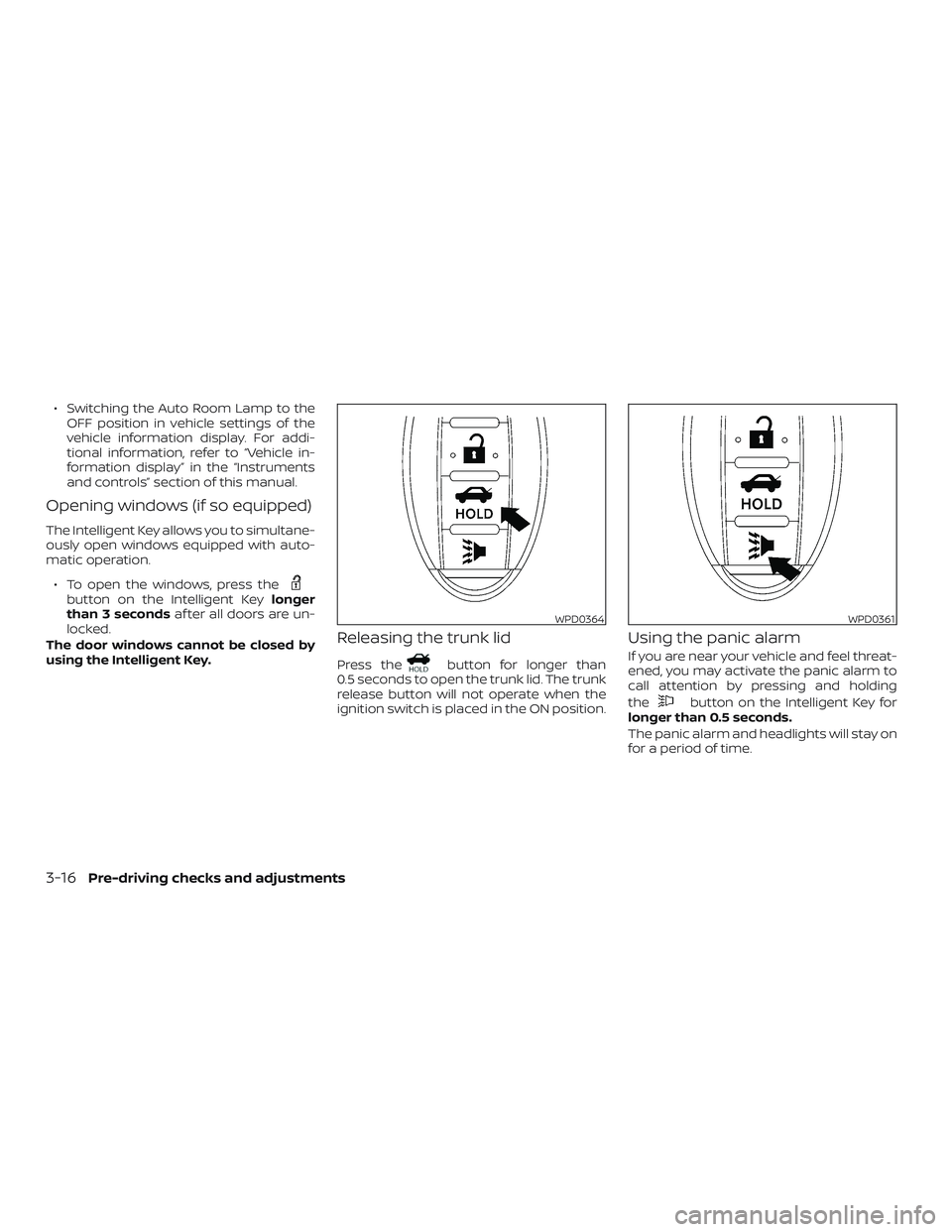
Releasing the trunk lid
Press thebutton for longer than
0.5 seconds to open the trunk lid. The trunk
release button will not operate when the
ignition switch is placed in the ON position.
Using the panic alarm
If you are near your vehicle and feel threat-
ened, you may activate the panic alarm to
call attention by pressing and holding
the
button on the Intelligent Key for
longer than 0.5 seconds.
The panic alarm and headlights will stay on
for a period of time.
WPD0364WPD0361
3-16Pre-driving checks and adjustments
Page 195 of 592
The panic alarm stops when:∙ It has run for a period of time, or
∙ Any button is pressed on the Intelligent Key.
∙ The request switch on the driver or pas- senger door has been pushed and the
Intelligent Key is in range of the door
handle.
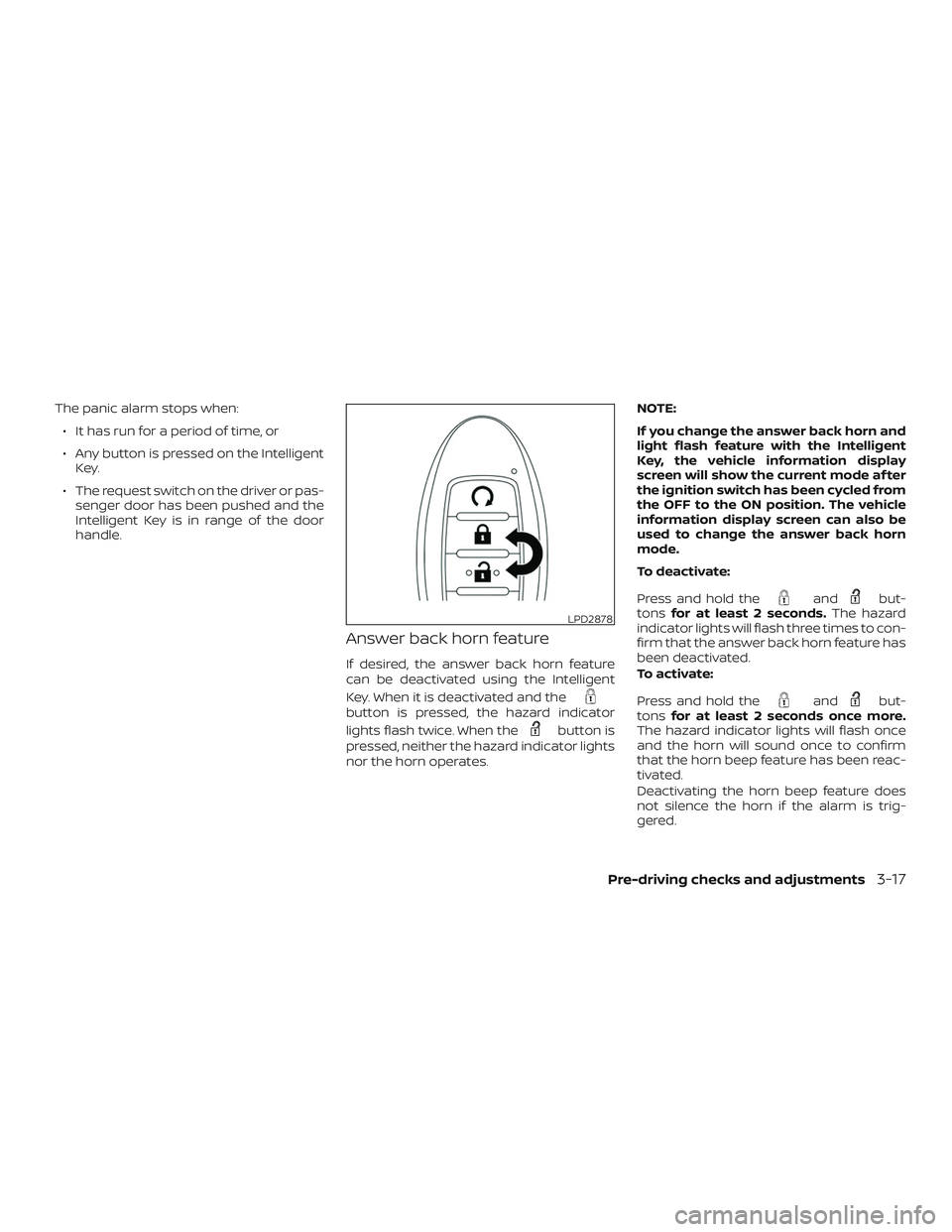
Answer back horn feature
If desired, the answer back horn feature
can be deactivated using the Intelligent
Key. When it is deactivated and the
button is pressed, the hazard indicator
lights flash twice. When the
button is
pressed, neither the hazard indicator lights
nor the horn operates. NOTE:
If you change the answer back horn and
light flash feature with the Intelligent
Key, the vehicle information display
screen will show the current mode af ter
the ignition switch has been cycled from
the OFF to the ON position. The vehicle
information display screen can also be
used to change the answer back horn
mode.
To deactivate:
Press and hold the
andbut-
tons for at least 2 seconds. The hazard
indicator lights will flash three times to con-
firm that the answer back horn feature has
been deactivated.
To activate:
Press and hold the
andbut-
tons for at least 2 seconds once more.
The hazard indicator lights will flash once
and the horn will sound once to confirm
that the horn beep feature has been reac-
tivated.
Deactivating the horn beep feature does
not silence the horn if the alarm is trig-
gered.
LPD2878
Pre-driving checks and adjustments3-17
Page 196 of 592

Intelligent Key button operation
light
The light blinks only when you push any
button on the Intelligent Key. The light illu-
mination only signifies that the key fob has
transmitted a signal. You may look and/or
listen to verif y that the vehicle has per-
formed the intended operation. The num-
ber of blinks identifies each registered key
(i.e. 1 blink = 1st key,...,4 blinks = 4th key) for
your own identification purposes.If the light does not blink, your battery may
be too weak to communicate to the ve-
hicle. If this occurs, the battery may need to
be replaced. For additional information re-
garding the replacement of a battery, refer
to “Battery replacement” in the “Do-it-
yourself ” section of this manual.
WARNING SIGNALS
To help prevent the vehicle from moving
unexpectedly by erroneous operation of
the Intelligent Key or to help prevent the
vehicle from being stolen, a chime or
buzzer sounds from inside and outside the
vehicle and a warning is displayed in the
instrument panel.
When a chime or beep sounds or a warning
is displayed, be sure to check the vehicle
and the Intelligent Key.
For additional information, refer to
“Troubleshooting guide” in this section and
“Vehicle information display” in the “Instru-
ments and controls” section of this manual.
TROUBLESHOOTING GUIDE
Verif y the location of all Intelligent Keys that
are programmed for the vehicle. If another
Intelligent Key is in range or inside the ve-
hicle, the vehicle system may respond dif-
ferently than expected.
LPD2836
3-18Pre-driving checks and adjustments
Page 197 of 592

SymptomPossible CauseRemedy
When stopping the engine The Shif t to Park warning appears in
the display and the inside warning
chime sounds continuously. The shif t lever is not in the P (Park)
position.Move the shif t lever to the P (Park)
position.
When opening the driver’s door to get
out of the vehicle The Door Open warning appears in
the display and the inside warning
chime sounds continuously. The ignition switch is in the ACC
position.
Place the ignition switch in the OFF
position.
When closing the door af ter getting
out of the vehicle The No Key Detected warning appears
in the display, the outside chime
sounds three times and the inside
warning chime sounds for approxi-
mately 3 seconds.
The ignition switch is in the ACC or ON
position.
Place the ignition switch in the OFF
position.
The Shif t to Park warning appears in
the display and the outside chime
sounds continuously. The ignition switch is in the ACC posi-
tion and the shif t lever is not in the P
(Park) position.Move the shif t lever to the P (Park) po-
sition and place the ignition switch in
the OFF position.
The Rear Door Alert warning message
appears on the display, the horn
sounds three times twice, or a Check
Back Seat For All Articles warning ap-
pears on the display. The Rear Door Alert is activated.
Check the back seat for all articles,
press the ENTER button to clear the
Rear Door Alert warning message.
When closing the door with the inside
lock knob turned to LOCK The outside chime sounds for approxi-
mately 3 seconds and all the doors
unlock.
The Intelligent Key is inside the vehicle. Carry the Intelligent Key with you.
When pushing the door handle re-
quest switch or the
button
on the Intelligent Key to lock the door The outside chime sounds for approxi-
mately 2 seconds.
The Intelligent Key is inside the vehicle. Carry the Intelligent Key with you.
Pre-driving checks and adjustments3-19
Page 198 of 592
SymptomPossible CauseRemedy
When pushing the ignition switch to
start the engine The Key Battery Low indicator appears
in the display.
The battery charge is low.Replace the battery with a new one.
For additional information, refer to
“Battery replacement” in the “Do-it-
yourself ” section of this manual.
The Key ID Incorrect warning appears
in the display, the outside chime
sounds three times and the inside
warning chime sounds for approxi-
mately 3 seconds. The Intelligent Key is not in the vehicle. Carry the Intelligent Key with you.
When pressing the ignition switch The Key System Error warning ap-
pears on the display. It warns of a malfunction with the In-
telligent Key system.It is recommended that you visit a
NISSAN dealer.
3-20Pre-driving checks and adjustments
Page 201 of 592

∙ The ignition switch is pushed withoutan Intelligent Key in the vehicle.
∙ The ignition switch is pushed with an Intelligent Key in the vehicle but the
brake pedal is not depressed.
CONDITIONS THE REMOTE ENGINE
START WILL NOT WORK
The Remote Engine Start will not operate if
any of the following conditions are present:
∙ The ignition switch is placed in the ON position.
∙ The hood is not securely closed.
∙ The hazard indicator lights are on.
∙ The engine is still running. The engine must be completely stopped. Wait at
least 6 seconds if the engine goes from
running to off. This is not applicable
when extending engine run time.
∙ The
button is not pressed and
held for at least 2 seconds.
∙ The
button is not pressed and
held within 5 seconds of pressing the
lock button. ∙ The brake is pressed.
∙ The doors are not closed and locked.
∙ The trunk is open.
∙ The Key System Error remains solid in
the vehicle information display.
∙ The alarm sounds due to illegal entry into the vehicle.
∙ Two Remote Engine Starts, or a single Remote Engine Start with an extension,
have already been used.
∙ The vehicle is not in P (Park).
∙ There is a detected registered key al- ready inside of the vehicle.
∙ The Remote Engine Start function has been switched to the OFF position in
Vehicle Settings of the vehicle informa-
tion display. For additional information,
refer to “Vehicle information display” in
the “Instruments and controls” section
of this manual. The Remote Engine Start may display a
warning or indicator in the vehicle informa-
tion display. For additional information, re-
fer to “Vehicle information display” in the
“Instruments and controls” section of this
manual.
Pre-driving checks and adjustments3-23
Page 204 of 592
NOTE:
Request switches for all doors and trunk
can be deactivated when the I-Key Door
Lock setting is switched to OFF in the
“Vehicle Settings” of the vehicle informa-
tion display. For additional information,
refer to “Vehicle information display ” in
the “Instruments and controls” section
of the manual.
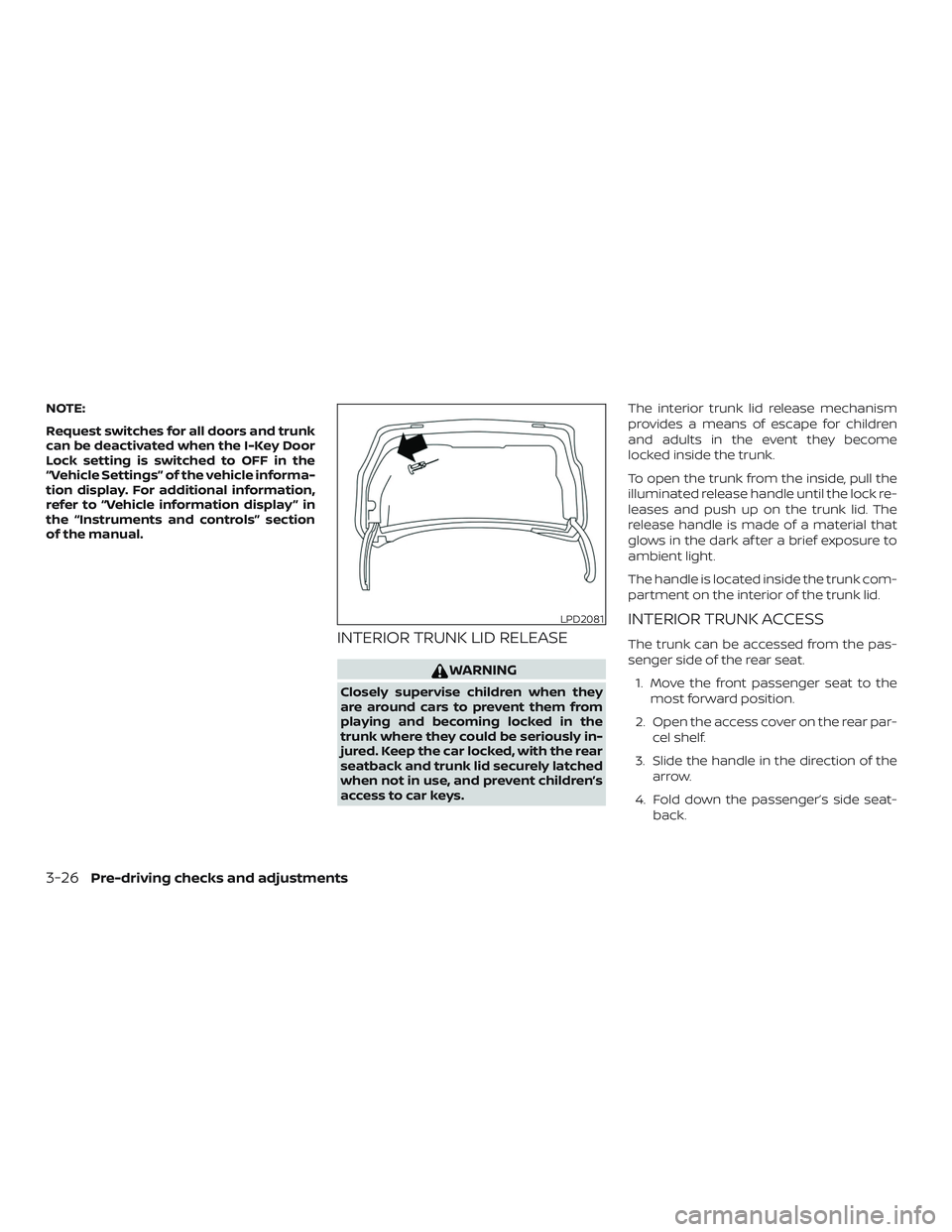
INTERIOR TRUNK LID RELEASE
WARNING
Closely supervise children when they
are around cars to prevent them from
playing and becoming locked in the
trunk where they could be seriously in-
jured. Keep the car locked, with the rear
seatback and trunk lid securely latched
when not in use, and prevent children’s
access to car keys.The interior trunk lid release mechanism
provides a means of escape for children
and adults in the event they become
locked inside the trunk.
To open the trunk from the inside, pull the
illuminated release handle until the lock re-
leases and push up on the trunk lid. The
release handle is made of a material that
glows in the dark af ter a brief exposure to
ambient light.
The handle is located inside the trunk com-
partment on the interior of the trunk lid.
INTERIOR TRUNK ACCESS
The trunk can be accessed from the pas-
senger side of the rear seat.
1. Move the front passenger seat to the most forward position.
2. Open the access cover on the rear par- cel shelf.
3. Slide the handle in the direction of the arrow.
4. Fold down the passenger’s side seat- back.
LPD2081
3-26Pre-driving checks and adjustments
