2019 MERCEDES-BENZ S CLASS climate settings
[x] Cancel search: climate settingsPage 545 of 578
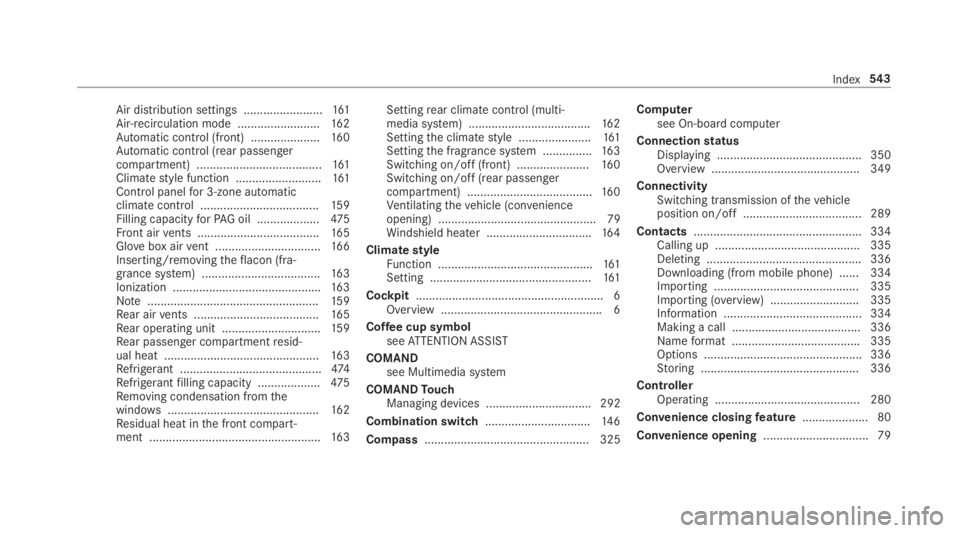
Air distribution settings ........................161Air-recirculation mode .........................162Automatic control (front) .....................160Automatic control (rear passengercompartment) ......................................161Climatestyle function ..........................161Control panelfor 3-zone automaticclimatecontrol ....................................15 9Filling capacityforPAG oil ...................475Front airvents .....................................16 5Glovebox airvent ................................16 6Inserting/removingtheflacon (fra‐grance system) ....................................16 3Ionization .............................................16 3Note....................................................15 9Rear airvents ......................................16 5Rear operating unit ..............................15 9Rear passenger compartmentresid‐ual heat ...............................................16 3Refrigerant ...........................................474Refrigerantfilling capacity ...................475Removing condensation fromthewindows..............................................16 2Residual heat inthe front compart‐ment ....................................................163
Settingrear climate control (multi‐media system) .....................................162Settingthe climatestyle ......................161Settingthe fragrance system ...............16 3Switching on/off (front) ......................16 0Switching on/off (rear passengercompartment) ......................................16 0Ventilatingthevehicle (convenienceopening) ................................................ 79Windshield heater ................................16 4
ClimatestyleFunction ...............................................161Setting .................................................161
Cockpit.........................................................6Overview .................................................6
Coffee cup symbolseeATTENTION ASSIST
COMANDsee Multimedia system
COMANDTouchManaging devices ................................ 292
Combination switch................................14 6
Compass.................................................. 325
Computersee On-board computer
ConnectionstatusDisplaying ............................................ 350Overview .............................................349
ConnectivitySwitching transmission ofthevehicleposition on/off .................................... 289
Contacts................................................... 334Calling up ............................................ 335Deleting ............................................... 336Downloading (from mobile phone) ...... 334Importing ............................................ 335Importing (overview) ...........................335Information .......................................... 334Making a call ....................................... 336Nameformat .......................................335Options ................................................ 336Storing ................................................ 336
ControllerOperating ............................................ 280
Convenience closingfeature.................... 80
Convenience opening................................ 79
Index543
Page 560 of 578

Mercedes-Benz AppsCalling up ............................................ 350Usingvoice control .............................. 350
Mercedes-Benz emergency call sys‐tem........................................................... 346Automatic emergency call ................... 347Information .......................................... 346Information on data processing ...........348Manual emergency call ........................ 347Overview ............................................. 346
Mercedes-Benz Link................................ 338Connecting .......................................... 339Ending ................................................. 339Overview ............................................. 338Using ................................................... 339
Message (multifunction display)see Display message
Message memory....................................478
MessagesVoice commands (Voice Control Sys‐tem) .....................................................274
MessagesseeText messages
Mirrorssee Exterior mirrors
Mobile phoneWirelesscharging ................................14 2Wirelesscharging (rear passengercompartment) ......................................14 2
Mobile phonesee AndroidAutosee Apple CarPlay™see Mercedes-Benz Linksee SecondtelephoneseeTelephone
Mobile phonevoicerecognitionStarting ...............................................333Stopping ..............................................333
Model series............................................ 466
MOExtended tires....................................414
Multifunction cameraROAD SURFACE SCAN ........................ 220
Multifunction displayOverview of displays ............................255
Multifunctionsteering wheelOverview of buttons ............................ 252
Multifunctionsteering wheelseeSteering wheel
Multimedia system..................................278Activating/deactivatingstandbymode ...................................................191Adjuststhevolume .............................. 284Central control elements .....................279Configuring displaysettings ................287ENERGIZING comfort program (over‐view) ....................................................299Enteringcharacters .............................285Favorites ............................................. 282Main functions .................................... 282Overview .............................................278Rear climate control ............................16 2Restoringthefactory settings ............. 298Settingthefootwelltemperature .........161Standby mode function .......................190Startingthe ENERGIZING comfortprogram ..............................................300Switchingthe sound on or off .............284
Multimedia systemseeTouch ControlseeTouchpad
558Index
Page 564 of 578
ProgramsseeDYNAMIC SELECT
Protectingthe environmentNotes .....................................................19
Q
QR codeRescue card .......................................... 26
Qualified specialistworkshop..................24
R
Radar sensorsFoil covering ........................................191
RadioActivating/deactivatingradiotext .......370Calling upthestation list .....................369Deletingchannels ................................ 369Direct frequency entry........................ 369Displaying information .........................370Displayingradiotext ............................370Editingstation presets .........................369Menu (on-boardcomputer) .................. 259Movingstations ...................................369Overview ............................................. 368
Searchingforstations .........................369Setting achannel ................................ 369Settingthewaveband .......................... 369Storingradiostations .......................... 369Switching on ........................................ 367Switchingthe HDradio functionon/off .................................................369Tagging music tracks...........................370Voice commands (Voice Control Sys‐tem) .....................................................271
RadiostationsDialing (on-boardcomputer) ................259
Rain closing functionSliding sunroof ...................................... 85
RangeDisplaying ............................................ 257
Reading lightsee Interior lighting
Realwood (Care)......................................41 0
Rear climate controlSetting .................................................16 2
Rear compartment displayLocking (child safety lock) ...................293
Overview .............................................379Switching on/off ................................. 293
Rear compartment Internet functionsOverview ............................................. 387
Rear displaySettingthe angle .................................379
Rear door (child safety lock).................... 59
Rearfog lampSwitching on/off .................................146
Rear Seat Entertainment SystemActivating media mode ........................ 391Activating/deactivatingthe panelheating ................................................ 386Adjustingthe ambient lighting .............386Adjustingtherear seats ...................... 384Blu-ray drive ........................................ 383Blu-ray functionsoverview ...................391Blu-ray/DVD menu .............................. 392Climatecontrol .................................... 384Displaying destination information(navigation) .......................................... 387Dynamicrange limitation ..................... 393ENERGIZING comfort .......................... 385Entertainment System settings ........... 386
562Index