2019 MERCEDES-BENZ GLE COUPE air conditioning
[x] Cancel search: air conditioningPage 186 of 697
If
yo ustart theve hicle via your smartphone, the
pr ev iously selec ted air conditioning adjustment
is active.
Ensure thefo llowing before starting the engine:
R the legal stipulations in the area where your
ve hicle is par ked allow engine starting via
smartphone.
R it is safe tostart and runth e engine where
yo ur vehicle is par ked.
R the fuel tank is su fficiently filled.
R thest ar ter battery is suf ficiently charge d.
% You can also set thete mp erature with your
smartphone. In form ation on Mercedes me
connect and other services: http://
www.mercedes.me
This function is not available for all models.
Charging the bat tery before commencing
yo ur journey
If th eve hicle battery is dischar ged, youre cei ve a
messa geon your smartphone. You can then
st art theve hicle with the smartphone tocharge
th e batter y.The vehicle is automatically
switched off af terte n minu tes. Ensure
thefo llowing before starting the engine:
R the legal stipulations in the area where your
ve hicle is par ked allow engine starting via
smartphone.
R it is safe tostart and runth e engine where
yo ur vehicle is par ked.
R the fuel tank is su fficiently filled.
St arting theve hicle (Remo teOnline) &
WARNING Risk of crushing or entrap‐
ment due tounin tentional starting of the
engine
Limbs could be crushed or trapped if the
engine is star ted unintentionally during
service or maintenance work. #
Alw ays secure the engine against unin‐
te ntional starting before car rying out
maintenance or repair work. Re
quirements:
R park position jis selected.
R the anti- theft alarm sy stem is not activated. R
the panic alarm is not activated.
R the hazard warning lights are switched off.
R the bonn etis closed.
R the doors are closed and loc ked.
R the windo wsand sliding sun roof are closed. #
Start theve hicle using the smartphone.
Af tereve ryvehicle start, the engine runs for
te n minu tes.
Yo u can car ryout a maximum of two consecu‐
tive starting attem pts. The vehicle must be star‐
te d once with theke y before trying tostart the
ve hicle again with the smartphone. you can stop
th eve hicle again at any time.
% Further information can be found in the
smartphone app.
Securing the engine against starting before
car rying out maintenance or repair work: #
switch on the hazard warning lights.
or #
unlock the doors.
or Driving and parking
18 3
Page 339 of 697
Ve
hicle voice commands Vo
ice command Colloquialexample Function
Temperature colder I would like to reduce the tempera-
tureLo
we rsthete mp erature of the air conditioning sy stem.
Air recirculation on I would like to activate the air circu-
lationSwitches on air
recirculation mode forth e air conditioning sy stem.
Automatic climate control driver on I would like to switch on the auto- matic climate control for the driv-
er's seatSwitches on automatic climate control
forth e driver's or front passenger
side.
Ambient light blue Switch ambient light to blueSwitches
the ambiance light, e.g. toblue.
Wave massage driver on I would like to switch on the wave
massage for the driver's seatSwitches on
thewav e massage forth e driver's or front passenger seat.
Massage driver's seat off Switch the driver's side massage
offSwitches off
the massage function forth e driver's or front passenger seat.
Seat heating driver on I would like to switch on the seat
heating for the driver's seatSwitches on
the seat heating forth e driver's or front passenger seat.
Seat heating front passenger level
2 Seat heating front-passenger on
level 2Sets
the seat heating forth e driver's or front passenger seat toleve l 2. 336
LINGU ATRO NIC
Page 345 of 697
B
Calls up the air conditioning menu
(/ page 167)
C Calls up SUGGESTIONS ,THEMES and
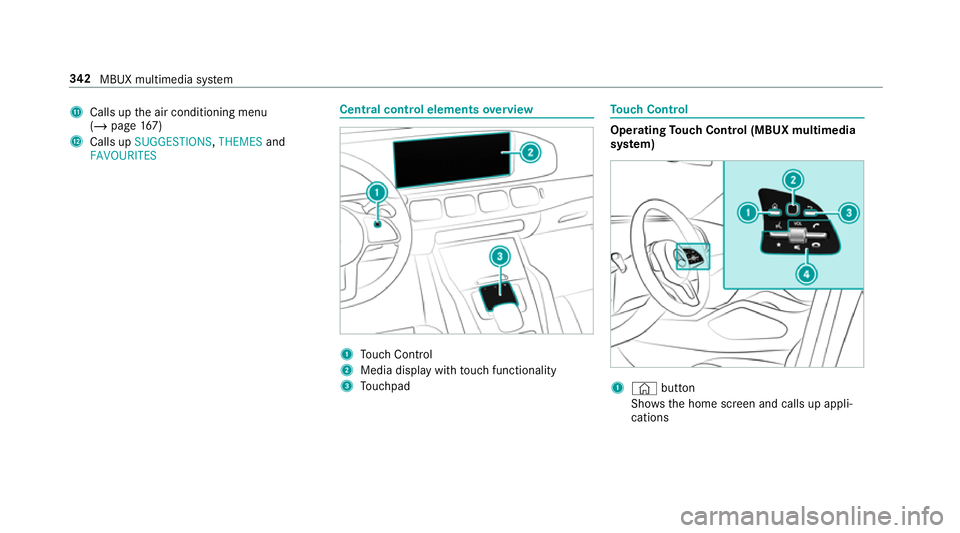
FAVOURITES Central control elements
overview 1
Touch Control
2 Media displ aywith touch functionality
3 Touchpad To
uch Control Operating
Touch Control (MBUX multimedia
sy stem) 1
© button
Sho ws th e home screen and calls up appli‐
cations 342
MBUX multimedia sy stem
Page 493 of 697
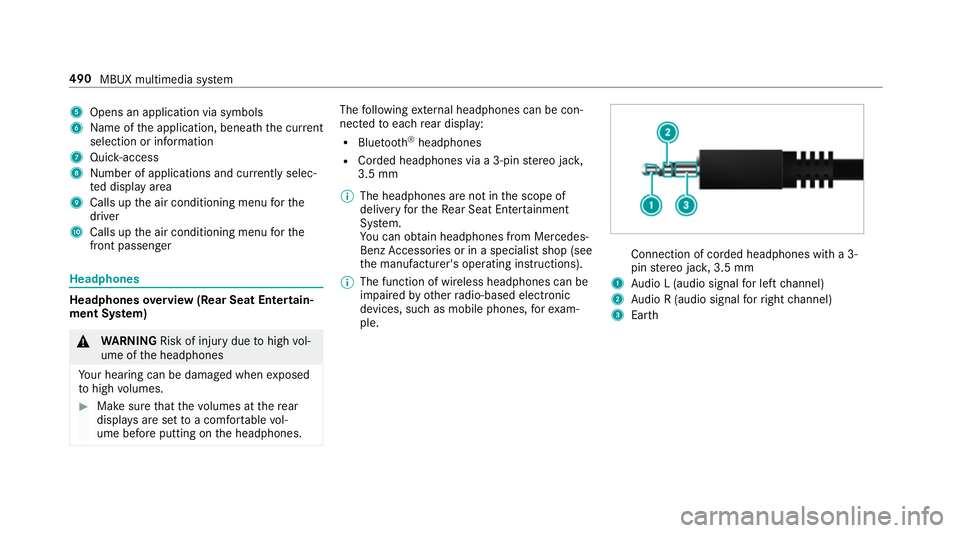
5
Opens an application via symbols
6 Name of the application, beneath the cur rent
selection or information
7 Quick-access
8 Number of applications and cur rently selec‐
te d display area
9 Calls up the air conditioning menu forthe
driver
A Calls up the air conditioning menu forthe
front passenger Headphones
Headphones
overview (Rear Seat Entertain‐
ment Sy stem) &
WARNING Risk of inju rydue tohigh vol‐
ume of the headphones
Yo ur hearing can be damaged when exposed
to high volumes. #
Make sure that thevo lumes at there ar
displa ysare set toa com fortable vol‐
ume before putting on the headphones. The
following extern al headphones can be con‐
nec tedto each rear display:
R Blue tooth ®
headphones
R Corded headphones via a 3-pin stereo jac k,
3.5 mm
% The headphones are not in the scope of
delivery forth eRe ar Seat En tertainment
Sy stem.
Yo u can obtain headphones from Mercedes-
Benz Accessories or in a speciali stshop (see
th e manufacturer's operating instructions).
% The function of wireless headphones can be
impaired by otherradio-based elect ronic
devices, su chas mobile phones, forex am‐
ple. Connection of corded headphones with a 3-
pin
stereo jac k,3.5 mm
1 Audio L (audio signal for left channel)
2 Audio R (audio signal forright channel)
3 Earth 490
MBUX multimedia sy stem
Page 506 of 697
R
the windscreen wiper switch is in position
g.
R theke y is at a minimum dis tance of 3 m
aw ay from theve hicle, otherwise theta ilgate
could open unin tentionally.
R in car washes with a con veyo r sy stem: neu‐
tral iis engaged.
% Drive stra ight and in tothe cent reofthe
guide rails of the car wash topreve nt dam‐
age tothe tyres and rims.
% In car washes with a con veyo r sy stem: if you
wo uld like tolea vetheve hicle while it is
being washed, make sure theke y is located
in theve hicle. The park position jisother‐
wise automatically engaged.
% If, af terth e car wash, youre mo vethewax
from the windscreen and wiper rubbers, this
will pr event smearing and reduce wiper
noise.
Au tomatic car wash mode
In car wash mode, theve hicle is prepared for
driving into the automatic car wash. Car wash mode can be activated up
toa speed of
20 km/h (/ page 504).
The following settings are made when car wash
mode is activated:
R the outside mir rors are folded bac k.
R thera in sensor is deactivated topreve ntthe
windscreen washer sy stem from starting up
automaticall y.
R there ar wind owwiper is deactivated.
R the windo wsand the sliding sunroof may be
closed.
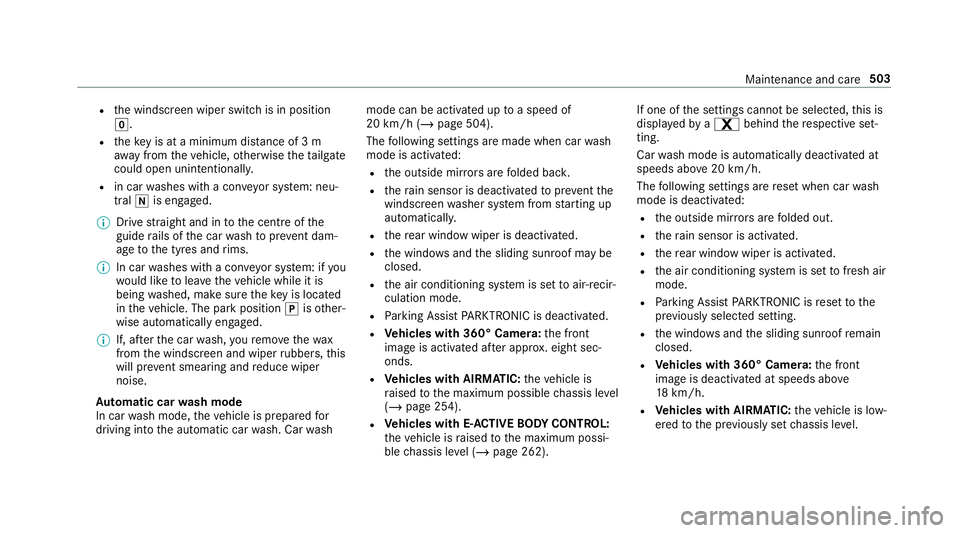
R the air conditioning sy stem is set toair-recir‐
culation mode.
R Parking Assist PARKTRONIC is deacti vated.
R Vehicles with 360° Camera: the front
image is activated af ter appro x. eight sec‐
onds.
R Vehicles with AIRMATIC: theve hicle is
ra ised tothe maximum possible chassis le vel
( / page 254).
R Vehicles with E- ACTIVE BODY CONT ROL:
th eve hicle is raised tothe maximum possi‐
ble chassis le vel (/ page 262). If one of
the settings cann otbe selected, this is
displa yedby a% behind there spective set‐
ting.
Car wash mode is automatically deactivated at
speeds abo ve20 km/h.
The following settings are reset when car wash
mode is deactivated:
R the outside mir rors are folded out.
R thera in sensor is activated.
R there ar wind owwiper is activated.
R the air conditioning sy stem is set tofresh air
mode.
R Parking Assist PARKTRONIC is reset tothe
pr ev iously selec ted setting.
R the windo wsand the sliding sunroof remain
closed.
R Vehicles with 360° Camera: the front
image is deactivated at speeds abo ve
18 km/h.
R Vehicles with AIRMATIC: theve hicle is low‐
ered tothe pr eviously set chassis le vel. Maintenance and care
503
Page 653 of 697
ADS PLUS da
mping sy stem
see AIRMATIC
Af ter-sales service centre
see ASS YST PLUS
Air conditioning menu Calling up ............................................. 167
Air conditioning sy stem
see Climate control
Air distribution Setting ................................................ .165
Setting (multimedia sy stem) ................1 68
Air freshener sy stem
see Fragrance sy stem
Air inlet see Air-water duct
Air pressure see Tyre pressure
Air suspension see AIRMATIC
Air vents ................................................... 176
Ad justing (front) ................................... 176
Ad justing (rear) .................................... 17 7
Glo vebox .............................................1 77Air
vents
see Air vents
Ai r-re circulation mode ............................ 16 9
Air-water duct .......................................... 502
Ke eping free ........................................5 02
Airbag ........................................................ .42
Ac tivation .............................................. 37
Fr ont airbag (driver, front passenger) ....42
Ins tallation locations ............................ .42
Knee airbag ........................................... 42
Overview ............................................... 42
PA SSENGER AIR BAG indicator lamp .... .47
Pr otection ..............................................44
Re duced pr otection ...............................45
Side impact airbag ................................ 42
Wi ndow airbag ....................................... 42
Ai rflow
Setting ................................................ .165
AIRMATIC ................................................. .251
Setting ................................................. 254
Suspension .......................................... 251
Alarm sy stem
see ATA (anti-theft alarm sy stem) All-wheel drive
see 4MATIC
Alternative route
see Route
Ambiance light Setting (Rear Seat En tertainment
Sy stem) ............................................... 492
Ambient lighting Setting (multimedia sy stem) ................1 55
Android Auto ............................................ 452
Connecting a mobile phone ................. 452
Control using the application buttons
.............................................................4 53
Ending ................................................. 453
Information .......................................... 452
Overview ............................................. 452
Sound settings ................................... .453
Tr ans ferred vehicle data ......................4 54
Animals Pets in theve hicle ..................................76
Anti-lock braking sy stem
see ABS (Anti-lock Braking Sy stem) 650
Index
Page 658 of 697
Ac
tivating/deactivating the synchro‐
nisation function (multimedia sys‐
te m) ..................................................... 16 9
Air di stribution settings .......................1 68
Air-recirculation mode ......................... 16 9
Au tomatic control ................................ 167
Au tomatic control (rear) ...................... 16 8
Calling up the air conditioning menu ... 167
Defrosting the windscreen ...................1 65
Demisting wind ows............................. 16 9
Fr ont air vents ...................................... 176
Glo vebox air vent ................................ 17 7
Inserting/removing theflacon (fra‐
gr ance sy stem) .................................... 17 0
Ionisation ............................................. 17 0
No te .................................................... 16 5
Re ar air vents ...................................... 17 7
Re ar compartment residual heat ......... 16 9
Re ar operating unit .............................. 16 6
Re sidual heat ....................................... 16 9
Sets the air flow ................................... 16 5
Setting (multimedia sy stem) ................1 67
Setting the air distribution ...................1 65
Setting the fragrance sy stem ............... 17 0
Setting thete mp erature ......................1 65
St ationary heater/ ventilation .............. 171Switching on/off .................................
167
Switching on/off (rear) ........................ 167
Switching there ar wind owheater
on/off .................................................1 65
THERMATIC control panel .................... 16 5
THERMOTRONIC contro l panel ............16 5
Ve ntilating theve hicle (con venience
opening) ................................................ 95
Wi ndsc reen heating ............................. 171
Coat hook ................................................ .133
Using ................................................... 13 3
Cockpit ........................................................ .6
Overview .................................................6
Cof fee cup symbol
see ATTENTION ASSIST
Collapsible luggage compartment
co ver
No tes ................................................... 12 9
Re moving/fitting ................................. 12 9
Un folding/ folding up .......................... .129
Collapsible spare wheel .......................... 554
Inflating ............................................... 556
No tes ................................................... 554
Re moving ............................................ 555 Combination switch
................................14 8
Compass .................................................. 420
Compu ter
see On-board computer
Connection status
Displ aying ............................................ 469
Overview ............................................ .469
Connectivity Switching transmission of theve hicle
position on/off .................................... 376
Contacts .................................................. .438
Calling up ............................................ 439
Deleting ............................................... 441
Del eting favo urites .............................. .441
Downloading (from mobile phone) ...... 439
Impo rting ............................................ 440
Importing (o verview) .......................... .440
Information .......................................... 438
Making a call ....................................... 440
Na me form at ...................................... .439
Options ............................................... 440
Saving as a favo urite ............................ 441
Selecting options for suggestions ........ 441
St oring ................................................ 440 Index
655