Page 556 of 657
Display messages
Possible causes/consequences and M
MSolutions
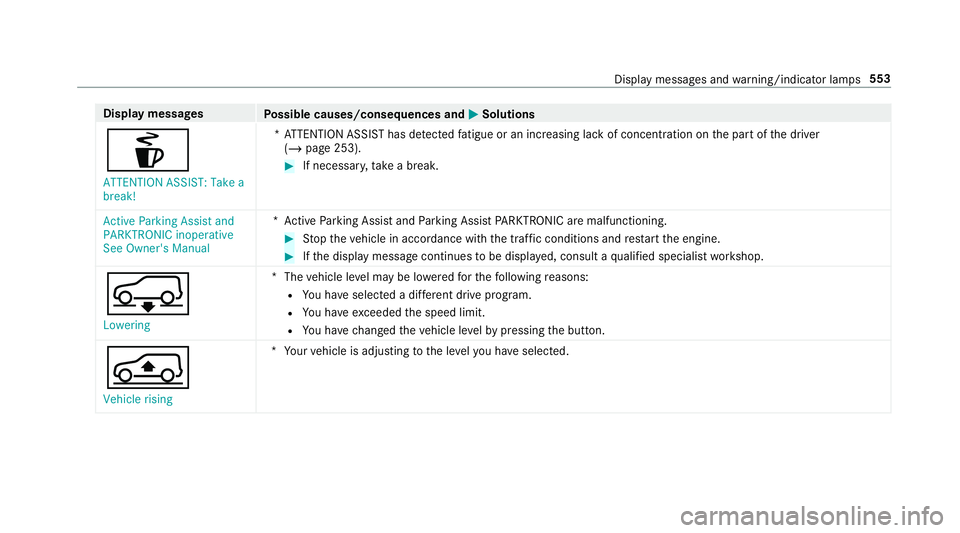
é ATTENTION ASSIST: Take a
break! *A
TTENTION ASSIST has de tected fatigue or an increasing la ckof concentration on the part of the driver
(/ page 253). #
If necessar y,take a break.
Active Parking Assist and
PARKTRONIC inoperative
See Owner's Manual *A
ctive Parking Assist and Parking Assist PARKTRONIC are malfunctioning. #
Stop theve hicle in accordance with the tra ffic conditions and restart the engine. #
Ifth e display message continues tobe displa yed, consult a qualified specialist workshop.
 Lowering *T
hevehicle le vel may be lo weredfo rth efo llowing reasons:
R You ha veselected a dif fere nt drive program.
R You ha veexceeded the speed limit.
R You ha vechanged theve hicle le velby pressing the button.
Á Vehicle rising *Y
our vehicle is adjusting tothe le velyo u ha veselected. Display messages and
warning/indicator lamps 553
Page 560 of 657
Display messages
Possible causes/consequences and M
MSolutions #
Drive on.
As soon as the ambient conditions are within the sy stem limits, the sy stem will become available again.
Ve hicles with Active Steering Assis t:ifth e display message does not disappear: #
Stop theve hicle in accordance with the tra ffic conditions. #
Clean the windscreen.
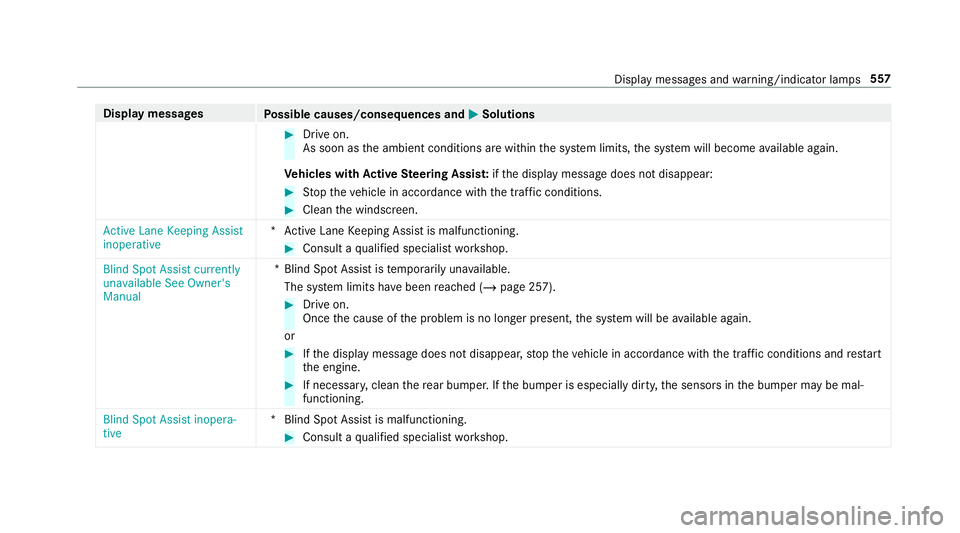
Active Lane Keeping Assist
inoperative *A
ctive Lane Keeping Assist is malfunctioning. #
Consult a qualified specialist workshop.
Blind Spot Assist currently
unavailable See Owner's
Manual *B
lind Spot Assist is temp orarily una vailable.
The sy stem limits ha vebeen reached (/ page 257). #
Drive on.
Once the cause of the problem is no longer present, the sy stem will be available again.
or #
Ifth e display message does not disappear, stop theve hicle in accordance with the tra ffic conditions and restart
th e engine. #
If necessar y,clean there ar bumper. If the bumper is especially dirty, the sensors in the bumper may be mal‐
functioning.
Blind Spot Assist inopera-
tive *B
lind Spot Assist is malfunctioning. #
Consult a qualified specialist workshop. Display messages and
warning/indicator lamps 557
Page 561 of 657
Display messages
Possible causes/consequences and M
MSolutions
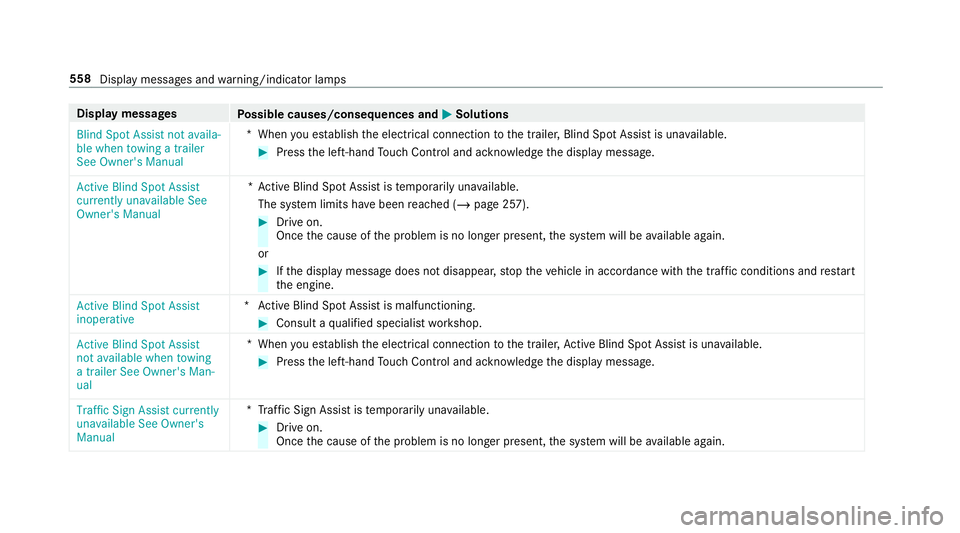
Blind Spot Assist not availa-
ble when towing a trailer
See Owner's Manual *W
hen you es tablish the electrical connection tothe trailer, Blind Spot Assist is una vailable. #
Press the left-hand Touch Control and ackn owledge the display message.
Active Blind Spot Assist
currently unavailable See
Owner's Manual *A
ctive Blind Spot Assi stistemp orarily una vailable.
The sy stem limits ha vebeen reached (/ page 257). #
Drive on.
Once the cause of the problem is no longer present, the sy stem will be available again.
or #
Ifth e display message does not disappear, stop theve hicle in accordance with the tra ffic conditions and restart
th e engine.
Active Blind Spot Assist
inoperative *A
ctive Blind Spot Assi stis malfunctioning. #
Consult a qualified specialist workshop.
Active Blind Spot Assist
not available when towing
a trailer See Owner's Man-
ual *W
hen you es tablish the electrical connection tothe trailer, Active Blind Spot Assi stis una vailable. #
Press the left-hand Touch Control and ackn owledge the display message.
Traffic Sign Assist currently
unavailable See Owner's
Manual *T
raffic Sign Assist is temp orarily una vailable. #
Drive on.
Once the cause of the problem is no longer present, the sy stem will be available again. 558
Display messages and warning/indicator lamps
Page 562 of 657

Display messages
Possible causes/consequences and M
MSolutions
Traffic Sign Assist inopera-
tive *T
raffic Sign Assist is malfunctioning. #
Stop theve hicle in accordance with the tra ffic conditions and restart the engine. #
Ifth e display message continues tobe displa yed, consult a qualified specialist workshop.
Traffic Sign Assist Camera
view restricted See Own-
er's Manual *T
he camera view is restricted. Possible causes:
R dirt on the windscreen in the camera's field of vision
R heavy rain, snow or fog
Driving sy stems and driving saf ety sy stems may be malfunctioning or temp orarily una vailable.
Once the cause of the problem is no longer present, driving sy stems and driving saf ety sy stems will be available
again.
If th e display message does not disappear: #
Pull over and stop theve hicle in accordance with the tra ffic conditions. #
Clean the windscreen.
ë Off *T
he HOLD function is deactivated because theve hicle is skidding or a condition for activation is not met. #
Reactivate the HOLD function later or check the activation conditions forth e HOLD function (/ page 228). Display messages and
warning/indicator lamps 559
Page 567 of 657
Display messages
Possible causes/consequences and M
MSolutions #
Have the cooling sy stem checked at a qualified specialist workshop.
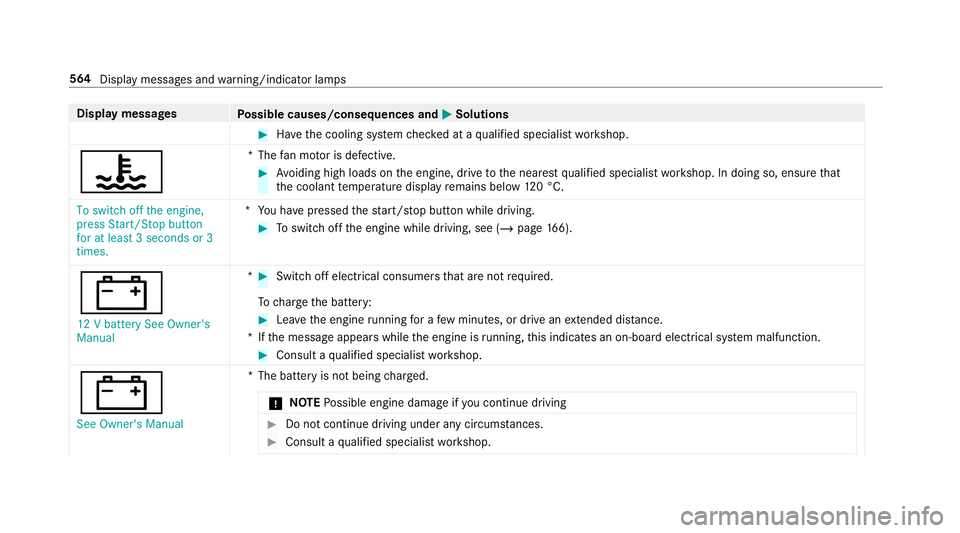
? *T
hefan mo tor is defective. #
Avoiding high loads on the engine, drive tothe nearest qualified specialist workshop. In doing so, ensure that
th e coolant temp erature display remains below 120 °C.
To switch off the engine,
press Start/Stop button
for at least 3 seconds or 3
times. *Y
ou ha vepressed thest art/ stop button while driving. #
Toswitch off the engine while driving, see (/ page166).
# 12 V bat tery See Owner's
Manual * #
Switch off electrical consumers that are not required.
To charge the battery: #
Lea vethe engine running for a few minutes, or drive an extended di stance.
*I fth e message appears while the engine is running, this indicates an on-board elect rical sy stem malfunction. #
Consult a qualified specialist workshop.
# See Owner's Manual *T
he battery is not being charge d.
* NO
TEPossible engine damage if you continue driving #
Do not continue driving under any circum stances. #
Consult a qualified specialist workshop. 564
Display messages and warning/indicator lamps
Page 577 of 657
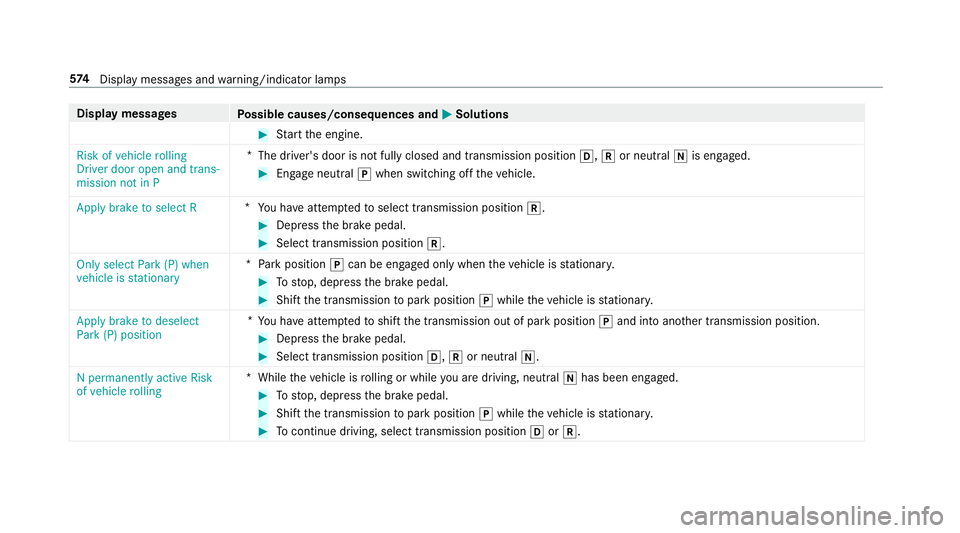
Display messages
Possible causes/consequences and M
MSolutions #
Start the engine.
Risk of vehicle rolling
Driver door open and trans-
mission not in P *
The driver's door is not fully closed and transmission position h,kor neutral iis engaged. #
Enga geneutral jwhen switching off theve hicle.
Apply brake to select R *
You ha veattem ptedto select transmission position k. #
Depress the brake pedal. #
Select transmission position k.
Only select Park (P) when
vehicle is stationary *
Pa rk position jcan be engaged only when theve hicle is stationar y. #
Tostop, depress the brake pedal. #
Shift the transmission topark position jwhile theve hicle is stationar y.
Apply brake to deselect
Park (P) position *
Yo u ha veattem ptedto shift the transmission out of park position jand into ano ther transmission position. #
Depress the brake pedal. #
Select transmission position h,kor neutral i.
N permanently active Risk
of vehicle rolling *
While theve hicle is rolling or while you are driving, neutral ihas been en gage d. #
Tostop, depress the brake pedal. #
Shift the transmission topark position jwhile theve hicle is stationar y. #
Tocontinue driving, select transmission position hork. 574
Displaymessa ges and warning/indicator lamps
Page 581 of 657
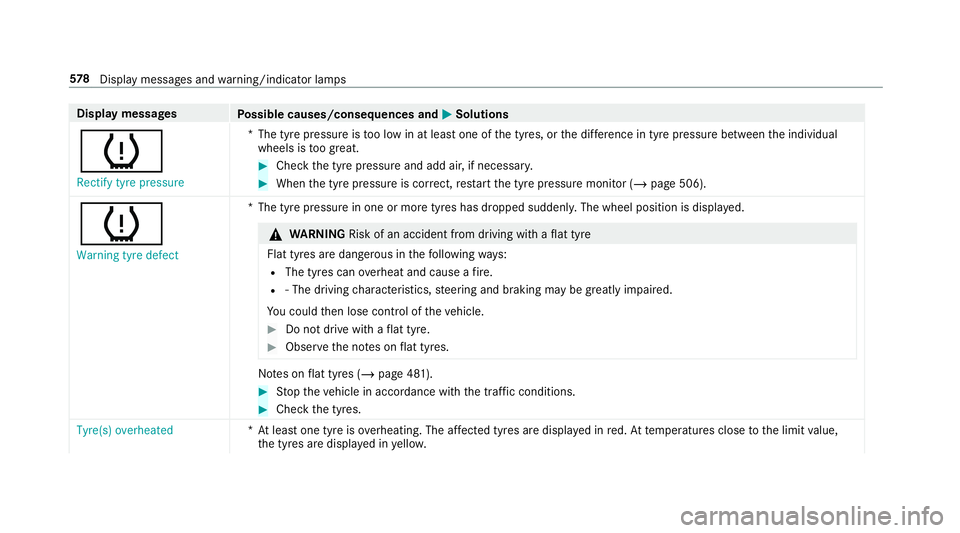
Display messages
Possible causes/consequences and M
MSolutions
h Rectify tyre pressure *T
he tyre pressure is too low in at least one of the tyres, or the dif fere nce in tyre pressure between the individual
wheels is too great. #
Check the tyre pressure and add air, if necessar y. #
When the tyre pressure is cor rect, restart the tyre pressure monitor (/ page 506).
h
Warning tyre defect *T
he tyre pressure in one or more tyres has dropped suddenly. The wheel position is displa yed. &
WARNING Risk of an accident from driving wi thaflat tyre
Flat tyres are dangerous in thefo llowing ways:
R The tyres can overheat and cause a fire.
R ‑ The driving characteristics, steering and braking may be greatly impaired.
Yo u could then lose control of theve hicle. #
Do not drive with a flat tyre. #
Obse rveth e no tes on flat tyres. No
tes on flat tyres (/ page 481). #
Stop theve hicle in accordance with the tra ffic conditions. #
Check the tyres.
Tyre(s) overheated *A
t least one tyre is overheating. The af fected tyres are displ ayed in red. At temp eratures close tothe limit value,
th e tyres are displa yed in yello w. 578
Displaymessa ges and warning/indicator lamps
Page 585 of 657
Ve
hicle Display messages
Possible causes/consequences and M
MSolutions
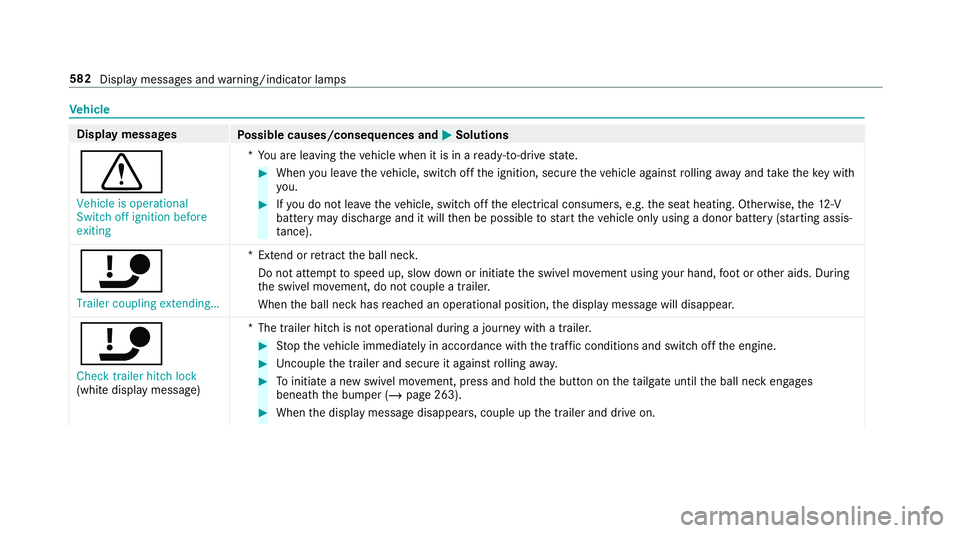
d Vehicle is operational
Switch off ignition before
exiting *Y
ou are leaving theve hicle when it is in a ready-to-drive state. #
When you lea vetheve hicle, switch off the ignition, secure theve hicle against rolling away and take theke y with
yo u. #
Ifyo u do not lea vetheve hicle, switch off the electrical consumers, e.g. the seat heating. Otherwise, the12 ‑V
battery may discharge and it will then be possible tostart theve hicle only using a donor battery (s tarting assis‐
ta nce).
ï Trailer coupling extending… *E
xtend or retract the ball nec k.
Do not attem pttospeed up, slow down or initiate the swivel mo vement using your hand, foot or other aids. During
th e swivel mo vement, do not couple a trailer.
When the ball neck has reached an operational position, the display message will disappear.
ï
Check trailer hitch lock
(white display message) *T
he trailer hitch is not operational during a journey with a trailer. #
Stop theve hicle immediately in accordance with the traf fic conditions and switch off the engine. #
Uncouple the trailer and secure it against rolling away. #
Toinitiate a new swivel mo vement, press and hold the button on theta ilgate until the ball neck engages
beneath the bumper (/ page 263). #
When the display message disappears, couple up the trailer and drive on. 582
Display messages and warning/indicator lamps