2019 MERCEDES-BENZ E CLASS buttons
[x] Cancel search: buttonsPage 494 of 530

Burmester®high-end 3D surroundsound systemAdjustingthe balance/fader ............... 346Adjustingthe sound optimization ........ 346Adjusting treble, mid-range and basssettings ............................................... 345Automaticvolume adjustment .............346Calling upthe sound menu .................. 345Information .......................................... 345Selectingthe sound profile .................. 346
Burmester®surround sound system.....344Adjustingthe balance/fader ............... 345Adjustingthe soundfocus ................... 345Adjusting treble, mid-range and basssettings ............................................... 345Automaticvolume adjustment .............345Calling upthe sound menu .................. 344Information .......................................... 344Switchingthe surround sound on/off.............................................................345
ButtonsSteering wheel .................................... 220
C
Call listMaking a call ....................................... 306Overview ............................................. 305
Calling upthe sound menu
Burmester®high-end 3D surroundsound system ...................................... 345
Burmester®surround sound system ... 344
Calls..........................................................302Accepting ............................................ 302Activating functions during a call ........ 302Calls withseveral participants .............302Declining ............................................. 302Ending a call ........................................ 302Incoming call during anexisting call .... 303Making ................................................ 302Viatheoverhead control panel(Mercedes me connect) .......................313
Camerasee 360° CameraseeRear view camera
Carkeysee SmartKey
Carwashsee Care
Carwash (care)....................................... 355
Care........................................................... 361Air-water duct ...................................... 355Automatic carwash ............................. 355Carpet .................................................. 361Decorativefoil .....................................358Display................................................. 361Exterior lighting ................................... 360Headliner ............................................. 361Mattefinish ......................................... 357Paintwork............................................ 357Plastic trim .......................................... 361Powerwasher ...................................... 356Realwood/trim elements .................... 361Rear view camera ................................ 360Seat belts ............................................ 361Seat cover ........................................... 361Sensors ............................................... 360Tailpipes .............................................. 360Washingbyhand ................................. 356Wheels/rims ....................................... 360Windows.............................................. 360Wiper blades .......................................360
492Index
Page 496 of 530
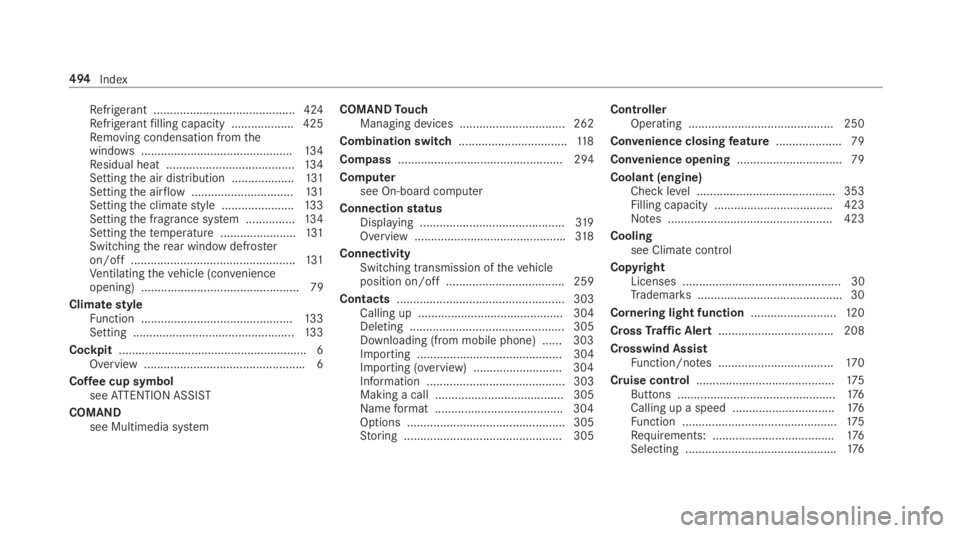
Refrigerant ...........................................424Refrigerantfilling capacity ...................425Removing condensation fromthewindows..............................................13 4Residual heat .......................................13 4Settingthe air distribution ...................131Settingthe airflow...............................131Settingthe climatestyle ......................133Settingthe fragrance system ...............13 4Settingthetemperature .......................131Switchingtherear windowdefrosteron/off ..................................................131Ventilatingthevehicle (convenienceopening) ................................................ 79
ClimatestyleFunction ..............................................13 3Setting .................................................13 3
Cockpit.........................................................6Overview .................................................6
Coffee cup symbolseeATTENTION ASSIST
COMANDsee Multimedia system
COMANDTouchManaging devices ................................ 262
Combination switch.................................11 8
Compass.................................................. 294
Computersee On-board computer
ConnectionstatusDisplaying ............................................319Overview ..............................................318
ConnectivitySwitching transmission ofthevehicleposition on/off .................................... 259
Contacts................................................... 303Calling up ............................................ 304Deleting ............................................... 305Downloading (from mobile phone) ...... 303Importing ............................................ 304Importing (overview) ...........................304Information .......................................... 303Making a call ....................................... 305Nameformat .......................................304Options ................................................ 305Storing ................................................ 305
ControllerOperating ............................................ 250
Convenience closingfeature.................... 79
Convenience opening................................ 79
Coolant (engine)Check level .......................................... 353Filling capacity .................................... 423Notes .................................................. 423
Coolingsee Climatecontrol
CopyrightLicenses ................................................ 30Trademarks............................................ 30
Cornering light function..........................12 0
CrossTraffic Alert...................................208
Crosswind AssistFunction/notes ...................................17 0
Cruise control..........................................175Buttons ................................................176Calling up a speed ...............................176Function ...............................................175Requirements: .....................................176Selecting ..............................................176
494Index
Page 505 of 530

Fuse assignment diagram ...................380Fuse box inthe engine compartment .. 381Fuse box inthe front-passengerfoot‐well ...................................................... 382Fuse box inthe trunk ........................... 383Notes .................................................. 380
FusesseeFuses
G
Garage door openerClearingthe memory ...........................161Opening or closingthe door ................160Programming buttons ..........................15 8Radio equipment approval numbers .....161Resolving problems .............................16 0Synchronizingtherolling code .............159
Gasstation searchStarting automatic search...................274Switching automatic search on/off ..... 281Using automatic search....................... 281
Gasoline................................................... 420
Gearshiftrecommendation....................15 2
Genuine parts............................................19
Glide mode...............................................15 3
GloveboxAirvent ................................................13 6Locking/unlocking ..............................104
H
Handbrakesee Electric parking brake
Handlingcharacteristics (unusual)....... 384
HANDS-FREEACCESS................................74
Hazardwarning lights.............................119
Head level heating (AIRSCARF)................97
HeadrestraintFront (adjusting mechanically) .............. 92Rear passenger compartment(adjusting) .............................................94
Head-up Display...................................... 230Adjusting display elements (on-boardcomputer) ............................................ 230Adjustingthe brightness (on-boardcomputer) ............................................ 230Function .............................................. 231Menu (on-board computer) .................. 230
Operatingthe memory function ...........101Settingthe position (on-board com‐puter) .................................................. 230Switching on/off ................................. 232
Headliner (care)....................................... 361
Heatingsee Climate control
High beamSwitching on/off ..................................118
High-beam flasher...................................11 8
High-beam headlampsAdaptive Highbeam Assist ...................120
Hillstart assist........................................188
HOLD function.........................................189Function/notes ...................................189Switching on/off .................................189
HoodFunction (active hood) .........................348Opening/closing ................................. 349Resetting (active hood) ........................ 348
Hookingthe luggage net........................108
Index503
Page 510 of 530

Transferred data ..................................314
Mercedes-AMGvehiclesNotes ...................................................13 8
Mercedes-Benz AppsCalling up .............................................319Usingvoice control ..............................319
Mercedes-Benz emergency call sys‐tem............................................................315Automatic emergency call ....................316Information ..........................................315Information on data processing ...........317Manual emergency call ........................316Overview ..............................................315
Mercedes-Benz Link................................ 307Connecting .......................................... 308Ending .................................................308Overview ............................................. 307Using ................................................... 308
Message (multifunction display)see Displaymessage
Message memory.................................... 427
MessagesVoice commands (Voice Control Sys‐tem) .....................................................24 4
MessagesseeText messages
Mirrorssee Exterior mirrors
Mobile phoneWirelesscharging .................................115
Mobile phonesee AndroidAutosee Apple CarPlay™see Mercedes-Benz Linksee SecondtelephoneseeTelephone
Mobile phonevoicerecognitionStarting ...............................................302Stopping ..............................................302
Model seriesseeVehicle identification plate
MOExtended tires................................... 365
Multifunction displayOverview of displays............................ 223
Multifunctionsteering wheelOverview of buttons ............................ 220
Multifunctionsteering wheelseeSteering wheel
Multimedia system..................................24 8Activating/deactivatingstandbymode ...................................................165Adjuststhevolume .............................. 254Calling up lists and menus .................. 252Central control elements .....................249Configuring displaysettings ................257ENERGIZING comfort program (over‐view) ....................................................268Enteringcharacters .............................255Favorites ............................................. 252Main functions .................................... 252Overview .............................................24 8Restoringthefactory settings .............. 267Standby mode function .......................164Startingthe ENERGIZING comfortprogram .............................................. 269Switchingthe sound on or off .............254
Multimedia systemseeTouch ControlseeTouchpad
508Index
Page 518 of 530

Special seat beltretractor........................ 53
Specialistworkshop..................................25
Speech dialog systemseeVoice Control System
Speed index (tires)..................................400
SpeedometerDigital .................................................. 225
Standby modeActivating/deactivating .......................165Function ..............................................16 4
Standing lights.........................................11 7
Start/Stop buttonParkingthevehicle ..............................15 6Startingthevehicle .............................13 9Switching onthe power supply orignition ................................................13 8
Start/stop functionsee ECOstart/stop function
Starting assistancesee Jump-startconnection
Startingthe engineseeVehicle
Starting-offaidsee Hillstart assist
StationDeleting ............................................... 338Direct frequency entry ........................ 338Moving ................................................ 338Searching ............................................ 338Setting .................................................338Storing ................................................ 338
Station listCalling up ............................................ 338
Station presetsEditing ................................................. 338Modifying ............................................ 338
STEER CONTROLFunction/notes ...................................17 0
Steering wheel........................................ 220Adjusting (electrically) ...........................99Adjusting (manually) .............................. 98Buttons ................................................ 220Operatingthe memory function ...........101Steering wheel heater ..........................100
Steering wheel heaterSwitching on/off .................................100
Steering wheel paddle shifters..............15 2
Stowage areassee LoadingseeStowage compartment
Stowage compartment...........................104Armrest ...............................................104Center console ....................................104Door ....................................................104Eyeglasses compartment ....................104Glovebox .............................................104
Stowage compartmentssee LoadingseeStowage compartment
Stowage space underthe trunk floor....109
Sulfur content......................................... 420
Sun visorOperating ............................................12 9
Surround lighting.....................................121Setting .................................................121
SurroundViewsee 360° Camera
516Index