2019 MERCEDES-BENZ CLA stop start
[x] Cancel search: stop startPage 161 of 330
!When Active Distance Assist DISTRONIC orthe HOLD function is activated, the vehiclebrakes automatically in certain situations.
To avoid damage to the vehicle, deactivateActive Distance Assist DISTRONIC and theHOLD function in the following or similar sit-uations:
Rwhen towing the vehicle
Rin the car wash
Deactivating the HOLD function (Ypage 159).
Activation conditions
You can activate the HOLD function if:
Rthe vehicle is stationary
Rthe engine is running or if it has been auto-matically switched off by the ECO start/stopfunction
Rthe driver's door is closed or your seat belt isfastened
Rthe electric parking brake is released
RActive Distance Assist DISTRONIC is deacti-vated
Rthe transmission is in position[,^or\\on vehicles with automatic transmission
Activating the HOLD function
XMake sure that the activation conditions aremet.
XDepress the brake pedal.
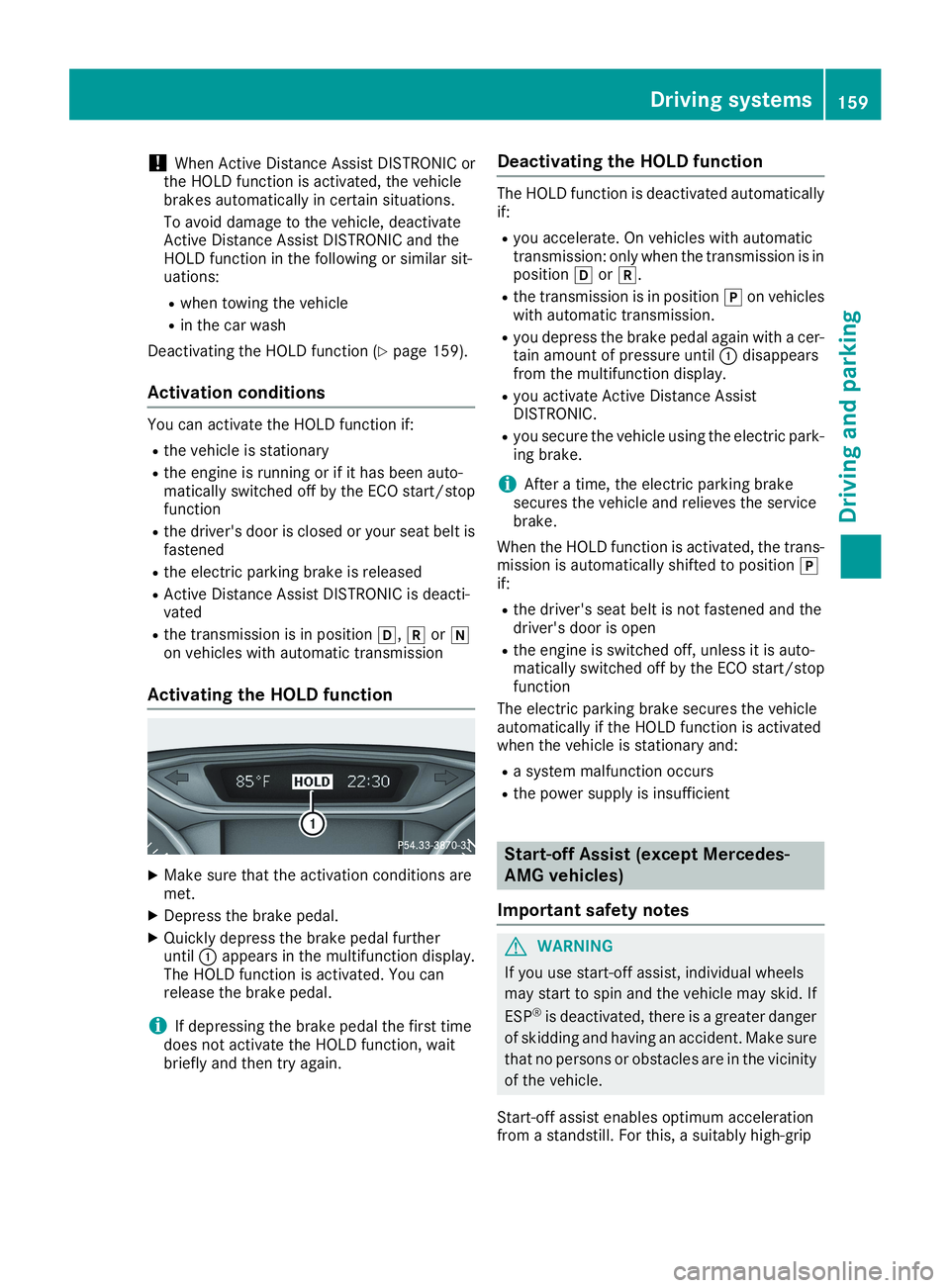
XQuickly depress the brake pedal furtheruntilCappears in the multifunction display.The HOLD function is activated. You canrelease the brake pedal.
iIf depressing the brake pedal the first timedoes not activate the HOLD function, waitbriefly and then try again.
Deactivating the HOLD function
The HOLD function is deactivated automaticallyif:
Ryou accelerate. On vehicles with automatictransmission: only when the transmission is inposition[or^.
Rthe transmission is in position]on vehicleswith automatic transmission.
Ryou depress the brake pedal again with a cer-tain amount of pressure untilCdisappearsfrom the multifunction display.
Ryou activate Active Distance AssistDISTRONIC.
Ryou secure the vehicle using the electric park-ing brake.
iAfter a time, the electric parking brakesecures the vehicle and relieves the servicebrake.
When the HOLD function is activated, the trans-mission is automatically shifted to position]if:
Rthe driver's seat belt is not fastened and thedriver's door is open
Rthe engine is switched off, unless it is auto-matically switched off by the ECO start/stopfunction
The electric parking brake secures the vehicleautomatically if the HOLD function is activatedwhen the vehicle is stationary and:
Ra system malfunction occurs
Rthe power supply is insufficient
Start-off Assist (except Mercedes-
AMG vehicles)
Important safety notes
GWARNING
If you use start-off assist, individual wheels
may start to spin and the vehicle may skid. If
ESP®is deactivated, there is a greater danger
of skidding and having an accident. Make sure
that no persons or obstacles are in the vicinity
of the vehicle.
Start-off assist enables optimum accelerationfrom a standstill. For this, a suitably high-grip
Driving systems159
Driving and parking
Z
Page 163 of 330
iIf you do not depress the accelerator pedalwithin a few seconds, RACE START is can-celed. The multifunction display shows theRACE START CanceledRACE START Canceledmessage.
XFully depress the accelerator pedal.The engine speed is increased.
TheRACERACESTARTSTARTReleaseReleasebrakebraketotostartstartmessage appears in the multifunction display.
iIf you do not release the brake pedal withina short time, RACE START will be canceled.The multifunction display shows theRACERACESTART CanceledSTART Canceledmessage.
XTake your foot off the brake, but keep theaccelerator pedal depressed.The vehicle pulls away at maximum acceler-ation.
TheRACERACESTARTSTARTActiveActivemessage appears inthe multifunction display.
RACE START is deactivated when the vehiclereaches a speed of approximately 50 km/h.
RACE START is deactivated immediately if yourelease the accelerator pedal during RACESTART or if any of the activation conditions areno longer fulfilled. TheRACE START Not Pos‐RACE START Not Pos‐sible See Operator's Manualsible See Operator's ManualorRACERACESTART CanceledSTART Canceledmessage appears in the mul-tifunction display.
iIf RACE START is used repeatedly within ashort period of time, it is only available againafter the vehicle has been driven a certaindistance.
AMG adaptive sport suspension sys-
tem
General notes
The electronically controlled damping systemworks continuously. This improves drivingsafety and ride comfort.
The damping is tuned individually to each wheeland depends on:
Ryour driving style, e.g. sporty
Rthe road surface condition, e.g. bumps
Ryour individual selection ofSportorComfort
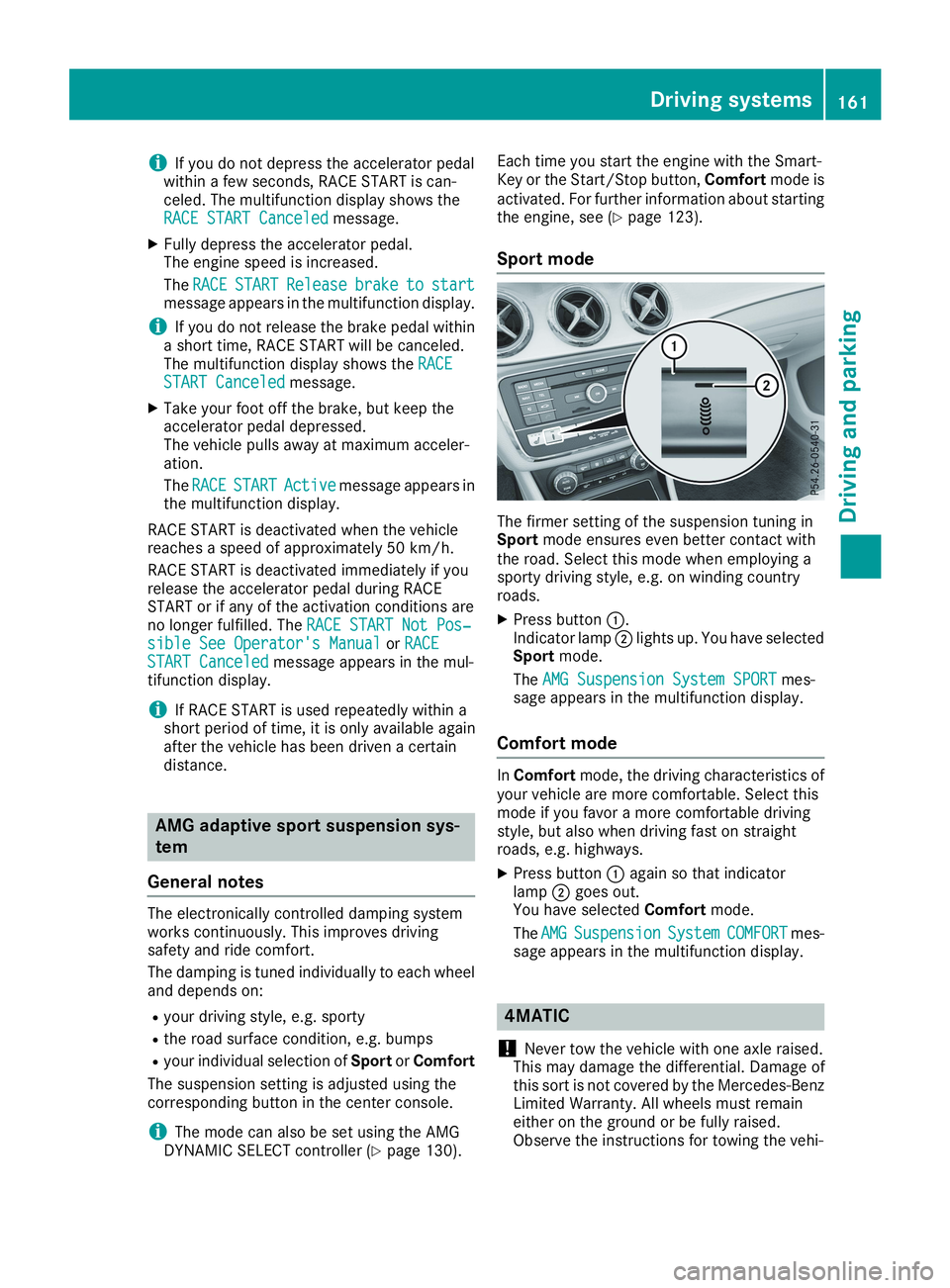
The suspension setting is adjusted using thecorresponding button in the center console.
iThe mode can also be set using the AMGDYNAMIC SELECT controller (Ypage 130).
Each time you start the engine with the Smart-Key or the Start/Stop button,Comfortmode isactivated. For further information about startingthe engine, see (Ypage 123).
Sport mode
The firmer setting of the suspension tuning inSportmode ensures even better contact withthe road. Select this mode when employing asporty driving style, e.g. on winding countryroads.
XPress buttonC.Indicator lampDlights up. You have selectedSportmode.
TheAMG Suspension System SPORTAMG Suspension System SPORTmes-sage appears in the multifunction display.
Comfort mode
InComfortmode, the driving characteristics ofyour vehicle are more comfortable. Select thismode if you favor a more comfortable drivingstyle, but also when driving fast on straightroads, e.g. highways.
XPress buttonCagain so that indicatorlampDgoes out.You have selectedComfortmode.
TheAMGAMGSuspensionSuspensionSystemSystemCOMFORTCOMFORTmes-sage appears in the multifunction display.
4MATIC
!Never tow the vehicle with one axle raised.This may damage the differential. Damage ofthis sort is not covered by the Mercedes-BenzLimited Warranty. All wheels must remaineither on the ground or be fully raised.Observe the instructions for towing the vehi-
Driving systems161
Driving and parking
Z
Page 169 of 330
Rthat are parallel to the direction of travel andat least 39.5 in (1.0m)longer than your vehi-cle
Rat right angles to the direction of travel and atleast 39.5 in (1.0 m) wider than your vehicle
When driving at speeds below 19 mph(30 km/h), you will see parking symbolDas astatus indicator in the instrument cluster. Whena parking space has been detected, an arrowtowards the right or the left also appears. Bydefault, Active Parking Assist only displays park-ing spaces on the front-passenger side. Parkingspaces on the driver's side are displayed assoon as the turn signal on the driver's side isactivated. When parking on the driver's side,this must remain activated until you confirm theuse of Active Parking Assist by pressing thevbutton on the multifunction steeringwheel. The system automatically determineswhether the parking space is parallel or at right-angles to the direction of travel.
A parking space is displayed while you are driv-ing past it, and until you are approximately 50 ft(15 m) away from it.
Parking
GWARNING
If you leave the driver's seat when the vehicle
is only being braked by the Parking Package
with rear view camera, it could roll away:
Rif there is a malfunction in the system or in
the voltage supply
Rif the electrical system in the engine com-
partment, the battery or the fuses are tam-
pered with
Rif the battery is disconnected
Rif the vehicle is accelerated, e.g. by a vehi-
cle occupant
There is a risk of an accident.
Before leaving the vehicle, always secure it
against rolling away.
iIf Active Parking Assist detects obstacles,Active Parking Assist brakes automaticallywhile the vehicle is parking. You are respon-sible for braking in good time.
XStop the vehicle when the parking space sym-bol shows the desired parking space in theinstrument cluster.
XShift the transmission to position^.TheStart Parking Assist?Start Parking Assist?Yes: OKYes: OKNo:No:8message appears on the multifunctiondisplay.
XTo cancel the procedure:press the8button on the multifunction steering wheel orpull away.
or
XTo park using Active Parking Assist:pressthevbutton on the multifunction steeringwheel.TheParkingParkingAssistAssistActiveActiveAccelerateAccelerateand Brakeand BrakeObserve SurroundingsObserve Surroundingsmes-sage appears on the multifunction display.
XLet go of the multifunction steering wheel.
XBack up the vehicle, being ready to brake at alltimes. When backing up, drive at a speedbelow approximately 6 mph (10 km/h). Oth-erwise, Active Parking Assist will be canceled.Active Parking Assist brakes the vehicle to astandstill when the vehicle approaches therear border of the parking space.
Maneuvering may be required in tight parkingspaces.
TheParking Assist Active SelectParking Assist Active SelectDDObserveObserveSurroundingsSurroundingsmessage appears onthe multifunction display.
XShift the transmission to position[whilethe vehicle is stationary.Active Parking Assist immediately steers inthe other direction.
TheParkingParkingAssistAssistActiveActiveAccelerateAccelerateand Brakeand BrakeObserve SurroundingsObserve Surroundingsmes-sage appears on the multifunction display.
iYou will achieve the best results by waitingfor the steering procedure to complete beforepulling away.
XDrive forwards and be ready to brake at alltimes.Active Parking Assist brakes the vehicle to astandstill when the vehicle approaches thefront border of the parking space.
Maneuvering may be required in tight parkingspaces.
TheParking Assist Active Select RParking Assist Active Select RObserve SurroundingsObserve Surroundingsmessage appears onthe multifunction display.
Driving systems167
Driving and parking
Z
Page 188 of 330
XEstablish a Bluetooth®connection to the mul-timedia system (see the Digital Operator'sManual).
XPress theYorebutton on the steeringwheel to select theTelTelmenu.
You will see one of the following display mes-sages in the multifunction display:
RPhone READYPhone READYor the name of the networkprovider: the mobile phone has found a net-work and is ready to receive.
RPhone No ServicePhone No Service: there is no networkavailable or the mobile phone is searching fora network.
Accepting a call
If someone calls you when you are in theTelTelmenu, a display message appears in the multi-function display.
You can accept a call at any time, even if you arenot in theTelTelmenu.
XPress theabutton on the steering wheelto accept an incoming call.
Rejecting or ending a call
You can end or reject a call anytime, even if youare not in theTelTelmenu.
XPress thevbutton on the steering wheelto reject or end a call.
Selecting an entry in the phone book
XPress theYorebutton on the steeringwheel to select theTelTelmenu.
XPress thec,dorvbutton toswitch to the phone book.
XAuthorize access to the phone book on thephone.
XPress thecordbutton to select thedesired name.
or
XTo begin rapid scrolling:press and hold thecordbutton for longer than one sec-ond.Rapid scrolling stops when you release thebutton or reach the end of the list.
XIf only one telephone number is stored fora name:press theaorvbutton tostart dialing.
or
XIf there is more than one number for aparticular name:press theaorvbutton to display the numbers.
XPress thecordbutton to select thenumber you want to dial.
XPress theaorvbutton to start dialing.
or
XIf you do not want to make a call:press thevor8button.
Redialing
The on-board computer saves the last names ornumbers dialed in the redial memory.
XPress theYorebutton on the steeringwheel to select theTelTelmenu.
XPress theabutton to switch to the redialmemory.
XPress thecordbutton to select thedesired name or number.
XPress theaorvbutton to start dialing.
or
XIf you do not want to make the call:pressthevor8button.
Assistance menu
Introduction
Depending on the equipment installed in thevehicle, you have the following options in theDriveAssistDriveAssistmenu:
RDisplaying the assistance graphic(Ypage 187)
RDeactivating/activating ESP®(exceptMercedes‑AMG vehicles) (Ypage 187)
RActivating/deactivating Active Brake Assist(Ypage 187)
RActivating/deactivating ATTENTION ASSIST(Ypage 187)
RActivating/deactivating Blind Spot Assist(Ypage 188)
RActivating/deactivating Lane Keeping Assist(Ypage 188)
186Menus and submenus
On-board computer and displays
Page 194 of 330
XPress the8button on the steering wheel.
XConfirmYesYeswithv.
The RACE TIMER interrupts timing if you stop thevehicle and turn the SmartKey to positionGinthe ignition lock. If you turn the SmartKey topositionIand then pressvStartStartto con-firm, timing is continued.
Resetting the current lap
XStop the RACE TIMER.
XPress theYorebutton to selectReset LapReset Lap.
XPressvto reset the lap time to "0".
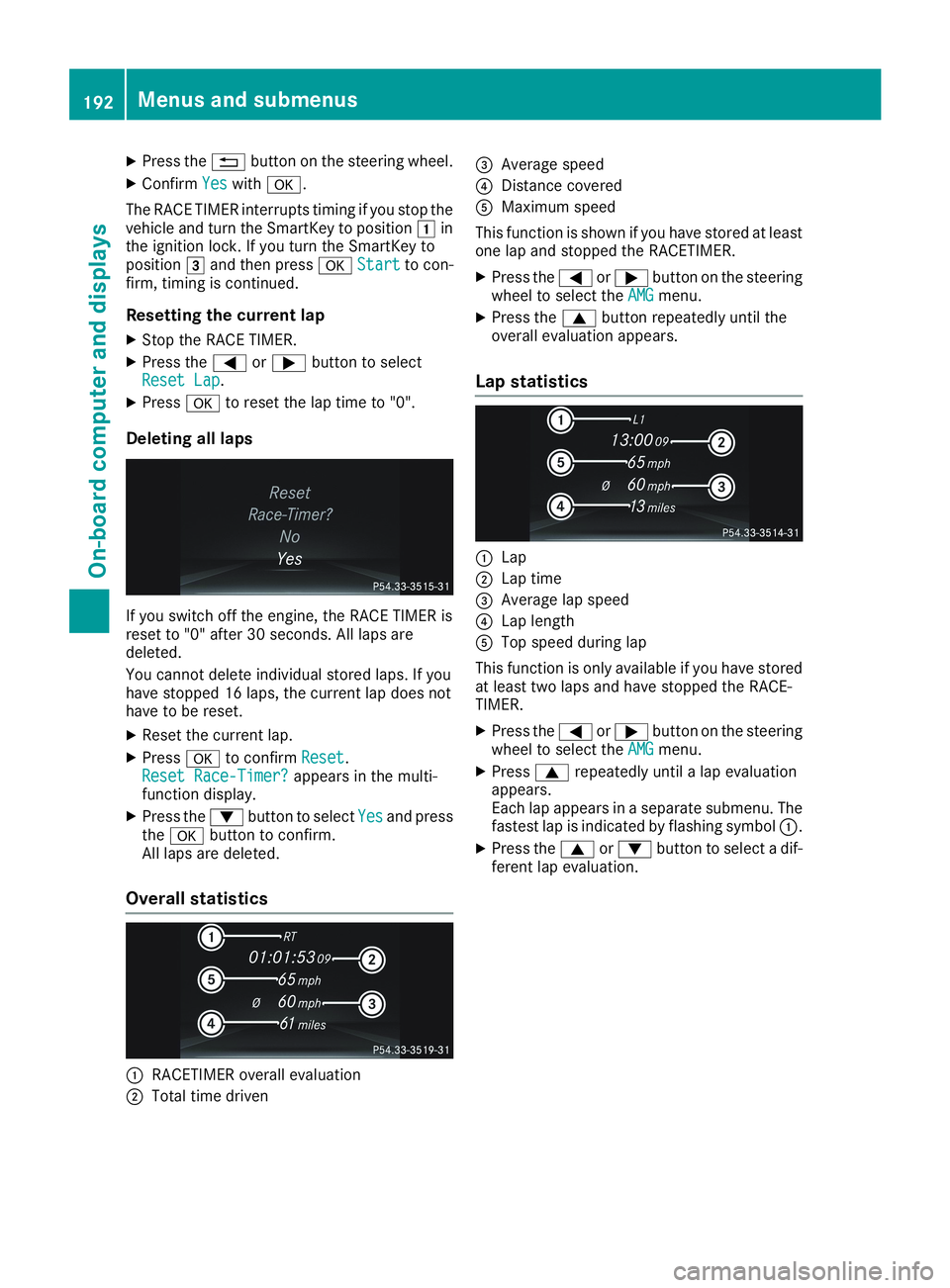
Deleting all laps
If you switch off the engine, the RACE TIMER isreset to "0" after 30 seconds. All laps aredeleted.
You cannot delete individual stored laps. If youhave stopped 16 laps, the current lap does nothave to be reset.
XReset the current lap.
XPressvto confirmResetReset.Reset Race-Timer?Reset Race-Timer?appears in the multi-function display.
XPress thedbutton to selectYesYesand pressthevbutton to confirm.All laps are deleted.
Overall statistics
CRACETIMER overall evaluation
DTotal time driven
Page 202 of 330

Display messagesPossible causes/consequences andPPSolutions
ActiveActiveBrakeBrakeAssistAssistFunctionsFunctionsCurrentlyCurrentlyLimited See Opera‐Limited See Opera‐tor's Manualtor's Manual
Active Brake Assist is temporarily inoperative.
Possible causes are:
Rthe radar sensor system is temporarily inoperative, e.g. due to elec-tromagnetic radiation emitted by nearby TV or radio stations orother sources of electromagnetic radiation
Rthe system is outside the operating temperature range
Rthe on-board voltage is too low
When the causes stated above no longer apply, the display messagedisappears.
Active Brake Assist is operational again.
If the display message does not disappear:
XPull over and stop the vehicle safely as soon as possible, payingattention to road and traffic conditions.
XSecure the vehicle against rolling away (Ypage 142).
XRestart the engine.
Active BrakeActive BrakeAssist:Assist:SystemSystemInop‐Inop‐erativeerative
Active Brake Assist is unavailable due to a malfunction. Situation-dependent braking assistance may also have failed.
XVisit a qualified specialist workshop immediately.
RadarRadarSensorsSensorsDirtyDirtySee Operator's Man‐See Operator's Man‐ualual
The radar sensor system is malfunctioning.
Possible causes are:
Rdirt on sensors
Rheavy rain or snow
Rwhen driving on inter-urban roads without traffic or infrastructure,e.g. in desert-like areas
At least one driving system or driving safety system is malfunctioningor is temporarily unavailable:
RActive Brake Assist
RActive Distance Assist DISTRONIC
A warning tone also sounds.
Once the cause of the problem is no longer present, the driving anddrive safety systems will be available again. The display message dis-appears.
If the display message does not disappear:
XPull over and stop the vehicle safely as soon as possible, payingattention to road and traffic conditions.
XSecure the vehicle against rolling away (Ypage 142).
XSwitch off the engine.
XClean all sensors (Ypage 269).
XRestart the engine.The display message disappears.
200Displaymessages
On-b oard computer and displays
Page 212 of 330

Display messagesPossible causes/consequences andPPSolutions
LaneLaneKeepingKeepingAssistAssistCurrently Unavaila‐Currently Unavaila‐ble See Operator'sble See Operator'sManualManual
Lane Keeping Assist is deactivated and temporarily inoperative.
Possible causes are:
Rthe windshield in the camera's field of vision is dirty
Rvisibility is impaired due to heavy rain, snow or fog
Rthere have been no lane markings for an extended period
Rthe lane markings are worn away, dark or covered up, e.g. by dirt orsnow
When the causes stated above no longer apply, the display messagedisappears.
Lane Keeping Assist is operational again.
If the display message does not disappear:
XPull over and stop the vehicle safely as soon as possible, payingattention to road and traffic conditions.
XSecure the vehicle against rolling away (Ypage 142).
XClean the windshield.
LaneLaneKeepingKeepingAssistAssistInoperativeInoperativeLane Keeping Assist is defective.
XVisit a qualified specialist workshop.
Blind Spot AssistBlind Spot AssistCurrently Unavaila‐Currently Unavaila‐ble See Operator'sble See Operator'sManualManual
Blind Spot Assist is temporarily inoperative.
Possible causes are:
Rthe radar sensor system is temporarily inoperative, e.g. due to elec-tromagnetic radiation emitted by nearby TV or radio stations orother sources of electromagnetic radiation
Rthe radar sensor system is outside the operating temperature range
The yellowcindicator lamps also light up in the exterior mirrors.
When the causes stated above no longer apply, the display messagedisappears.
Blind Spot Assist is operational again.
If the display message does not disappear:
XPull over and stop the vehicle safely as soon as possible, payingattention to road and traffic conditions.
XSecure the vehicle against rolling away (Ypage 142).
XRestart the engine.
Blind Spot AssistBlind Spot AssistInoperativeInoperativeBlind Spot Assist is malfunctioning.
The yellowcindicator lamps also light up in the exterior mirrors.
XVisit a qualified specialist workshop.
Active ParkingActive ParkingAssist CanceledAssist CanceledThe driver's door is open and the driver's seat belt has not been fas-tened.
XRepeat the parking process with the seat belt fastened and thedriver's door closed.
210Displaymessages
On-b oard computer and displays
Page 213 of 330

Display messagesPossible causes/consequences andPPSolutions
You have inadvertently touched the multifunction steering wheel whilesteering intervention was active.
XWhile steering intervention is active, make sure that the multifunc-tion steering wheel is not touched unintentionally.
The vehicle has started to skid and ESP®has intervened.
XUse Active Parking Assist again later (Ypage 165).
Active ParkingActive ParkingAssist InoperativeAssist InoperativeYou have just carried out a large number of turning or parking maneu-vers.
Active Parking Assist will become available again after approximatelyten minutes (Ypage 165).
XPull over and stop the vehicle safely as soon as possible, payingattention to road and traffic conditions.
XSwitch off and restart the engine.
If the multifunction display still shows the display message:
XVisit a qualified specialist workshop.
Parking Assist PARKTRONIC is malfunctioning.
XVisit a qualified specialist workshop.
Active ParkingActive ParkingAssist FinishedAssist FinishedThe vehicle is parked. A warning tone also sounds.
The display message disappears automatically.
Active DistanceActive DistanceAssist OffAssist OffActive Distance Assist DISTRONIC was deactivated (Ypage 156).
If it was not deactivated by the driver, a warning tone also sounds.
Active DistanceActive DistanceAssistAssistNowNowAvailableAvailableActive Distance Assist DISTRONIC is operational again after havingbeen temporarily unavailable. You can now reactivate Active DistanceAssist DISTRONIC (Ypage 154).
Active DistanceActive DistanceAssist CurrentlyAssist CurrentlyUnavailable SeeUnavailable SeeOperator's ManualOperator's Manual
Active Distance Assist DISTRONIC is temporarily inoperative.
Possible causes are:
Rthe radar sensor system is temporarily inoperative, e.g. due to elec-tromagnetic radiation emitted by nearby TV or radio stations orother sources of electromagnetic radiation
Rthe system is outside the operating temperature range
Rthe on-board voltage is too low
A warning tone also sounds.
When the causes stated above no longer apply, the display messagedisappears.
Active Distance Assist DISTRONIC is operational again.
If the display message does not disappear:
XPull over and stop the vehicle safely as soon as possible, payingattention to road and traffic conditions.
XSecure the vehicle against rolling away (Ypage 142).
XRestart the engine.
Displaymessages211
On-b oard computer and displays
Z