Page 128 of 792

1282. Instrument cluster
RX450h_RX450hL_U
Average fuel consumption for the past 15 minutes is divided by color into past
averages and averages atta ined since the power switch was last turned to ON
mode. Use the displayed average fuel consumption as a reference.
The image is an example only.
■Past record
Lexus Display Audio screen
Press the “MENU” button on the Lexus Display Audio controller, then select
“Info” on the “Menu” screen, and then select “Fuel Consumption”.
If the “Past Record” screen does not appear, move the controller to the right and
select “Past Record”.
Previous fuel consumption record
Current fuel consumption
Best recorded fuel consumption
Navigation system screen
Press the “MENU” button on the Remo te Touch, then select on the
“Menu” screen, and then select “Fuel Consumption”.
If the “Energy Monitor” or “Trip Informat ion” screen is displayed, select “Past
Record”.
Resetting the past record data
Best recorded fuel consumption
Average fuel consumption
Previous fuel consumption record
Updating the average fuel con-
sumption data
The average fuel consumption history is divided by color into past averages
and the average fuel consumption since the last updated. Use the displayed
average fuel consumption as a reference.
The image is an example only.
1
2
3
1
2
3
4
5
Page 129 of 792

1292. Instrument cluster
2
Instrument cluster
RX450h_RX450hL_U
■Updating the past record data
Vehicles with a Lexus Display Audio system
Update the average fuel consumption by moving the controller to the left and select
“Update” to measure the current fuel consumption again.
Vehicles with a navigation system
Update the average fuel consumption by selecting “Update” to measure the current
fuel consumption again.
■Resetting the data
Vehicles with a Lexus Display Audio system
The fuel consumption data can be deleted by moving the controller to the left and
select “Clear”.
Vehicles with a navigation system
The fuel consumption data can be deleted by selecting “Clear”.
■Cruising range
Displays the estimated maximum distance that can be driven with the quantity of fuel
remaining.
This distance is computed based on your average fuel consumption.
As a result, the actual distance that can be driven may differ from that displayed.
Vehicle information can be displayed on the side display ( P. 505), then select
“<” or “>” to select the desired screen.
Fuel consumption
Displays the average fuel consumption
and regenerated energy for the past 10
minutes in 1 minute intervals, as well as
the cruising range.
Using the side display (vehicles with 12.3-inch display)
Page 130 of 792
1302. Instrument cluster
RX450h_RX450hL_U
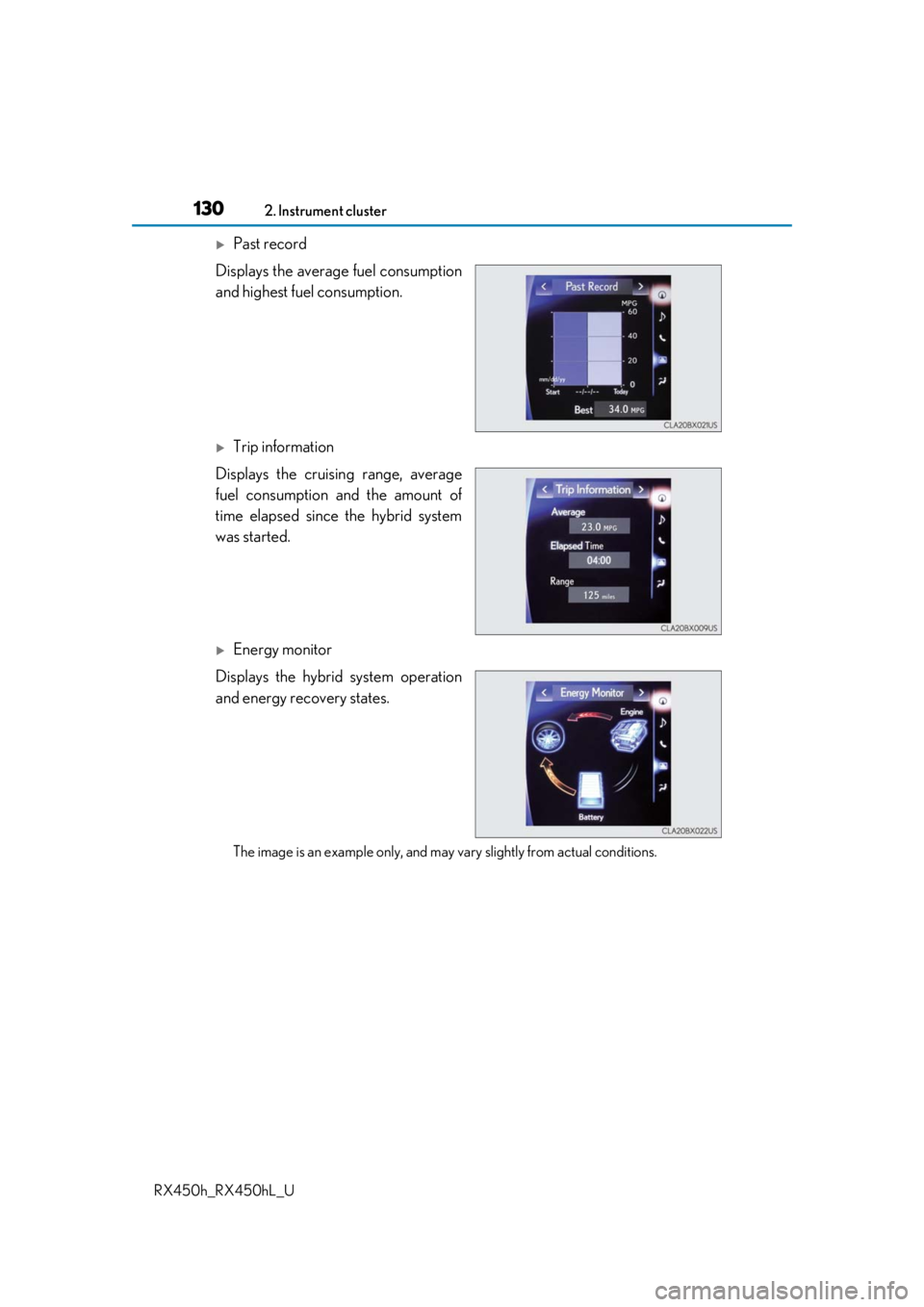
Past record
Displays the average fuel consumption
and highest fuel consumption.
Trip information
Displays the cruising range, average
fuel consumption and the amount of
time elapsed since the hybrid system
was started.
Energy monitor
Displays the hybrid system operation
and energy recovery states.
The image is an example only, and may va ry slightly from actual conditions.
Page 133 of 792
1333-1. Key information
3
Operation of each component
RX450h_RX450hL_U
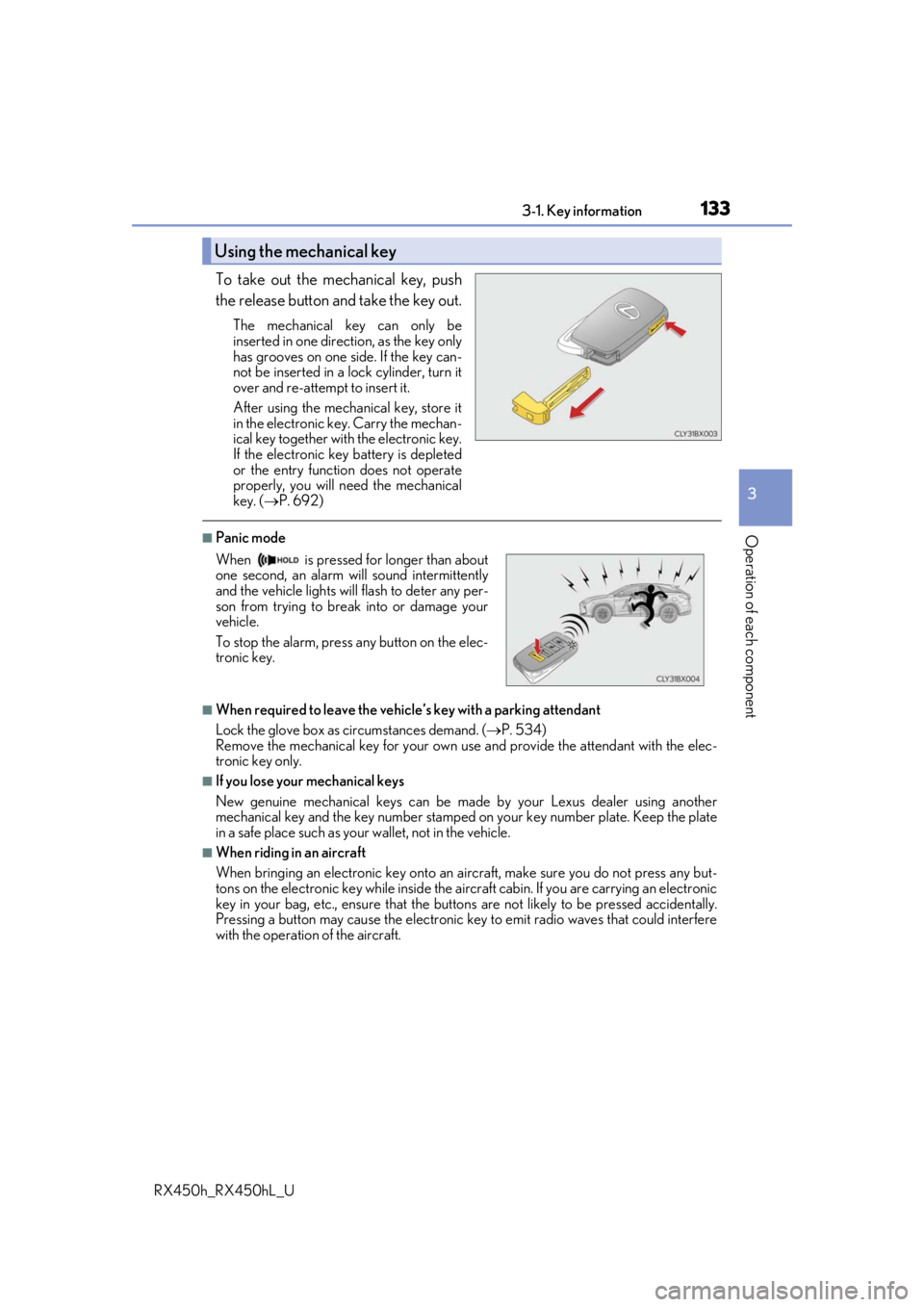
To take out the mechanical key, push
the release button and take the key out.
The mechanical key can only be
inserted in one direction, as the key only
has grooves on one side. If the key can-
not be inserted in a lock cylinder, turn it
over and re-attempt to insert it.
After using the mechanical key, store it
in the electronic key. Carry the mechan-
ical key together with the electronic key.
If the electronic key battery is depleted
or the entry function does not operate
properly, you will need the mechanical
key. ( P. 692)
■Panic mode
■When required to leave the vehicle’s key with a parking attendant
Lock the glove box as circumstances demand. ( P. 534)
Remove the mechanical key for your own use and provide the attendant with the elec-
tronic key only.
■If you lose your mechanical keys
New genuine mechanical keys can be made by your Lexus dealer using another
mechanical key and the key number stamped on your key number plate. Keep the plate
in a safe place such as your wallet, not in the vehicle.
■When riding in an aircraft
When bringing an electronic key onto an aircraft, make sure you do not press any but-
tons on the electronic key while inside the airc raft cabin. If you are carrying an electronic
key in your bag, etc., ensure that the butt ons are not likely to be pressed accidentally.
Pressing a button may cause the electronic key to emit radio waves that could interfere
with the operation of the aircraft.
Using the mechanical key
When is pressed for longer than about
one second, an alarm will sound intermittently
and the vehicle lights will flash to deter any per-
son from trying to break into or damage your
vehicle.
To stop the alarm, press any button on the elec-
tronic key.
Page 134 of 792

1343-1. Key information
RX450h_RX450hL_U
■Electronic key battery depletion
●The standard battery life is 1 to 2 years.
●If the battery becomes low, an alarm will so und in the cabin when the hybrid system is
stopped. ( P. 630)
●As the electronic key always receives ra dio waves, the battery will become depleted
even if the electronic key is not used. The following symptoms indicate that the elec-
tronic key battery may be depleted. Replace the battery when necessary. ( P. 630)
• The smart access system with push-button start or the wireless remote control does
not operate.
• The detection area becomes smaller.
• The LED indicator on the key surface does not turn on.
●To reduce key battery depletion when the electronic key is to not be used for long peri-
ods of time, set the electronic key to the battery-saving mode. ( P. 160)
●To avoid serious deterioration, do not leave the electronic key within 3 ft. (1 m) of the
following electrical appliances that produce a magnetic field:
•TVs
• Personal computers
• Cellular phones, cordless phones and battery chargers
• Recharging cellular phones or cordless phones
• Induction cookers
•Table lamps
■Replacing the battery
P. 630
■Confirmation of the registered key number
The number of keys already registered to the vehicle can be confirmed. Ask your Lexus
dealer for details.
■If a wrong key is used
The key cylinder rotates freely, isol ated from the internal mechanism.
Page 136 of 792

136
RX450h_RX450hL_U3-2. Opening, closing and locking the doors
◆Smart access system with push-button start
Carry the electronic key to enable this function.
Grip the driver’s door handle to
unlock the door. Grip any passen-
ger door handle to unlock all the
doors.
*
Make sure to touch the sensor on the
back of the handle.
The doors cannot be unlocked for
3 seconds after the doors are locked.
*: The door unlock settings can bechanged. ( P. 140, 740)
Touch the lock sensor (indentation on the surface of the door handle) to
lock all the doors.
Check that the door is securely locked.
◆Wireless remote control
Locks all the doors
Check that the door is securely
locked.
Unlocks all the doors
Pressing the button unlocks the
driver’s door. Pressing the button
again within 3 seconds unlocks the
other doors.
Press and hold to open the win-
dows
*2 and the moon roof*1, 2 or
panoramic moon roof
*1, 2
*1: If equipped
*2: This setting must be custom ized at your Lexus dealer.
Side doors
The vehicle can be locked and unlock ed using the entry function, wireless
remote control or door lock switches.
Locking and unlocking the doors from the outside
1
2
1
2
Page 137 of 792

1373-2. Opening, closing and locking the doors
3
Operation of each component
RX450h_RX450hL_U
■Operation signals
Doors:
A buzzer sounds and the emergency flashers flash to indicate that the doors have been
locked/unlocked. (Locked: Once; Unlocked: Twice)
Windows and moon roof or panoramic moon roof:
A buzzer sounds.
■Security feature
If a door is not opened within approximately 60 seconds after the vehicle is unlocked, the
security feature automatically locks the vehicle again.
■When the door cannot be locked by the lock sensor on the surface of the door handle
■Door lock buzzer
If an attempt to lock the doors is made when a door is not fully closed, a buzzer sounds
continuously for 5 seconds. Fully close the d oor to stop the buzzer, and lock the vehicle
once more.
■Setting the alarm
Locking the doors will set the alarm system. ( P. 86)
■If the smart access system with push-button start or the wireless remote control does
not operate properly
●Use the mechanical key to lock and unlock the doors. ( P. 692)
●Replace the key battery with a new one if it is depleted. ( P. 630)
When the door cannot be locked even if the
lock sensor on the surface of the door handle is
touched by a finger, touch the lock sensor with
the palm.
When gloves are being worn, remove the
gloves.
Page 138 of 792
1383-2. Opening, closing and locking the doors
RX450h_RX450hL_U
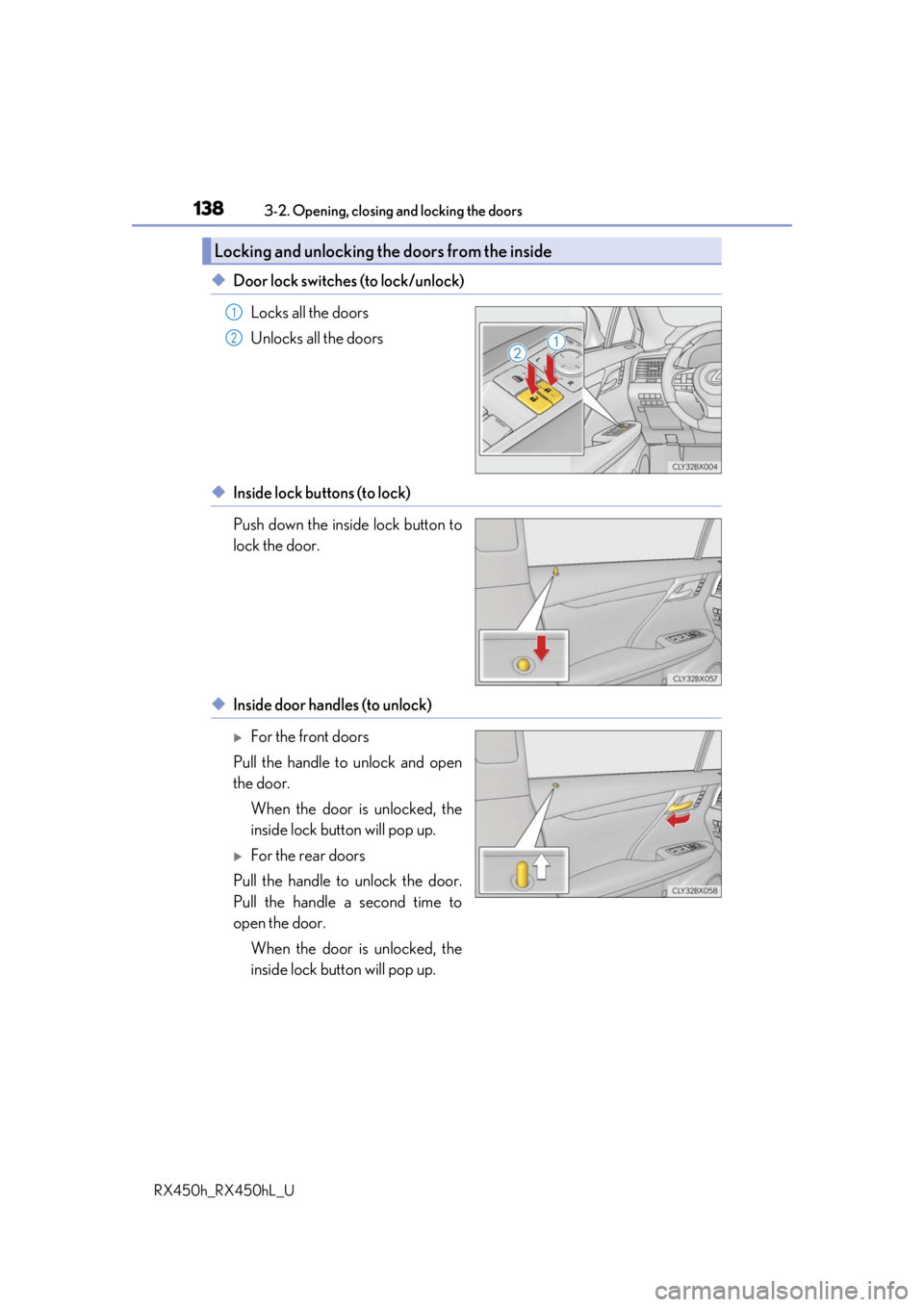
◆Door lock switches (to lock/unlock) Locks all the doors
Unlocks all the doors
◆Inside lock buttons (to lock)
Push down the inside lock button to
lock the door.
◆Inside door handles (to unlock)
For the front doors
Pull the handle to unlock and open
the door. When the door is unlocked, the
inside lock button will pop up.
For the rear doors
Pull the handle to unlock the door.
Pull the handle a second time to
open the door. When the door is unlocked, the
inside lock button will pop up.
Locking and unlocking the doors from the inside
1
2