Page 524 of 792
5246-2. Using the air conditioning system and defogger
RX450h_RX450hL_U
■Using the automatic mode Press the “AUTO” button
Adjust the temperature setting.
To stop the operation, press the “OFF” button.
■Automatic mode indicator
If the fan speed setting or air flow modes are operated, the automatic mode
indicator goes off. However, automati c mode for functions other than that
operated is maintained.
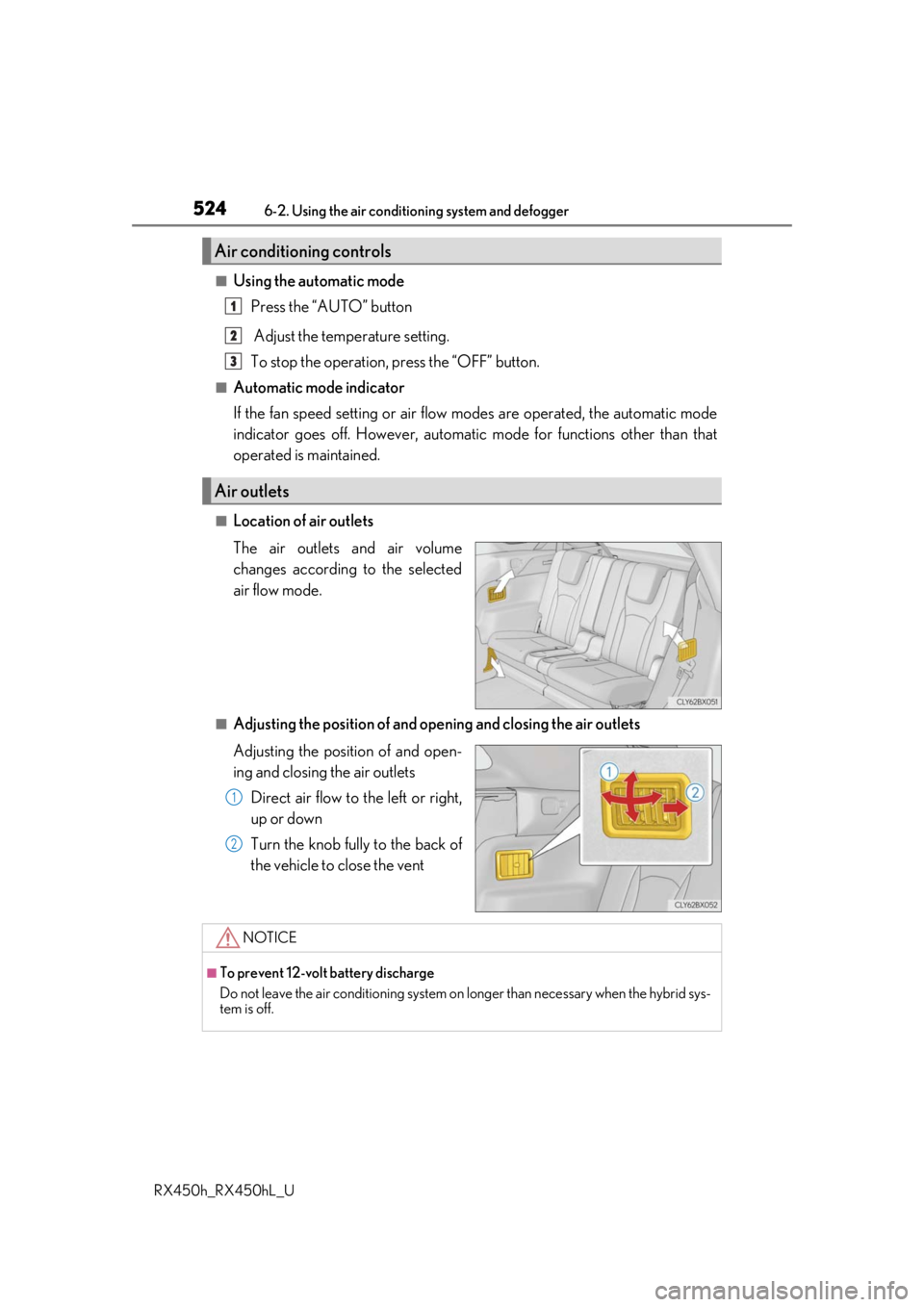
■Location of air outlets
The air outlets and air volume
changes according to the selected
air flow mode.
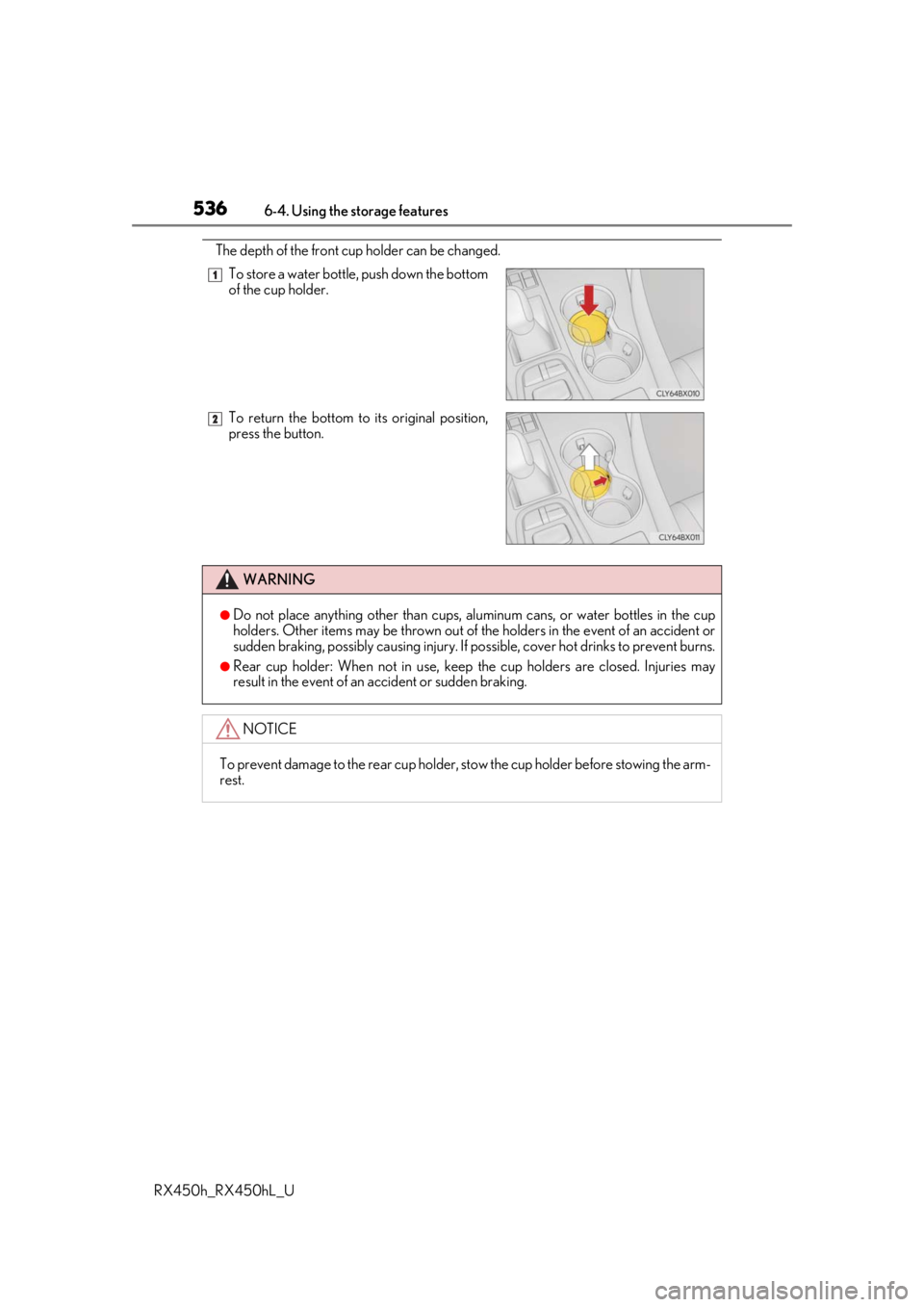
■Adjusting the position of and opening and closing the air outlets
Adjusting the position of and open-
ing and closing the air outlets
Direct air flow to the left or right,
up or down
Turn the knob fully to the back of
the vehicle to close the vent
Air conditioning controls
Air outlets
1
2
3
1
2
NOTICE
■To prevent 12-volt battery discharge
Do not leave the air conditioning system on longer than necessary when the hybrid sys-
tem is off.
Page 526 of 792
5266-2. Using the air conditioning system and defogger
RX450h_RX450hL_U
Turns the heated steering wheel on/off
The indicator light comes on when the
heated steering wheel is operating.
■Operation condition
The heated steering wheel can be used when the power switch is in ON mode.
■Timer
The heated steering wheel will automati cally turn off after about 30 minutes.
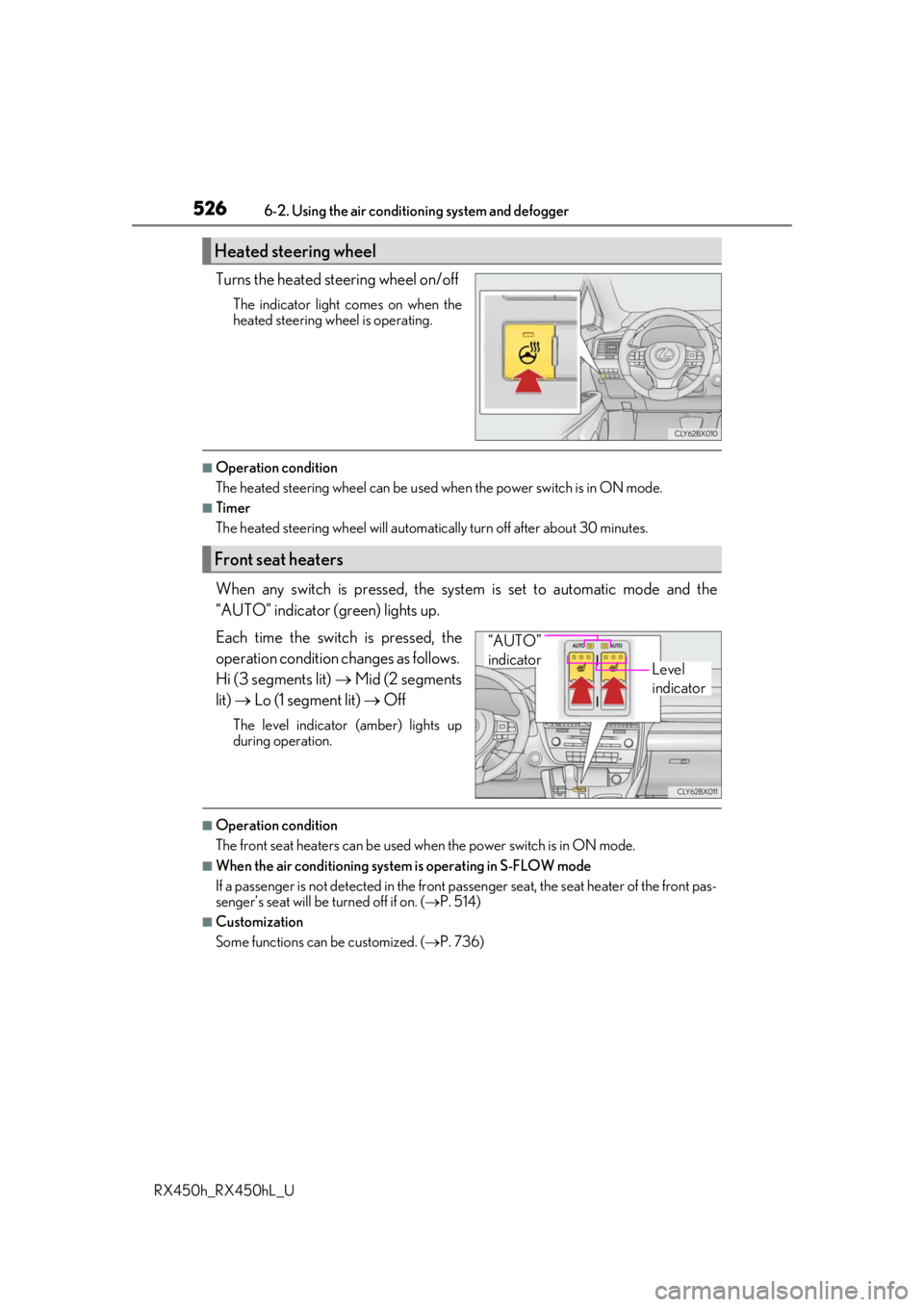
When any switch is pressed, the system is set to automatic mode and the
“AUTO” indicator (green) lights up.
Each time the switch is pressed, the
operation condition changes as follows.
Hi (3 segments lit) Mid (2 segments
lit) Lo (1 segment lit) Off
The level indicator (amber) lights up
during operation.
■Operation condition
The front seat heaters can be used when the power switch is in ON mode.
■When the air conditioning system is operating in S-FLOW mode
If a passenger is not detected in the front pa ssenger seat, the seat heater of the front pas-
senger’s seat will be turned off if on. ( P. 514)
■Customization
Some functions can be customized. ( P. 736)
Heated steering wheel
Front seat heaters
Level
indicator
“AUTO”
indicator
Page 527 of 792
5276-2. Using the air conditioning system and defogger
RX450h_RX450hL_U
6
Interior features
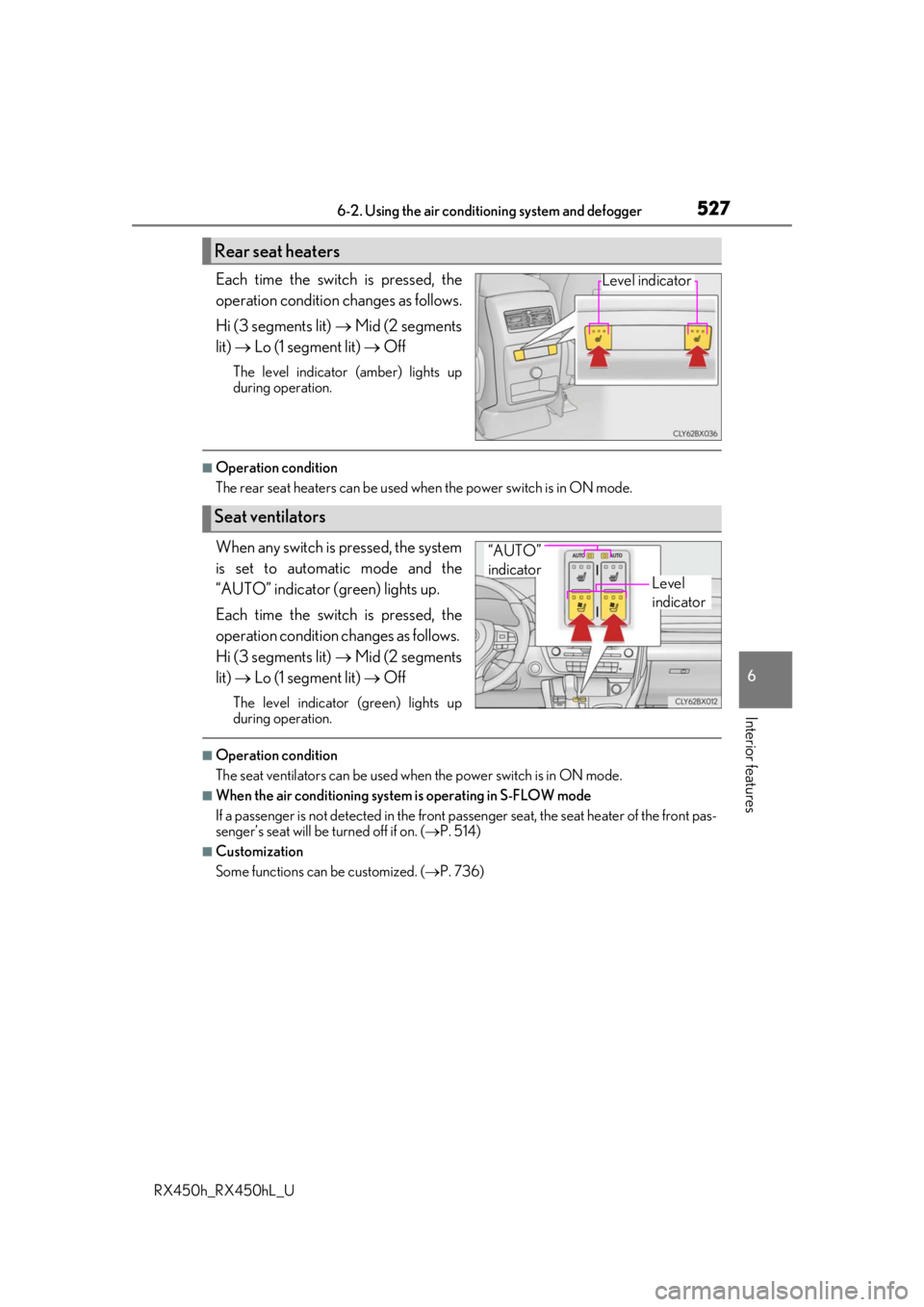
Each time the switch is pressed, the
operation condition changes as follows.
Hi (3 segments lit) Mid (2 segments
lit) Lo (1 segment lit) Off
The level indicator (amber) lights up
during operation.
■Operation condition
The rear seat heaters can be used wh en the power switch is in ON mode.
When any switch is pressed, the system
is set to automatic mode and the
“AUTO” indicator (green) lights up.
Each time the switch is pressed, the
operation condition changes as follows.
Hi (3 segments lit) Mid (2 segments
lit) Lo (1 segment lit) Off
The level indicator (green) lights up
during operation.
■Operation condition
The seat ventilators can be used when the power switch is in ON mode.
■When the air conditioning system is operating in S-FLOW mode
If a passenger is not detected in the front pa ssenger seat, the seat heater of the front pas-
senger’s seat will be turned off if on. ( P. 514)
■Customization
Some functions can be customized. ( P. 736)
Rear seat heaters
Level indicator
Seat ventilators
Level
indicator
“AUTO”
indicator
Page 536 of 792
5366-4. Using the storage features
RX450h_RX450hL_U
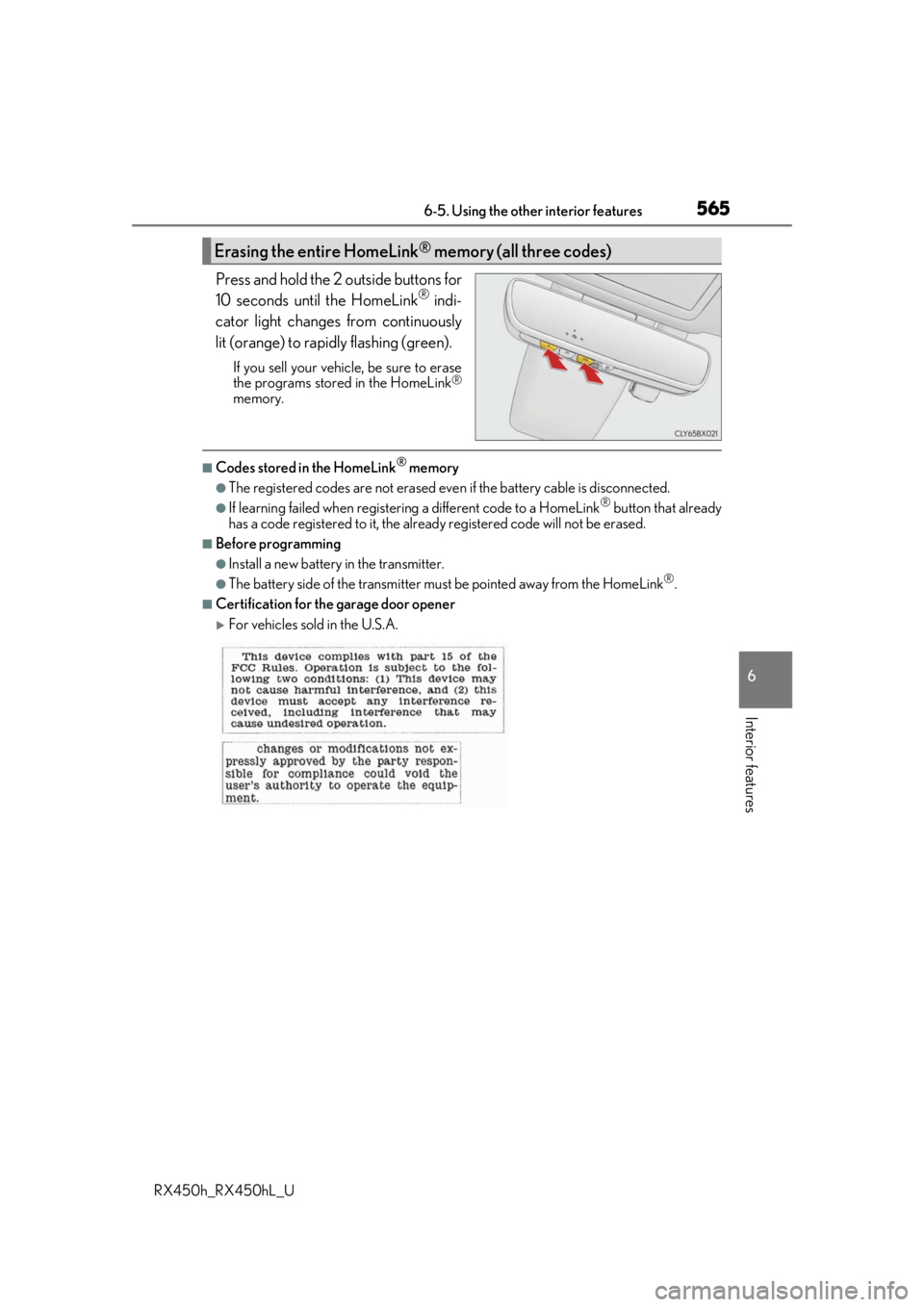
The depth of the front cup holder can be changed. To store a water bottle, push down the bottom
of the cup holder.
To return the bottom to its original position,
press the button.
WARNING
●Do not place anything other than cups, aluminum cans, or water bottles in the cup
holders. Other items may be thrown out of the holders in the event of an accident or
sudden braking, possibly causing injury. If possible, cover hot drinks to prevent burns.
●Rear cup holder: When not in use, keep the cup holders are closed. Injuries may
result in the event of an accident or sudden braking.
NOTICE
To prevent damage to the rear cup holder, stow the cup holder before stowing the arm-
rest.
1
2
Page 551 of 792
5516-5. Using the other interior features
6
Interior features
RX450h_RX450hL_U
■If a cover or accessory is attached to the portable device
Do not charge a portable device if a cover or accessory which is not Qi compatible is
attached. Depending on the type of cover an d/or accessory attached, it may not be pos-
sible to charge the portable device. If the po rtable device is placed on the charging area
and does not charge, remove the cover and/or accessories.
■If interference is heard in AM radio broadcasts while charging
Turn off the wireless charger and check if the noise is reduced. If noise is reduced, press
and hold the power supply switch of the wireless charger for 2 seconds. The frequency of
the wireless charger is changed and noise may be reduced. When the frequency is
changed, the operation indicator lig ht will blink (orange) 2 times.
■Charging precautions
●If the electronic key cannot be detected in the cabin, charging cannot be performed.
When a door is opened and closed, ch arging may be temporarily suspended.
●While charging, the wireless charger and the po rtable device will become warm. This is
not a malfunction.
If a portable device become s warm while charging and ch arging stops due to the pro-
tection function of the portable device, wait until the portable device cools down and
charge it again.
■Sound generated during operation
When the power supply switch is turned on or while a portable device is being identified,
operation sounds may be heard. This is not a malfunction.
■Cleaning the wireless charger
P. 585
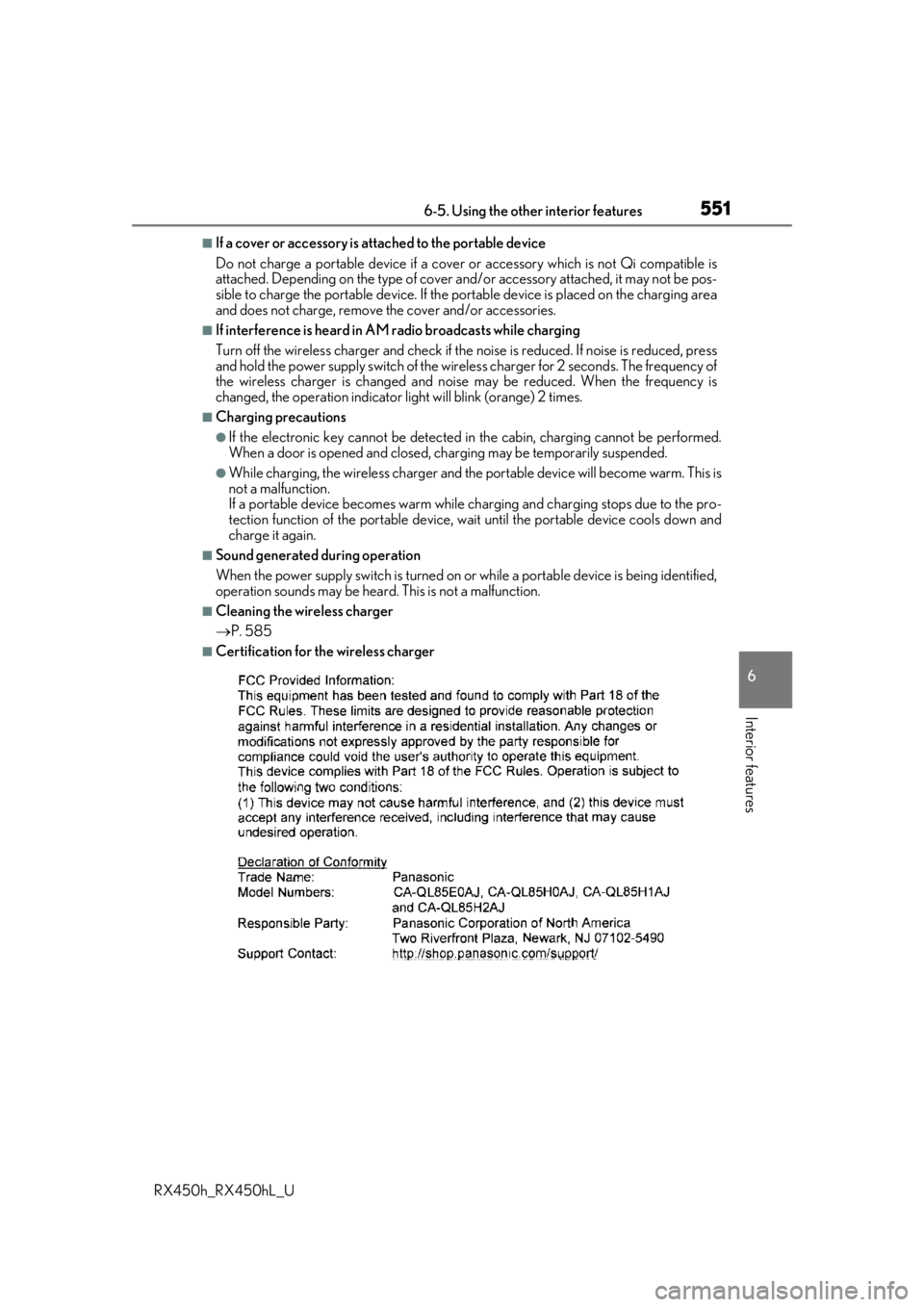
■Certification for the wireless charger
Page 561 of 792
5616-5. Using the other interior features
6
Interior features
RX450h_RX450hL_U
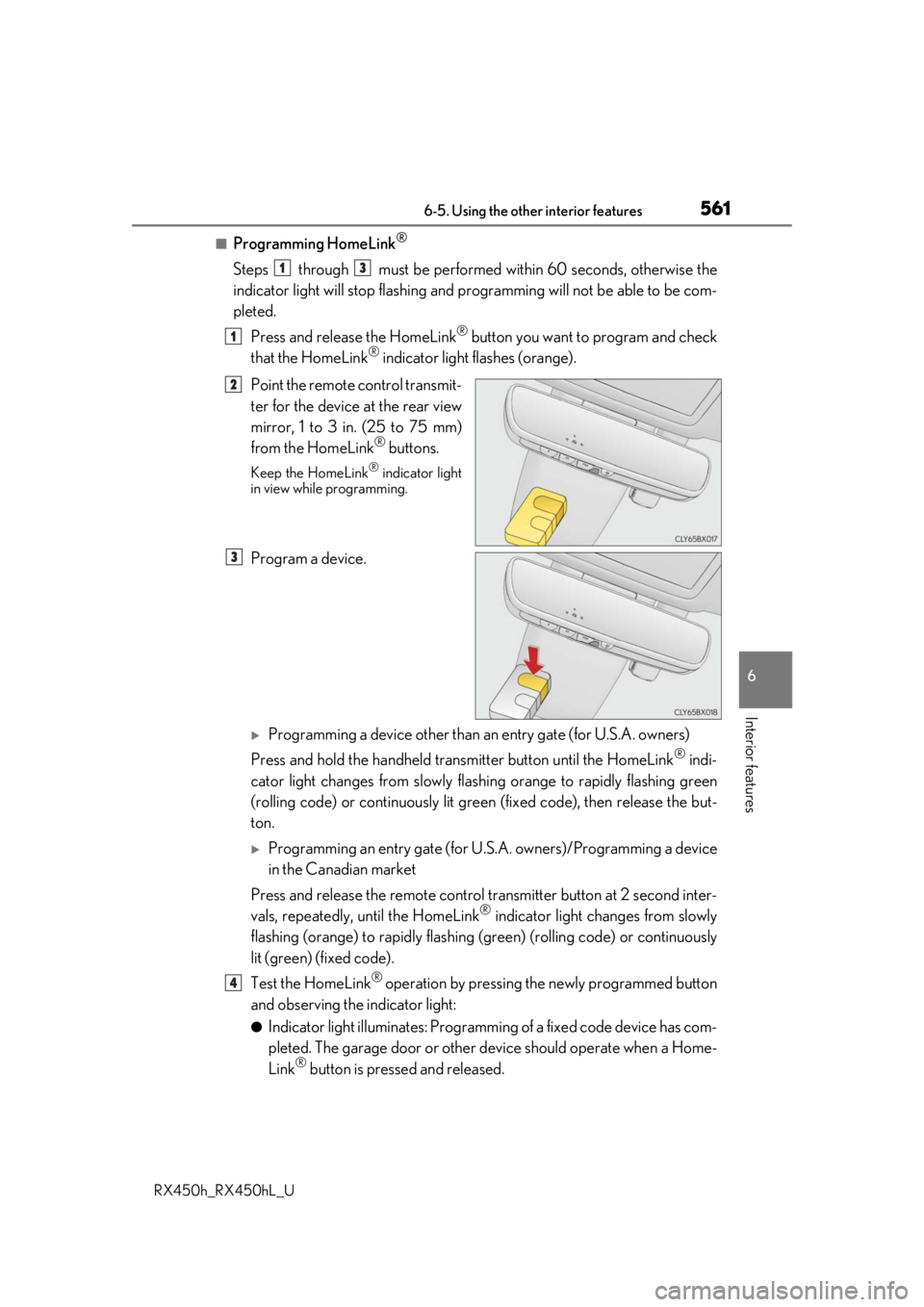
■Programming HomeLink®
Steps through must be performed within 60 seconds, otherwise the
indicator light will stop flashing and pr ogramming will not be able to be com-
pleted.
Press and release the HomeLink
® button you want to program and check
that the HomeLink® indicator light flashes (orange).
Point the remote control transmit-
ter for the device at the rear view
mirror, 1 to 3 in. (25 to 75 mm)
from the HomeLink
® buttons.
Keep the HomeLink® indicator light
in view while programming.
Program a device.
Programming a device other than an entry gate (for U.S.A. owners)
Press and hold the handheld tran smitter button until the HomeLink
® indi-
cator light changes from slowly flashi ng orange to rapidly flashing green
(rolling code) or continuously lit green (fixed code), then release the but-
ton.
Programming an entry gate (for U. S.A. owners)/Programming a device
in the Canadian market
Press and release the remote control transm itter button at 2 second inter-
vals, repeatedly, until the HomeLink
® indicator light changes from slowly
flashing (orange) to rapidly flashing (green) (rolling code) or continuously
lit (green) (fixed code).
Test the HomeLink
® operation by pressing the newly programmed button
and observing the indicator light:
●Indicator light illuminates: Programming of a fixed code device has com-
pleted. The garage door or other de vice should operate when a Home-
Link
® button is pressed and released.
13
1
2
3
4
Page 565 of 792
5656-5. Using the other interior features
6
Interior features
RX450h_RX450hL_U
Press and hold the 2 outside buttons for
10 seconds until the HomeLink® indi-
cator light changes from continuously
lit (orange) to rapidly flashing (green).
If you sell your vehicle, be sure to erase
the programs stored in the HomeLink®
memory.
■Codes stored in the HomeLink® memory
●The registered codes are not erased even if the battery cable is disconnected.
●If learning failed when registerin g a different code to a HomeLink® button that already
has a code registered to it, the alread y registered code will not be erased.
■Before programming
●Install a new battery in the transmitter.
●The battery side of the transmitter must be pointed away from the HomeLink®.
■Certification for the garage door opener
For vehicles sold in the U.S.A.
Erasing the entire HomeLink® memory (all three codes)
Page 576 of 792
5766-5. Using the other interior features
RX450h_RX450hL_U
After you sign the Telematics Subscrip tion Service Agreement, download the
Lexus Enform Remote app from your cellular phone’s app store, and register
within the app (or enroll and complete registration at the dealer), you can begin
using these services. ( P. 571)
A variety of subscription terms are availa ble. Contact your Lexus dealer, or call 1-
800-25-LEXUS (1-800-255-3987) fo r further subscription details.
■Availability of service
●Lexus Enform Remote is available in the contiguous United States, Washington D.C.
and Alaska.
●Lexus Enform Remote is not available in Pu erto Rico, Canada, and in the United States
Virgin Islands.
■Lexus Enform Remo te Information
●Lexus Enform Remote should only be used by authorized users.
●Laws in some communities may require that th e vehicle be within view of the user when
operating Lexus Enform Remote.
In some states, use of Lexus Enform Remo te may violate state or local laws. Before
using Lexus Enform Remote, chec k your state and local laws.
●Any malfunction of the Lexus should be repaired by your Lexus dealer.
●Lexus Enform Remote is designed to work at temperatures above -22 F (-30 C). This
specification is related to the Lexus Enform Remote operation, but is dependent on the
vehicle’s operating temperature range which may be different.
●Content is subject to change without notice.
●Some features of the Lexus Enform Remote may not be available on some models.
●Additional information can be found at www.lexus.com/enform/.
●Availability of functions of the Lexus Enform service is dependent on network reception
level.
■Safety information for Lexus Enform Remote
Refer to the safety information for Safety Connect: P. 575
LEXUS Enform Remote
: If equipped
Lexus Enform Remote is a cellular phone application that lets you view and
remotely control certain aspects of your vehicle.
For details about the functions and serv ices of this application, refer to
http://www.lexus.com/enform/
.
Function of the Lexus Enform Remote is achieved by using an embedded cel-
lular device in the vehicle (DCM: Data Communication Module).
Subscription