Page 402 of 777
4015-1. Basic Operations
5
Lexus Display Audio system
RX350/RX350L_U Press and hold the off hook switch
until you hear the beeps that indicate
the system is listening.
The Mobile Assistant can be used
only when the neighboring screen is
displayed. To cancel the Mobile Assistant, select
“Cancel”, or press and hold the off hook
switch.
To restart the Mobile Assistant for addi-
tional commands, press the off hook
switch. Mobile Assistant can only be
restarted after the sy stem responds to a
voice command. After some phone and
music commands, the Mobile Assistant
feature will automatically end to com-
plete the requested action.Mobile Assistant The Mobile Assistant feature will activate Apple’s Siri
Eyes Free mode via
the steering wheel switches. To operat e the Mobile Assistant, a compatible
cellular phone must be registered and connected to this system via
Bluetooth
. ( P. 443) 1
2
Page 403 of 777

402 5-1. Basic Operations
RX350/RX350L_U ■
Adjusting the volume
The volume of the Mobile Assist ant can be adjusted using the
“ PWR·VOL
” knob or
steering wheel volume switch es. The Mobile Assistant an d phone call volumes are syn-
chronized. ■
Microphone
It is not necessary to speak directly into the microphone when using the Mobile Assis-
tant. ●
Wait for the listening beeps before using the Mobile Assistant.●
The Mobile Assistant may not recognize commands in the following situations:
• When spoken too quickly.
• When spoken at a low or high volume.
• When the roof or windows are open.
• When passengers are talking while th e Mobile Assistan t is being used.
• When the air conditioning syst em’s fan speed is set high.
• When the air conditioning vents ar e turned toward the microphone.■
Mobile Assistant precautions ●
The available features and functions may vary based on the iOS version installed on the
connected device. ●
Some Siri features are limited in Eyes Free mode. If you attempt to use an unavailable
function, Siri will inform you that the function is not available. ●
If Siri is not enabled on the ce llular phone connected via Bluetooth
, an error message
will be displayed on the screen. ●
While a phone call is active, the Mobile Assistant cannot be used. ●
If using the navigation featur e of the cellular phone, ensure the active audio source is
Bluetooth
audio or iPod in order to hear turn by turn direction prompts.
Page 413 of 777
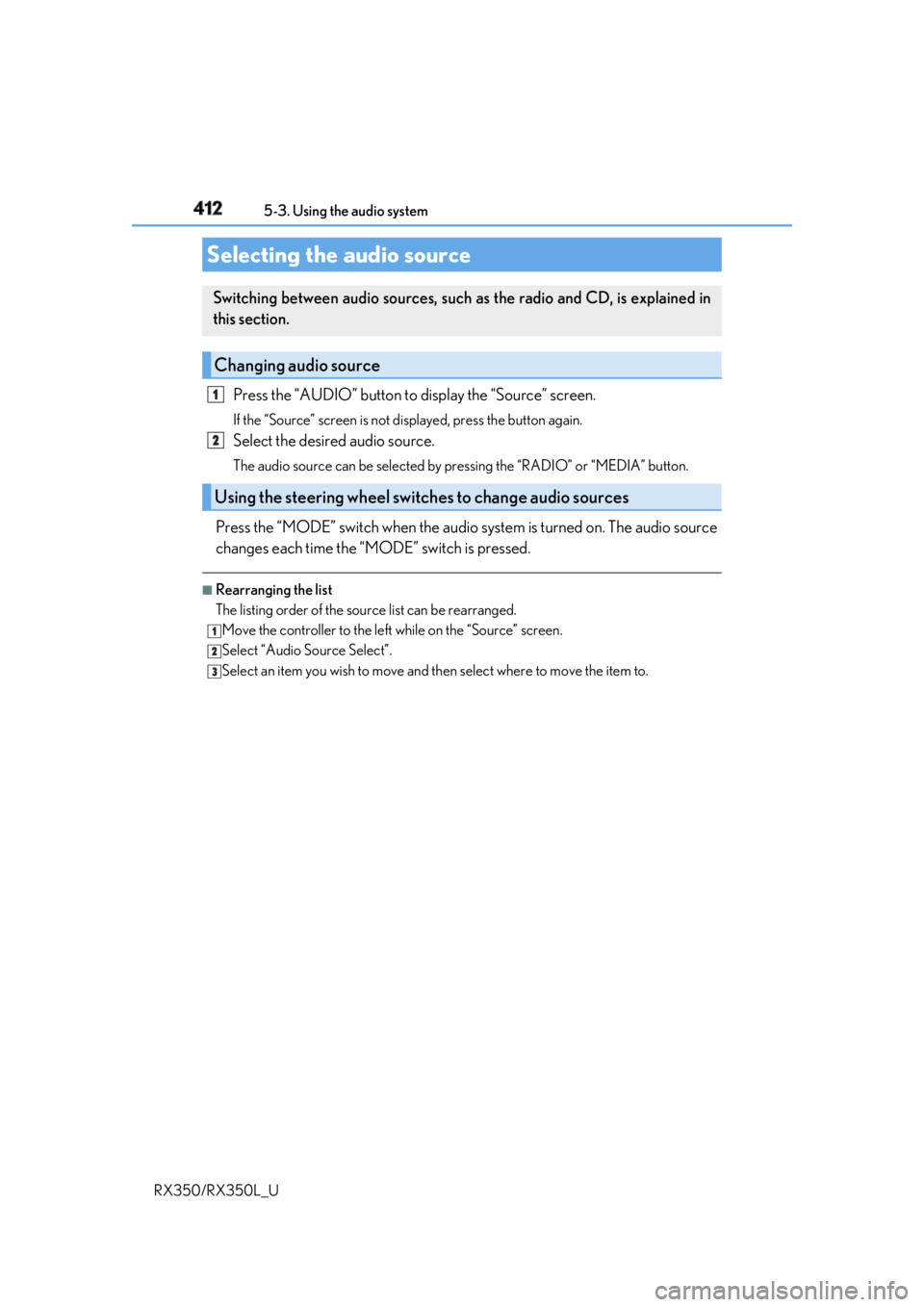
412
RX350/RX350L_U 5-3. Using the audio system
Press the “AUDIO” button to display the “Source” screen.If the “Source” screen is not displayed, press the button again.
Select the desired audio source. The audio source can be se lected by pressing the “RADIO” or “MEDIA” button.
Press the “MODE” switch when the audio system is turned on. The audio source
changes each time the “MODE” switch is pressed. ■
Rearranging the list
The listing order of the sour ce list can be rearranged.
Move the controller to the left while on the “Source” screen.
Select “Audio Source Select”.
Select an item you wish to move and th en select where to move the item to.Selecting the audio source Switching between audio sources, such as the radio and CD, is explained in
this section.
Changing audio source
Using the steering wheel switches to change audio sources 1
2
1
2
3
Page 456 of 777

455
5
Lexus Display Audio system
RX350/RX350L_U 5-9. Bluetooth ®
Phone
Before making a phone call, check the connection status, battery charge, call
area and signal strength. (
P. 456)
If a Bluetooth ®
device cannot be connected, chec k the connection status. If the
device is not connected, either register or reconnect it. (
P. 445, 448)
To display the screen shown below, press the off-hook switch on the steering
wheel or select “Phone” on the “Menu” screen.
Phone name
Bluetooth ®
connection status
( P. 456)
Displays the call history screen
( P. 459)
Displays the favorites screen
( P. 459)
Displays the contacts screen
( P. 457)
Displays the dial pad screen ( P. 457)
Displays the message inbox screen ( P. 463)Using a Bluetooth ®
PhoneThe hands-free system is a function that allows you to use your cellular phone
without touching it.
This system supports Bluetooth ®
. Bluetooth ®
is a wireless data system that
allows the cellular phone to wirelessly connect to the hands-free system and
make/receive calls.
Phone top screen 1
2
3
4
5
6
7
Page 458 of 777
4575-9. Bluetooth ®
Phone
5
Lexus Display Audio system
RX350/RX350L_U Go to “Dial Pad”: “MENU” button “Phone” “Dial Pad”
Input a phone number. ( P. 398)
Press the off-hook switch on the steering wheel or select .
You can dial a number from the phoneb ook data imported from your cellular
phone. The system has one phonebook fo r each registered phone. Up to 2500
contacts may be stored in each phonebook. ( P. 458)
Go to “Contacts”: “MENU” button “Phone” “Contacts”
Choose the desired contact to call from the list.
Choose the number and then press the off-hook switch on the steering wheel
or press the controller.Making a call Once a Bluetooth ®
phone is registered, you can make a call using the follow-
ing procedure:
Dialing
Dialing from the phonebook 1
2
3
1
2
3
Page 459 of 777
458 5-9. Bluetooth ®
Phone
RX350/RX350L_U You can transfer the phone numbers in a Bluetooth ®
phone to the system.
Operation methods differ between PBAP (Phone Book Access Profile) compat-
ible and PBAP incompatible Bluetooth ®
phones. If the cellular phone does not
support either PBAP or OPP (Object Pu sh Profile) service, you cannot transfer
contacts.
Press the off-hook switch on the steering wheel. If the phonebook is empty, a message will be displayed.
For a PBAP compatible Bluetooth ®
phone and “Automatic Transfer” is off
To enable automatic transfer of new contacts from a cellular phone every time
it is connected, select “Always”. ( P. 468)
Select “Once” if you want to transf er new contacts from a cellular phone.
For a PBAP incompatible and OPP compatible Bluetooth ®
phone
Select “Transfer” and operate your ce llular phone to transfer new contacts
from a cellular phone.
Select “Add” if you want to add a new contact manually.When the phonebook is empty 1
2
2
Page 460 of 777

4595-9. Bluetooth ®
Phone
5
Lexus Display Audio system
RX350/RX350L_U You can make a call using numbers registered in the favorites.
Go to “Favorites”: “MENU” button “Phone” “Favorites”
Choose the desired contact to call from the list.
Choose the number and then press the off-hook switch on the steering wheel
or press the controller.
You can make a call using the call history.
Go to “Call History”: “MENU” button “Phone” “Call History”
Select the desired entry from the list.
Press the off-hook switch on the steering wheel or select . ■
Call history list ●
If you make a call to or receive a call from a number registered in the phonebook, the
name is displayed in the call history. ●
If you make multiple calls to the same number , only the last call made is displayed in the
call history. ■
International calls
Depending on the mobile phone in use, you ma y not be able to make international calls.■
Calling by using the latest call history entry
Press the
off-hook switch on the steering wheel to display the phone top screen.
Press the
switch again to display the “Call History” screen.
Press the
switch again to select the latest call history entry.Dialing from favorites
Dialing from history 1
2
3
1
2
3
1
2
3
Page 461 of 777
460 5-9. Bluetooth ®
Phone
RX350/RX350L_U Press the off-hook sw itch on the steer-
ing wheel or select .
Press the on-hook switch on the steering wheel or select . ■
International calls
Depending on the cellular phone in use, re ceived international calls may not be dis-
played correctly.Receiving a call When a call is received, the following screen is displayed together with a
sound.
To answer the phone
To refuse a call