Page 416 of 777
4155-3. Using the audio system
5
Lexus Display Audio system
RX350/RX350L_U To display the iPod settings screen in a di fferent way, select “iPod Settings” on the
audio menu screen. ( P. 417)
Change the screen size (video
mode)
Change the cover art settings
( P. 416)
Adjust the screen quality (video
mode) ( P. 411)
Change video sound input port
To display the A/V settings screen in a different way, select “External Video Set-
tings” on the audio menu screen. ( P. 417)
Change the screen size
Change the video signal
Adjust the screen quality (video
mode) ( P. 411)Changing iPod settings 1
2
3
4
Changing A/V settings 1
2
3
Page 417 of 777
416 5-3. Using the audio system
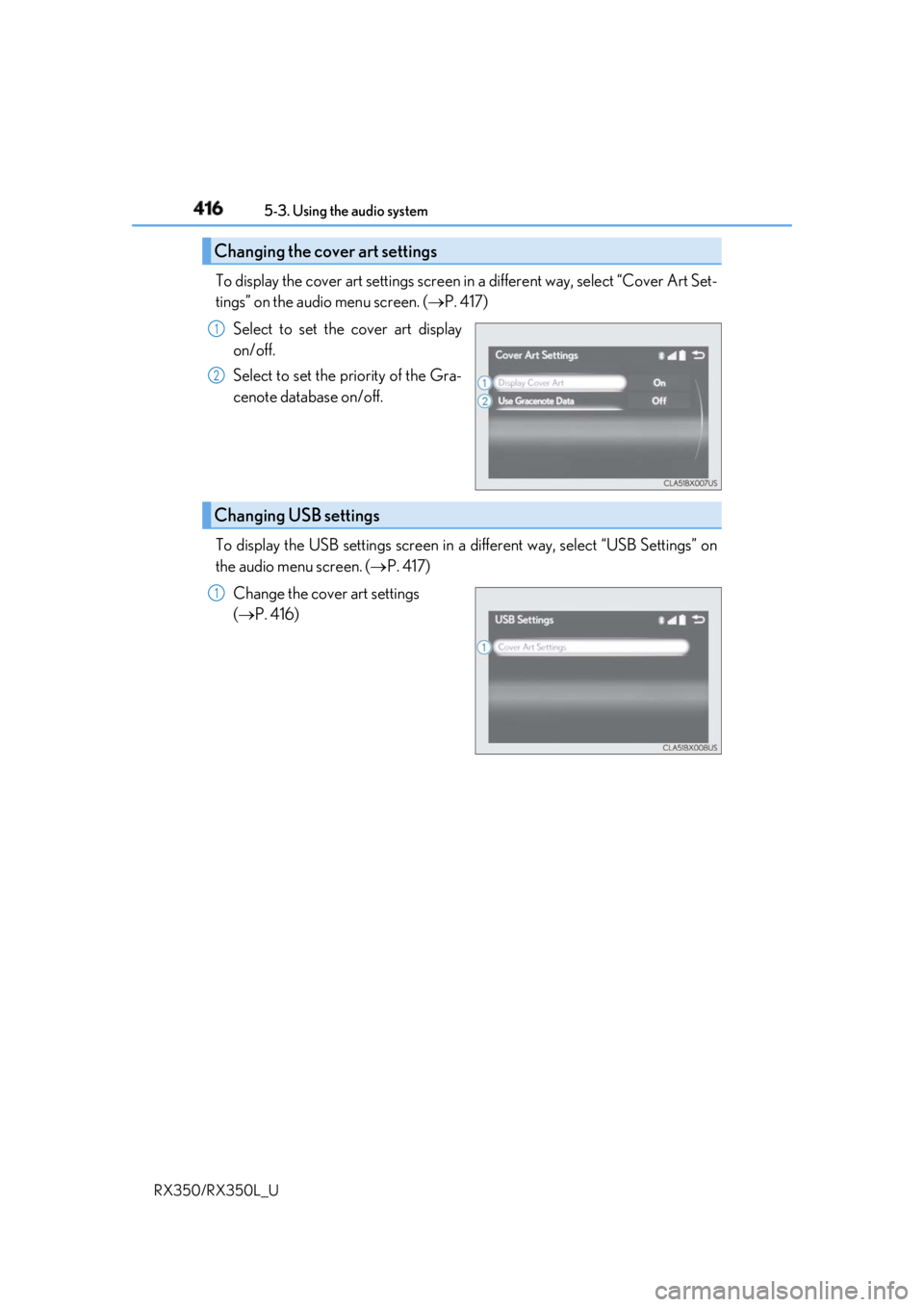
RX350/RX350L_U To display the cover art settings screen in a different way, select “Cover Art Set-
tings” on the audio menu screen. ( P. 417)
Select to set the cover art display
on/off.
Select to set the priority of the Gra-
cenote database on/off.
To display the USB settings screen in a different way, select “USB Settings” on
the audio menu screen. ( P. 417)
Change the cover art settings
( P. 416)Changing the cover art settings 1
2
Changing USB settings 1
Page 418 of 777
4175-3. Using the audio system
5
Lexus Display Audio system
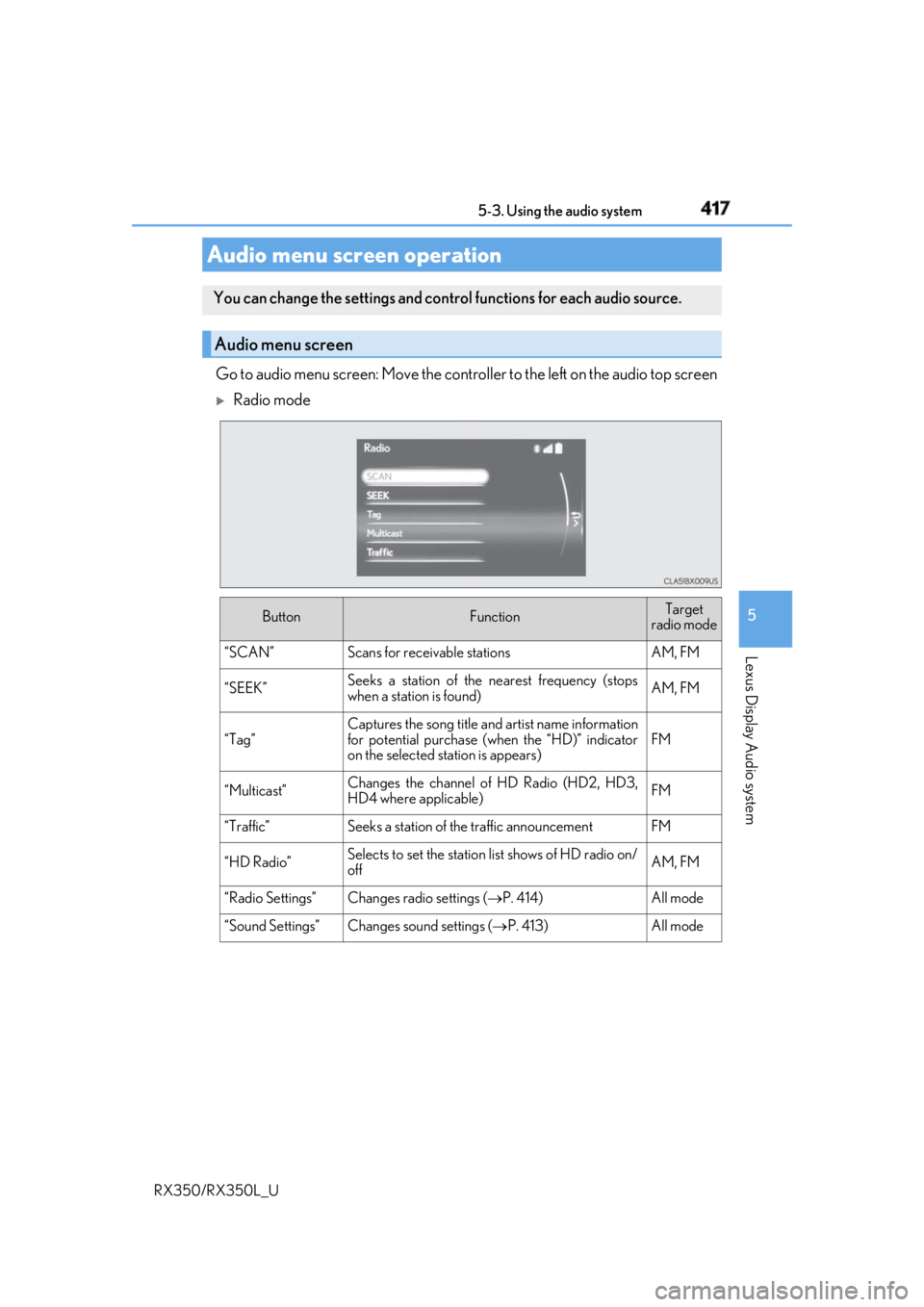
RX350/RX350L_U Go to audio menu screen: Move the contro ller to the left on the audio top screen
Radio mode
Audio menu screen operation You can change the settings and contro l functions for each audio source.
Audio menu screen
Button Function Target
radio mode
“SCAN” Scans for receivable stations AM, FM
“SEEK” Seeks a station of the nearest frequency (stops
when a station is found) AM, FM
“Tag” Captures the song title and artist name information
for potential purchase (when the “HD)” indicator
on the selected st ation is appears) FM
“Multicast” Changes the channel of HD Radio (HD2, HD3,
HD4 where applicable) FM
“Traffic” Seeks a station of th e traffic announcement FM
“HD Radio” Selects to set the station list shows of HD radio on/
off AM, FM
“Radio Settings” Changes radio settings ( P. 414) All mode
“Sound Settings” Changes sound settings ( P. 413) All mode
Page 419 of 777
418 5-3. Using the audio system
RX350/RX350L_U
Media mode
Button Function Target audio source
“Play”
Plays or pauses a track/file All media (except
A/V)
“Pause”
“Track Up”
Selects a track/file All media (except
A/V)“Track Down”
“File Up”
“File Down”
“Folder Up”
Selects a folder/album MP3/WMA/AAC
disc, USB
“Folder Down”
“Fast Forward”
Selects and hold: Fast-f orward or rewind a
track/file All media (except
A/V)
“Rewind”
“Repeat” Selects a repeat mode ( P. 419) All media (except
A/V)
“Random”
Selects a random/shuffle play mode
( P. 419) All media (except
A/V)
“Shuffle”
“Full Screen” Selects a full screen mode iPod, A/V
“Connect” Connects a Bluetooth ®
device ( P. 443) Bluetooth ®
“Cover Art Set-
tings” Changes the cover art settings ( P. 416) CD, MP3/WMA/
AAC disc,
Bluetooth ®
“iPod Settings” Changes iPod settings ( P. 415) iPod
“USB Settings” Changes USB settings ( P. 416) USB
“External Video
Settings” Changes A/V settings ( P. 415) A/V
Page 450 of 777
4495-7. Connecting Bluetooth ®
5
Lexus Display Audio system
RX350/RX350L_U Go to “Bluetooth
* Setup”: “MENU” button “Setup” “Bluetooth
* ”
Select the desired device and then select “Device Info”.
Change the name of the device
Change the connection method “Vehicle”: Connect the audio system
to the portable audio player.
“Device”: Connect the portable
audio player to the audio system
Device address
Device phone number Depending on the model of phone, the number may not be displayed.
Compatibility profile of the device
* : Bluetooth is a registered trademark of Bluetooth SIG, Inc. ■
Restoring the default settings
Move the controller to the left and select “D efault” on the “Device Information” screen.Displaying a Bluetooth ®
device detailsYou can confirm and change th e registered device details.
Bluetooth ®
device registration status 1
2
1
2
3
4
5
Page 451 of 777

450 5-7. Connecting Bluetooth ®
RX350/RX350L_U Go to “Bluetooth
* Setup”: “MENU” button “Setup” “Bluetooth
* ”
Move the controller to the left an d then select “System Settings”.
Select to set automatic connec-
tion of a Bluetooth ®
device on/off
Select to change the automatic
connection priority of the regis-
tered Bluetooth ®
devices
( P. 450)
Select to edit the system informa-
tion ( P. 452)
* : Bluetooth is a registered trademark of Bluetooth SIG, Inc. ■
Restoring the default settings
Move the controller to the left and select “Default” on the “System Settings” screen.
Go to “Bluetooth
* Setup”: “MENU” button “Setup” “Bluetooth
* ”
Move the controller to the left an d then select “System Settings”.
Select “Preferred Device Settings”.
Select to set automatic connec-
tion priority on/off
Select to change the automatic
connection priority of the regis-
tered Bluetooth ®
phones
( P. 451)
Select to change the automatic
connection priority of the regis-
tered Bluetooth ®
audio players
( P. 451)
* : Bluetooth is a registered trademark of Bluetooth SIG, Inc.Detailed Bluetooth ®
settingsYou can confirm and change the detailed Bluetooth ®
settings.
“System Settings” screen 1
2
1
2
3
Setting automatic connection priority 1
2
3
1
2
3
Page 452 of 777

4515-7. Connecting Bluetooth ®
5
Lexus Display Audio system
RX350/RX350L_U ■
Restoring the default settings
Move the controller to the left and select “D efault” on the “Preferred Device Settings”
screen.
Go to “Bluetooth
* Setup”: “MENU” button “Setup” “Bluetooth
* ”
Move the controller to the left an d then select “System Settings”.
Select “Preferred Device Settings”.
If “Preferred Device Settings” is set to off, set it to on.
To change the automatic connection pr iority of the registered Bluetooth ®
phones, select “Preferred Phones”. To change the automatic connection pri-
ority of the registered Bluetooth ®
audio players, select “Preferred Audio
Players”.
Select the desired Bluetooth ®
device.
Move the controller to the left and then select “Up” or “Down” to change the
preferred order.
A newly registered Bluetooth ®
device will automatically be given the highest
automatic connection priority.
* : Bluetooth is a registered trademark of Bluetooth SIG, Inc.Changing Bluetooth ®
device automatic connection priority 1
2
3
4
5
6
7
Page 453 of 777
452 5-7. Connecting Bluetooth ®
RX350/RX350L_U Go to “Bluetooth
* Setup”: “MENU” button “Setup” “Bluetooth
* ”
Move the controller to the left an d then select “System Settings”.
Select “System Information”.
Change the system name
Change the PIN-code You can change the PIN-code that is
used to register your Bluetooth ®
devices in the system.
Device address
Select to set the display of the
phone status on/off You can set the system to show the
status confirmation display when
connecting a phone.
Select to set the display of the
audio player status on/off You can set the system to show the
status confirmation display when
connecting an audio player.
Compatibility profile of the sys-
tem
* : Bluetooth is a registered trademark of
Bluetooth SIG, Inc. ■
Restoring the default settings
Move the controller to the left and select “D efault” on the “System Information” screen.Editing the system information 1
2
3
1
2
3
4
5
6