2019 LEXUS RX350 high
[x] Cancel search: highPage 489 of 777

488 5-12. Other function
RX350/RX350L_U ■
Microphone
P. 456 ■
When using the microphone ●
It is unnecessary to speak directly into the microphone when giving a command.●
Wait for the confirmation beep before speaking a command.●
Voice commands may not be recognized if:
• Spoken too quickly.
• Spoken at a low or high volume.
• The roof or windows are open.
• Passengers are talking while voice commands are spoken.
• The air conditioning speed is set high.
• The air conditioning vents are turned towards the microphone.●
In the following conditions, the system ma y not recognize the command properly and
using voice commands may not be possible:
• The command is incorrect or unclear. No te that certain words, accents or speech
patterns may be difficult for the system to recognize.
• There is excessive background noise, such as wind noise. ■
When searching for a track ●
A USB memory or iPod must be connected to enable track searching and playback.
( P. 403) ●
When a USB memory or iPod is connected, recognition data is created so tracks can
be searched using voice commands. ●
Recognition data is updated un der the following conditions:
• When the USB memory or iPod data has changed.
• When the voice recognition language is changed. ( P. 407)●
While the recognition data is being created or being updated, a track search cannot be
performed using a voice command. ■
The Gracenote ®
media database
Page 517 of 777

516 6-2. Using the air conditio ning system and defogger
RX350/RX350L_U ■
When the outside temperature exceeds 75 F (24 C) and the air conditioning system
is on ●
In order to reduce the air co nditioning power consumption, the air conditioning system
may switch to recirculated air mode automatically.
This may also reduce fuel consumption. ●
Recirculated air mode is selected as a defaul t mode when the engine switch is turned to
IGNITION ON mode. ●
It is possible to switch to outside air mode at any time by pressing the outside/recircu-
lated air mode button. ■
Automatic mode for air intake control (if equipped)
In automatic mode, the system detects exhaust gas and other pollutants and automati-
cally switches between outside air and recirculated air modes.
When the dehumidification function is off, and the fan is operating, turning automatic
mode on will activate the dehumidification function. ■
Fogging up of the windows ●
The windows will easily fog up when the humidity in the vehicle is high. Selecting “A/C”
will dehumidify the air from the outlets and defog the windshield effectively. ●
If you turn “A/C” off, the windows may fog up more easily. ●
The windows may fog up if the recirculated air mode is used. ■
Outside/recirculated air mode ●
When driving on dusty roads such as tunnels or in heavy traffic, set the outside/recircu-
lated air mode button to the recirculated air mode. This is effective in preventing out-
side air from enteri ng the vehicle interior. During cooling operation, setting the
recirculated air mode will also cool the vehicle interior effectively. ●
Outside/recirculated air mode may automa tically switch depending on the tempera-
ture setting or the inside temperature. ■
When the outside temperature is low
The dehumidification function may not operate even when “A/C” is selected. ■
Operation of the air conditioning system in Eco drive mode ●
In the Eco drive mode, the air conditioning sy stem is controlled as follows to prioritize
fuel efficiency
• Engine speed and compressor operation controlled to restrict heating/cooling
capacity
• Fan speed restricted when automatic mode is selected ●
To improve air conditioning performanc e, perform the following operations:
• Adjust the fan speed
• Turn off Eco drive mode
Page 530 of 777
5296-4. Using the storage features
6
Interior features
RX350/RX350L_U
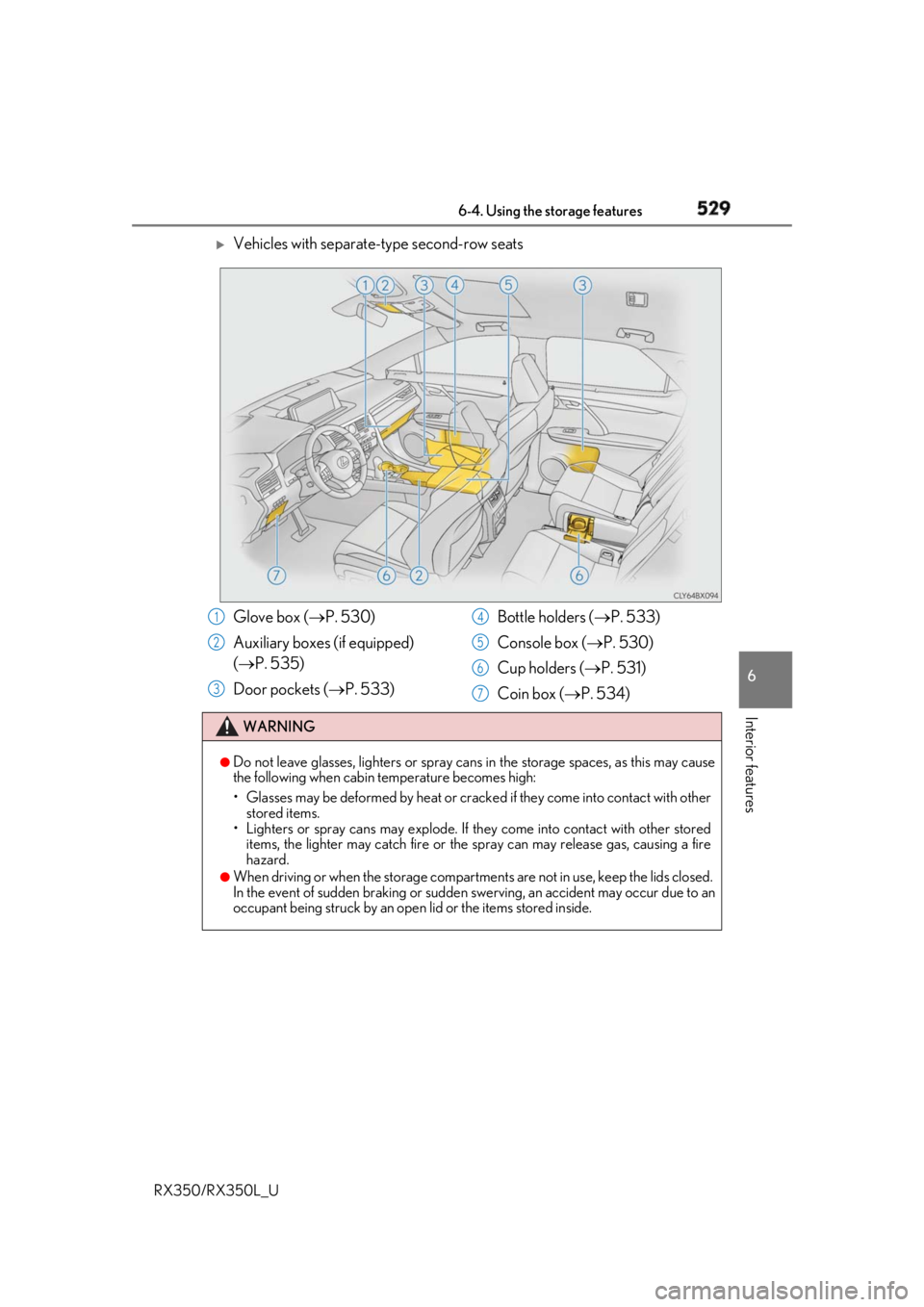
Vehicles with separate-type second-row seats
Glove box ( P. 530)
Auxiliary boxes (if equipped)
( P. 535)
Door pockets ( P. 533) Bottle holders ( P. 533)
Console box ( P. 530)
Cup holders ( P. 531)
Coin box ( P. 534)WARNING ●
Do not leave glasses, lighters or spray cans in the storage spaces, as this may cause
the following when cabin temperature becomes high:
• Glasses may be deformed by heat or cracke d if they come into contact with other
stored items.
• Lighters or spray cans may explode. If they come into contact with other stored
items, the lighter may catch fire or the spray can may release gas, causing a fire
hazard. ●
When driving or when the storage compartments are not in use, keep the lids closed.
In the event of sudden braking or sudden swerving, an accident may occur due to an
occupant being struck by an open lid or the items stored inside.1
2
3 4
5
6
7
Page 547 of 777
546 6-5. Using the other interior features
RX350/RX350L_U ■
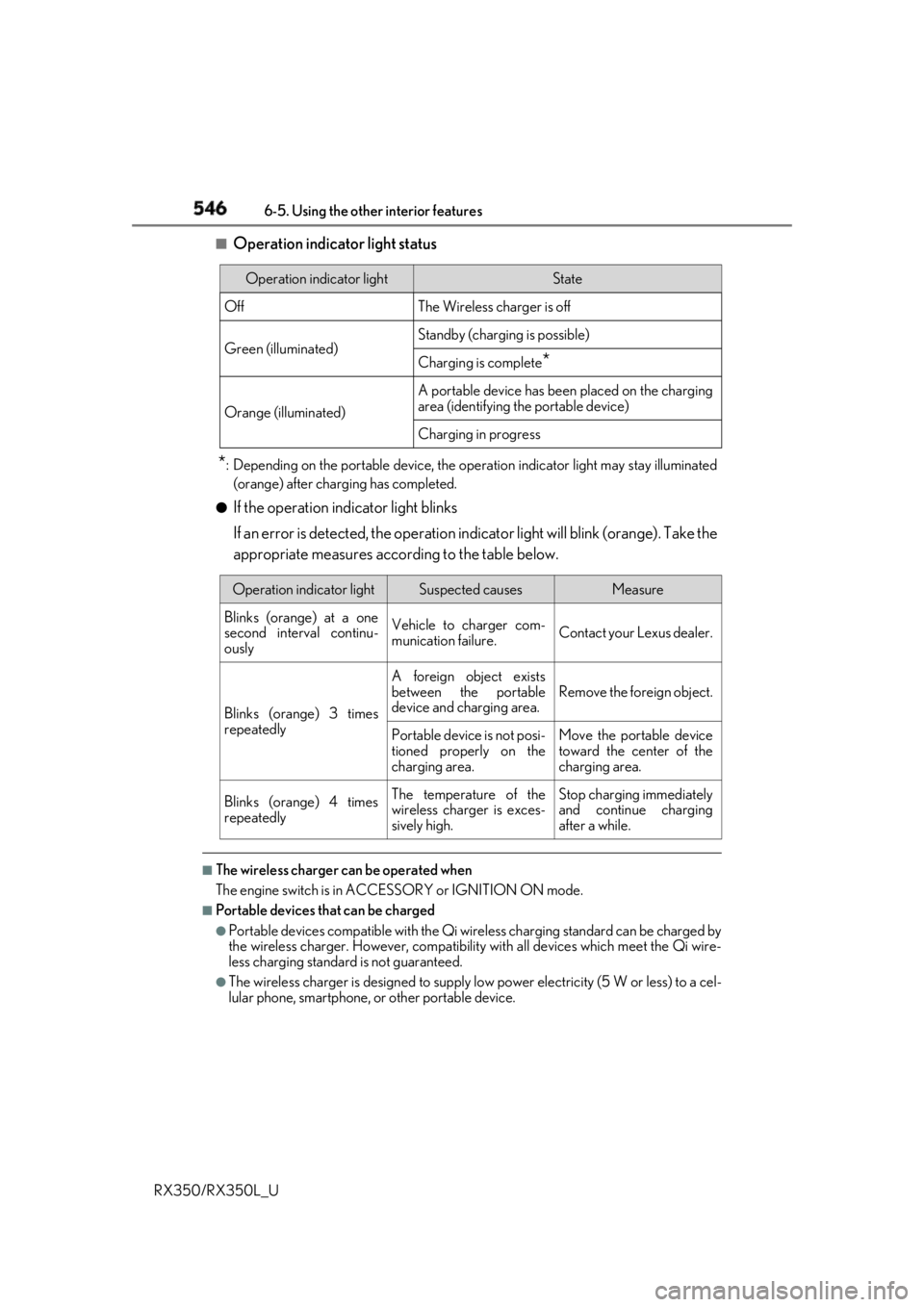
Operation indicator light status
* : Depending on the portable device, the oper ation indicator light may stay illuminated
(orange) after charging has completed.●
If the operation indicator light blinks
If an error is detected, the operation in dicator light will blink (orange). Take the
appropriate measures according to the table below.
■
The wireless charger can be operated when
The engine switch is in ACCESSORY or IGNITION ON mode. ■
Portable devices t hat can be charged●
Portable devices compatible with the Qi wireless charging standard can be charged by
the wireless charger. However, compatibility with all devices which meet the Qi wire-
less charging standard is not guaranteed. ●
The wireless charger is designed to supply low power electricity (5 W or less) to a cel-
lular phone, smartphone, or other portable device.Operation indicator light State
Off The Wireless charger is off
Green (illuminated) Standby (charging is possible)
Charging is complete
*Orange (illuminated) A portable device has been placed on the charging
area (identifying the portable device)
Charging in progress
Operation indicator light Suspected causes Measure
Blinks (orange) at a one
second interval continu-
ously Vehicle to charger com-
munication failure. Contact your Lexus dealer.
Blinks (orange) 3 times
repeatedly A foreign object exists
between the portable
device and charging area. Remove the foreign object.
Portable device is not posi-
tioned properly on the
charging area. Move the portable device
toward the center of the
charging area.
Blinks (orange) 4 times
repeatedly The temperature of the
wireless charger is exces-
sively high. Stop charging immediately
and continue charging
after a while.
Page 551 of 777

550 6-5. Using the other interior features
RX350/RX350L_U NOTICE ■
Conditions in which the wireless charger may not operate correctly
In the following situations, the wire less charger may not operate correctly:●
When a portable device is fully charged ●
When there is a foreign object between the charging area and portable device●
When a portable device becomes hot while charging●
When a portable device is placed on the wireless area with its charging surface fac-
ing up ●
When a portable device is not centered on the charging area ●
When the vehicle is near a TV tower, electric power plant, gas station, radio station,
large display, airport or other facility that generates stro ng radio waves or electrical
noise ●
When the portable device is in contact with, or is covered by any of the following
metallic objects:
• Cards to which aluminum foil is attached
• Cigarette boxes that ha ve aluminum foil inside
• Metallic wallets or bags
•Coins
•Metal hand warmers
• Media such as CDs and DVDs ●
When wireless keys (that emit radio waves) other than those of your vehicle are being
used nearby.
If in situations other than above the wirele ss charger does not operate properly or the
operation indicator light is blinking, the wireless charge r may be malfunctioning. Con-
tact your Lexus dealer. ■
To prevent failure or damage to data ●
Do not bring magnetic cards, such as a cr edit card, or magnetic recording media,
close to the wireless charger while charging. Otherwise, data may be erased due to
the influence of magnetism.
Additionally, do not bring pr ecision instruments such as wrist watches, close to the
wireless charger, as such objects may malfunction. ●
Do not leave portable devices in the cab in. The temperature inside the cabin may
become high when parked in the sun, and cause damage to the device. ■
To prevent battery discharge
Do not use the wireless charger for a long pe riod of time with the engine is stopped.
Page 554 of 777
5536-5. Using the other interior features
6
Interior features
RX350/RX350L_U The USB charging ports are used to supply 2.1 A of electricity at 5 V to external
devices. The USB charging ports are for charging only. They are not designed for
data transfer or other purposes. Depending on the external device, it may not
charge properly. Refer to the manual in cluded with the device before using a
USB charging port. ■
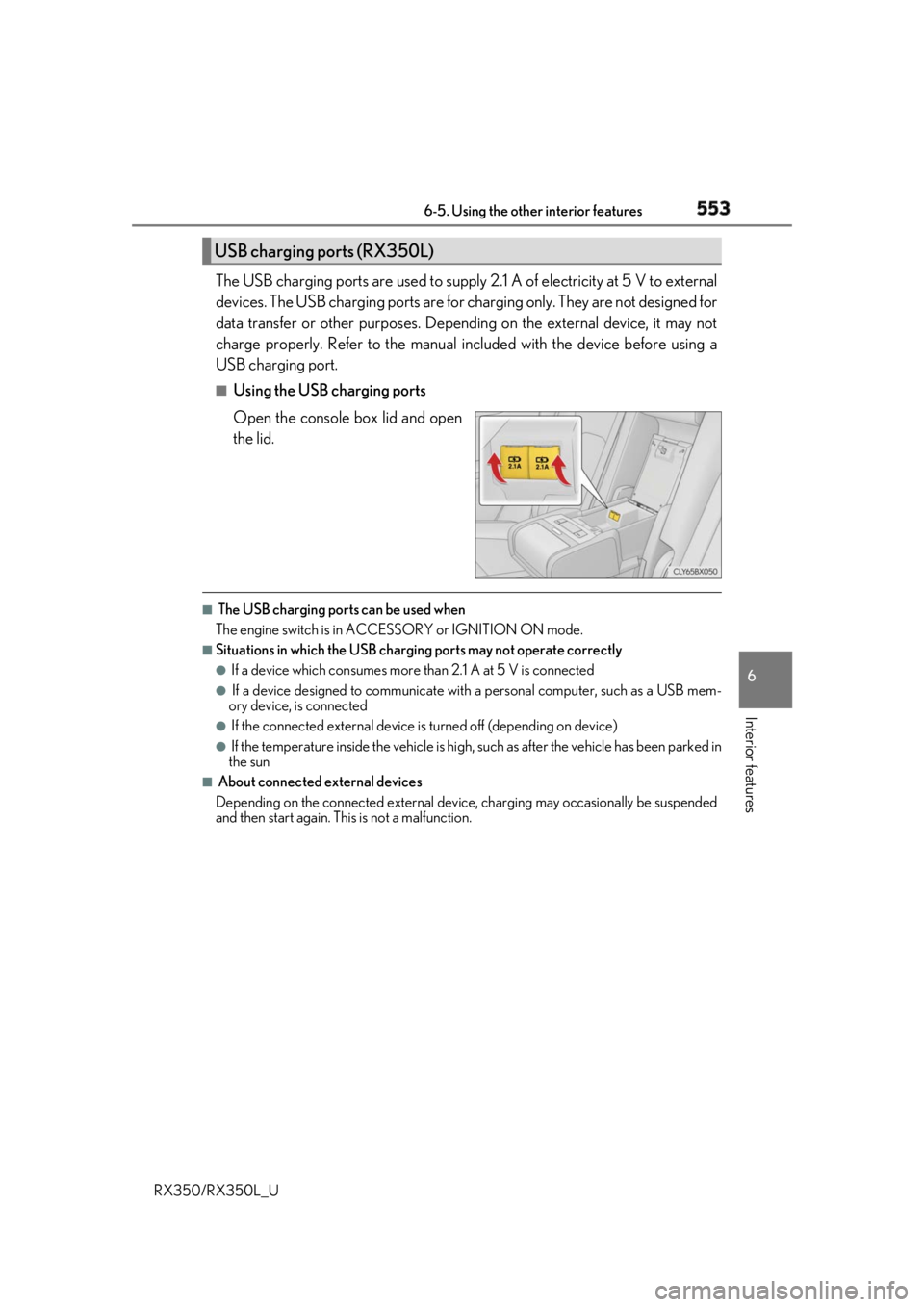
Using the USB charging ports
Open the console box lid and open
the lid. ■
The USB charging ports can be used when
The engine switch is in ACCESSORY or IGNITION ON mode. ■
Situations in which the USB charging ports may not operate correctly ●
If a device which consumes more than 2.1 A at 5 V is connected●
If a device designed to communicate with a personal computer, such as a USB mem-
ory device, is connected ●
If the connected external device is turned off (depending on device)●
If the temperature inside the vehicle is high, such as after the vehicle has been parked in
the sun ■
About connected external devices
Depending on the connected external device , charging may occasionally be suspended
and then start again. This is not a malfunction.USB charging ports (RX350L)
Page 555 of 777
554 6-5. Using the other interior features
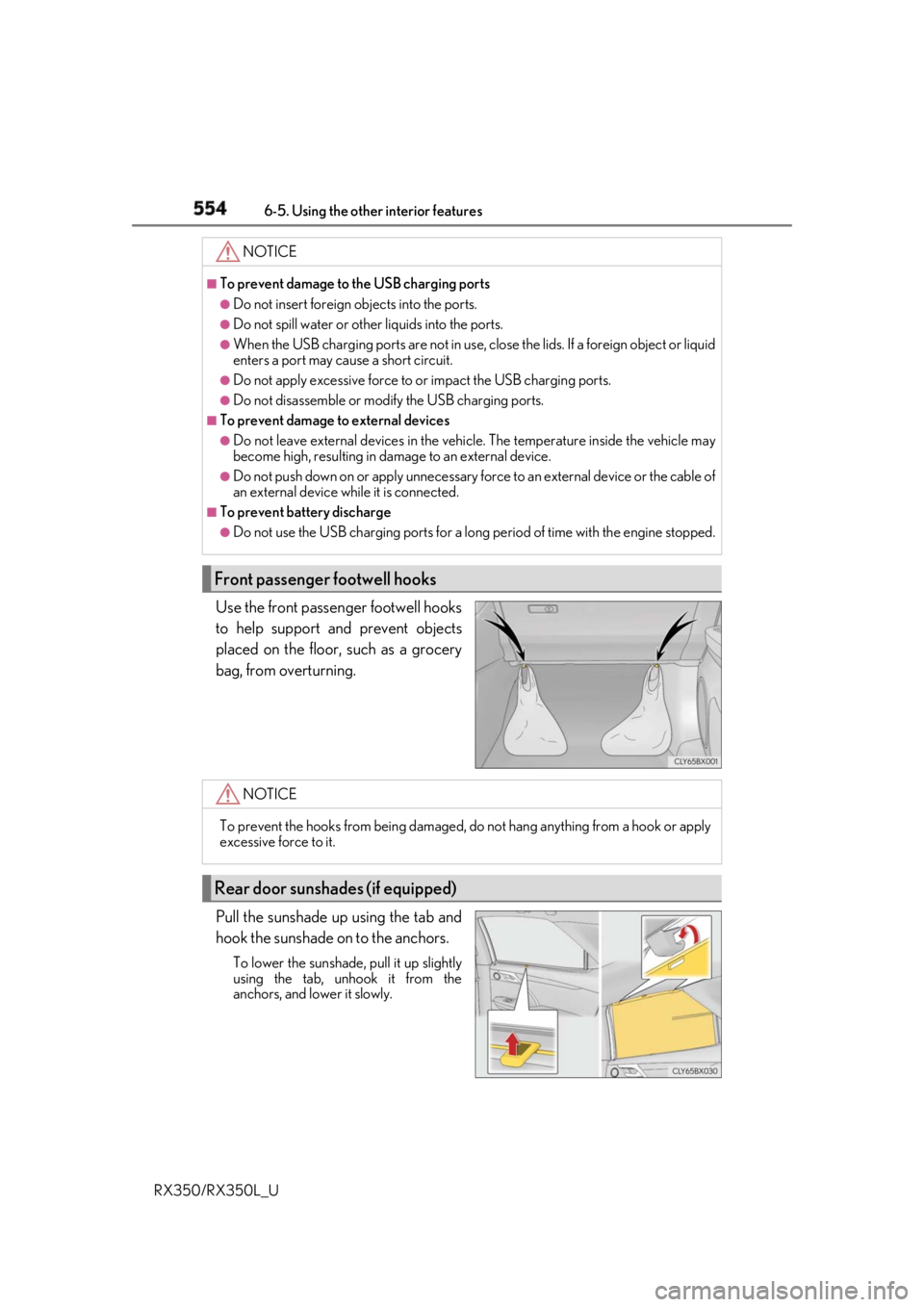
RX350/RX350L_U Use the front passenger footwell hooks
to help support and prevent objects
placed on the floor, such as a grocery
bag, from overturning.
Pull the sunshade up using the tab and
hook the sunshade on to the anchors. To lower the sunshade, pull it up slightly
using the tab, unhook it from the
anchors, and lower it slowly. NOTICE ■
To prevent damage to the USB charging ports●
Do not insert foreign objects into the ports. ●
Do not spill water or othe r liquids into the ports.●
When the USB charging ports are not in use, close the lids. If a foreign object or liquid
enters a port may cause a short circuit. ●
Do not apply excessive force to or impact the USB charging ports.●
Do not disassemble or modi fy the USB charging ports.■
To prevent damage to external devices●
Do not leave external devices in the vehicle. The temperature inside the vehicle may
become high, resulting in damage to an external device. ●
Do not push down on or appl y unnecessary force to an exte rnal device or the cable of
an external device while it is connected. ■
To prevent battery discharge ●
Do not use the USB charging ports for a long period of time with the engine stopped.
Front passenger footwell hooks
NOTICE
To prevent the hooks from being damaged, do not hang anything from a hook or apply
excessive force to it.
Rear door sunshades (if equipped)
Page 556 of 777
5556-5. Using the other interior features
6
Interior features
RX350/RX350L_U
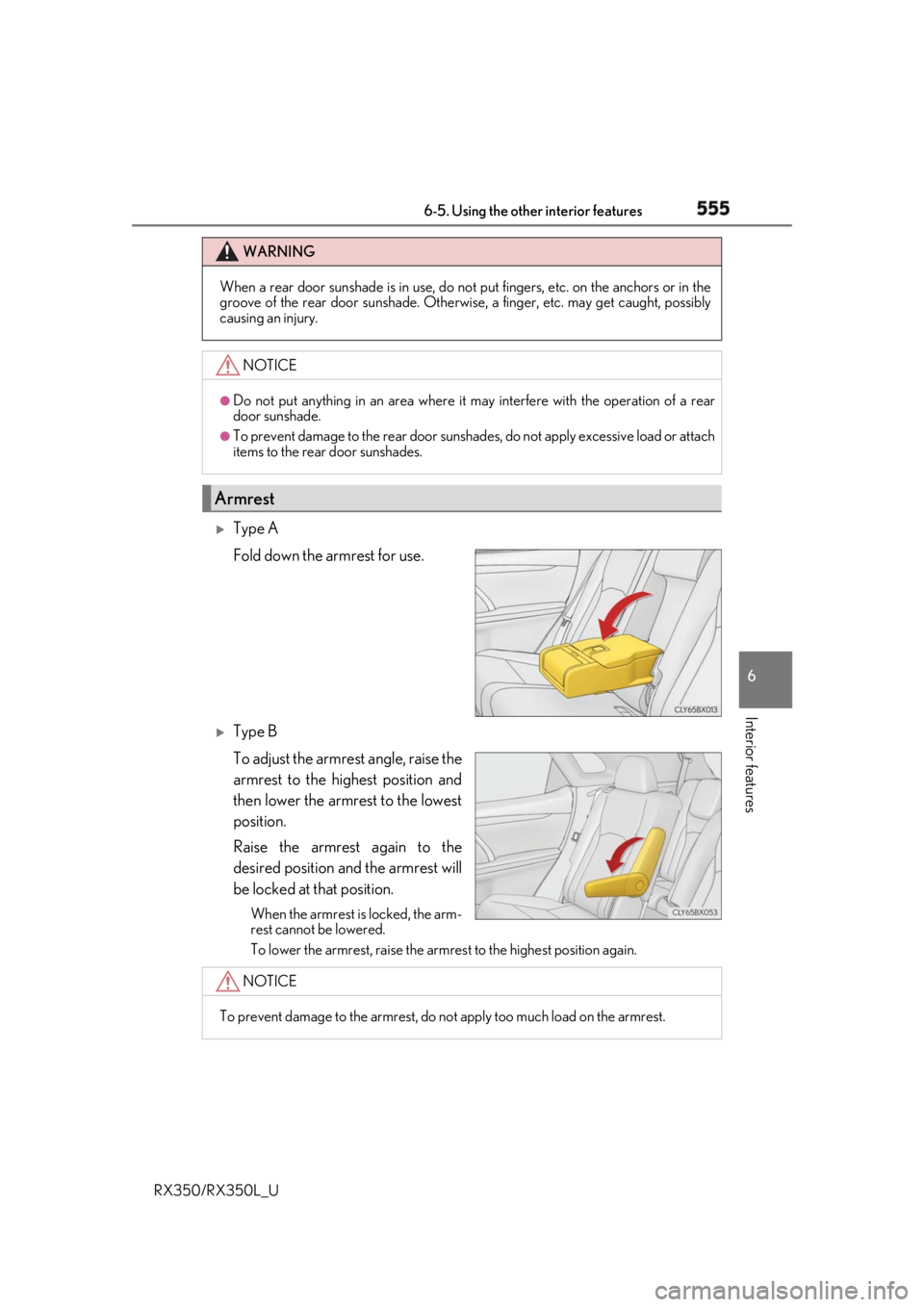
Type A
Fold down the armrest for use.
Type B
To adjust the armrest angle, raise the
armrest to the highest position and
then lower the armrest to the lowest
position.
Raise the armrest again to the
desired position and the armrest will
be locked at that position. When the armrest is locked, the arm-
rest cannot be lowered.
To lower the armrest, raise the armrest to the highest position again.WARNING
When a rear door sunshade is in use, do not put fingers, etc. on the anchors or in the
groove of the rear door suns hade. Otherwise, a finger, etc. may get caught, possibly
causing an injury.
NOTICE ●
Do not put anything in an area where it may interfere with the operation of a rear
door sunshade. ●
To prevent damage to the rear door sunshades, do not apply excessive load or attach
items to the rear door sunshades.
Armrest
NOTICE
To prevent damage to the armrest, do not apply too much load on the armrest.