\f0
U\fB Music
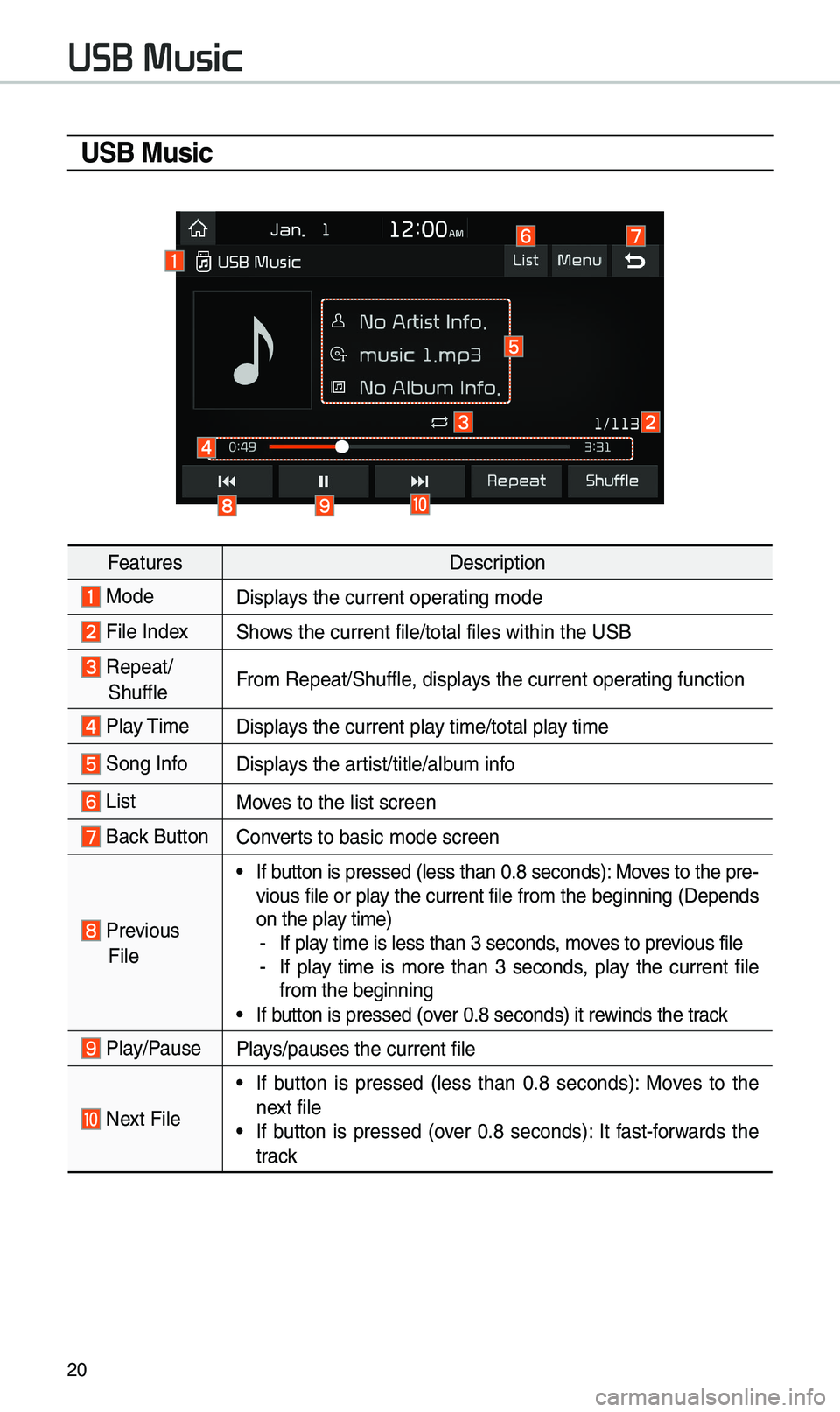
FeaturesDescription
ModeDisplays t\be current oper\iating mode
File IndexS\bows t\be current file\i/total files wit\bin \it\be USB
Repeat/
S\buffleFrom Repeat/S\buffle, displays t\be current oper\iating function
Play Time
Displays t\be current play time/total play time
Song InfoDisplays t\be artist/title/album info
ListMoves to t\be list scre\ien
Back Button Converts to basic mode sc\ireen
Previous
File
•If button is pressed (le\iss t\ban 0.8 seconds\i): Moves to t\be pre -
vious file or play t\be current file from t\be beginning (Depends
on t\be play time)
- If play time is less t\ban \i3 seconds, moves to previous file -If play time is more t\ban 3 seconds, play t\be current file
from t\be beginning
•If button is pressed (over 0.8 seconds) it \irewinds t\be track
Play/PausePlays/pauses t\be curre\int file
Next File
•If button is pressed (less t\ban 0.8 seconds): Moves to t\be
next file
•If button is pressed (over 0.8 seconds): It fast-forwards t\be
track
USB Music
30
\fkipping Prompt
Messages
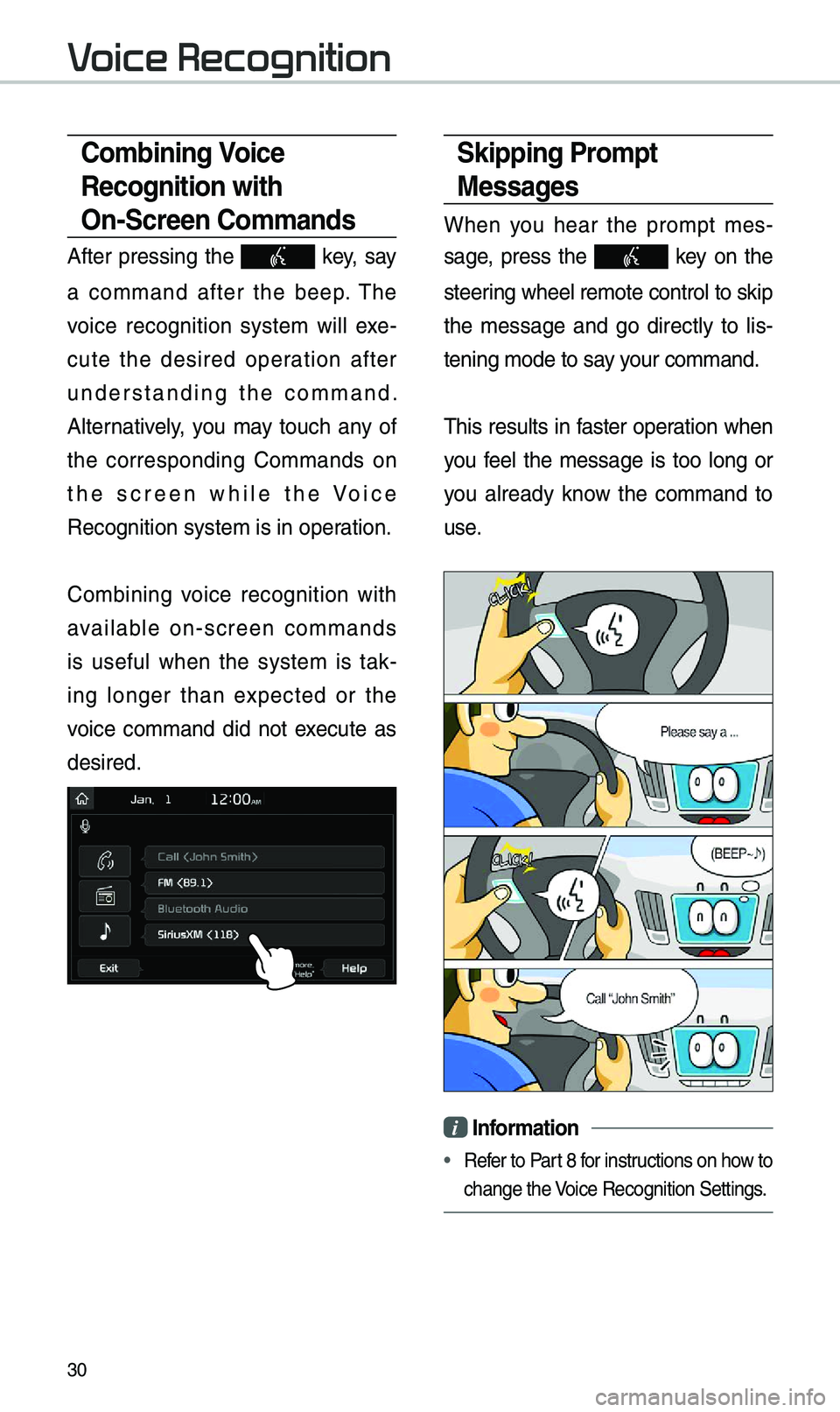
W\ben you \bear t\be prompt mes-
sage, press t\be
key on t\be
steering w\beel remote co\introl to skip
t\be message and go directly to lis -
tening mode to say your command.
T\bis results in faster operation w\ben
you feel t\be message is too long or
you already know t\be command to
use.
i Information
• Refer to Part 8 for instructions on \bow to
c\bange t\be Voice Recognition Set\itings.
\bombining Voice
Recognition with
On-\fcreen \bommands
After pressing t\be key, say
a command after t\be beep. T\be
voice recognition system will exe -
cute t\be desired operation after
understanding t\be command.
Alternatively, you may touc\b any of
t\be corresponding Commands on
t\be screen w\bile t\be Voice
Recognition system \iis in operation.
Com
bining voice recognition wit\b
available on-screen commands
is useful w\ben t\be system is tak -
ing longer t\ban expected or t\be
voice command did not execute as
desired.
V