2019 KIA SOUL warning light
[x] Cancel search: warning lightPage 338 of 564
Driving your vehicle
48
6
The Vehicle Stability Management
system is not a substitute for safe
driving practices but a supplemen-
tary function only. It is the respon-
sibility of the driver to always check
the speed and the distance to the
vehicle ahead. Always hold the
steering wheel firmly while driving.
Your vehicle is designed to activate according to the driver’s intention,
even with installed VSM. Always
follow all the normal precautions
for driving at safe speeds for the
conditions – including driving in
clement weather and on a slippery
road.Hill-start assist control (HAC)
A vehicle has the tendency to roll
back on a steep hill when it starts to
go after stopping. The Hill-start
Assist Control (HAC) prevents the
vehicle from rolling back by applying
the brakes automatically for about 2
seconds. The brakes are released
when the accelerator pedal is
depressed or after about 2 seconds.
The HAC is activated only for about 2
seconds, so when the vehicle is
starting off always depress the accel-
erator pedal.
Good braking practices
Check to be sure the parking brakeis not engaged and the parking
brake indicator light is out before
driving away.
Driving through water may get the brakes wet. They can also get wet
when the vehicle is washed. Wet
brakes can be dangerous! Your
vehicle will not stop as quickly if the
brakes are wet. Wet brakes may
cause the vehicle to pull to one
side.
To dry the brakes, apply the brakes
lightly until the braking action
returns to normal, taking care to
keep the vehicle under control at
all times. If the braking action does
not return to normal, stop as soon
as it is safe to do so and call an
authorized Kia dealer for assis-
tance.
WARNING- Maintaining
Brake Pressure on Incline
HAC does not replace the need
to apply brakes while stopped on
an incline. While stopped, make
sure you maintain brake pres-
sure sufficient to prevent your
vehicle from rolling backward
and causing an accident. Don’t
release the brake pedal until you
are ready to accelerate forward.
Page 341 of 564
651
Driving your vehicle
The warning light illumi-
nates on the LCD display,
when you cancel the AEB
system. The driver can
monitor the AEB ON/OFF status on
the LCD display. Also, the warning
light illuminates when the
ESC(Electronic Stability Control) is
tuned off (Traction & Stability Control
disabled.) When the warning light
remains ON with the AEB activated,
have your vehicle inspected by an
authorized Kia dealer.
The driver can select the initial warn-
ing activation time in the User
Settings in the instrument cluster
LCD display. The options for the ini-
tial Forward Collision Warning
include the following:
selected, the initial
Forward Collision Warning
is activated earlier than
normal. This setting maxi-
mizes the amount of dis-
tance between the vehicle
or pedestrian ahead before
the initial warning occurs.
selected, the initial
Forward Collision
Warning is activated nor-
mally. This setting allows
for a smaller amount of
distance between the
vehicle or pedestrian
ahead before the initial
warning occurs than
EARLY mode.
selected, the initial Forward
Collision Warning is activat-
ed later than normal. This
setting reduces the amount
of distance between the
vehicle or pedestrian ahead
before the initial warning
occurs. The driver can use it
when the traffic is not busy
on the road and driving
speed is lower.
Page 345 of 564
655
Driving your vehicle
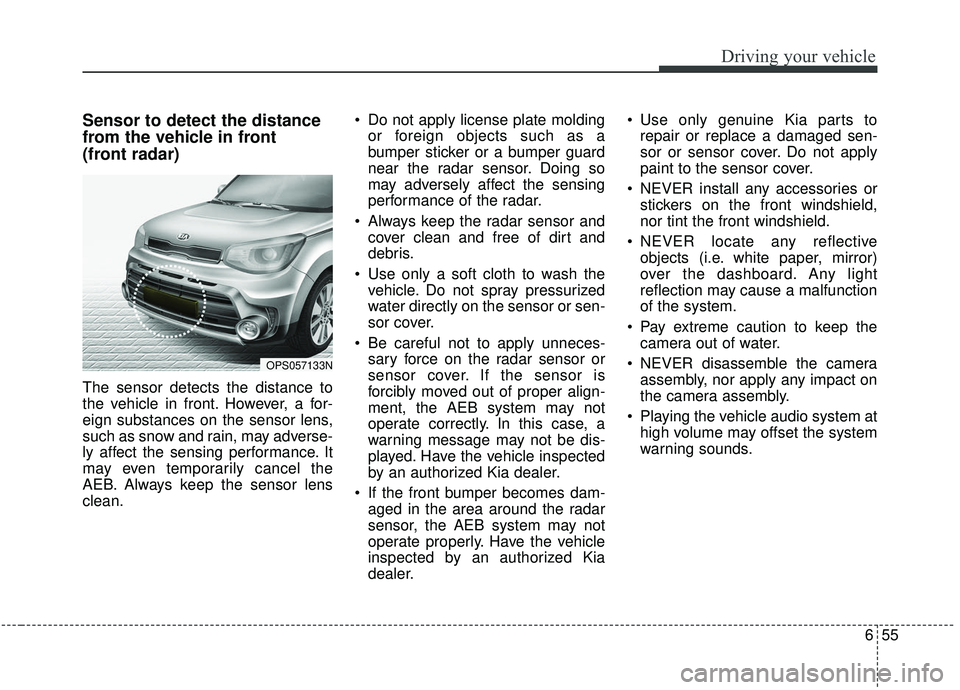
Sensor to detect the distance
from the vehicle in front
(front radar)
The sensor detects the distance to
the vehicle in front. However, a for-
eign substances on the sensor lens,
such as snow and rain, may adverse-
ly affect the sensing performance. It
may even temporarily cancel the
AEB. Always keep the sensor lens
clean. Do not apply license plate molding
or foreign objects such as a
bumper sticker or a bumper guard
near the radar sensor. Doing so
may adversely affect the sensing
performance of the radar.
Always keep the radar sensor and cover clean and free of dirt and
debris.
Use only a soft cloth to wash the vehicle. Do not spray pressurized
water directly on the sensor or sen-
sor cover.
Be careful not to apply unneces- sary force on the radar sensor or
sensor cover. If the sensor is
forcibly moved out of proper align-
ment, the AEB system may not
operate correctly. In this case, a
warning message may not be dis-
played. Have the vehicle inspected
by an authorized Kia dealer.
If the front bumper becomes dam- aged in the area around the radar
sensor, the AEB system may not
operate properly. Have the vehicle
inspected by an authorized Kia
dealer. Use only genuine Kia parts to
repair or replace a damaged sen-
sor or sensor cover. Do not apply
paint to the sensor cover.
NEVER install any accessories or stickers on the front windshield,
nor tint the front windshield.
NEVER locate any reflective objects (i.e. white paper, mirror)
over the dashboard. Any light
reflection may cause a malfunction
of the system.
Pay extreme caution to keep the camera out of water.
NEVER disassemble the camera assembly, nor apply any impact on
the camera assembly.
Playing the vehicle audio system at high volume may offset the system
warning sounds.
OPS057133N
Page 346 of 564
Driving your vehicle
56
6
Warning message and warning
light
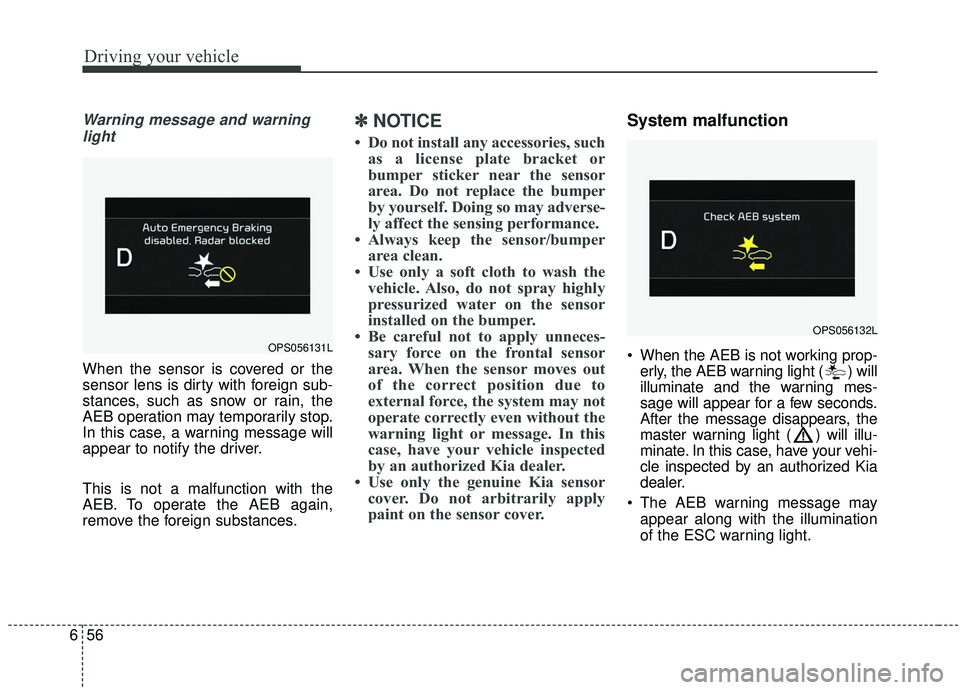
When the sensor is covered or the
sensor lens is dirty with foreign sub-
stances, such as snow or rain, the
AEB operation may temporarily stop.
In this case, a warning message will
appear to notify the driver.
This is not a malfunction with the
AEB. To operate the AEB again,
remove the foreign substances.
✽ ✽ NOTICE
• Do not install any accessories, such
as a license plate bracket or
bumper sticker near the sensor
area. Do not replace the bumper
by yourself. Doing so may adverse-
ly affect the sensing performance.
• Always keep the sensor/bumper area clean.
• Use only a soft cloth to wash the vehicle. Also, do not spray highly
pressurized water on the sensor
installed on the bumper.
• Be careful not to apply unneces- sary force on the frontal sensor
area. When the sensor moves out
of the correct position due to
external force, the system may not
operate correctly even without the
warning light or message. In this
case, have your vehicle inspected
by an authorized Kia dealer.
• Use only the genuine Kia sensor cover. Do not arbitrarily apply
paint on the sensor cover.
System malfunction
When the AEB is not working prop-
erly, the AEB warning light ( ) will
illuminate and the warning mes-
sage will appear for a few seconds.
After the message disappears, the
master warning light ( ) will illu-
minate. In this case, have your vehi-
cle inspected by an authorized Kia
dealer.
The AEB warning message may appear along with the illumination
of the ESC warning light.OPS056131L
OPS056132L
Page 354 of 564

Driving your vehicle
64
6
1. Cruise indicator
2. Cruise set indicator
The cruise control system allows you
to program the vehicle to maintain a
constant speed without pressing the
accelerator pedal.
This system is designed to function
above approximately 30 km/h (20
mph ). If the cruise control is left on
(CRUISE indicator light in the
instrument cluster illuminated), the
cruise control can be switched on
accidentally. Keep the cruise con-
trol system off (CRUISE indicator
light OFF) when the cruise control
is not in use, to avoid inadvertently
setting a speed.
Use the cruise control system only when traveling on open highways
in good weather.
Do not use the cruise control driv- ing in heavy or varying traffic, or on
slippery (rainy, icy or snow-cov-
ered) or winding roads or over 6%
up-hill or down-hill roads.
✽ ✽ NOTICE
• During normal cruise control opera-
tion, when the SET switch is activat-
ed or reactivated after applying the
brakes, the cruise control will ener-
gize after approximately 3 seconds.
The delay is normal.
• To activate cruise control, depress the brake pedal at least once after
turning the ignition switch to the
ON position or starting the engine.
"This is to check if the brake
switch, which is an important part
to canceling cruise control, is in
normal condition.
CRUISE CONTROL SYSTEM (IF EQUIPPED)
OPS053015
WARNING- Misuse of
Cruise Control
Do not use cruise control if the
traffic situation does not allow
you to drive safely at a constant
speed and with sufficient dis-
tance to the vehicle in front.
Page 368 of 564
Driving your vehicle
78
6
Radar check message
If the radar or cover is dirty or
obscured with foreign matter such as
snow, this message (“Smart Cruise
Control disabled temporarily”) will
appear and it will disappear after for
a while. In this case, the system may
not function temporarily, but it does
not indicate a malfunction of the
Smart Cruise Control System. Clean
the radar or cover by using a soft
cloth and it will operate normally.
SCC (Smart Cruise Control)
malfunction message
The message (“Check Smart Cruise
Control System”) will appear when
the vehicle to vehicle distance control
system is not functioning normally.
Take your vehicle to an authorized
Kia dealer and have the system
checked. Always keep the sensor and
bumper clean.
Use only a genuine Kia sensor cover for your vehicle.
Do not install accessories around the sensor and do not replace the
bumper by yourself. It may interfere
with the sensor performance.
Impact damage to the sensor or sensor area may cause the sensor
to move slightly off position and
result in the SCC not operating
correctly without any warning or
indicator from the cluster. If this
occurs, have your vehicle checked
by an authorized Kia dealer as
soon as possible. Do not apply license plate frame or
foreign objects such as a bumper
sticker or a bumper guard near the
radar sensor. Doing so may
adversely affect the sensing per-
formance of the radar.
Always keep the radar sensor and lens cover clean and free of dirt
and debris.
Use only a soft cloth to wash the vehicle. Do not spray pressurized
water directly on the sensor or sen-
sor cover.
Be careful not to apply unneces- sary force on the radar sensor or
sensor cover. If the sensor is
forcibly moved out of proper align-
ment, the Smart Cruise Control
System may not operate correctly.
In this case, a warning message
may not be displayed. Have the
vehicle inspected by an authorized
Kia dealer.
If the front bumper becomes dam- aged in the area around the radar
sensor, the Smart Cruise Control
System may not operate properly.
Have the vehicle inspected by an
authorized Kia dealer.
CAUTION - Sensor
Damage
To prevent sensor cover dam-age from occurring, wash thecar with a soft cloth.
Page 369 of 564
679
Driving your vehicle
Use only genuine Kia parts torepair or replace a damaged sen-
sor or sensor cover. Do not apply
paint to the sensor cover.To adjust the sensitivity of
Smart Cruise Control
The sensitivity of vehicle speed when
following the front vehicle to maintain
the set distance can be adjusted. Go
to the User Settings Mode (Driving
Assist) and select SCC (Smart
Cruise Control). You may select one
of the three stages you prefer.
Slow:
Vehicle speed following the front
vehicle to maintain the set distance
is slower than normal speed.
Normal: Vehicle speed following the front
vehicle to maintain the set distance
is normal
Fast: Vehicle speed following the front
vehicle to maintain the set distance
is faster than normal speed.
✽ ✽ NOTICE
The system remembers the last
selected mode.
To convert to cruise control
mode:
The driver may choose to only use
the cruise control mode (speed con-
trol function) by doing as follows:
1.Turn the SCC on (the cruise indi-
cator light will be on but the system
will not be activated).
2.Push the distance to distance switch for more than 2 seconds.
3.Choose between “Smart cruise control (SCC) mode” and “Cruise
control (CC) mode”.
WARNING
When using the cruise control
mode, ensure it is safe to use
the feature by assessing the
distance to other vehicles since
the system will not automatical-
ly slow down to avoid an acci-
dent.
Page 378 of 564
Driving your vehicle
88
6
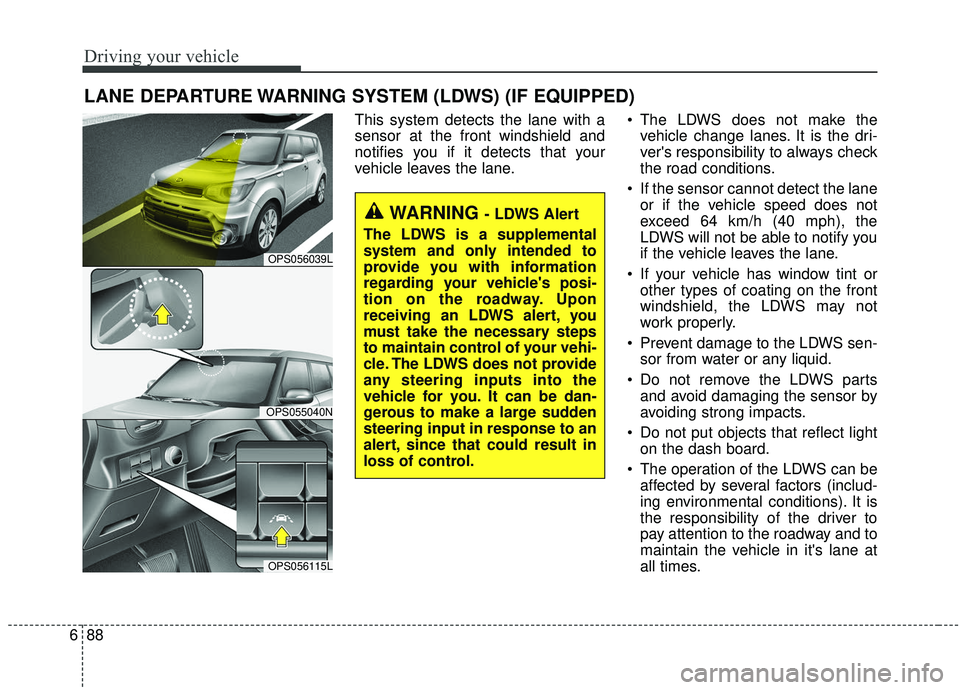
This system detects the lane with a
sensor at the front windshield and
notifies you if it detects that your
vehicle leaves the lane. The LDWS does not make the
vehicle change lanes. It is the dri-
ver's responsibility to always check
the road conditions.
If the sensor cannot detect the lane or if the vehicle speed does not
exceed 64 km/h (40 mph), the
LDWS will not be able to notify you
if the vehicle leaves the lane.
If your vehicle has window tint or other types of coating on the front
windshield, the LDWS may not
work properly.
Prevent damage to the LDWS sen- sor from water or any liquid.
Do not remove the LDWS parts and avoid damaging the sensor by
avoiding strong impacts.
Do not put objects that reflect light on the dash board.
The operation of the LDWS can be affected by several factors (includ-
ing environmental conditions). It is
the responsibility of the driver to
pay attention to the roadway and to
maintain the vehicle in it's lane at
all times.
LANE DEPARTURE WARNING SYSTEM (LDWS) (IF EQUIPPED)
WARNING - LDWS Alert
The LDWS is a supplemental
system and only intended to
provide you with information
regarding your vehicle's posi-
tion on the roadway. Upon
receiving an LDWS alert, you
must take the necessary steps
to maintain control of your vehi-
cle. The LDWS does not provide
any steering inputs into the
vehicle for you. It can be dan-
gerous to make a large sudden
steering input in response to an
alert, since that could result in
loss of control.
OPS056039L
OPS055040N
OPS056115L