2019 KIA SORENTO condi
[x] Cancel search: condiPage 353 of 573
Driving your vehicle
76
5
The vehicle will maintain the set
speed, when the lane ahead is
clear.
The vehicle will slow down or speed up within selected speed to
maintain the selected distance,
when there is a vehicle ahead of
you in the lane. (A vehicle will
appear in front of your vehicle in
the LCD display only when there is
an actual vehicle in front of you)
If the vehicle ahead speeds up, your vehicle will travel at a steady
cruising speed after accelerating to
the selected speed.
The warning chime sounds and LCD display blinks if it is hard to
maintain the selected distance to
the vehicle ahead.
If the warning chime sounds, actively adjust the vehicle speed by
depressing the brake pedal
according to the road condition
ahead and driving condition.
Even if the warning chime is not acti- vated, always pay attention to the
driving conditions to prevent danger-
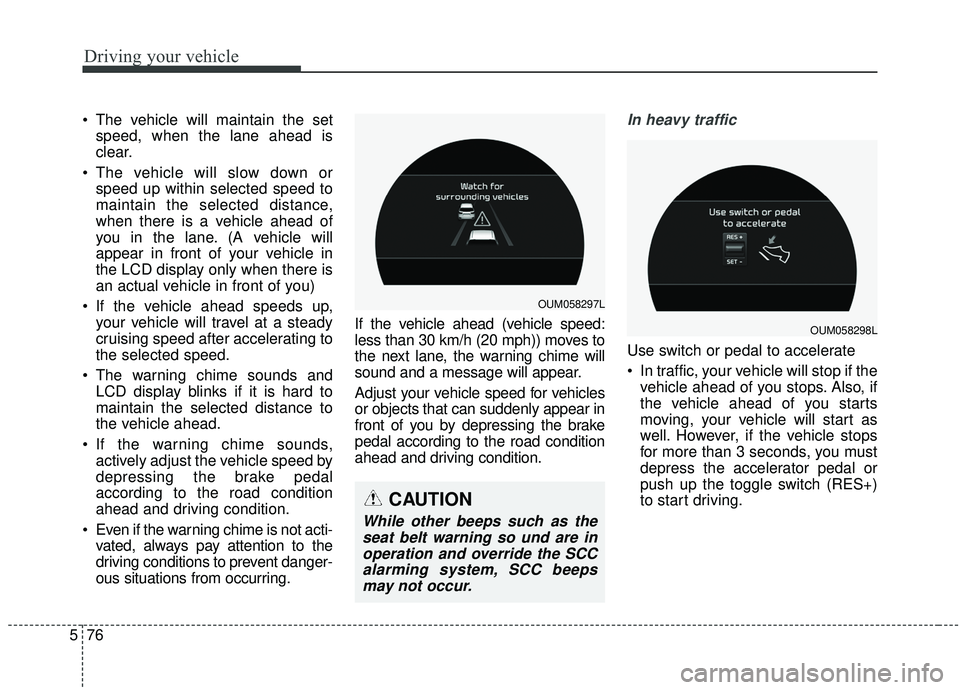
ous situations from occurring. If the vehicle ahead (vehicle speed:
less than 30 km/h (20 mph)) moves to
the next lane, the warning chime will
sound and a message will appear.
Adjust your vehicle speed for vehicles
or objects that can suddenly appear in
front of you by depressing the brake
pedal according to the road condition
ahead and driving condition.In heavy traffic
Use switch or pedal to accelerate
In traffic, your vehicle will stop if the
vehicle ahead of you stops. Also, if
the vehicle ahead of you starts
moving, your vehicle will start as
well. However, if the vehicle stops
for more than 3 seconds, you must
depress the accelerator pedal or
push up the toggle switch (RES+)
to start driving.
OUM058297L
OUM058298L
CAUTION
While other beeps such as theseat belt warning so und are inoperation and override the SCCalarming system, SCC beepsmay not occur.
Page 357 of 573
Driving your vehicle
80
5
Limitations of the system
The smart cruise control system may
have limits to its ability to detect dis-
tance to the vehicle ahead due to
road and traffic conditions.
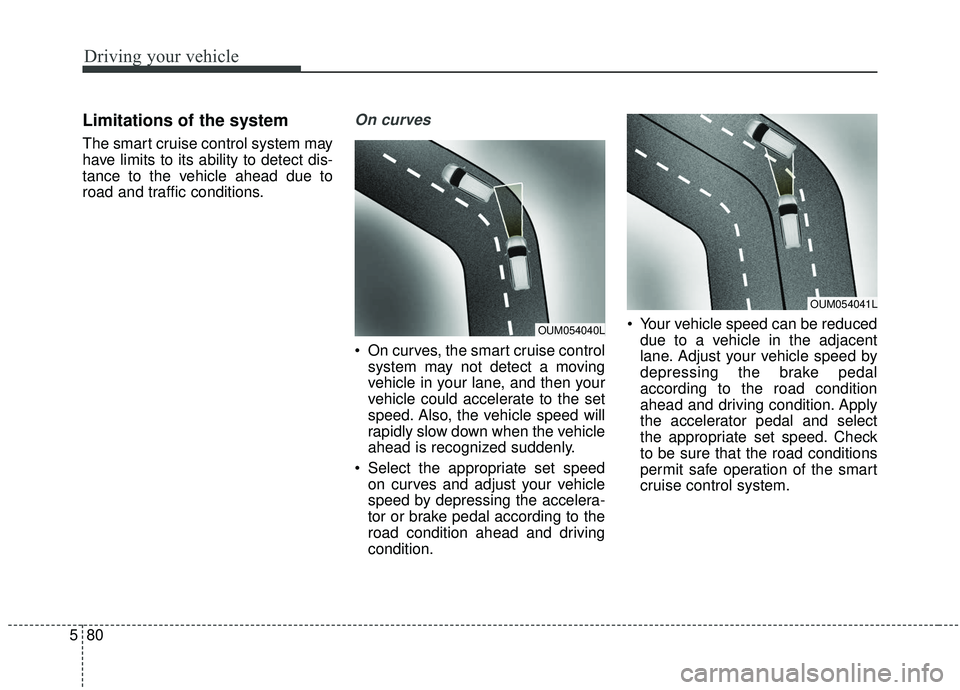
On curves
On curves, the smart cruise control
system may not detect a moving
vehicle in your lane, and then your
vehicle could accelerate to the set
speed. Also, the vehicle speed will
rapidly slow down when the vehicle
ahead is recognized suddenly.
Select the appropriate set speed on curves and adjust your vehicle
speed by depressing the accelera-
tor or brake pedal according to the
road condition ahead and driving
condition. Your vehicle speed can be reduced
due to a vehicle in the adjacent
lane. Adjust your vehicle speed by
depressing the brake pedal
according to the road condition
ahead and driving condition. Apply
the accelerator pedal and select
the appropriate set speed. Check
to be sure that the road conditions
permit safe operation of the smart
cruise control system.
OUM054041L
OUM054040L
Page 358 of 573

581
Driving your vehicle
On inclines
During uphill or downhill driving, thesmart cruise control system may
not detect a moving vehicle in your
lane, and cause your vehicle to
accelerate to the set speed. Also,
the vehicle speed will rapidly slow
down when the vehicle ahead is
recognized suddenly.
Select the appropriate set speed on inclines and adjust your vehicle
speed by depressing the accelera-
tor or brake pedal according to the
road condition ahead.
Lane changing
A vehicle which moves into yourlane from an adjacent lane cannot
be recognized by the sensor until it
is in the sensor's detection range.
The sensor may not detect imme- diately when a vehicle cuts in sud-
denly. Always pay attention to the
traffic, road and driving conditions.
If a vehicle which moves into your lane is slower than your vehicle,
your speed may decrease to main-
tain the distance to the vehicle
ahead. If a vehicle which moves into your
lane is faster than your vehicle,
your vehicle will accelerate to the
selected speed.
OUM054043LOUM054042L
Page 359 of 573

Driving your vehicle
82
5
Your vehicle may accelerate when
a vehicle ahead of you disappears.
When you are warned that the vehicle ahead of you is not detect-
ed, drive with caution.
Vehicle recognition
Some vehicles ahead in your lane
cannot be recognized by the sensor
as follows:
- Narrow vehicles such as motorcy-cles or bicycles
- Vehicles offset to one side
- Slow-moving vehicles or sudden- decelerating vehicles
- Stopped vehicles
- Vehicles with small rear profile such as trailers with no loads A vehicle ahead cannot be recog-
nized correctly by the sensor if any of
following occurs:
- When the vehicle is pointing
upwards due to overloading in the
liftgate
- While making turns by steering
- When driving to one side of the lane
- When driving on narrow lanes or on curves
Adjust your vehicle speed by
depressing the brake pedal accord-
ing to the road condition ahead and
driving condition.
OUM054045L
OUM054044L
Page 361 of 573

Driving your vehicle
84
5
- After an engine start, please stop
for several seconds. If system ini-
tialization is not completed, the
smart cruise control system does
not normally operate.
- After an engine start, if any objects are not detected or the sensor
cover is obscured with foreign sub-
stances, there is a possibility that
the smart cruise control system
system may not work.
- The following conditions may cause a malfunction: over-loading
the liftgate, suspension modifica-
tion, tire replacement with unau-
thorized tires or tires with different
tread wear and pressure levels.
- The smart cruise control system cannot guarantee the stop for
every emergency situation.
If an emergency stop is necessary,
you must apply the brakes.
- Keep a safe distance according to road conditions and vehicle speed.
If the vehicle to vehicle distance is
too close during a high-speed driv-
ing, a serious collision may result.
WARNING - Inclines &
Towing
Do not use smart cruise control
system on steep inclines or
when towing another vehicle or
trailer since such extreme load-
ing can interfere with your vehi-
cle's ability to maintain the
selected speed.WARNING
- Safe Use of smart cruise control system
The smart cruise control system
can provide you with an addition-
al level of safety and fatigue
reduction. However you must
maintain careful observation of
the roadway in front and around
you and maintain control of your
vehicle and spacing around
other vehicles as you normally
would. For example, this will
require you to apply the brakes
as needed when coming upon a
slower moving vehicle, or when a
vehicle from another lane drives
quickly in front of you.
Page 362 of 573
585
Driving your vehicle
- The smart cruise control systemcannot recognize a stopped vehi-
cle, pedestrians or an oncoming
vehicle. Always look ahead cau-
tiously to prevent unexpected and
suddensituations from occurring.
- When other vehicles are changing lanes in front of you frequently, the
smart cruise control system may
not operate appropriately. Always
look ahead cautiously to prevent
unexpected and sudden situations
from occurring.
- The smart cruise control system is not a substitute for safedriving
practices but a convenience func-
tion only. It is the responsibility of
the driver to always check the
speed and the distance to the vehi-
cle ahead.
- Always be aware of the selected speed and vehicle to vehicle dis-
tance.
- Always maintain sufficient braking distance and decelerate your vehi-
cle by applying the brakes if neces-
sary. This device complies with Industry
Canada licence-exempt RSS stan-
dard(s).
Operation is subject to the following
three conditions:
(1) This device may not cause inter-
ference, and
(2) This device must accept any
interference, including interfer-
ence that may cause undesired
operation of the device.
(3) Changes or modifications not
expressly approved by the party
responsible for compliance could
void the user’s authority to oper-
ate the device.
Page 363 of 573
Driving your vehicle
86
5
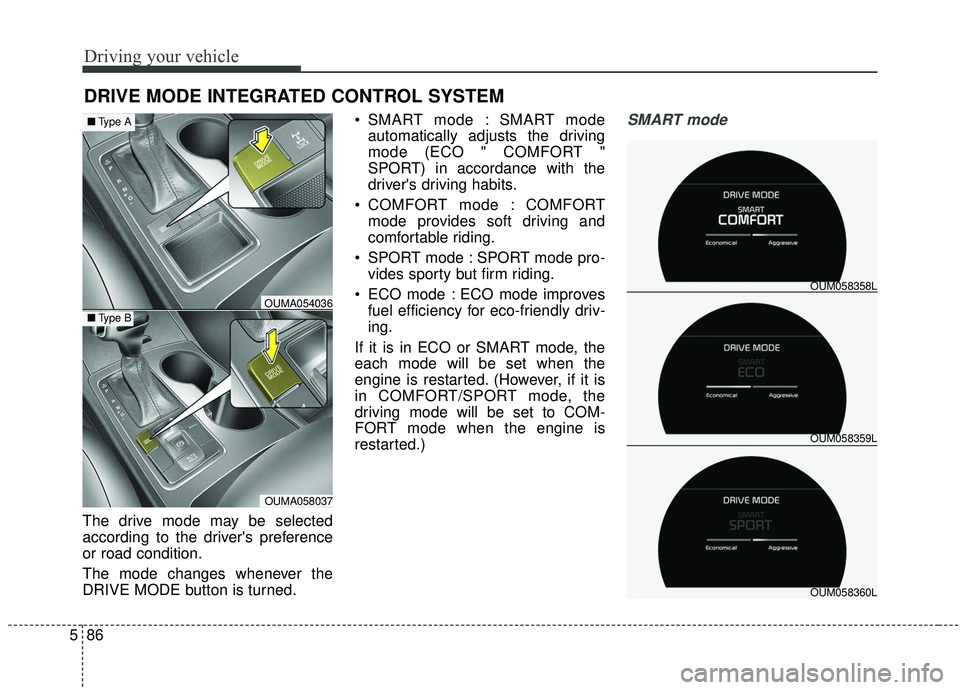
The drive mode may be selected
according to the driver's preference
or road condition.
The mode changes whenever the
DRIVE MODE button is turned. SMART mode : SMART mode
automatically adjusts the driving
mode (ECO " COMFORT "
SPORT) in accordance with the
driver's driving habits.
COMFORT mode : COMFORT mode provides soft driving and
comfortable riding.
SPORT mode : SPORT mode pro- vides sporty but firm riding.
ECO mode : ECO mode improves fuel efficiency for eco-friendly driv-
ing.
If it is in ECO or SMART mode, the
each mode will be set when the
engine is restarted. (However, if it is
in COMFORT/SPORT mode, the
driving mode will be set to COM-
FORT mode when the engine is
restarted.)
SMART mode
DRIVE MODE INTEGRATED CONTROL SYSTEM
OUM058359L OUM058358L
OUM058360L
OUMA054036
OUMA058037
■ Type B
■Type A
Page 365 of 573
Driving your vehicle
88
5
Various driving situations, which you
may encounter in SMART mode
The driving mode automatically
changes to ECO mode after a cer-
tain period of time, when you gen-
tly depress the accelerator pedal
(Your driving is categorized to be
mild.).
The driving mode automatically changes from SMART ECO mode
to SMART COMFORT mode after
a certain period of time, when you
sharply or repetitively depress the
accelerator pedal.
The driving mode automatically changes to SMART COMFORT
mode with the same driving pat-
terns, when the vehicle starts to
drive on an upward slope of a cer-
tain angle. The driving mode auto-
matically returns to SMART ECO
mode, when the vehicle enters a
leveled road. The driving mode automatically
changes to SMART SPORT, when
you abruptly accelerate the vehicle
or repetitively operate the steering
wheel (Your driving is categorized
to be sporty.). In this mode, your
vehicle drives in a lower gear for
abrupt accelerating/decelerating
and increases the engine brake
performance.
You may still sense the engine brake performance, even when you
release the accelerator pedal in
SMART SPORT mode. It is
because your vehicle remains to
be in a lower gear over a certain
period of time for next acceleration.
Thus, it is a normal driving situa-
tion, not indicating any malfunc-
tion.
The driving mode automatically changes to SMART SPORT mode
only in harsh driving situations. In
most of the normal driving situa-
tions, the driving mode sets to be
either in SMART ECO mode or in
SMART COMFORT mode. Limitation of SMART mode
The SMART mode may be limited in
following situations. (The OFF indica-
tor illuminates in those situations.)
The driver manually moves the
shift lever : It deactivates SMART
mode. The vehicle drives, as the
driver manually moves the shift
lever.
The cruise control is activated : The cruise system may deactivate
the SMART mode. When a higher
system is set by the cruise system,
it starts to control vehicle speed
and deactivates SMART mode.
(SMART mode is not deactivated
just by activing the cruise system.)
The transmission oil temperature is either extremely low or extremely
high : The SMART mode can be
active in most of the normal driving
situations. However, an extremely
high/ low transmission oil tempera-
ture may temporarily deactivate the
SMART mode, because the trans-
mission condition is out of normal
operation condition.