Page 244 of 611

4109
Features of your vehicle
Rear parking assist system
precautions
The rear parking assist systemmay not sound consistently
depending on the speed and
shapes of the objects detected.
The rear parking assist system may malfunction if the vehicle bumper
height or sensor installation has
been modified or damaged. Any
non-factory installed equipment or
accessories may also interfere with
the sensor performance.
The sensor may not recognize objects less than 15 in. (40 cm)
from the sensor, or it may sense an
incorrect distance. Use caution.
When the sensor is frozen or cov- ered with snow, dirt, or water, the
sensor may be inoperative until the
material is removed using a soft
cloth.
To prevent damage, do not push, scratch or strike the sensor.
✽ ✽ NOTICE
This system can only sense objects
within the range and location of the
sensors. It cannot detect objects in
other areas where sensors are not
installed. Also, small or slim objects,
such as poles or objects located
between sensors may not be detected
by the sensors.
Always visually check behind the
vehicle when backing up.
Be sure to inform any drivers of the
vehicle that may be unfamiliar with
the system regarding the system's
capabilities and limitations.
Self-diagnosis
If you don’t hear an audible warning
sound or if the buzzer sounds inter-
mittently when shifting the gear to the
R (Reverse) position, this may indi-
cate a malfunction in the rear parking
assist system. If this occurs, have
your vehicle checked by an author-
ized Kia dealer as soon as possible.
✽ ✽NOTICE
Your new vehicle warranty does not
cover any accidents or damage to
the vehicle or injuries to its occu-
pants due to a rear parking assist
system malfunction. Always drive
safely and cautiously.
Page 247 of 611

Features of your vehicle
112
4
✽ ✽
NOTICE
• This system can only sense objects
within the range and location of
the sensors; It can not detect
objects in other areas where sen-
sors are not installed. Also, small
or slim objects, such as poles or
objects located between sensors
may not be detected by the sen-
sors. Always visually check behind
the vehicle when backing up.
• Be sure to inform any drivers of the vehicle that may be unfamiliar
with the system regarding the sys-
tems capabilities and limitations.
Non-operational conditions of
parking assist system
Parking assist system may not
operate normally when:
1. Moisture is frozen to the sensor. (It will operate normally when mois-
ture melts.)
2. Sensor is covered with foreign matter, such as snow or water, or
the sensor cover is blocked. (It will
operate normally when the materi-
al is removed or the sensor is no
longer blocked.)
3. Sensor is stained with foreign mat- ter such as snow or water.
(Sensing range will return to nor-
mal when removed.)
4.The parking assist button is off.
There is a possibility of parking assist system malfunction when:
1. Driving on uneven road surfaces such as unpaved roads, gravel,
bumps, or gradient.
2. Objects generating excessive noise such as vehicle horns, loud
motorcycle engines, or truck air
brakes can interfere with the sen-
sor.
3. Heavy rain or water spray.
4. Wireless transmitters or mobile phones present near the sensor.
5. Sensor is covered with snow.
Page 249 of 611

Features of your vehicle
114
4
Pay close attention when the vehicle
is driven close to objects on the
road, particularly pedestrians, and
especially children. Be aware that
some objects may not be detected
by the sensors, due to the objects
distance, size or material, all of
which can limit the effectiveness of
the sensor. Always perform a visual
inspection to make sure the vehicle
is clear of all obstructions before
moving the vehicle in any direction.Self-diagnosis
When you shift the gear to the R
(Reverse) position and if one or more
of the below occurs you may have a
malfunction in the parking assist sys-
tem.
You don't hear an audible warning
sound or if the buzzer sounds inter-
mittently.
If this occurs, we recommend that the
system be checked by an authorized
Kia dealer.
✽ ✽ NOTICE
Your new vehicle warranty does not
cover any accidents or damage to
the vehicle or injuries to its occu-
pants related to a parking assist sys-
tem. Always drive safely and cau-
tiously.
is displayed. (if equipped)
(blinks)
Page 250 of 611
4115
Features of your vehicle
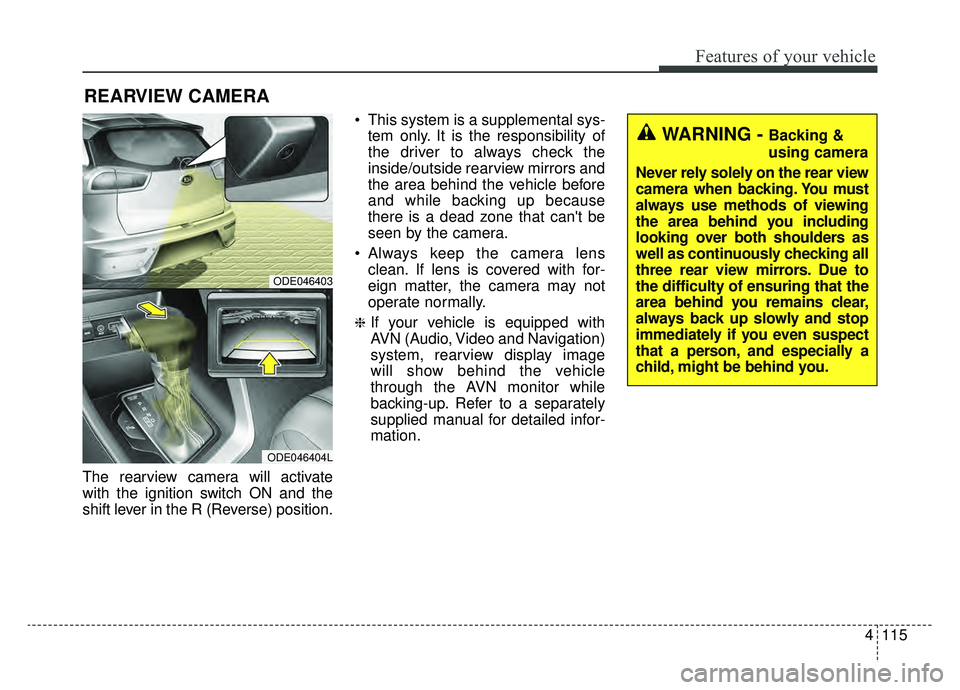
The rearview camera will activate
with the ignition switch ON and the
shift lever in the R (Reverse) position. This system is a supplemental sys-
tem only. It is the responsibility of
the driver to always check the
inside/outside rearview mirrors and
the area behind the vehicle before
and while backing up because
there is a dead zone that can't be
seen by the camera.
Always keep the camera lens clean. If lens is covered with for-
eign matter, the camera may not
operate normally.
❈If your vehicle is equipped with
AVN (Audio, Video and Navigation)
system, rearview display image
will show behind the vehicle
through the AVN monitor while
backing-up. Refer to a separately
supplied manual for detailed infor-
mation.
REARVIEW CAMERA
WARNING - Backing &
using camera
Never rely solely on the rear view
camera when backing. You must
always use methods of viewing
the area behind you including
looking over both shoulders as
well as continuously checking all
three rear view mirrors. Due to
the difficulty of ensuring that the
area behind you remains clear,
always back up slowly and stop
immediately if you even suspect
that a person, and especially a
child, might be behind you.
ODE046403
ODE046404L
Page 283 of 611
Features of your vehicle
148
4
To cancel or reset the Auto Defogging
System
Press the front windshield defroster
button for 3 seconds when the igni-
tion switch is in the ON position.
- A Type
When the ADS system is canceled,
ADS OFF symbol will blink 3 times
per 0.5 sec and ADS OFF will be dis-
played on the climate control infor-
mation screen.
When the ADS system is reset, ADS
OFF symbol will blink 6 times per
0.25 sec and ADS OFF will disap-
pear on the climate control informa-
tion screen.
- B Type
When the ADS system is canceled,
the indicator light on the button will
blink 3 times per 0.5 sec.
When the ADS system is reset, the
indicator light on the button will blink
6 times per 0.25 sec.CAUTION
Do not remove the sensor cover
located on the upper end of thepassenger side windshieldglass. Damage to the systemparts could occur and may notbe covered by your vehicle war-ranty.
Page 284 of 611
4149
Features of your vehicle
STORAGE COMPARTMENTS
These compartments can be used to
store small items required by the
driver or passengers.
To avoid possible theft, do notleave valuables in the storage
compartment.
Always keep the storage compart- ment covers closed while driving.
Do not attempt to place so many
items in the storage compartment
that the storage compartment
cover can not close securely.Center console storage
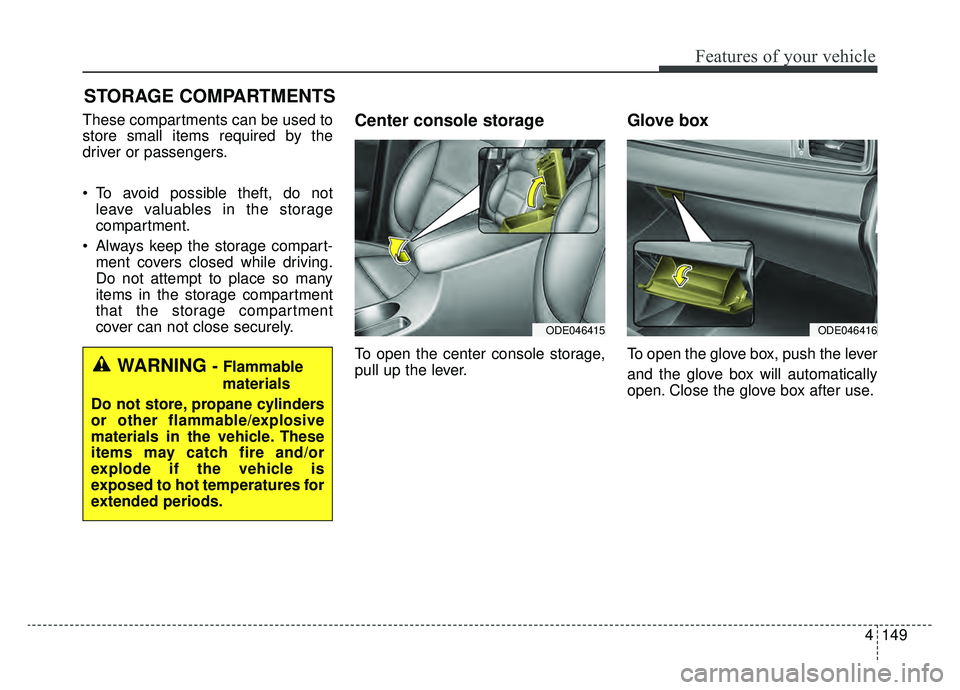
To open the center console storage,
pull up the lever.
Glove box
To open the glove box, push the lever
and the glove box will automatically
open. Close the glove box after use.WARNING - Flammable
materials
Do not store, propane cylinders
or other flammable/explosive
materials in the vehicle. These
items may catch fire and/or
explode if the vehicle is
exposed to hot temperatures for
extended periods.
ODE046416ODE046415
Page 285 of 611
Features of your vehicle
150
4
✽ ✽
NOTICE
If the temperature control knob is in
the warm or hot position, warm or
hot air will flow into the glove box.
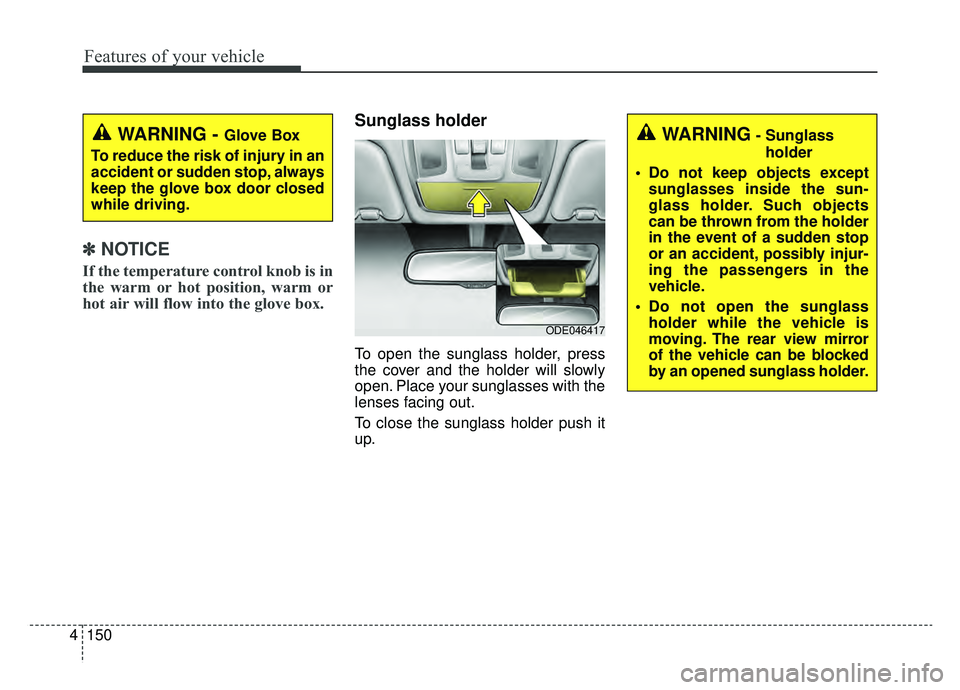
Sunglass holder
To open the sunglass holder, press
the cover and the holder will slowly
open. Place your sunglasses with the
lenses facing out.
To close the sunglass holder push it
up.
WARNING - Glove Box
To reduce the risk of injury in an
accident or sudden stop, always
keep the glove box door closed
while driving.WARNING- Sunglass holder
Do not keep objects except sunglasses inside the sun-
glass holder. Such objects
can be thrown from the holder
in the event of a sudden stop
or an accident, possibly injur-
ing the passengers in the
vehicle.
Do not open the sunglass holder while the vehicle is
moving. The rear view mirror
of the vehicle can be blocked
by an opened sunglass holder.
ODE046417
Page 286 of 611
4151
Features of your vehicle
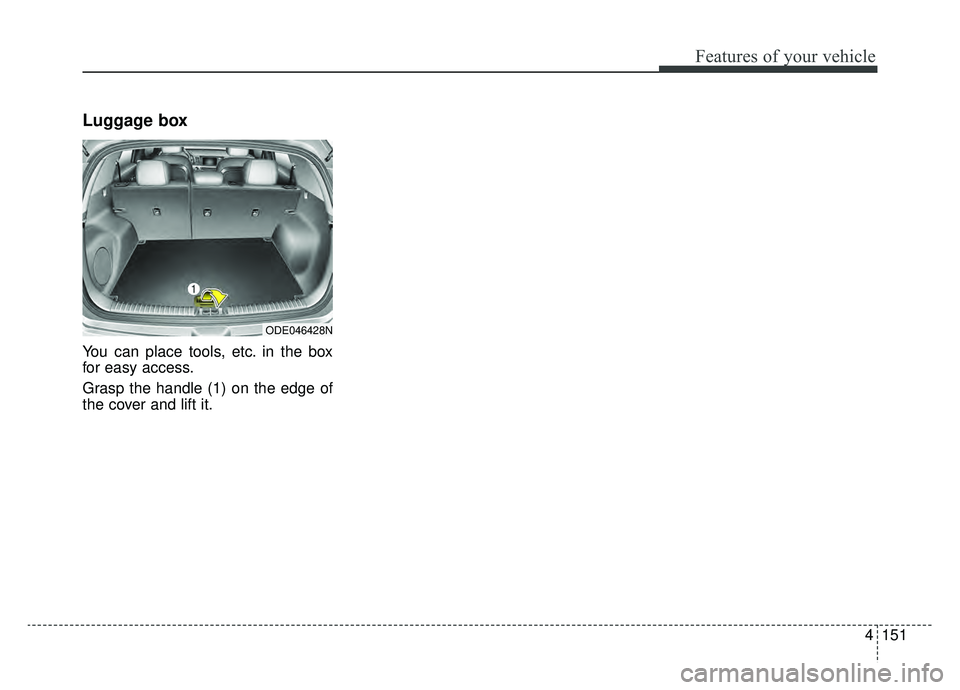
Luggage box
You can place tools, etc. in the box
for easy access.
Grasp the handle (1) on the edge of
the cover and lift it.
ODE046428N