Page 140 of 550
455
Features of your vehicle
✽ ✽NOTICE
-
Electric type outside rearview
mirror
The electric type outside rearview
mirror operates even though the
ignition switch is in the OFF posi-
tion. However, to prevent unneces-
sary battery discharge, do not
adjust the mirrors longer than nec-
essary while the engine is not run-
ning.
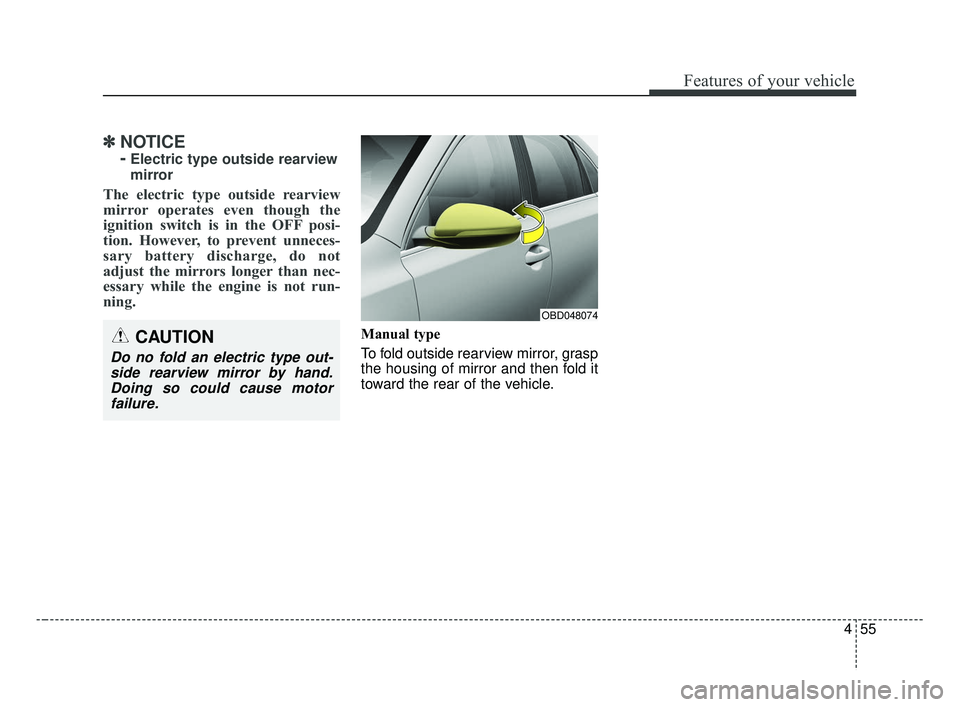
Manual type
To fold outside rearview mirror, grasp
the housing of mirror and then fold it
toward the rear of the vehicle.CAUTION
Do no fold an electric type out-
side rearview mirror by hand.Doing so could cause motorfailure.
OBD048074
BDm CAN (ENG) 4.qxp 7/4/2018 10:05 AM Page 55
Page 158 of 550

473
Features of your vehicle
Lights
One Touch Turn Signal- Off : The one touch turn signalfunction will be deactivated.
- 3, 5, 7 Flashes : The lane change signals will blink 3, 5, or 7 times
when the turn signal lever is
moved slightly.
❈ For more details, refer to “Light” in
this chapter.
Head Lamp Delay - If this item is checked, the headlamp delay function will be acti-
vated. Sound
Volume for Parking Distance
Warning (if equipped)
- Adjust the Parking distance warn-ing volume. (Level 1 ~ 3)
❈ For more details, refer to “Parking
distance warning System” in this
chapter.
- If this itemis is checked, the wel-come sound function will be acti-
vated. Convenience
Welcome Mirror/Light (if equipped) :
- If this item is checked, the wel-come Mirror/light function will be
activated.
Wireless Charging System (if equipped) :
- If this item is checked, the wire-less charging system function will
be activated.
Wiper/Light Display (if equipped) : - If this item is checked, theWiper/Light Display will be activat-
ed.
Gear position pop-up (if equipped) : To activate or deactivate the gear
position pop-up. When activated,
the gear position will be displayed
in the cluster LCD display.
Icy road warning (if equipped) : If this item is checked, the Icy road
warning display will be activated.
BDm CAN (ENG) 4.qxp 7/4/2018 10:06 AM Page 73
Page 184 of 550
499
Features of your vehicle
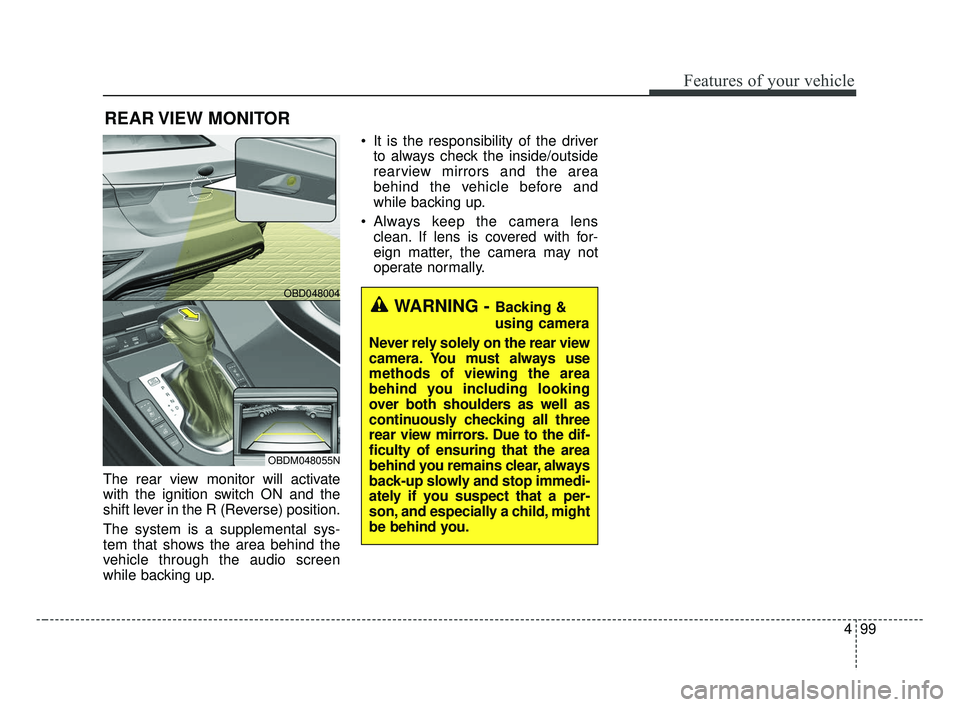
The rear view monitor will activate
with the ignition switch ON and the
shift lever in the R (Reverse) position.
The system is a supplemental sys-
tem that shows the area behind the
vehicle through the audio screen
while backing up. It is the responsibility of the driver
to always check the inside/outside
rearview mirrors and the area
behind the vehicle before and
while backing up.
Always keep the camera lens clean. If lens is covered with for-
eign matter, the camera may not
operate normally.
REAR VIEW MONITOR
WARNING - Backing &
using camera
Never rely solely on the rear view
camera. You must always use
methods of viewing the area
behind you including looking
over both shoulders as well as
continuously checking all three
rear view mirrors. Due to the dif-
ficulty of ensuring that the area
behind you remains clear, always
back-up slowly and stop immedi-
ately if you suspect that a per-
son, and especially a child, might
be behind you.
OBD048004
OBDM048055N
BDm CAN (ENG) 4.qxp 7/4/2018 10:07 AM Page 99
Page 190 of 550

4105
Features of your vehicle
(Continued) When front visibility is poor - When the lamp of the on-com-ing or front vehicle is coveredwith dust, snow or water.
- When the light from the on- coming or front vehicle is notdetected because of exhaustfume, smoke, fog, snow, etc.
- When the front window is cov- ered with foreign matters.
- When it is hard to see because of fog, heavy rain orsnow and etc.(Continued)
- When driving on a narrowcurved road, rough road,downhill or uphill.
- When only part of the vehicle in front is visible on a cross-road or curved road.
- When there is a traffic light, reflecting sign, flashing signor mirror ahead.
- When there is a temporary reflector or flash ahead (con-struction area).
- When the road conditions are bad such as being wet, iced orcovered with snow.
- When a vehicle suddenly appears from a curve.
- When the vehicle is tilted from a flat tire or being towed.
(Continued)CAUTION
The High Beam Assist systemmay not work properly in the fol-lowing situations:
When the light from a vehicle is poor
- When the light from a vehicle is not detected because oflamp damage, hidden fromsight, etc.
- When the lamp of a vehicle is covered with dust, snow orwater.
- When a vehicle's headlamps are off but the fog lamps onand etc.
When external condition is intervened
- When there is a similar shape as a vehicle's lamps.
- When the headlamp is not repaired or replaced at anauthorized dealer.
- When headlamp aiming is not properly adjusted.
(Continued)
BDm CAN (ENG) 4.qxp 7/4/2018 10:07 AM Page 105
Page 191 of 550
Features of your vehicle
106
4
✽ ✽
NOTICE
• Do not disassemble a front view
camera temporarily for tinted
window or attaching any types of
coatings and accessories. If you
disassemble the camera and
assemble it again, take your vehi-
cle to an authorized Kia dealer
and have the system checked to
need a calibration.
• When you replace or reinstall the windshield glass or front view
camera, take your vehicle to an
authorized Kia dealer and have
the system checked.
• Be careful that water doesn't get into the High Beam Assist unit and
do not remove or damage parts of
the High Beam Assist system.
• Do not place objects on the dash board that reflect light such as
mirrors, white paper, etc. The sys-
tem may not be able to function if
sunlight is reflected. (Continued)(Continued)
• At times, the High Beam Assist
may not operate due to system
limitations. The system is for your
convenience only.
It is the responsibility of the driv-
er to drive safely and always check
the road conditions.
• When the system does not operate normally, change the lamp posi-
tion manually between the high
beam and low beam.
• Do not place any accessories, stickers or tint on the windshield.
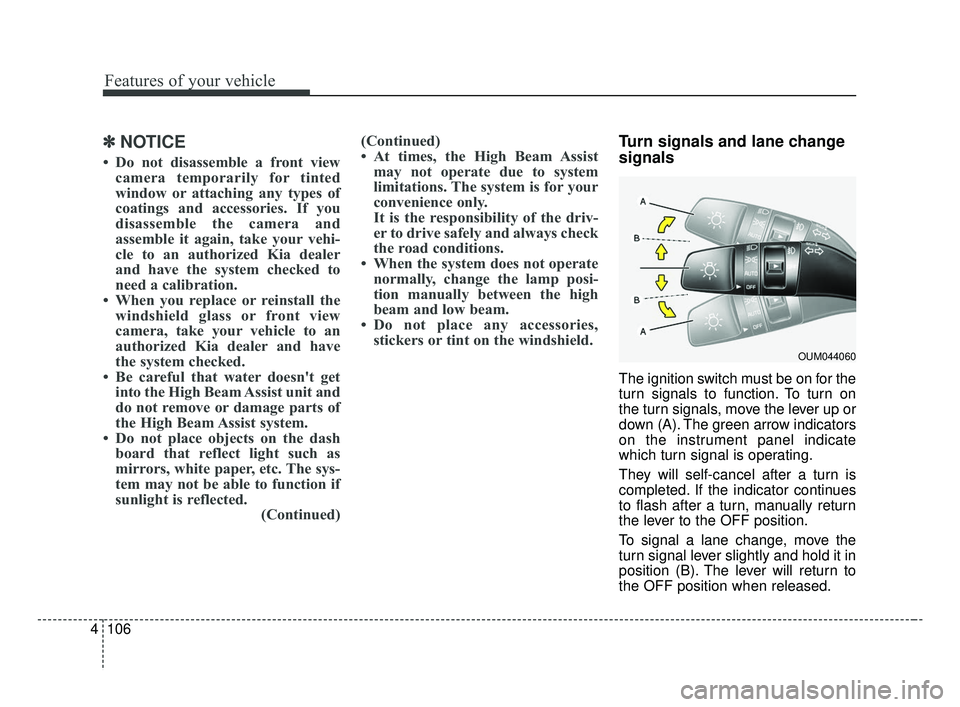
Turn signals and lane change
signals
The ignition switch must be on for the
turn signals to function. To turn on
the turn signals, move the lever up or
down (A). The green arrow indicators
on the instrument panel indicate
which turn signal is operating.
They will self-cancel after a turn is
completed. If the indicator continues
to flash after a turn, manually return
the lever to the OFF position.
To signal a lane change, move the
turn signal lever slightly and hold it in
position (B). The lever will return to
the OFF position when released.
OUM044060
BDm CAN (ENG) 4.qxp 7/4/2018 10:07 AM Page 106
Page 197 of 550
Features of your vehicle
112
4
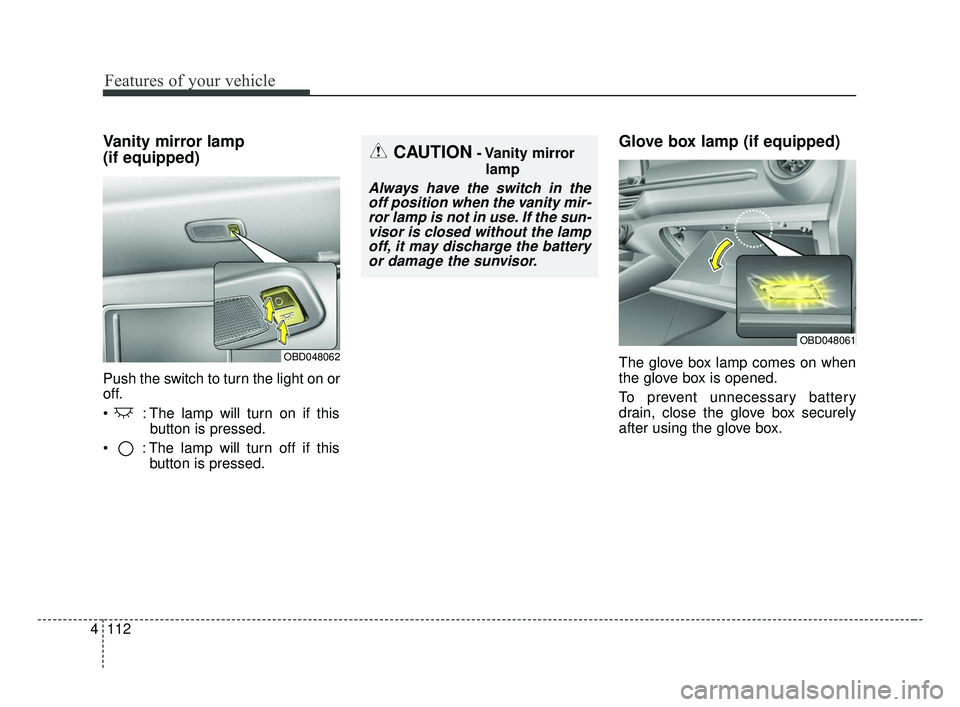
Vanity mirror lamp
(if equipped)
Push the switch to turn the light on or
off.
: The lamp will turn on if this
button is pressed.
: The lamp will turn off if this button is pressed.
Glove box lamp (if equipped)
The glove box lamp comes on when
the glove box is opened.
To prevent unnecessary battery
drain, close the glove box securely
after using the glove box.
CAUTION- Vanity mirror
lamp
Always have the switch in theoff position when the vanity mir-ror lamp is not in use. If the sun-visor is closed without the lampoff, it may discharge the batteryor damage the sunvisor.
OBD048061
OBD048062
BDm CAN (ENG) 4.qxp 7/4/2018 10:08 AM Page 112
Page 199 of 550
Features of your vehicle
114
4
If you want to defrost and defog the
front windshield, refer to “Windshield
defrosting and defogging” in this sec-
tion.
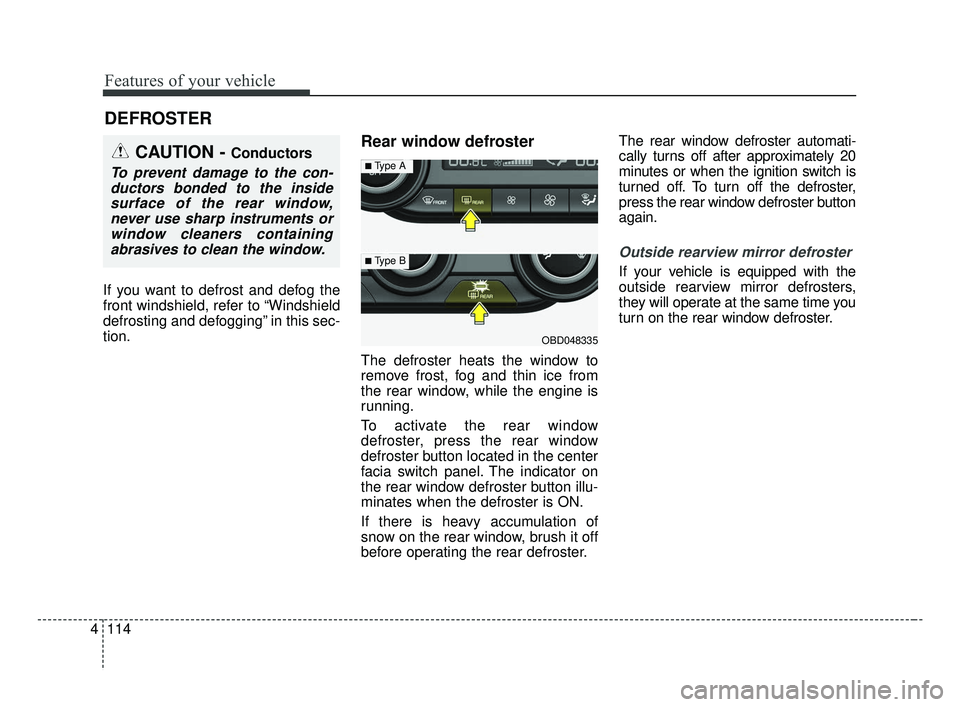
Rear window defroster
The defroster heats the window to
remove frost, fog and thin ice from
the rear window, while the engine is
running.
To activate the rear window
defroster, press the rear window
defroster button located in the center
facia switch panel. The indicator on
the rear window defroster button illu-
minates when the defroster is ON.
If there is heavy accumulation of
snow on the rear window, brush it off
before operating the rear defroster. The rear window defroster automati-
cally turns off after approximately 20
minutes or when the ignition switch is
turned off. To turn off the defroster,
press the rear window defroster button
again.
Outside rearview mirror defroster
If your vehicle is equipped with the
outside rearview mirror defrosters,
they will operate at the same time you
turn on the rear window defroster.
DEFROSTER
CAUTION - Conductors
To prevent damage to the con-
ductors bonded to the insidesurface of the rear window,never use sharp instruments orwindow cleaners containingabrasives to clean the window.
OBD048335
■Type A
■ Type B
BDm CAN (ENG) 4.qxp 7/4/2018 10:08 AM Page 114
Page 222 of 550

4137
Features of your vehicle
For maximum defrosting, set thetemperature control to the extreme
right/hot position and the fan speed
control to the highest speed.
If warm air to the floor is desired while defrosting or defogging, set
the mode to the floor-defrost posi-
tion.
Before driving, clear all snow and ice from the windshield, rear win-
dow, outside rear view mirrors, and
all side windows.
Clear all snow and ice from the hood and air inlet in the cowl grill to
improve heater and defroster effi-
ciency and to reduce the probabili-
ty of fogging up the inside of the
windshield.Manual climate control system
To defog inside windshield
1. Set the fan speed to the desired position.
2. Select desired temperature.
3. Select the or position.
4. The outside (fresh) air and air con- ditioning will be selected automat-
ically.
If the air conditioning and/or outside
(fresh) air position are not selected
automatically, press the correspon-
ding button manually.
WINDSHIELD DEFROSTING AND DEFOGGING
WARNING - Windshield
heating
Do not use the or posi-
tion during cooling operation in
extremely humid weather. The
difference between the temper-
ature of the outside air and the
windshield could cause the
outer surface of the windshield
to fog up, causing loss of visi-
bility. In this case, set the mode
selection to the position
and fan speed control to the
lower speed.
OBDM048323N
BDm CAN (ENG) 4.qxp 7/4/2018 10:09 AM Page 137