2019 Hyundai Tucson Chapter 8
[x] Cancel search: Chapter 8Page 192 of 685
3-100
Convenient features of your vehicle
Overspeed WarningLight (if equipped)
This warning light blinks:
• When you drive the vehicle more
than 120 km/h.
- This is to prevent you from drivingyour vehicle with overspeed.
- The overspeed warning chime also sound for approximately 5
seconds.
Master Warning Light
This indicator light illuminates:
• When there is a malfunction in the below systems.
- Low washer fluid (if equipped)
- Exterior lamp malfunction(if equipped)
- Blind-Spot Collision Warning (BCW) malfunction (if equipped)
- Tyre Pressure Monitoring System (TPMS, if equipped)
To identify the details of the warn-
ing, look at the LCD display.
Low Tyre Pressure Warning Light (if equipped)
This warning light illuminates:
• Once you set the ignition switch or
Engine Start/Stop button to the ON
position.
- It illuminates for approximately 3seconds and then goes off.
• When one or more of your tyres are significantly underinflated (The
location of the underinflated tyres
are displayed on the LCD display).
For more details, refer to “Tyre
Pressure Monitoring System
(TPMS)” in chapter 6.
120km/h
TLe UK 3a(~109).qxp 6/12/2018 2:28 PM Page 100
Page 193 of 685
3-101
Convenient features of your vehicle
3
This warning light remains on after
blinking for approximately 60 sec-
onds or repeats blinking and off at
the intervals of approximately 3
seconds:
• When there is a malfunction withthe TPMS.
In this case, we recommend that
you have the vehicle inspected by
a HYUNDAI authorised repairer as
soon as possible.
For more details, refer to
“Tyre Pressure Monitoring
System (TPMS)” in chapter 6.
Forward Collision- Avoidance Assist (FCA)system warning light (if equipped)
This indicator light illuminates:
• When you set the ignition switch or
Engine Start/Stop button to the ON
position.
- It illuminates for approximately 3seconds and then goes off.
• When there is a malfunction with the FCA.
In this case, we recommend that you
have the vehicle inspected by a
HYUNDAI authorised repairer.
For more details, refer to "Forward
Collision-Avoidance Assist (FCA)
system" in chapter 5.
Fuel Filter Warning Light (Diesel Engine)
This warning light illuminates:
• Once you set the ignition switch or
Engine Start/Stop Button to the ON
position.
- It illuminates for approximately 3seconds and then goes off.
• When water has accumulated inside the fuel filter.
In this case, remove the water from
the fuel filter.
For more details, refer to “Fuel Filter”
in chapter 7.
Safe Stopping
•The TPMS cannot alert you to
severe and sudden tyre dam-
age caused by external fac-
tors.
•If you notice any vehicle insta-
bility, immediately take your
foot off the accelerator pedal,
apply the brakes gradually with
light force, and slowly move to
a safe position off the road.
WARNING
TLe UK 3a(~109).qxp 6/12/2018 2:29 PM Page 101
Page 195 of 685
3-103
Convenient features of your vehicle
3
Exhaust System (DPF)Warning Light (for diesel engine,if equipped)
This warning light illuminates:
• When there is a malfunction with
Diesel Particulate Filter (DPF) sys-
tem.
• When this warning light illumi- nates, it may turn off after driving
the vehicle:
- at more than 37 mph (60 km/h), or
- at more than 2nd gear with 1500~ 2000 engine rpm for a certain
time (for about 25 minutes).
If this warning light blinks in spite of
the procedure (at this time LCD
warning message will be displayed),
we recommend that you have the
DPF system checked by a HYUNDAI
authorised repairer.
If you continue to drive with the
DPF warning light blinking for a
long time, the DPF system can be
damaged and fuel consumption
can worsen.
Exhaust System (GPF) Warning Light (for petrol engine,if equipped)
This warning light illuminates:
• When there is a malfunction with
the Petrol Particulate Filter (GPF)
system.
When this warning light illumi-
nates, it may turn off after driving
the vehicle:
- at more than 80 km/h (50 mph)for about 30 minutes (above 3rd
gear with 1500 ~ 4000 engine
rpm)
If this warning light blinks in spite of
the procedure (at this time LCD
warning message will be displayed),
we recommend that you have the
GPF system checked by a HYUNDAI
authorised repairer.
If you continue to drive with the
GPF warning light blinking for a
long time, the GPF system can be
damaged and fuel consumption
can worsen.
SCR warning light (for diesel engine,if equipped)
This warning light illuminates:
• When the urea solution tank is
nearly empty.
If the urea solution tank is nearly
empty:
• Refill urea solution as soon as pos- sible.
For more details, refer to "Low
urea solution warning message"
in the chapter 7.
NOTICENOTICE
TLe UK 3a(~109).qxp 6/12/2018 2:29 PM Page 103
Page 196 of 685
3-104
Convenient features of your vehicle
Indicator lights
Electronic StabilityControl (ESC) IndicatorLight (if equipped)
This indicator light illuminates:
• Once you set the ignition switch or
the Engine Start/Stop button to the
ON position.
- It illuminates for approximately 3seconds and then goes off.
• When there is a malfunction with the ESC system.
In this case, we recommend that
you have the vehicle inspected by
a HYUNDAI authorised repairer.
This indicator light blinks:
• Whilst the ESC is operating.
For more details, refer to “Electronic
Stability Control (ESC)” in chapter 5.
Electronic StabilityControl (ESC) OFFIndicator Light (if equipped)
This indicator light illuminates:
• Once you set the ignition switch or
the Engine Start/Stop button to the
ON position.
- It illuminates for approximately 3 seconds and then goes off.
• When you deactivate the ESC sys- tem by pressing the ESC OFF but-
ton.
For more details, refer to “Electronic
Stability Control (ESC)” in chapter 5.
AUTO STOP Indicator Light (if equipped)
This indicator light illuminates:
• When the engine enters the Idle
Stop mode of the ISG (Idle Stop and
Go) system.
• When the automatic starting occurs, the AUTO STOP indicator on the
cluster will blink for 5 seconds.
For more details, refer to the “ISG
(Idle Stop and Go) system” in chap-
ter 5.
Information
When the engine automatically starts
by the ISG system, some warning
lights(ABS, ESC, ESC OFF, EPS or
Parking brake warning light) may
turn on for a few seconds.
This happens because of low battery
voltage. It does not mean the system
has malfunctioned.
i
TLe UK 3a(~109).qxp 6/12/2018 2:29 PM Page 104
Page 197 of 685
3-105
Convenient features of your vehicle
3
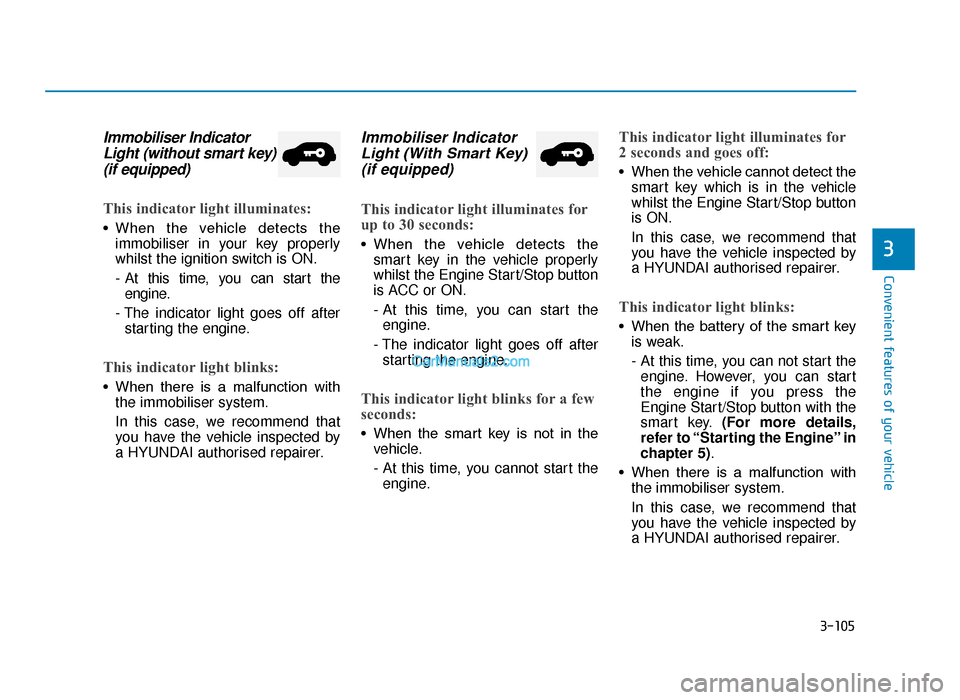
Immobiliser IndicatorLight (without smart key)(if equipped)
This indicator light illuminates:
• When the vehicle detects the
immobiliser in your key properly
whilst the ignition switch is ON.
- At this time, you can start theengine.
- The indicator light goes off after starting the engine.
This indicator light blinks:
• When there is a malfunction with the immobiliser system.
In this case, we recommend that
you have the vehicle inspected by
a HYUNDAI authorised repairer.
Immobiliser IndicatorLight (With Smart Key) (if equipped)
This indicator light illuminates for
up to 30 seconds:
• When the vehicle detects the
smart key in the vehicle properly
whilst the Engine Start/Stop button
is ACC or ON.
- At this time, you can start theengine.
- The indicator light goes off after starting the engine.
This indicator light blinks for a few
seconds:
• When the smart key is not in the vehicle.
- At this time, you cannot start theengine.
This indicator light illuminates for
2 seconds and goes off:
• When the vehicle cannot detect the smart key which is in the vehicle
whilst the Engine Start/Stop button
is ON.
In this case, we recommend that
you have the vehicle inspected by
a HYUNDAI authorised repairer.
This indicator light blinks:
• When the battery of the smart keyis weak.
- At this time, you can not start theengine. However, you can start
the engine if you press the
Engine Start/Stop button with the
smart key. (For more details,
refer to “Starting the Engine” in
chapter 5).
• When there is a malfunction with the immobiliser system.
In this case, we recommend that
you have the vehicle inspected by
a HYUNDAI authorised repairer.
TLe UK 3a(~109).qxp 6/12/2018 2:29 PM Page 105
Page 200 of 685
3-108
Convenient features of your vehicle
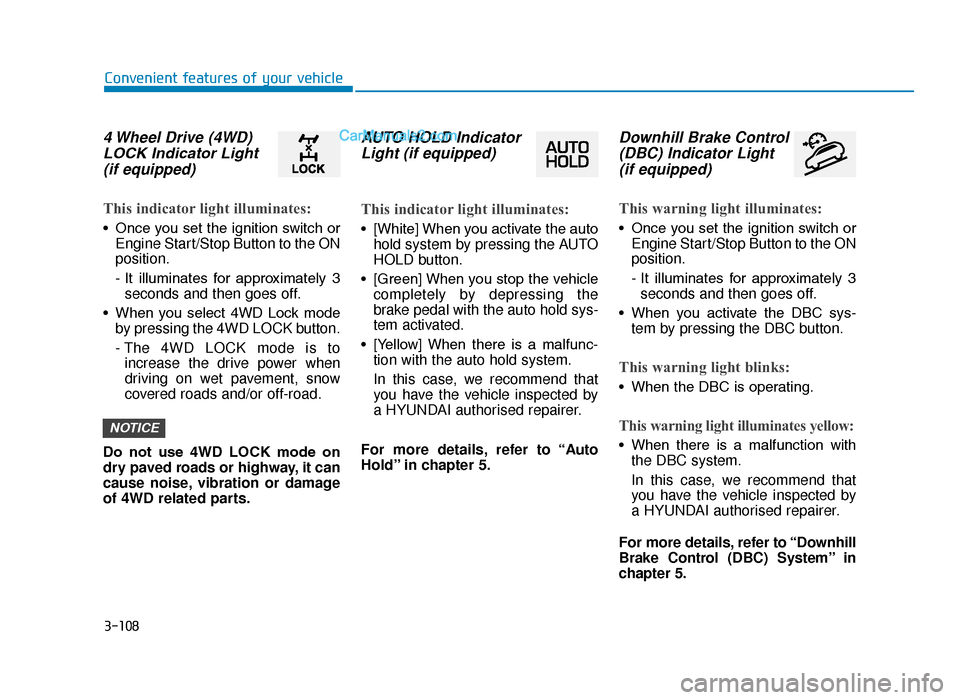
4 Wheel Drive (4WD)LOCK Indicator Light(if equipped)
This indicator light illuminates:
• Once you set the ignition switch or
Engine Start/Stop Button to the ON
position.
- It illuminates for approximately 3seconds and then goes off.
• When you select 4WD Lock mode by pressing the 4WD LOCK button.
- The 4WD LOCK mode is toincrease the drive power when
driving on wet pavement, snow
covered roads and/or off-road.
Do not use 4WD LOCK mode on
dry paved roads or highway, it can
cause noise, vibration or damage
of 4WD related parts.
AUTO HOLD Indicator Light (if equipped)
This indicator light illuminates:
• [White] When you activate the auto
hold system by pressing the AUTO
HOLD button.
• [Green] When you stop the vehicle completely by depressing the
brake pedal with the auto hold sys-
tem activated.
• [Yellow] When there is a malfunc- tion with the auto hold system.
In this case, we recommend that
you have the vehicle inspected by
a HYUNDAI authorised repairer.
For more details, refer to “Auto
Hold” in chapter 5.
Downhill Brake Control (DBC) Indicator Light (if equipped)
This warning light illuminates:
• Once you set the ignition switch or
Engine Start/Stop Button to the ON
position.
- It illuminates for approximately 3seconds and then goes off.
• When you activate the DBC sys- tem by pressing the DBC button.
This warning light blinks:
• When the DBC is operating.
This warning light illuminates yellow:
• When there is a malfunction withthe DBC system.
In this case, we recommend that
you have the vehicle inspected by
a HYUNDAI authorised repairer.
For more details, refer to “Downhill
Brake Control (DBC) System” in
chapter 5.
NOTICE
TLe UK 3a(~109).qxp 6/12/2018 2:29 PM Page 108
Page 201 of 685
![Hyundai Tucson 2019 Owners Manual - RHD (UK, Australia) 3-109
Convenient features of your vehicle
3
Lane Keeping Assist(LKA) system indicatorlight (if equipped)
This indicator light illuminates:
• [Green] When the system operat-
ing conditions are sa](/manual-img/35/19695/w960_19695-200.png "Hyundai Tucson 2019 Owners Manual - RHD (UK, Australia) 3-109
Convenient features of your vehicle
3
Lane Keeping Assist(LKA) system indicatorlight (if equipped)
This indicator light illuminates:
• [Green] When the system operat-
ing conditions are sa")
3-109
Convenient features of your vehicle
3
Lane Keeping Assist(LKA) system indicatorlight (if equipped)
This indicator light illuminates:
• [Green] When the system operat-
ing conditions are satisfied.
• [White] The system operating con- ditions are not satisfied.
• [Yellow] When there is a malfunc- tion with the lane keeping assist
system.
In this case, we recommend that
you have your vehicle inspected by
a HYUNDAI authorised repairer.
For more details, refer to "Lane
Keeping Assist (LKA) system" in
chapter 5.
TLe UK 3a(~109).qxp 6/12/2018 2:29 PM Page 109
Page 207 of 685
3-115
Convenient features of your vehicle
3
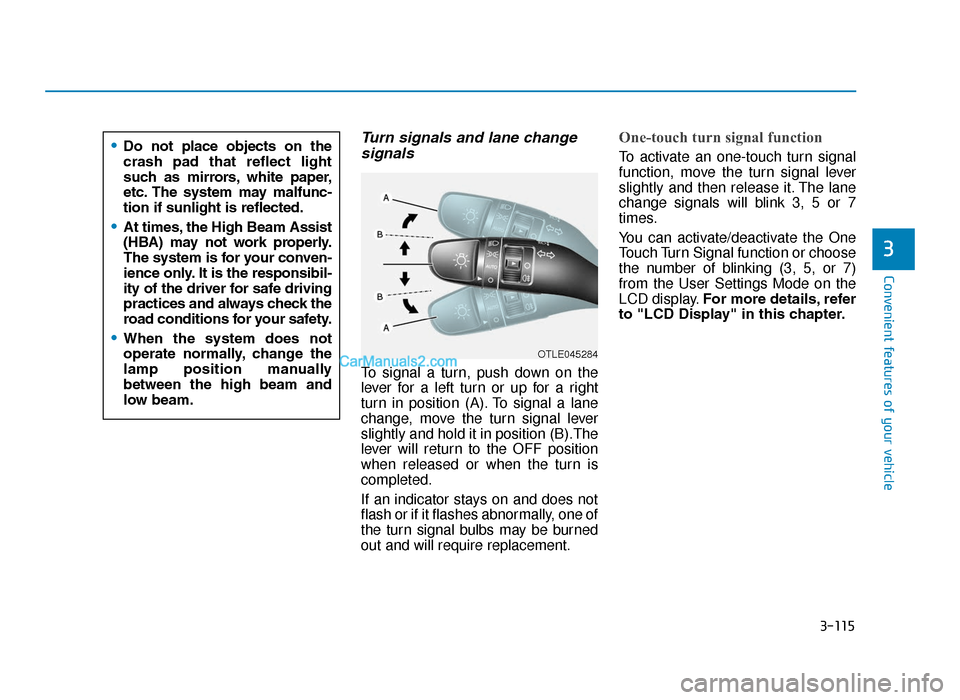
Turn signals and lane changesignals
To signal a turn, push down on the
lever for a left turn or up for a right
turn in position (A). To signal a lane
change, move the turn signal lever
slightly and hold it in position (B).The
lever will return to the OFF position
when released or when the turn is
completed.
If an indicator stays on and does not
flash or if it flashes abnormally, one of
the turn signal bulbs may be burned
out and will require replacement.
One-touch turn signal function
To activate an one-touch turn signal
function, move the turn signal lever
slightly and then release it. The lane
change signals will blink 3, 5 or 7
times.
You can activate/deactivate the One
Touch Turn Signal function or choose
the number of blinking (3, 5, or 7)
from the User Settings Mode on the
LCD display. For more details, refer
to "LCD Display" in this chapter.
OTLE045284
•Do not place objects on the
crash pad that reflect light
such as mirrors, white paper,
etc. The system may malfunc-
tion if sunlight is reflected.
•At times, the High Beam Assist
(HBA) may not work properly.
The system is for your conven-
ience only. It is the responsibil-
ity of the driver for safe driving
practices and always check the
road conditions for your safety.
•When the system does not
operate normally, change the
lamp position manually
between the high beam and
low beam.
TLe UK 3b(110~).qxp 6/12/2018 2:35 PM Page 115