2019 Hyundai Santa Fe park assist
[x] Cancel search: park assistPage 250 of 682
3-159
Convenient features of your vehicle
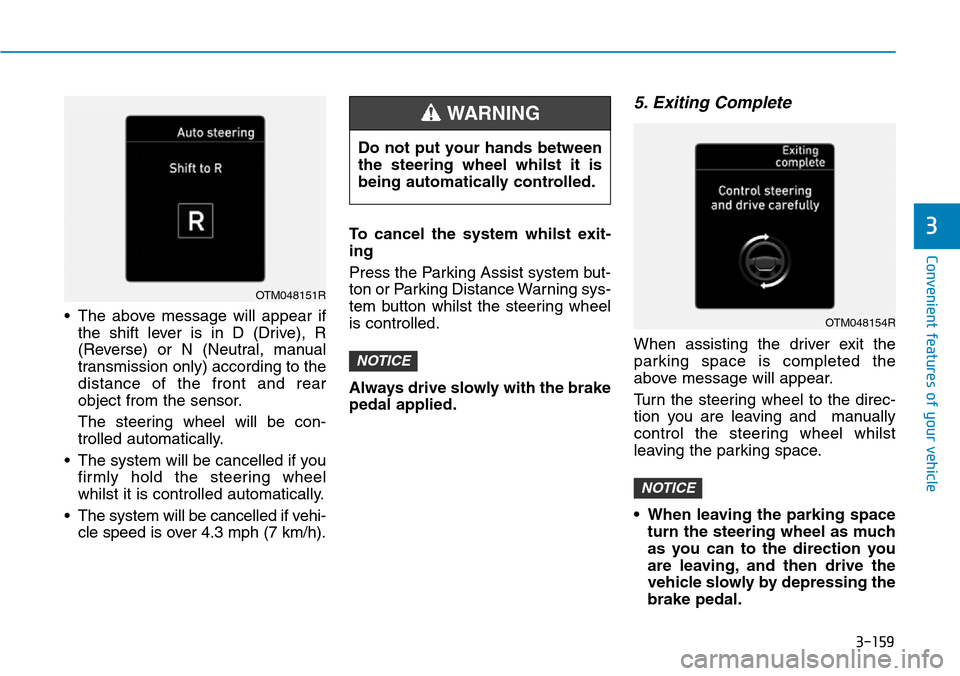
• The above message will appear if
the shift lever is in D (Drive), R
(Reverse) or N (Neutral, manual
transmission only) according to the
distance of the front and rear
object from the sensor.
The steering wheel will be con-
trolled automatically.
• The system will be cancelled if you
firmly hold the steering wheel
whilst it is controlled automatically.
• The system will be cancelled if vehi-
cle speed is over 4.3 mph (7 km/h).To cancel the system whilst exit-
ing
Press the Parking Assist system but-
ton or Parking Distance Warning sys-
tem button whilst the steering wheel
is controlled.
Always drive slowly with the brake
pedal applied.
5. Exiting Complete
When assisting the driver exit the
parking space is completed the
above message will appear.
Turn the steering wheel to the direc-
tion you are leaving and manually
control the steering wheel whilst
leaving the parking space.
• When leaving the parking space
turn the steering wheel as much
as you can to the direction you
are leaving, and then drive the
vehicle slowly by depressing the
brake pedal.
NOTICE
NOTICE
3
OTM048151R
Do not put your hands between
the steering wheel whilst it is
being automatically controlled.
WARNING
OTM048154R
Page 251 of 682
3-160
• Always check the surrounding
before driving your vehicle if the
Parking Assist system warning
sound (distance from object is
within 30cm: continuous beep)
is heard for the object is close to
your vehicle. If the vehicle gets
too close to the object, the warn-
ing will not sound.
• The system will be cancelled for
safety reasons if the vehicle is
parked at a small space near a
wall.
Additional instructions
(messages)
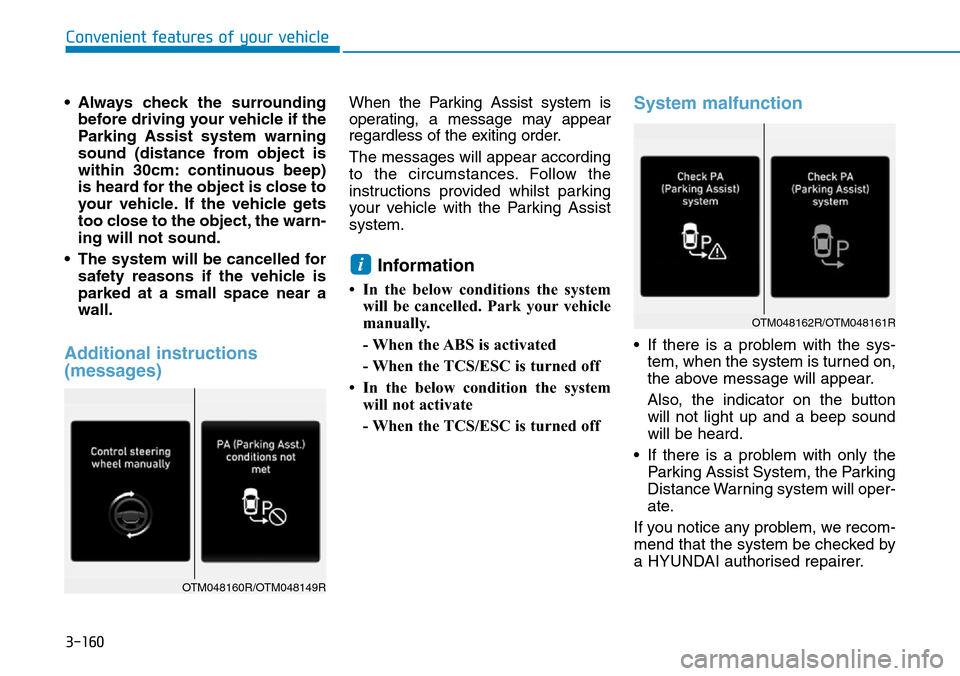
When the Parking Assist system is
operating, a message may appear
regardless of the exiting order.
The messages will appear according
to the circumstances. Follow the
instructions provided whilst parking
your vehicle with the Parking Assist
system.
Information
• In the below conditions the system
will be cancelled. Park your vehicle
manually.
- When the ABS is activated
- When the TCS/ESC is turned off
• In the below condition the system
will not activate
- When the TCS/ESC is turned off
System malfunction
• If there is a problem with the sys-
tem, when the system is turned on,
the above message will appear.
Also, the indicator on the button
will not light up and a beep sound
will be heard.
• If there is a problem with only the
Parking Assist System, the Parking
Distance Warning system will oper-
ate.
If you notice any problem, we recom-
mend that the system be checked by
a HYUNDAI authorised repairer.
i
Convenient features of your vehicle
OTM048160R/OTM048149R
OTM048162R/OTM048161R
Page 330 of 682
Driving your vehicle
Before driving.........................................................5-5
Before entering the vehicle ...........................................5-5
Before starting...................................................................5-5
Key ignition switch ............................................................5-7
Ignition switch ........................................................5-7
Engine Start/Stop button ..............................................5-12
Manual transmission............................................5-20
Manual transmission operation ...................................5-20
Good driving practices ...................................................5-22
Automatic transmission .......................................5-23
Automatic transmission operation ..............................5-23
Parking ...............................................................................5-28
Good driving practices ...................................................5-28
Braking system.....................................................5-31
Power brakes ...................................................................5-31
Disc brakes wear indicator ...........................................5-32
Parking brake ...................................................................5-32
Electronic Parking Brake (EPB)...................................5-34
AUTO HOLD ......................................................................5-40
Anti-lock Brake System (ABS) ....................................5-44
Electronic Stability Control (ESC)................................5-46
Vehicle Stability Management (VSM).........................5-49
Trailer stability assist (TSA)..........................................5-50
Hill-Start Assist Control (HAC) ....................................5-51
Emergency Stop Signal (ESS) ......................................5-51
Downhill Brake Control (DBC) ......................................5-52
Good braking practices..................................................5-54
Four wheel drive (4WD) ......................................5-55
4WD operation .................................................................5-57
Emergency precautions .................................................5-60
Reducing the risk of a rollover ...................................5-61
ISG (Idle Stop and Go) system ...........................5-63
To activate the ISG system ...........................................5-63
To deactivate the ISG system ......................................5-67
ISG system malfunction .................................................5-67
The battery sensor deactivation .................................5-68
Flex steering wheel .............................................5-69
Drive mode integrated control system .............5-71
SMART mode....................................................................5-71
SPORT mode.....................................................................5-74
ECO mode ............................................................................574
Forward collision-avoidance assist (FCA)
system - camera type .........................................5-76
System setting and activation......................................5-76
FCA warning message and system control ..............5-78
FCA sensor........................................................................5-80
System malfunction ........................................................5-82
Limitations of the system .............................................5-83
5
Page 336 of 682
5-7
Driving your vehicle
5
IGNITION SWITCH
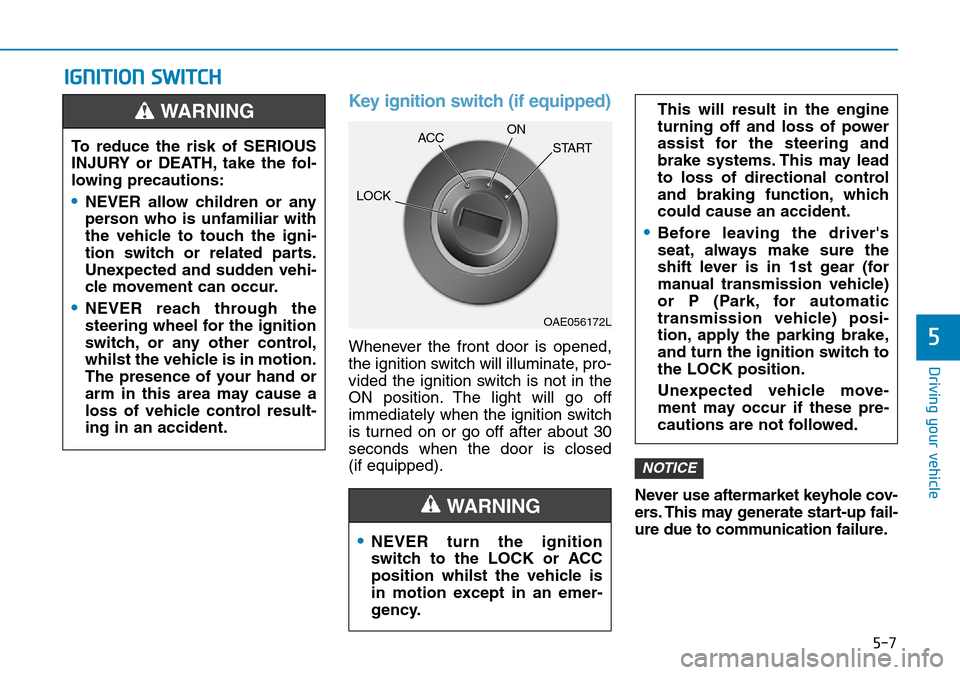
Key ignition switch (if equipped)
Whenever the front door is opened,
the ignition switch will illuminate, pro-
vided the ignition switch is not in the
ON position. The light will go off
immediately when the ignition switch
is turned on or go off after about 30
seconds when the door is closed
(if equipped).
Never use aftermarket keyhole cov-
ers. This may generate start-up fail-
ure due to communication failure.
NOTICE
•NEVER turn the ignition
switch to the LOCK or ACC
position whilst the vehicle is
in motion except in an emer-
gency.
This will result in the engine
turning off and loss of power
assist for the steering and
brake systems. This may lead
to loss of directional control
and braking function, which
could cause an accident.
•Before leaving the driver's
seat, always make sure the
shift lever is in 1st gear (for
manual transmission vehicle)
or P (Park, for automatic
transmission vehicle) posi-
tion, apply the parking brake,
and turn the ignition switch to
the LOCK position.
Unexpected vehicle move-
ment may occur if these pre-
cautions are not followed.
WARNING
To reduce the risk of SERIOUS
INJURY or DEATH, take the fol-
lowing precautions:
•NEVER allow children or any
person who is unfamiliar with
the vehicle to touch the igni-
tion switch or related parts.
Unexpected and sudden vehi-
cle movement can occur.
•NEVER reach through the
steering wheel for the ignition
switch, or any other control,
whilst the vehicle is in motion.
The presence of your hand or
arm in this area may cause a
loss of vehicle control result-
ing in an accident.
WARNING
OAE056172L
LOCKACCON
START
Page 341 of 682
5-12
Driving your vehicle
Engine Start/Stop button
(if equipped)
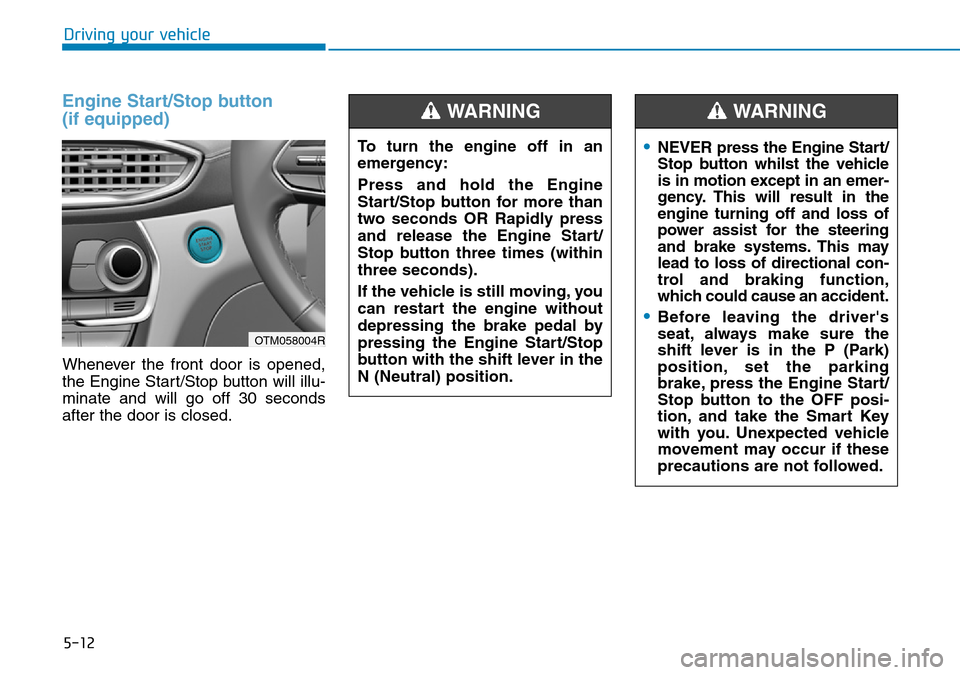
Whenever the front door is opened,
the Engine Start/Stop button will illu-
minate and will go off 30 seconds
after the door is closed.
OTM058004R
To turn the engine off in an
emergency:
Press and hold the Engine
Start/Stop button for more than
two seconds OR Rapidly press
and release the Engine Start/
Stop button three times (within
three seconds).
If the vehicle is still moving, you
can restart the engine without
depressing the brake pedal by
pressing the Engine Start/Stop
button with the shift lever in the
N (Neutral) position.
WARNING
•NEVER press the Engine Start/
Stop button whilst the vehicle
is in motion except in an emer-
gency. This will result in the
engine turning off and loss of
power assist for the steering
and brake systems. This may
lead to loss of directional con-
trol and braking function,
which could cause an accident.
•Before leaving the driver's
seat, always make sure the
shift lever is in the P (Park)
position, set the parking
brake, press the Engine Start/
Stop button to the OFF posi-
tion, and take the Smart Key
with you. Unexpected vehicle
movement may occur if these
precautions are not followed.
WARNING
Page 366 of 682
5-37
Driving your vehicle
5
• Do not apply the accelerator
pedal whilst the parking brake is
engaged. If you depress the
accelerator pedal with the EPB
engaged, a warning will sound
and a message will appear.
Damage to the parking brake
may occur.
• Driving with the parking brake
on can overheat the braking sys-
tem and cause premature wear
or damage to brake parts. Make
sure the EPB is released and the
Parking Brake Warning Light is
off before driving.
Information
• A clicking sound may be heard
whilst operating or releasing the
EPB. These conditions are normal
and indicate that the EPB is func-
tioning properly.
• When leaving your keys with a
parking attendant or assistant,
make sure to inform him/her how to
operate the EPB.
iNOTICE
•Whenever leaving the vehicle
or parking, always come to a
complete stop and continue
to depress the brake pedal.
Move the shift lever into the P
(Park) position, press the EPB
switch, and press the Engine
Start/Stop button to the OFF
position. Take the Smart Key
with you when exiting the
vehicle.
Vehicles not fully engaged in
P (Park) with the parking
brake set are at risk for mov-
ing inadvertently and causing
injury to yourself or others.
•NEVER allow anyone who is
unfamiliar with the vehicle to
touch the EPB switch. If the
EPB is released unintentional-
ly, serious injury may occur.
•Only release the EPB when
you are seated inside the
vehicle with your foot firmly
on the brake pedal.
WARNING
Page 380 of 682
5-51
Driving your vehicle
5
Trailer stability assist system contin-
uously analyzes the vehicle and trail-
er instability. When the Trailer stabili-
ty assist system detects some sway,
the brakes are applied automatically
to stabilize the vehicle on the front
wheel. However, if it is not enough to
stabilize, the brakes are applied on
all wheels automatically and engine
power is properly reduced. When the
vehicle is stable from swaying, trailer
stability assist system does not oper-
ate.Hill-Start Assist Control (HAC)
(if equipped)
The Hill-Start Assist Control (HAC)
helps prevent the vehicle from rolling
backwards when starting a vehicle
from a stop on a hill. The system
operates the brakes automatically for
approximately 2 seconds and releas-
es the brake after 2 seconds or when
the accelerator pedal is depressed.
Information
• The HAC does not operate when the
shift lever is in P (Park) or N
(Neutral).
• The HAC activates even when the
ESC (Electronic Stability Control) is
off. However, it does not activate,
when the ESC does not operate nor-
mally.
Emergency Stop Signal (ESS)
(if equipped)
The Emergency Stop Signal system
alerts the driver behind by blinking
the stop lights, whilst sharply and
severely braking.
The system is activated when:
• The vehicle suddenly stops. (The
deceleration power exceeds 7 m/s
2,
and the driving speed exceeds 34
mph (55 km/h)).
• The ABS is activated and the driv-
ing speed exceeds 34 mph (55
km/h).
The hazard warning flasher automat-
ically turns ON after blinking the stop
lights:
• When the driving speed is under
25 mph (40 km/h),
• When the ABS is deactivated, and
• When the sudden braking situation
is over.
i
Always be ready to depress the
accelerator pedal when starting
off on a incline. The HAC acti-
vates only for approximately 2
seconds.
WARNING
Page 383 of 682
5-54
Driving your vehicle
Good braking practices Wet brakes can be dangerous! The
brakes may get wet if the vehicle is
driven through standing water or if it
is washed. Your vehicle will not stop
as quickly if the brakes are wet. Wet
brakes may cause the vehicle to pull
to one side.
To dry the brakes, apply the brakes
lightly until the braking action returns
to normal, taking care to keep the
vehicle under control at all times. If
the braking action does not return to
normal, stop as soon as it is safe to
do so. We recommend that you call a
HYUNDAI authorised repairer for
assistance.
DO NOT drive with your foot resting
on the brake pedal. Even light, but
constant pedal pressure can result in
the brakes overheating, brake wear,
and possibly even brake failure.If a tyre goes flat whilst you are driv-
ing, apply the brakes gently and
keep the vehicle pointed straight
ahead whilst you slow down. When
you are moving slowly enough for it
to be safe to do so, pull off the road
and stop in a safe location.
Keep your foot firmly on the brake
pedal when the vehicle is stopped to
prevent the vehicle from rolling for-
ward. Whenever leaving the vehicle or
parking, always come to a com-
plete stop and continue to
depress the brake pedal. Move
the shift lever into the P (Park)
position, then apply the parking
brake, and place the ignition
switch in the LOCK/OFF posi-
tion.
Vehicles parked with the park-
ing brake not applied or not
fully engaged may roll inadver-
tently and may cause injury to
the driver and others. ALWAYS
apply the parking brake before
exiting the vehicle.
WARNING