Page 130 of 540
3-46
Convenient features of your vehicle
Gauges and Meters
Speedometer
The speedometer indicates the
speed of the vehicle and is calibrated
in miles per hour (mph) and/or kilo-
meters per hour (km/h).
The speedometer is displayed differ-
ently according to the selected drive
mode.
For more details, refer to “Drive
Mode System” in chapter 5.
Sub speedometer
The sub speedometer is displayed
on the cluster when you select ‘Other
features →Speedometer subscale’ in
the User Settings mode. The sub
speedometer is not displayed if you
deselect it in the User Setting mode.
For more details, refer to “LCD
Display Mode” in this chapter.
OOSEV048177N
■ SPORT mode
OOSEV048174R
■NORMAL mode
OOSEV048167R
■ECO mode/ECO+ mode (if equipped)
OOSEV048187N
Page 133 of 540
3-49
Convenient features of your vehicle
3
Odometer
The odometer indicates the total dis-
tance that the vehicle has been driv-
en and should be used to determine
when periodic maintenance should
be performed.
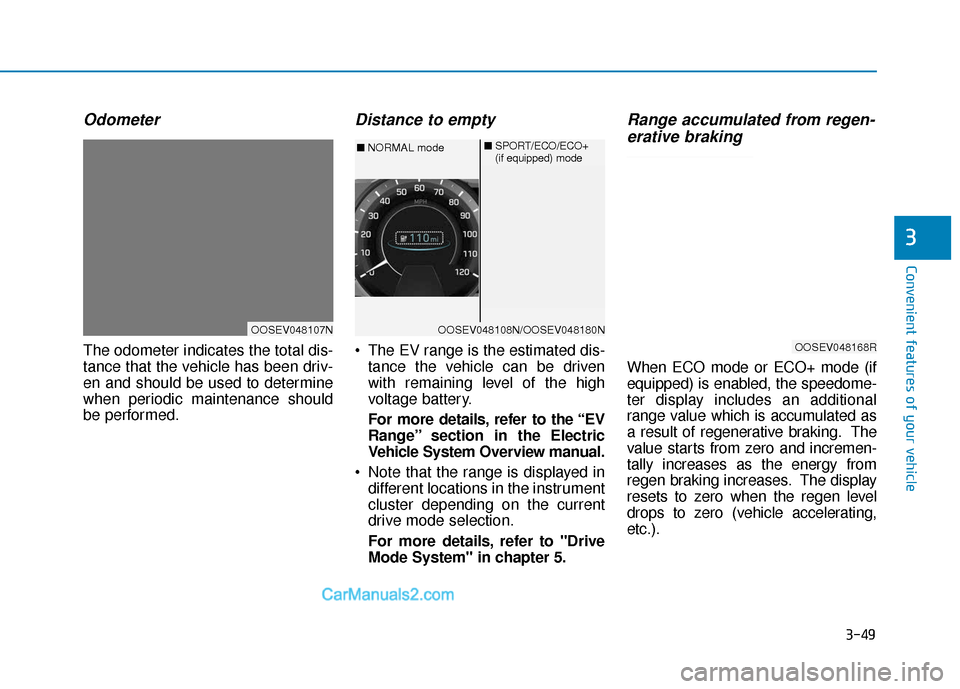
Distance to empty
The EV range is the estimated dis-tance the vehicle can be driven
with remaining level of the high
voltage battery.
For more details, refer to the “EV
Range” section in the Electric
Vehicle System Overview manual.
Note that the range is displayed in different locations in the instrument
cluster depending on the current
drive mode selection.
For more details, refer to "Drive
Mode System" in chapter 5.
Range accumulated from regen-erative braking
When ECO mode or ECO+ mode (if
equipped) is enabled, the speedome-
ter display includes an additional
range value which is accumulated as
a result of regenerative braking. The
value starts from zero and incremen-
tally increases as the energy from
regen braking increases. The display
resets to zero when the regen level
drops to zero (vehicle accelerating,
etc.).
OOSEV048107NOOSEV048108N/OOSEV048180N
■ NORMAL mode ■
SPORT/ECO/ECO+
(if equipped) mode
OOSEV048168R
Page 134 of 540
3-50
Convenient features of your vehicle
Gear shift indicator
This indicator displays which gear
position is selected.
Shift indicator pop-up
The pop-up indicates the current
gear position displayed in the cluster
for about 2 seconds when shifting
into other positions (P/R/N/D).
The shift indicator pop-up function
can be activated or deactivated from
the User Settings mode in the cluster
LCD display.
Regenerative braking level indi-cator
The level of regenerative braking can
be selected by using the paddle
shifters on the steering wheel. The
level (0 to 3) is displayed in the lower
portion of the cluster LCD display.
For more details, refer to
“Regenerative Braking System” in
chapter 5.
OOSEV048105R
OOSEV048106N
OOSEV048109N
Page 137 of 540
3-53
Convenient features of your vehicle
3
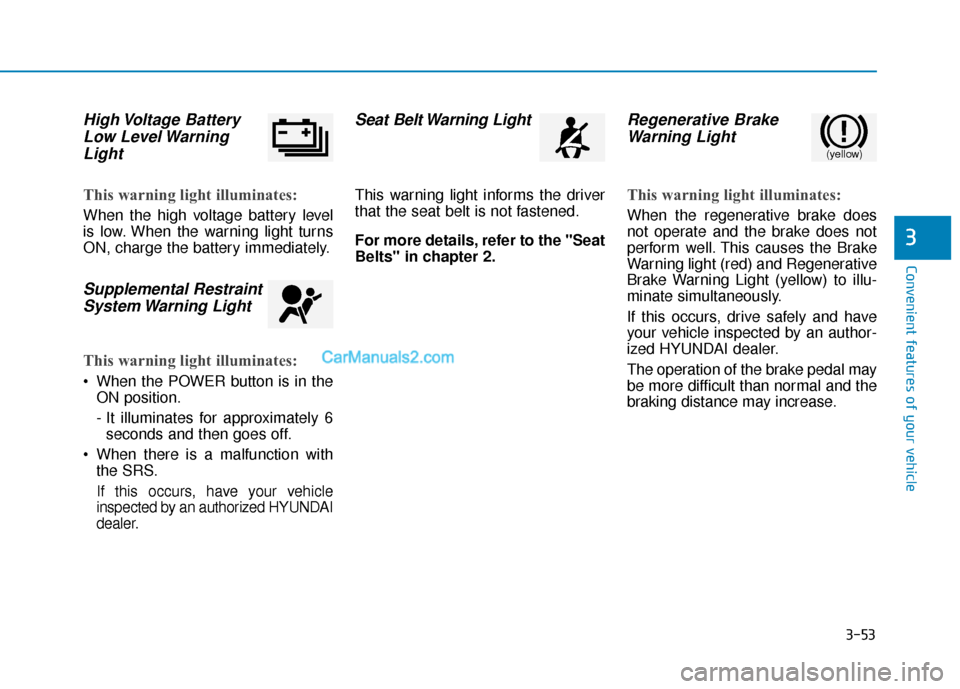
High Voltage BatteryLow Level WarningLight
This warning light illuminates:
When the high voltage battery level
is low. When the warning light turns
ON, charge the battery immediately.
Supplemental RestraintSystem Warning Light
This warning light illuminates:
When the POWER button is in the
ON position.
- It illuminates for approximately 6seconds and then goes off.
When there is a malfunction with the SRS.
If this occurs, have your vehicle
inspected by an authorized HYUNDAI
dealer.
Seat Belt Warning Light
This warning light informs the driver
that the seat belt is not fastened.
For more details, refer to the "Seat
Belts" in chapter 2.
Regenerative BrakeWarning Light
This warning light illuminates:
When the regenerative brake does
not operate and the brake does not
perform well. This causes the Brake
Warning light (red) and Regenerative
Brake Warning Light (yellow) to illu-
minate simultaneously.
If this occurs, drive safely and have
your vehicle inspected by an author-
ized HYUNDAI dealer.
The operation of the brake pedal may
be more difficult than normal and the
braking distance may increase.
(yellow)
Page 138 of 540

3-54
Convenient features of your vehicle
Parking Brake & BrakeFluid Warning Light
This warning light illuminates:
When the POWER button is in the
ON position.
- It illuminates for approximately 3seconds.
- It remains on if the parking brake is applied.
When the parking brake is applied.
When the brake fluid level in the reservoir is low.
- If the warning light remains illumi-nated when the parking brake is
released, check under the hood
to see if the fluid level in the brake
fluid reservoir is low.
If the brake fluid level in the reser-
voir is low:
1. Drive carefully to the nearest safe location and stop your vehicle.
2. With the vehicle turned off, check the brake fluid level immediately
and add fluid as required (For more
details, refer to "Brake Fluid" in
chapter 7). After adding brake fluid,
check all brake components for fluid
leaks. If a brake fluid leak is found,
or if the warning light remains on, or
if the brakes do not operate proper-
ly, do not drive the vehicle. Have the
vehicle inspected by an authorized
HYUNDAI dealer.
Dual-diagonal braking system
Your vehicle is equipped with dual-
diagonal braking systems. This
means you still have braking on two
wheels even if one of the dual sys-
tems should fail.
With only one of the dual systems
working, more than normal pedal
travel and greater pedal pressure is
required to stop the vehicle. Also, the vehicle will not stop in as
short a distance with only a portion
of the brake system working.
Parking Brake & Brake Fluid
Warning Light
Driving the vehicle with a warn-
ing light ON is dangerous. If the
Parking Brake & Brake Fluid
Warning Light illuminates with
the parking brake released, it
indicates that the brake fluid
level is low.
If this occurs, have your vehicle
inspected by an authorized
HYUNDAI dealer.
WARNING
Page 140 of 540

3-56
Convenient features of your vehicle
Electric PowerSteering (EPS)Warning Light
This warning light illuminates:
When the POWER button is in the
ON position.
- It illuminates for approximately 3seconds and then goes off.
When there is a malfunction with the EPS.
If this occurs, have your vehicle
inspected by an authorized
HYUNDAI dealer.
Charging SystemWarning Light(for 12-volt battery)
This warning light illuminates:
If the 12V auxiliary battery voltage
is low, or if a system malfunction
related to the low voltage DC
charging system (LDC) occurs.
If this warning light comes on while driving, or if this warning light
comes on and off intermittently
with ignition cycle, have the vehicle
inspected by an authorized
HYUNDAI dealer.
If the vehicle is driven continuously
with the Charging System Warning
Light on, the 12V auxiliary battery
may discharge. If this occurs, vehi-
cle operation may be limited.
Low Tire PressureWarning Light
This warning light illuminates:
When the POWER button is in the
ON position.
- It illuminates for approximately 3seconds and then goes off.
When one or more of your tires are significantly underinflated (The
location of each underinflated tire
is displayed on the LCD display).
For more details, refer to "Tire
Pressure Monitoring System
(TPMS)" in chapter 6.
Page 141 of 540
3-57
Convenient features of your vehicle
3
This warning light remains ON
after blinking for approximately 60
seconds, or repeatedly blinks ON
and OFF in 3 second intervals:
When there is a malfunction with the
TPMS.
If this occurs, have your vehicle
inspected by an authorized HYUNDAI
dealer.
For more details, refer to "Tire
Pressure Monitoring System
(TPMS)" in chapter 6.
Electronic ParkingBrake (EPB) WarningLight
This warning light illuminates:
When the POWER button is in the
ON position.
- It illuminates for approximately 3seconds and then goes off.
When there is a malfunction with the EPB.
If this occurs, have the vehicle
inspected by an authorized
HYUNDAI dealer.
Information
The Electronic Parking Brake (EPB)
Warning Light may illuminate when
the Electronic Stability control (ESC)
Indicator Light comes on to indicate
that the ESC is not working properly
(This does not indicate malfunction of
the EPB).
AUTO HOLD IndicatorLight
This indicator light illuminates:
[White] When you activate the auto
hold system by pressing the AUTO
HOLD switch.
[Green] When you stop the vehicle completely by depressing the
brake pedal with the auto hold sys-
tem activated.
[Yellow] When there is a malfunc- tion with the auto hold system.
If this occurs, have the vehicle
inspected by an authorized
HYUNDAI dealer.
For more details, refer to "Auto
Hold" in chapter 5.
iSafe Stopping
The TPMS cannot alert you to
severe and sudden tire damage
caused by external factors.
If you notice any vehicle insta-
bility, immediately take your
foot off the accelerator pedal,
apply the brakes gradually with
light force, and slowly move to
a safe position on the side of
the road.
WARNING
E EP
P B
B
Page 142 of 540

3-58
Convenient features of your vehicle
Forward Collision-Avoidance Assist (FCA)System Warning Light
This warning light illuminates :
When the POWER button is in the
ON position.
- It illuminates for approximately 3seconds and then goes off.
When the FCA system is turned off.
When the radar sensor (if equipped) or cover is blocked with dirt or snow.
Check the sensor and cover and
clean them using a soft cloth. (Note
that some models with FCA do not
incorporate a radar sensor.)
When there is a malfunction with FCA. If this occurs, have your vehi-
cle inspected by an authorized
HYUNDAI dealer.
For more details, refer to "Forward
Collision-Avoidance Assist (FCA)
System" in chapter 5.
Lane Keeping Assist (LKA) System IndicatorLight
This indicator light illuminates:
[Green] When the system operat-
ing conditions are satisfied for
LKA.
[White] When system operating conditions are not satisfied.
[Yellow] When there is a malfunc- tion with the lane keeping assist
system.
If this occurs, have your vehicle
inspected by an authorized HYUNDAI
dealer.
For more details, refer to "Lane
Keeping Assist (LKA) System" in
chapter 5.
LED Headlamp Warning Light (if equipped)
This warning light illuminates:
When the POWER button is in the
ON position.
- It illuminates for approximately 3seconds and then goes off.
When there is a malfunction with the LED headlamp.
If this occurs, have the v ehicle
inspected by an an authorized
HYUNDAI dealer.
This warning light blinks:
When there is a malfunction with a
component or system related to the
LED headlamps.
If this occurs, have the vehicle
inspected by an an authorized
HYUNDAI dealer.
Continuous driving with the LED
Headlamp Warning Light on or
blinking can reduce LED head-
lamp life.
NOTICE

